


You just found a 90-minute YouTube tutorial. You're not going to watch the whole thing. You shouldn't have to.
AI can pull out every key idea, timestamp it, and hand it to you as clean, readable notes — in seconds. No pausing. No typing. No rewinding.
This guide breaks down exactly how to use AI to take notes from YouTube videos for free, using the best tools available right now — including HyNote, which makes the entire process stupidly simple.
Why Manual Note-Taking from YouTube Is Killing Your Productivity
Think about how long it actually takes to take notes from a video the old-school way. You pause, you type, you rewind because you missed something, you pause again.
For a 30-minute video, you're spending 45–60 minutes just trying to keep up. That's not studying. That's transcription work. And it's completely avoidable.
AI tools now do in 10 seconds what used to take you an hour. They pull the transcript, identify the key points, organize them by section, and even add timestamps so you can jump back to any moment.

You get better notes, faster — and you actually retain more because you're reading structured summaries instead of scrambled bullet points.
What Actually Happens When AI Takes Notes from a YouTube Video
Before jumping into tools, here's the quick breakdown of how this process works:
- Transcript extraction — AI pulls the auto-generated or manual caption file from the YouTube video
- Content analysis — The AI reads the full transcript and identifies the most important ideas
- Summarization — Key points are extracted and organized into structured notes
- Output — You get clean, readable notes (sometimes with timestamps, headers, and action items)
Some tools go further and let you chat with your notes, create flashcards, or export everything to Notion. But at its core, that's the process.
The #1 Free Tool That Does This Instantly: HyNote
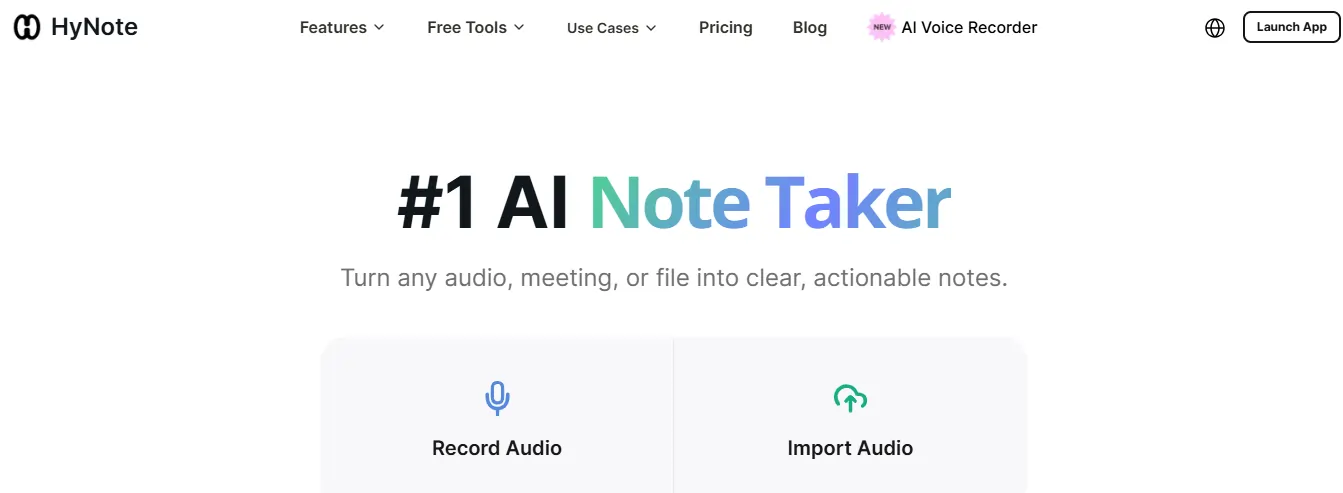
If you only try one tool from this list, make it HyNote.
You paste a YouTube link. You get AI-generated notes. That's it.
HyNote is built around the idea of turning any input — audio, PDFs, meetings, web pages, or YouTube videos — into structured, actionable notes. Trusted by over 1 million professionals and students, it handles the entire workflow without asking you to do any heavy lifting.
How to Use HyNote AI to Take Notes from YouTube Videos:
Step 1: Go to HyNote — no sign-up needed to try the YouTube summarizer
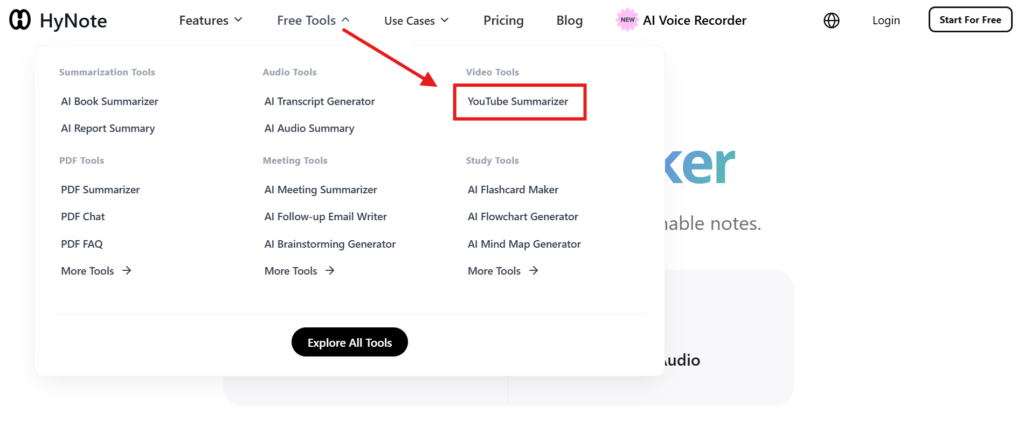
Step 2: Paste your YouTube video URL into the input field
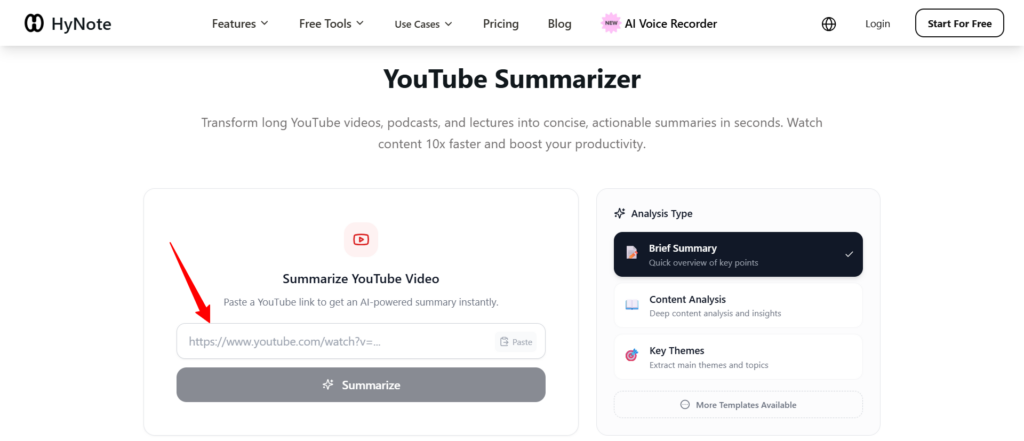
Step 3: Hit summarize — HyNote's AI instantly processes the transcript
Step 4: Get back clean, structured notes with key points, timestamps, and summaries
Step 5 (Bonus): Use the “Chat with Notes” feature to ask follow-up questions about the video content
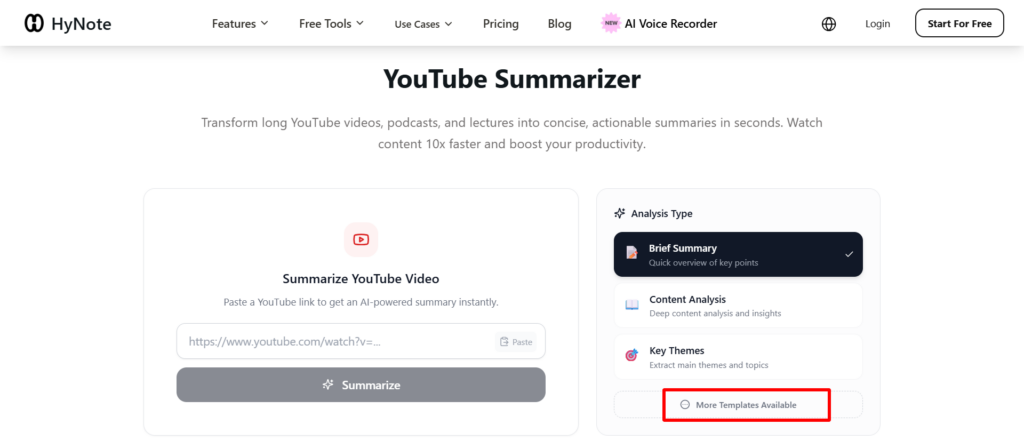
You also get access to AI templates — study guides, lecture notes, takeaways, quizzes, and flashcards — all auto-generated from the same video. It's the fastest way to go from a raw YouTube link to a fully organized knowledge document.

HyNote vs Other Free Tools: Which One to Pick?
| Tool | Free Limit | Timestamps | Chat with Notes | Flashcards/Quizzes | Best For |
|---|---|---|---|---|---|
| HyNote | Generous free tier | ✅ Yes | ✅ Yes | ✅ Yes | All-in-one notes & study |
| NoteGPT | 15 summaries/month | ✅ Yes | ❌ No | ❌ No | Quick summaries |
| Taskade | Unlimited (free tier) | ✅ Yes | ❌ No | ❌ No | Team/project workflows |
| Eightify | Limited/month | ✅ Yes | ❌ No | ❌ No | Casual browsing |
| ChatGPT + Transcript | Free (manual) | ❌ No | ✅ Yes | ❌ No | Custom output formats |
HyNote stands out because it's the only free tool that combines YouTube summarization, chat-with-notes, flashcard generation, and quiz creation in one place — without making you bounce between tabs or apps.
💡 Pro Tips to Get Better AI Notes from YouTube
These small tweaks make a big difference in the quality of your output:
When AI Notes Beat Watching the Full Video
There are some clear situations where going straight to AI notes just makes more sense:
In all of these cases, AI notes cut your time by 60–80% while giving you a more organized, searchable output than anything you'd write by hand.
HyNote YouTube Notes — Your Questions Answered
Can I use AI to take notes from any YouTube video for free?
Yes — as long as the video has captions or auto-generated subtitles, tools like HyNote, NoteGPT, and Taskade can process it for free. Most major YouTube channels have captions enabled by default.
Do I need to create an account to use HyNote?
HyNote's YouTube summarizer works without a sign-up for basic use. Creating a free account gives you access to more features like chat-with-notes, flashcards, and cross-device sync.
How accurate are AI-generated notes from YouTube videos?
Accuracy depends on the quality of the video's transcript. For professional tutorials, lectures, and educational content, AI notes are typically 90%+ accurate and well-structured. Videos with poor audio or heavy accents may have slightly lower accuracy.
Can AI notes replace watching the full video?
For research and study purposes — often yes. For videos where demonstrations matter (design tutorials, cooking, physical skills), you'll still want to watch the key sections. AI notes are best used as a complement, not always a replacement.
What's the best free AI tool for taking YouTube notes?
HyNote is the most complete free option — it handles YouTube links, generates structured notes, lets you chat with the content, and creates flashcards all in one place.
Get Started Right Now
You don't need to set up anything complicated. Open HyNote, paste a YouTube link, and you'll have structured notes in under 30 seconds.
The manual note-taking approach had its time. This is faster, cleaner, and completely free.
AiMojo Recommends:


 BONUS: Get our $200 “AI Mastery Toolkit” FREE when you sign up!








