

Kling AI pricing starts at just $6.99 per month for the Standard plan, making it one of the most affordable AI video generation tools available. With four distinct pricing tiers and a generous free plan offering 66 daily credits, Kling AI caters to everyone from casual creators to professional studios.
The credit-based system means you only pay for what you use, whilst annual billing can save you up to 34% compared to monthly subscriptions.
I'll break down each plan's features, show you how to maximise your credit allocation, and reveal why Kling AI delivers exceptional value compared to traditional video production costs that can reach $8,000 per finished minute.
💸 Kling AI Pricing Plans Overview

Kling AI offers four pricing tiers designed to match different creative needs and budgets. Here's the complete breakdown:
| Plan | Monthly Price | Annual Price | Monthly Credits | Video Resolution | Max Duration | Key Features |
|---|---|---|---|---|---|---|
| Free | $0 | $0 | 166 credits | 720p | 10 seconds | Basic editing, daily credit renewal |
| Standard | $6.99 | $6.60/month | 660 credits | 1080p | 30 seconds | Watermark removal, unlimited length |
| Pro | $25.99 | $24.42/month | 3,000 credits | 4K | 60 seconds | Advanced tools, camera controls, lip sync |
| Premier | $64.99 | $60.72/month | 8,000 credits | 4K | Custom length | Priority support, API access, new features |
All prices converted to GBP based on current exchange rates
🆓 Free Plan: Perfect for Testing the Waters
The Free Plan gives you 66 credits daily (166 monthly total) without spending a penny. This generous allocation lets you create multiple short videos to test Kling AI's capabilities before committing to a paid subscription.
What you get:
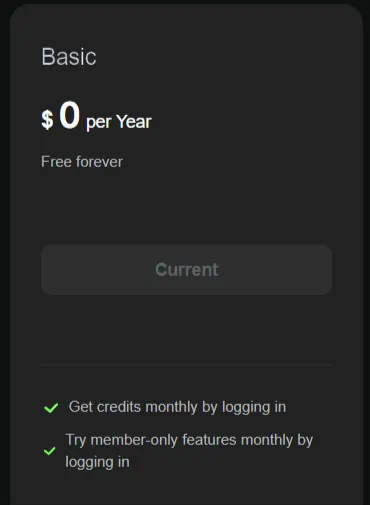
The Free Plan works brilliantly for social media content creators who need quick, engaging clips for platforms like TikTok or Instagram Stories. However, the 10-second limit and 720p resolution may feel restrictive for more ambitious projects.
💡 Standard Plan: The Sweet Spot for Small Creators
At $6.99 monthly (or $6.60 with annual billing), the Standard Plan represents excellent value for individual creators and small businesses.
Key features include:
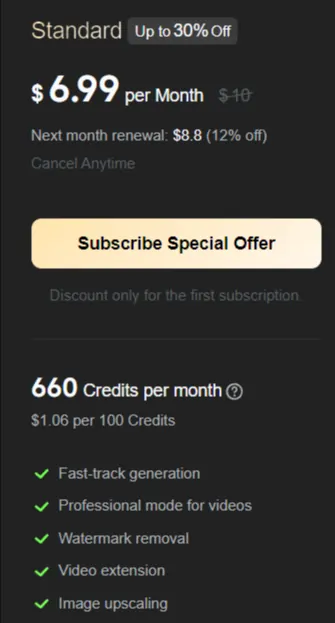
This plan suits YouTube creators, small business owners, and freelance marketers who need regular video content without breaking the bank. The credit allocation typically covers 15-20 short videos per month, depending on complexity and duration.
🚀 Pro Plan: Advanced Features for Serious Creators
The Pro Plan at $25.99 monthly targets professional content creators and growing businesses requiring advanced capabilities.
Premium features:
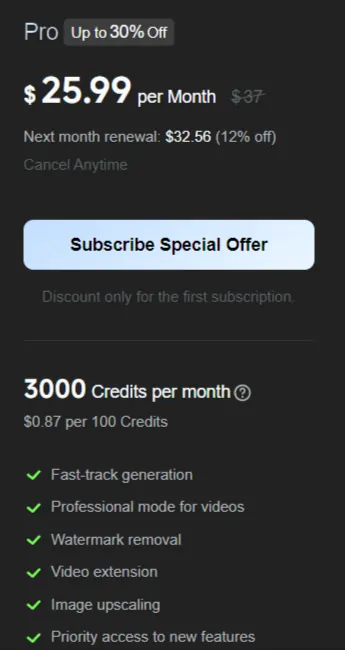
This tier particularly appeals to marketing agencies, education providers, and professional filmmakers who need consistent, high-quality video output. The 4K resolution and advanced controls justify the price increase for users demanding premium results.
💎 Premier Plan: Maximum Power for Heavy Users
At $64.99 monthly, the Premier Plan caters to studios, large agencies, and enterprise clients with demanding production schedules.
Enterprise-grade benefits:

The Premier Plan makes financial sense for businesses generating 50+ videos monthly or requiring API integration for automated workflows. The priority support alone saves valuable time when deadlines loom.
💰 Understanding Kling AI's Credit System
Credits are the currency that powers Kling AI's video generation. Understanding consumption rates helps maximise your investment:
Credit consumption varies by:
Smart credit management tips:
📊 ROI Analysis: Kling AI vs Traditional Video Production
Traditional video production costs can be astronomical. Professional shoots typically range from $650 to $8,000 per finished minute, involving multiple specialists and expensive equipment.
Traditional production costs:
Kling AI transforms these economics:
For a marketing agency producing 20 short videos monthly, Kling AI's Pro Plan ($25.99) costs 95% less than hiring traditional video services.
🏆 Best Plan Recommendations by User Type
Choose Free Plan if:
Choose Standard Plan if:
Choose Pro Plan if:
Choose Premier Plan if:
🚀 Getting Started with Kling AI
Signing up takes just minutes:
- Visit the official Kling AI website
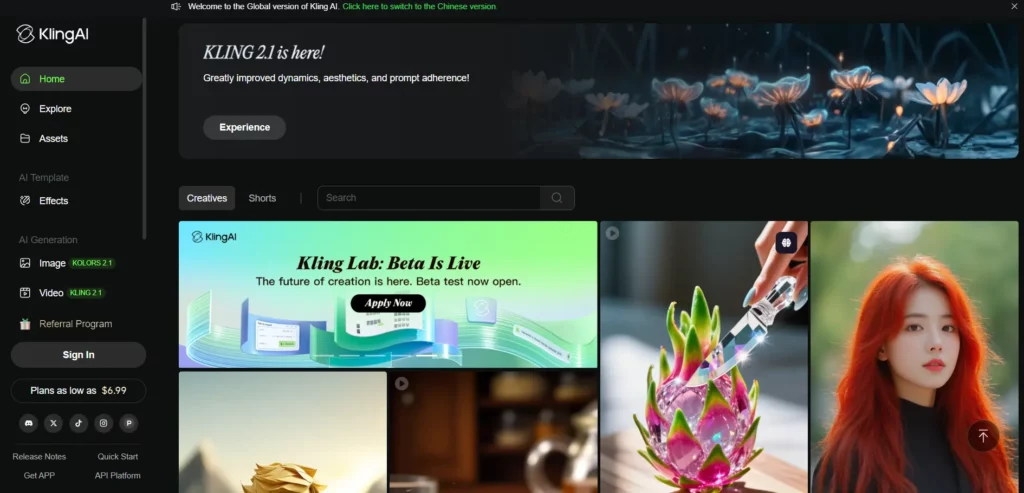
- Click “Get Started” or “Pricing”
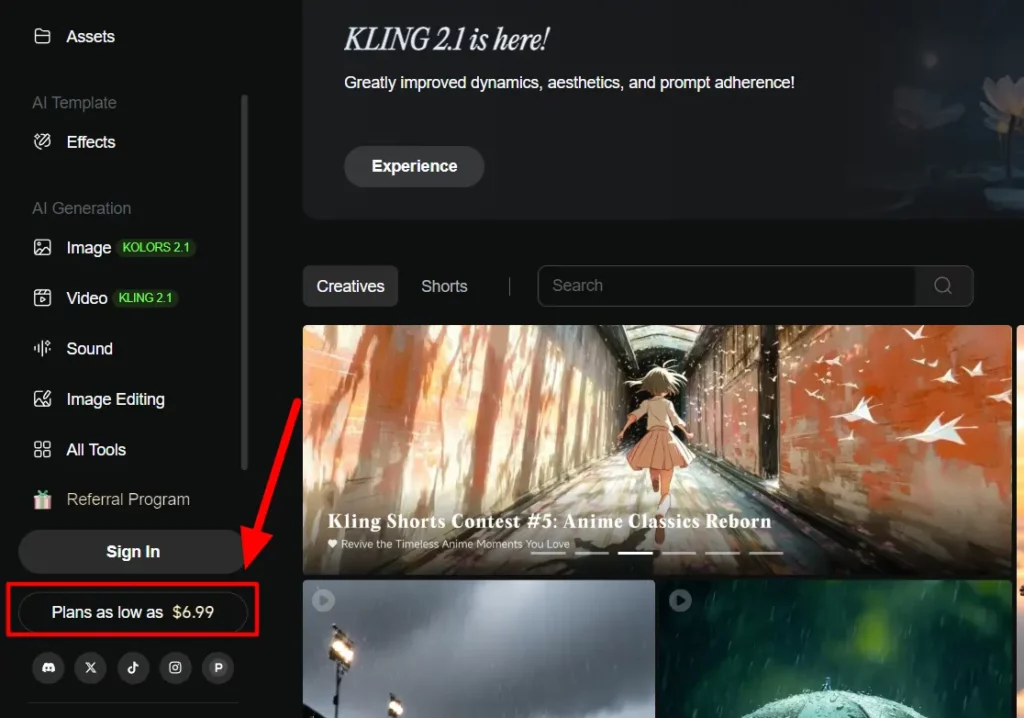
- Select your preferred plan

- Create your account with email/password
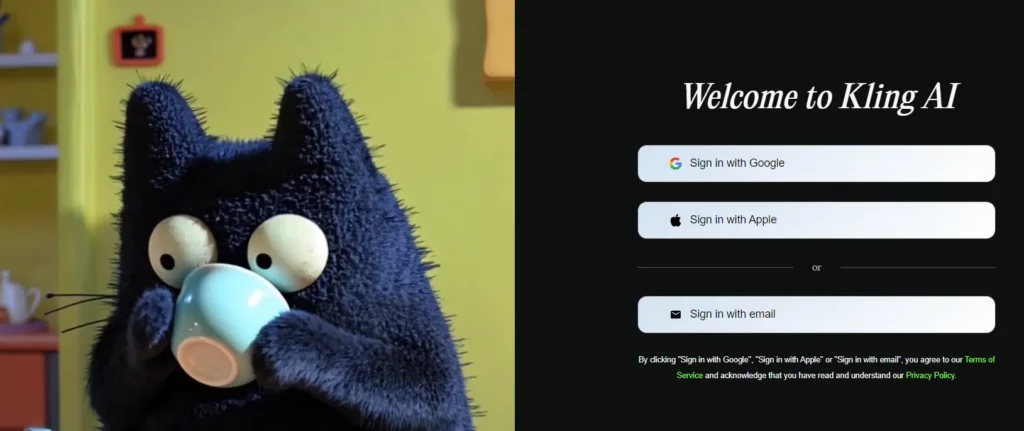
- Add payment details for paid plans
- Start generating videos immediately
Pro tip: Begin with the Free Plan to familiarize yourself with the interface before upgrading. The 66 daily creditsprovide ample opportunity to test features and assess whether Kling AI suits your workflow.
📅 Annual vs Monthly Billing: Maximising Savings
Annual subscriptions offer substantial discounts:
For regular users, annual billing provides better value whilst ensuring uninterrupted access to your preferred feature set.
Key Takeaways
Kling AI's pricing structure democratizes professional video creation, offering unprecedented value for money across all user categories. Whether you're a solo creator or enterprise client, the platform's flexible approach ensures you pay only for what you actually use.
AiMojo Recommends:


 BONUS: Get our $200 “AI Mastery Toolkit” FREE when you sign up!



