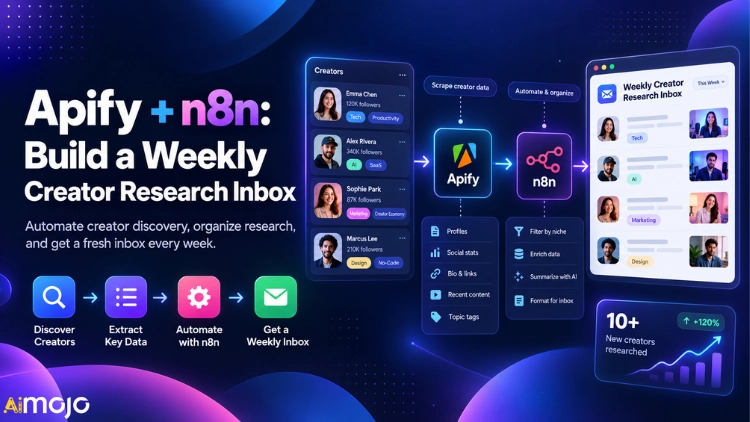
Creator research quietly eats whole afternoons. Scrolling TikTok, YouTube and Instagram, copying view counts into a sheet, then losing the one post that actually mattered.
A weekly creator research inbox kills that routine.
Apify Actors scrape public creator posts, and an n8n automation workflow scores every post, flags outliers and asks an AI model to spot hook patterns.
Then a clean digest lands in Gmail on the same day every week, ready before your first coffee.
Below is the full build, node by node, from Actor inputs and engagement scoring logic to AI content summaries and error alerts. No theory, just a system you can copy.
AIMOJO's Quick Verdict
What Lands in Your Inbox Every Week
Before touching a node, lock down the output. A research inbox only works when every email answers the same questions in the same order.
| Digest Section | What It Shows | Source Node |
|---|---|---|
| Top Outliers | Posts with the highest views versus the creator's usual median | Scoring Code node |
| Engagement Leaders | Posts with the strongest likes, comments and shares per view | Scoring Code node |
| Pattern Notes | Recurring hooks, formats and topics across winning posts | Basic LLM Chain |
| Content Ideas | Three ideas your team can test this week | Basic LLM Chain |
| Raw Log Link | Google Sheet with every scraped post for later filtering | Google Sheets node |
Agencies use this to brief clients, brand teams use it for influencer partnership scouting, and solo creators use it to track competitors without opening a single app.
The data flow stays simple:
Choosing Apify Actors for Creator Data
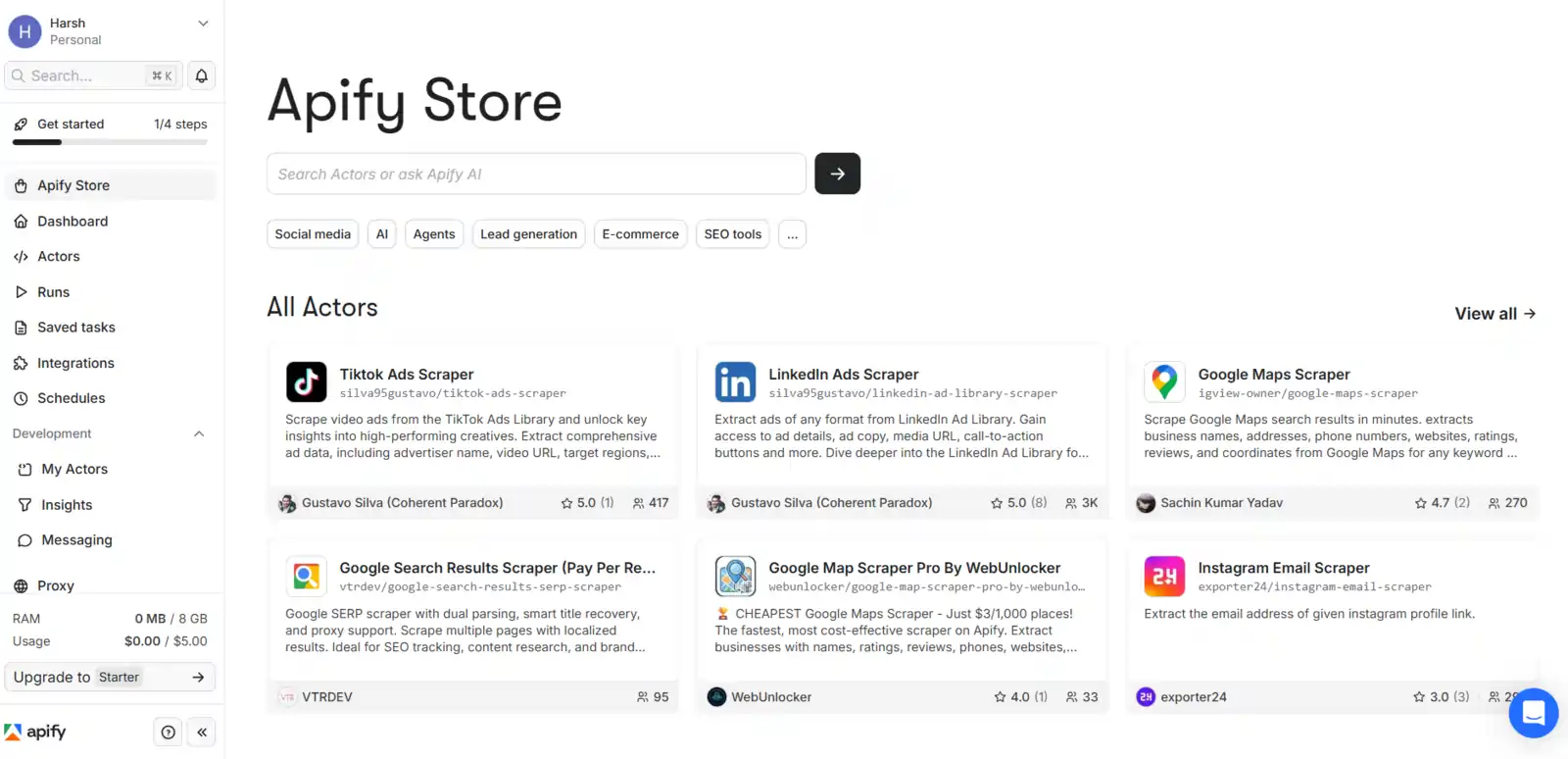
Apify Store hosts ready scrapers called Actors. Three of them cover most creator research needs, and each exposes date filters that keep a weekly pull lean.
| Actor | Key Input Fields | Output Fields Worth Keeping |
|---|---|---|
| YouTube Scraperstreamers/youtube-scraper | startUrls, maxResults, maxResultsShorts, maxResultStreams, sortVideosBy, oldestPostDate | title, url, date, viewCount, likes, commentsCount, channelName, numberOfSubscribers |
| TikTok Scraperclockworks/tiktok-scraper | profiles, resultsPerPage, profileSorting, excludePinnedPosts, oldestPostDateUnified | text, webVideoUrl, createTimeISO, playCount, diggCount, commentCount, shareCount, collectCount, authorMeta.fans |
| Instagram Scraperapify/instagram-scraper | directUrls, resultsType, resultsLimit, onlyPostsNewerThan | caption, url, shortCode, timestamp, likesCount, commentsCount, videoViewCount, ownerUsername |
A few details matter here. YouTube Scraper's date range only applies to channel URLs, and setting any type limit to 0 skips that format entirely.
TikTok Scraper's profileSorting accepts latest, popular or oldest. Its date filters are marked as charged filters on the Actor page, so check that before enabling them.
Need follower counts and bios for Instagram? Add Instagram Profile Scraper (apify/instagram-profile-scraper) with a usernames array. It returns followersCount, biography, verified and latestPosts.
Transcripts are optional extras. YouTube Scraper's transcriptionAndSubtitle and TikTok Scraper's downloadSubtitlesOptions pull spoken hooks, which makes AI pattern notes far sharper.
Inside the Official Apify Node for n8n
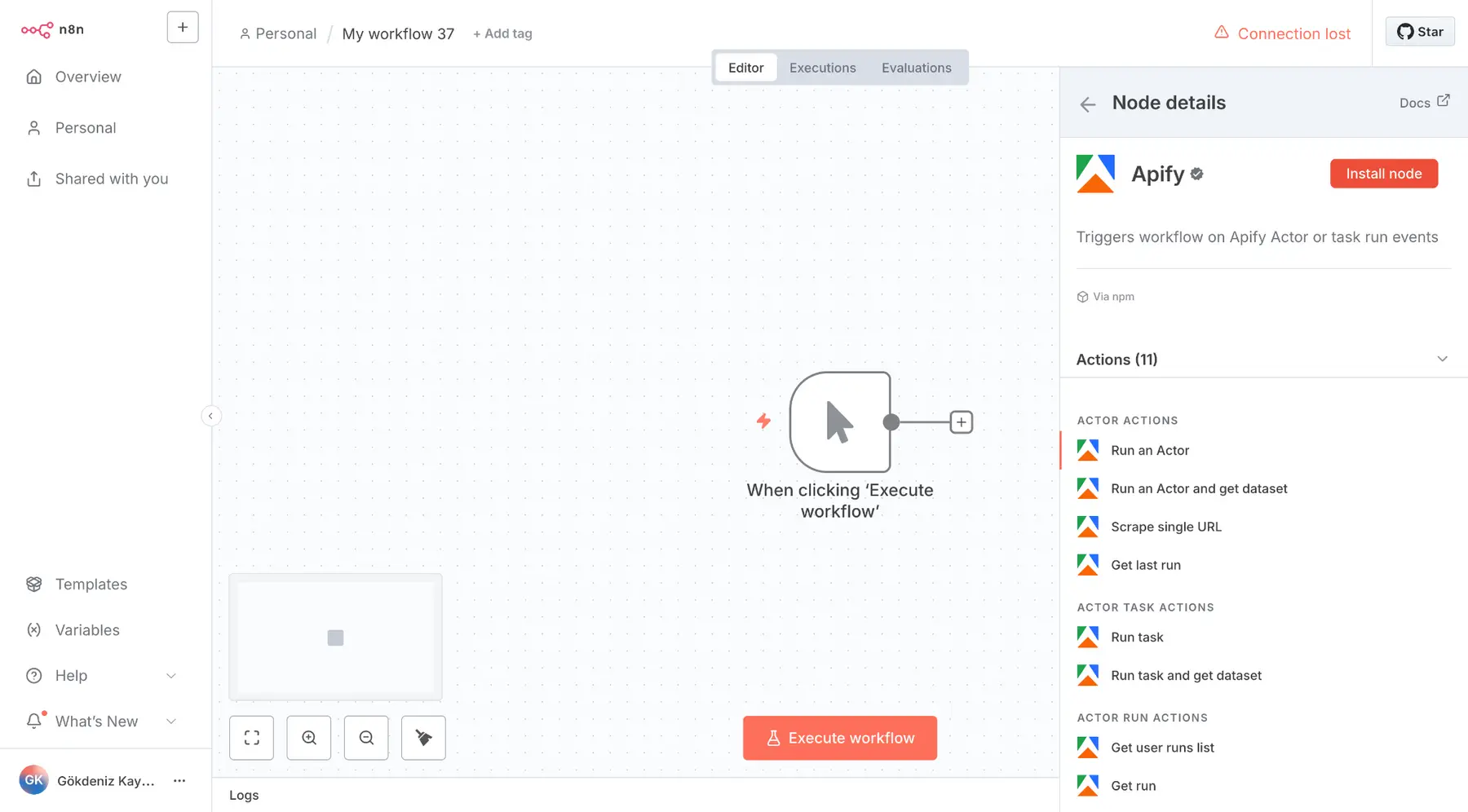
Apify ships a verified community node, @apify/n8n-nodes-apify. On n8n Cloud, search “Apify” in the nodes panel and install it, provided verified community nodes are allowed in the Admin Panel.
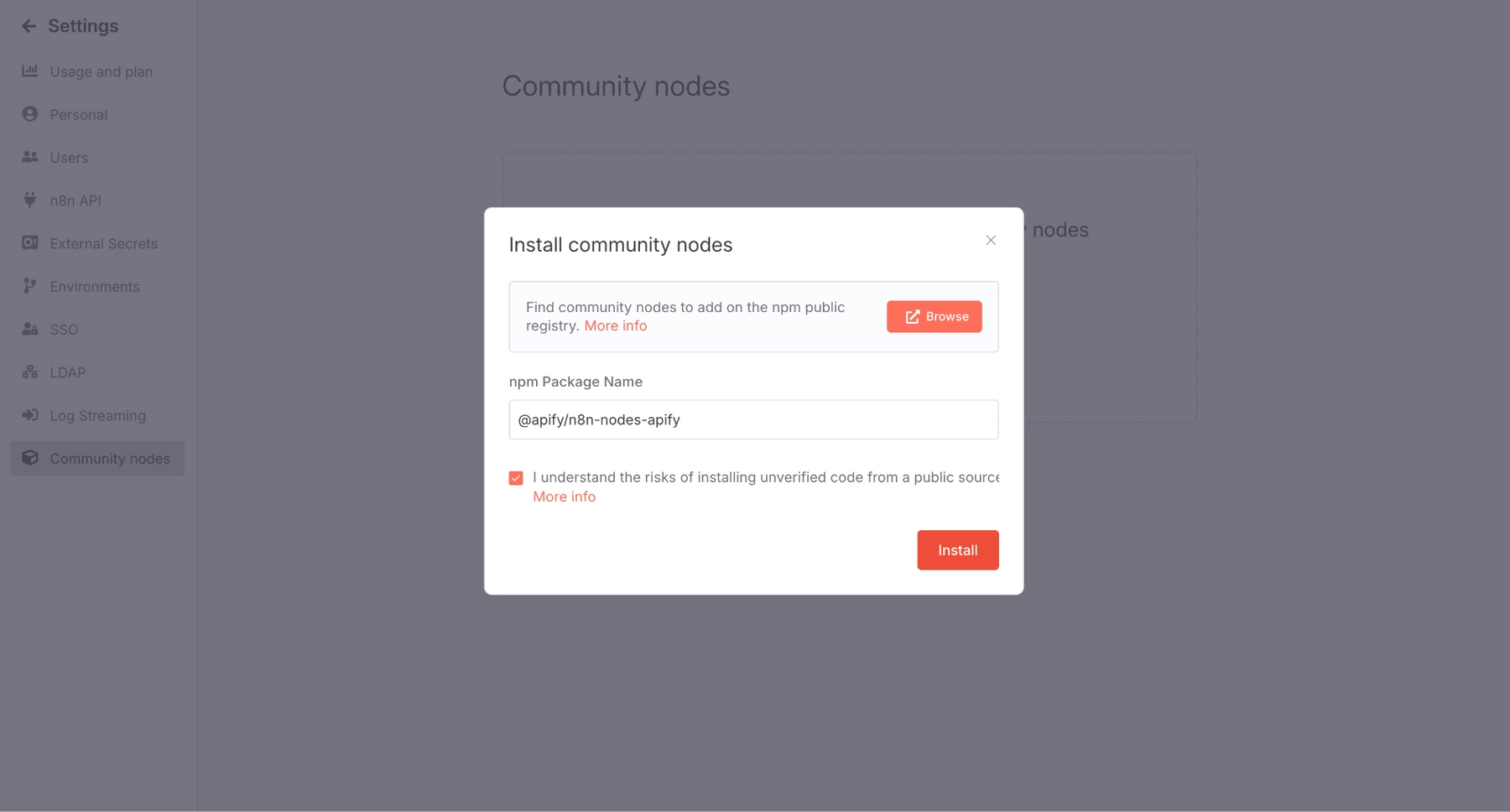
On self-hosted n8n, open Settings > Community Nodes, paste the package name and install. The node needs n8n 1.57.0 or later.
| Resource | Operations Available | Use in This Build |
|---|---|---|
| Actors | Execute an Actor, execute an Actor and get its dataset, Web Fetch, get latest execution | Main scraping step |
| Actor Tasks | Execute a task, execute a task and get its dataset | Cleaner inputs saved in Apify |
| Actor Executions | Fetch one, fetch many, abort | Debugging and cleanup |
| Storage | Get dataset items, get key-value store record | Pull results by defaultDatasetId |
| Trigger | On new Apify Event (Succeeded, Failed, Aborted, Timed Out, Any) | Split version of the inbox for big rosters |
Authentication works two ways. Apify API credentials take your API token from Apify Console, while Apify OAuth2 API connects with a single click on n8n Cloud only.
The Actor operation also exposes Custom input (JSON), Timeout in seconds, Memory in megabytes, Build Tag and Wait for finish.
Leave custom input empty and the Actor uses its saved default input.
Step by Step Guide to the Weekly Creator Research Workflow
Step 1: Set Up the Creator Roster in Google Sheets
Create a sheet named Creator Roster with these columns. Teammates can add or pause creators straight from Sheets without ever opening n8n.
Add a second tab called Post Log. Every scored post gets written there, giving you history for better baselines over time.
Step 2: Save Each Scraper as an Apify Actor Task
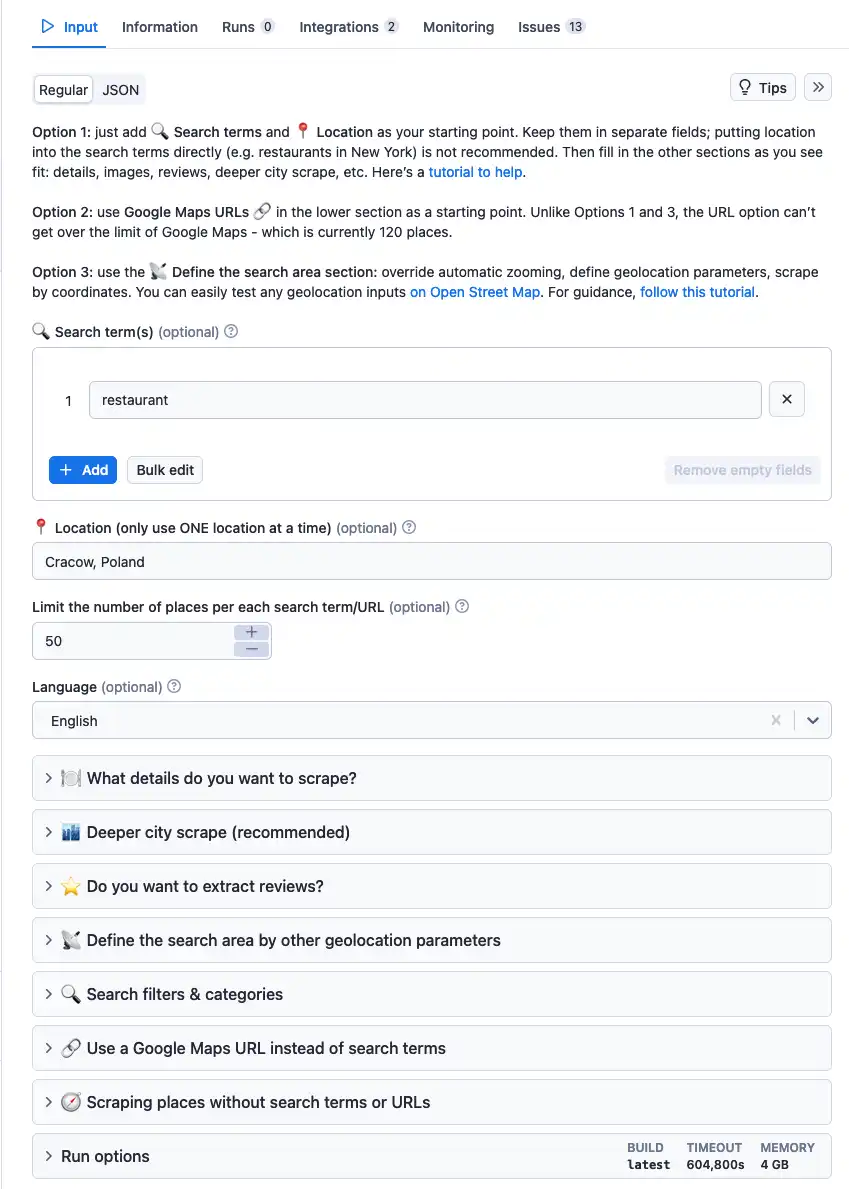
Open each Actor in Apify Console, set sensible limits and click Save as a new task.
Apify Actor tasks store input plus timeout and memory, so the n8n side stays tidy.
Keep every download toggle off. Video files, covers and avatars add weight without helping research.
Step 3: Connect Apify, Google Sheets and Gmail Credentials
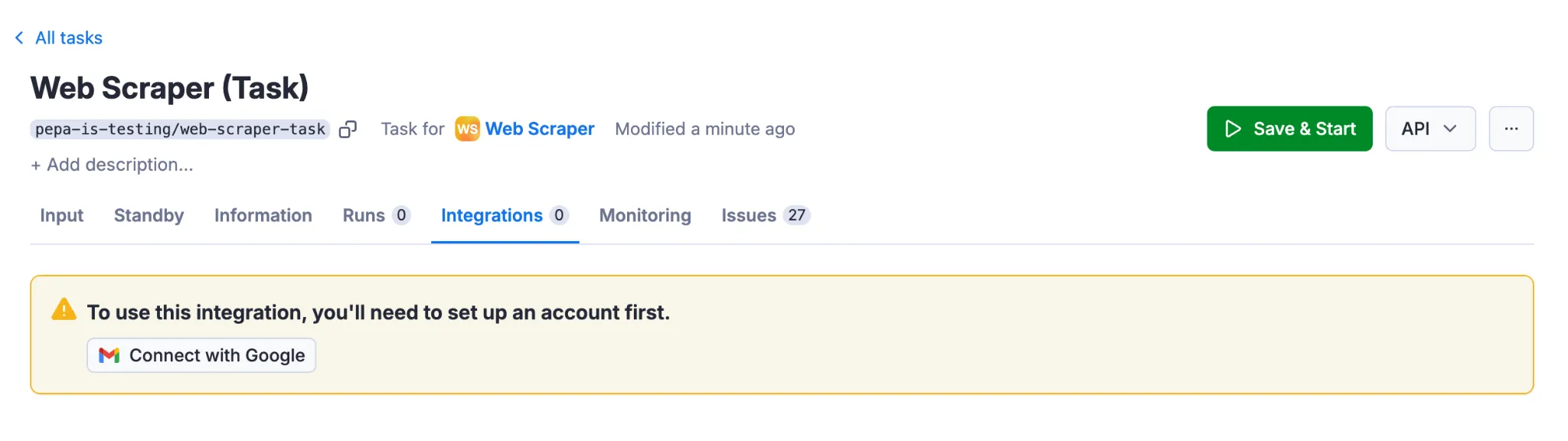
Install the Apify node, then add three credentials in n8n: Apify API, Google Sheets OAuth2 and Gmail OAuth2. Test each one before building further.
A broken credential halfway through a workflow wastes scraping effort, so this check pays off.
Step 4: Configure the n8n Schedule Trigger
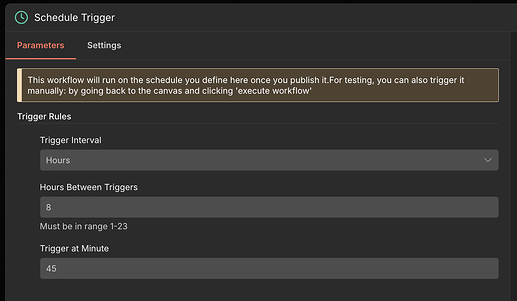
Drop in a Schedule Trigger node with these settings:
| Field | Value |
|---|---|
| Trigger Interval | Weeks |
| Weeks Between Triggers | 1 |
| Trigger on Weekdays | Monday |
| Trigger at Hour | 7am |
| Trigger at Minute | 0 |
Set a timezone under Workflow Settings. Without one, n8n falls back to the instance timezone, and self-hosted installs default to America/New_York.
Prefer cron? Use Custom (Cron) with 0 7 * * 1. Either way, the n8n Schedule Trigger only fires after the workflow is saved and published.
Step 5: Build Platform Inputs With a Code Node
Add a Google Sheets node (Get Row(s), tab Creator Roster), then a Code node. That Code node turns roster rows into one input object per platform.
const rows = $input.all().map(i => i.json).filter(r => r.active === 'yes');

const since = $now.minus({ days: 7 }).toFormat('yyyy-MM-dd');

const pick = p => rows.filter(r => r.platform === p);

return [{ json: {

  youtube: {

    startUrls: pick('youtube').map(r => ({ url: r.profile_url })),

    maxResults: 15, maxResultsShorts: 15, maxResultStreams: 0,

    sortVideosBy: 'NEWEST', oldestPostDate: since

  },

  tiktok: {

    profiles: pick('tiktok').map(r => r.handle),

    resultsPerPage: 20, profileSorting: 'latest',

    excludePinnedPosts: true, oldestPostDateUnified: since

  },

  instagram: {

    directUrls: pick('instagram').map(r => r.profile_url),

    resultsType: 'posts', resultsLimit: 20, onlyPostsNewerThan: since

  }

}}];
$now is n8n's built-in Luxon date, so the window of seven days rolls forward automatically each week. No manual date edits, ever.
Step 6: Execute Three Apify Actors in Parallel
Branch the Code node into three Apify nodes. Choose the Actor Tasks resource with the operation that executes a task and returns its dataset items.
In Custom input, pass the matching object as an expression:
{{ JSON.stringify($json.youtube) }}Repeat with $json.tiktok and $json.instagram. Custom input overrides the saved task input, while timeout and memory still come from the task.
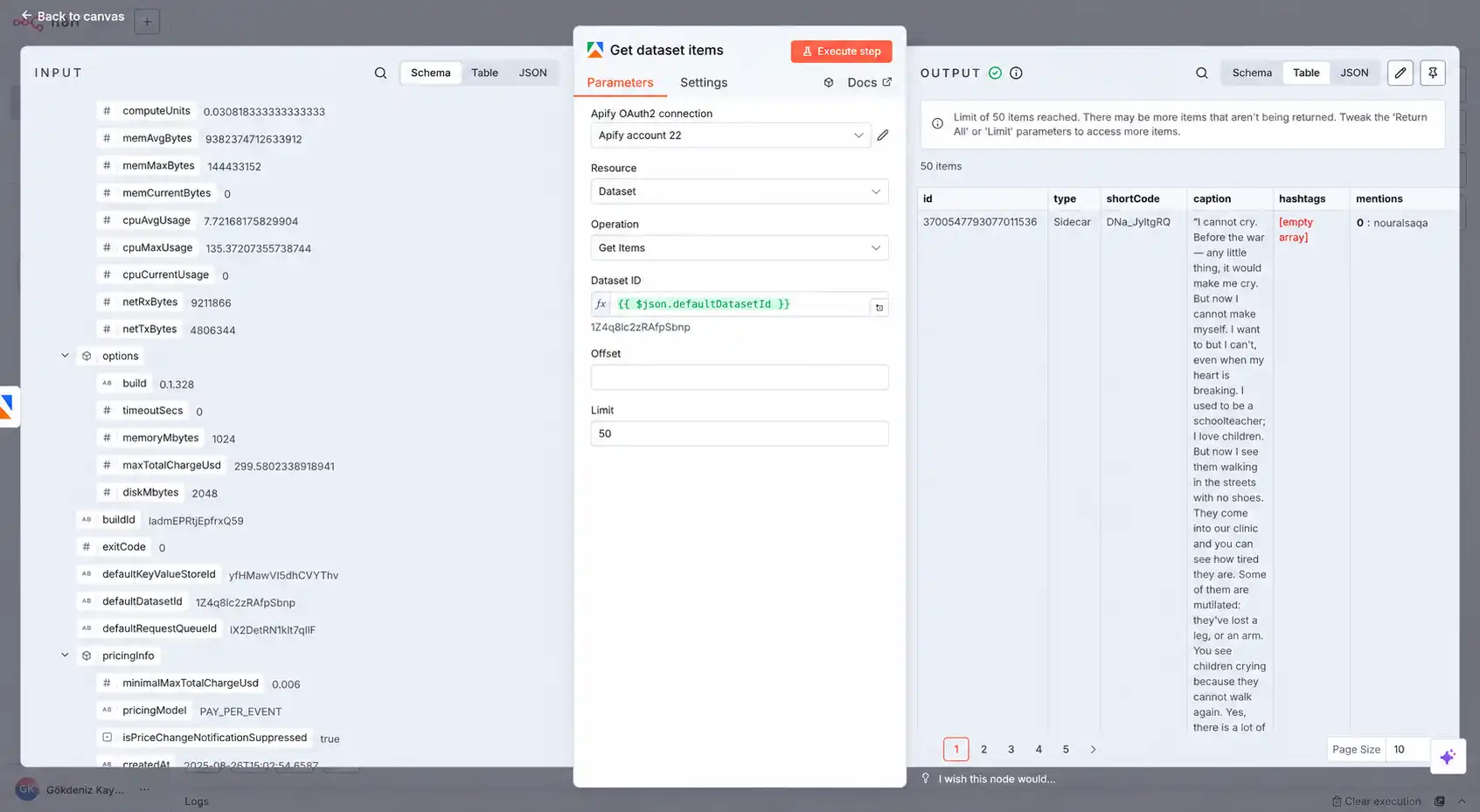
Prefer two separate nodes? Execute the Actor with Wait for finish on, then add Get dataset items using {{ $json.defaultDatasetId }}. Both paths return identical data.
Step 7: Merge and Normalize Into One Schema
Connect all three Apify nodes to a Merge node set to Append. Every platform names fields differently, so a Code node maps them into one shared shape.
const out = [];

for (const { json: p } of $input.all()) {

  if (p.error) continue; // skip failed inputs

  if (p.webVideoUrl) {

    out.push({ platform: 'tiktok', post_id: p.id, creator: p.authorMeta?.name,

      url: p.webVideoUrl, caption: p.text, published: p.createTimeISO,

      views: p.playCount, likes: p.diggCount, comments: p.commentCount,

      shares: p.shareCount });

  } else if (p.shortCode) {

    out.push({ platform: 'instagram', post_id: p.shortCode, creator: p.ownerUsername,

      url: p.url, caption: p.caption, published: p.timestamp,

      views: p.videoViewCount ?? null, likes: p.likesCount,

      comments: p.commentsCount, shares: null });

  } else if (p.viewCount !== undefined) {

    out.push({ platform: 'youtube', post_id: p.id, creator: p.channelName,

      url: p.url, caption: p.title, published: p.date,

      views: p.viewCount, likes: p.likes, comments: p.commentsCount,

      shares: null });

  }

}

return out.map(json => ({ json }));
YouTube Scraper writes error items for deleted videos or missing channels. The p.error check drops those before they skew any score.
Step 8: Score Every Post With Outlier and Engagement Math
Raw views flatter big accounts. A creator outlier score compares each post against that creator's own median, so a small channel's breakout stands out.
| Metric | Formula | What It Tells You |
|---|---|---|
| Outlier Score | post views ÷ creator median views | How far a post beat its own baseline |
| Engagement Rate | (likes + comments + shares) ÷ views × 100 | How hard viewers reacted |
| Instagram Fallback | post likes ÷ creator median likes | Works for image posts with no view count |
const items = $input.all().map(i => i.json);

const base = it => it.views || it.likes || 0;

const groups = {};

for (const it of items) (groups[it.creator] ??= []).push(base(it));

const median = a => { const s = [...a].sort((x, y) => x - y), m = Math.floor(s.length / 2);

  return s.length % 2 ? s[m] : (s[m - 1] + s[m]) / 2; };

return items.map(it => {

  const med = median(groups[it.creator]) || 1;

  const eng = it.views ? ((it.likes || 0) + (it.comments || 0) + (it.shares || 0)) / it.views * 100 : null;

  return { json: { ...it, outlier: +(base(it) / med).toFixed(2),

    engagement: eng === null ? null : +eng.toFixed(2) } };

}).sort((a, b) => b.json.outlier - a.json.outlier);
One week of posts makes a thin baseline. After a few weeks, read the Post Log tab and compute medians from trailing history instead.
Step 9: Block Repeats With the Remove Duplicates Node
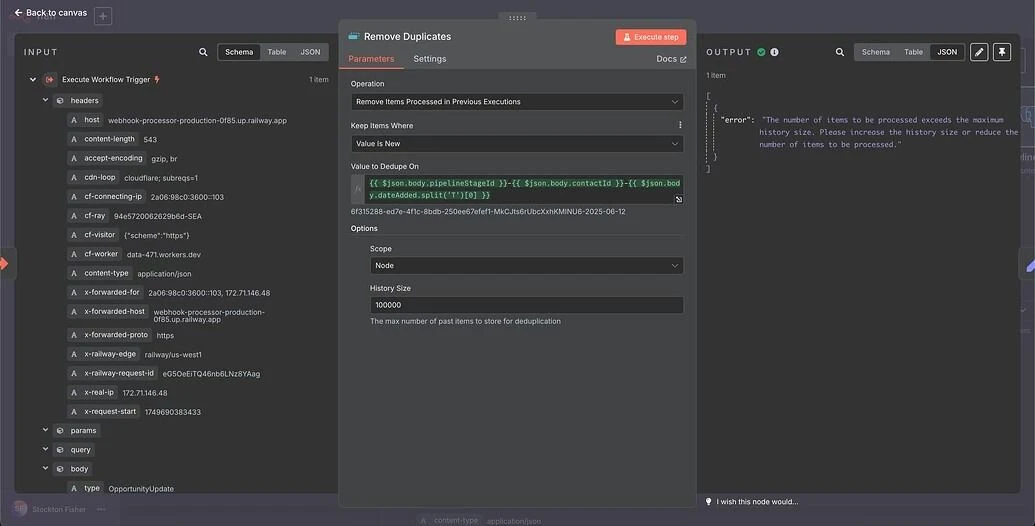
Add a Remove Duplicates node after scoring. Set operation to Remove Items Processed in Previous Executions and Keep Items Where to Value Is New.
This persistent dedupe stops a manual retrigger from emailing the same posts twice. Clear Deduplication History resets it while testing.
Step 10: Add the AI Pattern Analysis Layer
Use a Limit node to keep the top 15 posts, then an Aggregate node set to All Item Data. That hands the whole batch to AI as one item.
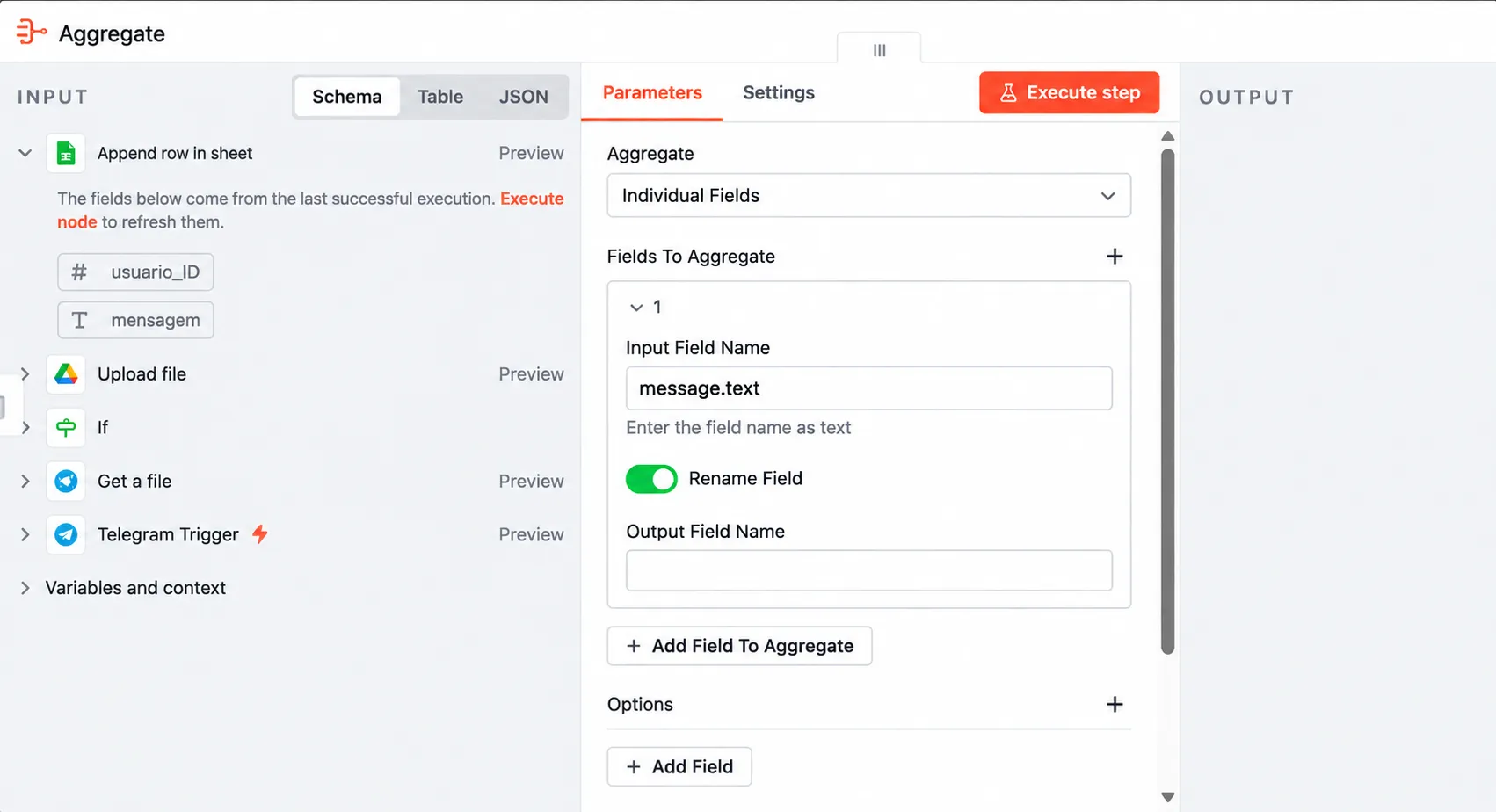
Next, add a Basic LLM Chain with any chat model you already use, such as OpenAI, Anthropic or Gemini.
Turn on Require Specific Output Format and attach a Structured Output Parser.
You are a short-form content strategist.
Below are this week's top creator posts as JSON, ranked by outlier score.
Return JSON with:
– “patterns”: 3 recurring hooks or formats, each citing post URLs
– “topics”: topics appearing in 2+ winning posts
– “ideas”: 3 content ideas our team can film this week
Use only evidence from the data. If a pattern is weak, say so.
{{ JSON.stringify($json.data) }}Captions alone miss the spoken hook, which usually decides a short video's fate.
With transcripts switched on in the YouTube or TikTok task, carry the opening lines of subtitle text into the normalized item.
Trim that text to roughly the first 300 characters. The model then compares real opening lines across winners, and token usage stays small.
The “use only evidence” line matters. It keeps AI content pattern analysis anchored to real posts instead of generic trend chatter.
Step 11: Assemble the HTML Digest and Send Through Gmail
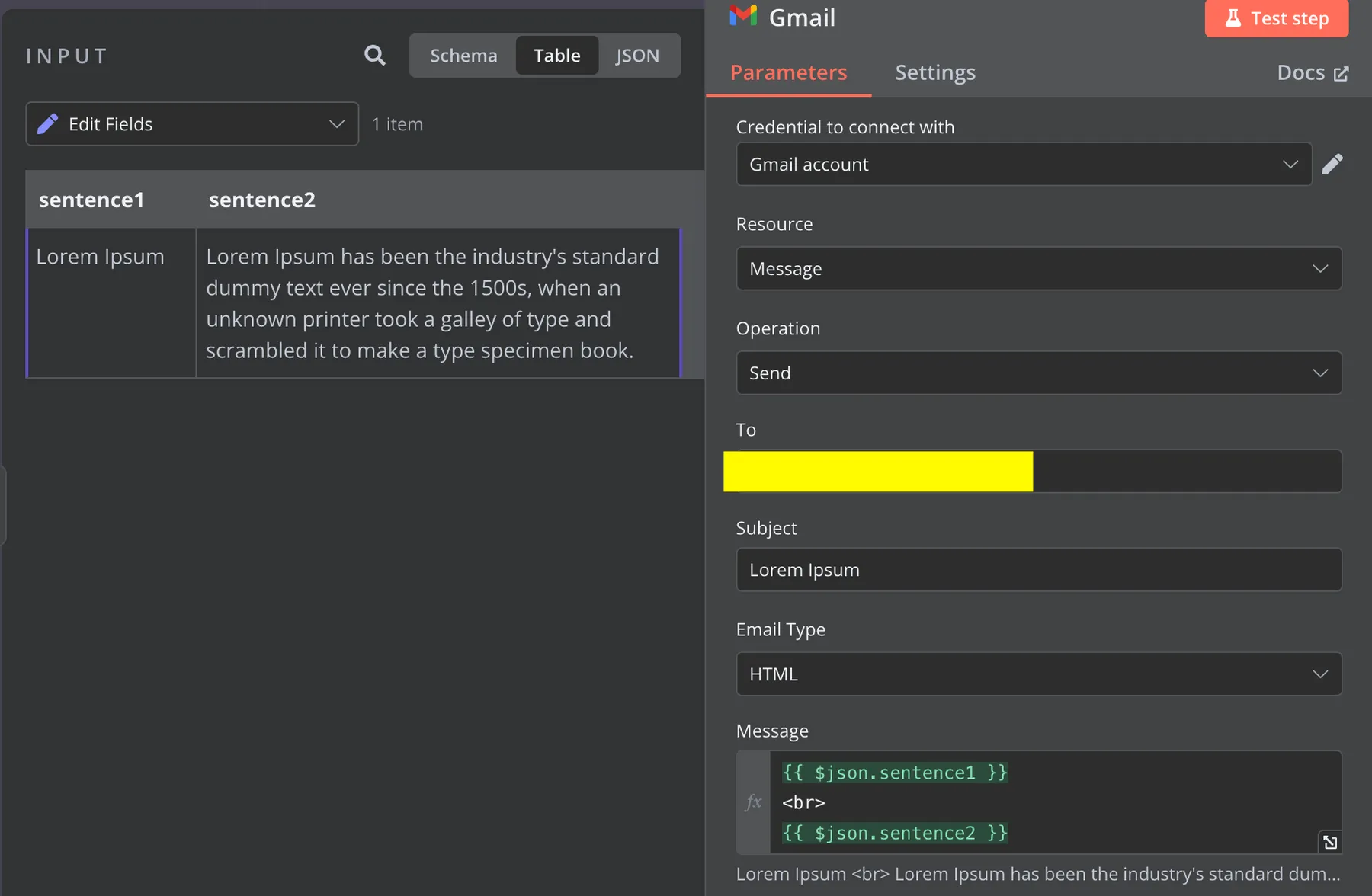
A final Code node pairs scored posts with AI output and builds the email body:
const posts = $('Limit').all().map(i => i.json);

const ai = ('BasicLLMChain').first().json.output;constrows=posts.map(p=>`<tr><td>{p.platform}</td><td>p.creator</td><td><ahref="{p.url}">(p.caption||'').slice(0,70)</a></td><td>{p.outlier}x</td><td>p.engagement??'–'%</td></tr>`).join('');consthtml=`<h2>TopOutliers</h2><tableborder="1"cellpadding="6">{rows}</table>

  <h2>Patterns</h2><ul>${ai.patterns.map(x => `<li>${x}</li>`).join('')}</ul>

  <h2>Ideas</h2><ul>${ai.ideas.map(x => `<li>${x}</li>`).join('')}</ul>`;

return [{ json: { html } }];const items = $input.all().map(i => i.json);

const base = it => it.views || it.likes || 0;

const groups = {};

for (const it of items) (groups[it.creator] ??= []).push(base(it));

const median = a => { const s = [...a].sort((x, y) => x - y), m = Math.floor(s.length / 2);

  return s.length % 2 ? s[m] : (s[m - 1] + s[m]) / 2; };

return items.map(it => {

  const med = median(groups[it.creator]) || 1;

  const eng = it.views ? ((it.likes || 0) + (it.comments || 0) + (it.shares || 0)) / it.views * 100 : null;

  return { json: { ...it, outlier: +(base(it) / med).toFixed(2),

    engagement: eng === null ? null : +eng.toFixed(2) } };

}).sort((a, b) => b.json.outlier - a.json.outlier);
Then add a Gmail node with these settings:
Step 12: Log Posts to Google Sheets and Publish
Branch from the Remove Duplicates node into a Google Sheets node using Append or Update Row on the Post Log tab. Match on post_id so refreshed stats overwrite older rows.
Set mapping to Map Automatically, since normalized field names already match the columns. Execute once manually, check the email, then publish the workflow.
Scaling Up With Apify Schedules and Event Triggers
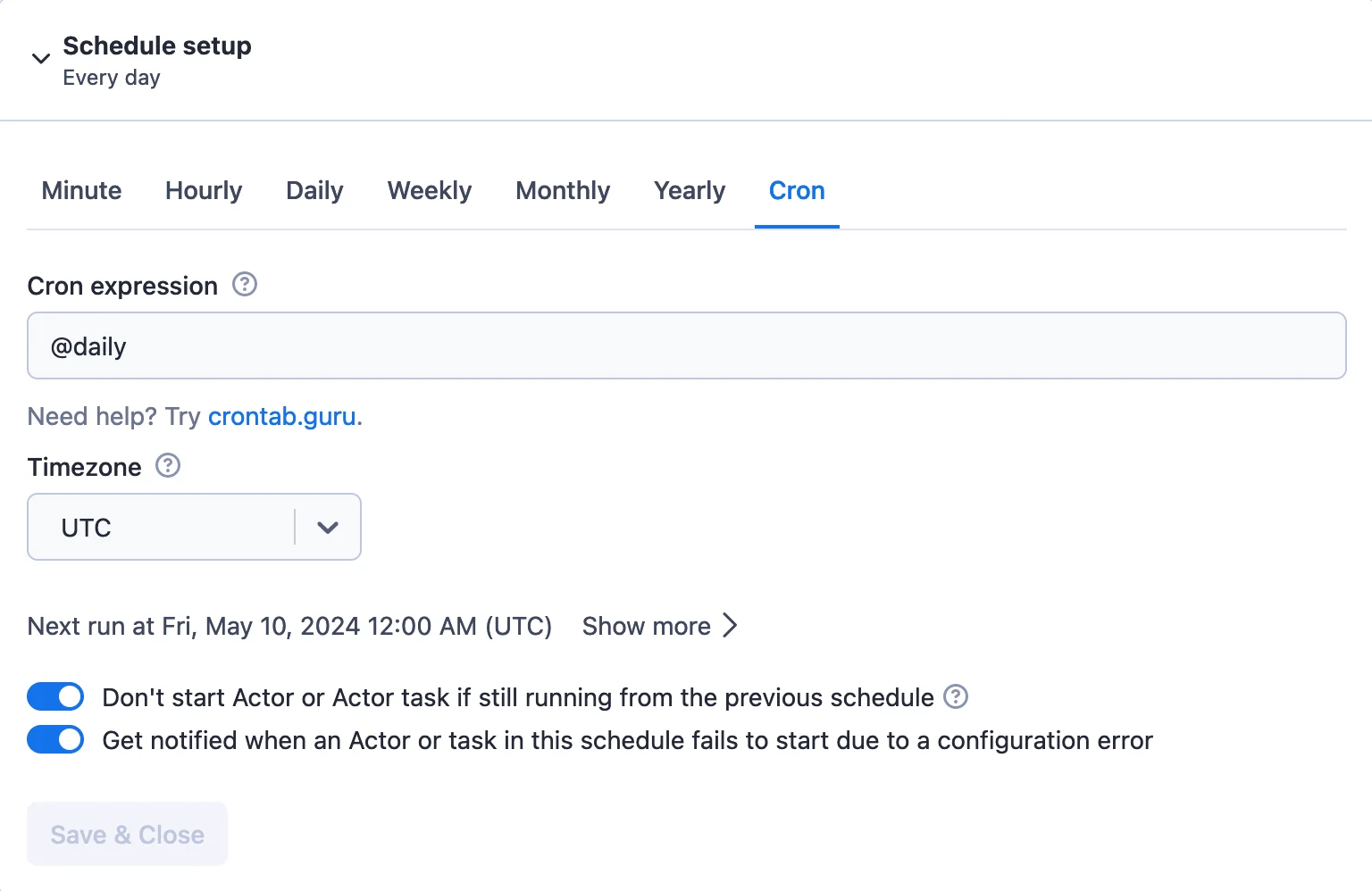
A single scheduled workflow suits rosters of a few dozen creators. Past that, long scraping jobs keep n8n executions open for minutes and one slow platform stalls the rest.
The fix splits work across both platforms:
| Factor | Single Workflow | Split Workflow |
|---|---|---|
| Setup time | Faster | Slightly longer |
| Long scraping jobs | Execution waits throughout | No waiting inside n8n |
| One platform fails | Can block the digest | Others still land |
| Self-hosted needs | None extra | Public WEBHOOK_URL for the trigger |
New Apify schedules start disabled, so enable yours after saving. Apify also emails you when a scheduled task fails to start.
Keeping the Pipeline Healthy Week After Week
Silent failures are the real enemy here. An empty inbox looks exactly like a quiet week, so build alerts in from day one.
Usage stays lean through input limits alone. Tight date windows, capped results per profile and transcripts only where needed keep each weekly pull small.
Where Creator Scraping Hits Real Limits
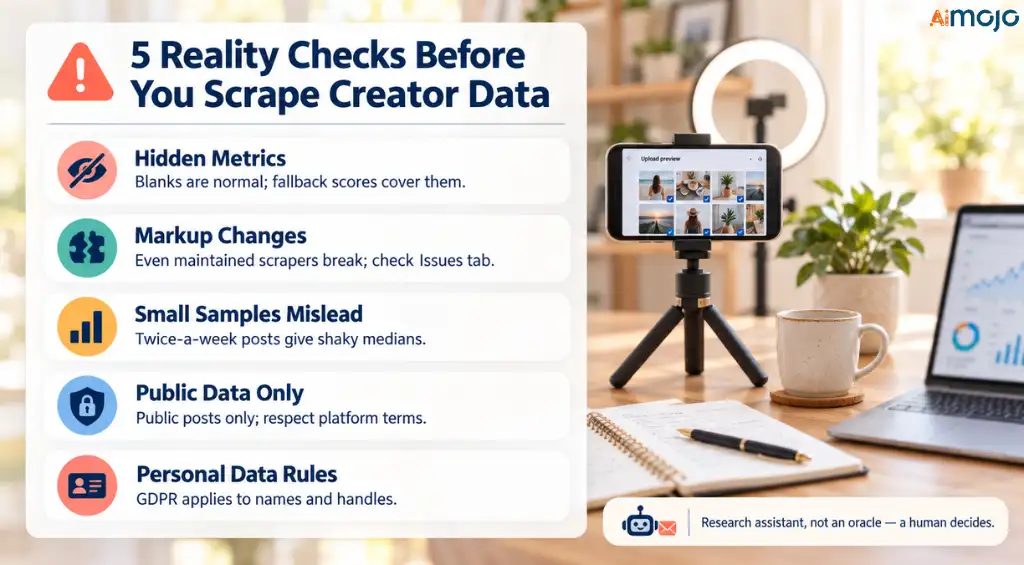
Every automation pitch skips this part, so here it is plainly.
Treat the inbox as a research assistant, not an oracle. A human still decides which pattern deserves a shoot day.
Quick Answers on Apify and n8n Creator Research
Can n8n trigger Apify Actors without code?
The official Apify node executes Actors or tasks, waits for results and returns dataset items, all configured through fields in n8n.
Which creators can this workflow track?
Any public YouTube channel, TikTok profile or Instagram account. Swap in other Apify Store Actors to add more platforms.
Does the Apify node work as an AI Agent tool?
Add the Apify Tool under an AI Agent's tools so a model can trigger scrapes on demand from a chat.
Conclusion
Creator research rewards whoever spots a pattern first. Manual scrolling makes that a full time job, and most teams quietly give up after a few weeks.
Apify and n8n hand that job to a system.
Store Actors pull fresh public posts, Code nodes score them against each creator's own baseline, and an AI layer turns numbers into briefs.
Start with the single scheduled workflow and five creators you already follow. Once the digest proves useful, grow the roster and move to the split setup with Apify Schedules.
Give it three or four weeks of logged history. That's when outlier scores sharpen and your Monday inbox starts beating any trend report you could buy.
AiMojo Recommends:


 BONUS: Get our $200 “AI Mastery Toolkit” FREE when you sign up!