


You're burning 8 hours editing a video that could've taken 2. You're writing podcast show notes from scratch for every single episode. Meanwhile, other creators in your niche are publishing twice as often and still have time left over.
AI tools for creators aren't optional anymore — they're the gap between channels that stagnate and channels that scale.
This guide covers every tool category you actually need — from AI script writers and video editors to podcast cleanup, voice cloning, and SEO. Just the tools, where they fit, and what's worth paying for.
Why Creators Are Switching to AI Tools Right Now
The average YouTuber spends 60–70% of their time in post-production. Podcasters deal with the same problem — editing, transcribing, and distributing content manually burns hours every week.

Creators using AI-powered workflows publish faster, stay consistent, and produce more output without hiring a full team. The creator economy crossed $250 billion in 2024, and the channels growing fastest aren't grinding harder — they automated the boring parts and put that time back into content.
AI Tools for YouTube Script Writing
Stop staring at a blank document. ChatGPT, Genspark, and Sudowrite generate full YouTube scripts — hook, body, CTA — in minutes.
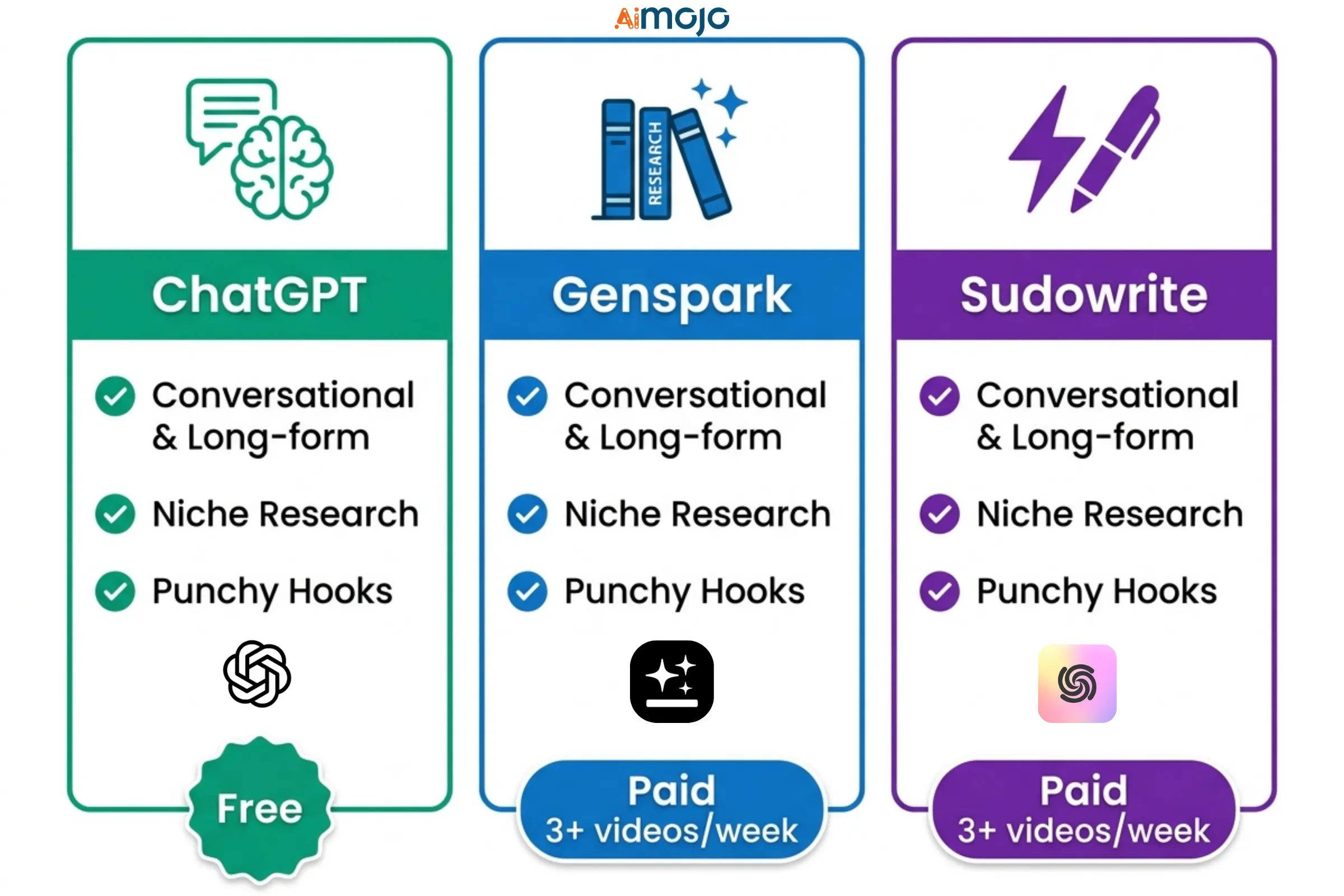
Feed them 2–3 of your existing scripts and they'll match your tone almost immediately.
Free plans exist across all three. Paid tiers only make sense if you're publishing 3+ videos per week.

AI Tools for Video Editing (YouTubers)
Descript, Runway, and CapCut AI are doing things that would've cost $500 per video just a few years ago.
| Tool | Best For | Free Plan |
|---|---|---|
| Descript | Script-based editing | Yes |
| Runway | AI B-roll & visual effects | Limited |
| CapCut AI | Shorts & Reels repurposing | Yes |
| Adobe Premiere AI | Pro-level automation | No |
| OpusClip | Viral clip generation | Yes |
AI Thumbnail Generators for YouTube
Your thumbnail is a scroll-stopper — or your video doesn't get clicked. Full stop.
Canva AI, Adobe Firefly, and Midjourney produce high-quality thumbnails without a graphic designer. Prompt for high contrast, bold text placement, and strong facial expressions — those three elements consistently drive higher CTR.
AI Tools for Podcast Editing & Production
These tools handle the work that used to take hours:
| Best Tool | Key Feature | Pricing |
|---|---|---|
| Adobe Podcast | Audio enhancement | Free |
| Auphonic | Leveling + noise removal | Freemium |
| Descript | Filler word removal | From $12/mo |
| Soundraw | Custom AI music | From $16/mo |
AI Transcription & Show Notes Tools for Podcasters
Otter.ai, Descript, and OpenAI's Whisper convert your audio into clean, accurate transcripts in minutes.
The real ROI is what comes next. Castmagic takes that transcript and spits out full show notes, social captions, and a blog post — all from one episode recording. Podcasters using this workflow rank on Google without writing a single word manually, making AI podcast transcription a genuine SEO asset.
AI Voice Cloning & Text-to-Speech for Creators
ElevenLabs, Play.ht, and Murf let you clone your own voice or build a custom AI voice for narrations, ads, and multilingual content. This is especially useful for repurposing content across different languages or producing voiceovers without re-recording entire scripts.
AI SEO Tools for Growing Your YouTube Channel
YouTube SEO doesn't have to be a guessing game. TubeBuddy AI, VidIQ, and Morningfame analyze your niche, surface high-ranking keywords, and score your metadata before you publish.
TubeBuddy's AI keyword research alone cuts your prep time from 45 minutes to under 10.
AI Tools for Content Repurposing Across Platforms
One YouTube video becomes 10 pieces of content with the right tools. OpusClip and Munch auto-detect your best moments and generate short clips ready for Reels, Shorts, and TikTok. Repurpose.io handles scheduling and cross-posting automatically.
For podcasters, the workflow flips cleanly — record audio, generate a video version, clip for social, publish AI-written show notes. One session. Multiple platforms.
AI Analytics Tools for YouTubers and Podcasters
Spotter Studio and VidIQ Analytics use AI to predict video performance before publishing — flagging drop-off points, weak titles, and retention gaps.
For podcasters, Chartable and Spotify's built-in AI analytics surface listener behavior that raw numbers never show: skip moments, high-replay segments, and completion rates by episode type.
Free AI Tools for Creators on a Budget
| Tool | What It Does | Free Limit |
|---|---|---|
| ChatGPT | Script writing & ideation | Limited GPT-4o access |
| CapCut AI | Video editing + clip generation | Full free plan |
| Adobe Podcast | Audio enhancement | Free |
| Canva AI | Thumbnails & graphics | Limited generations |
| Otter.ai | Podcast transcription | 300 mins/month |
| Whisper (OpenAI) | Transcription API | Free (self-hosted) |
| Descript | Editing + auto-captions | 1hr video/month |
| Soundraw | AI music generation | Watermarked free |
| TubeBuddy | YouTube SEO | Basic free tier |
| OpusClip | Short clip creation | 60 mins/month |
How to Build an AI-Powered Creator Workflow
Mistakes Creators Make With AI Tools
Real Questions Creators Ask About AI Tools
What is the best free AI tool for YouTubers?
CapCut AI and Adobe Podcast are the two strongest free options covering video editing and audio enhancement respectively.
Can AI edit a full podcast episode automatically?
Auphonic and Descript handle the heavy lifting — noise removal, leveling, filler word removal — but a quick final pass is always smart.
Are AI-generated scripts good enough for YouTube?
As a starting framework, yes. Always rewrite in your own voice before you hit record.
Which AI tool is best for podcast transcription?
Otter.ai and Descript are the most accurate for conversational, interview-style audio.
Do AI tools work for small or beginner creators?
Absolutely. The free tiers on TubeBuddy, CapCut, and ChatGPT alone are enough to build a lean, efficient creator workflow from scratch.
Is AI voice cloning legal for content creators?
Cloning your own voice is legal on platforms like ElevenLabs and Murf. Cloning another person's voice without written consent is not — legally or ethically.
Stop Overthinking — Pick a Tool and Start
You don't need to rebuild your entire workflow this week. Pick one tool from the scripting section or the editing section, run it for two weeks, and track how much time you save.
The creators pulling ahead aren't the ones with the most expensive gear. They're the ones who automated the repetitive work and spent that saved time making content people actually want to watch — or listen to.
Start small. Stack tools gradually. The results compound fast.
AiMojo Recommends:


 BONUS: Get our $200 “AI Mastery Toolkit” FREE when you sign up!



