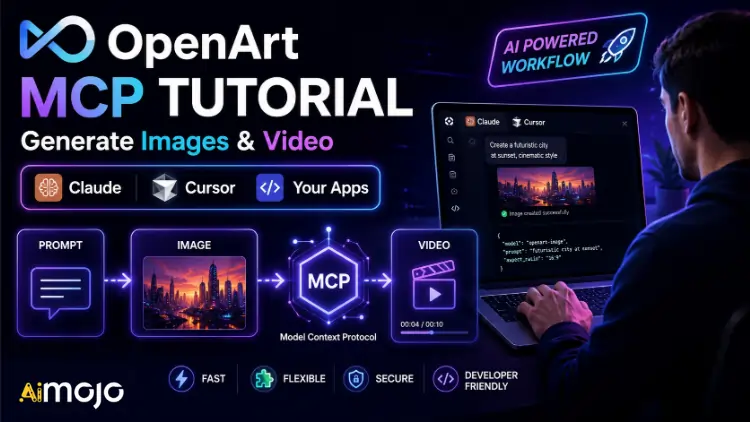
Your AI assistant can write you a killer image prompt. Then it shrugs and tells you to go paste it somewhere else.
That gap is dead now. With OpenArt MCP, Claude, ChatGPT, and Cursor can generate the actual image or video themselves, from inside the same chat, using 100+ models. No copy-paste. No tab-switching. No API keys to manage.
This is the tutorial we wish existed when we set it up. Zero-config connection, plain-English generation, full content-pipeline automation with n8n, and how to bolt image generation into your own app. Let's build. 🚀
What Is OpenArt MCP?
MCP stands for Model Context Protocol. Think of it as a universal adapter that lets AI agents use real tools. Firecrawl uses it to give agents web access. OpenArt uses it to give agents a creative studio.
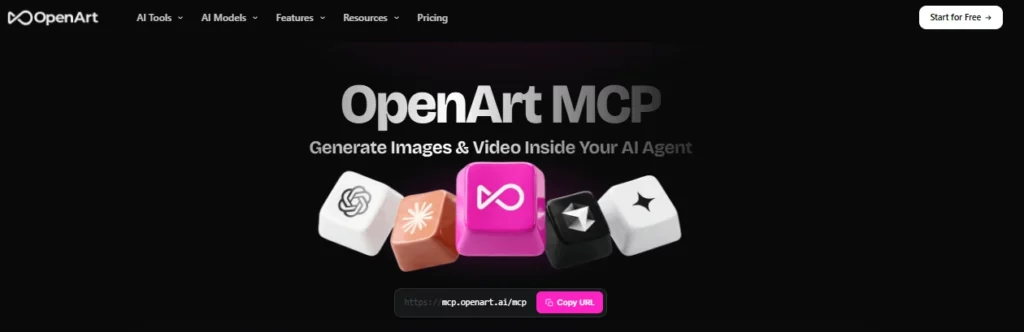
Once connected, your AI assistant gains new powers:
The best part for non-developers: OpenArt MCP connects with one URL and an OAuth sign-in. No API keys. You literally paste a link, log in, and your assistant can create.
Step 1: Get Your OpenArt Account 🔑
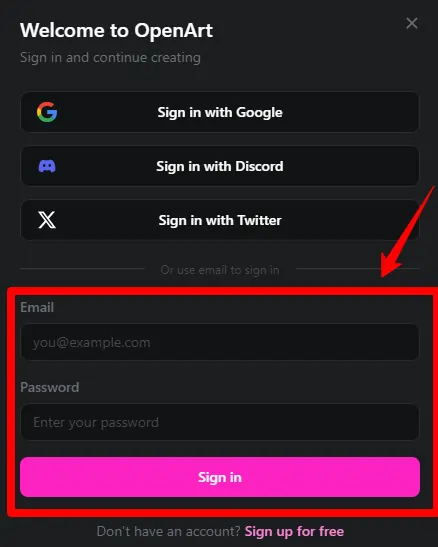
You need an OpenArt account with credits before the MCP can generate anything. New signups get free trial credits, enough to test every workflow in this guide.

Step 2: Connect OpenArt MCP to Claude ⚙️
The zero-code route. Here's the whole setup:
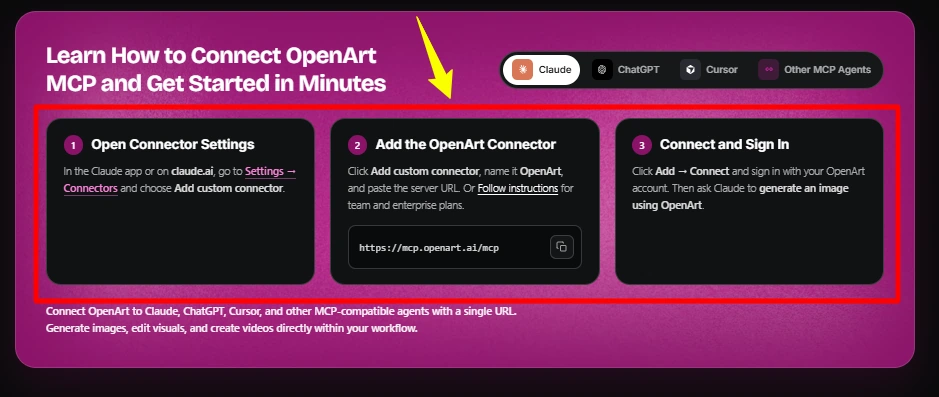
Claude (desktop or web):
- Open Settings → Connectors (or Add Connector)
- Add a custom connector using the OpenArt MCP server URL
- Click connect and sign in with OAuth when prompted
- Approve the permissions
That's it. No fc- keys, no JSON to hand-edit. OAuth handles authentication, so your OpenArt credits are linked securely without a key floating around in a config file.
For clients that use a config file (like Claude Desktop‘s claude_desktop_config.json), the pattern looks like this:
{
  "mcpServers": {
    "openart": {
      "url": "https://mcp.openart.ai/mcp",
      "transport": "http"
    }
  }
}
(Confirm the exact server URL on the OpenArt MCP page at connect time, then sign in via OAuth.)
Step 3: Connect to Cursor, ChatGPT & Other Agents 🔌
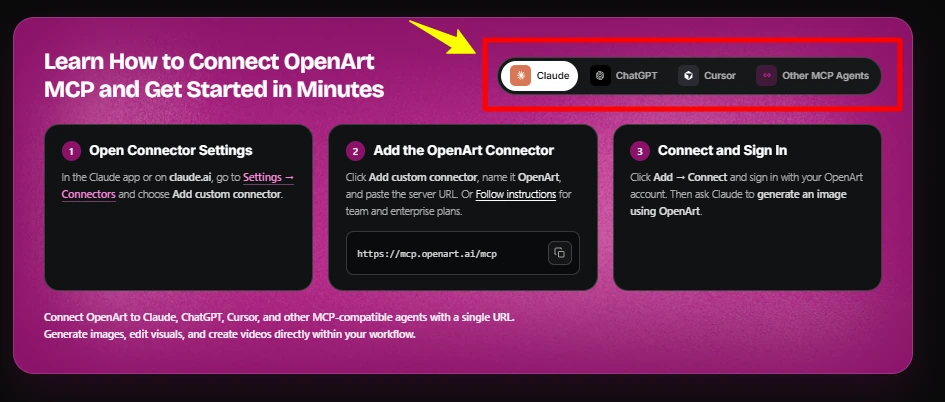
Same server, different menus.
Step 4: Generate with Plain English 🗣️
Connection done. Now you just talk. Prompts we actually use:
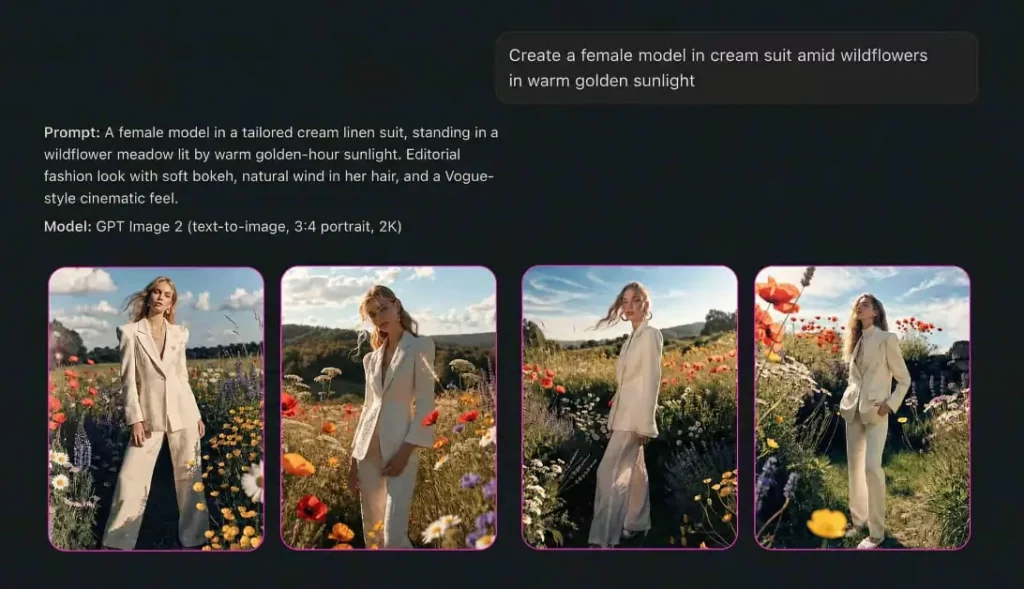
Generate 4 variations of a product hero image: a matte black water bottle on a marble kitchen counter, soft morning light, premium e-commerce style, square format.Create a consistent character named Maya: late 20s, brand ambassador look. Then generate her holding our product in 3 different settings: gym, office, outdoors.Generate a 5-second video: cinematic slow zoom on a coffee cup with steam rising, warm tones, for a cafe Instagram reel.The assistant calls OpenArt, generates, and returns the assets in the conversation. Ask for revisions in plain English (“make the lighting warmer,” “try it in portrait”) and it iterates. This is the fastest creative loop in AI right now, and most people have no idea it exists yet.
💡 Pro tip: name your characters in the first prompt, then reference them by name in every follow-up. Consistency across a whole content series, driven entirely by chat.
Free trial credits · No card required · Start with a plain-English prompt
Step 5: Automate a Content Pipeline with n8n 🤖
Chat generation is great for one-offs. For volume, you want automation. This is where OpenArt plus n8n turns into a content factory.
n8n is an open-source automation platform (self-host it free on a VPS, or use n8n Cloud). It connects OpenArt to your spreadsheets, storage, and publishing tools. If you've followed our Firecrawl + n8n guide, the pattern will feel familiar.
Automation: Google Sheet → auto-generated images
Feed a spreadsheet of prompts and get finished images back, no clicking:
Trigger: New row in Google Sheet (“Prompts” tab)
Drop 200 prompts in a sheet, come back to 200 images sorted in Drive. This is how you produce a month of social visuals before lunch.
Automation: full content pipeline
Chain it with research and copy for an end-to-end machine:
Trigger: Schedule (daily) or new topic in a sheet
Topic in, published post out, human review optional. This is a real system we build for clients, not a toy.
Step 6: Build Image Generation Into Your Own App 🛠️
Want image or video generation as a feature inside your product? You have two paths.
👉 Path A: OpenArt API (for production apps). Call OpenArt's API directly from your backend. Send a prompt, model choice, and parameters, get back an asset URL. Wire it behind a button in your app and your users generate on demand. Standard REST pattern, so any stack works.
👉 Path B: Build it with an AI coding agent. This is the 2026 shortcut. Open Claude Code or Cursor with OpenArt MCP connected, and describe the feature:
Build a feature for my Next.js app: a text box where users type a prompt, a button that calls the OpenArt API to generate an image, a loading state, and a gallery that displays results. Store the API key server-side in an env variable.
The agent scaffolds the component, the API call, and the UI. It understands the OpenArt integration natively because it can see the MCP tools. We've built internal creative tools this way in an afternoon, no dedicated dev.
Video works the same way. Swap the image endpoint for OpenArt's video generation and your app can produce clips, ads, or animations automatically. Same pattern, bigger output.
Credits & Cost Tips
MCP and API generations draw from your normal OpenArt credit balance. Quick reference:
| Output | Rough Credit Cost |
|---|---|
| Image | ~1 credit (varies by model/resolution) |
| Video clip | Much higher than images (varies by length/model) |
| Character creation | Small one-time cost, reused free |
Five habits to keep the bill lean:
- Prototype prompts in chat, batch in automation. Nail the prompt interactively, then run the volume through n8n. Don't waste video credits on trial and error.
- Images are cheap, video is not. Generate stills to lock composition before committing credits to video.
- Reuse characters. Define once, reference forever. No re-training cost.
- Pick the right model per job. Cheaper models for drafts, premium models for finals.
- Go annual if you're running pipelines. Automation eats credits steadily; the up-to-27% annual discount pays for itself fast.
Quick Answers 🎯
Can Claude generate images?
Not on its own, but with OpenArt MCP connected, yes. It calls OpenArt to generate real images and video from inside the chat.
Do I need an API key for OpenArt MCP?
No. The MCP connects with one URL and OAuth sign-in. API keys are only needed if you're calling the OpenArt API directly in your own app's backend.
Can I generate video through MCP?
Yes. OpenArt MCP exposes both image and video generation, using models like Veo and Kling.
Does OpenArt MCP work with Cursor and ChatGPT?
Yes, plus any MCP-compatible agent (Perplexity, Cowork, Windsurf). Same one-URL setup.
Wrapping Up 👀
Recap of what you just unlocked:
The gap between “AI that describes an image” and “AI that makes the image” just closed. OpenArt gives you free trial credits to see it for yourself, and every workflow above runs inside that allowance.
Built something cool with OpenArt MCP? Drop it in the comments. Best reader builds get featured in our newsletter. ✌️
Connection method verified against openart.ai/mcp in July 2026. Confirm the exact MCP server URL on their site at setup, since endpoints evolve.
AiMojo Recommends:


 BONUS: Get our $200 “AI Mastery Toolkit” FREE when you sign up!