

Creating professional visuals used to mean hiring designers or spending hours learning Photoshop. Not anymore.
OpenArt Image Generation turns your text descriptions into commercial-quality images using AI models like Stable Diffusion XL—and the best part? It's completely free to start with zero credit card drama.
This guide shows you exactly how to go from blank screen to jaw-dropping visuals in minutes, using techniques that actually work instead of the usual tutorial fluff.
🖼 What Is OpenArt AI Image Generator? (And Why It Beats Other Tools)

OpenArt is a free AI art generator that creates images from text prompts while packing features most platforms charge $20-$50 monthly for. You get 4 parallel generations, free credits, and access to the SDXL model that cranks out images up to 1024×1024 pixels.
Here's what separates it from the pack:
✅ Quick Reality Check:
| Feature | OpenArt | Midjourney | DALL-E |
|---|---|---|---|
| Free Tier | Yes (512×512) | No | Limited |
| Editing Tools | Yes | No | Basic |
| Watermarks | None | None | None |
| Monthly Cost | $0-$15 | $10-$60 | $20+ |
New users score 40 bonus credits for premium models right off the bat, plus extra credits just for joining Discord.
✔ Getting Started: Your First AI Image in Under 2 Minutes

Sign up takes 45 seconds. Pick your model (start with OpenArt SDXL for general use), type your prompt, and hit generate. That's literally it.

The free plan gives you everything to test whether AI image generation fits your workflow before spending a dime. Basic models handle most needs—photorealistic portraits, social media graphics, concept art for presentations.
🖋 Mastering AI Art Prompt Engineering (The Make-or-Break Skill)
The formula that works: Subject + Style + Details + Technical Specs
✔ Prompt Templates That Actually Work
| Image Type | Prompt Formula Template |
|---|---|
| Photorealistic Portraits | [person description], professional portrait photography, natural lighting, 50mm lens, shallow depth of field, high detail |
| Fantasy Landscapes | [scene description], epic fantasy landscape, dramatic lighting, matte painting style, cinematic composition, 8K quality |
| Social Media Graphics | [subject], vibrant colors, minimalist style, Instagram-ready, professional marketing visual, clean background |
👨💻 Power Keywords That Fix Mediocre Results
Drop these into prompts when images look too generic:
Style modifiers matter more than word count. “Anime style AI image generator aesthetic with Studio Ghibli influences” beats rambling paragraphs every time.
⚡ Advanced Features: Taking Images From Good to Perfect
Image Guidance: Turn Your Photos Into AI Art
Upload any photo as a reference. Want your vacation selfie reimagined as a Renaissance painting? Or your product shot styled like a Vogue cover? Image Guidance forces the AI to match your composition while applying new artistic styles.
This crushes the “AI can't do hands” problem—just upload a reference photo with correct anatomy.
👉 Sketch to Image Conversion (Game-Changer for Designers)
Rough pencil sketch goes in, fully-rendered illustration comes out in 30 seconds. Game designers use this for rapid prototyping. Content creators sketch layouts on paper, scan them, and generate final graphics before lunch.
The workflow: sketch → upload → add detailed prompt → generate → minor edits → done.
💃 OpenArt Characters: Create Consistent Characters Across Multiple Images
The biggest headache in AI art? Generating the same character twice. OpenArt Characters solves this by locking character features from one image or description, then letting you pose them in different scenes.

Perfect for:
💎 AI Image Editing Tools: Fix Anything Without Starting Over
InPainting and Object Removal

Generated a perfect landscape except for that random traffic cone? Select it, delete it, regenerate just that section. InPainting edits specific areas while keeping everything else intact.
Add missing elements the same way—select space, describe what goes there, regenerate.
AI Image Upscaler: From 512px to 4K Quality


Free tier maxes at 512×512 pixels. Use your bonus credits on the AI upscaler tool to push images to 4K without losing quality. The algorithm reconstructs details instead of just stretching pixels like traditional upscaling.
Critical for print materials or professional presentations where resolution matters.
Creating Specific Art Styles: A Category Breakdown
Photorealistic AI Art Generator Techniques:
Focus on lighting keywords (golden hour, studio lighting, natural light) and camera terms (50mm lens, f/1.8, depth of field). Add texture words like “skin pores visible” or “fabric weave texture” for hyperrealism.

Anime Style AI Image Generator Settings:
Specify exact anime styles—”modern anime,” “Studio Ghibli watercolor,” “manga ink style.” Generic “anime” prompts produce generic results.

💡 Character design tip: describe hair physics and eye shine patterns for authenticity.
AI Fanart Generator Approach:
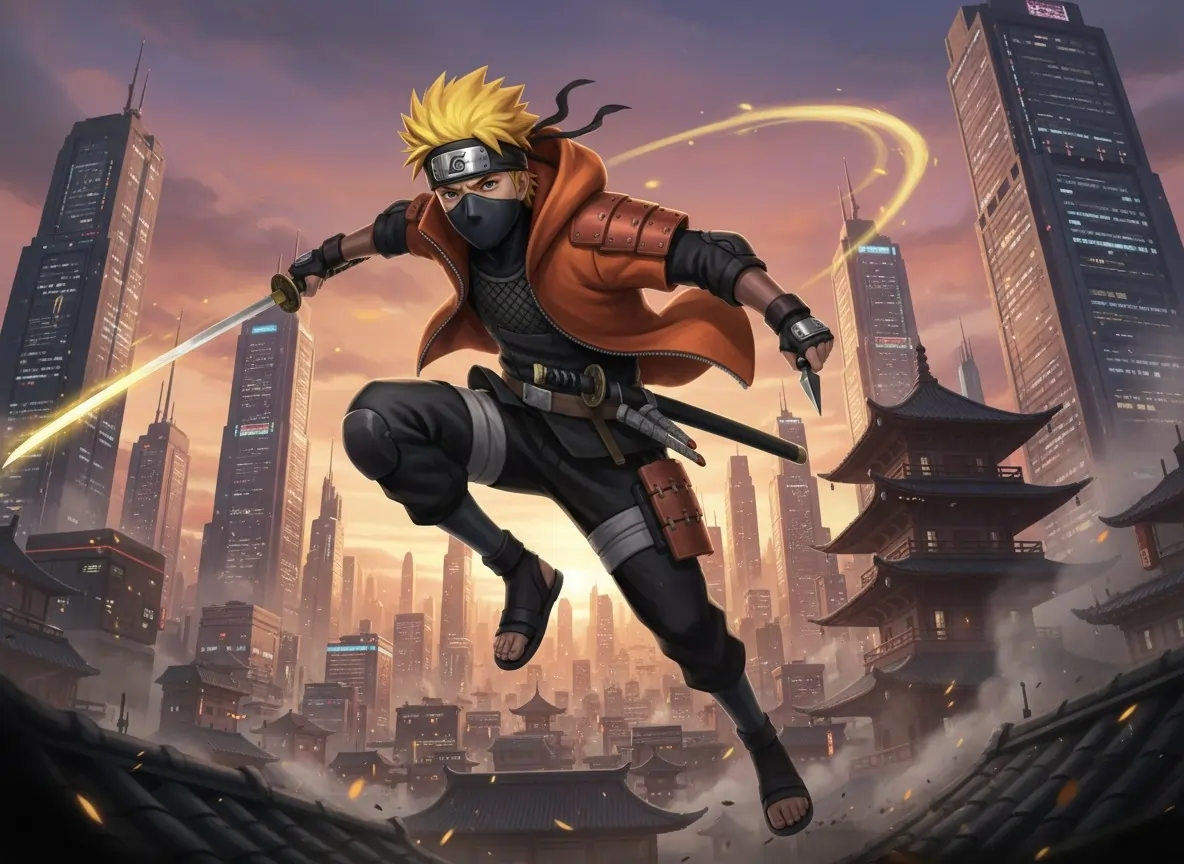
Describe characters by features, not names. “Spiky yellow-haired ninja in orange jacket” works better than copyrighted names. Combine multiple character elements to create original fan interpretations.



🔥 Get 15% Discount Instantly on OpenArt! Exclusive
✅ Commercial Use: What You Need to Know
OpenArt images are yours to use commercially under their terms. No attribution required for generated images. This covers social media content, marketing materials, advertising visuals, and product mockups.
Can't do: Resell images as stock photos or claim you manually created them for commissioned artwork.
Pro Tips From Power Users
Run 4 variations of each prompt simultaneously using parallel generation. Pick the best, then refine it with editing tools. This A/B testing approach beats iterating one prompt 20 times.
Check OpenArt's Discover page daily. Seeing what works for others teaches prompt engineering faster than any tutorial. Click any image to view its exact prompt and settings.
🌠 Troubleshooting: When Images Aren't Coming Out Right
Too complex or cluttered?
Too complex or cluttered? Strip prompts down to 3-5 core elements. The AI chokes on paragraph-long descriptions.
Too generic?
Add specific artistic references. “In the style of James Gurney” or “trending on ArtStation” pulls from recognizable aesthetics.
AI ignores parts of your prompt?
Put important words in parentheses or use emphasis syntax. Break complex scenes into multiple generations, then composite in editing tools.
Need higher resolution on free plan?
Join Discord for extra credits. The community runs contests and events that award credits. Active members rack up enough for regular premium generations.
💁♂️ Your AI Art Journey Starts Now
Text to image AI free tools like OpenArt remove the technical barriers that kept visual creation locked behind expensive software and years of training. Your ideas can become finished visuals today, not someday.
Start with simple prompts, experiment with the free models, and gradually add advanced techniques as you learn what each feature does. The Prompt Book and Discord community answer questions the documentation doesn't cover.
The gap between concept and creation just closed. Time to see what you can build.
AiMojo Recommends:


 BONUS: Get our $200 “AI Mastery Toolkit” FREE when you sign up!



