

Freed AI Key Insights
Freed AI addresses clinical documentation time rather than medical decision-making. It produces editable notes, with advanced options for chart transfer, coding and patient instructions.
An AI note remains a draft until a clinician verifies its details. My assessment draws on documented workflows and pricing, not an unperformed clinical trial.
What is Freed AI and who should use this medical scribe?
Freed AI is a clinical documentation assistant from Freed Inc., designed primarily for independent clinicians and small to midsized practices. It converts recorded or uploaded patient conversations into structured medical notes. Clinicians can change the output, reuse preferred formats and move it into an electronic health record (EHR).
It fits primary care, behavioral health and other specialties with frequent charting. I would shortlist it for practices keeping their current EHR.
How Freed AI turns spoken visits into SOAP documentation
A clinician starts a capture in a browser, extension or mobile app. Freed collects the encounter audio, produces a transcript and drafts a note after the visit ends. SOAP stands for Subjective, Objective, Assessment and Plan. These sections organize symptoms, findings and next steps.
Ambient audio capture and medical terminology
Audio quality controls note quality. For in-person visits, I recommend a built-in microphone or a suitable external microphone placed where it can hear both speakers. A headset microphone close to the clinician's face may miss the patient. Speaking medicine names, doses, allergies and negatives clearly makes review easier.
Freed supports uploads of existing recordings or transcripts as well as live capture. Its site advertises more than 90 languages, including cross-language workflows such as recording a Spanish conversation and preparing the note in English. Medication details and translations still require checking.
Learned templates and the note-editing assistant
Freed provides templates selected by specialty. The Learn format control uses an edited example to influence later output; Auto Learn can also be enabled in settings. This can reduce recurring formatting work.
On Core and above, AI Chat can shorten an overlong HPI, reorganize an assessment or insert an omitted detail from the transcript. I would request section-level changes to avoid rewriting verified details.
What must be checked before signing?
Confirm patient identity, laterality, units, medication doses, allergies, clinically meaningful negatives and follow-up instructions. Do not treat an AI-generated examination finding as observed unless the clinician actually documented it. Correct the Freed draft first, then inspect the transferred EHR entry before signing.
Clinical scribe features beyond basic transcription
Higher subscriptions also address coding and after-visit paperwork.
Clinical Evidence and documentation-based coding
Clinical Evidence answers questions using more than 50 medical sources, including PubMed and professional societies. The output links to supporting material, but it does not decide the patient's treatment. AI Chat's documentation editing is available on Core; Clinical Evidence is listed for Premier and Groups in Freed's feature guidance.
Premier also suggests ICD-10 diagnoses, CPT procedures and evaluation-and-management (E/M) levels. I would verify each proposed code against the visit, payer rules and signed note.
EHR Push and the limits of browser compatibility
Freed's Chrome extension runs beside a browser-based EHR and can place note sections into chart fields. Verified systems include athenahealth, SimplePractice, Practice Fusion, Elation and eClinicalWorks. Premier and Groups include unlimited pushes; Starter and Core receive five lifetime trial transfers.
This is not universal native integration. Unsupported systems may need manual copying; remote desktops can block the extension. It sends notes into whichever chart is open.
Visit prep, clinical letters and team handoffs
Premier can carry forward patient context, draft referrals and create patient-facing instructions. Groups adds shared patient records, medical assistant seats, template sharing and administrative controls. Staff access permissions must still be configured correctly.
Freed also sells Front Desk, a separate AI receptionist product. Its beta offer starts at $149 per 250-call block. That cost should not be confused with the scribe subscription.
How to use an AI medical scribe in a working clinic
I would first validate templates using synthetic cases, then run a supervised pilot under the clinic's consent policy.
Configure a face-to-face visit from capture to chart
- Create a trial account and choose the specialty template that matches your documentation requirements.
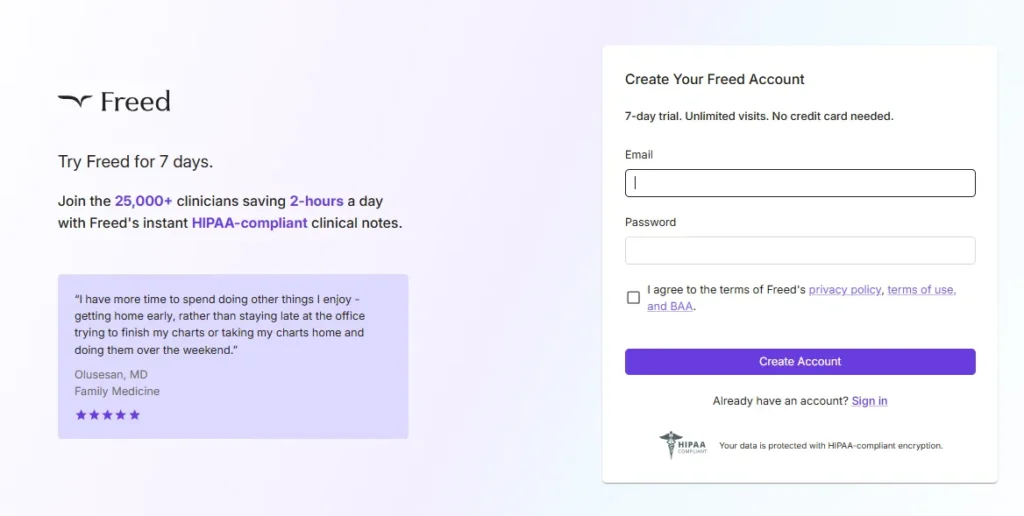
- Explain recording to the patient and obtain the consent required by local rules and clinic policy.
- Open the correct encounter, select Capture conversation, and check that both voices reach the audio meter.
- End the visit, review the SOAP draft and fix unsupported statements or missing clinical details.
- Copy the note into the EHR, or on an eligible plan use Push to EHR, then verify the destination fields before signing.
Capture telehealth audio without losing the patient voice
For browser-based telehealth, Freed offers a dedicated Capture telehealth mode in Chrome or Edge. It records the clinician's microphone and the patient's audio from the call tab. Headphones help prevent echo. Desktop conferencing apps are unsupported; EHR Push is desktop-only.
A practical acceptance test for every specialty
Use a synthetic encounter with a medication change, one explicit negative symptom and a follow-up deadline. Compare each fact against the generated note and the final EHR fields. Repeat with a second template and a virtual visit. Track omissions, corrections and time saved.
Which clinical sectors benefit from this workflow?
Each specialty needs a distinct note-quality test.
| Clinical setting | Practical configuration | Review checkpoint |
|---|---|---|
| Family medicine | Organize chronic disease follow-ups by problem | Confirm medication reconciliation and lab timing |
| Behavioral health | Use a structured session note with patient-reported symptoms | Check risk wording and preserve important direct statements |
| Pediatrics | Separate caregiver history from clinician observations | Verify weight-based doses and who provided history |
| Allergy and immunology | Standardize exposure, reaction and testing history | Confirm triggers, severity and emergency instructions |
| Telehealth practice | Use call-tab audio capture with dual input indicators | Check that patient speech was actually captured |
Assign a clinician to verify each note and correct errors.
Freed AI pricing and free trial explained
Starter costs $39 per clinician per month with a limit of 40 notes. Core costs $79 per month and adds unlimited notes, the template builder and AI Chat. Premier costs $119 per month, or 1,248peryear(104 per month equivalent), for advanced documentation, coding and EHR transfer. Groups pricing depends on the practice agreement.
The seven-day free trial does not require a credit card and gives access to Premier functions. There is no unrestricted permanent free account for ordinary clinicians. Qualified students, residents and trainees can receive 12 months of Core free; eligible trainees may qualify for up to 50% off Premier for 24 months.
Starter's 40-note cap won't suit full-day clinical use. Premier costs $40 more than Core; the difference may be worthwhile for EHR Push and patient letters.
Is Freed AI HIPAA-compliant and safe for patient records?
Freed states that it meets HIPAA and HITECH requirements and holds SOC 2 Type II certification. It encrypts health information in transit and at rest. Its security guidance says recordings are generally deleted after processing, with limited troubleshooting retention of up to 14 days. Notes can be deleted manually or set for automatic deletion after 30 days.
I would check consent, the business associate agreement and staff permissions. Security certification cannot prevent mistakes such as sending a note to the wrong chart.
Medical scribe pros and cons for independent practices
Basic note generation costs less than the full documentation workflow.
- Specialty templates and persistent formatting preferences reduce repetitive edits.
- Browser, mobile and telehealth capture cover common encounter types.
- Premier combines documentation, source-linked clinical questions and coding support.
- Chrome extension can reduce manual EHR field entry.
- Free trial and trainee benefit lower the initial cost of evaluation.
- Starter's 40-note limit is restrictive for busy clinicians.
- Unlimited EHR Push and clinical coding require higher-priced plans.
- EHR field mapping varies by system and still needs checking.
- Telehealth tab capture does not support desktop-only calling apps.
- No general free-forever subscription after the trial.
Freed AI alternatives compared for clinical note-taking
I would compare free access and EHR transfer methods, not only transcription claims.
| AI medical scribe for patient encounters and clinical documentation | Pricing entry point | Main distinction | Best fit |
|---|---|---|---|
| Freed AI | $39/mo; 7-day trial | Learned note formats; paid EHR Push | Independent clinicians wanting consistent charting |
| Heidi Health | Ongoing free plan | Unlimited standard notes on free tier; advanced features limited | Clinicians testing AI documentation at no recurring cost |
| Doximity Scribe | Free for eligible verified US members | Web/mobile notes ready to copy into EHR | Eligible clinicians who need basic scribing |
| Sunoh.ai | From $149 per user/mo promotional rate | Scribe positioned for practice EHR workflows | Clinics comparing higher-priced documentation services |
Heidi offers a free starting point, while Doximity suits eligible US clinicians. Freed stands out for saved formats and chart transfer.
What clinicians say about Freed AI
Freed publishes attributed clinician feedback on its website.
Blake T. Thompson, FNP-C, says: “Freed’s customization makes my notes feel and sound like I wrote them, rather than the chart bloat of most EMRs.”
Therapist Julie Bailey says: “Freed has truly freed me from hours of writing notes!”
Testimonials are not independent measurements of note accuracy or time saved.
AI medical scribe FAQs
Here are direct answers to the most common buying and setup questions.
Is Freed AI free for medical professionals?
Freed has a seven-day no-card trial but no permanent free plan for most clinicians. Qualified trainees can receive Core access at no charge for 12 months.
Can Freed AI integrate with Epic or any EHR?
Freed supports copy-and-paste transfers and EHR Push for verified browser-based systems. Universal direct integration, including every Epic workflow, is not promised. Check the actual chart-transfer method before purchasing.
Does Freed AI work for therapists and virtual appointments?
Yes. It supports behavioral health templates and browser-based virtual visit capture in Chrome or Edge. The clinician must check recording consent, note details and any required risk documentation.
Can the AI scribe assign diagnoses and billing codes automatically?
Premier can suggest ICD-10, CPT and E/M codes from visit documentation. The clinician or authorized billing professional must verify their accuracy and appropriateness.
My conclusion on Freed AI for clinical documentation
Freed AI is appealing for clinicians seeking consistent SOAP notes, AI-assisted editing and Premier's EHR Push. Plan limits and the required clinician review remain important. I would use the trial to measure editing time and verify chart-field transfers before subscribing.


