

You've got a sketch—maybe a rough storyboard frame, maybe a doodle on a tablet—and you want it moving. Actually moving, like a real video. A year ago, that meant hours in After Effects or hiring a motion designer. Now, draw-to-video AI tools are changing the equation entirely.
But the options are piling up fast, and not all of them deliver what the demos promise. Below, you'll find the top 7 draw-to-video AI tools worth your attention right now—what each one actually does well, where it falls short, and which fits your specific workflow.
The Algorithmic Shift: How Draw-to-Video AI Tools Map Motion from 2D Lines
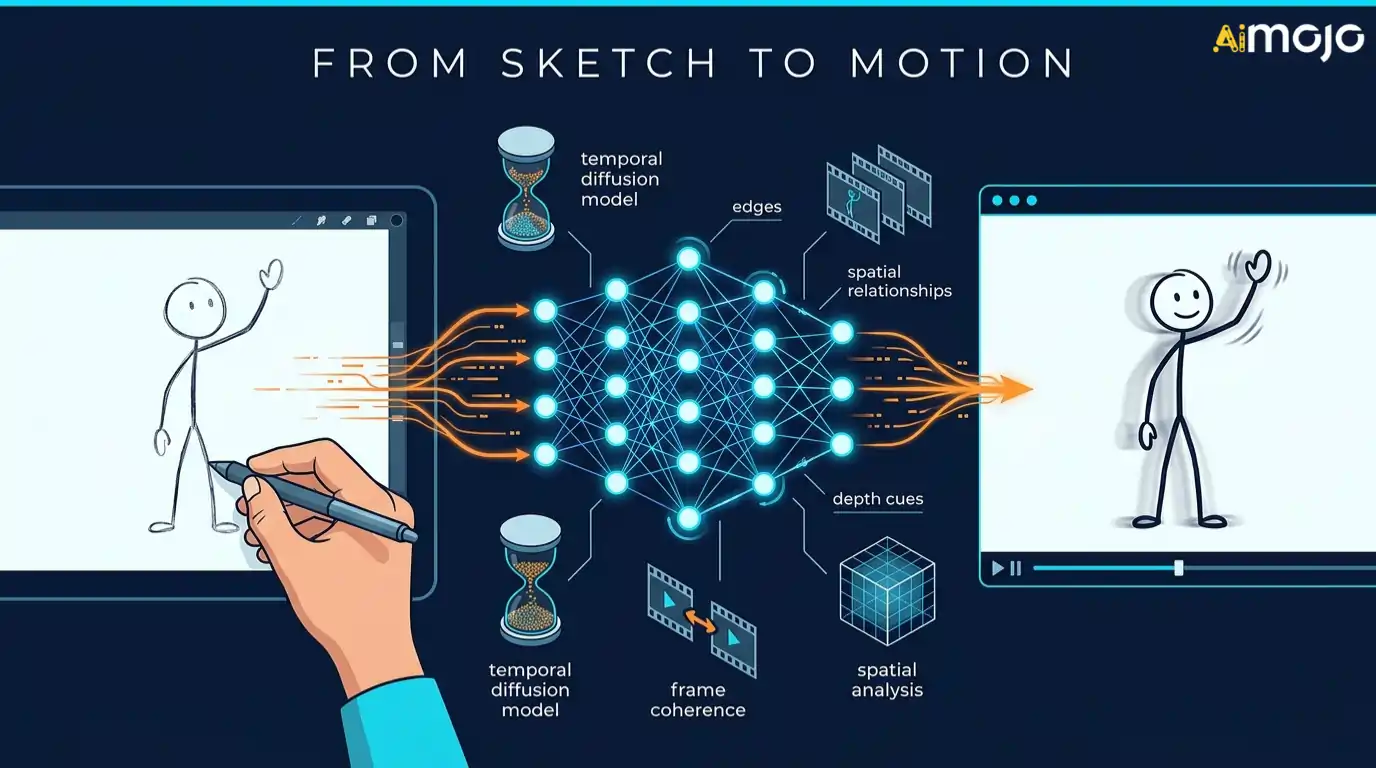
Most video generation starts with text prompts. Draw-to-video AI tools flip that entirely—they start with what you've already visualized on paper or screen.
The underlying models analyze spatial relationships within your sketch: edges, shapes, depth cues, and implied directionality. From there, neural rendering engines predict how those elements should move across frames. A raised arm becomes a wave. A tilted horizon becomes a camera pan.
This isn't simple morphing between keyframes. Modern draw-to-video AI relies on temporal diffusion architectures that generate motion coherence frame by frame, preserving the original sketch's identity throughout the sequence.
The result feels intentional—because the motion originated from your composition, not a generic text description.
Powerful Tools That Turn Sketches Into Videos Using AI
| Top Draw-to-Video AI Tools | Key Standout Feature | Output Resolution |
|---|---|---|
| OpenArt AI | 50+ AI models | Up to 4K |
| Higgsfield AI | Frame-accurate blocking | Pro-level 4K |
| Kling AI | Physics-aware motion | 1080p and above |
| Pykaso AI | Full visual suite | HD available |
| Akool | 30-minute videos | Up to 4K |
| APOB AI | Sora 2 integration | Free 4K output |
| VEED.io | All-in-one editor | 4K Ultra HD |
1. OpenArt AI
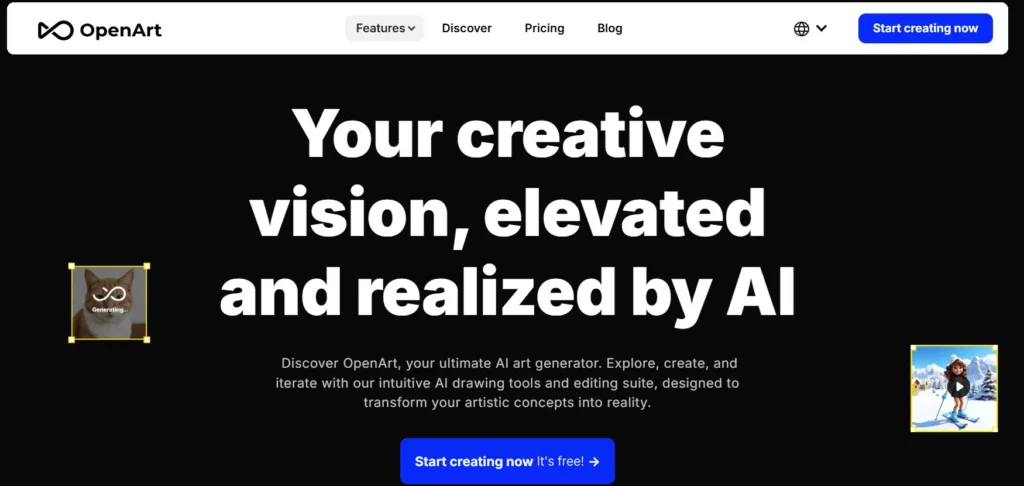
When exploring versatile draw-to-video AI tools, OpenArt AI stands out as a highly accessible platform for creators transitioning from static sketches to fluid motion. Rather than relying on a single underlying model, it integrates industry-leading engines like Sora 2, Veo 3, and Kling 2.1 into one cohesive workspace.
The platform excels at taking rough visual elements and transforming them into cinematic sequences. Alongside core image-to-video capabilities, creators benefit from advanced features like motion-sync, precise lip-syncing, and integrated sound effect generation to finalise their projects efficiently.
OpenArt AI Pros and Cons
2. Higgsfield AI
Higgsfield AI is rapidly becoming one of the most specialised draw-to-video AI tools for professionals focused on cinematic realism and strict character consistency. If you need your original sketch's subject to remain identical across multiple scenes, their proprietary Soul ID and Recast technologies make it surprisingly effortless.
Unlike generic generators, Higgsfield is built for complex storytelling rather than random visual experiments. The platform allows precise motion control over character actions and expressions, making it an exceptional choice for directors and storyboard artists needing highly accurate visualisations of their drawn concepts.
Higgsfield AI Pros and Cons
3. Kling AI
Kling AI has earned a solid reputation among draw-to-video AI tools for its remarkable grasp of real-world physics and fluid spatial movement. When you upload a sketch, Kling excels at translating static lines into dynamic, natural motion, handling complex elements like water, clouds, and character interactions with surprising accuracy.
The platform recently introduced native audio integration and longer generation times, setting it apart from competitors with rigid duration limits. For creators who want their 2D concepts transformed into extended, high-definition sequences without jarring morphing artefacts, Kling provides a highly reliable processing engine.

Kling AI 10% Discount – Create Viral AI Videos Exclusive
Kling AI Pros and Cons
4. Pykaso AI
For creators seeking financial flexibility, Pykaso operates uniquely among draw-to-video AI tools by utilising a transparent pay-as-you-go credit system. Instead of locking users into hefty monthly subscriptions, it provides access to premium engines like Kling and WAN on a per-generation basis.
Beyond straightforward video rendering, Pykaso allows users to train custom LoRa models. This means you can teach the AI your specific sketching or illustration style, ensuring that every generated video aligns perfectly with your established visual identity.
Pykaso AI Pros and Cons
5. Akool

While many platforms target hobbyists, Akool positions itself within the draw-to-video AI tools market as a dedicated enterprise solution for marketing and advertising professionals. It transforms product sketches and storyboard concepts into polished, commercial-grade promotional videos tailored for social media campaigns.
The platform focuses heavily on brand consistency and professional aesthetics, ensuring that outputs do not look like generic AI experiments. With built-in features optimised for generating video ads and realistic product showcases, Akool streamlines the transition from a creative team's initial drawing board directly to final, client-ready marketing deliverables.
Akool Pros and Cons
6. Apob AI

Apob AI has served out a distinct space among draw-to-video AI tools by focusing heavily on digital character creation and AI influencers. If your sketch features a specific character or mascot, Apob excels at bringing them to life while maintaining strict facial and stylistic consistency across various video outputs.
The platform is designed with viral social media content in mind, offering fast processing speeds and intuitive controls. By combining robust character generation with affordable access tiers, it provides an excellent testing ground for creators looking to develop consistent, animated personas from their original 2D character designs.
Apob AI Pros and Cons
7. VEED.io
Unlike standalone generation engines, VEED is a comprehensive video editing suite that has deeply integrated several draw-to-video AI tools into its browser-based workflow. After generating motion from your initial sketches using their AI models, you never have to leave the platform to finalise the project.
The workspace allows you to immediately trim clips, add automatic subtitles, apply visual effects, and integrate AI voiceovers. This all-in-one approach eliminates the friction of moving massive video files between different software applications, making it incredibly efficient for creators who want a fully produced, broadcast-ready video from start to finish.
VEED.io Pros and Cons
Production Architecture: Integrating Draw-to-Video AI Tools into Your Workflow

Knowing what these tools can do is one thing. Fitting them into how you actually work is where the real efficiency shows up.
Whether you're a solo creator or part of a production team, draw-to-video AI tools slot into existing pipelines without replacing your core software. The key is preparing your input correctly.
Here's a practical integration sequence:
Each step takes minutes, not hours—and that's exactly what makes draw-to-video AI tools a production shortcut worth building around.
Turning Your Creative Ideas Into Animated Reality
The reality of draw-to-video AI tools isn't about finding one perfect app that does everything. It’s about matching the software to how you actually prefer to work. If you need tight character control for an animation, your tool stack will look very different from someone who just wants to turn a quick doodle into a social media clip.
Start by running a single, challenging sketch through two or three of the free tiers. The right platform will feel obvious almost immediately, simply because its underlying motion logic will naturally click with your visual style.
AiMojo Recommends:


 BONUS: Get our $200 “AI Mastery Toolkit” FREE when you sign up!



