

TeraBox AI Key Insights
Knowing TeraBox AI and Its Uniqueness
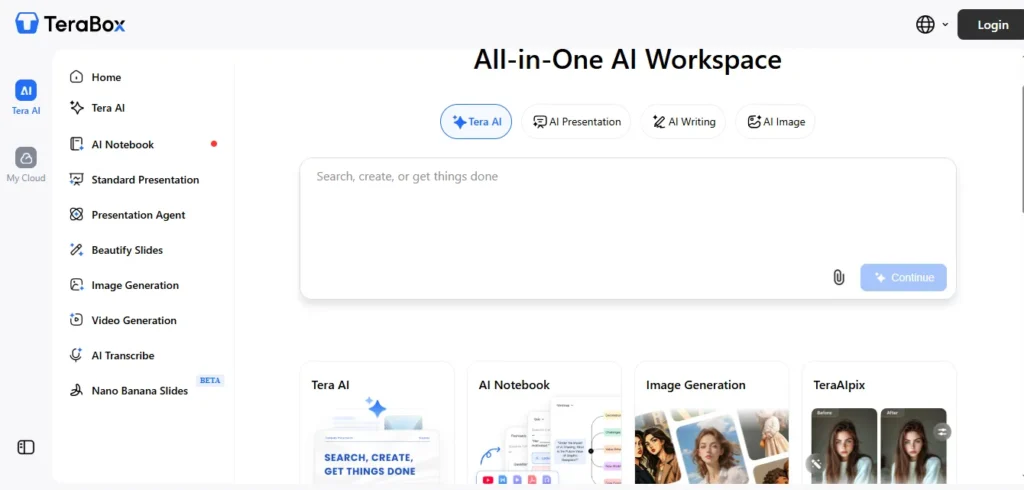
Too many tabs for one finished project?
You start with a simple idea, but finishing it means jumping between AI tools, rewriting instructions, downloading files, and figuring out where everything went. By the time your work is ready, you've spent almost as much energy managing the process as creating the actual result.
TeraBox AI approaches this problem differently. Instead of treating every task as a separate activity, it brings your working materials and AI-powered assistance into one connected environment. The idea is simple: spend less time preparing files, switching applications, and repeating instructions, and more time getting useful work finished.
What catches my attention is its focus on the entire working process rather than just generating an impressive first response. For students managing assignments, professionals handling multiple deliverables, and creators working against deadlines, that distinction matters.
But does combining everything actually improve productivity, or simply add more options to another AI dashboard? That's what makes TeraBox AI worth examining beyond its feature list.
How TeraBox AI Handles Content Creation and Productivity
TeraBox AI is an AI-powered productivity workspace developed around TeraBox's cloud storage service. It combines language-based content generation with document processing and visual media tools.
Its biggest attraction is workflow consolidation. Users can research a subject, produce written material, generate slides, and save the resulting files within the same ecosystem.
AI Presentation Maker Turns Documents Into Editable Slides
The TeraBox AI Presentation Maker supports two creation approaches: Standard Mode and Agent Mode.
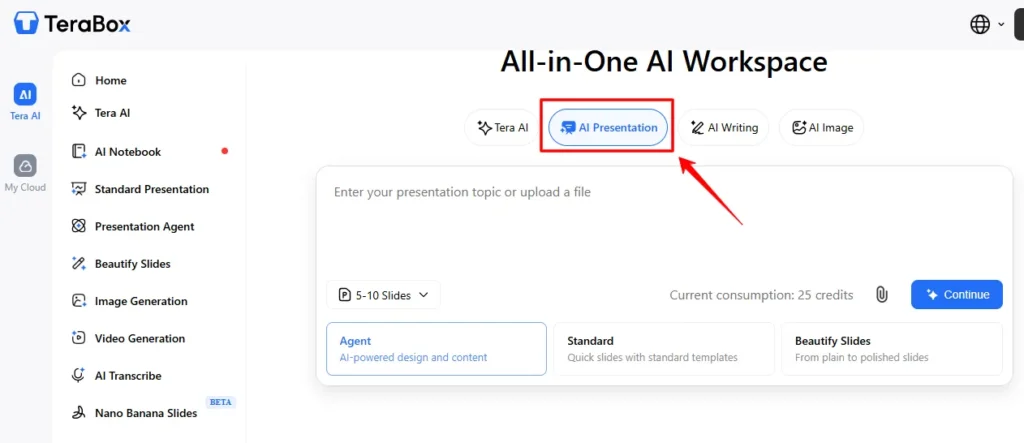
Standard Mode focuses on template-based slide generation. Agent Mode adds automated content planning, online editing, and source-supported presentation creation.
Users can generate presentations from prompts, text, PDFs, and other supported documents.
The process includes:
One detail I particularly value is that AI slide creation does not end with a static picture of a presentation. Editable exports make the feature practical for client proposals, training decks, and business presentations.
TeraBox's presentation documentation also describes support for decks containing up to 40 slides.
AI Essay Writer and Paraphraser for Content Drafting
The writing tools address two different jobs.
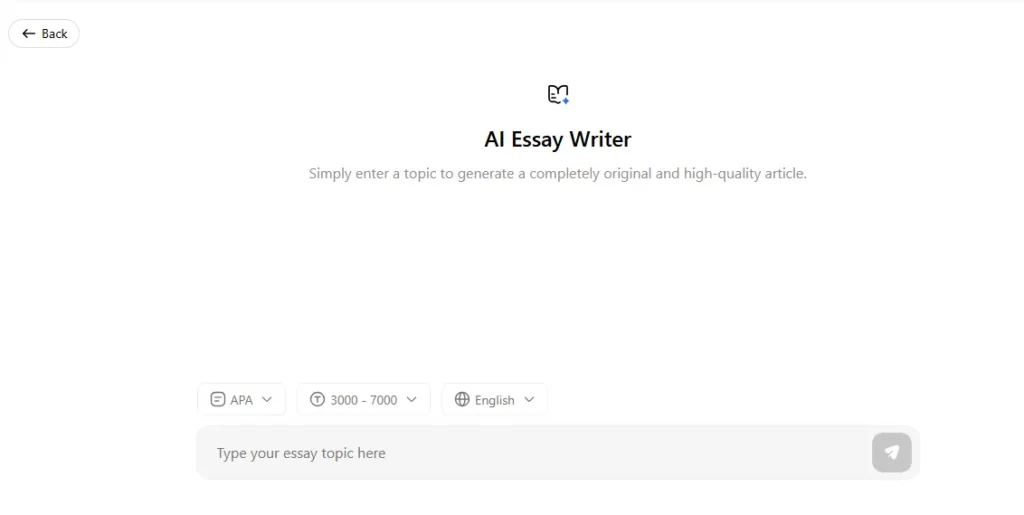
AI Essay Writer produces structured drafts from user instructions, while AI Paraphraser rewrites existing material with the intention of preserving its meaning.
For content teams, I would use the writer to develop an initial article structure and the paraphraser to improve unclear passages. The technology uses large language models and natural language processing to interpret context and produce written responses.
However, generating grammatically correct text is different from producing publishable expertise.
I recommend checking factual statements, preserving original research, and reviewing technical terminology before publishing AI-generated content.
Deep Research Produces Source-Linked Reports
TeraBox Deep Research is designed for tasks requiring more than a short chatbot response.
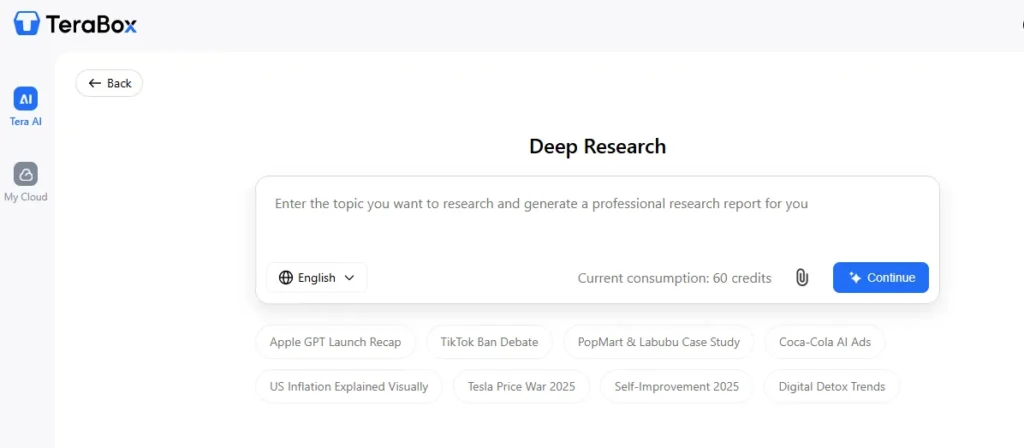
It accepts a research question and can use up to three supporting PDF, DOCX, or TXT files. The system creates an editable research outline before generating a structured report containing findings, tables, and source references.
This is useful for:
The source-reference feature is particularly valuable because it gives readers a route to verify generated claims.
I would still treat the final report as a research draft rather than approved evidence. Source links need checking, especially when financial statistics, research findings, or regulatory information influence decisions.
AI Notebook Converts Sources Into Learning Resources
The TeraBox AI Notebook is one of the platform's more distinctive features. Instead of creating content from a blank prompt, it works with materials already available to the user.

Supported inputs include documents, audio recordings, videos, pasted text, cloud files, and supported YouTube links.
The Notebook Studio can generate:
I see considerable value here for education and internal training.
A lecturer can import course material and create revision exercises. A manager can turn onboarding documents into learning resources.
Public YouTube videos with available subtitles can also serve as Notebook sources.
AI Image and Video Generation for Creative Projects
TeraBox includes both AI image generation and AI video generation capabilities.

The image generator supports text prompts, reference-based image creation, and effects that modify existing pictures. Its official image-generation guide mentions Nano Banana among the models used for visual creation.
For video, users can generate short clips from written instructions or animate uploaded images. Available workflows include product-image animation, visual effects, and short-form promotional content.
Image uploads support JPG and PNG formats, with a documented 20MB limit for relevant image-generation workflows. I would position these tools primarily for creative drafts, social media assets, concept images, and short promotional clips.
They are useful additions to a productivity suite, although specialist video-editing applications remain more suitable for detailed timeline control and advanced production work.
PDF Conversion, AI Scanning and Audio Transcription
The document utilities are a practical reason to consider TeraBox beyond its generative AI features.
Users can convert PDFs into Word, PowerPoint, or Excel files and create PDFs from supported Office documents or images. The conversion service supports common formats, including DOCX, PPTX, XLSX, JPG, and PNG, with a documented maximum file size of 100MB.
AI Transcriber converts audio and video into written text, while scanning tools assist with document extraction. For meeting records, interviews, and recorded lectures, transcription provides a starting point for searchable documentation.
The transcription workflow also supports editing and useful output formats, including TXT, DOCX, and SRT.
How to Use TeraBox AI for Professional Workflows
The best way to evaluate an all-in-one AI assistant is through the tasks it can complete, not simply the number of tools displayed on its dashboard.
Here are three workflows I would prioritize.
Build a Source-Based Business Research Presentation
For competitor research or executive briefings, begin with Deep Research.
- Enter a specific research question and upload up to three supporting reference files.
- Review the proposed outline and remove irrelevant topics.
- Generate the report and check important source links.
- Use the verified findings as input for the AI Presentation Maker.
- Edit the slides and export the presentation as PPTX.
Technical Quality Check Before Delivery
Compare key figures against the original documents. Check whether tables preserve their units, whether conclusions match the evidence, and whether source references remain accurate.
This process helps reduce errors carried from an AI research report into a presentation.
Create Product Marketing Visuals From Existing Assets
For an e-commerce campaign, begin with a clear product image. Upload it to the image generator, request suitable backgrounds or visual variations, and select the strongest output.
Next, use the video generator to produce short promotional motion clips.
Export Checks for Marketing Teams
Inspect product proportions, labels, trademarks, and visual consistency before publishing. AI-generated assets can look convincing while still changing packaging details. Brand accuracy should take priority over visual novelty.
Turn Training Materials Into Employee Learning Content
An operations team can upload training PDFs, supporting presentations, and recorded lessons to AI Notebook. From these sources, generate flashcards, knowledge quizzes, and mind maps.
The resulting materials can support onboarding, revision sessions, and internal learning programs. For regulated industries, subject specialists should review generated questions and answers before employees use them.
Which Industries Benefit Most From TeraBox AI?
Its value changes depending on the source materials, required outputs, and review process.
| Industry | Practical Application | Distinct Operational Value |
|---|---|---|
| Education | Convert lectures into quizzes and flashcards | Multiple learning formats from existing course material |
| Digital Marketing | Create campaign concepts and media assets | Reuse product images across visual formats |
| Academic Research | Prepare literature summaries and slide presentations | Connect supporting documents with presentation outputs |
| E-commerce | Produce product visuals and promotional clips | Create variations using existing product photography |
| Corporate Training | Convert SOPs into training resources | Turn internal files into reusable learning activities |
| Consulting | Develop research reports and client decks | Connect source analysis with editable presentations |
| Content Creation | Draft articles and manage production assets | Keep written content and media files together |
For me, the strongest use case is document-heavy work where research, presentation creation, and file organization overlap.
TeraBox AI Pricing and Free Plan Explained
TeraBox AI uses a freemium model, offering limited AI access alongside free cloud storage.
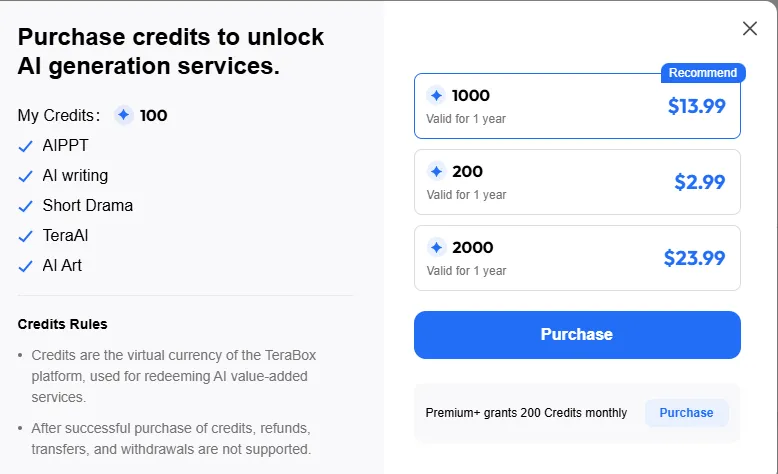
The official AI product pricing panel advertises paid access from $3.89/mo, with annual renewal pricing displayed at $39.99/year.
A 65% OFF promotional label is also shown.
What Does the Free Plan Include?
The Basic plan includes free cloud storage advertised up to 1024GB and limited AI trials.
Certain tools publish specific allowances:
The free allocation is suitable for exploring workflows, but not a promise of unlimited AI generation.
Paid AI access includes additional capabilities and credits, while TeraBox also markets storage-focused Premium subscriptions.
I recommend comparing the AI membership benefits with storage-only privileges before purchasing, since the two offers emphasize different services.
What I Like and Where the Platform Falls Short
My assessment focuses on the published capabilities, usage restrictions, and how these features fit real productivity tasks.
- Combines writing, research, presentations, visual generation, and storage.
- Creates editable PowerPoint presentations.
- Supports source-linked research reports.
- AI Notebook accepts documents, audio, video, and YouTube sources.
- Includes useful PDF and Office conversion tools.
- Provides limited free AI access and substantial cloud storage.
- Supports web and mobile productivity workflows.
- Free AI generations are restricted.
- Advanced research still needs human fact-checking.
- Cloud-based AI processing requires online access.
- No listed native Google Slides add-on.
- Specialist creative software provides more detailed editing controls.
Is TeraBox AI Safe for Documents and Business Files?
TeraBox describes HTTPS transfer encryption, account access protections, and encrypted cloud storage. Its service terms state that users retain ownership of uploaded materials while granting the permissions needed to operate the service.
However, the platform processes files and prompts through its cloud services. For sensitive commercial documents, I recommend checking organizational data-handling policies before uploading client records, confidential contracts, or protected information.
Security features are useful, but they do not replace internal access controls and document-classification policies.
What Do Existing TeraBox Users Say?
The official TeraBox PC download page includes customer comments about its wider cloud storage product.
Two published comments highlight usability and storage value:
These comments relate to TeraBox's general storage experience rather than independent evaluations of the newer AI workspace.
Best TeraBox AI Alternatives Worth Comparing
TeraBox covers several categories, so the right alternative depends on which task matters most.
| All-in-one AI workspace | Primary Strength | Main Difference From TeraBox AI |
|---|---|---|
| Gamma AI | AI presentations and visual documents | More focused on presentation design and web-based sharing |
| Canva AI | Graphic design, brand assets, and presentations | Greater emphasis on visual editing and design templates |
| Google NotebookLM | Source-based research and learning | More specialized in understanding uploaded sources |
- For presentation-heavy work, Gamma is a strong comparison.
- Canva makes more sense when visual editing and brand control dominate.
- For research and study materials, NotebookLM deserves consideration.
TeraBox is attractive when the objective is to combine these everyday tasks with file storage rather than purchase a separate specialist tool for each job.
FAQs Related to TeraBox AI
Is TeraBox AI free?
Yes. TeraBox offers a free Basic plan with limited AI trials and cloud storage advertised up to 1TB. Advanced capabilities and additional usage require paid access.
Can TeraBox AI generate PowerPoint presentations?
Yes. Its AI Presentation Maker creates editable presentations from prompts and supported documents. Users can modify slides online and export PPTX or PDF files.
Does TeraBox AI support image and video generation?
Yes. TeraBox supports text-to-image, image-to-image, text-to-video, and image-to-video creation, including visual effects and short promotional clips.
Can TeraBox AI summarize PDF files and YouTube videos?
Yes. AI Notebook accepts PDFs and supported YouTube videos, allowing users to organize source material and generate summaries and study resources.
Final Verdict on TeraBox AI
TeraBox AI is a practical choice for users who regularly move between documents, research, presentations, and creative assets.
Its strongest feature is not any single AI generator. It is the ability to create, convert, organize, and retrieve different types of work within one connected service.
I would recommend exploring its free tools first, especially the Presentation Maker, Deep Research, and AI Notebook.
For students, professionals, and content teams managing multiple file formats, TeraBox offers an appealing combination of everyday AI productivity tools and cloud storage.


