

One browser. Fifty accounts. Hundreds of tasks. And now, AI agents that can do the clicking for you.
Sounds interesting? It gets better.
The best AntiDetect browsers in 2026 are no longer limited to changing browser fingerprints and managing multiple accounts. Tools like Multilogin, Dolphin Anty, and AdsPower now connect browser automation with artificial intelligence, natural-language commands, and AI agents.
Some even support Model Context Protocol (MCP), allowing compatible AI assistants to communicate directly with browser management tools.
I've spent nearly a decade working in affiliate marketing, blogging, and AI technology. Managing multiple websites, advertising accounts, and online businesses has taught me something important: the best software doesn't just organize your work. It eliminates repetitive steps.
So, which AntiDetect browsers actually offer useful AI capabilities?
And the differences are far more interesting than another browser fingerprint setting.
Why Are AntiDetect Browsers Important in the Age of AI?
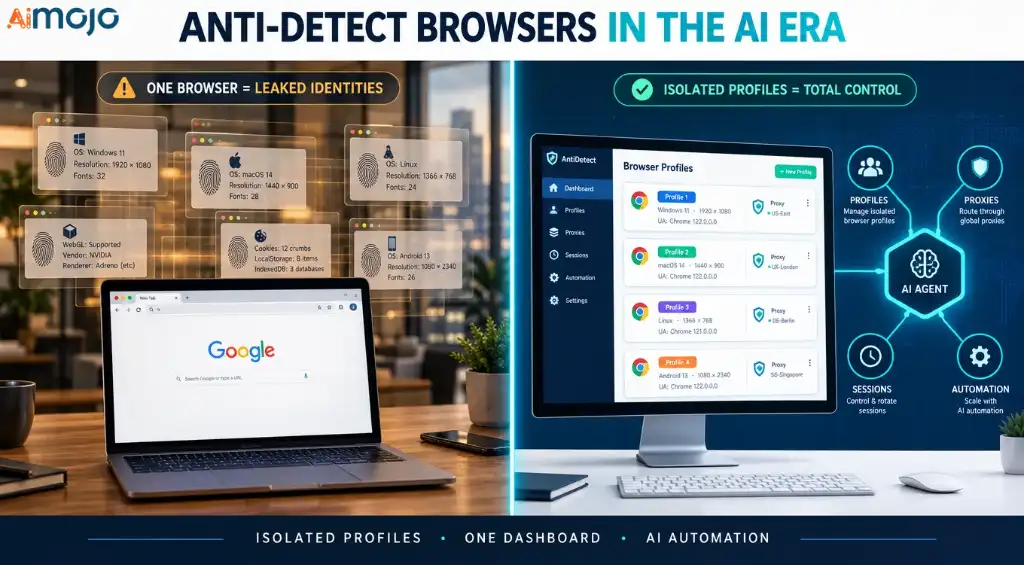
Running multiple online businesses involves more than opening separate Chrome tabs.
Each browser exposes identifying information, including its operating system, screen resolution, fonts, WebGL data, cookies, and other fingerprint signals.
AntiDetect browsers create isolated browser profiles with separate configurations, storage, and proxy settings.
For affiliate marketers, e-commerce businesses, agencies, and developers, this simplifies managing different account environments from one dashboard.
Now add generative AI to the equation.
AI chatbots such as Claude, ChatGPT, and Gemini can help prepare marketing materials, analyze data, generate code, and plan business operations.
But generating instructions and executing browser actions are two different things.
That's where AI-connected AntiDetect browsers become interesting.
A compatible AI agent can use available integrations to create browser profiles, configure proxies, launch sessions, collect information, or automate supported website interactions.
Instead of manually repeating identical setup processes, teams can describe tasks and execute them through connected automation tools.
The result is a more capable workspace for multi-account management and authorized business automation.
How AI Features Make AntiDetect Browsers More Useful
Not every AI-powered AntiDetect browser offers the same type of intelligence.
I've identified four particularly useful categories:
For everyday users, these features simplify repetitive profile administration.
For agencies, they support client account organization, campaign research, and collaboration.
For developers, MCP servers, APIs, and browser automation libraries offer ways to connect AI applications with actual browser sessions.
Here's how the ten products compare.
How We Compared the Best AntiDetect Browsers
My evaluation focuses on five practical questions:
I also examined the providers' published AI workflows, developer documentation, and browser management capabilities.
The rankings reflect my editorial assessment of these features, with greater weight given to useful AI integrations and automation.
Best AntiDetect Browsers in 2026: AI Features and MCP Comparison
| AntiDetect Browser | AI Features | Official AI / MCP Access |
|---|---|---|
| Multilogin | AI Quick Actions, OpenClaw, cloud phone agents | AI Quick Actions |
| Dolphin Anty | AI profile management through MCP | Dolphin MCP |
| AdsPower | Built-in AI Agent, MCP, Skills | AdsPower MCP |
| GoLogin | Native AI Assistant, Browser MCP | GoLogin MCP |
| GeeLark | AI content creation, cloud phone automation, MCP | GeeLark MCP |
| Octo Browser | Claude Code assistant using Octo API | AI Assistant Guide |
| Incogniton | MCP-based profile administration | Incogniton MCP |
| DICloak | Browser MCP, AI-connected RPA marketplace | Browser MCP |
| Aurorium.ai | Neural-network fingerprint generation | AI Features |
| AntiBrow | Native MCP server, Playwright, Python SDK | AntiBrow MCP |
1. Multilogin

Multilogin combines browser fingerprint management, residential proxies, Android cloud phones, and multiple automation interfaces.
Its AI Quick Actions feature converts text prompts into automated action sequences, reducing the work involved in repetitive operations.
The official Multilogin OpenClaw skill allows AI agents to create, list, launch, stop, and organize browser profiles and cloud phones.
For Android automation, its cloud phone agent toolkit provides screenshot inspection, tapping, typing, and app navigation through ADB.
That's a compelling combination for businesses managing both web accounts and native Android applications.
What Makes Multilogin a Powerful AI Automation Hub?
The AI Advantage: Multilogin supports workflows involving browser profiles, cloud phones, and external AI agents within the same product ecosystem.
Use Multilogin if: You manage multiple advertising accounts, websites, or Android applications and need advanced automation.

My Verdict: 4.9/5
Multilogin takes my top position because it addresses both browser and mobile operations. I particularly value its combination of OpenClaw connectivity, cloud phones, and developer automation tools.
2. Dolphin Anty

Dolphin Anty is designed around browser profile management, advertising workflows, and team collaboration.
Its Dolphin MCP integration connects compatible AI clients such as Claude Code, Cursor, Codex, and Claude Desktop to browser administration functions.
An AI agent can create profiles, manage proxies, organize folders, assign tags, and inspect running sessions using natural-language requests.
Dolphin also documents a separate chrome-devtools-mcp integration for interacting with pages inside an open browser profile.
This distinction gives teams dedicated tools for profile management and webpage automation.
Smart Features Built for Affiliate Marketing Teams
The AI Advantage: An AI assistant can handle administrative browser operations, including organizing advertising workspaces and checking profile configurations.
Use Dolphin Anty if: Your team manages multiple affiliate campaigns, client accounts, and browser profiles.
My Verdict: 4.8/5
Dolphin Anty is one of my strongest picks for affiliate marketing. Its MCP integration focuses on real account-management tasks, making it particularly useful for media-buying operations.
3. AdsPower
AdsPower combines browser fingerprint isolation with RPA, a Synchronizer, Local API, and a native AI Agent. The AI Agent is available directly from the AdsPower client, where users describe tasks in natural language.
Its functionality can be extended through MCP and Skills.
AdsPower also supports creating and managing multiple browser profiles, running automation scripts, and organizing saved proxies.
For businesses that don't want to write code for every task, the combination of AI assistance and visual automation tools is especially appealing.
AI-Powered Tools That Make Browser Automation Easier
The AI Advantage: AdsPower connects natural-language instructions with its existing browser automation system. Its MCP server also integrates with external tools such as Claude Desktop and Cursor.
Use AdsPower if: You want AI-assisted browser automation without relying entirely on custom scripts.
My Verdict: 4.8/5
AdsPower makes my top three because it offers both a native AI Agent and developer integrations. I especially like the choice between conversational automation, RPA, and API-based workflows.
4. GoLogin

GoLogin offers isolated browser profiles, proxy management, cloud browser sessions, and AI automation. Its AI Assistant performs browser tasks from natural-language instructions inside GoLogin profiles.
The assistant also supports cloud browser execution, allowing automated tasks to run in remote sessions.
GoLogin's Browser MCP provides another route for AI integration, exposing profile operations such as creating, listing, starting, and stopping profiles.
This combination supports both direct AI assistance and customized external agent workflows.
Intelligent Features for Cloud Browser Management
The AI Advantage: GoLogin connects prompt-driven automation with browser profiles that preserve their individual session information.
Use GoLogin if: You need cloud-hosted browser sessions, AI-assisted website operations, and profile administration.
My Verdict: 4.7/5
GoLogin earns its place through its native AI Assistant and cloud execution. I particularly like it for remote teams that want automation without maintaining every browser session locally.
5. GeeLark

GeeLark offers both AntiDetect browser profiles and Android cloud phones in one workspace. Its dedicated GeeLark AI features include AI image generation, image-to-video, text-to-video, and AI video editing.
The platform also integrates DeepSeek-powered AI assistance and automation templates for social media operations.
For AI connectivity, GeeLark MCP exposes supported cloud phone, browser profile, and task-management functions to compatible clients such as Claude, Cursor, and Codex.
This makes GeeLark particularly relevant for creators working with mobile-first content platforms.
From AI Content Creation to Android Cloud Phone Automation
The AI Advantage: GeeLark combines AI-generated content with browser and Android workflow management.
Its automation templates cover tasks such as publishing Instagram Reels and YouTube Shorts.
Use GeeLark if: Your business creates AI content and manages multiple social media accounts across websites and mobile apps.

My Verdict: 4.7/5
GeeLark stands out for combining content generation with mobile automation. For AI creators, I find its cloud phone and content workflow combination especially interesting.
6. Octo Browser

Octo Browser focuses on isolated browser profiles, proxy configuration, team management, and automation through its API.
Its official documentation includes a method for building a custom AI assistant with Claude Code. This assistant interprets natural-language requests and uses the Octo Browser API to create, edit, transfer, and organize browser profiles.
It can also export profile information, inspect account configurations, and identify profiles matching specified criteria. The documented implementation includes confirmation controls for account changes and an undo function.
Developer-Focused Features for Custom AI Workflows
The AI Advantage: Octo Browser's API provides a foundation for building a custom AI-driven administration system. Instead of relying on a fixed assistant interface, developers can define their own commands and permitted operations.
Use Octo Browser if: You have development experience and want to create customized AI-assisted browser management processes.

My Verdict: 4.5/5
Octo Browser appeals to me because of its developer control. Its Claude Code workflow is especially useful for teams that already manage accounts through scripts and API requests.
7. Incogniton
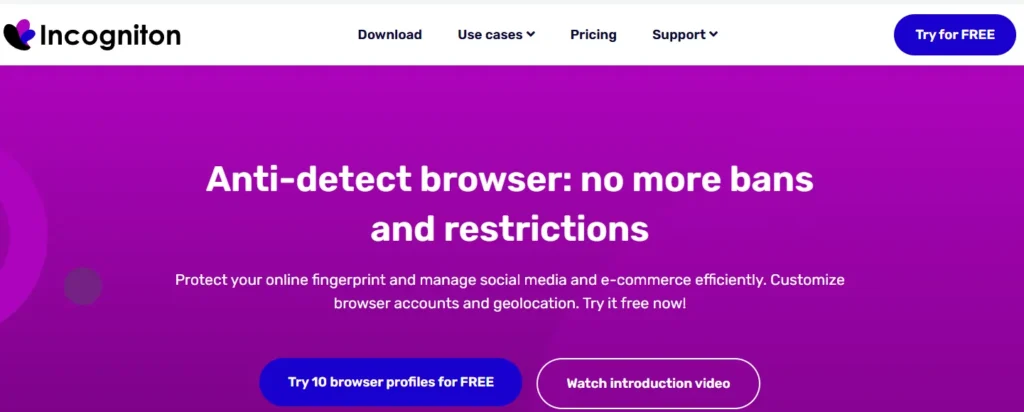
Incogniton provides isolated browser profiles, fingerprint configuration, cookie management, proxy support, and team features.
Its official Incogniton MCP server connects compatible AI applications to browser profile administration. AI agents can create, edit, clone, organize, and launch profiles while managing saved proxy information.
One documented capability is creating or editing up to 30 profiles in a single MCP call. Incogniton also supports browser automation through its API, CLI, SDKs, and common automation libraries.
Smarter Profile Management With AI and MCP
The AI Advantage: Incogniton allows an AI assistant to handle repetitive profile setup and organization tasks. That is useful when an agency adds new clients or needs to configure several account environments with similar settings.
Use Incogniton if: You manage multiple client workspaces and want AI-assisted browser administration.
My Verdict: 4.5/5
Incogniton earns my recommendation for practical account organization. Its MCP integration directly addresses the repetitive setup tasks that come with managing larger client portfolios.
8. DICloak
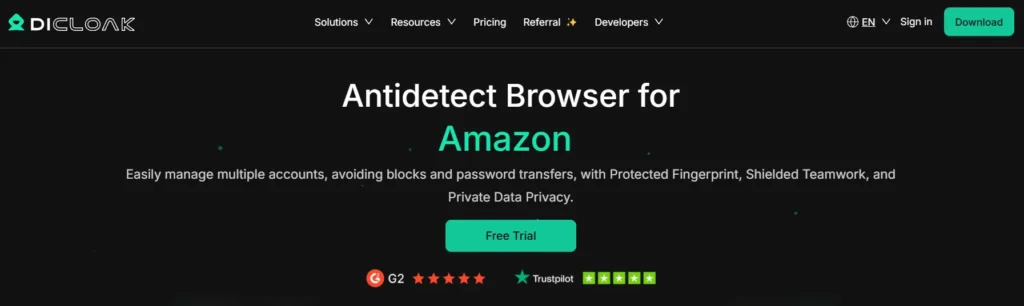
DICloak combines AntiDetect browsing, RPA automation, and developer integrations. Its Browser MCP product connects AI applications to browser operations through Model Context Protocol.
The provider also offers an MCP RPA Marketplace containing workflows for TikTok research, YouTube data collection, Amazon product research, and other browser tasks.
For example, published workflows include collecting video information and extracting product reviews. DICloak's developer platform also supports browser automation through API and CDP interfaces.
AI-Connected RPA Features That Handle Repetitive Tasks
The AI Advantage: AI applications can call supported RPA tools to carry out browser tasks using predefined automation functions.
DICloak provides Browser MCP development access through its application process.
Use DICloak if: Your business needs structured browser automation for research, data collection, and repeated online tasks.
My Verdict: 4.4/5
DICloak interests me most for its MCP RPA Marketplace. Having browser automation functions organized by use case makes it appealing for businesses building repeatable AI workflows.
9. Aurorium.ai

Aurorium.ai approaches artificial intelligence differently from most browsers on this list.
Its primary AI feature involves browser fingerprint generation.
Aurorium describes a neural-network system that uses real-device fingerprint data and applies modifications to create different browser configurations.
Its persona-based generation tools incorporate characteristics such as geographic location, age, profession, and other selected attributes.
Alongside fingerprint management, Aurorium includes bulk profile creation, automation interfaces, a built-in CRM, and team messaging with automatic translation.
Inside Its AI-Driven Browser Fingerprint Technology
The AI Advantage: Aurorium applies machine learning directly to fingerprint configuration instead of focusing exclusively on conversational browser automation.
Its AI translator also supports communication between users working in different languages.
Use Aurorium if: You want an AntiDetect browser focused on configurable fingerprints, automation, and team administration.
My Verdict: 4.3/5
Aurorium earns a position for its distinct application of AI. I'm particularly interested in its persona-based fingerprint system and combination of browser identity tools with team communication.
10. AntiBrow
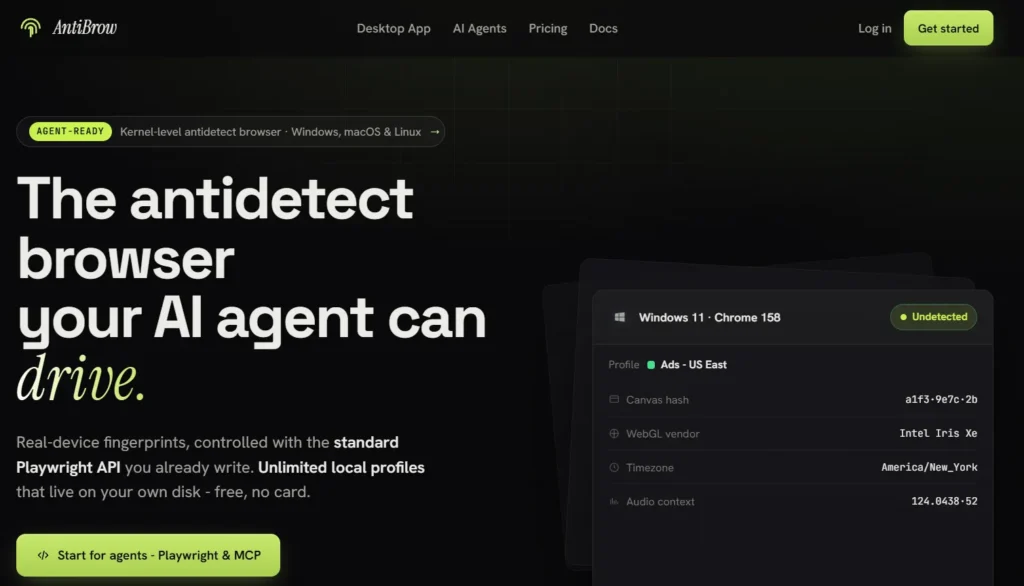
AntiBrow is built for browser automation through AI agents and developer tools.
It supports TypeScript, Python, Playwright, and Chrome DevTools Protocol connections.
Its native MCP server exposes 19 tools, including browser launch, navigation, clicking, form filling, content reading, screenshots, and session management.
AntiBrow also maintains persistent browser profiles, allowing automation workflows to reuse cookies, storage, and browser configurations.
The same profiles can be accessed through its desktop application and supported development interfaces.
Advanced MCP and Playwright Features for AI Agents
The AI Advantage: AntiBrow gives AI agents direct access to browser interaction tools while maintaining identifiable sessions between requests.
It also supports existing developer libraries through Playwright and CDP connections.
Use AntiBrow if: You are developing AI browser agents that need programmable interaction with persistent browser environments.
My Verdict: 4.5/5
AntiBrow is one of my favorite developer-oriented entries. Its MCP server, Playwright compatibility, and shared profile system make it an interesting option for custom AI browser automation.
FAQs About AntiDetect Browsers and AI Automation
Can AI agents control an AntiDetect browser without programming?
Yes. AdsPower and GoLogin offer native AI assistants that accept natural-language instructions. MCP-connected tools also allow supported AI clients to perform browser management operations.
Can I connect Claude to an AntiDetect browser?
Yes. Dolphin Anty, AdsPower, GoLogin, GeeLark, Incogniton, DICloak, and AntiBrow provide MCP integrations compatible with supported AI clients. Octo Browser documents a separate Claude Code integration using its API.
Is an AntiDetect browser better than using Chrome profiles?
AntiDetect browsers offer additional fingerprint configuration, proxy management, automation, and team features. Standard Chrome profiles primarily separate local browsing information such as cookies and history.
Can AI agents manage Android applications?
Yes. Multilogin provides a cloud phone agent toolkit using ADB, while GeeLark offers cloud phone automation and MCP-connected operations.
Do AntiDetect browsers include proxies?
Proxy arrangements differ by provider. Multilogin offers integrated residential proxy options. AdsPower supports importing and managing separately obtained proxies.
Can AI browser automation run on a remote server?
Yes. Multilogin provides a cloud phone agent toolkit using ADB, while GeeLark offers cloud phone automation and MCP-connected operations.
What is the difference between MCP and browser RPA?
MCP connects compatible AI clients to available software tools. RPA executes automated processes or actions. A browser can offer both, allowing AI instructions to trigger supported automation workflows.
Are AntiDetect browsers useful for software testing?
Yes. Independent browser profiles, configurable device properties, proxy settings, and automation libraries are useful for testing websites across different browser environments and account sessions.
Final Verdict: Which AntiDetect Browser Is Best in 2026?
Multilogin is my top overall pick for businesses that need advanced browser identity management, automation, and Android cloud phones. Its combination of AI Quick Actions, OpenClaw integration, and browser automation tools makes it especially useful for complex workflows.
Dolphin Anty is my preferred option for affiliate marketing teams that prioritize account organization, proxy management, and MCP-connected administration. AdsPower stands out for accessible AI automation, combining a native AI Agent with RPA and developer integrations.
My recommendation is simple: choose the AntiDetect browser based on the tasks you want AI to perform. Profile management, content creation, cloud phone automation, and direct webpage interaction are different capabilities. The right combination is what makes an AI-connected browser genuinely useful.
AiMojo Recommends:


 BONUS: Get our $200 “AI Mastery Toolkit” FREE when you sign up!