

A sales rep spends twenty minutes updating a CRM. Then the system still misses the lead that was ready to buy. Small teams hit this problem every week.
Now every CRM claims to have AI. Some promise smarter lead scoring. Others talk about sales forecasting and CRM automation. The labels sound alike, yet the features behave very differently. Pricing pages add more confusion, since a free plan rarely includes the AI part.
So which AI CRM tools actually save time for a growing team? And which ones only add another dashboard to manage? The 7 best AI CRM tools below were compared on features, pricing, and ease of use. Beginners and busy sales teams can start here.
What Makes an AI CRM Tool Worth Paying For in 2026?
An AI CRM tool is worth paying for when it removes manual work from the sales process and the time saved is greater than the AI cost. If it only adds a chatbot or a new dashboard, it is not worth the upgrade.
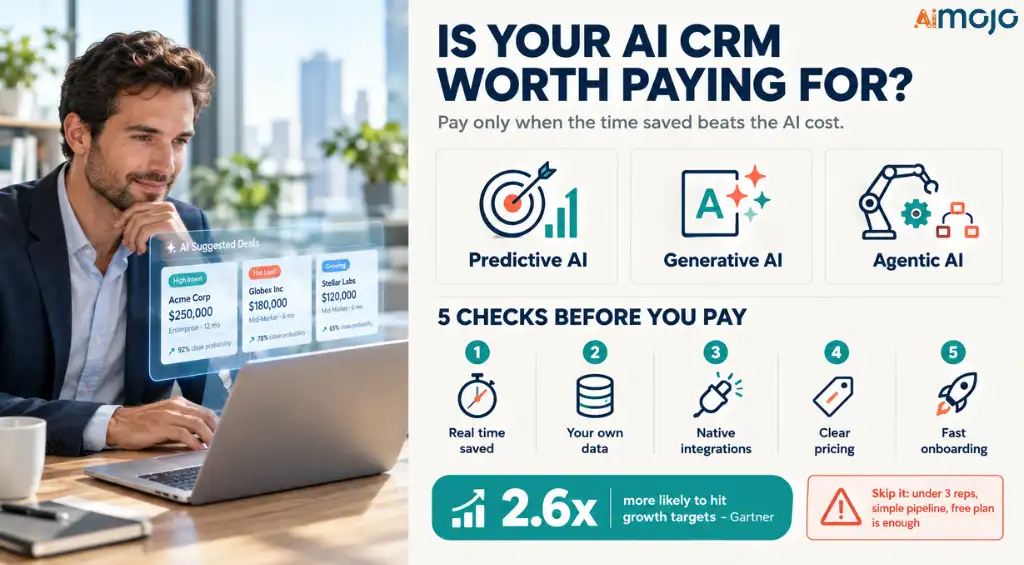
Most CRMs now advertise AI, so the label tells you very little. The useful question is what the AI does with your customer data. Three types of AI show up in most tools:
Gartner reports that sales teams using AI-based next-best-action recommendations are 2.6 times more likely to hit their growth targets. That result depends on reps actually using the suggestions, which is why ease of use matters as much as the feature list.
A paid AI CRM is usually worth it if it meets these conditions:
- It saves real admin time. Look for automatic call notes, data entry, and contact updates.
- It uses your own CRM data. Generic AI that ignores your pipeline gives generic answers.
- It connects to your tools. Email, calendar, and messaging apps should sync without extra work.
- The pricing is clear. Some vendors charge per seat, others charge per AI action or credit, and costs can climb quickly.
- Your team can start fast. A tool that needs weeks of setup often goes unused.
Skip the upgrade if your team is under three people, your pipeline is simple, or a free plan already covers your needs. Paying for AI makes sense once manual follow-ups and reporting start costing you deals.
How We Evaluated the Best AI CRM Tools in 2026
Not every CRM that advertises AI can take meaningful work off a sales rep's plate. Some automate lead scoring, follow-ups, and forecasting, while others reserve their most useful AI features for expensive plans.
To narrow down the seven AI CRM tools in this guide, we focused on their documented capabilities, pricing structures, integrations, and suitability for different business sizes. The aim was to identify where each platform could reduce manual work and where its limitations might affect everyday sales workflows.
What We Compared
We evaluated each platform across five practical criteria:
| Criteria | What We Looked For |
|---|---|
| AI features | Lead scoring, email drafting, call summaries, forecasting, and autonomous agents |
| Ease of use | Setup requirements, interface complexity, and learning curve |
| Pricing | Entry-level costs, free plans, AI add-ons, usage credits, and potential extra charges |
| Integrations | Compatibility with Gmail, Outlook, calendars, WhatsApp, and other business tools |
| Value for team size | Suitability for startups, small sales teams, growing businesses, and enterprises |
How We Assessed Pricing and AI Features
We considered the pricing and feature information described in the vendors' published materials, distinguishing standard CRM functionality from AI capabilities that may require higher-tier subscriptions, add-ons, or usage credits.
This distinction matters because a low starting price doesn't necessarily include lead scoring, AI agents, advanced forecasting, or automated meeting summaries.
We also considered how the platforms approach CRM automation. For example, Attio emphasizes automatic data capture and flexible workflows, while Salesforce focuses on AI agents operating across established business processes.
7 Best AI CRM Tools 2026 at a Glance
| Best AI CRM Tools | AI Standout | Free Access |
|---|---|---|
| Riibase | Lead scoring, forecasting | 10-day free trial |
| Pipedrive | Nova meeting intelligence | Free trial available |
| HubSpot | Built-in AI agents | Free plan available |
| Salesforce | Agentforce autonomous agents | Free Suite, 30-day trial |
| Attio | Self-building Universal Context | Free plan, 3 seats |
| Zoho CRM | Zia Agent Store | Free edition, 3 users |
| Zendesk | Self-learning support agents | 14-day free trial |
1. Riibase
Riibase is an AI CRM tool that puts sales, invoicing, accounting, and support in one system. Each customer gets a single record, so teams stop switching between apps and chasing numbers that do not match. AI is built into every plan, with no extra integrations or setup.
The AI scores leads from 0 to 100, forecasts revenue and cash flow from your own data, and answers questions about your business in plain English. That makes it practical for e-commerce, insurance, healthcare, hospitality, and real estate teams that want clear priorities without learning complex software.

A 10-day free trial, with no credit card required, lets teams test it before paying.
Riibase Key Features
Why choose Riibase: Riibase replaces several separate tools with one AI-powered system, so teams get lead scoring, forecasts, and billing together at a low monthly price.
2. Pipedrive
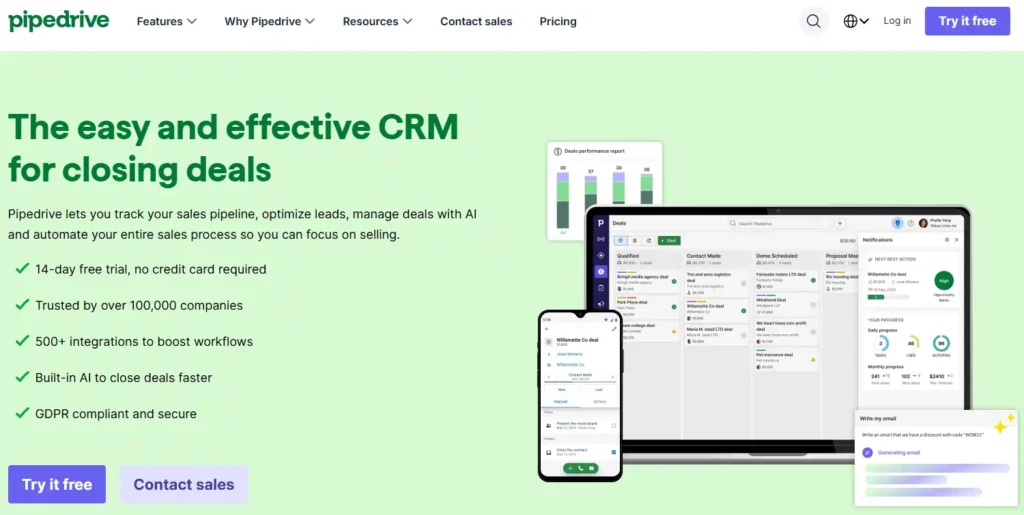
Pipedrive is an AI CRM tool built for salespeople who want a clear view of every deal. Its visual pipeline shows where each opportunity stands, while one inbox collects leads from web forms, live chat, and imports. Hot, warm, and cold labels help reps call the right people first.
The newest addition, Nova, handles meeting admin. It briefs reps before calls, records and transcribes them, then drafts CRM updates for one-click approval. Nova is included in all plans at no extra cost.
With 500+ integrations, including Gmail, Slack, Zoom, and WhatsApp, Pipedrive fits easily into the tools growing teams already use. More than 100,000 companies in 179 countries run their sales on it.
Pipedrive Key Features
Why choose Pipedrive: Pipedrive keeps deal history, AI, and automation in one connected system, so reps spend less time on admin and more time closing deals.
3. HubSpot
HubSpot brings marketing, sales, and service together around one set of customer data. Its Smart CRM keeps contacts, companies, and deals clean and connected, so teams stop working from scattered spreadsheets. A free plan lets small teams start without a credit card.
Built-in AI agents add real help. HubSpot says its Customer Agent resolves over 65% of conversations automatically, while the Prospecting Agent spots buying signals and starts personalized outreach.
With 2,000+ integrations, including Gmail, Slack, Shopify, and Mailchimp, HubSpot connects with tools teams already use. More than 306,000 customers worldwide use it to run marketing, sales, and service.
HubSpot Key Features
Why choose HubSpot: HubSpot unites marketing, sales, and service data with controllable AI, so teams can start free and add tools as the business grows.
4. Salesforce
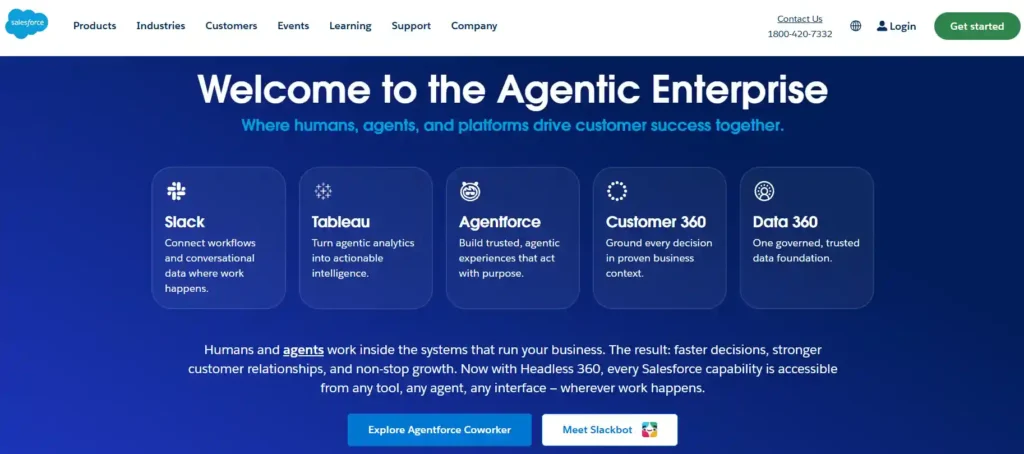
Salesforce is a veteran CRM platform whose newest chapter centers on AI agents. Agentforce lets autonomous agents research accounts, answer customers, and handle repetitive tasks around the clock, all inside rules the team sets.
Behind those agents sits Customer 360, which holds business logic and workflows, and Data 360, which pulls customer information from separate systems into one trusted view. Slack, Claude, ChatGPT, and Teams can all tap into it.
Smaller teams can begin with a Free Suite or a 30-day trial, then move up to heavier editions as the sales process grows more complex. No credit card is needed for the trial.
Salesforce Key Features
Why choose Salesforce: Salesforce pairs deep CRM data with agents that work within set guardrails, giving large organizations room to automate work without losing control.
5. Attio
Attio takes a different route from older CRM suites. Connect an inbox and calendar, and the system builds itself around the business, logging emails, calls, product activity, and billing without manual entry.
AI agents then enrich and score new leads, route them to the right rep, flag stalled deals, and draft renewal or upsell plays for approval. Ask Attio answers revenue questions, from weekly forecasts to rep performance, in seconds.
Startups and growing teams can import from Salesforce, HubSpot, Pipedrive, or Zoho, connect Slack, Claude, Clay, and Notion, and build custom tools through the API and MCP. Attio reports more than 30,000 customers.
Attio Key Features
Why choose Attio: Attio puts teams to work from day one, syncing inbox and calendar first, then letting AI agents handle research while reps focus on closing.
6. Zoho CRM
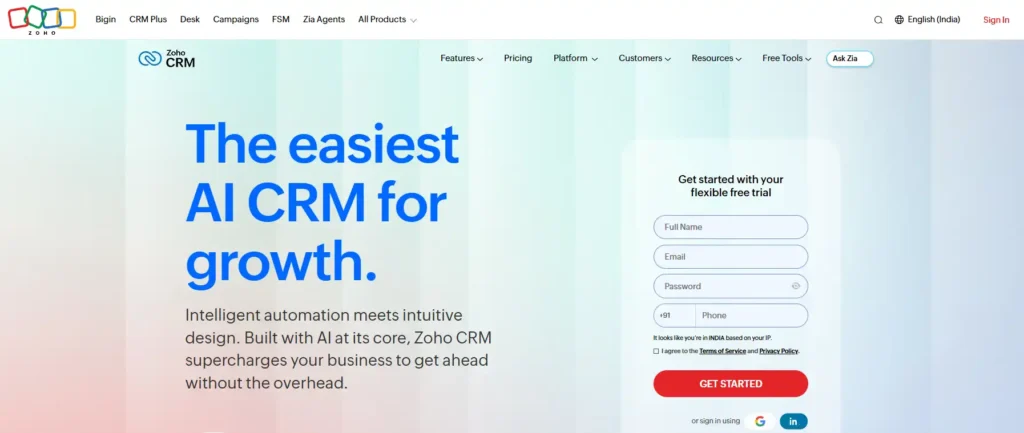
Zoho CRM has spent 21 years serving more than 350,000 businesses, and its latest push puts AI agents at the center. These agents prospect, research, and qualify leads, so sales reps spend time on conversations that can actually close.
Ready-made agents live in the Zia Agent Store, while Zia Agent Studio lets teams build custom ones. Through MCP, tools like Claude and ChatGPT can also work with CRM data for tailored sales operations.
Budget matters here. A free edition supports three users, paid plans stay modest, and 1,200+ integrations, from QuickBooks to WhatsApp, keep existing tools in play. Teams leaving Salesforce or HubSpot get free migration help.
Zoho CRM Key Features
Why choose Zoho CRM: Zoho keeps costs low while offering agents, automation, and wide integrations, which suits teams that want AI capability without paying enterprise-level prices.
7. Zendesk
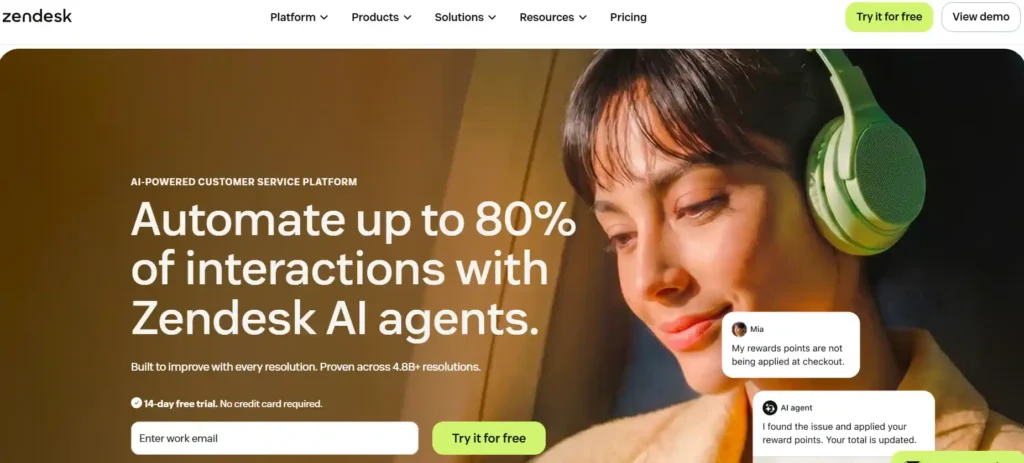
Zendesk approaches CRM from the support desk. Instead of tracking deals, it focuses on customer conversations, using self-learning AI agents that handle requests on any channel and improve with each resolved interaction.
Those agents grasp intent and sentiment, then complete tasks without a human stepping in. Zendesk says teams can reach automation rates of up to 80%. Higher plans add Copilot, intelligent triage, and generative AI for voice.
Support teams of every size, from startups to multinationals, can try it free for 14 days without a credit card. Early-stage startups may also qualify for a six-month Suite trial through Zendesk’s startup program.
Zendesk Key Features
Why choose Zendesk: Zendesk fits companies where retention depends on fast, accurate service, since its AI improves with every conversation and scales without hiring more staff.
AI-Native CRM vs AI Add-On: Which Type of AI CRM Tool Fits Your Team?
An AI-native CRM is built around AI from the start, while an AI add-on CRM is an established platform that later added AI features. The right type depends on how much setup your team can handle and how much of your stack already lives in one system.
AI-native CRMs build AI into the data model itself. Attio is a clear example. It syncs email and calendar, logs activity on its own, and lets agents work from the same live records. Riibase also includes AI in every plan, covering lead scoring, forecasting, and plain-English questions about your data.
AI add-on CRMs layer AI onto mature platforms. Salesforce, HubSpot, Pipedrive, and Zoho CRM fall into this group. They bring deeper feature sets, larger integration libraries, and long track records. The trade-off is that the best AI features often sit on higher plans or run on usage credits.
| AI-Native CRM | AI Add-On CRM | |
|---|---|---|
| Setup | Fast, often self-building | Longer, more configuration |
| Features | Newer, still growing | Broad and mature |
| AI cost | Usually bundled or credit-based | Often tied to higher tiers |
| Examples | Attio, Riibase | Salesforce, HubSpot, Pipedrive, Zoho CRM |
How to decide
The labels are not strict. Many vendors blend both approaches, so judge each tool by what its AI actually does with your data.
8 Features to Check Before Buying an AI CRM Tool
Check eight things before you pay for an AI CRM tool: data capture, lead scoring, forecasting, meeting notes, automation, integrations, pricing structure, and data control. These show whether the AI will save time or just add another dashboard.
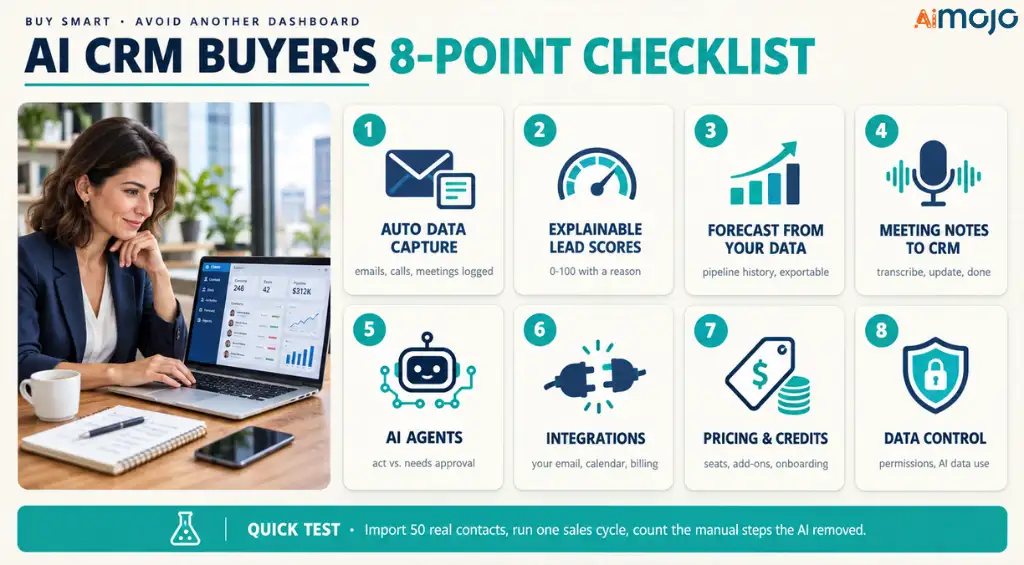
Quick test before buying: import 50 real contacts, run one full sales cycle, and count how many manual steps the AI actually removed. Use the free plan or trial for this, since most tools in this list offer one.
Final Verdict
No single platform suits every sales team, and that is worth accepting early. A small startup, a support-led business, and a large enterprise need very different things from the same software.
AI CRM tools work best when they remove real manual work, not when they add more screens. Start with a free plan or trial, use real contacts, and watch how much time the tool gives back.
Pricing pages change, and so do features. A short test saves a lot of frustration later. Take it slowly, and the right fit usually becomes clear.
AiMojo Recommends:


 BONUS: Get our $200 “AI Mastery Toolkit” FREE when you sign up!