

Voicemod Key Insights
What is Voicemod?
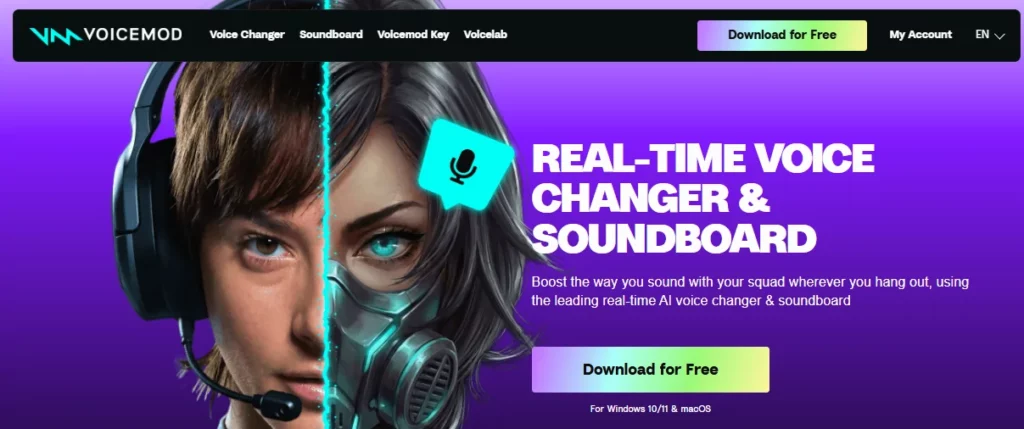
Voicemod is a free, real-time AI voice changer and soundboard application built for gamers, live streamers, and content creators on Windows and macOS. It installs a virtual microphone driver that sits between your physical mic and any voice chat or streaming software, applying voice effects with minimal latency. Users can choose from over 200 voice filters, trigger sound memes through a customisable soundboard, and build entirely new voices using the VoiceLab effects engine.
Voicemod integrates natively with Discord, OBS, Twitch, Valorant, Fortnite, VRChat, and dozens of other platforms. The free version rotates a small selection of voices daily, while the PRO subscription unlocks the full library, unlimited soundboards, and custom voice creation tools. For anyone looking to add personality and entertainment value to their online audio, Voicemod is the industry standard voice modification tool.

Voicemod processes your microphone input on the fly, applying effects such as robot, demon, anime, radio, and dozens more before the audio reaches your chat or game. The AI models were trained with professional voice actors and carry a “Fairly Trained” certification, meaning the output sounds natural rather than synthetic. Switching between voices takes a single click or a bound hotkey, so there is zero disruption during live gameplay.

The built-in soundboard lets you load sound clips, memes, and audio stings into organised boards and fire them off mid-call. PRO users get unlimited boards. The community powered sound library called Tuna provides a searchable database of user-uploaded clips, so you can stay on top of trending audio without ever leaving the app or uploading files manually.

VoiceLab is the creative engine behind Voicemod. It lets you layer multiple audio effects including reverb, delay, pitch shift, vocoder, and the “Robotifier” to design a voice filter that is entirely your own. You can name it, assign an icon, and share it. For streamers who want a signature voice persona, this is the standout feature no competitor matches at this price.
Voicemod claims sub-10ms processing latency, and in practice the delay is virtually undetectable during fast paced FPS matches. The software also includes built-in noise suppression and mic enhancement so your output stays clean, even on budget microphones. On Snapdragon X Elite devices, voice AI workloads can run directly on the NPU for even lower overhead.
Voicemod connects to Elgato Stream Deck, Corsair iCUE, MSI Mystic Light, Loupedeck, and OBS out of the box. There is also a companion mobile app for iOS and Android that turns your phone into a wireless soundboard controller. This ecosystem of integrations means you can trigger effects without alt-tabbing away from your game.
Every voice filter and soundboard slot can be mapped to a keyboard shortcut. This allows you to swap voices, mute effects, or fire sound clips without touching the Voicemod interface. For competitive gamers and live broadcasters who need both hands on their peripherals, this is an essential time saver.
Voicemod Pricing Plans
| Plan Name | Cost | Key Limits and Features |
|---|---|---|
| Free | $0 | Daily rotating voice selection, 1 soundboard, basic effects, no VoiceLab |
| PRO Monthly | $10/month | Full voice library, unlimited soundboards, VoiceLab, all integrations |
| PRO Lifetime | $39.99 one-time | All PRO features permanently, no recurring cost |
Voicemod for Gaming and Esports
Voicemod has become a staple in gaming communities from casual Roblox lobbies to organised VRChat roleplay servers. The real-time engine adds zero perceptible lag during voice chat in titles like Valorant, CS2, Fortnite, and Apex Legends. Because the virtual microphone sits at the OS level, it works with every game that accepts a standard mic input.
Competitive players often use the keybind system to activate team callout sounds instantly while keeping both hands on mouse and keyboard. Partnerships with Corsair, MSI, and Razer confirm that major hardware brands see Voicemod as a core part of the modern PC gaming audio stack.
Voicemod for Content Creators and Streamers
Live streamers on Twitch and YouTube rely on Voicemod to entertain audiences between gameplay moments. The Elgato Stream Deck plugin turns voice swaps into one-tap actions, making mid-stream character switches effortless. The Tuna community library keeps soundboards fresh with trending clips without requiring manual uploads.
Creators can also use VoiceLab to build a branded voice persona that no other channel can replicate. With native OBS and Twitch integration, audio routing requires no third-party virtual cable software, which saves setup time and reduces potential points of failure during live broadcasts.
Pros and Cons
- 200+ high quality voice effects.
- Sub-10ms real-time processing latency.
- Excellent Discord and OBS integration.
- VoiceLab custom voice creation tool.
- Active community sound library (Tuna).
- VoiceLab locked behind PRO paywall.
- No Linux support available.
- Occasional bugs after major updates.
Best Voicemod Alternatives
| Real-Time Voice Changer & Soundboard | Real-Time Voice Quality | Platform Support |
|---|---|---|
| Clownfish Voice Changer | Basic (limited AI effects) | Windows only |
| MorphVOX Pro | High (strong noise cancellation) | Windows and macOS |
| iMyFone MagicMic | High (large effect library) | Windows and macOS |



