I'll admit, my first foray into remote work felt less like a dream and more like digital chaos. My screen was a jumble of apps, notifications were constant, and keeping projects on track was a battle against overflowing inboxes. After much trial and error, I found that the secret wasn't using more tools, but the right ones.
This guide is born from that experience, cutting through the noise to bring you seven essential work-from-home tools designed to solve these exact problems, helping you build a streamlined, productive, and truly connected virtual workspace.
The New Era of Work: Why the Right Remote Tools Matter?
The global shift to remote and hybrid work is no longer a temporary adjustment; it's a fundamental evolution in how we approach our professional lives. This new era of work offers incredible flexibility, but it also introduces unique challenges. Without the structure of a physical office, teams can struggle to maintain clear communication, track progress effectively, and foster a sense of shared purpose.

This is where having the right work-from-home tools becomes absolutely essential. They are the digital infrastructure that replaces the traditional office environment. These tools are not just about messaging or video calls; they are about creating a cohesive, productive, and connected ecosystem for your team, regardless of physical location.
The right toolkit bridges the gap between distance and collaboration, ensuring that projects move forward smoothly and company culture thrives. In today's workplace, investing in the best work-from-home tools is non-negotiable—it's the foundation of a successful and resilient remote team.
Work Smarter from Home with These Powerful Tools
| 🛠️ Best Work-from-Home Tools | 🎯 Primary Function | ✨ Core Benefit |
|---|---|---|
| 💬 Slack | Instant Team Messaging | Centralized Communication Hub |
| 🤖 Trupeer | AI Content Creation | Automated Demo Production |
| 📊 Asana | Strategic Project Planning | Clarifies Teamwork |
| 📋 Trello | Visual Task Boards | Simplifies Project Tracking |
| ✍️ Notion | All-in-One Workspace | Highly Customizable Hub |
| 📈 Time Doctor | Workforce Analytics Platform | Complete Team Visibility |
| 🔑 1Password | Secure Password Management | Protects Digital Assets |
1. Slack: The Digital Headquarters

Slack transforms remote team communication by replacing cluttered email inboxes with a streamlined, searchable digital workspace. It acts as a central hub where conversations are organized into dedicated channels for specific projects, topics, or teams.
This platform facilitates real-time collaboration, instant file sharing, and seamless integration with other essential applications. By bringing all your communication into one place, Slack ensures your team stays connected, aligned, and productive, making it one of the best work-from-home tools available today.
What it is: A messaging app that organizes conversations into channels for specific projects, topics, or teams.
Key Features:
Pricing: Slack offers a free plan with limited features, and paid plans start at $4.38 per user per month.
2. Trupeer: AI-Powered Content Creation for Demos and Training

Trupeer transforms how remote teams create training materials and product demonstrations. This powerful AI platform automatically transforms simple screen recordings into polished, professional-quality videos and detailed step-by-step guides, eliminating hours of manual work.
It’s an ideal work-from-home tool for teams that need to create engaging instructional content at scale. By automating scriptwriting, voiceovers, and editing, Trupeer empowers anyone to produce high-impact tutorials and demos without needing any specialized skills, saving significant time and resources.
What it is: An AI platform that converts screen recordings into studio-quality videos and comprehensive written documentation automatically.
Key Features:
Pricing: Trupeer offers different plans for various needs, including enterprise solutions. For specific details, you would need to check their website.

3. Asana: For Organizing and Managing Teamwork

Asana serves as the command center for your team’s projects, providing clarity on who is doing what, by when. This robust project management platform helps you map out every step of your initiatives, from small daily tasks to large-scale strategic goals.
By visualizing workflows through lists, boards, or timelines, Asana eliminates confusion and boosts accountability. It ensures everyone understands their responsibilities and deadlines, which is critical for keeping remote teams aligned and moving forward efficiently.
What it is: A platform to manage, track, and organize your team's work.
Key Features:
Pricing: Asana offers a free basic plan, and paid plans start at $10.99 per user per month.
4. Trello: Visual Project Management with Kanban Boards

Trello brings a refreshingly simple and visual approach to project management. Using its intuitive system of boards, lists, and drag-and-drop cards, teams can see the status of tasks at a single glance.
This flexibility makes it one of the best work-from-home tools for managing diverse workflows, from content calendars to software development sprints. Trello makes tracking progress feel satisfying and straightforward, empowering teams to organize any project in a fun and collaborative way.
What it is: A collaboration tool that organizes your projects into boards. In one glance, Trello tells you what's being worked on, who's working on what, and where something is in a process.
Key Features:
Pricing: Trello offers a free plan for individuals and small teams, with paid plans starting at $5 per user per month.
5. Notion: The All-in-One Workspace
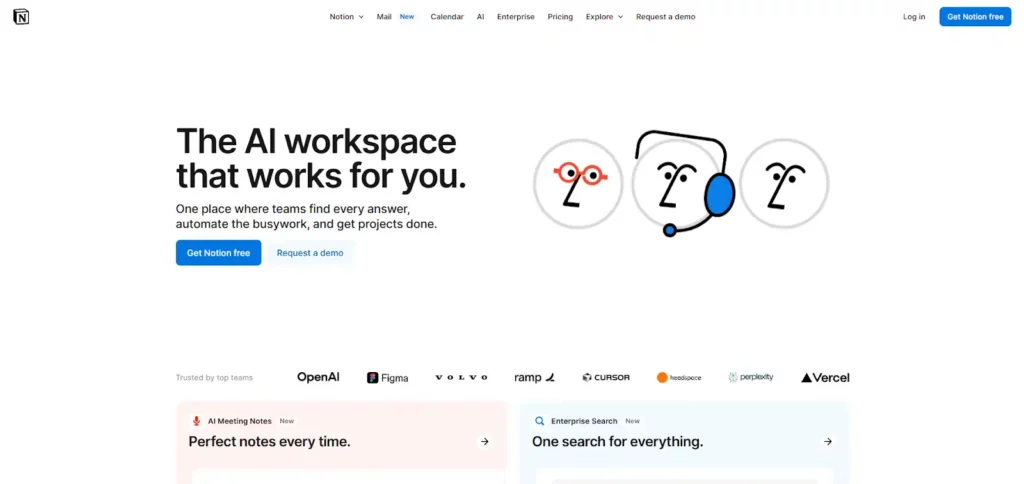
Notion is a uniquely versatile tool that acts as an all-in-one workspace, allowing you to build the exact productivity system your team needs. It combines note-taking, documents, project management, and team wikis into a single, highly customizable platform.
Instead of switching between multiple apps, your team can collaborate within a unified environment. This flexibility empowers you to create tailored solutions for knowledge management and task tracking, reducing clutter and enhancing focus for everyone involved.
What it is: An application that provides components such as notes, databases, kanban boards, wikis, calendars, and reminders. Users can connect these components to create their own systems.
Key Features:
Pricing: Notion has a free personal plan, with team plans available at a per-user cost.
6. Time Doctor: Workforce Analytics for Peak Performance

Time Doctor offers a comprehensive picture of your workforce's productivity, providing powerful analytics to optimize performance and manage remote teams with confidence. It moves beyond simple time tracking to offer deep insights into work patterns, helping you spot inefficiencies and prevent burnout before it happens.
This work-from-home tool is designed to empower teams by providing clarity and data-driven feedback. It helps ensure that work is being done efficiently while promoting a healthy work-life balance, making it a trusted solution for thousands of global brands.
What it is: A workforce analytics and time tracking software that provides detailed insights into how teams spend their time, boosting productivity and improving operational efficiency.
Key Features:
Pricing: Time Doctor offers various plans tailored to different business sizes and needs. For specific details, you should visit their website.
7. 1Password: Secure Password Management

In a remote work environment, strong digital security is non-negotiable. 1Password is an essential tool that protects your team from data breaches by creating, storing, and managing strong, unique passwords for every account.
It eliminates the security risk of weak or reused passwords and provides a secure way to share credentials among team members. By centralizing password management, 1Password fortifies your company’s defenses, making it a foundational security tool for any distributed workforce.
What it is: A secure and convenient way to manage all your passwords.
Key Features:
Pricing: 1Password offers plans for individuals, families, and businesses.
The Future of Collaboration: Emerging Trends in Work-from-Home Tools

As remote work matures, the tools that support it are becoming more intelligent and integrated. Looking ahead, we can see exciting trends that promise to make virtual collaboration even more seamless and intuitive. The future isn't just about doing the same work online; it's about using technology to work smarter.
Two major trends are shaping the future of these tools:
- The Rise of AI Integration: Artificial intelligence is moving from a futuristic concept to a practical feature in many of the best work-from-home tools. Imagine AI assistants that can automatically summarize your meetings, prioritize your tasks in project management apps, or even draft email responses for you. This integration is designed to handle repetitive administrative work, freeing up your team to focus on strategic thinking and creative problem-solving.
- Hyper-Personalized Workspaces: The one-size-fits-all approach to software is fading. The emerging trend is toward hyper-personalized or “composable” tool stacks. Platforms like Notion are leading this charge, allowing teams to build their own custom workflows, databases, and dashboards from the ground up. This means instead of adapting your work to fit a tool, you build the tool to fit your work, creating a more efficient and intuitive experience for everyone.
These advancements are focused on making remote collaboration feel less like a substitute for in-person work and more like a powerful advantage. As these trends continue, the best work-from-home tools will become even better at anticipating our needs and enhancing our natural workflows.
AiMojo Recommends:
From Scattered to Streamlined
In this guide, we have explained seven essential tools that can transform remote work from digital chaos into a streamlined success. The right tech stack is about more than just apps; it is the foundation for clear communication and organised workflows.
By implementing these solutions, you can create a truly productive and connected virtual office. Now, it's your turn to take the next step. Explore these options, find what fits your team’s rhythm, and start building a more efficient workday today. What will you improve first?


 BONUS: Get our $200 “AI Mastery Toolkit” FREE when you sign up!