

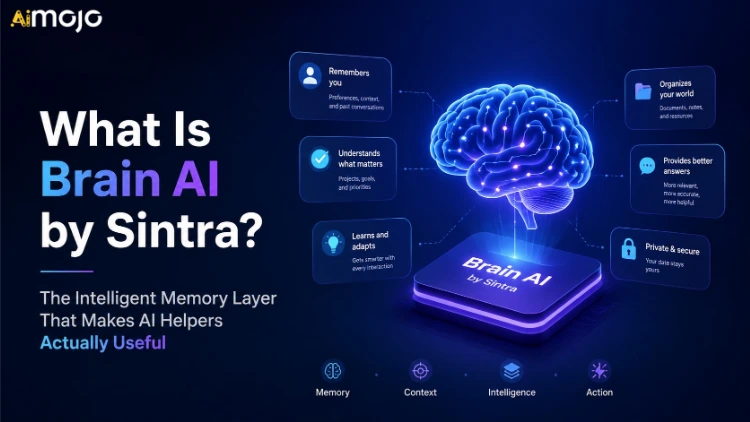
Most AI tools have a memory problem — not in the technical sense, but the practical one. You start a new task, and suddenly the AI has no idea who you are, what your brand sounds like, or what you sold last quarter. You end up copying and pasting the same context block into every single conversation like a broken record.
That's the exact problem Sintra Brain AI was built to fix.
This isn't a gimmick feature buried in settings. Brain AI is the core of how Sintra works — the knowledge layer that every single AI Helper on the platform draws from before it does anything for you. The more it knows about your business, the less time you waste on repetitive setup.
Here's everything you need to know about it.
What Exactly Is Sintra Brain AI?
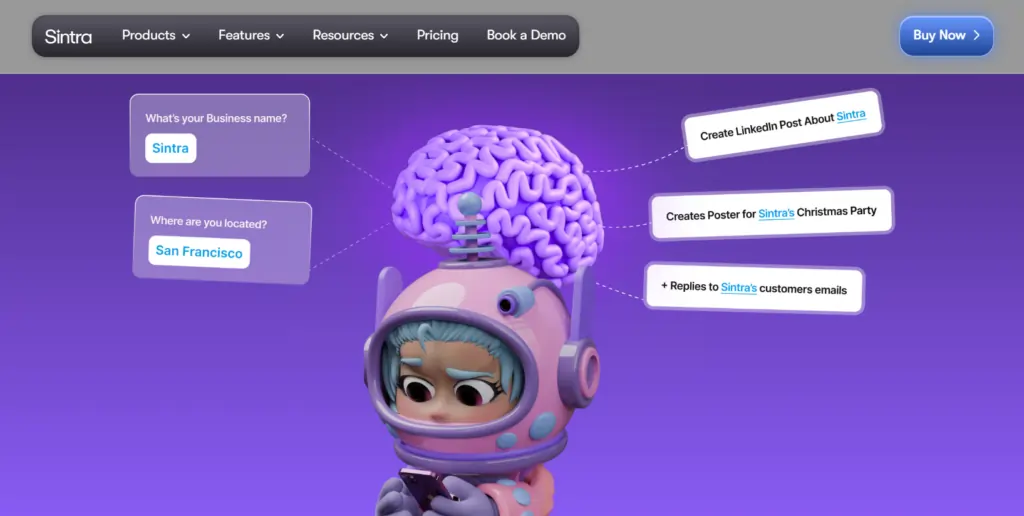
Brain AI is Sintra's persistent memory and knowledge base system. Think of it as the “brain” you build once — then every AI Helper inside Sintra operates with that context automatically.
When you add your brand guidelines, target audience, product descriptions, tone of voice, or business goals to Brain AI, you're not just uploading files. You're training the environment that every helper operates within. It eliminates the cold-start problem where AI tools produce generic, off-brand outputs because they simply don't know who they're working for.
Unlike one-off custom prompts or system-level instructions that reset per session, Brain AI persists. Open Sintra tomorrow, next week, or three months from now — your helpers still know your context.

Why Persistent AI Memory Changes Everything for Creators & Businesses
Here's the honest reality: most AI power users spend a disproportionate amount of time re-explaining context. Your audience demographics. Your brand voice. What not to say. The products you promote. Your competitors.
Sintra's own data backs this up — 93% of users report an increase in response accuracy after filling out Brain AI, and users save an average of 5.2 hours per week just from eliminating repetitive context-setting.
That's not small. For a content creator or agency running multiple clients, 5.2 hours recovered per week compounds into real output — more articles, more campaigns, more deliverables.
Brain AI solves this by making context a one-time investment instead of a recurring tax on every session.
The 5-Profile System: Built for Multi-Brand Operations
One of the most overlooked features in Sintra Brain AI is the multi-profile system. You can create up to 5 distinct Brain AI profiles, each operating as a completely separate workspace with its own knowledge base, brand tone, and context.
This is a massive deal for:


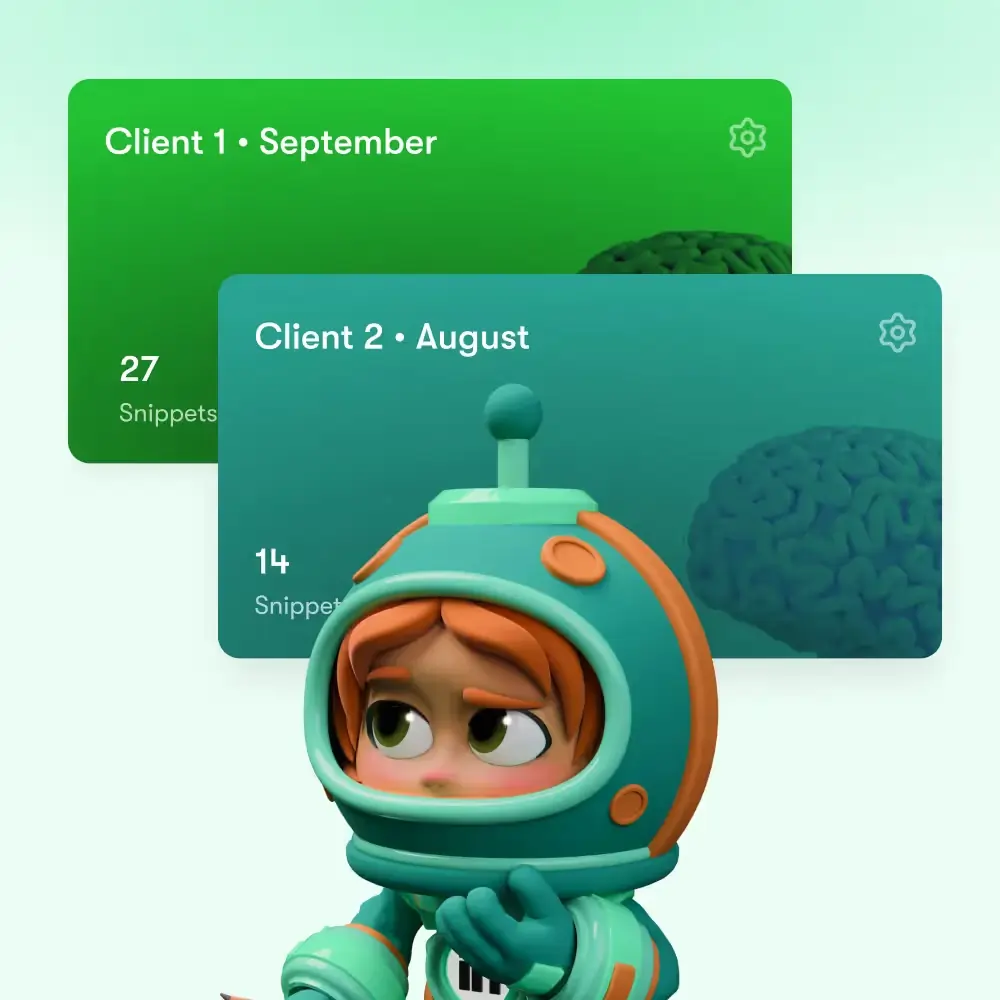
Each profile is switchable instantly before you start a new chat. No exporting, no reloading, no prompt-engineering gymnastics. You select a profile, and every helper you use immediately operates from that brand's context.
What You Can Feed Into Brain AI (Supported File Formats)
Brain AI accepts a wide variety of input types — not just plain text.
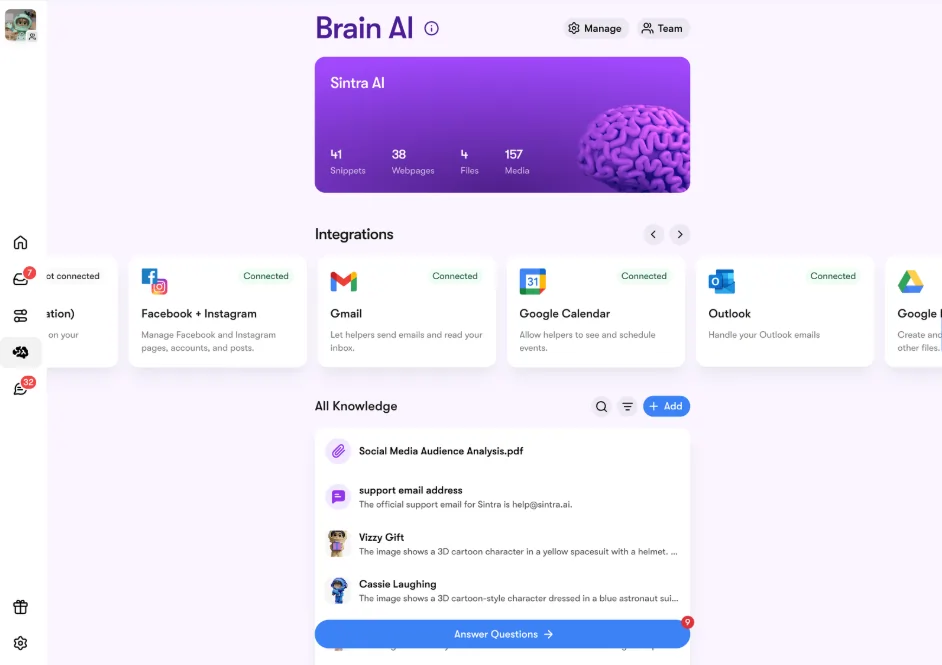
Here's the full breakdown of what you can add:
Text Snippets
Freeform text entries like your brand voice guide, audience persona, content pillars, or product features. Brain AI automatically summarizes and structures this for quick reference.
Webpage Links
Paste any publicly accessible URL and Sintra will scrape the content and store it as context. Great for feeding in your existing website, competitor research, product pages, or reference articles. (Note: pages behind logins or CAPTCHA walls can't be scraped.)
Uploaded Files — 20+ Formats Supported:
| Category | Supported Formats |
|---|---|
| Images | JPG, JPEG, PNG, GIF, WEBP |
| Videos | MP4, AVI, WEBM, MOV |
| Spreadsheets | CSV, XLSX, XLS |
| Documents | TXT, PDF, DOCX, ODT, MD, JSON, HTML, HTM, XML |
The file size limit is 20MB per upload — which covers the vast majority of brand documents, SOPs, and content guidelines.
Platform Integrations
Brain AI also connects to external tools and platforms, pulling in relevant data from your existing workflows.
How Brain AI Learns From You Daily
This is where Sintra Brain AI moves beyond static file storage into something more dynamic.
Every day, the AI Helpers inside Sintra generate personalized questions about your brand and business — based on what's already in your Brain AI profile and what gaps they detect. You answer them, hit save, and that information gets added directly to your knowledge base.
It's a feedback loop. The more context Brain AI accumulates, the more specific and useful the questions become. Early questions might be broad (“What's your target audience?”). Over time, they get more nuanced (“Which content format performs best for your Q3 campaign audiences?”).
You also don't have to wait for the daily questions cycle. From inside any helper chat, you can instantly save a message — yours or the helper's — directly to Brain AI using the +🧠 button. Useful insight in a conversation? One click and it's preserved context.
Sintra Brain AI vs. Other AI Memory Systems
Brain AI isn't the only approach to persistent AI memory — but the implementation matters. Here's how it stacks up:
| Feature | Sintra Brain AI | ChatGPT Custom Instructions | Notion AI | MemGPT |
|---|---|---|---|---|
| Persistent memory across sessions | ✅ Yes | ✅ Yes | ❌ Limited | ✅ Yes |
| Multi-brand profiles | ✅ Up to 5 | ❌ One set | ❌ No | ❌ No |
| File upload support | ✅ 20+ formats | ✅ Limited | ✅ Via docs | ✅ Custom |
| Daily learning/auto-expansion | ✅ Built-in | ❌ No | ❌ No | ⚠️ Manual |
| Context shared across all tools | ✅ All helpers | ❌ Per chat | ❌ Per doc | ✅ API-level |
| Built-in auto-organization | ✅ Folders + AI sort | ❌ No | ✅ Manual | ❌ No |
| URL scraping | ✅ Yes | ❌ No | ❌ No | ❌ No |
ChatGPT's custom instructions give you one static text block — it's useful for a single persona, but it doesn't scale across multiple brands, doesn't accept file uploads natively into memory, and doesn't ask questions to improve itself.
Notion AI knows your documents but operates on a per-page basis — it doesn't carry context across an entire AI workflow the way Brain AI does.
MemGPT is powerful for developers building persistent memory into custom applications, but it requires significant setup and technical overhead. Brain AI is ready to use out of the box.
Real Use Cases: Who Gets the Most From Sintra Brain AI

Content Creators & YouTubers
Load your content style guide, past successful titles, brand voice notes, and audience demographics. Every helper now writes hooks, scripts, and captions that sound like you — not a generic AI approximation.
Affiliate Marketers
Store product details, commission structures, review frameworks, and promotional angles in separate Brain AI profiles per niche. Switch between them when working on different content properties without rebuilding context every time.
Marketing Agencies
Manage client deliverables across accounts without context spillover. Each client gets their own Brain AI profile with their brand guidelines, audience data, and campaign history. No more “wrong brand voice” errors in deliverables.
eCommerce & SaaS Businesses
Feed Brain AI your product catalog, USPs, customer FAQs, support documentation, and brand tone. Helpers can then produce accurate, on-brand copy, support responses, and marketing content without needing manual review every time.
Freelancers & Consultants
Separate client work from personal projects. Keep proprietary client information isolated per profile, then switch when the context changes. Clean, efficient, no cross-contamination.
How to Set Up Brain AI in Under 10 Minutes
Getting started with Brain AI doesn't require a technical setup or lengthy onboarding. Here's the exact workflow:
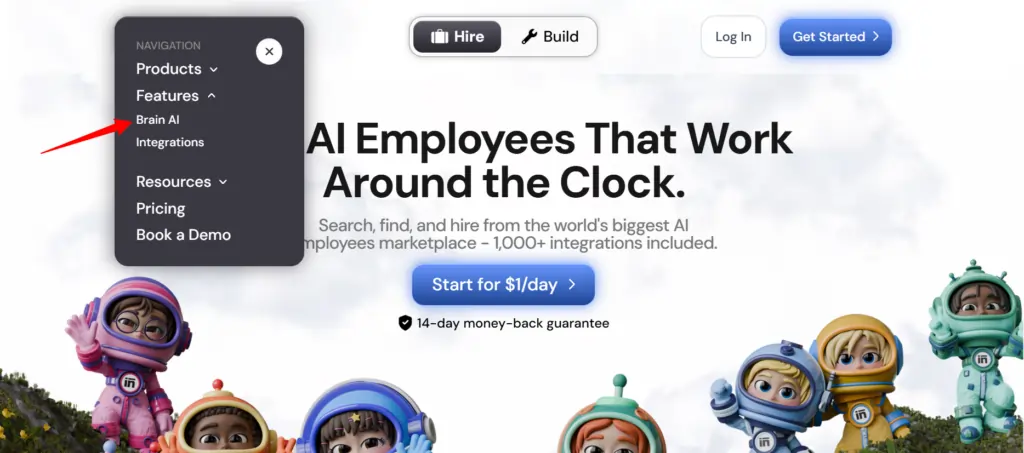
- Navigate to Brain AI — click the brain icon in the left sidebar (web) or bottom-right (mobile)
- Create a new profile — name it, pick a color, done
- Add your core context — start with brand voice, audience persona, and product/service descriptions
- Upload supporting files — SOPs, brand guidelines, previous content samples
- Add your website URLs — paste your site and relevant pages to auto-populate context
- Answer the daily questions — let the system guide what's missing
- Connect integrations — link external platforms if applicable
- Start using helpers — select your Brain AI profile before starting any new chat
The more you feed it early, the stronger your results from day one. Don't treat it as a “set it and forget it” — add context as your business evolves, update outdated information, and use the built-in contradiction checker to keep the knowledge clean.
👉 Pro tip: Ask a helper to auto-organize your Brain AI if it gets cluttered. It will sort everything into folders automatically — zero manual work.
Brain AI's Built-In Organization Tools
One underrated aspect of Sintra Brain AI is how it handles knowledge management at scale. As your profiles grow, organization becomes critical.
Folders — Create and manage folders directly from the chat interface. Ask a helper to move specific items into labeled folders, and it handles it.
Auto-Organization — Ask any helper to organize your entire Brain AI, and it sorts all your stored knowledge automatically — grouped, labeled, and structured.
Contradiction Check — This one's genuinely useful for anyone who updates their Brain AI regularly. Ask a helper to review your Brain AI for conflicting information, confirm what's current, and it cleans up the inconsistencies. Keeps your outputs accurate as your business or brand evolves.
(Note: Folders and auto-organization features are currently available on workspace billing plans only.)
Sintra Brain AI Pricing & Availability

Brain AI is not available on a free tier — it requires an active Sintra subscription plan. All paid plans include Brain AI access, and higher-tier plans unlock team workspace sharing so multiple collaborators can access the same knowledge base.
Your Brain AI data is private and encrypted. Sintra states clearly that no third party can access or view your stored knowledge — relevant for anyone storing proprietary brand or client information.
Frequently Asked Questions About Sintra Brain AI
What is Brain AI in Sintra?
Brain AI is Sintra's persistent knowledge layer — a business-specific memory system that stores your brand context, files, tone guidelines, audience data, and other business information. Every AI Helper on the platform draws from it automatically.
How many Brain AI profiles can I create?
You can create up to 5 distinct Brain AI profiles, each operating as a separate workspace. Ideal for agencies managing multiple clients or operators running several brands.
What file types does Brain AI support?
Brain AI supports 20+ file formats including PDFs, TXT, DOCX, CSV, XLSX, JSON, HTML, XML, MP4, PNG, JPG, and more. Max file size is 20MB per upload.
Does Brain AI learn automatically?
Yes. AI Helpers generate personalized daily questions about your brand to continuously expand Brain AI's understanding. The questions become more specific as your profile grows. You can also manually save key context from any chat with one click.
Is Brain AI data secure?
Sintra uses encryption to protect Brain AI data. Your stored knowledge is only accessible to you and your designated AI Helpers — no third-party access.
How is Brain AI different from ChatGPT's memory?
ChatGPT memory (or custom instructions) handles a single user context. Brain AI supports up to 5 brand profiles, accepts 20+ file formats, scrapes URLs, and shares context across an entire suite of specialized AI helpers — not just one chat interface.
Can multiple team members use the same Brain AI?
Yes — Sintra's team workspace feature allows collaborators to share access to the same Brain AI profile. This is available on workspace billing plans.
Does Brain AI work across all Sintra helpers?
Yes. Every helper and automation inside Sintra has access to the same Brain AI knowledge base for the active profile — ensuring consistent tone, context, and accuracy across all tasks.
The Bottom Line on Brain AI by Sintra AI
If you've ever felt like AI tools are powerful but exhausting because you're always the one bridging the context gap — Sintra Brain AI is the fix. It's the difference between an AI that feels like a smart intern who needs constant hand-holding versus one that already knows your business, your brand, and your goals.
The 93% accuracy improvement stat and 5.2 hours saved per week aren't marketing fluff when you understand the mechanism. That time comes directly from not having to re-explain your brand, re-upload your documents, or manually correct off-brand outputs every single session.
For affiliate marketers, content creators, agencies, and multi-brand operators — Brain AI's 5-profile system and 20+ format support make it one of the more practical AI memory implementations available right now. It's not about the novelty. It's about whether it saves you real time on real work.
It does.
AiMojo Recommends:


 BONUS: Get our $200 “AI Mastery Toolkit” FREE when you sign up!



