


Most people land on ハグ顔, stare at a wall of model names, and click away within 30 seconds. Big mistake.
While everyone argues about which AI tool is worth paying for, tens of thousands of builders are quietly using Hugging Face to run, fine-tune, and 船 AI-powered apps — completely free. It's not just a model library. It's the platform where Google, Meta, Mistral, and solo developers all work in the same space.
オーバー 1 million models, 500K+ datasets, and free app hosting — under one account. Here's the complete breakdown of what it is and how to actually use it.
What Hugging Face Actually Is (Most People Get This Wrong)
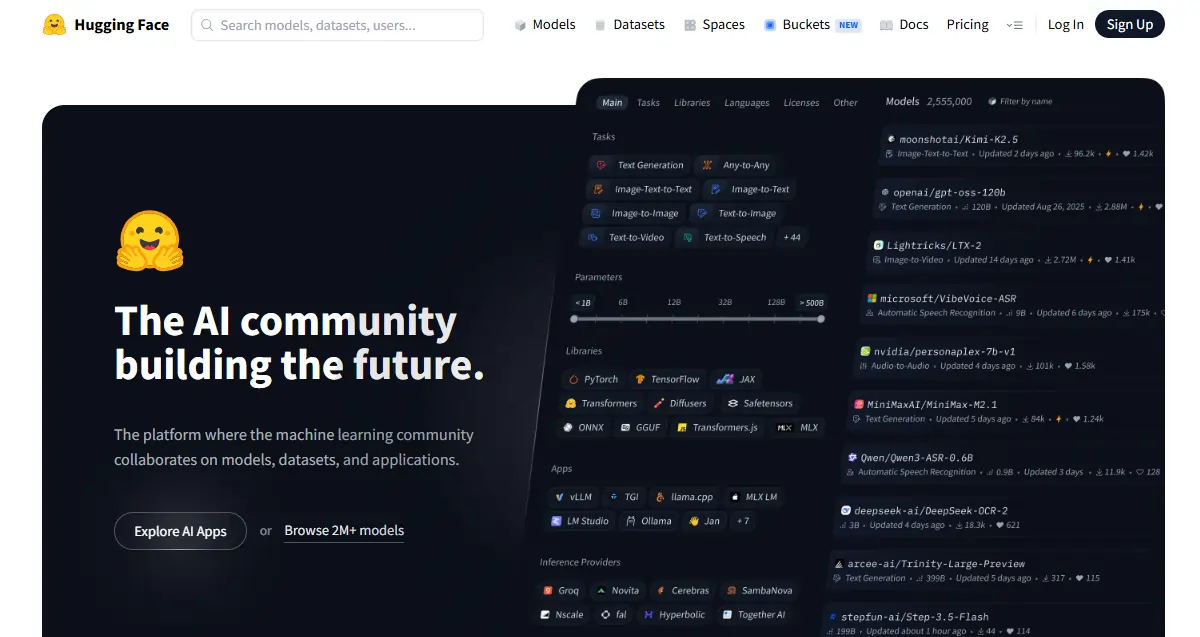
「GitHub of Machine Learning” label gets thrown around a lot. It holds in one direction — public repos, version control, community contributions. But it falls apart fast. Hugging Face also runs live inference, hosts AI-powered apps, and provides full training infrastructure. GitHub does none of that.
The company itself started as an NLP chatbot startup, pivoted into open-source AI tooling, and never looked back. The public platform is free and community-driven; the enterprise products are how they make money. For beginners, the free tier covers everything you need. Models get published here they make headlines — if something new drops in AI, it shows up on Hugging Face first.
The Three Pillars — Know These Before Anything Else
Everything on Hugging Face sits inside three core sections:
| 柱 | それは何ですか | それが重要な理由 |
|---|---|---|
| Models | 1M+ pre-trained AI モデル | Skip training from scratch entirely |
| データセット | Raw data for training & testing | Standardized, ready-to-load data |
| スペース | Free hosted AI apps | Test models without touching deployment code |
Get comfortable with all three — they connect constantly as you build.
The Model Hub — Where You'll Spend Most of Your Time
The filter panel is your best friend here: task type, framework (PyTorch, TensorFlow, JAX), language, license, and model size. Sort by 最もダウンロードされた for battle-tested picks; sort by 最近更新 when you need fresh options.
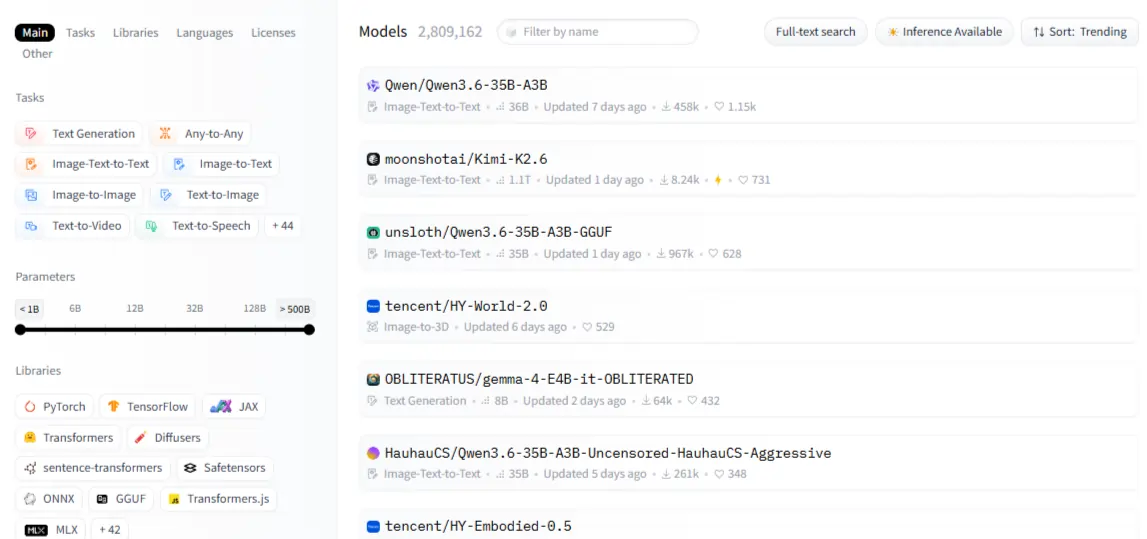
Every model has a card — read it. The intended use section tells you what the model was built for; the 制限事項 tells you where it breaks. That second part is more valuable than any benchmark score. Model categories span NLP (text classification, summarization, translation, question answering), vision (image classification, object detection, generation), audio (ASR, TTS), and マルチモーダルタスク like visual question answering.
One thing beginners miss: not all models are freely downloadable. Gated models like Meta's ラマ require approval before access. Once approved, you authenticate with an access token. Always check the license before building — some models ban commercial use entirely.
The Transformers Library — The Code Running Half the AI 世界
その transformers library is a 統一 Python
パッケージ that standardizes how you load and run any model on the hub across PyTorch, TensorFlow, and JAX with the same API.

その pipeline() function is where most beginners should start — it wraps tokenization, model loading, and post-processing into a single call. 感情分析, text generation, image classification — all follow the exact same pattern. The moment you need fine-grained control over outputs, drop down to writing custom inference code. Until then, pipelines handle everything.
Don't skip tokenization. Raw text can't go directly into a model. AutoTokenizer handles the conversion and always matches the right tokenizer to the right checkpoint automatically. Mismatched tokenizers cause the most confusing errors beginners run into — and they're 100% avoidable.
| 仕事 | Pipeline Name | モデル例 |
|---|---|---|
| 感情分析 | text-classification | distilbert-base-uncased |
| テキスト生成 | text-generation | ミストラル-7B |
| 要約 | summarization | facebook/bart-large-cnn |
| 音声認識 | automatic-speech-recognition | openai/whisper-base |
| 画像分類 | image-classification | google/vit-base-patch16 |
Datasets and Spaces — The Two Features Nobody Uses Enough
その datasets library loads data in Apache Arrow format — fast, memory-efficient, and built to handle datasets that don't fit in RAM. load_dataset("name", split="train") is all it takes to get started. Before you commit to any dataset for a training run, use データスタジオ in the browser to preview and filter it without writing a single line of code.
Spaces is where AI demos go live for free. Your app gets a shareable URL in minutes with zero DevOps work. The free CPU tier handles lightweight demos; paid GPU-backed Spaces handle heavier models.
グラディオ for fast model demos with minimal code; use ストリームライト when your app needs a more data-heavy dashboard layout. Cloning a trending Space is the fastest way to start — pick one in your category, fork it, and customize.
Setting Up Your Account the Right Way
Free tier covers model browsing, CPU Spaces, rate-limited API calls, and full community access. Pro adds priority GPU Spaces, expanded inference, and private repos. For most beginners, free is enough.
Generate an access token under settings → Access Tokens. Read tokens work for downloading; write tokens are needed for pushing models or datasets. Authenticate in Python with huggingface_hub.login(). For your install:

bash
pip install transformers datasets huggingface_hub追加 accelerate, peft, trl if fine-tuning is on the roadmap. Google Colab is the fastest environment for absolute beginners — free GPU, nothing to configure locally.
Running Your First Model, Then Making It Yours
For sentiment analysis: コール pipeline("text-classification"), pass a string, read the label の三脚と score back. For text generation: use max_new_tokens, temperature, do_sample to control how creative vs. consistent the output is. The same pipeline() pattern works for translation, speech recognition, and image classification — the API doesn't change, only the task name does.
When things break:
Once the basics click, fine-tuning is the next move. Pre-trained models are general; fine-tuned models are precise. Fine-tuning beats prompting when you're working with domain-specific data, need consistent behavior, or want to cut inference costs by running a smaller specialized model.
PEFT freezes most of the model and only trains lightweight adapters — no $10K GPU required. QLoRA takes it further with quantization, making 7B parameter model fine-tuning possible on a single consumer GPU.
その Trainer API manages the entire loop — batching, evaluation, checkpointing — and pushing back to the hub takes one line when you're done.
Inference Without Your Own Server
The hosted Inference API gives you a REST endpoint for any public model instantly. The free tier is rate-limited — fine for testing, not for production. For real applications, 推論エンドポイント provide a dedicated, private API that auto-scales to zero when idle, keeping costs manageable for variable traffic.
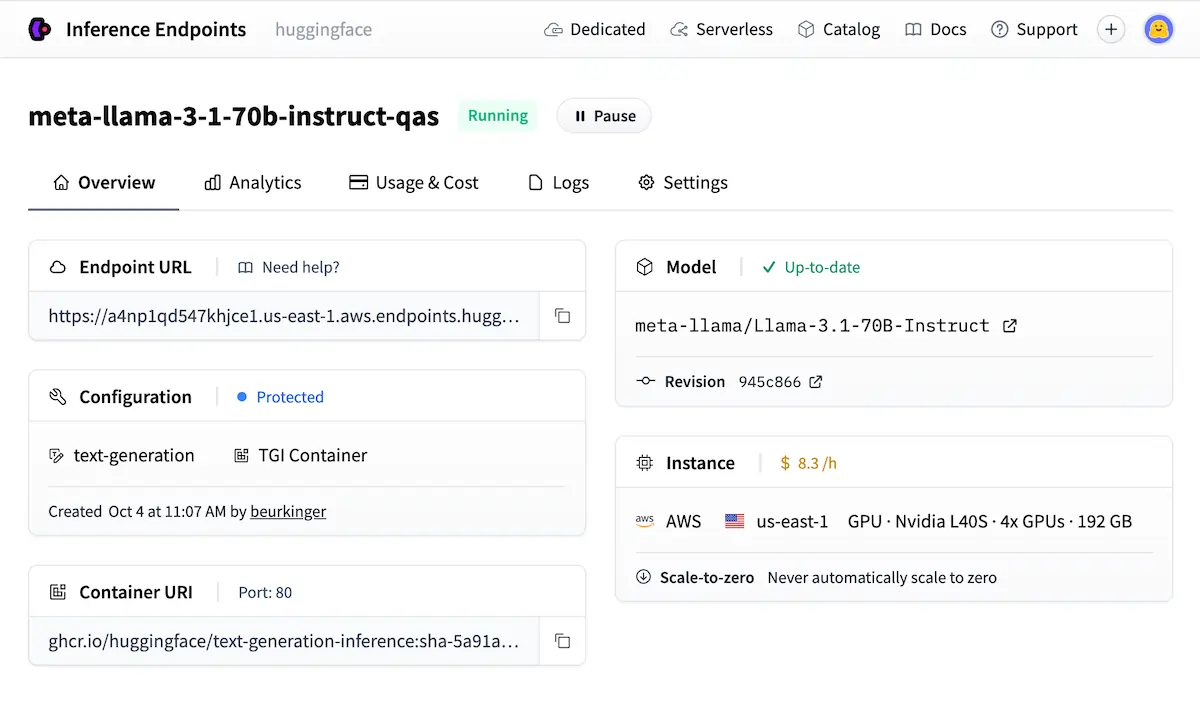
When data privacy or latency is non-negotiable, self-hosting with TGI (Text Generation Inference) or vLLM is the production-ready path.
The Community, the Leaderboards, and Why It Beats Everything Else
その LLM リーダーボードを開く ranks models by benchmark — useful for shortlisting, but always validate on your actual use case before trusting scores. Organization accounts let teams manage shared model collections with controlled access; Meta AI, Google, and EleutherAI all run org accounts directly on the hub.
Following researchers and orgs gives you a real-time feed of new model releases without needing to monitor social media.
| Platform | オープンソース | モデルバラエティ | 無料利用枠 | Fine-Tuning Tools |
|---|---|---|---|---|
| ハグ顔 | ✅ フル | ✅ 1万以上 | ✅ 寛大な | ✅ Full stack |
| TensorFlowハブ | ✅はい | 🔶 限定 | ✅はい | ❌ 基本 |
| Googleモデルガーデン | ❌ 部分的 | 🔶 Curated | 🔶 GCP only | 🔶 GCP only |
| 店は開いていますAI API | ❌いいえ | ❌ 閉店 | ❌ Paid only | 🔶 限定 |
Mistakes That'll Cost You Hours
- つかむ 最大のモデル when a smaller, task-specific one runs faster and cheaper
- Skipping the model card's limitations section before building anything on top of it
- Not pinning model revisions — models update silently and outputs shift without warning
- Using the free Inference API for anything that needs consistent production uptime
- Passing raw text directly into a model without running it through a tokenizer first
AiMojoのおすすめ:
ここからどこへ行くか
ハグ顔's 無料コース at hf.co/learn cover NLP, audio, and deep reinforcement learning in structured paths built specifically for this platform. The best first project: fine-tune a text classifier on a custom dataset, wrap it in Gradio, and deploy it as a Space.
That single build touches models, datasets, fine-tuning, and Spaces in one shot. Once it's live, upload the model and write a proper model card — covering intended use, training data, and limitations.
それ's how useful public contributions get made, and it's how you start building a real presence in the オープンソースAI スペース。


 ボーナス: 200ドルの「AI 登録すると「マスタリーツールキット」が無料になります!


