
Viddo AI Key Insights
What is Viddo AI?
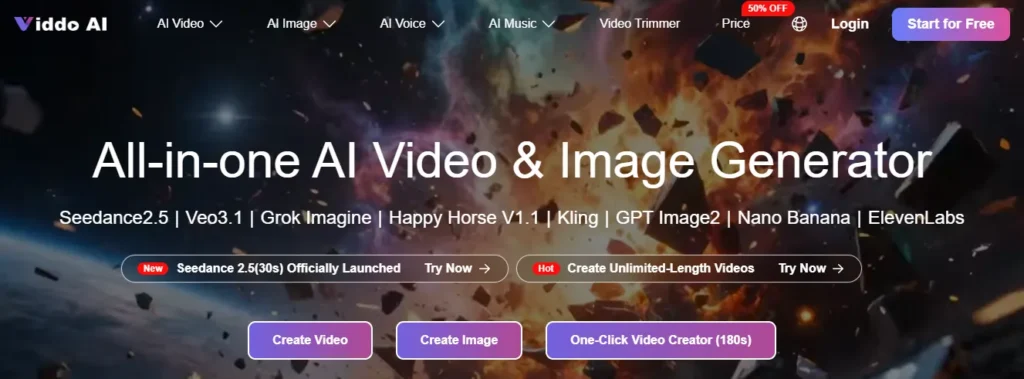
Viddo AI is an all-in-one AI video generator. You pick a model, write a prompt or upload a still, and download the clip from the same account that also covers stills, music, and voice.
The useful part is the switcher. Seedance, Veo 3.1, Kling, Runway, Wan, and Grok Imagine sit behind one login, so a product shot and a talking clip do not need two subscriptions. Annual Basic starts at $16 a month, down from $32. Paid plans remove the watermark and include commercial use. Free files stay watermarked.
Viddo says 2.5 million people use it, across 70-plus countries, with 20-plus models. The plan cards list 300+ video effects. Those are Viddo’s own figures, and the menu moves, so the card you buy from is the list that counts.
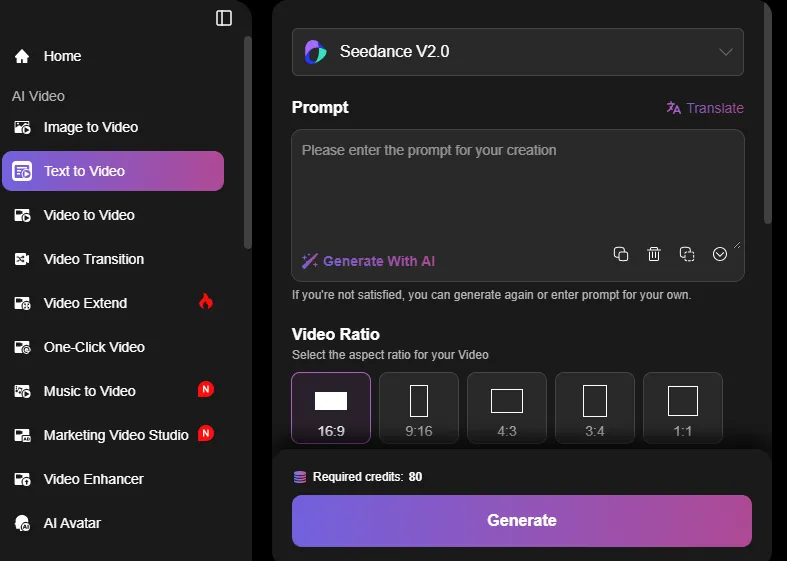
You describe the scene, the camera, and the mood, and the model builds the shot. Most standard generations sit around 15 seconds. Kling 2.6 is the one to use when the clip has to speak: it locks lip movement, dialogue, and ambient sound into a 5 to 10 second take. No editor is required for the first pass.
Upload a product photo, a portrait, or a campaign frame, then describe the motion. Supported flows take up to 9 images, 3 videos, and 3 audio files, and you can point at a frame in the prompt with @. Seedance 2.5 is the longer pass, with up to 50 references and about 30 seconds in one generation.
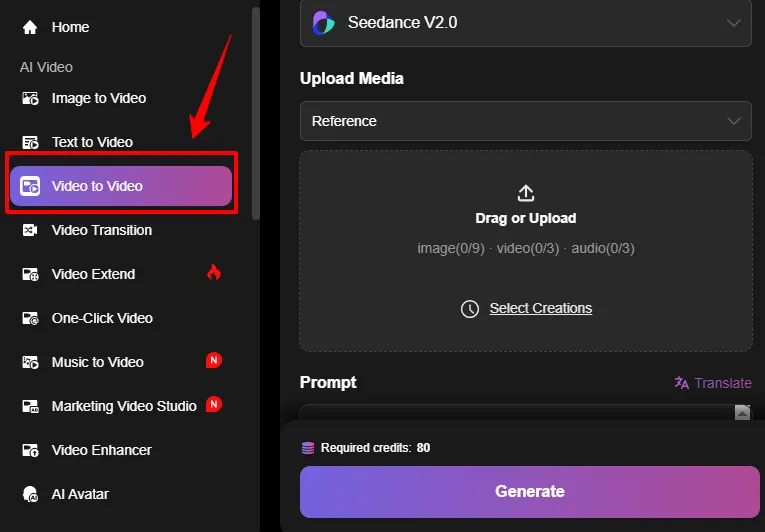
Video to video restyles a clip you already have, which is the right path when a winning ad needs a fresh version. Video transition handles the join between two shots. Reference to video is tighter: you hand over images, clips, and audio, then say what each one is for, so the product and the voice land in one take.
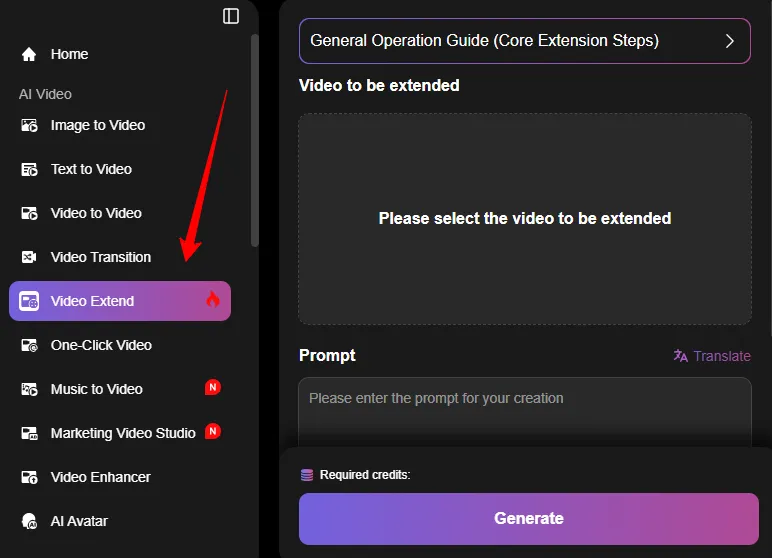
A single generation is rarely the length of a real post. You make a base clip, write a short continuation, and extend it so the next beat keeps the same character and light. Viddo says this works with Veo 3.1, Veo 3, Wan 2.5, Wan 2.6, and Runway. It is a continuation tool, not a timeline. There are no captions or cuts here.
One-click video is the fast route from a prompt when you do not want to tune every setting. Music to video starts from the track and lets the picture follow. Long video to shorts cuts a longer piece into vertical clips. All three get you a first cut. None of them replace a finished edit.
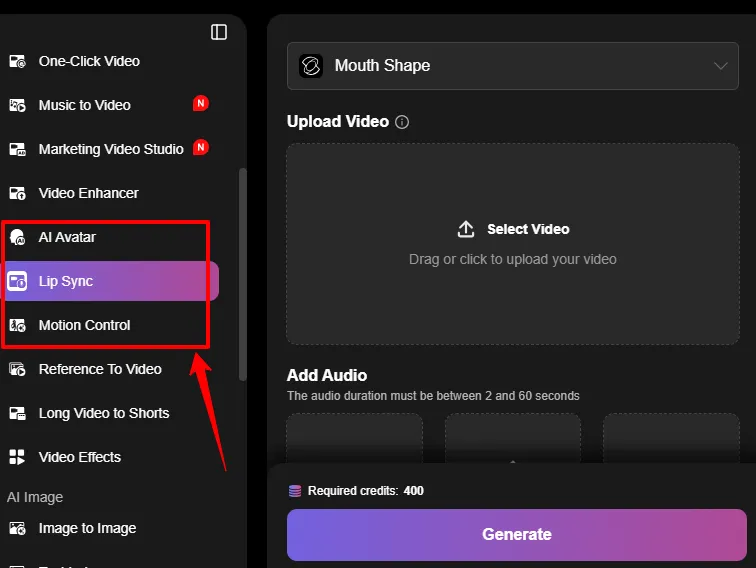
Upload a clear front-facing photo, add a script or a short audio file, and the avatar tool drives the mouth. Audio can run 2 to 60 seconds. Viddo says 2 to 15 seconds gives the cleanest lip sync, with export at 720p or 1080p. The separate lip sync tool does the same job on a portrait video you already have. Motion control is the dial when the gesture is wrong but the shot is close.
Marketing Video Studio starts from a product image, a script, or a reference ad and builds a short variant for a test. The video enhancer is the cleanup pass before you post. Text to image, image to image, and Image Canvas cover the still that often comes first. The effects list includes looks such as AI ASMR and Earth Zoom In, inside the wider 300+ set.
Suno is on every paid plan, so a bed does not need a second bill. You can make a track, a cover, an extend, an instrumental, a mashup, or a vocal split, then send it to music to video. Voice covers text to speech, voice cloning, text to dialogue, and speech to text.
Basic and Ultra include the same list: Wan 3.0, Seedance 2.5, Seedance 2.0, Grok Imagine, Veo 3.1 and Veo 3.1 Fast, MiniMax H3, PixVerse V6, Wan 2.7, Runway Gen-4, Kling V3.0, Runway Aleph, Midjourney, Suno, Nano Banana 2, and GPT Image 2. You pay for more credits, not a locked model.
Viddo AI Pricing Plans
Viddo sells credits, not a flat video count. The page opens on annual billing, marked 50% off. Seedance 2.0 is listed from $0.345 a video. Veo 3.1 Lite is listed from $0.0575 a video. The “up to” counts are Viddo’s estimates.
Annual, shown as a monthly rate
| Plan | You pay | Was | Credits | Viddo’s estimate |
|---|---|---|---|---|
| Basic | $16/month | $32 | 19,000 a year | Up to 260 videos and 520 images a month |
| Pro | $23/month | $46 | 36,000 a year | Up to 500 videos and 1,000 images a month |
| Plus | $32/month | $65 | 64,800 a year | Up to 900 videos and 1,800 images a month |
| Ultra | $69/month | $139 | 144,000 a year | Up to 2,000 videos and 4,000 images a month |
Ultra has a slider for larger packs. Every paid card includes commercial use, a clean download, and private mode.
Monthly is higher: $29, $39, $49, and $99. One-time packs are $39, $60, and $99. Annual Basic is 19,000 credits for the year, not twelve times the monthly pack. Buy annual for the price. Budget the credits.
Free files carry a watermark. A failed generation can be refunded in credits. Cancel any time and the credits you have left stay available.
Who it is for
It fits a social editor or a small shop that wants the same brief on Veo, Kling, and Seedance before the week is over. Image to video, a talking avatar, and a music bed are the jobs it is shaped for.
Skip it if you need a public API, team seats, or a finished edit. If you only use Kling, or only use Runway, the direct tool is simpler.
Pros and Cons
- Several video models in one login.
- Same model list on Basic and Ultra.
- Annual Basic at $16 a month for a clean, commercial download.
- Printed floor prices for Seedance 2.0 and Veo 3.1 Lite.
- Failed jobs can come back as credits.
- Avatar, lip sync, and music sit next to video.
- “Up to” video counts are estimates, not a rate.
- No public API and no team plan on the pricing page.
- Commercial rights sit on the paid plan, not as an open licence.
- Free downloads are watermarked.
- The model menu moves.
- It will not replace a real edit.
FAQs
Is Viddo AI free?
You can start free. Free images and videos include a watermark. Paid plans remove it.
What is the cheapest plan?
Annual Basic is $16 a month, down from $32, with 19,000 credits for the year.
Can I use the videos in ads?
Yes, on a paid plan. Commercial usage rights are on every paid card.
How long is a clip?
Often about 15 seconds. Kling talking clips are 5 to 10 seconds. Seedance 2.5 is promoted at about 30 seconds. Video Extend is the longer path.
Does it include music and voice?
Yes. Suno is on every paid plan, with text to speech, voice cloning, and speech to text in the same account.
What if a generation fails?
You can ask for a refund or have the credits put back.
Best Viddo AI Alternatives
| All-in-one AI video and image generator | How it differs | Pick it when |
|---|---|---|
| Runway | Own Gen-4 stack, with an editor | You need a timeline |
| Kling | One lab, strong motion | Kling is the only model you use |
| Vidu | Own model, character consistency | The same face matters more than model choice |
| Pika | Own model, effects first | You want short social effects |
Final verdict
Viddo AI is the practical switcher for a week that jumps between Veo, Kling, Seedance, and a Suno bed. Text to video, image to video, a talking avatar, and video extend sit on the same credit pack, and annual Basic starts at $16 a month with commercial use and no watermark. If you need an API or a finished cut, buy the studio tool instead.



