

Stockimg AI Key Insights
What is Stockimg AI?
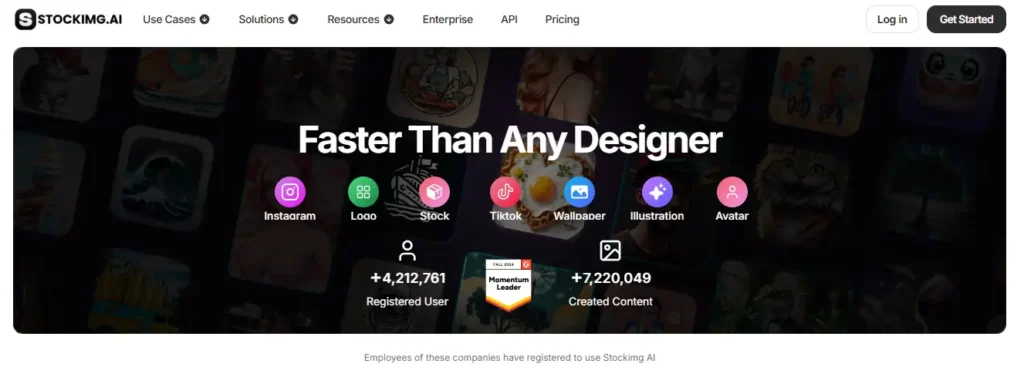
Stockimg AI is an AI powered design and social media management platform that lets users generate stock photos, logos, illustrations, posters, wallpapers, avatars, QR codes, and short videos from simple text prompts. Built for marketers, content creators, and small business owners, Stockimg AI removes the need for expensive design software or freelance designers.
Users type a description, and the platform produces publish ready visuals in seconds using GPU accelerated generation. Beyond image creation, the tool includes a built in social media suite that automates content scheduling across Facebook, Instagram, LinkedIn, Pinterest, and X.

Stockimg AI converts plain language descriptions into high quality stock photos, illustrations, and poster designs within seconds. The GPU powered engine ensures fast output, which means marketing teams can test multiple creative directions in the time it would normally take to brief a designer. This speed advantage is where the tool earns its keep.

The Stockimg Social module lets users generate, schedule, and bulk post content across five major platforms from a single dashboard. It reads your brand voice and produces on brand captions alongside the visuals. For solo founders or lean marketing teams, this replaces the need for a separate scheduling tool like Buffer or Hootsuite.
Every paid plan includes one click background removal and image upscaling up to four times the original resolution. These are tasks that previously required dedicated tools like Remove.bg or Topaz Labs. Having them bundled inside the same platform where images are generated saves both time and subscription costs.

Stockimg AI offers a dedicated logo creation workflow. Users enter their brand name, select a style, and receive multiple AI generated options within moments. For startups that need quick brand identity work without hiring a designer, this feature alone can justify the subscription cost.
The Stockimg AI API allows developers to plug image generation, background removal, upscaling, and avatar creation directly into their own applications. This opens up use cases for e-commerce platforms, SaaS dashboards, and content management systems that need on demand visual assets.

Beyond static images, Stockimg AI generates short AI videos and branded QR codes. The video credits are included in all paid plans, making it simple to produce quick social clips or product teasers without switching to a separate video tool.
Stockimg AI Pricing Plans
| Plan Name | Cost | Images/Month | Videos/Month | Key Limits and Features |
|---|---|---|---|---|
| Starter | $10/mo | 100 | 20 | 5 social accounts, background removal, 4x upscale, commercial use |
| Premium | $20/mo | 1,000 | 100 | 15 social accounts, background removal, 4x upscale, commercial use |
| Ultra | $40/mo | Unlimited | 200 | 50 social accounts, background removal, 4x upscale, commercial use |
| Enterprise | Custom | Custom | Custom | Custom features, trained language model, 24/7 video meetings, on demand visual training |
Getting Started with Stockimg AI
- Step 1: Visit stockimg.ai and create a free account using your email or Google sign in.

- Step 2: Choose a content category from the dashboard. Options include stock image, logo, illustration, poster, wallpaper, avatar, or QR code.
- Step 3: Type a detailed text prompt describing the visual you need. The AI engine processes your request and returns results within seconds.
- Step 4: Use the built in canvas editor to refine your output. Apply background removal, upscale the resolution, or adjust the style through natural language commands.
- Step 5: Download your final asset or push it directly to your connected social media accounts for scheduling.
Stockimg AI for Social Media Marketing
Stockimg AI stands out as more than an image generator because of its integrated social media suite. Users connect up to 50 accounts on the Ultra plan and schedule content in bulk across Facebook, Instagram, LinkedIn, Pinterest, and X.
The AI analyses your brand profile and generates captions alongside visuals, making it possible to plan an entire week of content in one sitting. For agencies managing multiple client accounts, this consolidation removes the friction of juggling separate design and scheduling tools.
Pros and Cons
- Built in social media scheduling
- Commercial rights on all plans
- Fast GPU powered image generation
- Background removal and upscaling included
- Accessible API for developers
- Mobile app on iOS and Android
- No team collaboration features
- Video generation credits cap quickly
- Advanced design control is lacking
Stockimg AI for E Commerce and Brand Content
E-commerce businesses benefit greatly from Stockimg AI. Product mockups, promotional banners, and social ads can be generated through a single text prompt rather than through hours of manual design work. The commercial usage rights mean every asset is ready for paid advertising without legal concerns.
Combined with the 4x upscaling tool, even AI generated visuals meet the resolution standards required by major marketplaces and ad platforms. For brands that need consistent visual output at high volume, the Ultra plan with unlimited image credits is particularly cost effective.
Best Stockimg AI Alternatives
| AI Design & Social Media Tool | Social Media Integration | Starting Price |
|---|---|---|
| Adobe Firefly | Limited (no scheduling) | $9.99/mo |
| Canva AI | Full scheduling suite | $12.99/mo |
| Ideogram | None | $8/mo |
| Midjourney | None | $10/mo |



