

Is Pictory AI worth it? Yes, particularly if you want to turn blog posts, scripts, webinars, and existing recordings into professional-looking videos without spending hours in a traditional editor. However, I wouldn't recommend it to creators who need precise cinematic editing or expect every AI-generated scene to be perfect.
What makes Pictory AI interesting isn't just its text-to-video generator. It's the combination of content repurposing, transcript-based editing, automatic captions, AI voiceovers, and video summarization in a single platform.
For this Pictory AI review, I've focused on its technical capabilities, production workflow, plan restrictions, and actual value for different types of creators. The feature and pricing assessment is based on Pictory's published product documentation rather than an independently completed export benchmark.
Quick Verdict on Pictory AI & Product Overview
| Review Parameter | Details |
|---|---|
| Product Name | Pictory AI |
| Category | AI Video Generator and Video Editor |
| Best For | Content marketers, bloggers, YouTubers, educators, and agencies |
| Starting Price | $25/month with annual billing |
| Free Trial | 14 days |
| Key Capabilities | Script-to-video, blog-to-video, AI captions, video highlights, AI voiceovers |
| AI Voice Technology | ElevenLabs integration |
| Stock Media | Getty Images and Storyblocks |
| API Access | Available through a separate API subscription |
| Main Drawback | AI-selected visuals and editing decisions can require manual corrections |
My verdict: Pictory makes the most financial sense when you already produce written or recorded content and want to reuse it across video platforms. I'd put content repurposing ahead of pure AI video generation when deciding if it's worth subscribing.
Understanding Pictory AI and Its Video Generation Engine
Pictory AI is a browser-based AI video creation and editing platform that converts written content, webpage URLs, presentations, audio, and existing video footage into editable videos.
Instead of assembling footage manually, Pictory analyzes your input, divides it into scenes, selects relevant media, and adds narration or captions.
Its workflow generally follows four stages:
- Content ingestion: Submit a script, blog URL, presentation, prompt, or media file.
- Scene construction: AI identifies important text and assembles a storyboard with suggested visuals.
- Media enrichment: Add voiceovers, stock footage, AI-generated visuals, music, and branding.
- Rendering and export: Preview the video, adjust individual scenes, and export the finished file.
You can also create visuals using Pictory's AI Studio rather than relying entirely on stock footage.
The distinction I find important is that Pictory creates an editable video draft, not an automatically perfect final product.
For a beginner, that's useful. For someone expecting detailed editing controls similar to Adobe Premiere Pro, it's a different experience.
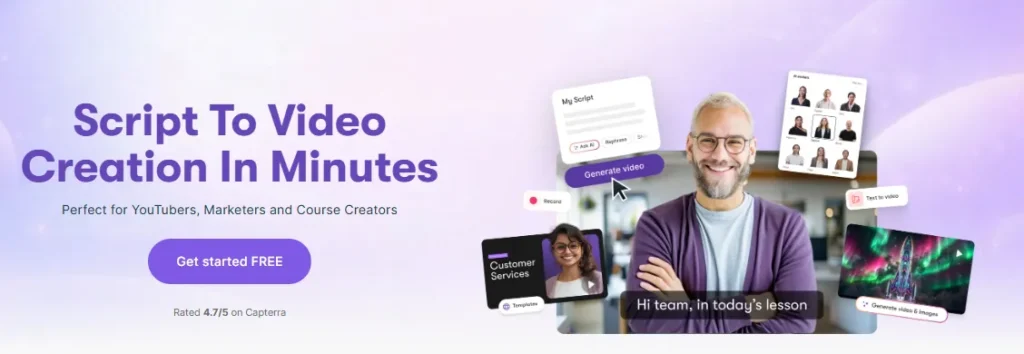
Pictory's Script-to-Video feature converts written scripts into videos with automatically selected visuals, transitions, captions, and narration.
You can paste your script into the editor, choose your formatting preferences, and generate a storyboard.
The platform handles scene separation and searches its media libraries for relevant images or video clips.
The real challenge is semantic accuracy.
For example, a script discussing cloud computing infrastructure might produce generic server-room footage rather than visuals explaining cloud architecture.
Technically, the clip may match the topic. Editorially, it may add very little.
My approach would be to use Pictory's automatic media selection for the first draft, then manually replace visuals in scenes containing technical concepts, statistics, or product demonstrations.
Best use cases: Faceless YouTube explainers, educational content, business presentations, and promotional videos.
This is one of Pictory's most attractive features for website owners and SEO professionals.
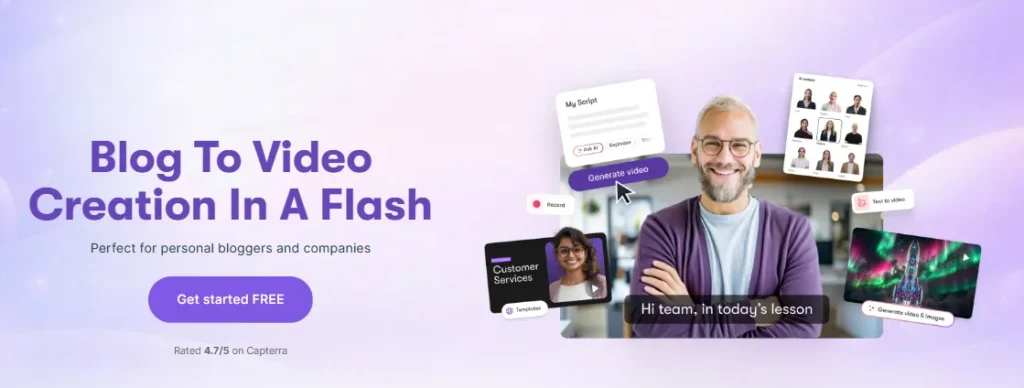
The Blog-to-Video generator accepts a webpage URL, extracts article content, and selects important passages for a video script.
You can review the selected text before generating the storyboard.
That is useful because a 2,000-word article rarely works as a direct narration script. Written articles contain supporting details, internal links, and explanations that may not suit video pacing.
For example, if I were converting a software comparison article into a YouTube explainer, I'd focus on the verdict, key differences, pricing, and ideal users rather than narrating every paragraph.
My recommendation: Edit the extracted summary before creating scenes. Otherwise, your video can feel like a shortened article rather than a properly structured presentation.
For WordPress publishers, this feature offers a practical way to extend the usefulness of existing evergreen content.
Pictory lets you edit recorded videos through their transcribed text. Instead of finding every unwanted sentence on a timeline, you can work directly with the spoken content.
This is particularly useful for interviews, tutorials, podcasts, and recorded meetings.
The editor supports removing unwanted sections, filler words, and silences while keeping the corresponding video aligned.
For talking-head content, I see considerable value here.
Removing repeated phrases or unnecessary explanations from a 40-minute webinar is much easier when you can locate them in a transcript.
However, transcript editing isn't a complete replacement for frame-accurate video editing.
If a project needs detailed motion graphics, complex audio mixing, or advanced visual effects, I'd still consider a dedicated editor.
Pictory's AI Video Highlights tool analyzes uploaded recordings and identifies sections suitable for shorter clips or highlight reels.
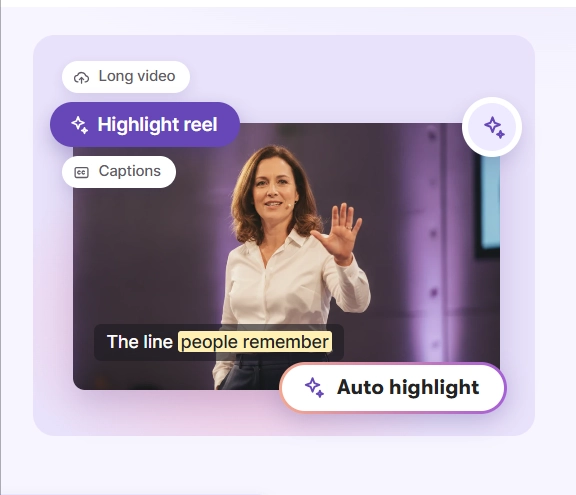
You can review the detected moments, remove unsuitable selections, adjust the duration, and add captions.
This makes sense for creators who regularly record:
The biggest challenge isn't detecting an interesting sentence. It's preserving enough context for that sentence to make sense on its own.
A selected highlight might sound compelling but refer to something explained ten minutes earlier.
My advice: Judge every extracted clip by its opening, context, and conclusion before publishing it as a YouTube Short, Instagram Reel, or TikTok video.
Pictory automatically generates captions from spoken audio, helping creators add readable subtitles without manually transcribing an entire recording.
Users can edit caption text and apply styling suited to their video format.
Its plan comparison also lists subtitle exports in formats such as SRT, VTT, and TXT.
This is valuable for social videos, online courses, and tutorials where captions improve accessibility and help viewers follow information without audio.
One area I would always check manually is transcription accuracy.
Technical terminology, product names, abbreviations, and unfamiliar pronunciations can still cause errors.
For a product review, a misspelled brand name in the subtitles looks particularly careless.
The AI Video Summarizer turns longer recordings into shorter videos containing selected key moments.
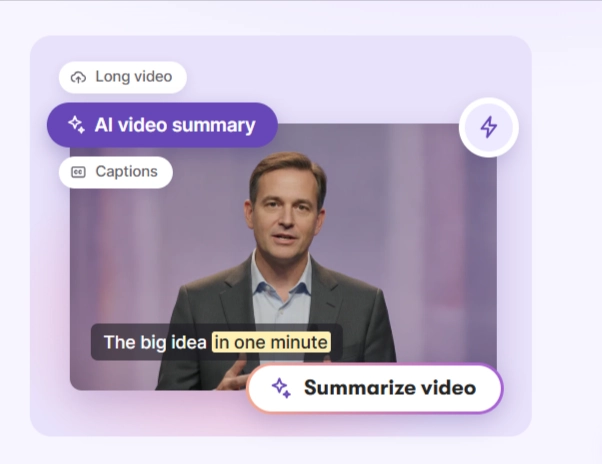
Pictory supports summary targets of 30 seconds, 1 minute, 2 minutes, or 5 minutes.
Its summarization workflow supports source recordings of up to 180 minutes and 5 GB on eligible plans.
Unlike a simple text summary, the output contains actual segments from the original video.
I consider this useful for training departments, course creators, and companies that want to distribute highlights from long presentations.
Important limitation: Automatic summaries can miss information that matters to your audience. Review the selected clips before using them for compliance training, medical education, or other accuracy-sensitive material.
Pictory integrates ElevenLabs voices for AI narration and provides multiple language options, with allowances varying by subscription.
The platform also supports AI avatars, voice cloning on eligible plans, and AI-generated images or video clips through AI Studio.
These capabilities make Pictory more flexible than a basic stock-footage assembler.
However, there's an important distinction between AI voiceover minutes, exported video minutes, and generative AI credits.
They are separate usage allowances.
You may have enough video-export capacity to produce a long narrated explainer but insufficient AI credits to generate custom animated footage for every scene.
That difference matters when choosing a subscription.
How I Would Produce a Faceless YouTube Video With Pictory
For a practical example, consider a five-minute explainer on how AI chatbots work.
I'd use this workflow:
- Step 1: Prepare a narration-ready script. Keep paragraphs short and give each section a clear visual purpose. Avoid pasting a full research article without editing.
- Step 2: Generate the storyboard. Use Script-to-Video to create scenes and review how the platform divides the narration.
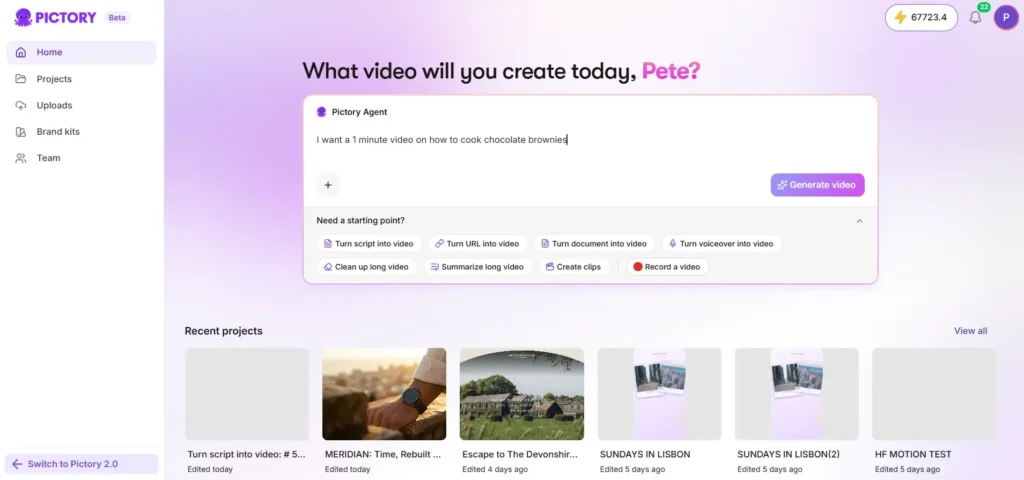
- Step 3: Replace weak visual matches. Generic footage may be acceptable for introductions, but technical explanations benefit from custom diagrams, screenshots, or relevant screen recordings.
- Step 4: Add narration and captions. Select an appropriate AI voice or upload a human-recorded voiceover. Check pacing, pronunciation, and subtitle timing.
- Step 5: Refine the final video. Check aspect ratio, scene duration, transition consistency, background music levels, and on-screen text.
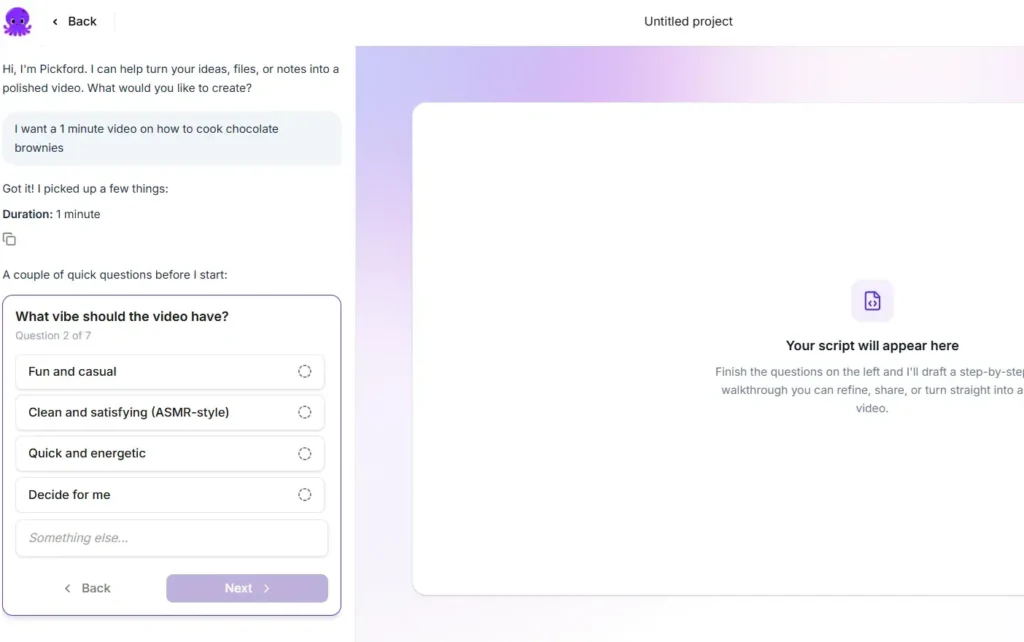
- Step 6: Export and review outside the editor.Watch the rendered file from beginning to end. A storyboard preview cannot reveal every issue in the finished output. The biggest advantage of this process is reducing repetitive assembly work. The biggest risk is publishing generic-looking videos without editorial improvements.
Pictory AI Video Quality
Pictory can produce polished videos, but output quality depends heavily on source material, media selection, narration, and the amount of editing performed after generation.
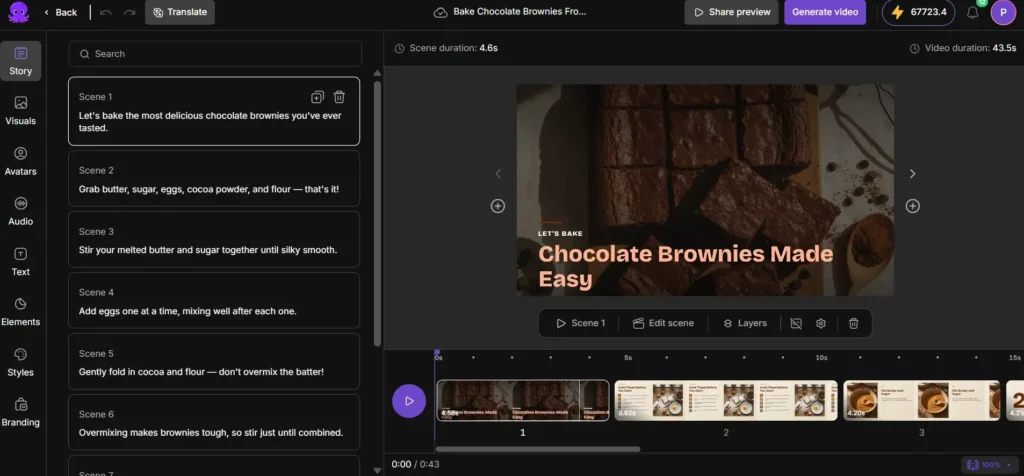
I would judge its video quality using these parameters rather than focusing on export resolution alone.
| Quality Parameter | What I Would Evaluate | Why It Matters |
|---|---|---|
| Scene relevance | How closely footage matches the script | Prevents confusing or misleading visuals |
| Narration quality | Pronunciation, rhythm, and emphasis | Makes longer videos easier to follow |
| Visual consistency | Stock clips versus generated visuals | Reduces abrupt style changes |
| Caption accuracy | Words, punctuation, and timing | Improves comprehension |
| Editing control | Ability to replace and adjust scenes | Determines final production quality |
| Content accuracy | Preservation of facts and context | Particularly important for tutorials |
The Stock Footage Problem Most AI Video Reviews Overlook
Pictory's stock libraries offer extensive media coverage, but having millions of clips doesn't guarantee that every selected visual will accurately explain a script.
This becomes especially noticeable with abstract subjects such as cybersecurity, cloud infrastructure, financial analysis, and software architecture.
For these topics, I'd prioritize original screen recordings, screenshots, and purpose-built graphics over unrelated stock footage.
Pictory's AI Studio can help fill some visual gaps, although generating custom assets consumes additional credits.
My assessment: Pictory is better at accelerating the first stage of video production than eliminating the need for creative judgment.
Pictory AI Subscription Plans, Video Minutes, and AI Credits
Pictory AI starts at $25 per month with annual billing. It offers Starter, Professional, Team, and Enterprise subscriptions.
The following are Pictory's advertised USD prices.
| Plan | Annual Billing (Equivalent/Month) | Monthly Billing | Export Allowance on Monthly Plan |
|---|---|---|---|
| Starter | $25 | $29 | 200 video minutes |
| Professional | $35 | $59 | 600 video minutes |
| Team | $119 | $199 | 1,800 video minutes |
| Enterprise | Custom | Custom | Custom |
Annual subscriptions are billed upfront and include a full yearly video-minute allocation. Prices and promotional terms may change.
Starter vs Professional: Which Subscription Offers Better Value?
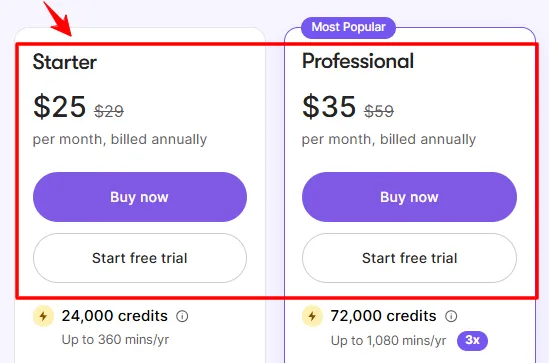
The Starter plan includes one user, 5 GB storage, one brand kit, access to stock media, and a limited allowance of ElevenLabs narration.
It's suitable for someone creating occasional explainers, blog videos, or social content.
The Professional plan increases storage to 20 GB, supports five brand kits, expands voiceover allowances, and includes advanced capabilities such as voice cloning, custom avatars, and long-video summarization.
For anyone regularly repurposing webinars or producing branded content for several projects, Professional is the plan I'd evaluate first.
The Team plan adds shared workspaces and collaboration capabilities for multiple users.
Video Export Minutes vs Generative AI Credits
This is the pricing detail I'd examine most carefully before purchasing.
Video minutes measure exported video duration. AI credits pay for certain generated assets such as AI images, video clips, and avatars.
For monthly subscriptions, Pictory advertises:
| Plan | AI Credits per Billing Cycle | Approximate AI-Generated Video Capacity |
|---|---|---|
| Starter | 100 | Up to 1 minute |
| Professional | 500 | Up to 5 minutes |
| Team | 2,400 | Up to 25 minutes |
These figures are illustrative maximums from Pictory's pricing structure. Actual usage depends on the AI features and models selected.
For example, a Professional subscriber could have 600 export minutes while the included generative credits cover far less custom AI-generated video.
That isn't necessarily a problem if your workflow relies mostly on stock footage, captions, and AI narration.
It becomes important when you intend to generate original video footage frequently.
How Much Does Each Finished Video Actually Cost?
I prefer measuring subscriptions against the number of videos a creator publishes. Suppose you produce ten finished videos using the $29 Starter subscription.
Your base software cost would be approximately $2.90 per finished video. That calculation excludes additional credits, staff time, external assets, and other tools.
If those videos replace a substantial amount of repetitive editing work, the subscription may be reasonable. If you're producing one short video every few weeks, paying for unused allowances becomes harder to justify.
My buying advice: Estimate your real publishing volume before committing to an annual subscription.
Is Pictory AI Free? Trial Access, Watermarks, and Cancellation
Pictory is not completely free, but it offers a 14-day free trial.

The trial allows users to explore its creation tools and generate up to three video projects, subject to trial restrictions.
You can start without providing a credit card.
What Are the Free Trial's Restrictions?
The trial offers limited production capacity, and downloaded trial videos include Pictory branding.
Paid subscriptions remove Pictory's watermark from newly downloaded videos.
If you upgrade after creating a trial video, you can download that project again to obtain a version without the trial branding.
After the trial expires, video downloading requires an active paid subscription.
Can You Cancel Pictory AI Without Paying Extra?
You can cancel a paid subscription from your account's billing settings.
Cancellation stops future renewals, but Pictory states that paid subscriptions are not refundable.
I also recommend downloading important videos before your account access ends. Projects stored on the platform may no longer remain accessible after cancellation.
Automated Video Generation for Websites and Business Systems with Pictory API
Pictory offers a developer API for generating videos programmatically.
For a website developer, SaaS operator, or marketing agency, this is one of its more interesting capabilities.
The API supports workflows such as:
How Does Pictory's Video Rendering API Work?
The API uses authenticated requests to submit video-generation jobs.
Instead of returning a finished video immediately, Pictory returns a job ID that developers can use to track rendering status.
That means an integration needs to handle asynchronous processing.
A practical implementation would submit the job, store its ID, check the render status, and retrieve the completed output when available.
Important: API usage requires a separate API subscription. Do not assume that purchasing the regular video-editor subscription automatically includes the API usage you need.
Is the API Useful for WordPress and WooCommerce Websites?
Potentially, yes.
I can see a practical use case for websites containing hundreds of product descriptions or educational articles.
A publishing system could send selected content to Pictory and generate video assets for product listings, tutorials, or marketing campaigns.
However, I wouldn't automate publishing without an approval stage.
Product specifications, pricing, claims, and selected visuals should be verified before videos go live.
For agencies, this review step can prevent costly mistakes across large content libraries.
Pictory AI Pros and Cons
- Multiple content-to-video workflows in one tool.
- Blog URLs can become editable video drafts.
- Transcript-based editing for recorded videos.
- Automatic captions and voiceovers.
- Long-video highlights and summaries.
- Branding and team collaboration options.
- Developer API for automation.
- Automatically selected footage may be too generic.
- Extracted article summaries need checking.
- Less control than professional editing software.
- Narration and subtitles may require correction.
- Selected clips can lose important context.
- Useful advanced features require higher plans.
- API access has separate subscription requirements.
My biggest positive is the range of content Pictory can reuse. Its main weakness is that automating scene selection doesn't guarantee editorial quality.
For creators producing substantial amounts of educational or marketing content, that's a manageable compromise.
For visual artists who want exact control over every movement and transition, it may be frustrating.
Pictory AI vs InVideo AI, Fliki, Canva, and Descript
Pictory has plenty of competition, but these tools don't all solve the same production problem.
| Tool | Strongest Use Case | My Recommendation |
|---|---|---|
| Pictory AI | Blog-to-video and content repurposing | Best starting point for reusing existing content |
| InVideo AI | Prompt-driven video generation | Consider for idea-to-video workflows |
| Fliki AI | Narrated videos and AI voice-led content | Compare if narration is your top priority |
| Canva | Branded social media visuals | Consider for graphic-heavy marketing |
| Descript | Editing recorded audio and video | Consider for podcasts and interviews |
Is Pictory AI Good for YouTube, Agencies, and Commercial Projects?
Yes, Pictory can be useful for commercial video production, provided creators review their content and follow the licensing and publishing rules that apply to each platform.
Faceless YouTube Channels and Monetization
Pictory can generate narrated explainers, list videos, educational content, and YouTube Shorts.
However, using Pictory doesn't automatically make a channel eligible for YouTube monetization.
YouTube expects monetized content to provide original value rather than being mass-produced, repetitive, or minimally modified.
For that reason, I'd add original research, commentary, useful demonstrations, and custom visuals rather than uploading large batches of nearly identical AI videos.
Copyright and Commercial Media Licensing
Pictory provides stock visuals through Getty Images and Storyblocks, with licensed music options.
These assets can be used in Pictory-created projects according to the applicable licensing conditions.
One detail worth checking is its Melodie music guidance, which requires an appropriate clearance code in YouTube descriptions for applicable tracks.
Commercial usage rights and protection from automated copyright claims are not exactly the same thing.
I'd verify music requirements before publishing client work.
Marketing Agencies and Enterprise Training
Pictory becomes more compelling when teams repeatedly create similar types of content.
Examples include onboarding videos, training modules, campaign explainers, and recurring social media promotions.
Brand kits and shared workspaces can help keep those videos consistent.
For highly specialized production, I'd still keep an advanced editor available for final refinements.
Frequently Asked Questions About Pictory AI
Is Pictory AI worth it for beginners?
Yes. Pictory AI is beginner-friendly because it automatically creates video storyboards from scripts, URLs, and other content. It reduces the need for manual video assembly, although beginners should still review visuals, narration, captions, and transitions before exporting.
Can I use Pictory AI for free?
Yes, Pictory offers a 14-day free trial with limited video projects. Trial downloads include Pictory branding. A paid subscription is required for continued downloading after the trial expires.
How much does Pictory AI cost?
Pictory AI starts at $25 per month with annual billing or $29 with monthly billing. Professional starts at $35 per month with annual billing, while Team starts at $119. Enterprise pricing is customized.
Can Pictory AI create YouTube videos without showing my face?
Yes. Pictory can create faceless YouTube videos from scripts, articles, and other source materials using stock footage, AI-generated visuals, narration, and captions. Original content and editorial improvements are important for video quality and potential monetization.
Does Pictory AI generate original video footage?
Yes. Pictory supports AI-generated video clips through AI Studio and also provides stock footage from Getty Images and Storyblocks. Custom generative footage uses AI credits, so its available duration differs from standard video-export limits.
Is Pictory AI better than InVideo AI?
Pictory is especially suitable for repurposing blog posts, recorded presentations, and long-form videos. InVideo AI is worth comparing for prompt-driven creation. The better choice depends on your content source, required editing control, and preferred production process.
Does Pictory AI offer API access?
Yes. The Pictory API supports automated video creation from scripts, URLs, presentations, and other sources. It processes rendering jobs asynchronously and requires a separate API subscription for programmatic access.
Should You Buy Pictory AI?
Pictory AI is worth considering if your biggest video-production problem is converting existing content into editable, publishable videos.
Its strongest capabilities are blog-to-video conversion, script-based scene generation, automatic captions, transcript editing, and short-form content extraction.
What I like most is that it connects several common production tasks without requiring creators to master complicated video-editing software.
But I wouldn't buy it expecting flawless media selection or unrestricted AI-generated footage.
The distinction between export minutes and generative AI credits is particularly important when comparing plans.
For occasional publishing, I'd begin with Starter. For regular webinar repurposing, advanced voices, and more demanding content workflows, Professional is the more attractive option.
My final recommendation is to use the 14-day free trial to create one script-based video, one blog conversion, and one edited recording before paying. Those three projects should give you a much clearer indication of how Pictory fits your actual workflow.


