

OpenClaw Key Insights
What is OpenClaw?
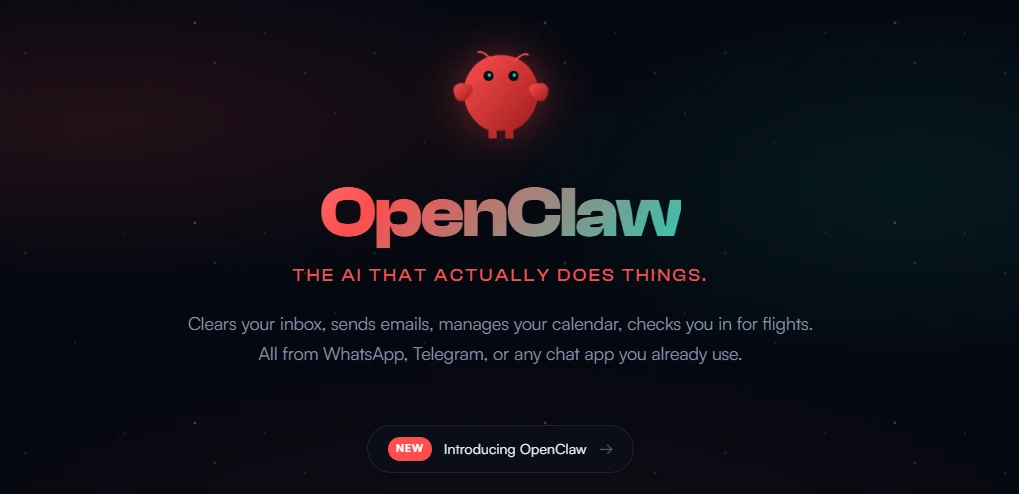
OpenClaw is a 100% free and open-source autonomous AI assistant agent that runs directly on your computer, server, or VPS, executing real tasks through natural language commands via familiar chat platforms like WhatsApp, Telegram, Discord, and Slack. Created by Peter Steinberger in early 2026, it follows a BYOK (Bring Your Own Key) model where you connect your own LLM API keys from providers like Anthropic, OpenAI, or Google.
Unlike cloud-hosted assistants, OpenClaw maintains persistent memory across sessions, enabling it to learn your preferences and recall past conversations indefinitely. The agent can clear your inbox, manage calendars, check in for flights, run shell commands, control browser sessions, and automate everyday workflows without predefined triggers. With over 700 community-built skills and support for 12 messaging platforms, OpenClaw represents a fundamental shift in personal AI automation, giving users infrastructure they control rather than relying on walled garden ecosystems.

OpenClaw retains information permanently across sessions, learning your preferences and project contexts over time. This memory system writes to local markdown files, meaning your personal data never leaves your infrastructure. The more you interact with it, the more powerful and personalised your assistant becomes.

Connect through WhatsApp, Telegram, Discord, Slack, Signal, or iMessage with full support for both direct messages and group chats. This flexibility means you interact with your AI assistant wherever you already communicate, eliminating the need to switch applications or learn new interfaces.
OpenClaw can read and write files, execute shell commands, run scripts, and control browser sessions to fill forms and extract data. You choose between full access or sandboxed execution depending on your security requirements. This capability enables automation of tasks that previously required manual intervention.

The ClawHub marketplace offers one-click installation of community-built skills covering productivity, development, smart home control, and AI model integrations. Skills can be installed via GUI, CLI, or manually, with clear precedence rules when conflicts occur. Users can also create custom skills that the assistant will use automatically.
Unlike reactive assistants, OpenClaw initiates contact when important matters arise. Configure daily briefings, deadline reminders, or email triage summaries. Users report waking up to messages saying “Here are your three priorities today” without any prompting required.

Run entirely locally with models like MiniMax M2.1, or connect to Anthropic Claude, OpenAI GPT, or Google Gemini via your own API keys. This BYOK approach lets you balance cost, privacy, and capability according to your specific needs without any platform lock-in.
OpenClaw Pricing Plans
OpenClaw Software: 100% Free & Open-Source
| Usage Level | Estimated API Cost | Typical Use Case |
|---|---|---|
| Light User | $10–30/month | Daily Q&A, simple tasks (5–20M tokens) |
| Medium User | $30–70/month | Automated workflows (20–50M tokens) |
| Heavy User | $70–150/month | 24/7 personal assistant (50–200M tokens) |
| Local Models Only | $0/month | Run MiniMax, Llama, or other local models |
Self-Improving Agent Capabilities
OpenClaw goes beyond static automation by writing its own code when it encounters tasks it cannot yet perform. Ask it to automate something new and it generates the skill right in your chat, effectively upgrading itself while you watch. This self-improvement shifts workload from token-heavy reasoning to zero-cost local code execution. The agent observes how you work, learns your patterns, researches documentation, and writes new extensions following the AgentSkills format with YAML frontmatter.
Through a quasi-recursive model, OpenClaw identifies repetitive tasks and builds automation around them without manual intervention. Traditional agents run the same logic every time, but OpenClaw adapts to you rather than forcing you to adapt to it.
Voice Interaction and Phone Calling
OpenClaw transforms into a voice assistant through ElevenLabs TTS integration, enabling natural spoken conversations via Telegram voice notes. The round trip flow transcribes your voice input using Whisper, processes it through your AI model, and synthesises responses back to speech in under three seconds.
Users can hold the microphone button on Telegram, speak naturally, and receive audio responses inline. This workflow proves transformative for mobile use, replacing thumb typing with natural voice conversations wherever you are. Power users have configured OpenClaw to make actual phone calls with customised accents and voices, receiving spoken updates and reminders directly to their mobile devices.
Pros and Cons
- 100% free and open-source software
- Full local control over data
- BYOK model with no platform fees
- 700+ installable skills available
- Works across 12 messaging platforms
- Persistent memory that grows smarter
- Requires technical setup initially
- API costs vary by provider
- No official mobile app yet
Best OpenClaw Alternatives
| Personal AI Assistant Agent | Deployment Model | Pricing Model |
|---|---|---|
| Rabbit R1 | Hardware device | $199 one-time purchase |
| Arahi AI | Cloud-hosted | Subscription based |
| Lindy | Cloud-hosted | $49–299/month |
| ChatGPT Plus | Cloud-hosted | $20/month subscription |


