OpenClaw (previously known as Moltbot and Clawdbot) is a self-hosted AI assistant that executes real tasks on your behalf—managing calendars, browsing websites, organizing files, handling emails, and running terminal commands.
Running this powerful agent on your local machine poses serious security risks since it needs system-level access to function properly.
Deploying it on a cloud server solves this problem while maintaining full functionality.
DigitalOcean one-click deploy option provides a secure, pre-configured environment that handles the complex setup automatically.
Here's your complete guide to getting OpenClaw running in under 20 minutes.
🤔 Why Choose Cloud Deployment Over Local Installation?

Giving an AI agent unrestricted access to your personal computer—where banking details, private documents, and sensitive credentials live—creates obvious vulnerabilities.
A dedicated cloud server isolates OpenClaw from your personal data while providing:
Some OpenClaw skills might need additional manual configuration with enhanced security features, but the tradeoff is worth it.
🚀 Setting Up DigitalOcean One-Click Deploy for OpenClaw
Creating the Instance
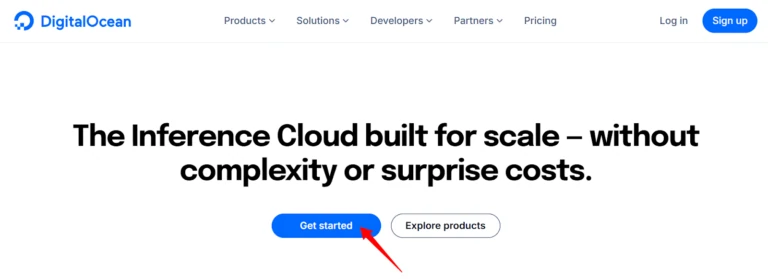
Log into your DigitalOcean account and head to the Droplet creation page. Select your preferred region—choosing one geographically closer to you reduces latency.
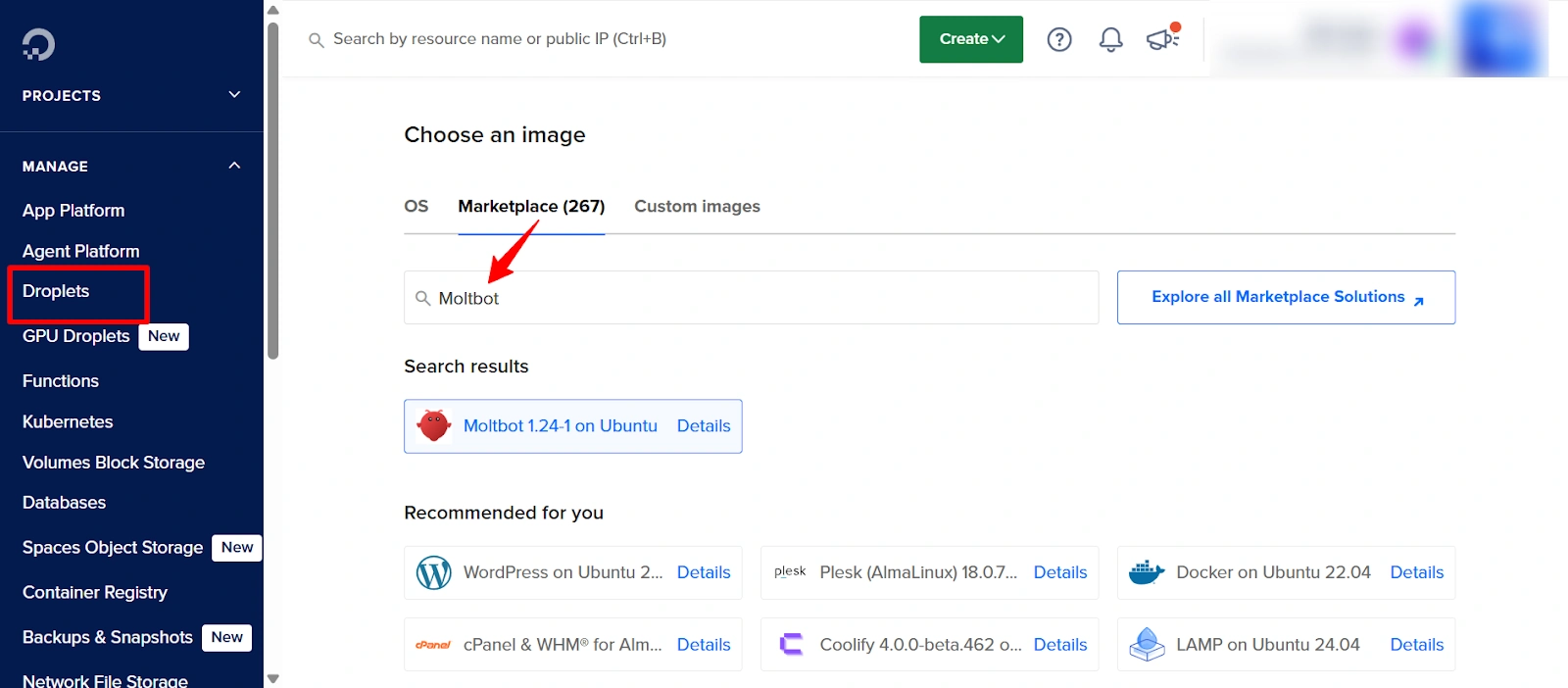
Under the image selection area, click the Marketplace tab and search for “Moltbot” (the previous name still appears in the marketplace). Select the official image from the results.
Droplet Size Requirements:
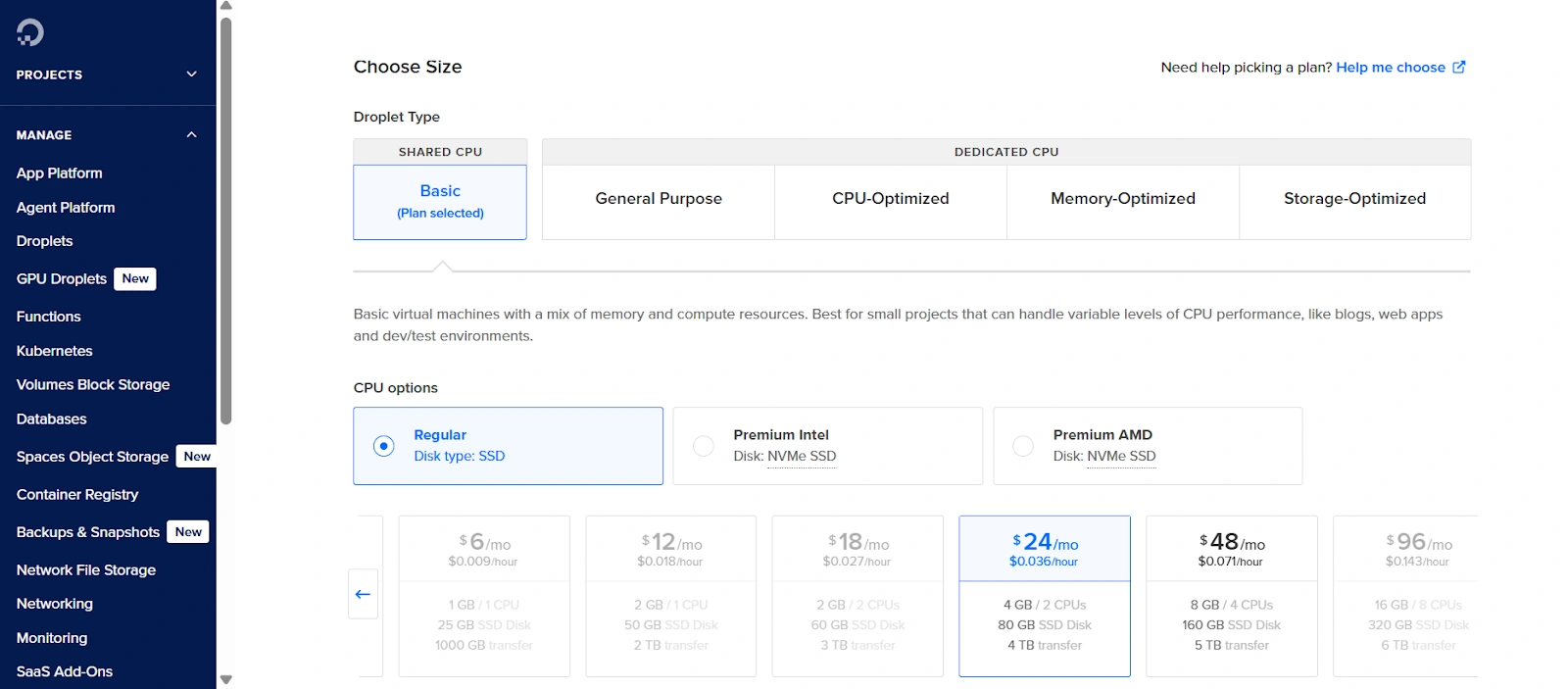
Pick the Basic plan with at least 4GB RAM. The recommended configuration is the s-2vcpu-4gb size, which costs $24.00 per month or $0.03571 per hour with DigitalOcean's per-second billing model.
For SSH authentication, add your public SSH key. If you haven't created one yet, generate it using ssh-keygen on your terminal. This is more secure than password authentication.
Assign a recognizable hostname like “openclaw-server” and click Create Droplet.
API-Based Deployment Alternative
Developers who prefer command-line tools can deploy via DigitalOcean's API:
API Request Configuration:
Endpoint: https://api.digitalocean.com/v2/droplets
Method: POST
Authorization: Bearer YOUR_API_TOKEN
Content-Type: application/json
Payload parameters:
name: openclaw-instance
region: nyc3
size: s-2vcpu-4gb
image: Moltbot
Replace YOUR_API_TOKEN with your actual token from the API section of your DigitalOcean dashboard.
💻 Initial Configuration and LLM Setup
After creation, wait 3-5 minutes for initialization. SSH into your server using the IP address shown in your dashboard:
ssh root@your_droplet_ipThe welcome screen displays your Dashboard URL—save this for browser access later.
Connecting Your AI Model
OpenClaw supports multiple LLM providers including Anthropic (Claude models), OpenAI (GPT models), OpenRouter, Venice AI, and Amazon Bedrock. The one-click deploy walks you through provider selection during initial setup.
Select your preferred provider when prompted and enter your API key. For Anthropic, get your key from console.anthropic.com after creating an account. Claude Sonnet 4.5 costs $3 per million input tokens and $15 per million output tokens.
This API key determines your actual usage costs since OpenClaw itself is free and open-source. Scheduled automations can consume tokens quickly, so monitor your usage through your LLM provider's dashboard.
✌️ Two Ways to Interact With OpenClaw
Terminal Interface (TUI)
For command-line enthusiasts, launch the text interface directly:
/opt/clawdbot-tui.shThis provides a clean, distraction-free chat environment right in your terminal.
Web-Based GUI
Paste the Dashboard URL from your welcome screen into any browser. The gateway token authenticates you automatically, providing access to the complete interface.
The GUI offers comprehensive control:
➕ Adding Skills and Expanding Capabilities

OpenClaw ships with 50+ pre-loaded skills covering file management, web automation, calendar integration, smart home control, and social media management. Install additional skills through the Skills section in the dashboard.
Popular integrations include:
Each agent can receive selective API key access through the Agents menu. Navigate to your agent (or “Defaults” for all agents), then under Sandbox > Docker > Env, add specific API keys that agent should access.
💰 Cost Considerations Beyond Infrastructure
Your $24 monthly Droplet cost is predictable and capped. LLM API usage is not. With persistent memory, proactive monitoring, and scheduled automations running continuously, token consumption can spike unexpectedly.
Set budget alerts through your LLM provider's console. Start with conservative automation schedules until you understand your usage patterns.
A typical moderate user spends $10-30 monthly on API calls, but heavy automation can push this higher.
AiMojo Recommends:
🛡️Security Best Practices Post-Deployment
The one-click deploy handles most security configuration, but maintain good practices:
OpenClaw represents a genuine shift toward AI agents that execute real-world tasks rather than just providing information. Running it safely on a cloud server gives you the automation benefits without exposing your personal machine to risks.
With DigitalOcean one-click deploy handling the technical complexity, you can focus on training your assistant to handle your specific workflows.


 BONUS: Get our $200 “AI Mastery Toolkit” FREE when you sign up!