

Comfy Key Insights
What is Comfy?
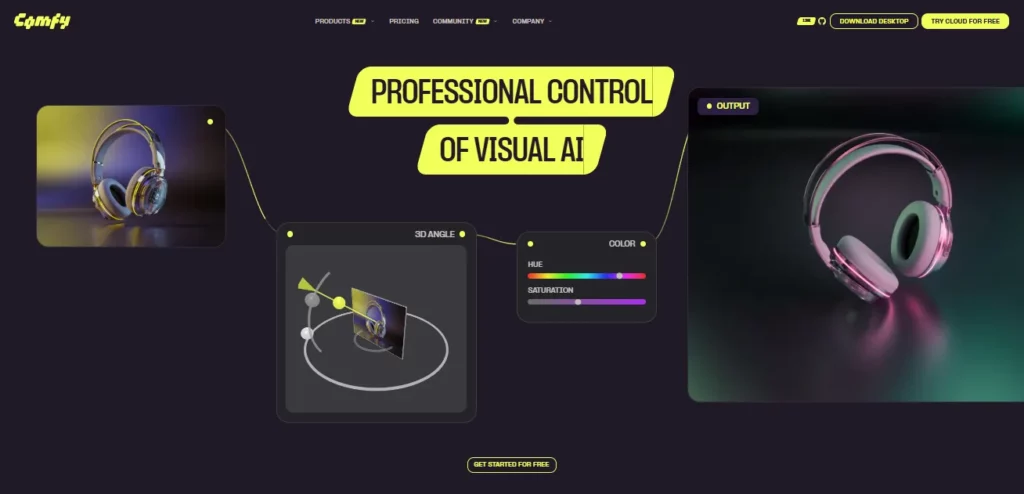
Comfy is a node based workflow engine for AI image and video generation. It allows creators, researchers, and production teams to build visual generation pipelines by connecting modular nodes on a canvas. Each node represents a distinct step in the diffusion process such as model loading, prompt encoding, sampling, or post processing.
This Comfy review confirms it supports all major open source models including Stable Diffusion, SDXL, Flux, and Wan 2.2 for video. The platform offers a free desktop application for local hardware execution alongside Comfy Cloud for GPU powered rendering from any browser. With over 60,000 community built nodes and full API access, Comfy stands as the go to tool for professionals who need granular control over every generation parameter and repeatable output quality across projects.

Comfy’s canvas lets you drag, connect, and rearrange processing steps as individual nodes. Every tensor flow between model, sampler, and decoder is visible and inspectable. This makes debugging artifacts straightforward and allows you to save entire pipelines as JSON files for version control and team sharing.
The platform runs every major open source model out of the box. From Stable Diffusion 1.5 through SDXL and SD3.5 to Flux and Wan 2.2 for video generation, you can swap checkpoints with a single node change. Custom LoRA and LoCon weights stack with adjustable strength for fine tuned style control.
Structure your outputs with depth maps, edge detection, pose estimation, and reference image guidance through first class ControlNet support. IP Adapter nodes enable character and brand consistency across entire batches, making Comfy a production grade tool for commercial studios.
The Comfy Manager lets you browse, install, and update over 5,000 community built extensions from inside the app. When a new research paper drops a technique, an extension typically appears within days. This ecosystem moves faster than any single company could build.
Comfy Cloud runs workflows on Blackwell RTX 6000 Pro GPUs with 96GB VRAM and 180GB RAM. You only pay for active GPU time while a job runs. Idle editing costs nothing. Queue up to 100 workflows at once and run multiple jobs in parallel on Creator and Pro plans.

Run Comfy workflows programmatically through the API for production integration. Batch queue processing handles large scale generation overnight with consistent seeds and locked parameters. This makes Comfy the backbone for automated content pipelines across e-commerce, gaming, and media production.
Comfy Pricing Plans
| Plan Name | Cost (Annual) | Key Limits and Features |
|---|---|---|
| Desktop | $0 | Unlimited runs on your own GPU. Full feature access. Open source. |
| Standard | $16/month | ~380 5s videos/month. 30 min max runtime. 1 concurrent API job. |
| Creator | $28/month | ~670 5s videos/month. Custom model imports. 3 concurrent API jobs. |
| Pro | $80/month | ~1,915 5s videos/month. 60 min runtime. 5 concurrent API jobs. |
| Team | From $200/month | Shared credit pool. Role based permissions. Concurrent member runs. |
| Enterprise | Custom pricing | Higher API limits. Advanced security. Dedicated support. Forward Deployed Creatives. |
Comfy Cloud Performance and GPU Efficiency
Comfy Cloud recently upgraded all infrastructure to NVIDIA Blackwell RTX 6000 Pro GPUs, delivering roughly double the inference speed compared to previous A100 based setups. With 96GB VRAM per machine, even the most resource hungry workflows including high resolution video upscaling and multi ControlNet stacks run without memory issues.
The credit based billing model charges only for active GPU seconds at 0.39 credits per second, meaning you never pay for idle time spent editing or building nodes. Unused top up credits roll over for up to one year. For teams processing hundreds of generations daily, this pay for what you use approach significantly reduces costs compared to fixed hourly cloud GPU rentals elsewhere.
Comfy Workflow Sharing and Community Ecosystem
The ComfyUI community has produced over 5,000 extensions containing more than 60,000 individual nodes. This open ecosystem means that every new model release, from Flux to Wan 2.2, receives community workflow templates within days. Users share complete pipeline JSON files that anyone can import, modify, and build upon.
The comfy.org/workflows page hosts curated templates for common tasks including text to image, video generation, style transfer, and batch processing. ComfyUI Manager acts as the central hub for discovering, installing, and updating extensions without leaving the application. For studios and freelancers alike, this shared library eliminates the need to build every pipeline from scratch, dramatically reducing setup time on new projects.
Pros and Cons
- Unmatched node based workflow control.
- Supports all major AI models.
- Massive 60,000+ node ecosystem.
- Reproducible shareable JSON pipelines.
- Cloud GPU option available.
- Active and fast moving community.
- Steep learning curve for beginners.
- Requires decent GPU locally.
- No built in prompt assistance.
- Interface feels dense initially.
Comfy for Production Studios and Enterprise Teams
Comfy’s Team and Enterprise plans unlock serious production capabilities. Shared credit pools let entire studios draw from one balance without juggling individual subscriptions. Role based permissions keep billing controlled while freelancers can be added or removed without per seat charges.
The Enterprise tier includes Forward Deployed Creatives, which are Comfy experts who embed with your team, build production workflows in your environment, and train staff to maintain them. BYOK (Bring Your Own Key) support for Runway and Google Gemini means proprietary model costs stay on your existing provider accounts. For studios running automated content pipelines at scale, this infrastructure turns Comfy from a creative tool into a full production backbone.
Best Comfy Alternatives
| AI Image & Video Generation Workflow Engine | Workflow Flexibility | Ease of Setup |
|---|---|---|
| Stable Diffusion WebUI Forge | High. Extension based with good Flux support. | Moderate. Browser based, needs local GPU. |
| InvokeAI | Moderate. Canvas UI with tabs, no node editor. | Easy. Traditional interface, beginner friendly. |
| Fooocus | Low. Preset focused, minimal configuration. | Very Easy. One click install, prompt and go. |



