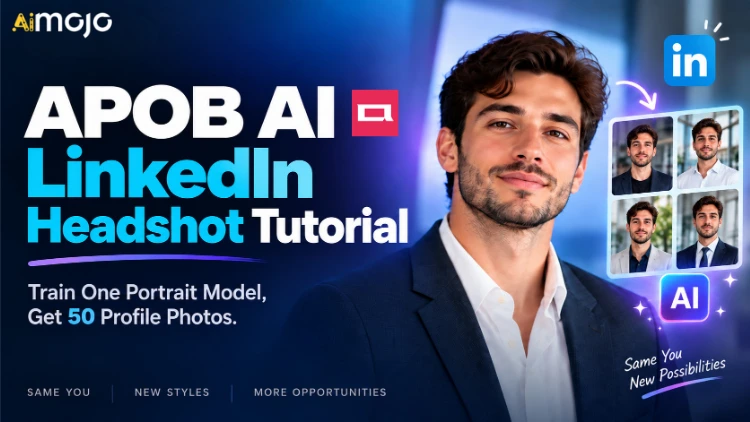
채용 담당자가 당신의 프로필 사진을 보는 시간은 고작 3초 정도에 불과합니다. 그 후 스크롤을 내려 헤드라인을 확인하죠. 고작 3초입니다. 그리고 대부분의 구직자는 그 3초 동안 잘린 결혼 사진, 줌 회의 화면 캡처, 혹은 다른 사람의 어깨가 화면에 다 나온 셀카를 보고 있을 겁니다.
APOB를 얻는 것에 대해 거의 아무도 알려주지 않는 부분이 바로 여기입니다. AI LinkedIn 프로필 사진: 사진 자체가 제품이 아닙니다. 인물 모델 이다.
얼굴 모델링을 한 번만 하면, 그 이후로는 일일이 프로필 사진을 찍을 필요 없이 이미 설정된 얼굴에 맞춰 의상, 배경, 구도, 표정을 자연스럽게 조합할 수 있습니다. 은행 업무에는 네이비 정장, 스타트업에는 셔츠 단추를 풀고, 의사 역할에는 깔끔한 수술복을 입어도 됩니다. 모두 같은 사람, 같은 골격, 같은 눈매를 가진 사람이죠.
셀카 한 장으로 프로필 사진 50장을 완성하세요. 스튜디오도 필요 없고, 400달러짜리 촬영비도 없고, 턱에 힘을 빼라고 잔소리하는 사진작가도 필요 없습니다.
아래는 정확한 워크플로, 아무도 미리 알려주지 않는 크레딧 계산법, 이미지에 마음을 주기 전에 알아야 할 무료 등급의 함정, 그리고 채용 담당자가 눈치챌 수 있는 7가지 세부 사항입니다. AI 즉시.
요약 — 간략한 버전
| 질문 | 솔직한 답변 |
|---|---|
| 당신이 무엇을 만들고 있는가 | 일회용 사진 패키지가 아닌, 재사용 가능한 본인 얼굴의 인물 모델입니다. |
| 업로드하는 내용 | 선명한 정면 사진 1장 (JPEG, PNG 또는 WEBP 형식) |
| 인물 사진이 있는 곳 | 전체 세트 → 링크드인 프로필 사진 (전문가용 템플릿 11개) |
| 무료 액세스 | 카드 없이 매일 80크레딧이 충전됩니다. |
| 가장 저렴한 사용 가능 모드 | 빠른 서비스 - 이미지 4장에 약 10크레딧 (사진 한 장당 약 2.5크레딧) |
| 최종 내보내기 모드 | 울트라 4K — 고해상도 이미지 한 장당 약 46크레딧 |
| 무료 티어 캐치 | 출력물에는 워터마크가 포함되며, 학습된 모델 슬롯이 하나 제공됩니다. |
| 사진 50장 찍는 데 걸리는 시간 | 무료 크레딧으로 2~3일 또는 유료 플랜으로 1일 동안 이용 가능 |
| 필요한 기술 | 없습니다. 사진을 자를 수만 있다면 이미 자격이 충분합니다. |
| 최고로 잘 맞는 | 구직자, 경력 전환자, 프리랜서컨설턴트, 영업 담당자, 창업자 |
인물 모델이 40장짜리 프로필 사진 패키지보다 나은 이유
다리 AI 프로필 사진 촬영 서비스 업체들은 압축 파일 하나만 주고 사라져 버립니다. 돈을 내고 한 시간을 기다리면 40장의 사진을 받는데, 그중 36장은 쓸모가 없습니다. 게다가 3월에 머리 스타일을 바꾸면 결국 돈만 날리는 꼴이 되죠.
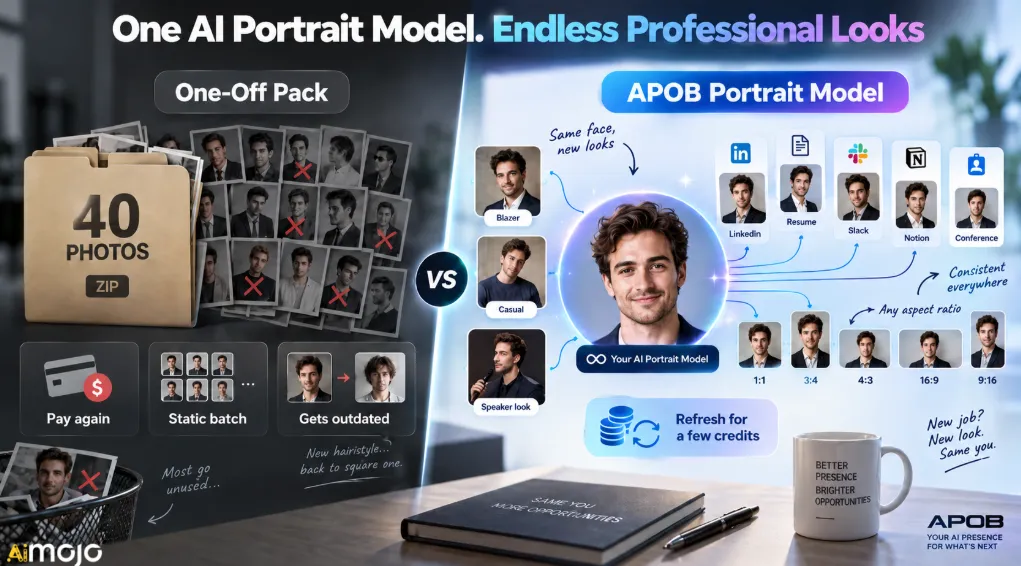
APOB는 그 반대 방식으로 작동합니다. 학습된 모델 자체가 자산입니다. 이미지는 단지 그 모델에서 추출하는 결과물일 뿐입니다.
| 기능 | 일회성 헤드샷 팩 | APOB 초상화 모델 |
|---|---|---|
| 당신이 실제로 소유한 것 | 완성된 JPEG 파일들이 담긴 폴더 | 얼굴이 고정된 모델을 영원히 생성할 수 있습니다. |
| 나중에 의상을 갈아입습니다. | 다시 결제하세요 | 채팅창에 변경 내용을 입력하여 수정하세요. |
| 플랫폼 간 일관성 | 사진이 멋지게 떠다닙니다 | LinkedIn, 이력서, Slack에서 동일한 신원을 사용합니다. 개념컨퍼런스 배지 |
| 리프레시 비용 | 정가로, 언제나 | 몇 크레딧 |
| 새로운 산업, 새로운 모습 | 새로운 촬영이 필요합니다 | 새로운 템플릿, 동일한 모델 |
| 화면 비율 제어 | 당신이 무엇을 받았든 | 1:1, 3:4, 4:3, 16:9, 9:16 (요청 시) |
마지막 줄은 생각보다 훨씬 중요합니다. 링크드인은 프로필 사진을 원형으로 자릅니다. 이력서 헤더에는 세로로 꽉 찬 이미지가 필요하고, 발표자 소개에는 한쪽에 여백이 있는 넓은 이미지가 필요합니다. 정사각형 사진 한 팩으로는 이 세 가지 모두를 만족시킬 수 없습니다. 하지만 훈련된 모델은 가능합니다.

업로드하기 전에: 원본 사진이 결과물의 80%를 차지합니다
사람들이 자기 프로필 사진을 망치고 나서 도구를 탓하는 경우가 바로 이겁니다. 모델은 조명, 셔츠, 배경은 바꿀 수 있지만, 원본 사진에 없었던 얼굴 디테일을 만들어낼 수는 없습니다.
어떻게 작동
정면 사진으로 눈이 잘 보이고, 햇빛이 고르게 비치며, 선글라스나 모자 챙이 이마에 그림자를 드리우지 않아야 합니다. 또한, 프레임 안에 다른 얼굴이 없어야 하고, 속눈썹까지 확대해도 흐릿해지지 않을 만큼 해상도가 높아야 합니다. 뒤에 벽이 있으면 더욱 좋습니다. 무표정이나 가볍게 입을 다문 미소가 모델에게 가장 자연스러운 포즈를 연출할 수 있는 여지를 제공합니다.
조용히 모든 것을 파괴하는 것은 무엇인가
| 원본 사진 문제 | 프로필 사진에 미치는 영향 |
|---|---|
| 이미 강한 뷰티 필터가 적용되었습니다. | 피부가 밀랍처럼 끈적거리고 플라스틱처럼 변하면, 그게 바로 티가 나죠. |
| 강렬한 천장 조명 | 눈 밑에 영구적으로 남는 너구리 그림자 |
| 극단적인 각도 또는 낮은 카메라 | 모델에 왜곡된 코와 턱이 그대로 남아 있음 |
| 단체 사진 자르기 | 모델이 잘려나간 인물에서 유령 흔적을 포착합니다. |
| 작거나 압축된 이미지 | 치아가 물렁하고, 헤어라인이 번져 있고, 안경테가 흐릿해 보인다 |
| 웃음이 터져 나오는 순간 입을 벌리고 | 치아는 모든 출력에서 제대로 표현되지 않습니다. |
창가에서 4분 동안 새로운 사진을 찍어보세요. 이 튜토리얼 전체에서 가장 효과가 좋은 단계입니다.
완벽한 가이드: 셀카를 프로필 사진으로 바꾸기
단계 — 로그인하고 일일 크레딧을 받으세요
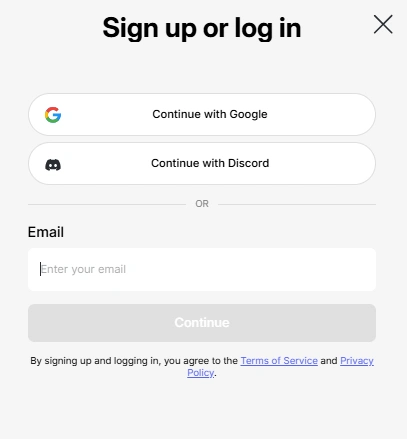
무료 멤버십에 가입하시면 매일 80 크레딧이 계정에 지급되며, 크레딧은 자동으로 갱신됩니다. 전체 파이프라인을 테스트하는 데 추가 비용이 발생하지 않습니다. 다만, 무료 멤버십에는 두 가지 제한 사항이 있습니다. 출력물에 워터마크가 표시되고, 모델 슬롯은 하나만 사용할 수 있습니다. 이 제한 사항을 해결하는 방법은 잠시 후에 자세히 설명드리겠습니다.
단계 — “세로 모델 생성”을 클릭하세요.
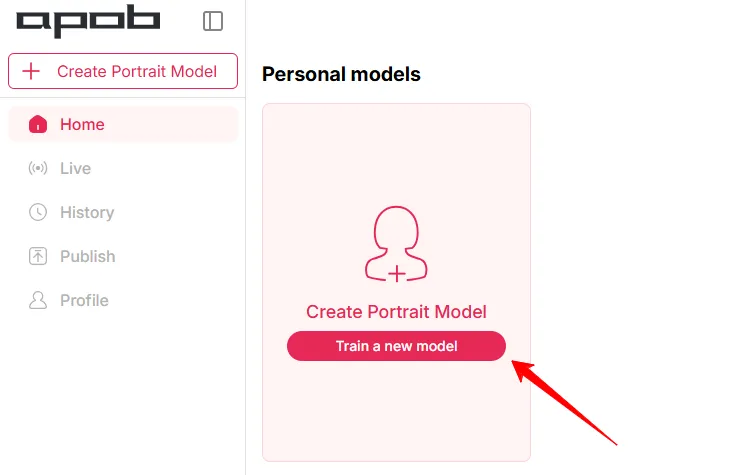
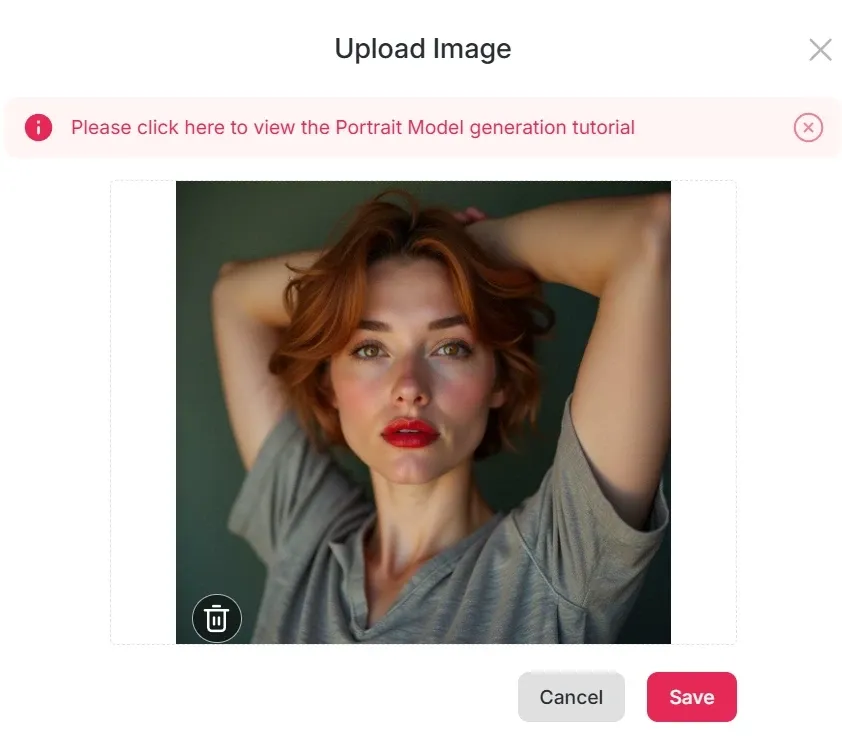
이 버튼이 중요합니다. 여기서 사진을 편집하는 게 아니라 재사용 가능한 얼굴 모델을 만드는 겁니다. 원본 이미지를 업로드하고 처리 과정을 기다리세요. 이후 모든 작업은 이 하나의 모델을 기반으로 이루어지므로, 미리보기가 조금이라도 어색해 보이면 지금 바로 수정하세요. 그렇지 않으면 엉성한 결과물을 여러 번 만들어 크레딧을 낭비하게 될 겁니다.
단계 — 전체 세트를 열고 LinkedIn 프로필 사진을 선택하세요
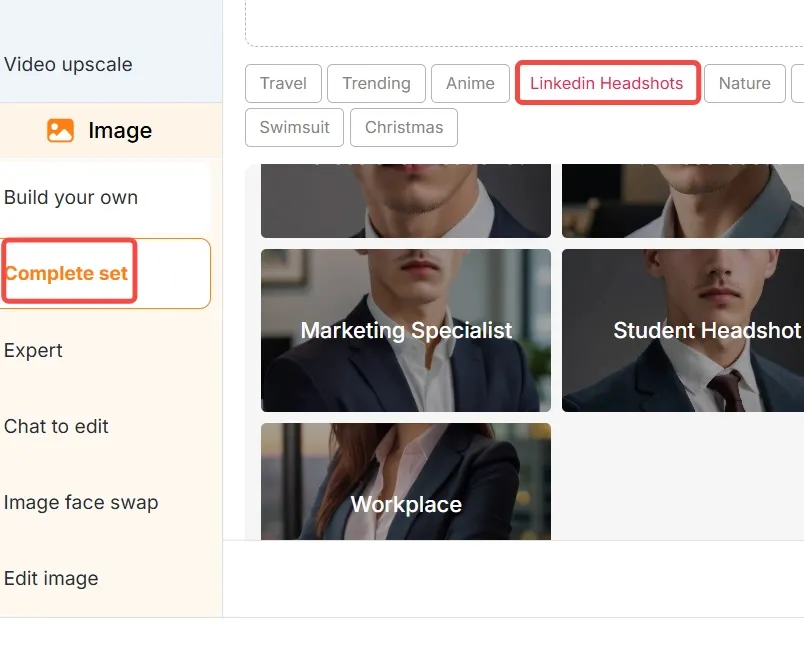
왼쪽 패널에서 '세트 완성 '을 선택하고 'LinkedIn 프로필 사진'을 선택하세요. 해당 카테고리에는 스튜디오 스타일 조명을 사용한 정장 및 비즈니스 캐주얼 복장을 중심으로 제작된 11개의 전문 템플릿이 있습니다. '전문 프로필 사진' 이라고 표시된 첫 번째 템플릿이 가장 안전한 기본 설정이며 시작하기에 적합합니다.
첫 번째 템플릿에서 멈추지 마세요. 빠른 모드로 마음에 드는 템플릿 세 개를 생성하고, 최종 렌더링에 비용을 투자하기 전에 나란히 비교해 보세요.
단계 — 화면 비율을 1:1로 설정하세요

링크드인 프로필 사진은 1:1 비율을 선택하세요 . 플랫폼에서 사진을 원형으로 표시하기 때문에 정사각형 사진을 선택하면 얼굴이 중앙에 위치하고 턱이나 머리 윗부분이 잘리는 것을 방지할 수 있습니다. 3:4 비율의 세로 사진은 이력서 헤더에, 16:9 비율의 사진은 배너나 발표 슬라이드에 사용하세요.
단계 — 생성 모드를 우연히 선택하지 말고 의도적으로 선택하세요.
여기서 크레딧이 새어나갑니다. 네 가지 모드, 네 가지 매우 다른 임무:
| 모드 | 대략적인 크레딧 | 산출 | 그것을 사용하세요 |
|---|---|---|---|
| 빠른 | ~ 10 | 4 이미지 | 템플릿 스캔, 복장 테스트, 볼륨 |
| 베스트셀러 | ~ 20 | 4 이미지 | 최종 후보 선정 단계 |
| 울트라 | ~ 24 | 1 이미지 | 최종 픽에 대한 세부 사항 확인 |
| 울트라 4K | ~ 46 | 1 이미지 | 당신이 실제로 업로드하는 것 |
가장 효율적인 작업 흐름은 다음과 같습니다. 빠른 설정으로 탐색하고, 최적 설정으로 범위를 좁힌 다음, 울트라 4K로 마무리합니다. 처음부터 울트라 4K로 촬영하는 것은 마음에 들지 않는 사진 네 장에 하루 종일 시간을 낭비하는 지름길입니다.
플랫폼 업데이트에 따라 모드 전환 시 크레딧 비용이 발생하므로 대량 구매를 결정하기 전에 앱 내에서 해당 금액을 확인하세요.
단계 — 채팅을 통해 편집하면서 한 번에 하나씩 수정하세요
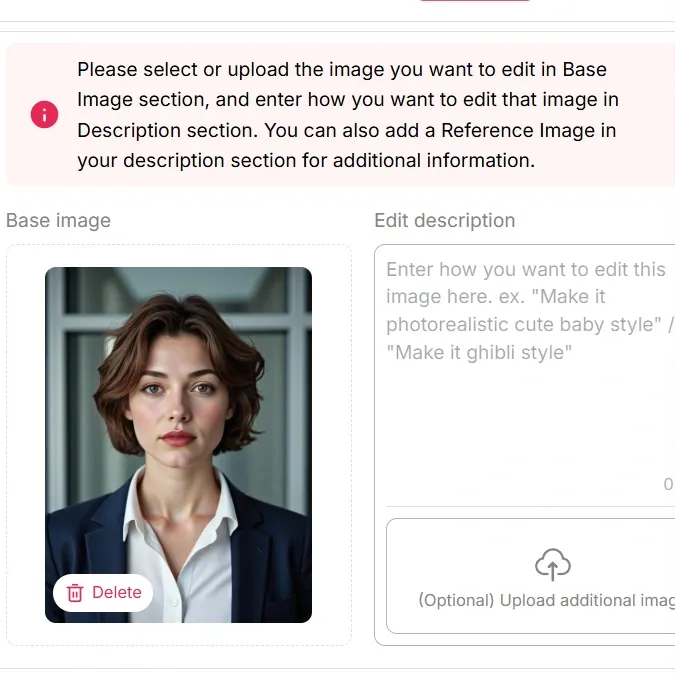
채팅을 통한 편집은 명확한 지시를 필요로 합니다. 핵심은 모호한 지시가 아닌, 구체적이고 명확한 요청입니다. "좀 더 전문적인 느낌으로 만들어 주세요"와 같은 모호한 요청은 제대로 된 답변을 얻기 어렵습니다. "셔츠 색상을 연한 파란색으로 바꾸고, 정장 색상은 짙은 회색 그대로 유지해 주세요"와 같이 구체적이고 명확한 요청을 보내면 원하는 결과를 얻을 수 있습니다.
변수 하나를 변경하고 비교한 다음 다음 변수를 변경하세요. 단일 프롬프트에서 여러 변수를 연달아 수정하면 정체성이 모호해지기 시작합니다.
단계 — 다운로드하기 전에 100% 확대하세요
헤어라인, 치아, 안경테, 양쪽 옷깃, 귀걸이, 그리고 머리카락이 배경과 만나는 지점을 확인하세요. 이 여섯 곳이 바로 그 지점입니다. AI 클로즈업 사진은 망가지기 쉽지만, 한 번 더 편집하면 모두 고칠 수 있습니다. 한눈에 알아볼 수 있는 다운로드 기능은 약간의 수정을 거치는 방법입니다. 기묘한 사진 200명의 채용 담당자가 보게 될 프로필에 결국 남게 됩니다.
크레딧 계산법: 사진 50장 사용 시 실제 계산 방법
50이라는 숫자는 마케팅용 숫자가 아닙니다. 무료 크레딧에 대한 계산법은 다음과 같습니다.
| 일 | 당신이 운영하는 것 | 사용된 크레딧 | 이미지 |
|---|---|---|---|
| 일 1 | 8배 빠른 속도 (템플릿 및 의상 탐색) | 80 | 32 |
| 일 2 | 베스트 3개 (최종 후보 선정) + 울트라 1개 | ~ 84 | 13 |
| 일 3 | 1 × 베스트 + 1 × 울트라 4K | ~ 66 | 5 |
| 금액 | - | ~ 230 | 50 |
세 번의 촬영, 비용 0원, 50장의 사진, 그리고 마지막에 정말 완벽하게 다듬어진 최고의 사진 한 장.
유료 요금제에서는 계산이 더 이상 중요하지 않습니다. Micro의 월 5,000 크레딧은 대략 2,000장의 Fast 이미지에 해당하며, 여기에 UltraS 보너스 풀까지 더해지면 훨씬 더 많은 이미지를 사용할 수 있습니다. 크레딧이 떨어지기 전에 아이디어가 고갈될 가능성이 훨씬 높습니다.
링크드인 자체 사진 규칙은 아무도 읽지 않는다
프로필 사진이 아무리 아름다워도 플랫폼에서는 보기 안 좋을 수 있습니다. 다음은 그 기준입니다.
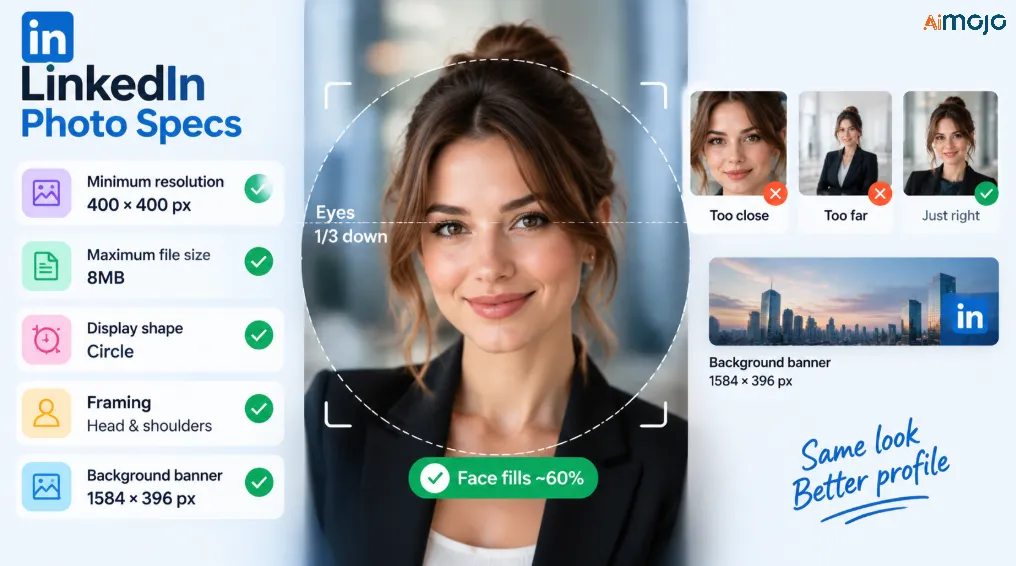
얼굴은 프레임의 약 60%를 차지해야 합니다. 너무 꽉 차면 공격적인 인상을 주고, 너무 넓으면 바람 터널 안에 있는 여권 사진처럼 보입니다.
채팅을 통해 복사할 만한 프롬프트를 편집하세요
이러한 함수들은 해당 기능이 가장 잘 반응하는 방식, 즉 구체적이고 단일 변수를 사용하며 간결한 언어로 작성됩니다.
복장
Change the blazer to charcoal grey, shirt to white, no tie.Swap to a light blue open-collar shirt, no jacket.Add a soft knit sweater in navy over a collared shirt.배경
Make the background a plain off-white studio backdrop.Change to a softly blurred modern office, low depth of field.Solid deep green background, even lighting, no vignette.조명
Soft window light from the left, reduce shadow under the chin.Flatten the lighting slightly, less contrast on the cheekbones.표현과 틀
Add a subtle closed-mouth smile, relaxed eyes.Crop tighter, chest up, centre the face.Direct eye contact with the camera, confident but not stiff.대청소
Fix the left collar so both sides match.Keep natural skin texture, do not smooth the skin.마지막 항목은 이 도구 전체에서 가장 활용도가 낮은 프롬프트입니다. 과도하게 매끄럽게 처리된 피부는 인물 사진이 인위적으로 보이는 가장 큰 이유입니다.
가장 멋있어 보이는 스타일이 아니라, 업종에 맞는 스타일을 선택하세요.
사모펀드 회사에 취직하는 데 도움이 되는 방식은 디자인 스튜디오에서는 오히려 역효과를 낼 것입니다.
| 분야 | 복장 | 배경 | 노트 |
|---|---|---|---|
| 은행업, 법률업, 컨설팅업 | 어두운 색 정장, 흰색 또는 연한 파란색 셔츠, 넥타이는 선택 사항입니다. | 무채색 또는 짙은 회색 | 보수적이고 선명하게 유지하세요. 과도한 흐림 효과는 피하세요. |
| 기술 및 엔지니어링 | 오픈 칼라, 니트 또는 구조화되지 않은 블레이저 | 부드러운 뉴트럴 톤 또는 살짝 흐릿한 오피스 | 여기서는 지나치게 격식 있는 표현은 시대착오적으로 들립니다. |
| 의료 및 임상 | 깨끗한 셔츠, 수술복 또는 가벼운 코트 | 순백색 또는 매우 부드러운 임상용 색조 | 따뜻하고 신뢰감 있는 표정이 옷차림보다 더 중요합니다. |
| 크리에이티브 및 마케팅 | 질감, 색상, 개성 | 색깔 있는 배경 또는 환경 | 약간의 스타일이 점수를 딸 수 있는 유일한 분야 |
| 학계 및 연구 | 칼라 셔츠 위에 블레이저를 걸친 절제된 스타일 | 중립적이거나 책장을 연상시키는 | 번쩍이는 기업 조명을 피하세요 |
| 영업 및 채용 | 비즈니스 캐주얼, 환한 미소 | 밝고 깨끗하며 명료한 | 접근성이 권위보다 중요하다 |
| 기술직 및 현장직 | 브랜드 로고가 새겨진 폴로 셔츠 또는 작업 셔츠 | 심플하고 중립적인 | 능숙함이 세련됨보다 중요하다. 정장은 아예 입지 마라. |
인공지능임을 분명히 보여주는 7가지 단서와 그것들을 없애는 방법
- 도자기처럼 매끈한 피부. 모공도 없고, 피부결도 없고, 주름도 없다. 피부결을 명확하게 되살려라.
- 믿을 수 없을 정도로 완벽한 치아. 균일하고, 빛나고, 약간 과하다. 입을 다문 미소로 바꾸면 문제가 사라진다.
- 물리적으로 말이 안 되는 배경 흐림 효과. 회의실에서는 f/1.2 조리개에서 인물 사진용 렌즈로 찍은 듯한 보케 효과가 나타나서는 안 됩니다. 좀 더 단순한 배경을 요청하세요.
- 칼라나 옷깃의 색상이 맞지 않음. 한쪽이 더 높고, 버튼 하나가 빠져 있다. 목록에서 가장 쉽게 고칠 수 있는 부분인데, 거의 아무도 확인하지 않는다.
- 비대칭 귀걸이 또는 한쪽이 없는 귀걸이. 매번 양쪽 귀를 확대해서 보세요.
- 안경테가 관자놀이 부근에서 사라지는 현상. 이 문제는 패치하기보다는 새로 생성하는 것이 좋습니다. 모델은 보통 다음 시도에서 제대로 처리합니다.
- 헤어 헤일로. 머리카락과 배경이 만나는 부분에 희미하게 빛나는 윤곽선이 보입니다. 배경을 더 단순한 것으로 바꾸면 사라집니다.
이 일곱 가지 요소를 모두 잘 처리하면 마치 스튜디오에서 찍은 사진처럼 보입니다. 하지만 세 가지를 놓치면 불쾌한 골짜기 현상이 발생하는데, 이는 처음 웨딩 사진을 크롭했을 때보다 더 보기 흉합니다.
하나의 학습된 모델, 아홉 가지 활용법
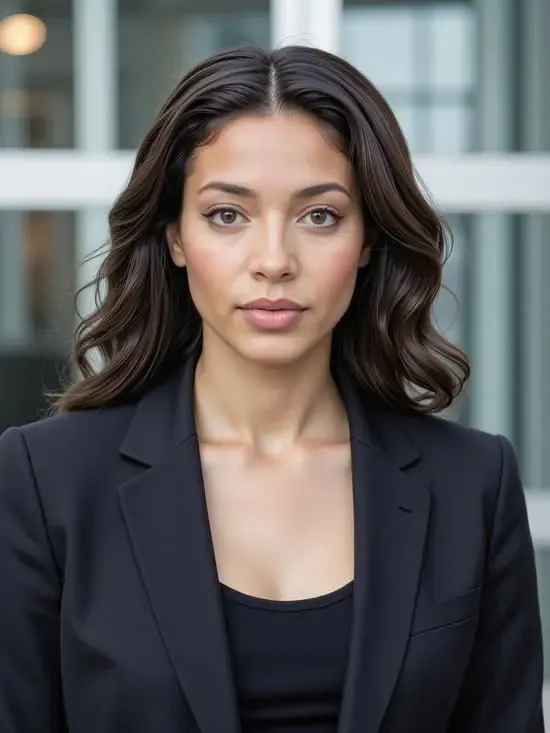
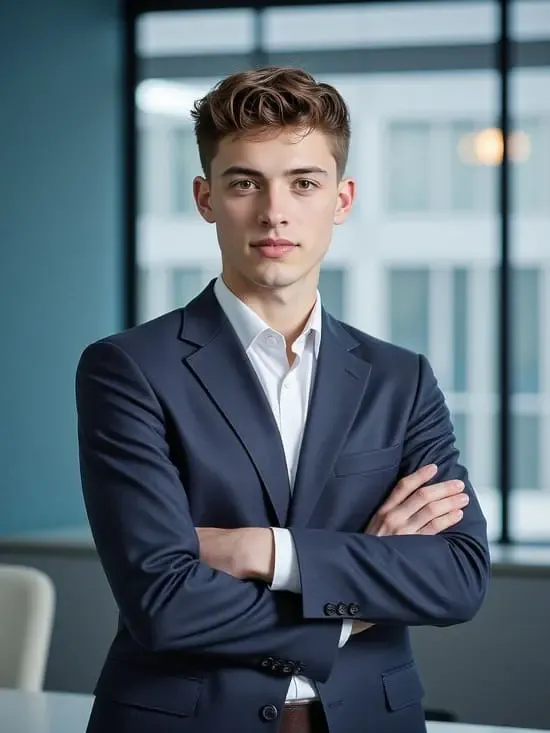
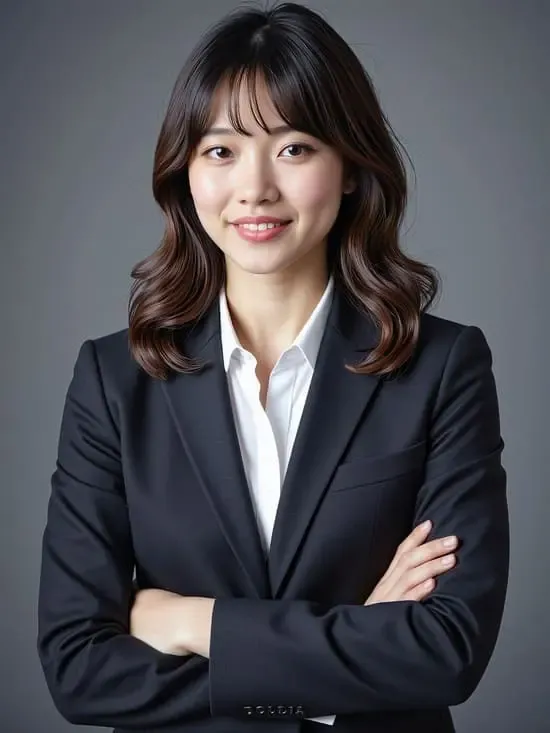
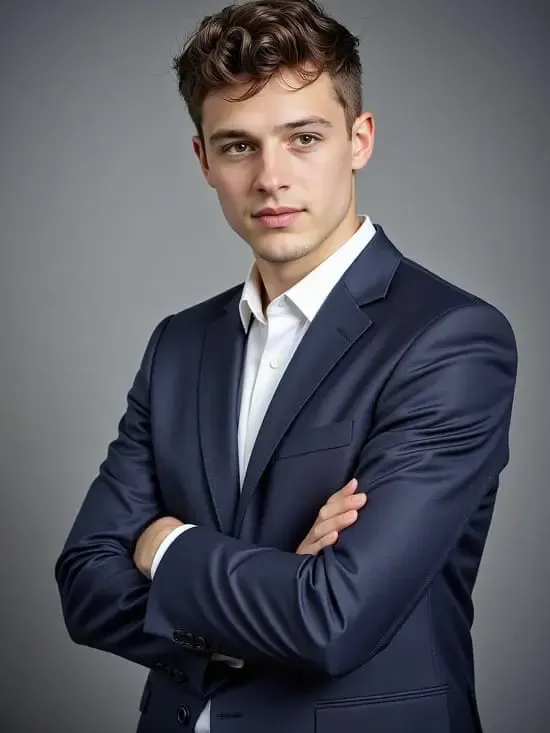
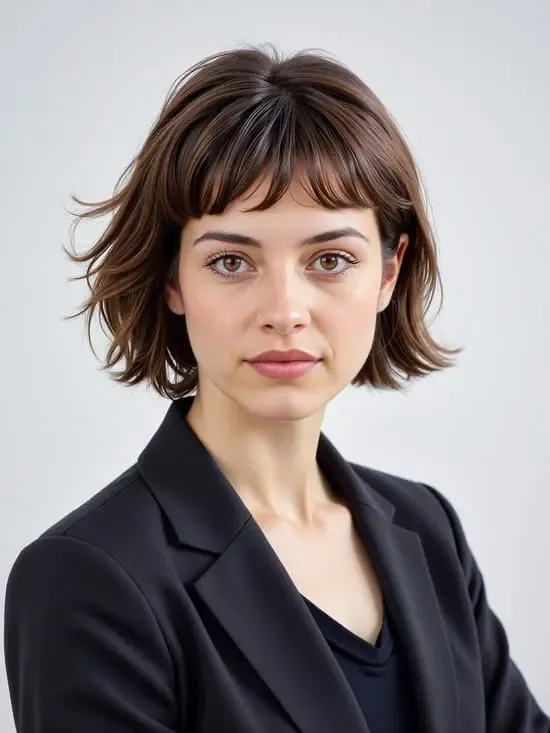
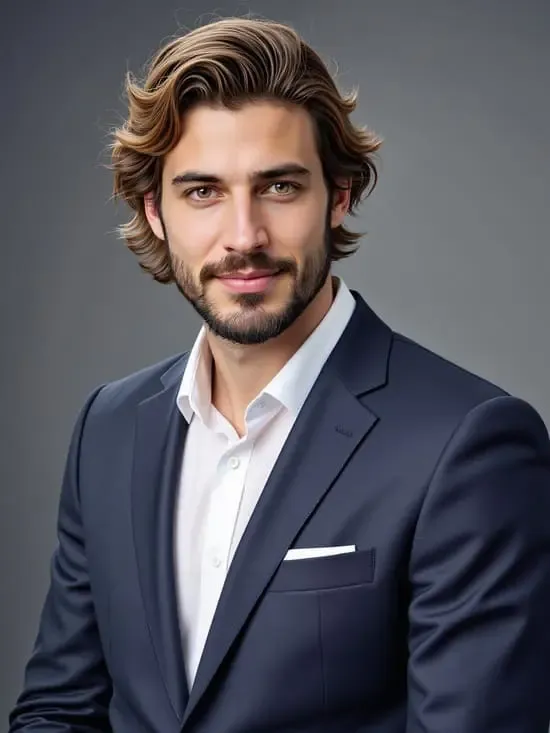
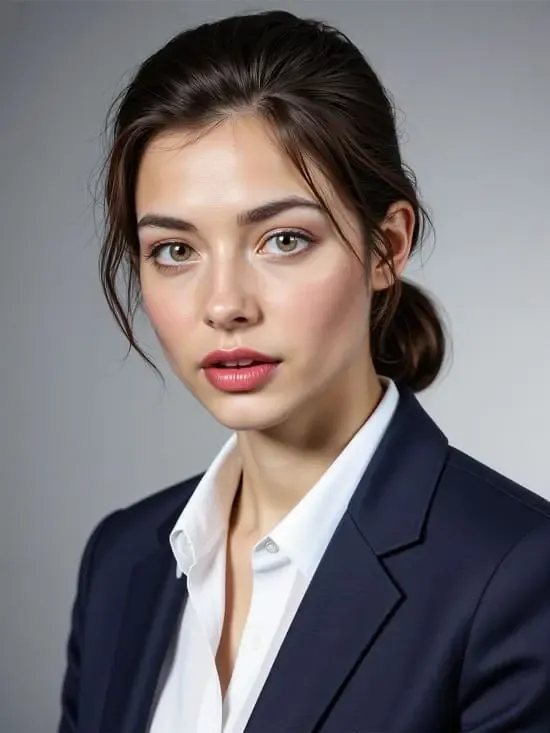
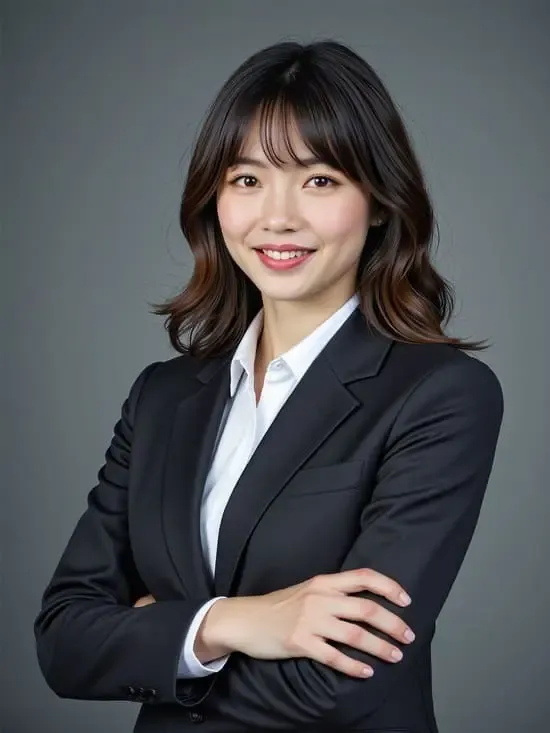
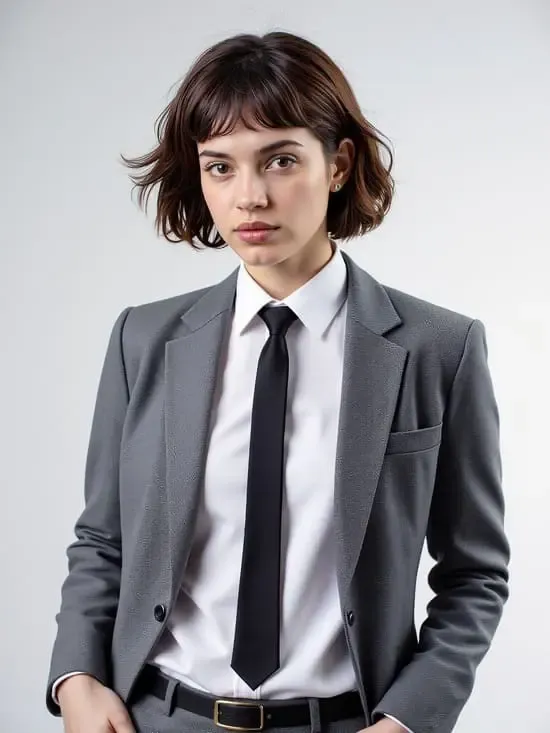
이 서비스가 일반적인 프로필 사진 팩보다 나은 이유는 재사용성 때문입니다. 동일한 인물 사진을 사용하여 LinkedIn 프로필 사진, 1584 x 396 크기의 배경 배너, 이력서 헤더, 이메일 서명, Slack 및 Teams 아바타, 개인 웹사이트 소개 페이지 사진, 컨퍼런스 발표자 약력 이미지, 팟캐스트 게스트 프로필 사진, 그리고 X, Instagram, GitHub 등 다양한 플랫폼에서 일관되게 사용할 수 있는 아바타를 제작할 수 있습니다.
셀카 한 장과 몇백 크레딧만으로 완벽한 개인 브랜딩을 구축할 수 있습니다. 채용 담당자가 당신의 프로필 세 개를 확인할 때마다 같은 얼굴을 보게 되는데, 이는 당신이 자기 자신을 잘 꾸려나가는 사람이라는 것을 은연중에 보여주는 신호입니다.
무료 vs. 유료: 구직자에게 실제로 필요한 것은 무엇일까요?
넘어서는 안 될 선
실제 얼굴을 보정한 사진은 지극히 정상입니다. 더 나은 조명, 깨끗한 배경, 구겨지지 않은 셔츠 등은 사진작가가 어차피 했을 작업이며, 누구도 속는 것이 아닙니다.
나이, 체형, 또는 인종을 바꾸는 것은 완전히 다른 문제이며, 가장 어색한 순간, 즉 첫 화상 통화에서 채용 담당자가 조용히 자신의 이미지를 확인하는 동안 실패로 돌아갈 수 있습니다. 만약 그 통화 상대방이 링크를 제대로 클릭했는지 다시 확인해야 한다면, 그 사진은 얻은 것보다 더 큰 손해를 끼치는 것입니다.
당신다운 모습을 유지하세요. 그게 전부입니다.
학점을 낭비하게 만드는 실수, 피해야 할 것들
그 모든 문제들은 단 30초만 주의를 기울이면 예방할 수 있습니다.
평결
APOB가 모든 사람에게 정답은 아닙니다. 부사장급 이상 면접을 보거나 사진, 연기, 개인 브랜딩 코칭처럼 자신의 이미지가 상품인 분야에 종사한다면, 실제 카메라를 가진 전문가를 고용하세요. 그 사진은 업무 경비로 처리해야지, 편법이 아닙니다.
다른 모든 사람들, 특히 목요일까지 괜찮은 프로필 사진이 필요한 구직자라면, 이 서비스는 20분이면 완성되고 재사용 가능한 결과물을 얻을 수 있습니다. 이 서비스의 차별점은 바로 인물 사진 모델입니다. 한 번 학습시키면 1년 내내 사용할 수 있습니다.
무료 크레딧 80개를 사용해서 세 가지 템플릿으로 빠른 보정 작업을 몇 번 실행해 보고, 100% 확대했을 때 얼굴이 제대로 나오는지 확인해 보세요. 만약 그렇다면, 이미 답을 찾으신 겁니다.
APOB 관련 FAQ AI LinkedIn 헤드샷
APOB인가요? AI 링크드인에서 프로필 사진을 사용할 수 있나요?
네. 링크드인은 프로필 사진이 본인의 모습이어야 한다고 요구합니다. 로고, 만화, 타인의 사진은 사용할 수 없습니다. 본인의 얼굴을 기반으로 AI가 생성한, 알아볼 수 있도록 유지된 초상화도 이 조건을 충족합니다. 다른 사람의 사진이나 본인임을 알 수 없는 사진을 사용하는 것은 규칙 위반입니다.
정말 무료로 전문가 수준의 프로필 사진을 찍을 수 있을까요?
매일 갱신되는 80 크레딧을 사용하여 무료로 이미지를 생성할 수 있습니다. 단, 무료 버전에는 워터마크가 표시되므로 테스트용으로는 적합하지만 게시용으로는 부적합합니다. 워터마크를 제거하려면 월 7.50달러(연간 결제 기준)부터 시작하는 마이크로 플랜 이상을 이용해야 합니다.
80크레딧으로 쓸만한 헤드샷을 몇 장이나 얻을 수 있나요?
빠른 모드에서는 하루에 약 32장, 최적 모드에서는 약 16장 정도의 이미지를 촬영할 수 있습니다. 실제로 그중 3~5장 정도만 마음에 드는 이미지를 고르게 될 겁니다. 무료 크레딧을 2~3일 동안 사용하면 총 50장 정도의 이미지를 촬영할 수 있을 것으로 예상됩니다.
인물 모델 학습에 가장 적합한 원본 사진은 무엇일까요?
선명한 정면 사진으로, 부드러운 자연광 아래에서 얼굴 전체가 잘 보이도록 촬영해야 합니다. 필터, 선글라스, 모자 그림자 없이, 그리고 프레임 안에 다른 사람이 없어야 합니다. 무표정이거나 입을 살짝 다문 미소가 좋습니다. 해상도가 높을수록 좋습니다.
사람들이 인공지능이 생성한 이미지라는 것을 알아챌 수 있을까요?
수출 전에 위의 7가지 단서를 확인한다면 문제없습니다. 실패 요인은 예측 가능합니다. 유리처럼 매끄러운 피부, 완벽한 치아, 어울리지 않는 셔츠 칼라, 머리카락의 윤기 없는 부분 등이 대표적이며, 각각 간단한 수정으로 해결할 수 있습니다. 부주의한 수출은 확연히 드러나지만, 꼼꼼하게 확인한 수출은 대개 티가 나지 않습니다.
이력서와 프로필에 같은 사진을 사용해도 되나요?
네, 그렇게 하시는 게 좋습니다. 프로필 사진, 이력서 헤더, 이메일 서명에 일관성을 유지하면 긴 채용 과정에서 쉽게 알아볼 수 있습니다. 정사각형 이미지를 늘리는 대신 각 위치에 맞게 가로세로 비율로 이미지를 새로 생성하기만 하면 됩니다.
안경, 수염, 히잡, 곱슬머리에도 잘 어울리나요?
일반적으로는 그렇지만, 한 가지 주의할 점이 있습니다. 다운로드하기 전에 확대해서 살펴볼 만한 세부 사항들이 있습니다. 안경테와 머리카락 가장자리가 가장 흔한 아티팩트 영역인데, 일반적으로 편집 프롬프트를 사용하는 것보다 재생성을 통해 더 빨리 해결할 수 있습니다.
프로필 사진을 처음부터 다시 시작하지 않고 나중에 변경하려면 어떻게 해야 하나요?
재학습은 필요 없습니다. 저장된 초상화 모델을 열고, 다른 템플릿을 선택하거나 채팅창에 변경 사항을 입력하여 생성하면 됩니다. 새로운 헤어스타일이나 다른 업종으로의 전환은 새 세션이 아닌 크레딧 몇 개만 소모됩니다.
각 플랜별로 인물 모델을 몇 개까지 학습시킬 수 있나요?
무료 나노 티어에는 1개, 마이크로 티어에는 2개, 매크로 티어에는 8개, 메가 티어에는 50개의 슬롯이 있습니다. 전문적인 헤드샷 하나라면 슬롯 하나로 충분하며, 더 많은 슬롯은 여러 캐릭터를 제작하는 사람들을 위해 마련된 것입니다.
사용해도 되나요 AI 상업용 프로필 사진?
일반적으로는 본인의 전문 프로필에 사용하기에 적합합니다. 하지만 권한 및 데이터 처리 방식은 사용 중인 요금제와 현재 서비스 약관에 따라 다르므로, 유료 광고나 고객 대상 브랜드 자료에 생성된 이미지를 사용하기 전에 해당 내용을 확인하시기 바랍니다.
마지막 말
대부분의 구직자들이 프로필 사진을 제대로 찍지 않는 이유는 허영심이나 게으름 때문이 아닙니다. 사진작가를 섭외하는 것은 귀찮은 일이고, 해야 할 일 목록에 있는 다른 모든 일보다 귀찮은 일이 되기 때문입니다.
APOB AI LinkedIn 프로필 사진 기능을 사용하면 번거로움이 사라집니다. 괜찮은 셀카 사진 한 장으로 인물 사진 모델을 한 번만 학습시키고, 빠른 모드에서 다양한 템플릿을 살펴본 후, 마음에 드는 이미지를 울트라 4K 해상도로 선택하고 1:1 비율로 내보내 원형으로 자르기만 하면 됩니다. 그런 다음 모델을 저장해 두세요. 이 모델은 배너, 이력서 헤더, 슬랙 아바타는 물론 내년에 헤어스타일이 바뀌더라도 계속 사용할 수 있습니다.
50장의 사진이 핵심이지만, 재사용 가능한 얼굴 이미지가 진정한 승리입니다. 원본 사진을 고르는 데 4분만 투자하고, 내보내기 전에 7가지 특징을 확인하세요. 그러면 프로필 사진을 만드는 데 드는 3초를 절약할 수 있습니다.
AiMojo 추천:


 보너스: $200를 받으세요AI 가입하시면 "마스터리 툴킷"을 무료로 드립니다!