

Hyper3D Key Insights
What is Hyper3D?
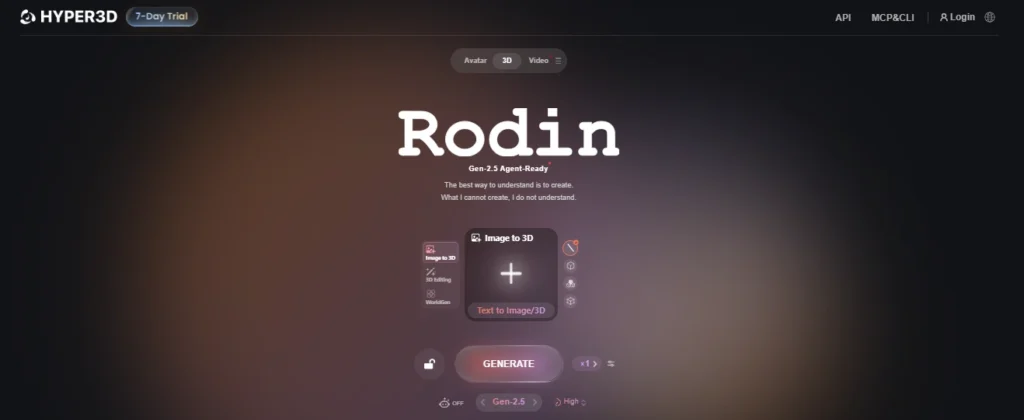
Hyper3D is an AI-powered 3D model generation platform built by Deemos Corporation around its proprietary Rodin engine. It converts text prompts, single images, or multi-view reference sets into fully textured, UV-mapped 3D assets ready for game engines, product visualisation, robotics simulation, and film production. The platform supports meshes up to 10 million polygons with PBR textures at 12K resolution, making outputs usable in professional pipelines without extensive manual cleanup.
Hyper3D also includes WorldGen for full scene generation from a single photograph, an Agentic Mode that connects AI reasoning to iterative 3D refinement, and MCP entegrasyonu bu sağlar: AI coding agents to call Rodin directly. It exports to all major 3D formats and offers native plugins for Blender, Unity, Unreal Engine, and Maya. For studios, enterprise controls include SSO, role-based access, and encrypted asset storage.
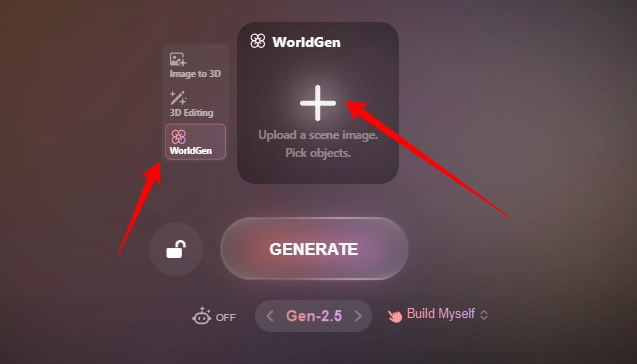
WorldGen is Hyper3D’s world-generation model that turns one photograph into an editable 3 boyutlu sahne composed of independent, movable, and replaceable objects. Users upload a scene image and the system automatically identifies main objects, or they can draw bounding boxes around specific items.
The generated assets carry collision geometry, mass, and friction properties, making them immediately useful for robotics simulation training and game development. WorldGen combines Rodin-generated mesh assets with 3D Gaussian splatting for backgrounds, preserving both editability for foreground objects and visual fidelity for environments. This model advances research that received a Best Paper Award at SIGGRAPH 2025.
Agentic Mode connects input understanding, modelling strategy, and ongoing refinement in one continuous workflow. The system interprets images, multiple views, and text to identify the intended subject, then combines Rodin’s generation with multimodal reasoning to select the best modelling path.
Users can refine results through natural language requests for material enhancements, preset animations, and parametric adjustments on Low-poly N-GONS models. Together with MCP integration and BANG recursive segmentation, this capability moves Hyper3D from a tool that simply generates assets to one that functions as an agent-ready 3D production partner for both human creators and AI sistemler.
BANG automatically identifies and separates different components of a generated 3D model without destructive cutting. It works recursively, meaning you can segment a model into parts and then segment those parts further into subcomponents. This is essential for game developers who need modular asset pipelines, product designers building configurable models, and anyone working with kit-based assembly workflows. Manual BANG is also available for users who want precise control over where splits occur.
Smart Low-Poly converts detailed high-poly generated assets into clean, optimised low-polygon models with proper quad topology. For game developers working within polycount budgets, this eliminates hours of manual retopology work. The output meshes feature smooth surfaces and production-friendly edge flow, so assets move directly into rigging and animation pipelines. Baked normals from the high-poly source preserve visual detail on the low-poly version, a workflow that typically requires multiple software passes when done manually.
Hyper3D’s 3D ControlNet lets users guide the generation process using three spatial input methods. Bounding Box sets proportions and rough form, Voxel provides volume guidance for more complex shapes, and Point Cloud offers the most detailed structural control. Each method can be combined with text or image prompts, giving artists and designers a way to steer AI output toward a specific vision rather than relying entirely on the model’s interpretation.
Hyper3D's core image-to-3D pipeline converts a single photograph, concept sketch, or product shot into a fully textured 3D model with clean geometry and PBR malzemeleri. Rodin analyses depth, silhouette, structure, and surface detail to reconstruct accurate shape, proportion, and surface finish.
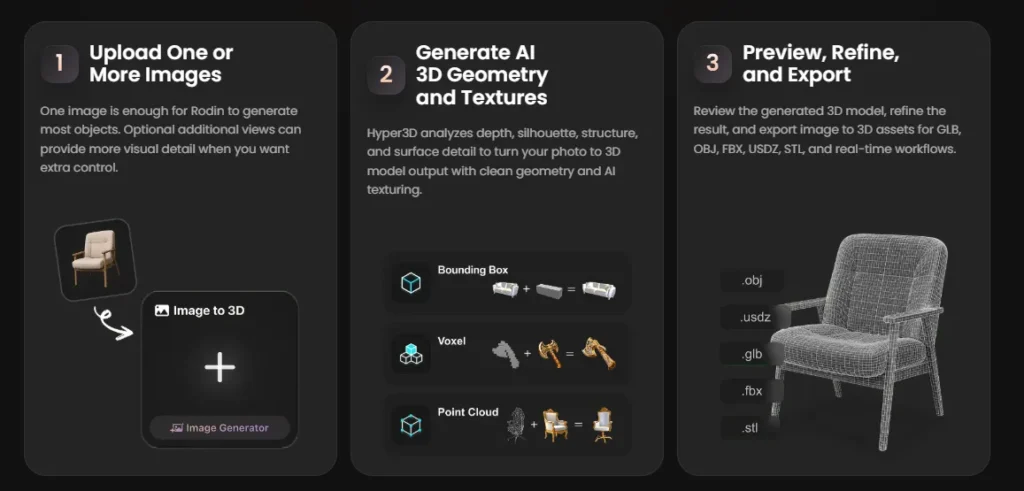
A single reference image is enough, but users can add optional multi-view inputs to provide extra visual guidance on complex objects. Generation speed ranges from roughly 4 seconds on Extreme-Low effort to around 80 seconds on Extreme-High, producing meshes up to 10 million polygons.
The output includes UV-mapped albedo, roughness, and metalness maps ready for game engines, AR applications, and 3D printing pipelines without additional texturing work.
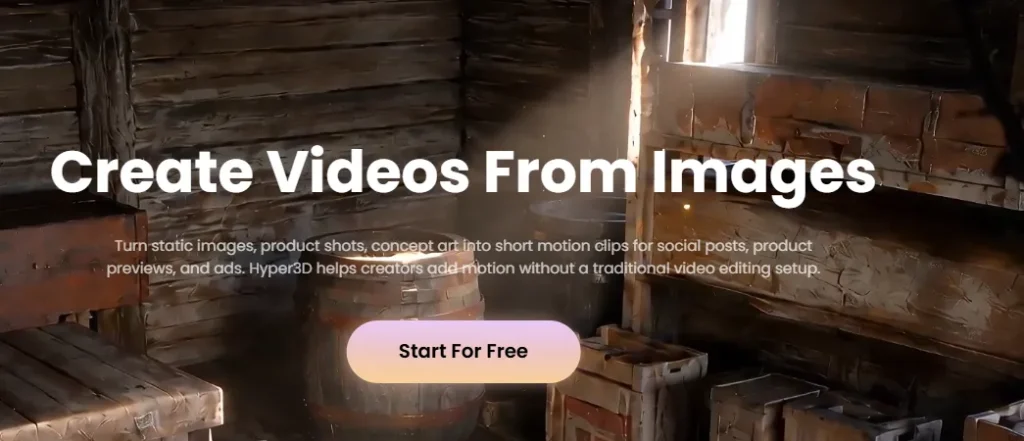
Hyper3D's yerleşik AI video oluşturucu transforms static images into short motion clips directly inside the browser. Users upload a product shot, concept frame, or 3D render, then guide the motion with a short prompt describing camera movement, subject action, mood, and pacing.
The tool produces clips for social content, product teasers, storyboards, and previsualisation without any traditional video editing setup. This feature is particularly useful for product teams who want to test launch visuals before investing in a full production shoot and for filmmakers building moving references from key frames.
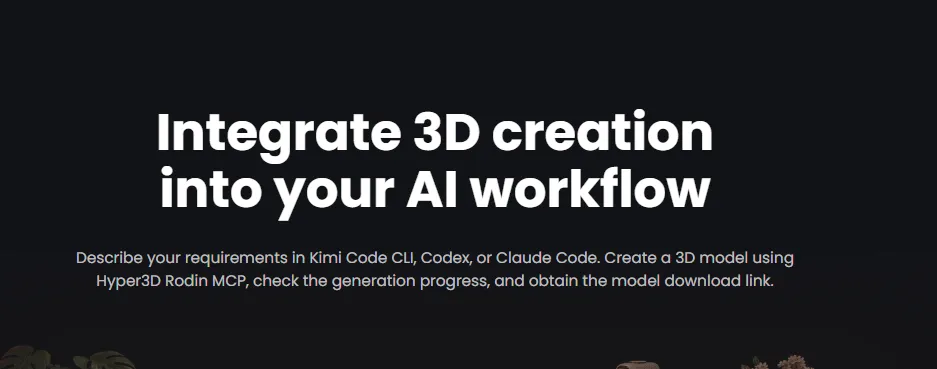
Hyper3D’s Model Context Protocol (MCP) integration connects AI coding agents like Claude Code, Codex, and Kimi Code CLI directly to Rodin’s generation engine. Developers can describe a 3D model in natural language within their terminal, and the MCP handles submission, progress tracking, and download link retrieval. This means AI ajanları building games, simulations, or product configurators can call Hyper3D programmatically to generate assets on demand as part of larger automated workflows.
Hyper3D Pricing Plans
| Plan Adı | Maliyet (Yıllık) | Başlıca Sınırlamalar ve Özellikler |
|---|---|---|
| Ücretsiz | $0 | Pay by result, 10 private assets, basic image-to-3D and text-to-3D, export from legacy models |
| yaratıcı | $ 24 / ay | ~60 models/month, Smart Low-Poly, multi-image input, HD and Custom Texture, 20 geometry redos, 6 material redos, unlimited export and private assets |
| İşletme | $ 96 / ay | ~416 models/month, full API access, High-Poly Quads, 50 geometry redos, 15 material redos, ChatAvatar commercial licence, 120 to 240 RPM |
| Enterprise | görenek | On-premise deployment, custom LoRA fine-tuning, team controls, volume discounts, AI+Artist production support |
Getting Started with Hyper3D
- 1 Adım: Türkiye Dental Sosyal Medya Hesaplarından bizi takip edebilirsiniz. hiper3d.ai and create a free account. No credit card is required and you receive free credits to begin generating immediately.

- 2 Adım: Navigate to the workspace and choose your input method. Upload a reference image, sketch, product photo, or multi-view set, or type a text prompt describing the 3D model you want.
- 3 Adım: Select your effort level (from Extreme-Low at roughly 4 seconds to Extreme-High at roughly 80 seconds) and apply any optional ControlNet guidance such as bounding box, voxel, or point cloud inputs.
- 4 Adım: Preview the generated 3D model in real time. You only spend credits once you confirm a result you are happy with.
- 5 Adım: Export your confirmed asset in your preferred format (GLB, FBX, OBJ, STL, USDZ) or send it directly to Blender, Unity, or Unreal Engine via the native plugin.
Hyper3D WorldGen for Robotics Simulation and AI Filmmaking Workflows
WorldGen converts real-world photographs into physically grounded 3D scenes with collision geometry, mass, and friction on every object. For robotics teams, this replaces manual scene modelling entirely. Through Hyper3D's integration with NVIDIA Isaac Sim, D-Robotics, and Motphys, teams generate interactive training environments from a single photo, then vary lighting, layouts, and object states to produce diverse simulation data for embodied AI eğitim.
For filmmakers, WorldGen turns one reference image into an editable 3D scene where objects can be moved, replaced, or removed. Directors plan camera angles and compositions inside the scene, then feed rendered views into video-generation models like Seedance 2.5 for final production. Projects using this pipeline are already in active production.
Artıları ve eksileri
- 12K PBR textures at generation.
- ~4 second preview generation speed.
- Clean quad topology via Smart Low-Poly.
- WorldGen creates full editable scenes.
- MCP connects AI agents directly.
- Pay only for confirmed results.
- Native plugins for major 3D tools.
- Credits deplete fast during iteration.
- API locked behind $96/mo Business plan.
- Built-in animation still limited.
- Some users report surprise annual renewals.
Free Online 3D Model Format Converter by Hyper3D
Hyper3D offers a free browser-based 3D format converter that lets users convert model files between GLB, OBJ, FBX, STL, USDZ, GLTF, DAE, PLY, 3MF, and image formats like PNG, JPG, and WEBP. The entire conversion runs locally inside the browser, meaning no files are uploaded to external servers.
No account creation is required, and users can process files up to 200 MB per conversion. Before downloading the converted result, users preview both the source and output models directly in the browser to catch scale, orientation, material, and texture issues early.
This tool sits inside Hyper3D's larger ecosystem, so converted assets can move straight into Rodin for AI 3D generation, the OmniCraft texture pipeline, or direct export for game engines and 3D printing. For teams that work across multiple 3D tools, it removes the need for desktop conversion software like Blender or standalone file converters.
A product designer can convert an OBJ from a CAD tool into GLB for a web-based AR viewer, or a game artist can move an FBX asset into USDZ for Apple Vision Pro testing, all within a single browser tab and with full visual verification at every step.
Best Hyper3D Alternatives
| AI 3D Model Oluşturucu | Üretim Hızı | Export Format Support |
|---|---|---|
| ağ gibi | ~2 min (with texturing pass) | GLB, FBX, OBJ, USDZ, STL |
| tripo | ~8 sec (draft), ~60 sec (HD) | GLB, OBJ, FBX, STL, 3MF, USDZ |
| 3D AI Stüdyo | ~30 sec to ~2 min | GLB, OBJ, FBX, STL, USDZ |
| sloyd | ~10 sec (parametric) | GLB, OBJ, STL, PLY |



