

Picwand is an AI photo editor and video generator that runs on one credit balance across five platforms — browser, Windows, Mac, iOS and Android. Behind it sit eight named engines: Veo, Runway, Luma, Vidu, PixVerse, Wan, Seedance and Picwand's own model.
What makes it worth a closer look than the average all-in-one editor is the licence structure. Picwand sells a one-time perpetual plan alongside the usual subscriptions — and once you run the per-credit maths, the tiers rank in an order most buyers get wrong.
Picwand Key Insights
What is Picwand?

Picwand is a consumer creative suite that bundles AI photo editing and AI video generation into one account, then makes that account work on every device you own. The same credits spend on the web app, the Windows and Mac desktop builds, and the iOS and Android apps.
Its reach is real rather than claimed: 1M+ active creators, 3M+ videos generated across 190+ countries, with 4.6 stars on Trustpilot from 1,210+ reviews, 4.5 on G2 from 550+, and 4.5 on the App Store.
The strategic decision worth noting is that Picwand licenses rather than builds. Video runs on Veo, Runway, Luma, Vidu, PixVerse, Wan and Seedance. That means you reach several frontier video models for the price of one consumer subscription — and it means Picwand's quality ceiling rises whenever those upstream models improve.

Text to Video, Image to Video and Reference to Video all run through the same picker, so you can push the same brief through different engines and keep whichever lands. On top sit purpose-built generators: AI Ad Generator, AI Viral Cloner, AI TikTok Video Generator, AI YouTube Shorts Generator, AI Movie Maker and AI Anime Generator.
The AI Ad Generator is quietly the most commercially interesting of those — “ai ad generator” carries a $26.20 CPC, which tells you exactly how much advertisers value that workflow.

Video Upscaler, Video Enhancer and Frame Interpolation work on footage you already have. Interpolation in particular is the one most consumer suites skip, and it is what turns choppy AI output into something watchable.
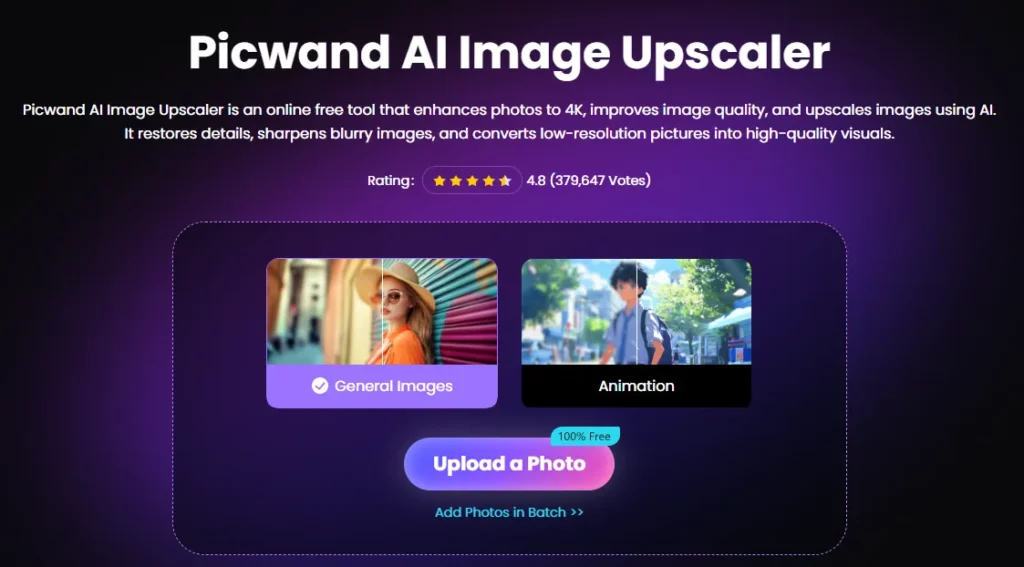
AI Photo Enhancer, Image Upscaler, AI Object Remover, AI Photo Restoration, AI Photo Colorizer, Age Filter and Art Style Generator. Photo Restoration and Colorizer together make this genuinely useful for family archive work, not just social content.

Web, Windows, Mac, iOS and Android — with credits pooled across all of them. Start on the phone, finish on the desktop.
The Rewards programme lets free users earn credits daily through in-app activity. It is a slower on-ramp than a big free trial, but it is permanent rather than a seven-day clock.
Picwand Parameter Reference
| Parameter | Free | VIP |
|---|---|---|
| Photo editing | Limited | Advanced + AI editing |
| Export formats | JPG only | JPG · PNG · WebP |
| Max upscale | 2× | 8× |
| Watermark | Yes | Removed |
| Video previews | 3 per day (3-second) | 30 per day |
| Parallel tasks | 1 | 5 |
| Support | Standard | Priority |
| Platforms | Web · Win · Mac · iOS · Android | Same |
Published credit costs per action: Photo Cutout 1 credit · Image Upscaler 2 credits · Photo Restoration 2 credits. Video generation costs more and varies by engine — the cost is shown before you run.
Picwand Pricing Plans
| Plan | Price | Credits | Per credit |
|---|---|---|---|
| Free | $0 | Earn daily via Rewards | — |
| VIP Monthly | $14.90/mo | 100/month | $0.149 |
| VIP Yearly | $84.90/yr ($7.08/mo) | 1,500 (125/mo) | $0.057 |
| VIP Perpetual | $147.90 one-time | 3,000 | $0.049 |
Credit top-up packs (VIP only, never expire)
| Pack | Price | Per credit |
|---|---|---|
| 100 credits | $14.90 | $0.149 |
| 300 credits | $34.90 | $0.116 |
| 1,000 credits | $74.90 | $0.075 |
| 2,000 credits | $124.90 | $0.063 |
| 5,000 credits | $254.90 | $0.051 |
| 10,000 credits | $454.90 | $0.046 |
The pricing maths most buyers get wrong
Line the two tables up and the ranking is not what the page implies.
VIP Yearly costs $0.057 a credit. That beats every top-up pack up to 5,000 credits — including the 1,000-credit pack at $0.075 and the 2,000 at $0.063. And the Perpetual plan at $0.049 beats every pack except the $454.90 monster.
Put plainly: buying a 1,000-credit pack for $74.90 is worse value than buying the $84.90 annual plan, which hands you 1,500 credits and VIP features for ten dollars more. And VIP Monthly at $14.90 for 100 credits costs exactly the same as the 100-credit pack — so if you were going to buy that pack, take the month instead and get the VIP feature set free.
The catch nobody flags
Picwand's own FAQ states it plainly: purchased credits are valid for life but require an active VIP subscription to use.
That reframes the whole product. Stockpile 10,000 credits for $454.90, let VIP lapse, and your balance is stranded until you resubscribe. If you plan to buy credits in bulk, the Perpetual plan is the only tier that makes that safe, because access does not lapse.
Getting Started with Picwand
- Step 1: Sign up free on web, desktop or mobile — one account covers all five platforms.

- Step 2: Earn starter credits through the Rewards programme's daily activities.
- Step 3: Try the cheap actions first — Photo Cutout at 1 credit and Upscaler at 2 are the low-risk way to judge output quality.
- Step 4: Test a video engine using your free 3-second previews (3 per day) before spending real credits.
- Step 5: Pick your tier by volume, not by habit: Perpetual for bulk, Yearly for regular use, Monthly only for a short burst.
How Picwand Compares
The consumer AI editing category divides into two camps. Native suites — Adobe, Canva — build their own models and charge for the ecosystem. Aggregators license frontier engines and compete on breadth and price. Picwand is firmly the second, and it is unusually honest about it: the model names are on the marketing pages rather than hidden behind “our proprietary AI.”
Its genuine advantages are the five-platform licence and the one-time perpetual option — a purchase route almost nobody else in AI video offers, in a market that has standardised on subscriptions that renew forever.
The trade-offs are real too. You are one layer removed from the engines, so new model versions arrive when Picwand integrates them, not on release day. And the free tier is a genuine trial rather than a usable free product: JPG-only exports, 2× upscaling, three 3-second previews a day and a watermark.
Pros and Cons
- Seven named frontier video engines on one balance.
- One licence covers web, Windows, Mac, iOS and Android.
- One-time Perpetual plan — rare in AI video.
- Yearly plan beats every credit pack up to 5,000.
- Published per-action credit costs on core photo tools.
- Up to 8× upscaling on VIP.
- Frame interpolation, which most consumer suites omit.
- Earnable daily credits on the free tier.
- 30-day money-back guarantee.
- Strong independent ratings (4.6 Trustpilot, 1,210+ reviews).
- Credits need an active VIP subscription to spend, even purchased ones.
- Free tier watermarks output and locks exports to JPG.
- Free video previews capped at 3 seconds, 3 per day.
- Credit costs published for only a few actions.
- Video length limits are not published.
- One layer removed from upstream model releases.
- Monthly plan is poor value against Yearly.
- Only 1 parallel task on free, 5 on VIP.
Who Picwand Is Built For
FAQs About Picwand
Is Picwand free?
There is a permanent free tier with limited photo editing, JPG-only export, 2× upscaling, three 3-second video previews a day and a watermark. You can also earn credits daily through the Rewards programme.
How much does Picwand cost?
$14.90 a month, $84.90 a year (about $7.08/month), or $147.90 once for the Perpetual plan.
Which AI models does Picwand use?
Veo, Runway, Luma, Vidu, PixVerse, Wan, Seedance and Picwand's own engine.
How many credits does an edit cost?
Photo Cutout is 1 credit, Image Upscaler 2, Photo Restoration 2. Video costs more and varies by engine, shown before you run.
Do Picwand credits expire?
No — but you need an active VIP subscription to spend them, so a lapsed plan strands your balance.
Which plan is best value?
Perpetual at roughly $0.049 a credit, then Yearly at $0.057. Both beat almost every top-up pack. Monthly is the weakest per credit.
Does Picwand watermark my exports?
Free exports carry a watermark. VIP removes it and unlocks PNG and WebP.
Does Picwand work on mobile?
Yes — iOS and Android, plus web and Windows/Mac desktop, all on one licence.
Can I get a refund?
There is a 30-day money-back guarantee on eligible purchases via [email protected].
Best Picwand Alternatives
| AI photo editor + AI video generator | Video Models | One-Time Option | Best For |
|---|---|---|---|
| Pixazo AI | 600+ across 40+ providers | ❌ | Breadth and API access |
| CapCut | Proprietary | ❌ | Social editing with a timeline |
| Canva | Proprietary + partners | ❌ | Design-led teams |
| Freepik AI Suite | Multi-model | ❌ | Designers wanting stock plus generation |



