

Jotform Key Insights
What is Jotform?

Jotform is a no code online form builder and workflow automation platform founded in 2006 and headquartered in San Francisco. Trusted by over 35 million users and processing more than 2 billion form submissions globally, it enables businesses to create custom forms, collect payments, gather electronic signatures, automate approval workflows, and manage submission data without writing a single line of code.
The platform spans forms, tables, apps, document automation, and AI agents, making it a genuine end to end data collection and process management tool. With 20,000 plus ready made templates, an AI form generator, and connections to over 150 native integrations plus 8,000 plus apps via Zapier, Jotform accelerates time to deployment for operations, HR, healthcare, education, and sales teams that need to move fast.
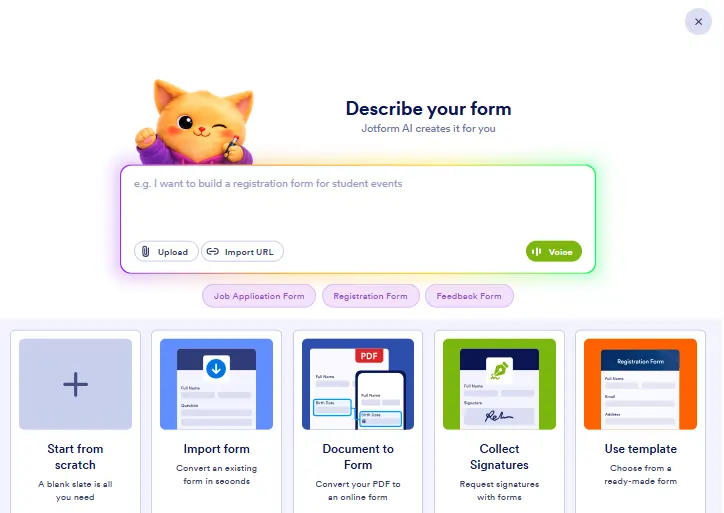
Jotform's AI form generator creates a full form structure from a plain text description in seconds. Beyond building forms, Jotform AI Agents provide 24/7 conversational intake, guiding respondents through questions in natural language across chat and voice channels using OpenAI's GPT-4. For HIPAA accounts, Gemini via Google Vertex AI powers the agents instead, maintaining compliance without sacrificing the conversational experience.
Jotform's conditional logic engine controls which fields appear, which are required, and which routing is triggered based on user input. Paired with Jotform Workflows, teams build multistep approval chains where submissions move from intake to review to sign off inside one platform. This is where Jotform earns its position as a genuine process automation tool rather than just a form builder.
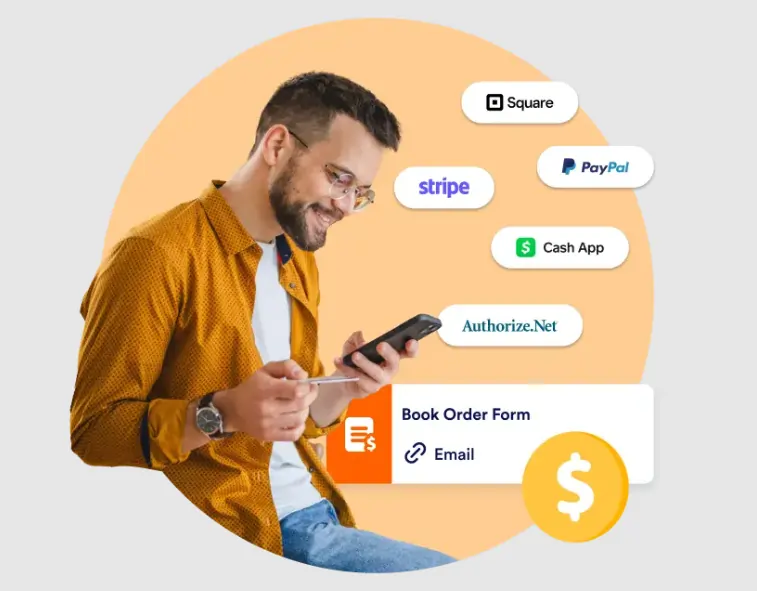
Jotform supports payment collection through Stripe, PayPal, Square, Authorize.net, and over 40 other processors globally. The Store Builder extends this into a lightweight ecommerce front end for product and service orders. For service businesses and nonprofits, this removes the need for a separate payment platform and connects intake with checkout in one form experience.
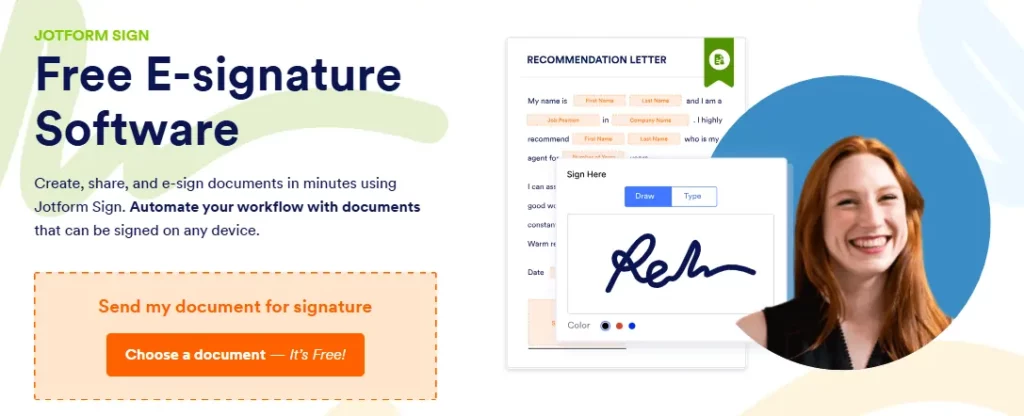
Jotform Sign converts any form into a legally binding document signing flow that complies with eSign and UETA standards in the US and eIDAS regulations in the EU. Signed documents are auto generated, stored, and trackable inside the platform. This replaces standalone tools like DocuSign for standard business contracts, onboarding documents, and consent forms.
Every submission feeds directly into Jotform Tables, a built in database and spreadsheet view with filters, sorting, and team collaboration tools. Jotform Apps lets teams publish mobile facing apps from forms without coding, with over 1.5 million apps already created on the platform. For field teams, Jotform Mobile Forms supports true offline data capture and kiosk mode for on site inspections, events, and healthcare intake where reliable internet access is not guaranteed.
Jotform Pricing Plans
| Plan | Cost (Annual) | Forms | Submissions/Month | Storage | Fields per Form |
|---|---|---|---|---|---|
| Starter | Free | 5 | 100 | 100MB | 100 |
| Bronze | $34/mo | 25 | 1,000 | 1GB | 250 |
| Silver | $39/mo | 50 | 2,500 | 10GB | 500 |
| Gold | $99/mo | 100 | 10,000 | 100GB | 1,000 |
| Enterprise | Custom | Unlimited | Unlimited | Unlimited | Unlimited |
Getting Started with Jotform
- Step 1: Go to jotform.com and create a free Starter account using your email address or Google login.

- Step 2: Click “Create Form” and choose between a template from the 20,000 plus library, a blank build, or the AI generator with a plain text description of what you need.
- Step 3: Use the drag and drop editor to add fields, set conditional logic rules, and apply your brand colours and logo.
- Step 4: Open the Integrations panel to connect Google Sheets, HubSpot, Slack, or your preferred payment gateway.
- Step 5: Publish via a shareable link, embed code, or QR code and monitor live submissions in real time through Jotform Tables.
Pros and Cons
- 20,000 plus ready made templates.
- AI builds forms from plain text input.
- Payments across 40 plus gateways.
- Built in electronic signatures included.
- Offline and kiosk mode supported.
- HIPAA compliance only on Gold and above.
- No native A/B testing available.
- AI response sentiment analysis not built in.
Who Gets the Most Value from Jotform?
Jotform delivers the strongest return for operations managers, HR directors, and IT teams who need to connect form intake directly to business processes rather than just store responses. Small to mid size businesses benefit most from the Bronze and Silver plans, where payment collection, integrations, and form volume deliver fast ROI without heavy overhead.
Healthcare providers, nonprofits, and educational institutions gain additional leverage through HIPAA features and the 50% plan discounts available to qualifying organisations. Freelancers and solo operators can start on the Starter plan and scale without ever switching platforms.
Best Jotform Alternatives
| No Code Form Builder and Workflow Automation Platform | Platform Depth | Automation and Workflow Depth |
|---|---|---|
| Typeform | Forms and surveys only, design led | Minimal — relies on Zapier for most automation |
| Google Forms | Very basic, Google ecosystem bound | None native — no approvals, no routing logic |
| Fillout | Forms plus connected database view | Moderate — basic conditional logic, limited approvals |
| SurveyMonkey | Survey and research focused | Low — feedback collection only, no workflow engine |



