Inkwise Key Insights
What is Inkwise?
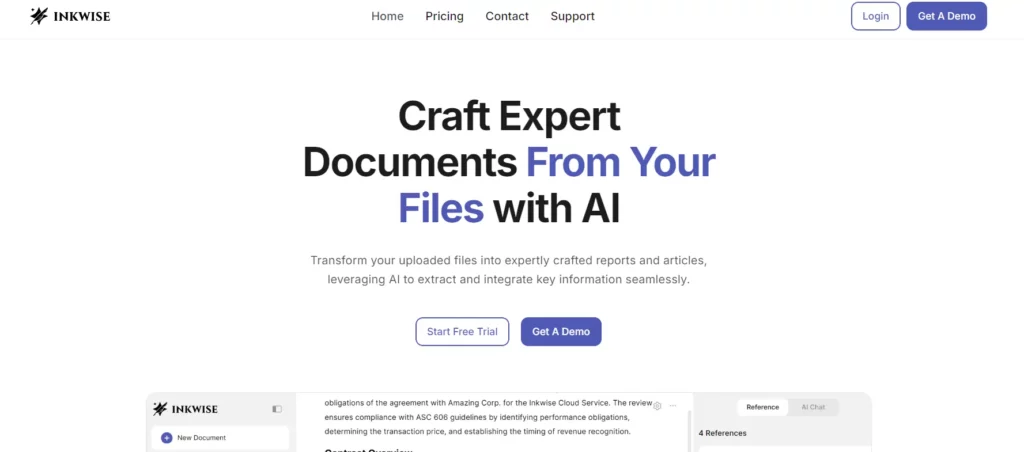
Inkwise is an AI-driven writing assistant designed to transform uploaded documents into expertly crafted reports, articles, and presentations. It leverages advanced natural language processing (NLP) and machine learning technologies to extract critical insights, generate predictive writing suggestions, and manage references automatically. Inkwise supports a wide range of professional use cases—academic research, accounting, finance, legal, and more—by integrating smart content extraction, customizable templates, and interactive AI chat features. Its robust automation streamlines the document creation process, making writing faster, smarter, and more efficient.
This feature acts as your personal research assistant, diving deep into your uploaded documents like PDFs and DOCX files. It automatically surfaces the most critical facts, figures, and insights, saving you hours of manual reading and data hunting. The AI intelligently identifies relevant information to integrate into your reports and articles, ensuring your work is built on a solid foundation of evidence from your own source materials.
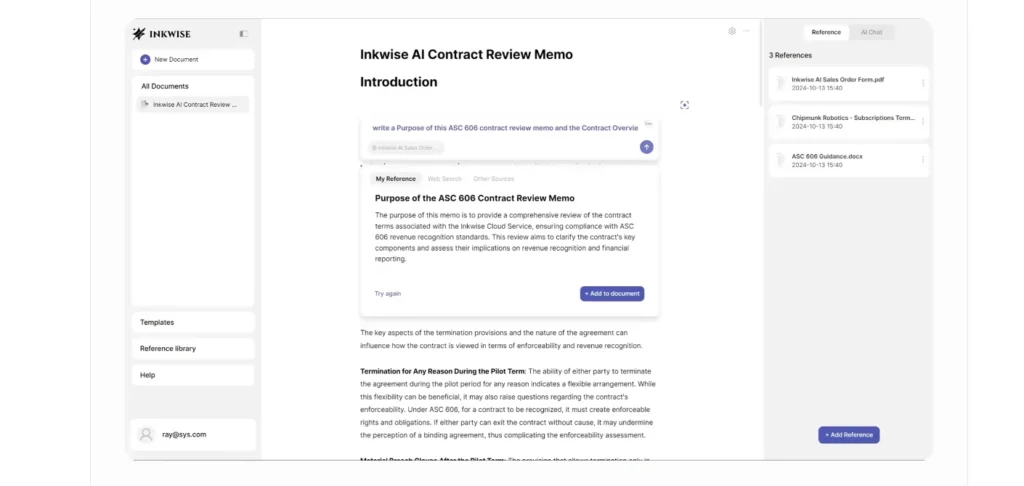
Pro-Tip: For the best results, use high-quality source documents. Clear headings, well-structured paragraphs, and text-based (not image-based) PDFs allow the AI to parse and extract information with greater accuracy. This small step can significantly improve the quality of the insights Inkwise provides.
Overcome writer's block and accelerate your drafting process with Inkwise’s predictive writing. As you type, the AI suggests the next sentence or phrase based on the context of your document and the data in your reference library. These aren't generic suggestions; they are tailored to your topic and tone, helping you write faster and more coherently. It’s like having a co-writer who knows exactly what you’re trying to say.
How to Use It:
- Begin writing in the Inkwise editor.
- As you type, a relevant sentence suggestion will appear in light gray text.
- To accept the suggestion and add it to your document, simply press the Tab key.
- If you don't like the suggestion, just keep typing to ignore it.
Say goodbye to juggling multiple apps for your citations. Inkwise comes with a built-in reference management system that automatically analyzes and extracts citation information from your uploaded files. It helps you keep track of your sources seamlessly as you write, ensuring every claim is properly attributed without breaking your workflow. This feature is invaluable for maintaining academic integrity and professional credibility.
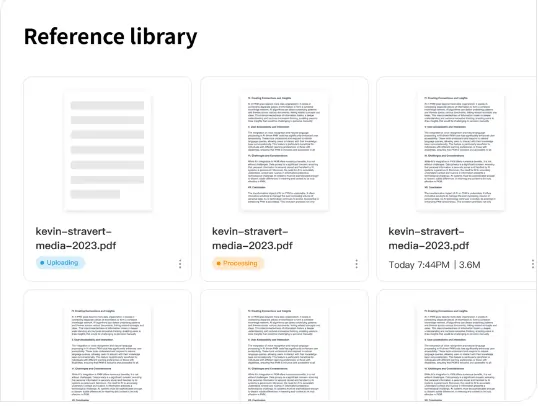
Here’s a quick comparison of how it stacks up against traditional methods:
| Aspect | Inkwise Reference Management | Traditional Methods |
|---|---|---|
| Workflow | Fully integrated and automated | Manual, requires switching tabs |
| Citation | AI suggests relevant citations | Manual lookup and entry |
| Accuracy | Reduces human error | Prone to copy-paste mistakes |
| Source Sync | Real-time with your document | Requires separate library updates |
Start your projects on the right foot with a vast library of industry-specific templates. Whether you're drafting a legal memo, a product requirements document (PRD), an academic research paper, or an investor presentation, Inkwise has a template designed for your needs. These pre-formatted documents provide the right structure and sections from the outset, allowing you to focus on the content instead of wasting time on formatting.
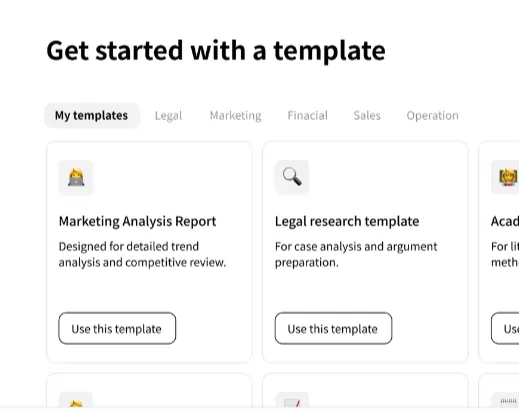
Example Use Case: A product manager needs to create a new PRD. They select the “Product Requirement Document” template in Inkwise. The template provides standard sections like “Introduction,” “User Personas,” “User Stories,” and “Success Metrics.” The manager can then use the AI Chat to ask their uploaded user feedback files, “What are the most requested features?” and directly integrate the AI's answers into the PRD.
This is one of Inkwise's most powerful and innovative features. It allows you to have a direct conversation with your data. Instead of manually combing through dense reports or legal texts, you can simply ask questions and get instant, contextual answers. This feature transforms static documents into an interactive knowledge base, streamlining how you review, analyze, and utilize information for your writing.
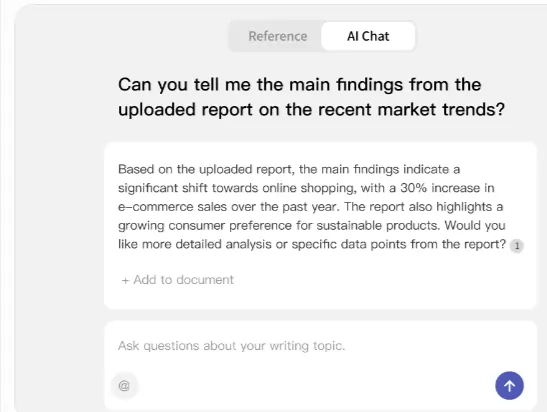
Sample Questions You Can Ask Your Documents:
- “Summarize the key findings from this research paper.”
- “What are the main risks outlined in this financial report?”
- “Find all mentions of ‘Project Titan' in these meeting notes.”
- “What was the contract renewal date in this agreement?”
Inkwise Pricing Plans
| Plan | Price |
|---|---|
| Free Trial | $0 |
| Pro Individual | $16/month/user |
| Business Team | $99/month/user |
| Enterprise Private Deployment | Custom Pricing |
Top Alternatives to Inkwise
1. Jasper AI
Jasper AI is a robust writing assistant tailored for marketing teams, content creators, and businesses. It specializes in generating high-quality marketing copy, blog articles, and social media posts with the aid of advanced AI. Jasper includes collaboration tools and industry-specific templates, making it a go-to for content marketers seeking speed and consistency.
2. Grammarly Business
Grammarly Business goes beyond grammar, offering advanced writing feedback, clarity suggestions, plagiarism detection, and team analytics. Its browser-based editor and integrations with tools like Microsoft Office and Slack make it ideal for teams that prioritize polished, professional communication and document accuracy.
3. Notion AI
Notion AI blends powerful AI writing assistance with an all-in-one workspace for notes, docs, databases, and project management. It offers features such as smart summaries, to-do list automation, and task management alongside AI-enhanced content generation. This makes it a favorite for teams and individuals who want writing support in a flexible organizational hub.
| Feature/Platform | Inkwise | Jasper AI | Grammarly Business | Notion AI |
|---|---|---|---|---|
| Main Strength | Content extraction, reference management, predictive writing, templates, AI chat with files | Marketing content generation, templates, team collaboration | Advanced grammar & writing enhancement, team analytics | AI writing in notes, docs & task management workspace |
| Templates | 100+ professional, industry-specific | 50+ focused on marketing and web | Basic business documents | Customizable for notes, docs, wikis |
| AI Writing | Contextual predictive suggestions | Creative, persuasive text generation | Clarity & conciseness suggestions | Summarize, generate text in context |
| Reference Tools | Automated extraction & citation management | Manual input | None | Basic linking & referencing |
| Collaboration | Team plans, shared workspaces (premium) | Team workspaces | Team management, shared stats | Real-time doc collaboration |
| Special Feature | AI chat with uploaded files | Copywriting frameworks | Plagiarism checker, goal setting | Workspace & workflow integration |
- Rapid content extraction from documents
- Context-aware predictive writing suggestions
- Integrated reference and citation management
- Wide range of professional templates
- Simplifies the complex document creation process
- Offers intuitive chat with your files
- Human review is still recommended
- Limited template customization for niche needs