

Ideogram AI Key Insights
What is Ideogram AI?

Ideogram AI is a text-to-image generation platform built by former Google Brain researchers that specialises in producing visuals with accurate, legible typography. Unlike most AI image generators that struggle with in-image text, Ideogram renders words, logos, and complex multi-line layouts with roughly 90 to 95% accuracy. The platform runs on its proprietary Ideogram 3.0 model and includes tools like Canvas Editor, Magic Fill, Style Reference, and Batch Generation.
Businesses use it to create social media graphics, promotional posters, product mockups, book covers, and branded marketing materials in seconds. With a free tier and paid plans starting at $15 per month on annual billing, Ideogram AI is a productivity tool that helps designers, marketers, and small business owners produce professional quality visuals without traditional design software.
Ideogram AI sets the standard for typography inside AI generated images. It correctly renders multi-line text, stylised fonts, curved lettering, and even handwritten scripts. This makes it the go-to tool for anyone creating posters, logos, or social media graphics where readable text is non-negotiable.
The infinite Canvas workspace allows users to generate, arrange, and edit multiple images in a single project. Magic Fill lets you modify specific areas of an image while keeping the rest intact, and Extend pushes the boundaries of your canvas outward. This eliminates the need to regenerate entire compositions for minor tweaks.

Upload up to three reference images to lock in a visual style across all your generations. Pair that with Custom Colour Palette controls to match your brand guidelines exactly. This is essential for agencies and businesses that need consistent visual output across campaigns.

All paid plans include unlimited character consistency, letting you generate the same character across multiple images from just one reference photo. This works perfectly with Magic Fill and Remix, making it ideal for building brand mascots, recurring characters for content series, or consistent product imagery.

Pro plan users can upload a CSV spreadsheet of prompts and generate dozens of branded visuals in a single run. For e-commerce teams, social media managers, and marketers producing content at volume, this feature alone justifies the subscription cost.
Ideogram offers a fully documented REST API supporting text-to-image, image-to-image editing, character reference, and aspect ratio controls. Developers can integrate Ideogram directly into apps, content pipelines, or automation workflows using simple JSON requests.
Ideogram AI Pricing Plans
| Plan | Cost (Annual) | Priority Credits | Key Features |
|---|---|---|---|
| Free | $0 | 10 slow credits/week | Public generations, limited Canvas, 1 concurrent generation |
| Plus | $15/month | 1,000/month + unlimited slow | Private generations, image upload, quality export, 8 concurrent generations |
| Pro | $42/month | 3,500/month + unlimited slow | Batch generation, 32 concurrent generations, best cost per credit |
| Team | $20/user/month | 1,500/user/month + unlimited slow | Central billing, collaboration features, everything in Plus |
| Enterprise | Custom | Custom | Private custom models, volume API discounts, priority support |
Getting Started With Ideogram AI
- Step 1: Visit ideogram.ai and sign in with your Google account. No lengthy signup forms are required.

- Step 2: Explore the public feed to see what other creators have built. Save prompts that match the style you want to achieve.
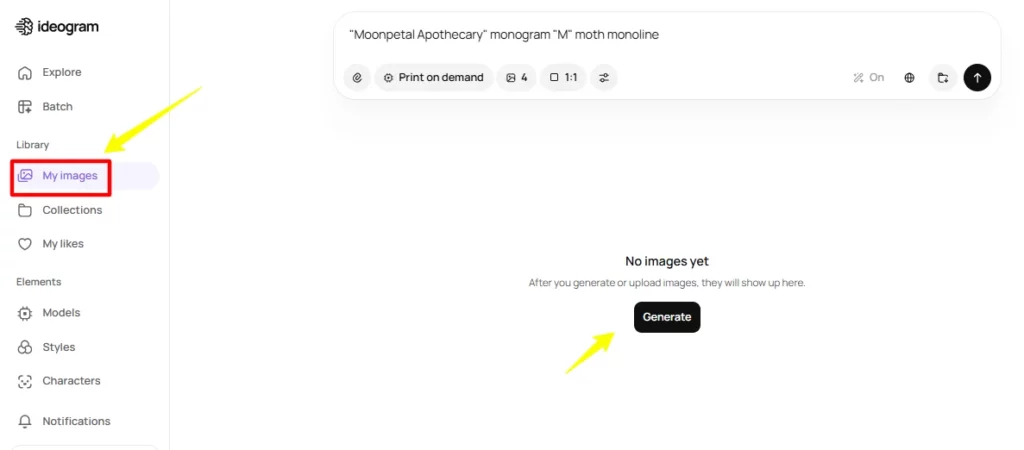
- Step 3: Open the Prompt Box, type a detailed description of your image, select your model version (3.0 recommended), choose a style, and hit Generate.
- Step 4: Review your four generated variations. Use Canvas Editor or Magic Fill to refine your favourite output. Download as PNG.
- Step 5: Upgrade to a paid plan when you need private generations, higher credit limits, or batch processing for commercial projects.
How Ideogram 3.0 Handles Typography?
Ideogram 3.0 uses a two-stage training approach with specialised font token encoding through a variational autoencoder. Instead of treating text as just another visual pattern, the model encodes each character into structured tokens that preserve linguistic accuracy. An Implicit Character Position Alignment system manages spatial control for curved, angled, and multi-line layouts.
This architecture is why Ideogram achieves 90 to 95% text accuracy while competitors like Midjourney sit around 30 to 40%. For designers producing text-heavy assets like event posters, packaging, or infographics, this is the single most important technical differentiator on the market right now.
Pros and Cons
- Best in-class text rendering accuracy.
- Infinite Canvas editor included.
- Batch generation for bulk workflows.
- Developer API for custom integrations.
- Strong Trustpilot rating (4.2/5).
- Unlimited character consistency on paid plans.
- Photorealism trails Flux and Midjourney.
- Multi-person scenes need improvement.
Ideogram AI vs Midjourney and Other Generators
Ideogram frequently gets compared to Midjourney on artistic quality and to DALL-E on prompt understanding. In practice, Ideogram occupies a unique position. It is not trying to be the most painterly or the most photorealistic tool. It is purpose-built for design work where text matters. No other major AI image generator matches its typography accuracy, and its credit-based pricing undercuts Midjourney’s $30 per month entry point significantly.
The Plus plan at $15 per month delivers 1,000 priority credits with private generations, making it one of the best value propositions in the AI image space. For teams that need both artistic flair and readable text, combining Ideogram with a second generator like Midjourney or Flux produces the strongest results.
Best Ideogram AI Alternatives
| AI Image Generator and Design Tool | Text Rendering Accuracy | Artistic Style Quality |
|---|---|---|
| Midjourney v7 | ~30 to 40% | Best in class |
| GPT Image 1.5 (ChatGPT) | ~70 to 80% | Strong |
| Adobe Firefly 3 | ~50 to 60% | Good (design focused) |



