Chatpad AI Key Insights
What is Chatpad AI?

Chatpad AI is a free, open-source user interface built on top of the OpenAI API, giving users a premium-grade front end for interacting with GPT-4 without the recurring subscription costs of native ChatGPT plans. It operates on a bring-your-own-key model, meaning you connect your own OpenAI API key and pay only for what you use.
All conversation data is stored locally on your device so no third party ever touches your prompts or outputs. For businesses and solo operators who want full data sovereignty, reusable saved prompts, custom persona controls, and the option to self-host via Docker, Chatpad AI is a serious productivity upgrade over the standard ChatGPT chat box.

Chatpad AI stores all conversations and settings locally on your device so no third party ever sees your prompts or responses. This design is ideal for anyone handling client data, product docs, or proprietary business workflows that cannot be exposed to a remote server.
The app runs without tracking scripts and does not rely on cookies to maintain your session. This removes a major privacy surface for corporate or compliance‑sensitive users while keeping the interface fast and lightweight.
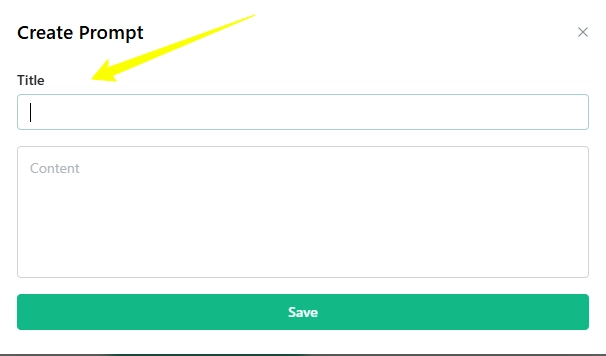
Chatpad AI includes a built‑in saved prompts library that lets you store and reuse high‑value instructions across sessions. For SEO teams, affiliate marketers, and copywriters this is a workflow multiplier because you stop retyping the same instructions and start producing faster.
Beyond single saved prompts, the tool lets you organise prompts into a personal library and insert them into new chats with a click. This structure is especially useful for repeatable AI workflows such as product‑review templates, meta‑description generators, or content briefs.
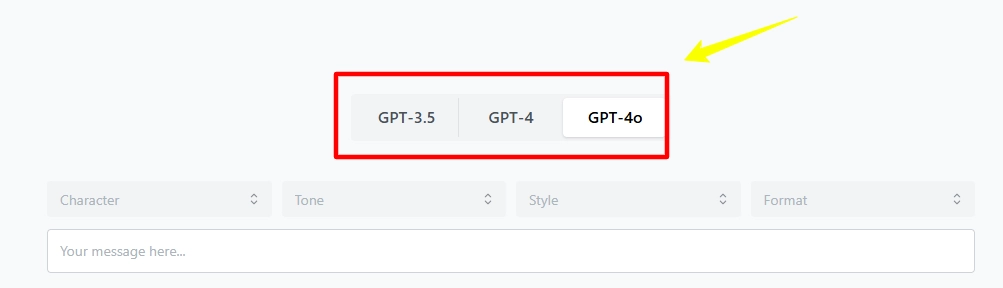
The interface is tuned for power users with options to tweak layouts and workflows to suit your style. Developers and technical teams can also fork the open‑source codebase to brand or extend the UI for internal deployment.
Chatpad AI Pricing Plans
| Plan Name | Cost | Key Limits and Features |
|---|---|---|
| Free (Web App) | $0 | Full features, BYOK, local storage, no ads |
| Desktop App | $0 | Mac and Windows, full offline-style access |
| Self-Hosted | $0 | Docker deployment, custom config, full data control |
| API Usage | Pay-per-use | Charged by OpenAI directly at standard API rates |
Chatpad AI vs the Native ChatGPT Interface
The standard ChatGPT web interface stores all your data on OpenAI's servers and charges a flat monthly fee regardless of how often you use it. Chatpad AI flips both of those defaults. You pay only for the API calls you actually make, and your data never touches a remote server.
For low-to-moderate usage volumes the cost savings are real, and for privacy-conscious users the architecture difference is not a minor detail but a fundamental one.
Pros and Cons
- Full local data storage.
- Saved prompts boost productivity.
- Persona selector is a standout feature.
- Self-hosting gives total control.
- Open source and community-backed.
- No built-in team collaboration tools.
- No plugin or extension ecosystem.
- UI updates depend on community commits.
Best Chatpad AI Alternatives
| AI Productivity Tool / ChatGPT UI | User Experience and UI | Collaboration and Team Use |
|---|---|---|
| LibreChat | Power‑user‑focused, more complex but highly customisable | Supports multi‑user setups in self‑hosted environments |
| BetterGPT | Simple web UI, lightweight and fast | No built‑in team features or shared workspaces |
| TypingMind | Clean, template‑heavy interface tailored for content creators | Some team features in paid tiers, still limited |
| Jan.ai | Desktop‑focused, more technical, less polished UI | Mainly individual use, no formal team collaboration layer |