

หากคุณเคยส่งออกวิดีโอแล้วพบว่าใบหน้าดูไม่คมชัด ตัวอักษรเลือนราง หรือภาพแตกเป็นบล็อกทันทีที่เคลื่อนไหว คุณไม่ใช่คนเดียวที่เจอปัญหานี้ คนส่วนใหญ่เสียเวลาหลายชั่วโมงไปกับการปรับแต่งค่าต่างๆ อย่างไร้จุดหมาย ในขณะที่วิธีแก้ไขที่แท้จริงคือการเลือกวิธีการปรับปรุงภาพที่เหมาะสมก่อน เช่น การเพิ่มความละเอียด การลดสัญญาณรบกวน การเพิ่มความคมชัด การปรับความเสถียร หรือการแก้ไขสี
นั่นคือแนวทางที่เราจะเดินตาม จากนั้นจึงคัดเลือกเหลือเพียง6 เครื่องมือปรับปรุงคุณภาพวิดีโอที่ดีที่สุดที่คุ้มค่าแก่การลองใช้ การเปรียบเทียบนี้เหมาะสำหรับครีเอเตอร์ นักการตลาด และผู้ตัดต่อที่ต้องการวิดีโอที่คมชัดขึ้นอย่างรวดเร็ว โดยไม่ต้องเดาว่าแต่ละเครื่องมือช่วยปรับปรุงอะไรบ้าง
เหตุผลที่คุณจำเป็นต้องมีเครื่องมือปรับปรุงคุณภาพวิดีโอโดยเฉพาะในปี 2026
เมื่อความคาดหวังของผู้ชมเปลี่ยนไปสู่การเล่นวิดีโอ 4K ที่ไร้ที่ติ ซอฟต์แวร์ตัดต่อมาตรฐานมักจะทำได้ไม่ดีพอ ฟิลเตอร์เพิ่มความคมชัดพื้นฐานมักจะเน้นจุดพิกเซลแตก ในขณะที่การลดสัญญาณรบกวนแบบดั้งเดิมกลับทำให้รายละเอียดภาพที่สำคัญเบลอไป
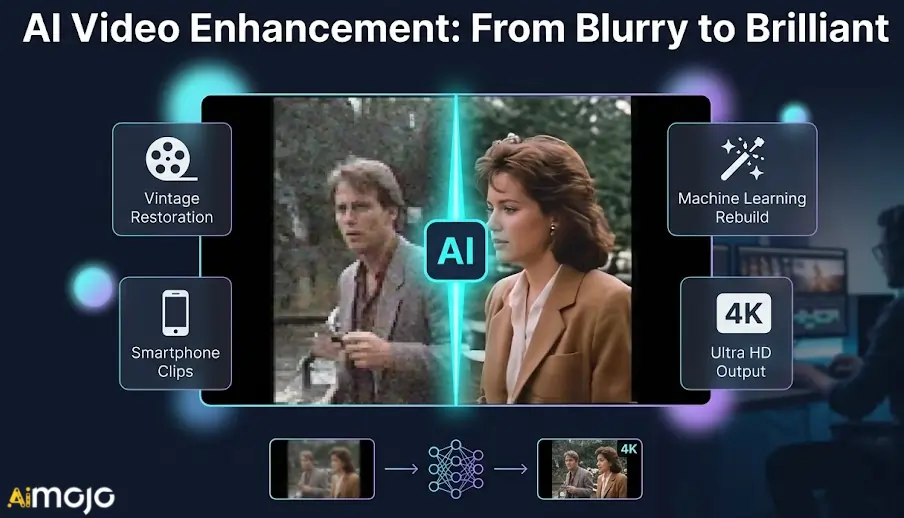
ในปี 2026 เครื่องมือปรับปรุงคุณภาพวิดีโอเฉพาะทางจะแก้ไขข้อจำกัดเหล่านี้โดยใช้การเรียนรู้ของเครื่อง แทนที่จะใช้ตัวกรองทั่วไป พวกมันจะสร้างข้อมูลที่ขาดหายไปขึ้นมาใหม่โดยใช้การเรียนรู้ของเครื่อง AI ลดอัตราการสุ่ม และสร้างสรรค์อย่างชาญฉลาด เฟรมใหม่เพื่อการเคลื่อนไหวที่ราบรื่นยิ่งขึ้น
ไม่ว่าคุณจะกำลังบูรณะฟุตเทจเก่าหรือแก้ไขคลิปวิดีโอจากสมาร์ทโฟนที่มีแสงน้อย คุณก็ต้องการซอฟต์แวร์ที่สร้างขึ้นมาโดยเฉพาะสำหรับการประมวลผลหนักๆ มาสำรวจคุณสมบัติทางเทคนิคที่แตกต่างกันระหว่างโปรแกรมปรับปรุงคุณภาพวิดีโออย่างแท้จริงกับโปรแกรมตัดต่อพื้นฐานกันดีกว่า
AI เครื่องมือปรับปรุงคุณภาพวิดีโอที่จะยกระดับคุณภาพวิดีโอของคุณได้ทันที
| เครื่องมือปรับปรุงคุณภาพวิดีโอที่ดีที่สุด | ประถม AI คุณสมบัติ (Feature) | เป้าหมายหลักในการปรับปรุง |
|---|---|---|
| ฮิกส์ฟิลด์ เอไอ | AI การเพิ่มขนาดวิดีโอ | แก้ไขปัญหาภาพกระพริบของสื่อ |
| อากูล | การสลับใบหน้าอัจฉริยะ | การปรับแคมเปญระดับโลกให้เข้ากับท้องถิ่น |
| โอเพ่นอาร์ตเอไอ | รูปภาพเป็นวิดีโอ | การสร้างภาพเคลื่อนไหวให้กับวัตถุคงที่ |
| ไพคาโซ่ เอไอ | การเพิ่มความละเอียดของพื้นผิวที่สมจริง | การสร้างวิดีโอ 4K |
| วีด | การทำความสะอาดเสียงทันที | การแก้ไขผ่านเว็บเบราว์เซอร์ |
| บุษราคัมวิดีโอ AI | การอัพสเกลภาพ 8K ด้วยโครงข่ายประสาทเทียม | การบูรณะภาพบันทึกเหตุการณ์ในอดีต |
1. ฮิกส์ฟิลด์ เอไอ
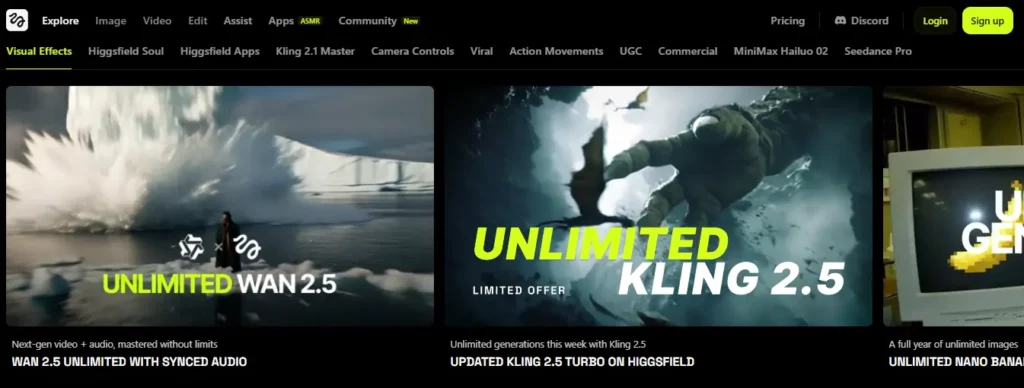
เมื่อประสบปัญหาเกี่ยวกับภาพที่มีความละเอียดต่ำหรือภาพกระพริบ AI การค้นหาเครื่องมือปรับปรุงคุณภาพวิดีโอที่เชื่อถือได้จึงกลายเป็นสิ่งจำเป็นสำหรับการรักษาคุณภาพของฟุตเทจ การบำรุงรักษา และการรักษาคุณภาพวิดีโอ ความสอดคล้องทางภาพฮิกส์ฟิลด์ AI เสนอ ระบบเพิ่มความละเอียดและลดการกระพริบของวิดีโอโดยเฉพาะ ชุดอุปกรณ์ที่ออกแบบมาโดยเฉพาะเพื่อรักษาเสถียรภาพและปรับปรุงคุณภาพของวัสดุสังเคราะห์
แพลตฟอร์มนี้เหมาะสำหรับผู้สร้างคอนเทนต์และนักการตลาดที่ต้องการปรับแต่งคอนเทนต์ดิบให้ดียิ่งขึ้น AI ปรับแต่งผลลัพธ์ก่อนเผยแพร่ ด้วยการลดสิ่งรบกวนจากการเคลื่อนไหวและเพิ่มความหนาแน่นของพิกเซล ผู้ใช้สามารถใช้ซอฟต์แวร์ปรับปรุงวิดีโอนี้ได้อย่างมั่นใจ เพื่อเตรียมคลิปภาพยนตร์ คลิปสั้นสำหรับโซเชียลมีเดีย และสื่อส่งเสริมการขายสำหรับการรับชมในความละเอียดสูง
ฮิกส์ฟิลด์ AI คุณสมบัติเด่น:
ใช้กรณี:
แผนราคา:ค่าสมัครสมาชิกมีตั้งแต่ 9 ถึง 199 ดอลลาร์สหรัฐต่อเดือน โดยมีปริมาณเครดิตที่แตกต่างกันสำหรับรุ่นมาตรฐานและรุ่นพรีเมียม
ดีที่สุดสำหรับ: เหมาะสำหรับ AI ครีเอเตอร์และนักการตลาดที่ต้องการแพลตฟอร์มที่เชื่อถือได้เพื่อปรับปรุงและยกระดับเนื้อหาวิดีโอสังเคราะห์
2. อากูล

Akool ผสานรวม การสลับใบหน้า และการสร้างอวตาร คุณภาพสูงเข้ากับกระบวนการตัดต่อโดยตรง ทำให้โดดเด่นในฐานะเครื่องมือปรับปรุงวิดีโอเฉพาะทางอย่างหนึ่ง ทีมการตลาดมักเผชิญกับความท้าทายในการปรับเปลี่ยนภาพที่มีอยู่ให้เหมาะสมกับกลุ่มเป้าหมายที่แตกต่างกันโดยไม่สูญเสียคุณภาพของภาพ
แพลตฟอร์มนี้ ได้รับการออกแบบมาสำหรับเอเจนซี่โฆษณาและผู้สร้างสื่อเชิงพาณิชย์โดดเด่นในด้านการปรับแต่งสื่อขององค์กรให้เข้ากับความต้องการเฉพาะบุคคล ในขณะที่ยังคงรักษาความเป็นธรรมชาติของการแสดงออก ด้วยการใช้อัลกอริธึมการประมวลผลขั้นสูง ผู้ใช้สามารถแปลวิดีโอการตลาดหรือสลับผู้ดำเนินรายการได้อย่างราบรื่น โดยยังคงรักษาคุณภาพไฟล์ส่งออกที่มีความละเอียดสูงและสวยงาม เหมาะสำหรับแคมเปญระดับมืออาชีพ
คุณสมบัติเด่นของ Akool:
ใช้กรณี:
แผนราคา:ระบบราคามีทั้งแบบฟรี และแบบเสียค่าบริการรายเดือนตั้งแต่ 15 ถึง 249 ดอลลาร์ ขึ้นอยู่กับการใช้งานเครดิต
เหมาะสำหรับ:เอเจนซี่การตลาดที่ต้องการการปรับแต่งวิดีโอความละเอียดสูงที่เชื่อถือได้ และความสามารถในการสลับใบหน้าที่ปรับขนาดได้สำหรับแคมเปญระดับโลก
3. โอเพ่นอาร์ตเอไอ

ศิลปินและนักพัฒนาซอฟต์แวร์มักต้องการปรับขนาดแนวคิดภาพของตนให้เป็นรูปแบบภาพเคลื่อนไหวโดยไม่ลดทอนรูปแบบดั้งเดิม's ความคมชัด แม้ว่า OpenArt จะเป็นที่รู้จักเป็นหลักในด้านการสร้างภาพ แต่... AI ทำงานควบคู่ไปกับเครื่องมือปรับปรุงคุณภาพวิดีโอสมัยใหม่ โดยนำเสนอการแปลงภาพเป็นวิดีโอที่มีความคมชัดสูง
ชุดโปรแกรมบนเว็บนี้สร้างขึ้นสำหรับศิลปินดิจิทัลและผู้จัดการโซเชียลมีเดียที่ต้องการสร้างภาพเคลื่อนไหวจากภาพนิ่งได้อย่างคมชัด ด้วยการใช้โมเดลการประมวลผลระดับพรีเมียม แพลตฟอร์มนี้รับประกันว่าภาพเคลื่อนไหวที่สร้างขึ้นจะคงความละเอียดและความสมบูรณ์ของโครงสร้างตามที่ตั้งใจไว้ ทำให้ใช้งานได้จริงอย่างยิ่งสำหรับการสร้างเนื้อหาสั้น ๆ ที่สม่ำเสมอและดึงดูดสายตา
โอเพนอาร์ต AI คุณสมบัติเด่น:
ใช้กรณี:
แผนราคา:แผนราคามีตั้งแต่ 14 ถึง 240 ดอลลาร์ต่อเดือน โดยให้เครดิตสำหรับการสร้างภาพและวิดีโอในปริมาณที่แตกต่างกัน
เหมาะสำหรับ:ศิลปินดิจิทัลที่กำลังมองหาสภาพแวดล้อมที่เชื่อถือได้ในการฝึกฝนโมเดลและสร้างภาพเคลื่อนไหวที่สม่ำเสมอ

4. ไพคาโซ่ เอไอ

ปิกาโซ AI เข้ามามีส่วนร่วมในบทสนทนาเกี่ยวกับเครื่องมือปรับปรุงคุณภาพวิดีโอ โดยนำเสนอการเข้าถึงแบบจ่ายตามการใช้งานสำหรับเอ็นจิ้นการเรนเดอร์ขั้นสูง เช่น คลิงและวาน การสร้างสื่อที่มีคุณภาพสมจริงขั้นสูงมักต้องอาศัยการประมวลผลหลังการผลิตอย่างพิถีพิถัน และการเข้าถึงโมเดลการสร้างภาพระดับองค์กร
แพลตฟอร์มนี้มุ่งเป้าไปที่ครีเอเตอร์อิสระและเอเจนซี่ขนาดเล็ก โดยมีเครื่องมือที่ซับซ้อนสำหรับการปรับแต่งพื้นผิวภาพและสร้างฟุตเทจความละเอียดสูง ด้วย ระบบ ปรับความละเอียดผิวและเอาต์พุต 4K ในตัว ผู้ใช้สามารถยกระดับเวิร์กโฟลว์สื่อของตน ทำให้มั่นใจได้ว่าทุกคลิปที่สร้างขึ้นตรงตามมาตรฐานคุณภาพที่เข้มงวดซึ่งจำเป็นสำหรับการออกอากาศดิจิทัลในปัจจุบัน
ปิกาโซ AI คุณสมบัติเด่น:
ใช้กรณี:
แผนราคา:ใช้ระบบจ่ายตามการใช้งานที่ยืดหยุ่น โดยแพ็กเกจ Gem มีราคาตั้งแต่ 6 ถึง 240 ดอลลาร์ โดยไม่มีข้อผูกมัดรายเดือน
เหมาะสำหรับ:ครีเอเตอร์อิสระที่ต้องการสร้างวิดีโอคุณภาพสูงในราคาประหยัด และเพิ่มความคมชัดของพื้นผิวอย่างสมจริง โดยไม่ต้องผูกมัดกับการสมัครสมาชิกรายเดือน
5. veed.io
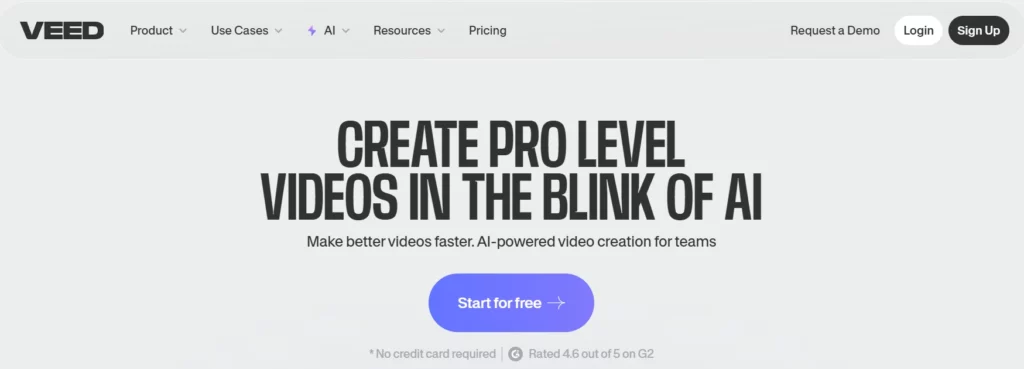
Veed.io ยกระดับกระบวนการตัดต่อวิดีโอให้ทันสมัยยิ่งขึ้น ด้วยการผสานเครื่องมือปรับปรุงคุณภาพวิดีโอที่ใช้งานได้จริงเข้ากับไทม์ไลน์บนระบบคลาวด์ที่เข้าถึงได้ง่าย ในอดีต โปรแกรมตัดต่อวิดีโอแบบใช้เบราว์เซอร์มักประสบปัญหาเรื่องความเร็วในการแสดงผลและความคมชัดของภาพ ทำให้ผู้ใช้จำนวนมากรู้สึกผิดหวังกับไฟล์ภาพที่แตกเป็นพิกเซล
แพลตฟอร์มนี้เหมาะอย่างยิ่งสำหรับผู้จัดรายการพอดแคสต์ นักการศึกษา และผู้จัดการโซเชียลมีเดียที่ต้องการผลลัพธ์ที่รวดเร็วโดยไม่ลดทอนคุณภาพ ด้วย ฟังก์ชันลด เสียงรบกวน ปรับปรุงคุณภาพเสียง และส่งออกไฟล์ 4K ได้ในคลิกเดียวซอฟต์แวร์นี้จึงมั่นใจได้ว่าการบันทึกจากเว็บแคมและการจับภาพหน้าจอแบบมาตรฐานจะได้รับการปรับปรุงอย่างเป็นระบบเพื่อให้ผู้ชมรับชมได้อย่างชัดเจนและเป็นมืออาชีพ
คุณสมบัติหลักของ Veed.io:
ใช้กรณี:
แผนการกำหนดราคา: ค่าสมัครสมาชิกเริ่มต้นที่ 12 ดอลลาร์ต่อเดือนสำหรับฟีเจอร์พื้นฐาน และสำหรับฟีเจอร์พรีเมียมจะมีค่าใช้จ่ายเพิ่มเติม AI เครื่องมือต่างๆ ที่มีให้ใช้งานในระดับที่สูงกว่า
เหมาะสำหรับ:ผู้สร้างคอนเทนต์ทั่วไปที่ต้องการโปรแกรมแก้ไขเว็บแบบครบวงในตัวที่ใช้งานง่าย พร้อมฟังก์ชั่นปรับปรุงเสียงและภาพในตัว
6. ห้องปฏิบัติการบุษราคัม

วิดีโอ Topaz AI เป็นที่ยอมรับกันอย่างกว้างขวางในกลุ่มเครื่องมือปรับปรุงคุณภาพวิดีโอระดับพรีเมียม ด้วยความสามารถในการสร้างพิกเซลที่หายไปขึ้นใหม่โดยใช้เครือข่ายประสาทเทียมที่ได้รับการฝึกฝนมาอย่างดี การกู้คืนฟุตเทจที่ถูกบีบอัดอย่างมากหรือการเพิ่มความละเอียดของสื่อเก็บถาวรเป็นความท้าทายทางเทคนิคที่ซับซ้อนซึ่งซอฟต์แวร์พื้นฐานไม่สามารถจัดการได้
ซอฟต์แวร์สำหรับเดสก์ท็อปนี้ ได้รับการออกแบบมาสำหรับผู้สร้างวิดีโอระดับมืออาชีพ ผู้เก็บรักษาเอกสาร และสตูดิโอหลังการผลิตโดยเน้นที่การปรับปรุงคุณภาพของภาพที่วัดผลได้ ด้วยการลดสัญญาณรบกวน ปรับอัตราเฟรม และเพิ่มความละเอียดสูงสุดถึง 8K ผู้ใช้จึงสามารถฟื้นฟูสื่อที่เสื่อมคุณภาพให้ตรงตามมาตรฐานการออกอากาศความละเอียดสูงในปัจจุบันได้อย่างน่าเชื่อถือ
คุณสมบัติเด่นของ Topaz Labs:
ใช้กรณี:
แผนการกำหนดราคา: วิดีโอ Topaz AI สามารถใช้งานได้ในรูปแบบการสมัครสมาชิก โดยปกติจะมีราคาประมาณ 37 ดอลลาร์ต่อเดือน หรือ 396 ดอลลาร์ต่อปี
เหมาะสำหรับ:ผู้เชี่ยวชาญด้านงานหลังการผลิตที่ต้องการการบูรณะวิดีโอที่ประมวลผลในระดับท้องถิ่นและเป็นผู้นำในอุตสาหกรรม รวมถึงความสามารถในการเพิ่มความละเอียดของภาพระดับสูง
วิธีเพิ่มคุณภาพวิดีโอให้ได้มากที่สุดโดยใช้เครื่องมือปรับปรุงคุณภาพวิดีโอ
แม้จะล้ำหน้าที่สุด AI เครื่องมือปรับปรุงคุณภาพวิดีโอจำเป็นต้องใช้การตั้งค่าที่ถูกต้องเพื่อให้ได้ผลลัพธ์ที่เป็นธรรมชาติและดูเป็นมืออาชีพโดยไม่ดูประดิษฐ์ การใช้แต่ค่าที่ตั้งไว้ล่วงหน้าแบบอัตโนมัติเพียงอย่างเดียวอาจทำให้คลิปที่ดีเสียไปได้
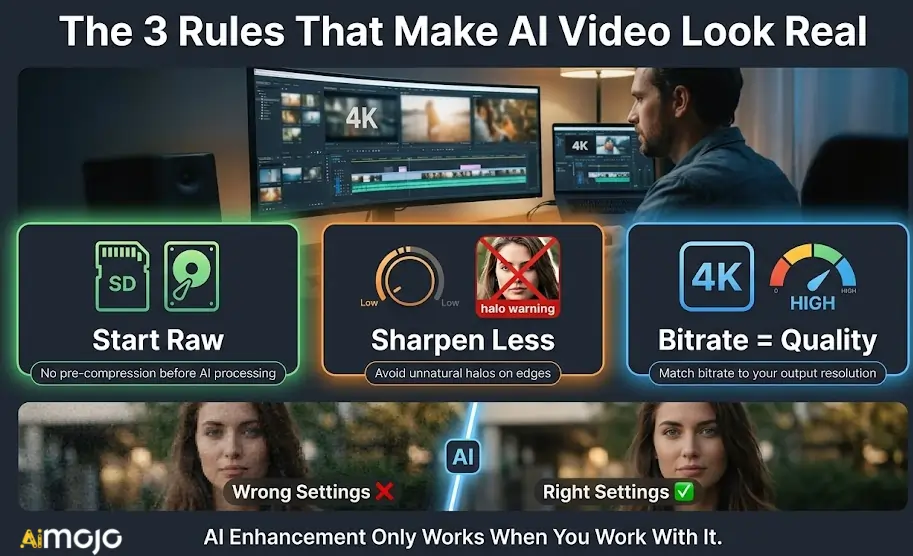
เพื่อให้ได้ภาพเรนเดอร์ที่คมชัดที่สุด ให้เน้นการปรับแต่งที่สำคัญเหล่านี้:
ด้วยการจัดการพารามิเตอร์เหล่านี้อย่างระมัดระวัง คุณจะมั่นใจได้ว่าไฟล์ส่งออกสุดท้ายของคุณจะดูเหมือนได้รับการบูรณะอย่างแท้จริง ไม่ใช่ผ่านการปรับแต่งมากเกินไป
สรุปเครื่องมือที่ดีที่สุดในการปรับปรุงคุณภาพวิดีโอ
ไม่ใช่ทุกวิดีโอที่ต้องการการแก้ไขแบบเดียวกัน บางคลิปต้องลบจุดรบกวน บางคลิปต้องปรับเฟรมให้เรียบเนียน และบางคลิปก็แค่ต้องการเพิ่มความละเอียดเพื่อให้ดูดี แพลตฟอร์มทั้งหกที่กล่าวถึงในที่นี้แต่ละแพลตฟอร์มจัดการส่วนต่างๆ ของกระบวนการนั้นได้ดีกว่าแพลตฟอร์มอื่นๆ
เริ่มต้นด้วยสิ่งที่วิดีโอของคุณต้องการจริงๆ เลือกเครื่องมือที่เหมาะสม และทดสอบกับคลิปสั้นๆ ก่อนที่จะทำการเรนเดอร์แบบเต็มเครื่องมือปรับปรุงวิดีโอ ส่วนใหญ่ มีให้ทดลองใช้ ดังนั้นจึงไม่มีแรงกดดันใดๆ ที่จะต้องตัดสินใจซื้อ โดยไม่ลองใช้ก่อน
การตัดต่อที่ดีที่สุดคือการตัดต่อที่ผู้ชมไม่ทันสังเกตว่ามีการแก้ไขไปแล้ว
AiMojo ขอแนะนำ:



 โบนัส: รับ $200 ของเรา”AI Mastery Toolkit” ฟรีเมื่อคุณสมัคร!








