Researchers spend 60+ hours on literature reviews using traditional keyword search methods. SciSpace offers an AI-powered alternative that processes questions instead of keywords, analyzing 282 million papers to deliver relevant results in minutes.
⭐ Why Researchers Switch From Google Scholar to SciSpace?
Traditional search tools match exact keywords, missing conceptually related work. SciSpace understands research questions and finds papers based on meaning, not just terminology.

Time Comparison Per Literature Review:
Google Scholar works well for locating specific authors or titles. SciSpace excels when exploring concepts, identifying research gaps, or analyzing hundreds of papers simultaneously.
🚥 Your First SciSpace Literature Review in 5 Minutes
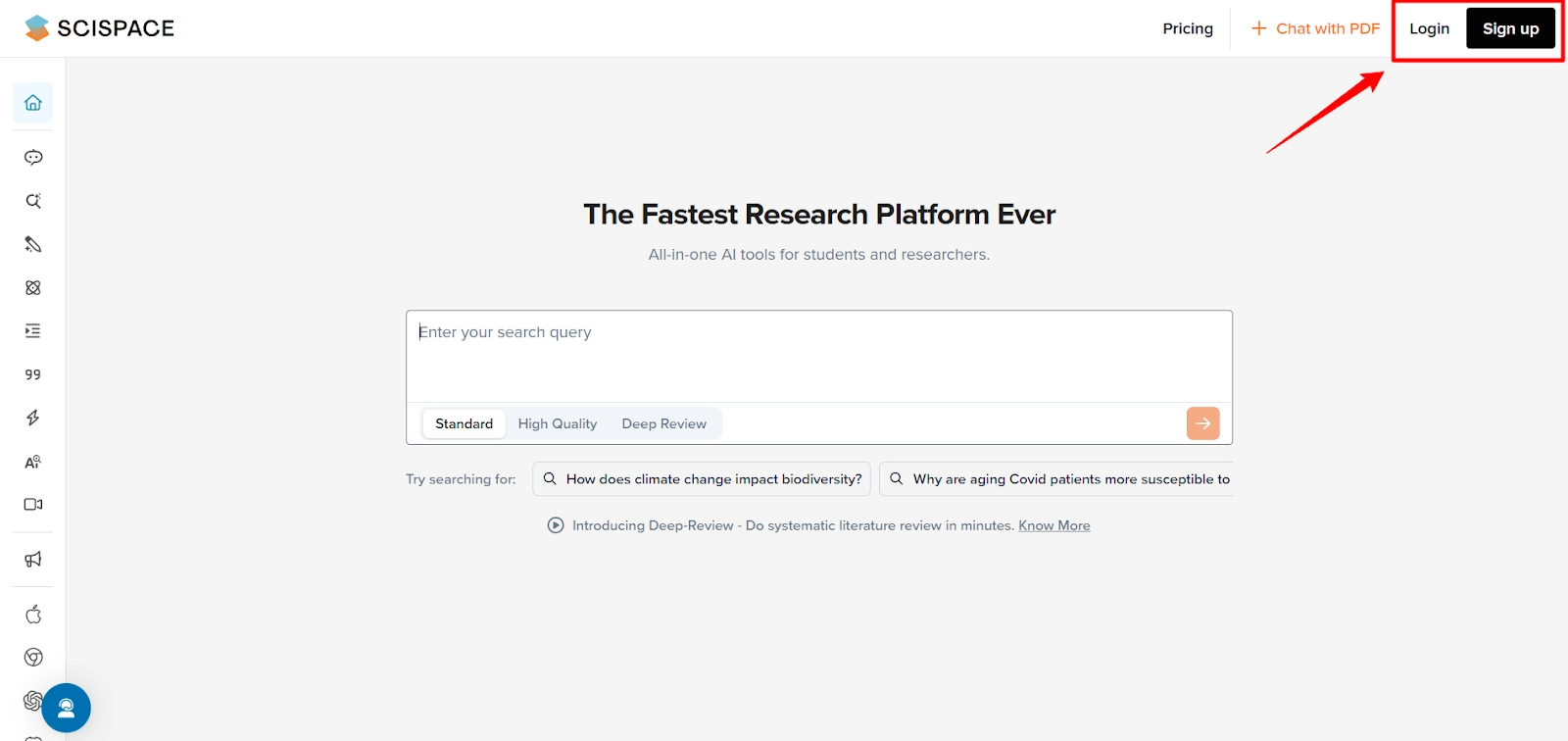
Step 1: Create a free account at scispace.com. The free tier includes 100 credits monthly, sufficient for 5-10 literature reviews.
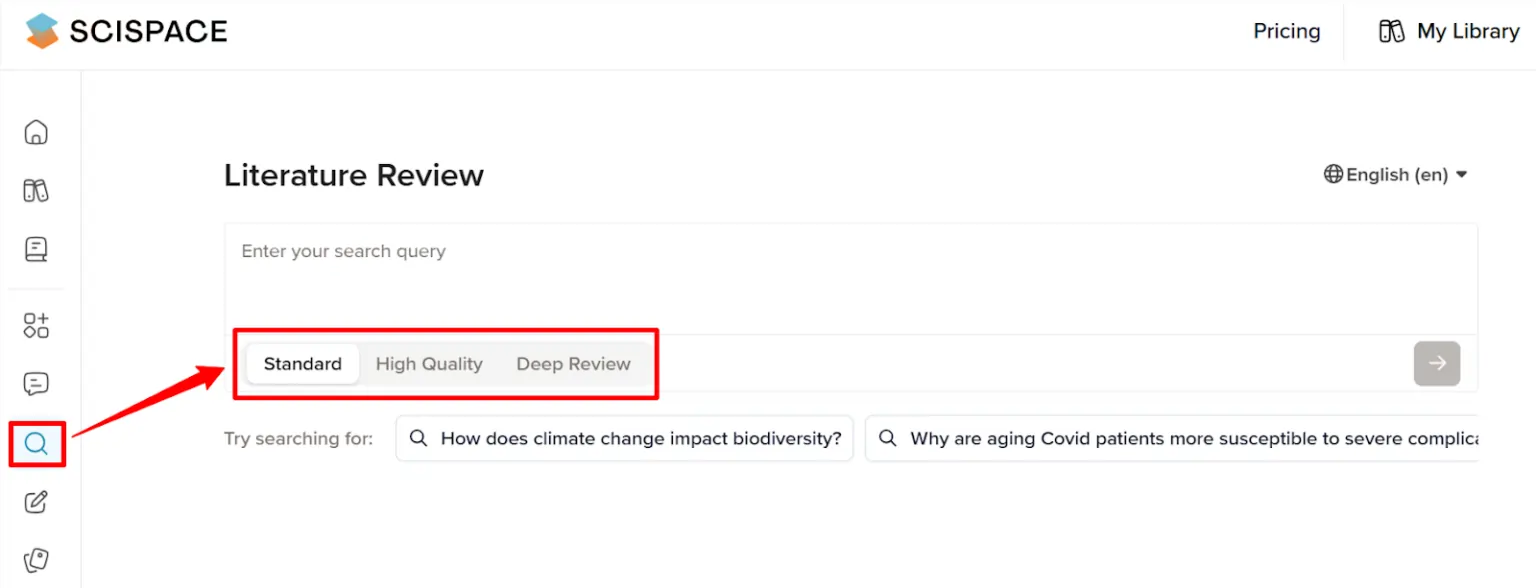
Step 2: Click “New Literature Review” and select your mode:
Step 3: Write your research question in natural language.
Example: “What are the limitations of transformer models in low-resource languages?” rather than “transformer low-resource limitations”.
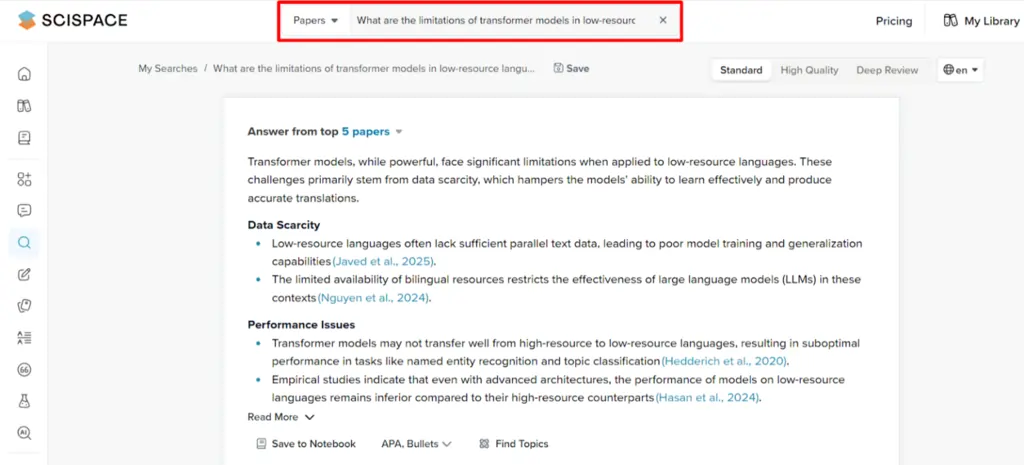
Step 4: Review the AI-generated summary and 50-250 automatically selected papers. The system highlights key findings, methodologies, and contradictions.
SciSpace Copilot: Commands That Actually Work
Copilot functions as an AI research assistant that reads papers with you. Activate it on any PDF or search result.
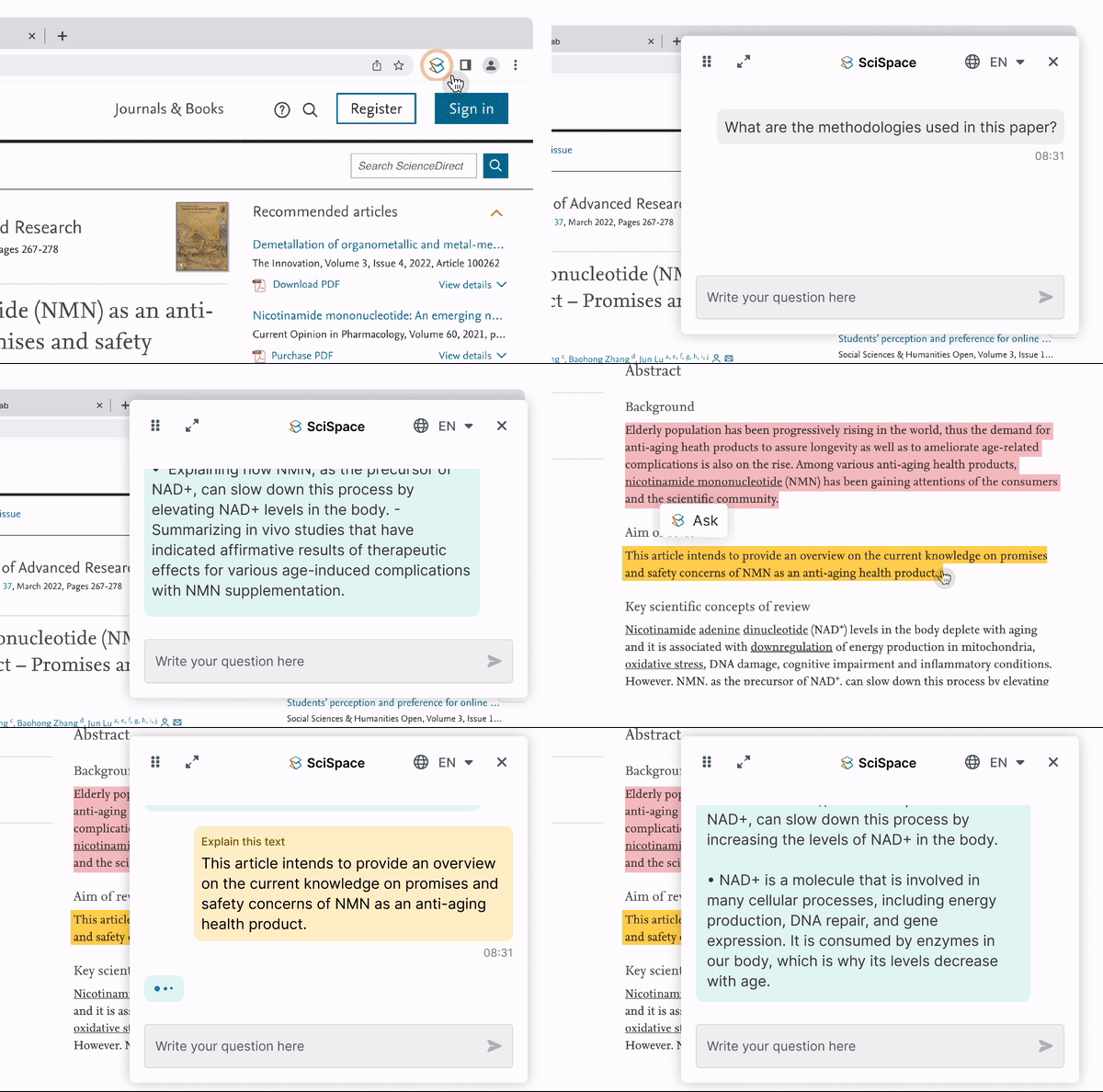
7 Commands Researchers Use Daily:
The SciSpace Chrome extension lets you use Copilot on papers from any website, including paywalled content you have access to. Save responses to your Notebook for later reference.
📰 Finding Papers Without Reading 1,000 Abstracts
Search Method Comparison:
| Method | Time Required | Relevance Score | Best Use Case |
|---|---|---|---|
| Google Scholar Keywords | 2-3 hours | 60-70% | Specific authors/titles |
| SciSpace Semantic Search | 15-20 minutes | 85-95% | Conceptual queries |
| SciSpace Deep Review | 30-45 minutes | 90-98% | Systematic reviews |
⭐ Pro Tips:

👨💼 Deep Review Mode: For Systematic Reviews

Deep Review processes 1,000+ papers through recursive search. The algorithm:
- Identifies initial relevant papers
- Analyzes their citations and references
- Expands search based on emerging themes
- Synthesizes findings with citation-backed summaries
When to Use Deep Review:
The multi-step progress bar shows real-time analysis stages. Most systematic reviews complete in under 45 minutes.
⭐ Features Most Researchers Miss

❓ SciSpace Literature Review: Top Questions Researchers Ask
Is SciSpace better than Google Scholar for literature reviews?
For conceptual exploration and systematic reviews, yes. For locating specific papers by known authors, Google Scholar remains useful. Most researchers use both tools for different tasks.
Can I use SciSpace for systematic reviews?
Yes. Deep Review mode specifically handles systematic review requirements, analyzing 1,000+ papers with recursive search and providing PRISMA-style documentation.
Does SciSpace work with my reference manager?
Direct integration supports Zotero, Mendeley, and EndNote. Export options include BIB, RIS, and CSV formats for other managers.
How accurate is the AI-generated summary?
Accuracy exceeds 95% for paper content. However, always verify citations and interpret findings within your research context. AI assists but does not replace researcher judgment.
30-Day Workflow for Literature Reviews
This workflow reduces literature review time from 60+ hours to under 20 hours while improving comprehensiveness and identifying more relevant papers than traditional methods.
AiMojo Recommends:


 BONUS: Get our $200 “AI Mastery Toolkit” FREE when you sign up!