

2026년 중요 업데이트
엽니다AI Sora 웹 및 앱 환경은 2026년 4월 26일에 종료되었습니다. Sora API는 2026년 9월 24일에 종료될 예정입니다. 따라서 이 문서는 더 이상 Sora를 기반으로 새로운 워크플로우를 구축하는 가이드가 아닙니다. 대신, Sora 대안, Sora 대체재 및 현재 사용 중인 도구를 비교하는 데 도움이 되도록 재구성되었습니다. AI 영상 워크플로우 도구.
만약 당신이 소라를 사용했다면 AI 동영상 제작에 있어서 안전하고 간단한 방법은 기존 콘텐츠를 내보내고, Sora를 중심으로 새로운 제작 시스템을 구축하는 것을 멈추고, 실제로 제작하는 콘텐츠에 따라 대체 시스템을 선택하는 것입니다.
어떤 크리에이터들은 영화 같은 텍스트-비디오 변환 기능을 필요로 합니다. 어떤 크리에이터들은 광고나 소셜 미디어 게시물에 사용할 이미지-비디오 클립이 필요합니다. 또 어떤 크리에이터들은... AI 교육, 영업 또는 강좌 콘텐츠에 사용할 아바타가 필요한 경우도 있고, 자막, 템플릿, 편집, 현지화, 스토리보드 또는 프롬프트 기반 비디오 마케팅 워크플로가 필요한 경우도 있습니다.
모든 사람에게 가장 적합한 Sora 대체 도구는 없습니다. 적합한 도구는 콘텐츠 파이프라인 내에서 Sora가 수행했던 역할에 따라 달라집니다.
이 가이드는 워크플로우별로 최고의 Sora 대체 도구들을 비교하고, 각 도구에 대한 명확한 기준을 제시하여 더 빠르게 선택하고 전체 생산 프로세스를 처음부터 다시 구축하는 수고를 덜어줍니다.
빠른 답변: 사용 사례별 최적의 Sora 대체품
영화 같은 영상이 필요하시면 AI 동영상 제작, 시작은 다음과 같습니다. 클링 AI스토리보드, 캐릭터, 시각적 참고 자료 및 창의적인 사전 제작이 필요하시면 테스트해 보세요. 오픈아트말하는 아바타, 다국어 프레젠테이션 또는 교육 비디오가 필요하시면, 헤이젠 더 적합한 것은 입니다. 캡션, 소셜 미디어 편집, 콘텐츠 재활용 및 빠른 게시 속도가 필요하다면 를 사용하세요. 보다프롬프트나 스크립트를 완전한 마케팅 영상으로 만들고 싶다면 비교해 보세요. 인비디오 AI.
| 기존 Sora 워크플로 | 최고의 Sora 대체품 |
|---|---|
| 영화 같은 텍스트-비디오 클립 | 클링 AI |
| 이미지를 비디오로 변환하는 애니메이션 | 클링 AI 또는 오픈아트 |
| 멀티샷 스토리보딩 | OpenArt 또는 Kling AI |
| 시각적 컨셉 개발 | 오픈아트 |
| 말하는 아바타 비디오 | 헤이젠 |
| 교육, 온보딩 및 판매 설명 자료 | 헤이젠 또는 VEED |
| 캡션 및 소셜 미디어 편집 | 보다 |
| 유튜브 쇼츠, 릴스, 틱톡 | VEED 또는 InVideo AI |
| 마케팅 안내 영상 | 인비디오 AI |
| 제품 홍보 영상 | Kling AI, OpenArt, VEED 또는 InVideo AI |
| 빠른 주간 콘텐츠 제작 | VEED 또는 InVideo AI |
실수는 가장 과대광고된 것을 쫓는 것입니다. AI 비디오 도구. 더 나은 방법은 현재 작업 흐름을 정확히 대체할 수 있는 도구를 선택하는 것입니다.
소라에게 무슨 일이 일어났을까?
소라는 가장 많이 언급된 인물 중 한 명이었다. AI 텍스트 기반 비디오 생성 기능이 얼마나 발전할 수 있는지를 보여주었기 때문에 비디오 도구로서 활용 가능했습니다. 크리에이터들은 영화 같은 장면들을 상상해 보세요카메라, 스톡 영상 또는 전통적인 애니메이션 워크플로에서 시작하는 대신, 프롬프트를 기반으로 움직임, 카메라 연출 및 시각적 스토리텔링을 만들어냅니다.
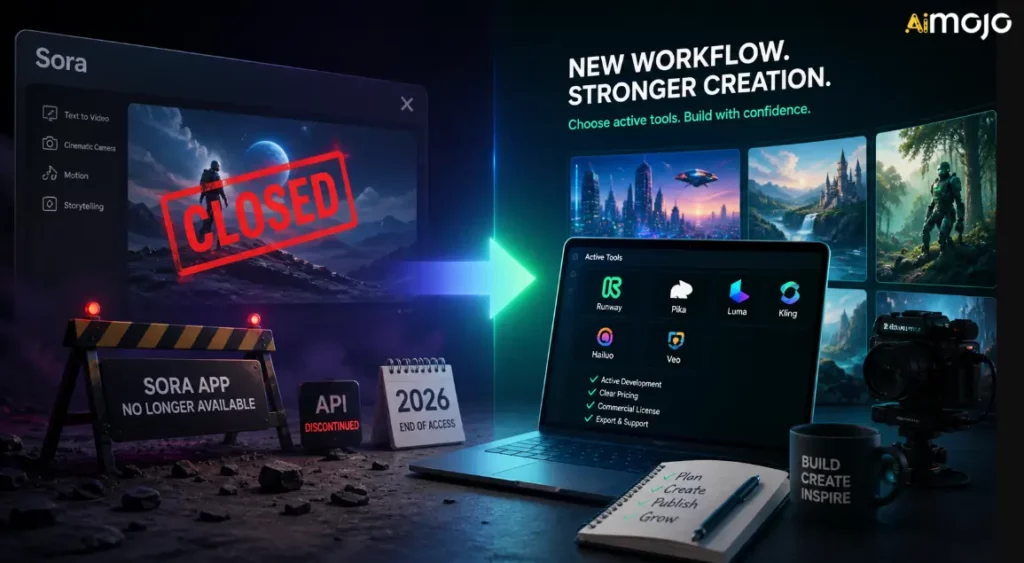
하지만 Sora는 더 이상 크리에이터를 위한 안정적인 워크플로우 센터가 아닙니다. (OpenAI)'s 공식 단종 페이지에서 두 가지 중요한 날짜를 확인했습니다.
즉, 일반적인 Sora 웹/앱 환경은 이미 종료되었으며, API에 의존하는 워크플로는 사용 기간이 제한적입니다. 다른 플랫폼, 사용자 지정 자동화 또는 내부 비디오 워크플로를 통해 Sora를 사용해왔다면, 해당 플랫폼이 다른 모델로 전환되지 않는 한 임시적인 것으로 간주해야 합니다.
OpenAI's 공식 도움말 페이지에는 일정과 내보내기 경로가 설명되어 있지만, 서비스 중단의 모든 사업적 이유에 대한 자세한 설명은 제공하지 않습니다. Axios의 보도에 따르면 Open은 다음과 같습니다.AI Sora가 상당한 컴퓨팅 자원을 소비하면서 초점과 인적/컴퓨팅 자원이 좁아지고 있다고 Axios는 보도했습니다.'s 소라 연구팀은 로봇공학 및 물리적 세계 과제를 위한 세계 시뮬레이션 연구에 계속 집중할 것입니다.
콘텐츠 제작자들에게는 이번 셧다운의 정치적인 측면보다 실질적인 이점이 더 중요합니다.
Sora 대체 프로그램을 선택하는 방법
다른 서비스에 가입하기 전에 AI 동영상 플랫폼을 선택할 때는 이러한 매개변수를 활용하세요. 과장된 홍보보다 훨씬 중요합니다.
1. 출력 유형
해당 도구가 실제로 무엇을 생성하는지 문의하십시오. 일부 도구는 독창적인 결과를 생성합니다. AI 비디오 클립을 만드는 사람도 있고, 이미지를 애니메이션화하는 사람도 있고, 아바타 비디오를 만드는 사람도 있고, 템플릿 기반 마케팅 비디오를 제작하는 사람도 있고, 편집 전문가인 사람도 있습니다. AI 기능을 제공합니다.
영화 같은 영상이 필요하시면 AI 장면이 많으면 생성형 비디오 도구를 선택하세요. 매주 필요한 경우 소셜 콘텐츠편집자가 더 가치 있을 수도 있습니다.
2. 크리에이티브 컨트롤
화면 비율, 재생 시간, 카메라 움직임, 참조 이미지, 네거티브 프롬프트, 스토리보드 계획, 캐릭터 일관성, 장면 순서, 편집 후 생성 워크플로와 같은 제어 기능을 찾아보세요.
제작 작업이 진지할수록 더 많은 통제력이 필요합니다.
3. 워크플로 적합성
크리에이터들은 흔히 제작 품질에는 과도하게 투자하고 워크플로우 속도에는 소홀한 경우가 많습니다. 만약 병목 현상이 캡션, 크기 조정, 템플릿, 검토, 게시 과정에서 발생한다면, 순수한 제작 품질 관리가 중요합니다. AI 동영상 생성기는 문제의 모든 해결책이 되지는 않습니다.
4. 상업적 권리
생성된 클립을 광고, 클라이언트 작업, 유료 강좌, YouTube 수익 창출 또는 브랜드 캠페인에 사용하기 전에 해당 도구를 확인하십시오.'s 이용 약관. 상업적 이용은 계획, 모델, 자산, 스톡 영상, 음성, 아바타 또는 지역에 따라 달라질 수 있습니다.
5. 비용 및 크레딧
AI 동영상 편집은 비용을 빠르게 소모합니다. 가격표에서는 저렴해 보이는 도구라도 다양한 편집 옵션을 만들거나, 프롬프트를 테스트하거나, 출력물을 고화질로 조정하거나, 더 긴 클립이 필요할 때는 비용이 많이 들 수 있습니다.
6. 팀 및 고객 활용
클라이언트나 팀과 협업하는 경우, 협업 기능, 브랜드 키트, 템플릿, 공유 프로젝트, 내보내기 옵션, 그리고 예측 가능한 승인 워크플로를 갖춘 도구를 찾아보세요.
워크플로별 최고의 Sora 대체 솔루션
| 수단 | 베스트 | 주요 강점 | 최고 구매자 |
|---|---|---|---|
| 클링 AI | 영화 AI 비디오 | 텍스트를 비디오로 변환, 이미지를 비디오로 변환, 모션, 영화적 출력 | 크리에이터, 광고팀, 제품 마케터 |
| 오픈아트 | 스토리보드 및 크리에이티브 에셋 | 시각적 컨셉, 캐릭터, 촬영 계획, 사전 제작 | 디자이너, 영화 제작자, 크리에이티브 팀 |
| 헤이젠 | 말하는 아바타 | 발표자 주도형 비디오, 스크립트, 현지화, 반복 사용 가능한 비즈니스 콘텐츠 | SaaS 팀, 교육자, 에이전시, 영업팀 |
| 보다 | 소셜 편집 및 캡션 | 자막 제작, 크기 조정, 편집, 용도 변경, 출판 마무리 작업 | 소셜 미디어 팀, 크리에이터, 교육자, 마케터 |
| 인비디오 AI | 마케팅 안내 영상 | 스크립트, 영상, 내레이션, 장면 구성, 완벽한 비디오 제작 워크플로우 | 유튜버, 에이전시, 소규모 사업체 |
1. 클링 AI: 시네마틱 영상에 가장 적합한 소라 대체 선수 AI Video
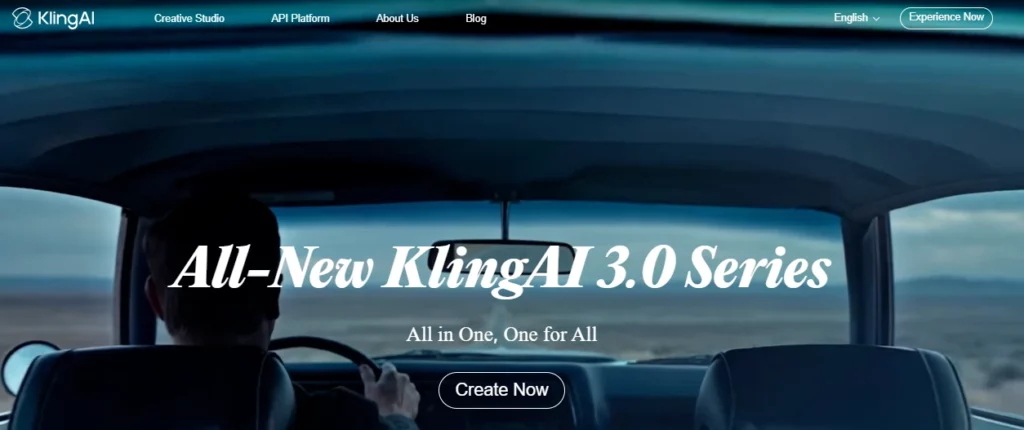
클링 AI 만약 이전에 Sora를 사용하여 영화 같은 텍스트-비디오 또는 이미지-비디오 클립을 제작해 본 경험이 있다면, 이 도구가 가장 강력한 첫 번째 선택이 될 것입니다. 이 도구는 단순한 템플릿 편집보다는 생성형 비디오, 시각적 일관성, 카메라 움직임 및 단편 영화 같은 영상 제작에 최적화되어 있습니다.
쿠 아이 쇼's Kling 3.0 발표에서는 텍스트-비디오 변환, 이미지-비디오 변환, 참조-비디오 변환, 비디오 내 편집, 멀티모달 입력/출력, 향상된 일관성, 네이티브 오디오, 멀티샷 스토리텔링, 최대 15초 길이의 비디오 생성 기능 등이 강조되었습니다. 이러한 기능들을 통해 Kling은 프롬프트 기반 비디오 제작의 편리함을 여전히 원하는 크리에이터들에게 Sora를 대체할 만한 강력한 도구가 될 것입니다.
클링을 사용하세요 AI 용 :
클링 AI 평가 매개변수
| 매개 변수 | 무엇을 확인해야 하나요? |
|---|---|
| 최적의 워크플로 | 영화 같은 텍스트-비디오 및 이미지-비디오 생성 |
| 입력 유형 | 텍스트 프롬프트, 이미지, 참조 자료, 그리고 모델 접근 권한에 따라 멀티모달 입력 |
| 출력 스타일 | 짧은 영화 클립, 사실적인 장면, 스타일리시한 움직임, 제품 이미지 |
| 제어 수준 | 참고 이미지, 카메라 방향, 피사체 설명 및 스토리보드 형식의 프롬프트를 사용할 때 더 강력한 제어 기능을 제공합니다. |
| 속도 | 짧은 영상에는 적합하지만, 완성도 높은 결과물을 원한다면 여러 번의 수정 작업이 필요할 수 있습니다. |
| 창의력 | 시각적 사실주의, 움직임, 영화적 구도, 이미지 애니메이션 |
| 변환 사용 | 광고, 후킹 콘텐츠, 랜딩 페이지 이미지, 제품 스토리텔링, 짧은 형식의 크리에이티브 테스트에 적합합니다. |
| 주의 사항 | 신용 비용, 발전 한도, 상업적 사용 조건, 워터마크/수출 규정 및 요금제 차이 |
베스트 클링 AI 프롬프트 스타일
클링은 단순히 키워드를 입력하는 것보다 감독처럼 프롬프트를 제공할 때 더 효과적입니다. 주제, 장면, 움직임, 카메라 앵글, 조명, 분위기, 화면 비율, 그리고 무엇이 화면에 나타나지 않아야 하는지 등을 포함하세요.
프롬프트 구조 예시:
A close-up cinematic shot of a premium smartwatch on a dark glass table, soft studio lighting, slow push-in camera movement, reflections visible, modern luxury ad style, shallow depth of field, no text, no distorted hands, no extra objects.이미지를 영상으로 변환하려면 먼저 강렬한 제품 이미지나 캐릭터 이미지를 준비하세요. 그런 다음 동작을 명확하게 설명하십시오.
Animate this product image with a slow clockwise camera orbit, subtle background light movement, realistic reflections, no change to product shape, no logo distortion.클링이 AI 최선의 선택입니다
기존 Sora 워크플로우가 독창적인 장면 제작에 중점을 두었다면 Kling을 선택하세요. 특히 강력한 비주얼이 필요하지만 하나의 도구 안에 모든 소셜 편집 기능이 필요하지 않은 경우에 유용합니다.
예를 들어, 마케터는 5~15초 분량의 영상을 제작할 수 있습니다. AI Kling에서 제품 촬영을 한 후 클립을 이동합니다. 보다 캡션, 크기 조정, 로고 배치 및 최종 소셜 미디어 형식 지정을 위해.
2. 오픈아트스토리보드 및 크리에이티브 사전 제작을 위한 최고의 Sora 대체 프로그램
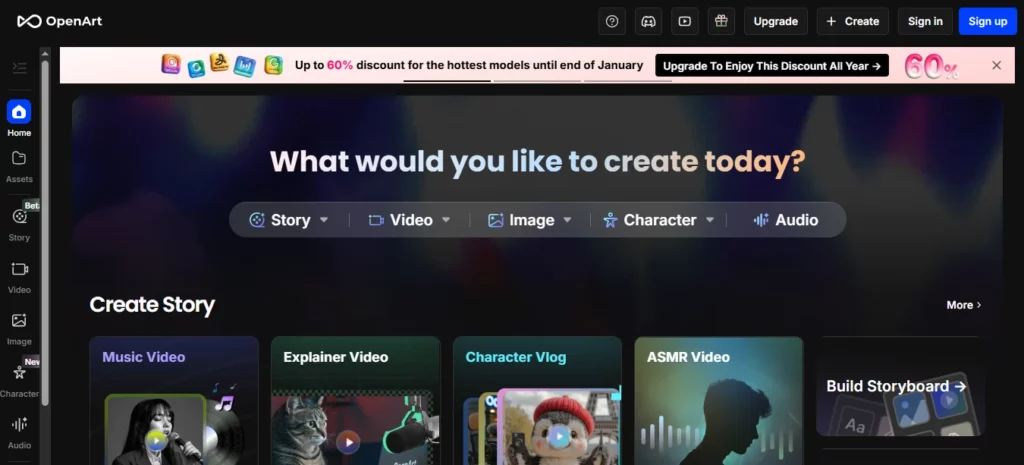
OpenArt는 영상 제작 전 시각적 기획이 필요할 때 Sora를 대체할 수 있는 훌륭한 도구입니다. 단순히 Sora의 클립을 그대로 대체하는 것이 아니라, 크리에이터가 영상 제작에 필요한 콘셉트, 캐릭터, 스타일, 장면, 에셋 등을 구상하고 개발할 수 있도록 지원합니다.
오픈아트's 스마트샷 기능은 샷 계획, 멀티컷 출력, 카메라 작업에 중점을 두기 때문에 Sora 대체 워크플로우에 특히 적합합니다. 시각적 일관성또한 생성 전 편집 제어 기능도 제공합니다. OpenArt는 Smart Shot을 스토리보드와 카메라 움직임을 포함한 샷 플랜을 생성한 다음 3~5개의 개별 샷을 생성하는 기능이라고 설명합니다. 따라서 무작위적인 샷 하나보다 더 체계적인 구성을 원하는 크리에이터에게 유용합니다. AI 클립.
OpenArt를 다음과 같은 용도로 사용하세요:
OpenArt 평가 매개변수
| 매개 변수 | 무엇을 확인해야 하나요? |
|---|---|
| 최적의 워크플로 | 스토리보드 작성, 시각적 아이디어 구상, 캐릭터 일관성 유지 및 창의적인 사전 제작 |
| 입력 유형 | 텍스트 프롬프트, 이미지, 캐릭터 참조, 저장된 시각적 자료 |
| 출력 스타일 | 이미지, 스토리보드 프레임, 멀티컷 비디오, 캐릭터 비주얼, 장면 컨셉 |
| 제어 수준 | 모션을 생성하기 전에 참조를 구축하면 강력한 결과를 얻을 수 있습니다. |
| 속도 | 영상 크레딧을 사용하기 전에 다양한 시각적 방향을 탐색하기에 좋습니다. |
| 창의력 | 시각적 아이디어 구상, 캐릭터 제작, 스토리보드 기획, 에셋 생성 |
| 변환 사용 | 광고 기획, 썸네일 이미지, 제품 사진, 사전 제작 및 클라이언트 프레젠테이션 시각 자료에 유용합니다. |
| 주의 사항 | 최종 편집 단계가 아닐 수도 있습니다. 자막 및 게시를 위해 VEED 또는 다른 편집기가 추가로 필요할 수 있습니다. |
OpenArt가 Sora의 일부를 대체하는 방법
많은 창작자들이 Sora를 상상력의 도구로 활용했습니다. 아이디어를 입력하고 장면이 어떻게 구현될지 미리 볼 수 있었죠. OpenArt는 시각적인 세계를 먼저 구상할 수 있도록 도와줌으로써 이러한 초기 창작 과정을 대체할 수 있습니다.
이는 영상 제작 과정에서 발생하는 손실을 최소화하는 데 중요한 문제입니다. 아이디어가 부실한 경우, 즉시 영상을 제작하면 쓸모없는 클립에 크레딧이 낭비될 수 있습니다. 더 나은 워크플로는 다음과 같습니다.
- OpenArt에서 시각적 스타일을 구축하세요.
- 캐릭터 또는 제품 관련 자료를 만드세요.
- 가장 튼튼한 프레임을 선택하세요.
- Kling에서 해당 참조를 애니메이션화하세요 AI 또는 OpenArt 비디오 도구.
- VEED에서 최종 편집본을 만드세요.
크리에이터를 위한 최고의 OpenArt 워크플로우
제품 광고의 경우, 먼저 5~10개의 시각적 지침을 만드세요.
그다음 가장 인상적인 이미지를 골라 동영상으로 만들어 보세요. 이렇게 하면 이미지를 하나씩 고르는 것보다 더 체계적으로 작업할 수 있습니다. AI 이 비디오 모델은 전체 아이디어를 한 번에 해결합니다.
3. 헤이젠: 말하는 아바타와 발표자 비디오를 위한 최고의 Sora 대체 앱

HeyGen은 영화 같은 장면이 아닌 발표자 주도형 비디오 제작이 목표라면 Sora를 대체할 수 있는 최고의 솔루션입니다.
많은 기업들은 초현실적인 것을 필요로 하지 않습니다. AI 영상 촬영 현장입니다. 제품을 설명하거나, 고객을 온보딩하거나, 강의를 진행하거나, 메시지를 현지화하거나, 스크립트를 세련된 영상으로 제작하는 등 전문적인 이미지를 가진 사람이 필요합니다.
헤이젠's 이 문서에서는 사진 아바타, 공개 아바타, 즉석 아바타/디지털 트윈을 위한 워크플로를 설명하며, 원하는 품질이나 기능에 따라 아바타 엔진을 선택할 수 있습니다. 또한 비즈니스 비디오 제작에 훨씬 더 가까운 아바타 및 음성 워크플로도 지원합니다. 영화 AI 세대.
HeyGen을 다음 용도로 사용하세요:
HeyGen 평가 매개변수
| 매개 변수 | 무엇을 확인해야 하나요? |
|---|---|
| 최적의 워크플로 | 발표자가 진행하는 비즈니스 영상 및 아바타 콘텐츠 |
| 입력 유형 | 스크립트, 아바타, 음성, 사진 아바타, 공개 아바타, 사용자 지정 아바타 |
| 출력 스타일 | 인터뷰 영상, 설명 영상, 교육 영상, 다국어 아바타 영상 |
| 제어 수준 | 스크립트, 음성, 아바타 선택 및 반복 가능한 발표자 형식에 강점을 보입니다. |
| 속도 | 반복적인 비즈니스 영상 제작에 매우 적합합니다. |
| 창의력 | 발표자 일관성, 현지화, 스크립트 기반 커뮤니케이션 |
| 변환 사용 | SaaS 설명 영상에 아주 적합합니다. 랜딩 페이지 비디오영업 활동, 교육 및 교육 과정 콘텐츠 |
| 주의 사항 | 아바타 사용 동의, 음성 사용 동의, 초상권, 발음 품질 및 브랜드 적합성 |
HeyGen이 영화 속 소라 대체 캐릭터를 이겼을 때
장면보다 사람의 메시지가 더 중요할 때는 HeyGen을 선택하세요.
예 :
이러한 경우 Kling이나 OpenArt는 너무 시각적이고 실용적이지 않을 수 있습니다. HeyGen은 반복 가능한 스튜디오 스타일의 워크플로우를 제공합니다.
최적의 HeyGen 스크립트 형식
대본은 간결하고 자연스럽게 작성하세요.
예:
"만약 여러분의 팀이 똑같은 교육 영상을 녹화하는 데 몇 시간씩 소비한다면, 그 과정을 다른 방식으로 대체할 수 있습니다." AI 아바타 워크플로우. 스크립트를 한 번 작성하고, 비디오를 생성하고, 다양한 시장에 맞춰 번역하고, 제품이 변경될 때마다 콘텐츠를 업데이트하세요.
4. 보다소셜 비디오 편집 및 자막 기능을 위한 최고의 Sora 대체 프로그램
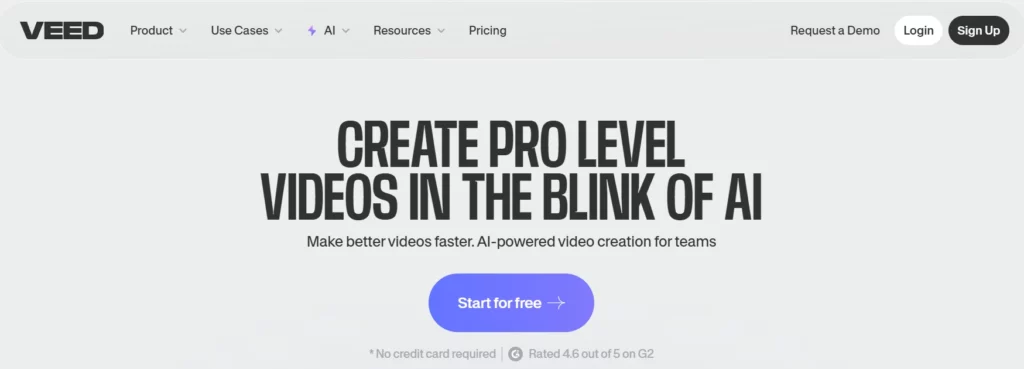
VEED는 원본 이미지 품질에 크게 신경 쓰지 않는 크리에이터들을 위한 실용적인 소라 대체재입니다. AI 클립을 게시 가능한 비디오로 만드는 방법에 대한 자세한 내용과 생성 과정에 대해 설명합니다.
VEED는 온라인 비디오 편집기입니다. AI 캡션 도구자막, 번역, 텍스트-비디오 변환, 아바타, 음성 해설, 화면 녹화, 서식 지정 및 편집 기능을 제공합니다. 캡션 도구는 다양한 언어에 걸쳐 자동 자막 및 번역을 지원하며, AI 동영상 제작 도구는 클립, 음악, 음성 해설, 자막 및 애니메이션을 사용하여 동영상을 만드는 데 도움이 될 수 있습니다.
VEED는 다음과 같은 용도로 사용하세요:
VEED 평가 매개변수
| 매개 변수 | 무엇을 확인해야 하나요? |
|---|---|
| 최적의 워크플로 | 편집, 캡션 작성, 콘텐츠 재활용 및 소셜 미디어 게시 |
| 입력 유형 | 업로드된 클립, 화면 녹화, AI 생성 클립, 스크립트, 음성 해설 |
| 출력 스타일 | 소셜 미디어용 동영상, 자막이 있는 클립, 교육 영상, 광고, 설명 영상 |
| 제어 수준 | 편집, 자막, 템플릿, 서식 지정 및 브랜드 스타일링에 탁월합니다. |
| 속도 | 자주 콘텐츠를 게시하는 크리에이터에게 매우 적합합니다. |
| 창의력 | 캡션, 타임라인 편집, 크기 조정, 소셜 미디어 최적화, 용도 변경 |
| 변환 사용 | 짧은 형식의 도입부, 비디오 광고, 크리에이터 클립 및 콘텐츠 배포에 적합합니다. |
| 주의 사항 | 고품질 시네마틱 영상 생성기가 아니므로, 더욱 뛰어난 영상 결과물을 얻으려면 Kling이나 OpenArt와 함께 사용하세요. |
Sora 이후 VEED는 어떻게 활용될까요?
소라는 인상적인 영상 클립을 만들 수 있었지만, 완성된 콘텐츠에는 여전히 편집이 필요합니다. 대부분의 인기 소셜 미디어 영상에는 다음과 같은 요소가 필요합니다.
VEED는 최종 프로덕션 단계를 위해 설계되었습니다. 강력한 Sora 이후 워크플로는 다음과 같을 수 있습니다.
- 생성 AI Kling AI의 시각화 기능.
- OpenArt에서 보조 이미지 또는 스토리보드 프레임을 만드세요.
- HeyGen에서 발표자 세그먼트를 녹화하거나 생성하세요.
- VEED에서 이미지를 조합하고, 캡션을 달고, 크기를 조정하고, 내보냅니다.
그것은 기대하는 것보다 더 나은 워크플로입니다. AI 모든 것을 할 수 있는 비디오 생성기.
5. 인비디오 AI: 마케팅 영상 제작을 위한 최고의 Sora 대체 솔루션
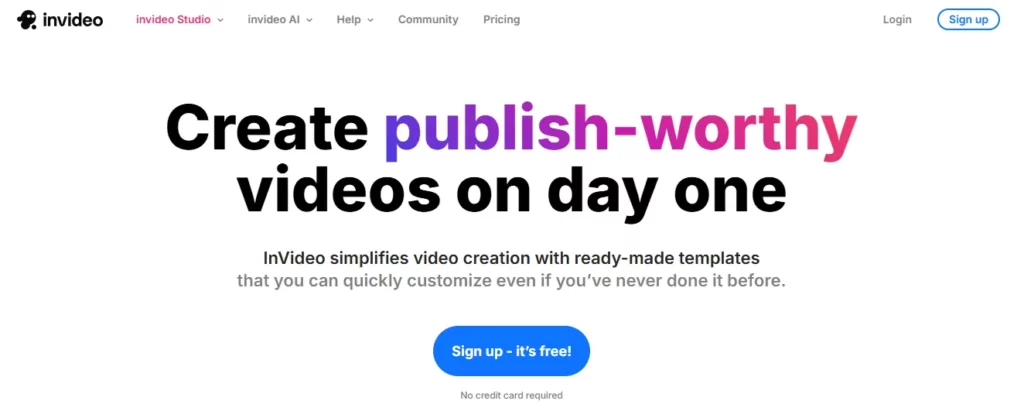
인비 디오 AI 프롬프트, 스크립트 또는 콘텐츠 아이디어를 바탕으로 완성된 마케팅 영상을 원할 때 강력한 대안이 될 수 있습니다.
인비 디오 AI 날것 그대로의 모습을 과시하는 것과는 거리가 멀다. AI 이 모델은 아이디어에서 공개 가능한 영상으로 발전시키는 과정에 대한 내용을 담고 있습니다. AI 동영상 생성기는 프롬프트를 기반으로 스크립트를 작성하고, 시각 자료를 추가할 수 있습니다. 음성 해설자막, 음악 및 기타 제작 요소들을 포함합니다. 또한 워크플로우도 포함되어 있습니다. AI 동영상 생성, 아바타, 자막, 사용자 제작 콘텐츠 스타일 광고, 제품 영상, 유튜브 쇼츠 등 다양한 기능을 제공합니다.
InVideo를 사용하세요 AI 용 :
인비 디오 AI 평가 매개변수
| 매개 변수 | 무엇을 확인해야 하나요? |
|---|---|
| 최적의 워크플로 | 프롬프트 기반 영상 제작 및 스크립트를 기반으로 한 마케팅 영상 제작 |
| 입력 유형 | 프롬프트, 스크립트, 주제 아이디어, 제품 설명, 대상 고객 정보 |
| 출력 스타일 | 구조화된 마케팅 영상, 소셜 광고, 설명 영상, 목록형 영상, 얼굴 없는 영상 |
| 제어 수준 | 스크립트, 스톡/에 강점AI 영상, 음성 해설, 장면 및 편집 명령 |
| 속도 | 빠른 배송에 탁월합니다 콘텐츠 제작 및 캠페인 테스트 |
| 창의력 | 막연한 아이디어를 빠르게 완성된 영상으로 구현합니다. |
| 변환 사용 | 광고, 유튜브 콘텐츠, 제품 홍보 및 소규모 사업 마케팅에 적합합니다. |
| 주의 사항 | 독창적인 영화적 장면이 필요한 경우, 순수 생성형 비디오보다 독창성이 떨어질 수 있습니다. |
InVideo에서 AI Kling이나 OpenArt보다 낫습니다.
InVideo를 선택하세요 AI 비즈니스 성과가 시각적 모델 자체보다 더 중요할 때.
예 :
인비 디오 AI 완전한 콘텐츠 형식을 기반으로 사고하기 때문에 유용합니다. 따라서 결과물을 빠르게 필요로 하는 마케터, 중소기업, 에이전시 및 크리에이터에게 더욱 편리합니다.
다양한 사용자를 위한 최고의 Sora 대체 스택
유튜버들을 위한 정보
Kling님, 썸네일 및 시각적 컨셉 제작에는 OpenArt를 사용하세요. AI 짧은 영상 삽입용, InVideo AI 구조화된 비디오 초안 작성에는 해당 프로그램을 사용하고, 자막 및 최종 편집에는 VEED를 사용합니다.
최적의 스택:
소셜 미디어 관리자를 위한 정보
클링을 사용하세요 AI 시선을 사로잡는 클립 제작에는 VEED, 자막 및 크기 조정에는 InVideo를 사용합니다. AI 빠른 캠페인 변경을 위해.
최적의 스택:
대행사의 경우
클라이언트 컨셉을 위해 OpenArt를 활용하세요, Kling. AI 시각적 테스트에는 HeyGen, 설명 영상 제작에는 HeyGen, 최종 브랜드 이미지 구현에는 VEED를 사용합니다.
최적의 스택:
강좌 제작자 및 교육자를 위한 정보
HeyGen은 발표자 주도 수업에 사용하고, VEED는 편집, 자막 및 번역에 사용하세요. OpenArt는 맞춤형 수업 시각 자료가 필요할 때만 사용하세요.
최적의 스택:
어떻게 재건할 수 있을까 AI Sora 이후 비디오 워크플로
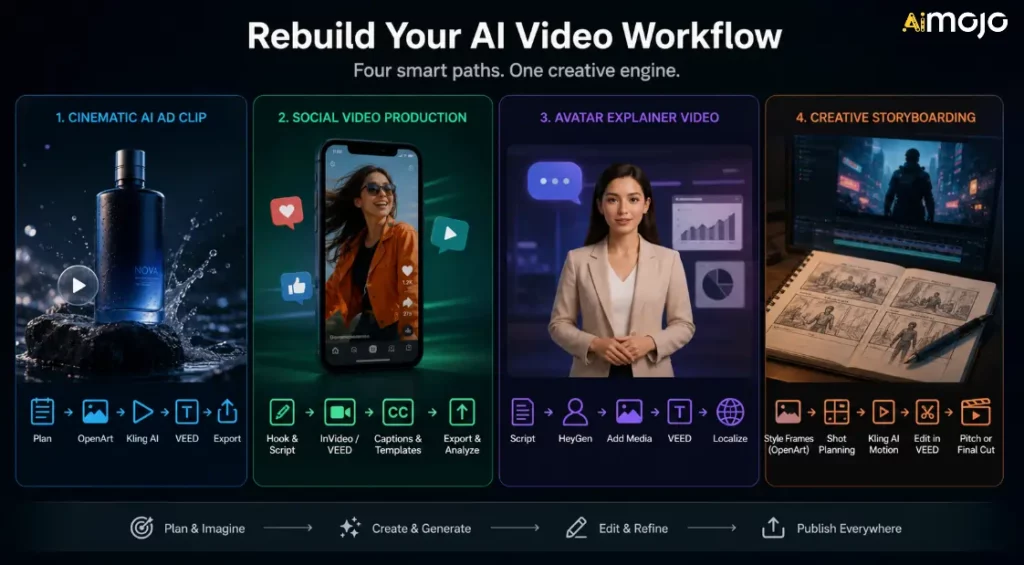
단순히 하나의 대체재를 선택하고 모든 문제가 해결되기를 바라지 마십시오. 게시하는 콘텐츠 유형에 맞춰 워크플로를 구축하십시오.
워크플로 1: 시네마틱 AI 광고 영상
짧은 영상 광고, 제품 사진 등이 필요할 때 사용하세요. AI 보조 영상.
- 장면을 구상하고 목표로 하는 감정을 설정하세요.
- OpenArt에서 참조용 이미지를 생성합니다.
- Kling AI에서 가장 강력한 프레임을 애니메이션화하세요.
- VEED에서 캡션, CTA를 추가하고 크기를 조정하세요.
- TikTok, Reels, YouTube Shorts 및 광고용 내보내기 버전이 있습니다.
워크플로우 2: 소셜 비디오 제작
볼륨과 일관성을 목표로 할 때 사용하세요.
- 흥미를 끄는 짧은 시나리오를 작성하세요.
- InVideo에서 초안을 작성하세요 AI 또는 VEED.
- 캡션과 브랜드 템플릿을 추가하세요.
- 다양한 화면 비율로 내보내기.
- 어떤 후크가 가장 효과적인지 추적하세요.
워크플로 3: 아바타 설명 영상
교육, 판매 또는 교육용 영상이 필요할 때 사용하세요.
- 명확한 스크립트를 작성하세요.
- HeyGen에서 발표자를 생성합니다.
- 제품 스크린샷, 슬라이드 또는 B-roll 영상을 추가하세요.
- VEED에서 편집하고 캡션을 추가하세요.
- 최종 버전 승인 후에만 현지화 작업을 진행하십시오.
워크플로 4: 크리에이티브 스토리보딩
광고, 영화 콘셉트, 뮤직비디오 또는 브랜드 캠페인을 개발할 때 활용하세요.
- OpenArt에서 스타일 프레임을 만드세요.
- 필요에 따라 스마트샷 또는 스토리보드 계획을 활용하세요.
- Kling AI를 사용하여 모션 클립을 생성하세요.
- VEED에서 초안을 조립하세요.
- 결과물을 기획안, 크리에이티브 디렉션 또는 최종 단편 콘텐츠로 활용하세요.
Sora를 사용했을 경우 어떻게 해야 할까요?
아직 소라 관련 파일을 가지고 있다면 지금 바로 이렇게 하세요:
목표는 소라를 완벽하게 재현하는 것이 아닙니다. 목표는 단종된 제품에 의존하지 않고 지속적으로 제품을 생산하는 것입니다.
피해야 할 일반적인 실수
실수 1: Sora를 또 다른 불안정한 워크플로로 대체하는 것
소라's 종료 알림은 내보내기, 프롬프트, 원본 이미지, 캡션 및 최종 파일을 체계적으로 관리해야 한다는 점을 상기시켜 줍니다. 전체 콘텐츠 시스템을 하나의 폐쇄된 플랫폼 안에만 두지 마십시오.
두 번째 실수: 라이선스 무시
AI 영상 라이선스는 복잡할 수 있습니다. 사용하기 전에 항상 상업적 사용 약관을 확인하세요. AI 광고, 클라이언트 캠페인, 유료 제품, YouTube 수익 창출 또는 공개 브랜드 홍보 활동에 사용된 영상 클립.
실수 3: 편집 레이어를 잊어버리는 것
AI 영상 제작은 단순히 영상 생성만으로 끝나는 것이 아닙니다. 자막, 속도 조절, 편집, 흥미 유발 요소, 크기 조정, 썸네일, 그리고 CTA(행동 유도 버튼) 등도 영상의 성과를 좌우하는 중요한 요소입니다.
실수 4: 데모가 가장 잘 된 도구를 고르는 것
데모 영상은 실제 작업 흐름이 아닙니다. 실제 상황, 제품, 대상 고객, 화면 비율, 게시 일정에 맞춰 도구를 테스트하세요.
실수 5: 입력값을 저장하지 않음
프롬프트, 참고 자료, 최종 클립, 자막, 썸네일 및 내보내기 설정을 저장하세요. 이렇게 하면 다른 플랫폼의 가격이나 이용 가능 여부가 변경될 경우 도구 간 이동이 더 쉬워집니다.
소라 얼터너티브 관련 FAQ
소라는 아직 이용 가능한가요?
엽니다AI Sora 웹 및 앱 서비스는 2026년 4월 26일에 종료되었습니다. Sora API는 2026년 9월 24일에 서비스가 종료될 예정입니다.
소라가 왜 꺼졌나요?
OpenAI's 공식 도움말 페이지에서는 서비스 종료 날짜를 확인했지만, 모든 내부적인 이유에 대한 자세한 공개 설명은 제공하지 않았습니다. Axios의 보도에 따르면 Open은AI Sora가 상당한 컴퓨팅 자원을 소모하면서 초점과 인적/컴퓨팅 자원이 좁아지고 있습니다. 크리에이터에게 중요한 점은 Sora가 더 이상 새로운 제작 워크플로우에 안전한 도구가 아니라는 것입니다.
Sora를 대체할 최고의 제품은 무엇일까요?
클링 AI 영화 제작에 있어 최고의 첫 번째 선택입니다. AI 영상 생성. OpenArt는 스토리보드 및 시각적 컨셉에 더 적합합니다. HeyGen은 다음과 같은 용도에 더 적합합니다. AI 아바타. VEED는 자막 및 소셜 편집에 더 적합합니다. InVideo AI 이는 마케팅 영상 제작 워크플로에 더 적합합니다.
텍스트를 동영상으로 변환하는 데 가장 적합한 Sora 대체 도구는 무엇인가요?
영화 같은 텍스트 비디오 제작을 원한다면 Kling AI부터 시작해 보세요. 마케팅 영상, 소셜 광고 또는 완전한 비디오 구조 제작이 필요하다면 InVideo를 고려해 보세요. AI 또는 VEED가 더 유용할 수도 있습니다.
이미지를 비디오로 변환하는 데 가장 적합한 Sora 대체 프로그램은 무엇인가요?
클링 AI 이미지를 비디오로 변환하는 모션 기능에 OpenArt는 강력한 옵션입니다. 또한 애니메이션을 제작하기 전에 시각적 에셋을 만들거나 준비할 때도 유용합니다.
기업에 가장 적합한 Sora 대체재는 무엇일까요?
비즈니스 영상의 경우, HeyGen은 아바타 설명 영상 및 교육 영상에 강점을 보입니다. VEED는 편집 및 자막 제작에 강점을 보입니다. InVideo도 좋은 선택입니다. AI 제품 홍보 및 마케팅 영상에 강점을 가지고 있습니다.
Sora API를 기반으로 도구를 계속 개발해야 할까요?
아니요. Sora API는 서비스 종료가 예정되어 있으므로, 크리에이터와 개발자는 Sora API를 기반으로 새로운 장기 운영 시스템을 구축하는 것을 피해야 합니다.
사용해도 되나요 AI 상업 광고에 사용할 수 있는 영상 대체 수단은 무엇일까요?
대개는 그렇지만, 각 플랫폼별로 확인해 보세요.'s 요금제, 라이선스 및 사용 규칙. 상업적 권리는 모델, 출력 유형, 요금제 수준, 스톡 에셋, 음성, 아바타 또는 국가에 따라 달라질 수 있습니다.
기존 소라 콘텐츠는 어떻게 처리해야 하나요?
내보내기, 프롬프트 및 참조 자료 보관, 최종 클립 정리, 그리고 현재 사용 가능한 도구로 활성 제작을 옮기세요.
AiMojo 추천:
평결
영화적인 관점에서 AI 영상, 시작하세요 클링 AI스토리보드, 캐릭터 및 창의적인 사전 제작에는 다음을 사용하세요. 오픈아트아바타 설명 영상 및 다국어 발표자 영상의 경우, 다음을 사용하세요. 헤이젠자막, 소셜 미디어 편집 및 재활용에는 VEED를 사용하세요. 프롬프트에서 마케팅 비디오로의 워크플로에는 InVideo AI를 사용하세요.
소라가 밀었다 AI 영상 콘텐츠 제작은 계속 발전하고 있지만, 크리에이터에게는 지금 바로 사용할 수 있는 도구가 필요합니다. 콘텐츠 가용성, 라이선스, 출력 품질, 워크플로 적합성, 게시 속도를 고려하여 차세대 워크플로를 구축하세요.



 보너스: $200를 받으세요AI 가입하시면 "마스터리 툴킷"을 무료로 드립니다!








