

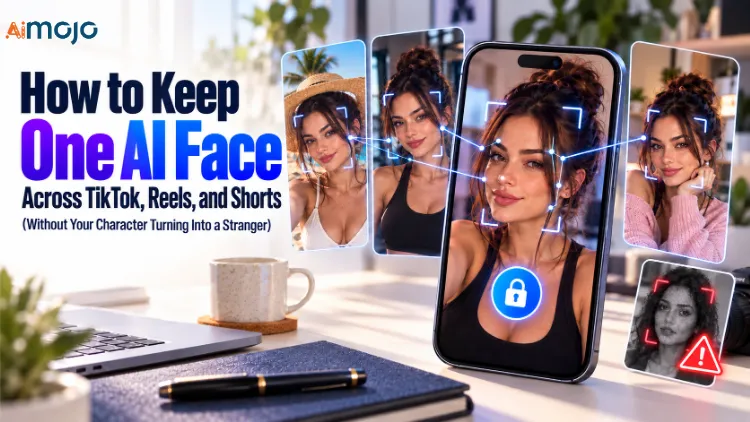
You built a gorgeous AI influencer. Post one went semi-viral on TikTok. Then you generated batch two for Reels and… the nose moved. The jawline softened. The eyes went a shade greener. Your audience didn’t say anything, but the algorithm noticed, and so did anyone who scrolled your grid twice.
That’s face drift, and it’s the single reason most AI creator accounts stall at 2,000 followers. Keeping one AI face across TikTok, Reels, and Shorts isn’t about writing longer prompts or paying for a bigger model. It’s about locking the identity 일단, then treating every platform as a different outfit on the same person.
We’ve been poking at AI influencer generators for a while at AI Mojo, and the tools that survive this test are the ones that save your character as a reusable asset instead of re-rolling the dice every render.
APOB AI is built exactly around that idea — you create a portrait model once, and 40+ image, video, and voice tools pull from that same face.
Below is the full playbook: the setup, the per-platform tweaks, the prompt anchors, the credit math, and the labeling rules nobody reads until they get flagged.
One Face, Three Feeds: The Consistency Cheat Sheet
| What breaks consistency | 왜 발생 | The fix inside APOB AI | 노력 |
|---|---|---|---|
| Face changes between posts | Every generation starts from scratch | Train one Portrait Model and reuse it for all content | 5 min, once |
| Face looks “off” in video | Motion + lighting shifts facial geometry | Start from an approved still, then Image to Video | 2 min per clip |
| Different vibe per platform reads as a different person | Random backgrounds, outfits, and filters | Keep identity anchors fixed, change only scene or wardrobe | 30 sec per prompt |
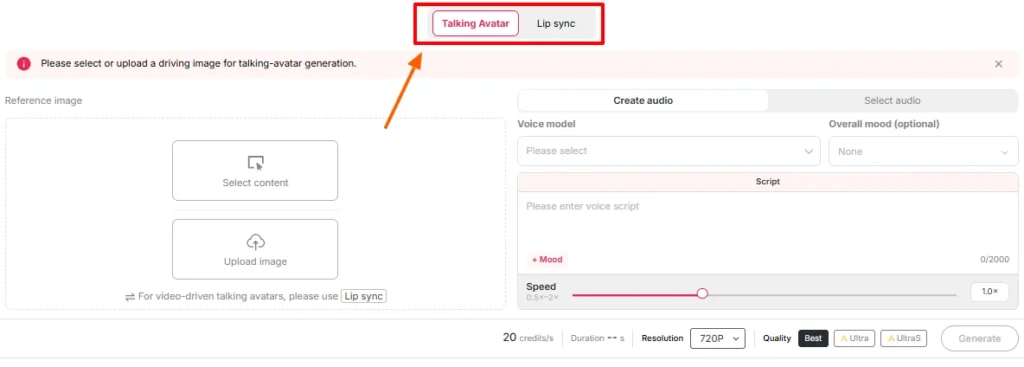
| Talking clips don’t match the photos | Separate avatar tool, separate face | Talking Avatar + Lip Sync run on your saved model | 3 min per video |
| Trend videos need a real body | Dance and movement are hard to prompt | ReVideo swaps your character into an existing clip | 4 min per trend |
| Voice sounds like a new person | Random text-to-speech per video | Reuse the same custom voice across every upload | 일단 |
| Crops chop the face | Each app has its own UI overlay | Frame 9:16 with safe zones planned before export | Free, just habit |
왜 당신의 AI Character Mutates Between Uploads
Generative image models don’t remember anybody. Every prompt is a fresh roll, and “beautiful 24-year-old brunette influencer” describes roughly forty million possible faces. Change the lighting, change the camera angle, add a hand near the cheek, and the model quietly rebuilds the face from whatever fits the scene best.
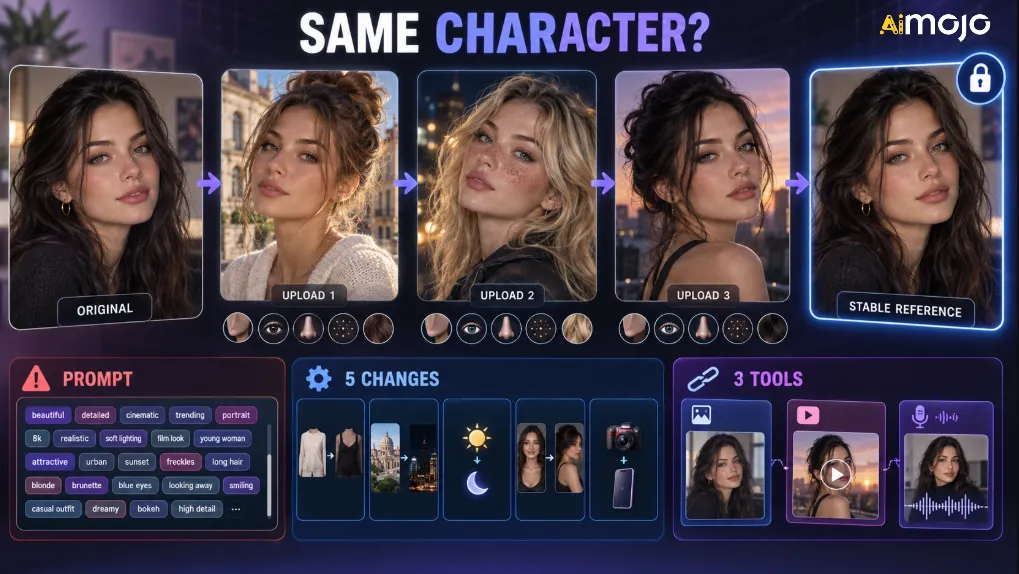
Three things make it worse:
The official APOB AI guidance on this is refreshingly blunt: approve one reference image, keep the stable identity details in every prompt, and change one variable at a time. Boring advice. Works every time.

The Core Principle: Train the Face Once, Then Dress It Up Forever
Here’s the mental model that fixes everything.
너의 AI influencer is not a prompt. It’s an 유산. The prompt is just the shoot brief.
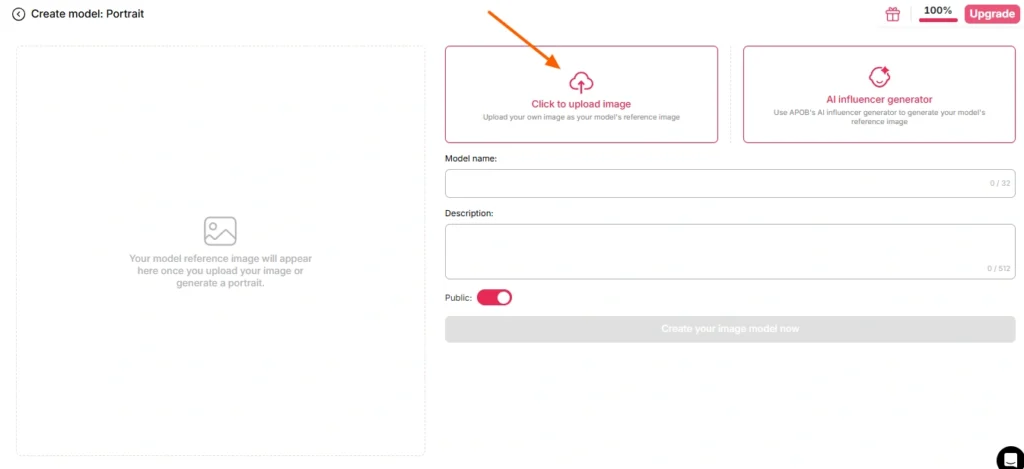
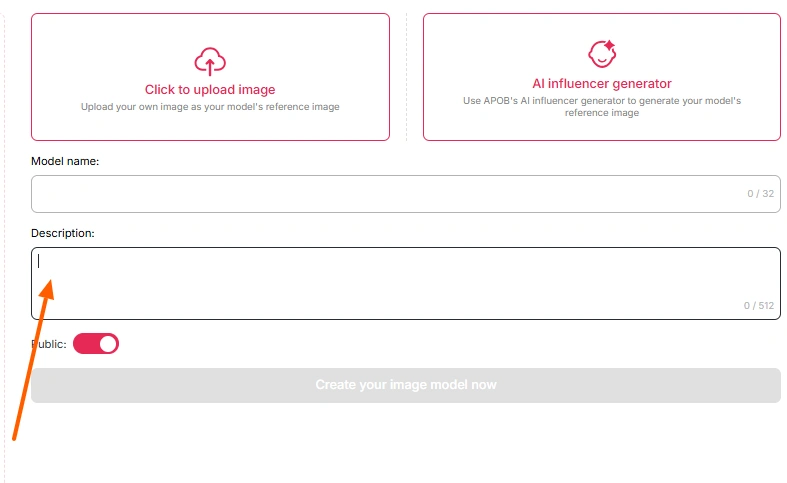
APOB AI works this way by design. You create a Portrait Model — either by uploading a single reference photo or by building the character from zero using the AI 인플루언서 생성기 (gender, age, nationality, eye color, hairstyle, and more).
From then on, that saved model is the face behind your images, your Image to Video clips, your 말하는 아바타 shoutouts, your ReVideo trend posts, and your face swaps.
The paid tiers add 얼굴 잠금, which is the part that matters for anyone posting daily across three platforms. Consistency across ten posts is luck. Consistency across three hundred posts is infrastructure.
Setting Up Your One AI Face in APOB AI: The 5-Step Build
Step — Claim the free credits and build the character
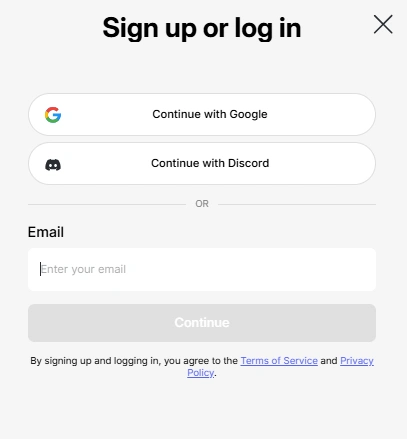
Sign up on the official site for a free membership and you get 80 credits every single day on the Nano tier, refreshing daily. That’s plenty to design your character, test a few looks, and generate a starter portfolio before spending anything.
Two ways in:
- Upload a reference — one sharp, well-lit, front-facing photo you own or are allowed to use. No heavy filters, no sunglasses, nothing covering the face.
- 처음부터 생성 - 사용 AI Influencer Generator and set the demographics, facial structure, hair, and eye color yourself.
Route two is safer legally and creatively. You own the look, and nobody’s reverse-searching your model’s face.
Step — Write the identity card (this is the real secret)
Before you generate anything, write a short block of fixed text you will paste into every prompt for the rest of your character’s life. Something like:
IDENTITY ANCHORS (never change):
Name: Mara K. | Age 26 | soft oval face, slightly rounded chin
Hair: dark chestnut, blunt shoulder-length, centre part
Eyes: hazel-brown, medium-thick brows, small mole left cheekbone
Skin: warm neutral, light freckling across nose bridge
Build: 5'6", slim-athletic
Signature: thin gold chain, no heavy makeup
VARIABLE (change ONE per batch):
Outfit / Location / Time of day / Camera angleKeep it in a notes app or a spreadsheet. Every outfit, every city, every trend still rides on the same anchor block. This is how the good AI accounts stay recognizable while still looking like they have a life.
Step — Approve your hero image before mass production
Generate a small batch and pick 한 image as your canon reference. Not “good enough” — actually right. Face, hands, teeth, ears, jewelry, all clean.
That hero image becomes your source of truth for video later. APOB AI’s own recommendation for video work is to always start from an approved still, because motion is where faces wander the most.
사용 나만의 빌드 모드 control style, appearance, environment, and weather. If you’re comfortable with prompt writing, 전문가 mode gives you custom prompts plus negative prompts, which is where you kill the usual offenders: extra fingers, plastic skin, warped earrings, mismatched eyes.
Step — Turn stills into short-form video
Static posts build a grid. Video builds a following. The tools that keep the face intact:
Step — Lock the voice too
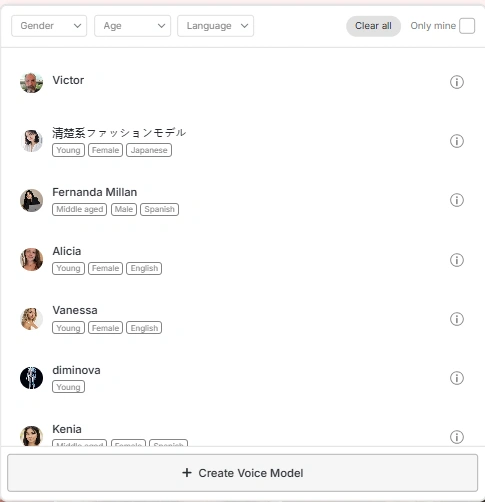
Face consistency gets all the attention, but voice inconsistency is just as jarring. Pick one custom voice and never switch it. Paid tiers include multiple custom voice and model slots, with Macro sitting at eight models — enough to run a main character plus a few side personas or client accounts.
Your character should sound the same on a Shorts monologue as it does on a TikTok product review.
Same Face, Three Different Rooms: Platform-by-Platform Adjustments
One export dumped onto all three apps is the laziest possible move, and it shows in retention. The face stays identical; the packaging changes.
| 기능 | 틱톡 서비스 | 인스 타 그램 릴 | YouTube 단편 |
|---|---|---|---|
| 바이브 | Raw, phone-shot, mid-conversation | Polished, aspirational, aesthetic | Curiosity + payoff, slightly informational |
| Hook window | First 0.5–1s, visual + text | First 1s, strong visual | First 2s, question or claim |
| Best APOB tool | ReVideo + Lip Sync for trends | Image to Video + camera movement | Talking Avatar with subtitles |
| 캡션 스타일 | Bold, big, burned-in | Minimal, brand-safe | Clear, readable, high contrast |
| Safe zone habit | Keep face above lower third, clear of the right-side icon rail | Avoid bottom area for profile bar and CTA sticker | Keep text out of bottom bar and title overlay area |
| Length that works | 8–20년대 | 10–25년대 | 15–40년대 |
| 아래 | 9:16, 1080×1920 | 9:16, 1080×1920 | 9:16, 1080×1920 |
Practical trick: generate your character slightly wider than you need, then crop per platform. That way the face never lands under a UI 요소 on one app because you framed for another.
A second trick that costs nothing: change the 에너지, not the identity. 틱톡 서비스 gets messy-hair-in-the-car selfie energy. Reels gets golden-hour-café energy. Shorts gets sitting-at-the-desk-explaining-something energy. Same face, three different moods. That’s what real people look like across three apps.
Your Weekly Content Rhythm (Copy This)
| 일 | 옵션 | 수단 | ~로 갑니다 |
|---|---|---|---|
| 월 | Talking piece, opinion or tip | 말하는 아바타 | Shorts, then TikTok |
| 화 | Trend or sound-based clip | ReVideo / Lip Sync | TikTok, then Reels |
| 결혼시키다 | Lifestyle photo carousel | Build Your Own image batch | Reels, feed |
| 목 | Product moment or soft promo | 이미지를 비디오로 | TikTok Shop, Reels |
| 금 | Behind-the-scenes or day-in-the-life | Image to Video + camera move | 세 가지 |
| 토 | Repost your best performer, new hook | Add Subtitles, Extend Video | The platform it flopped on |
| 태양 | Batch and approve next week’s stills | Portrait Model | Nowhere, prep day |
Batch on Sunday, approve everything before it’s scheduled, and never post an asset you haven’t eyeballed at full size.
Credits, Plans, and What This Actually Costs
APOB AI runs on credits instead of “minutes” or “videos,” which trips people up on day one. Here’s the shape of it:
| 계획 | 월간 회원 | 연간 (월별) | 크레딧 | 누구를위한 것인가 |
|---|---|---|---|---|
| Nano (free) | $0 | $0 | 80 / 일 | Testing looks, watermarked, one model |
| 마이크로 | $15 | ~ $ 7.50 | 5,000/mo + 6,000 UltraS bonus (yearly only) | No watermark, 2 models, casual posting |
| 매크로 | $40 | ~ $ 20 | 20,000/mo + 72,000 UltraS bonus (yearly only) | 8 models, daily posting on all three apps |
| 메가 | $200 | ~ $ 100 | 100,000/mo + 600,000 UltraS bonus (yearly only) | 50 models, agencies, reselling, revenue share |
Two things worth reading twice. First, annual billing lands at roughly half the monthly rate across every paid tier. Second, those UltraS bonus credits only come with yearly plans — and on Macro and Mega they’re the bigger half of the deal.
Macro on annual is 20,000 monthly credits plus a 72,000 bonus pool, which is a completely different creative budget than the monthly version of the same plan.
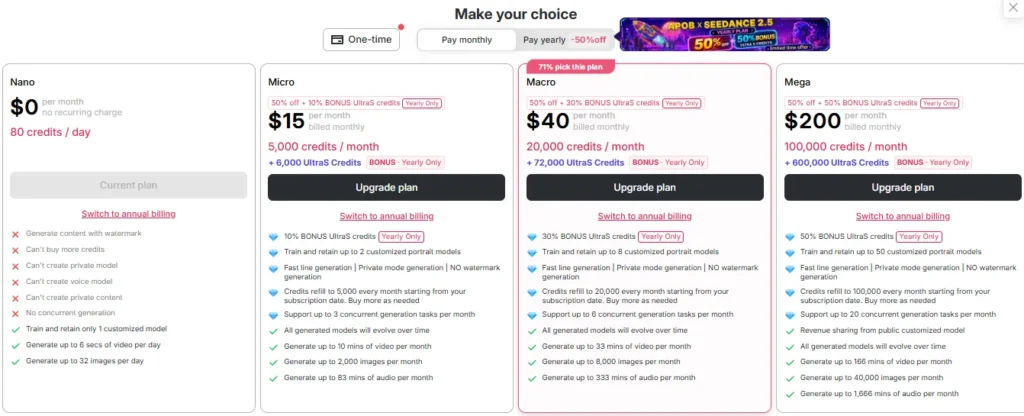
A short talking-avatar clip tends to land in the double-to-low-triple digits of credits depending on complexity, and extras like camera movement or clothes editing add cost per render. Plans and credit costs change, so pull the live numbers from the pricing page inside the product before you lock in a 게시 일정.
For someone genuinely running three feeds daily, Macro on annual is the honest pick — eight model slots means room for a main character plus side personas or client work, and the bonus pool absorbs the re-rolls that short-form video always needs.
Micro is fine for one character posting a few times a week. The free tier is for auditioning your character, not for feeding an algorithm.
Seven Things That Quietly Destroy Face Consistency
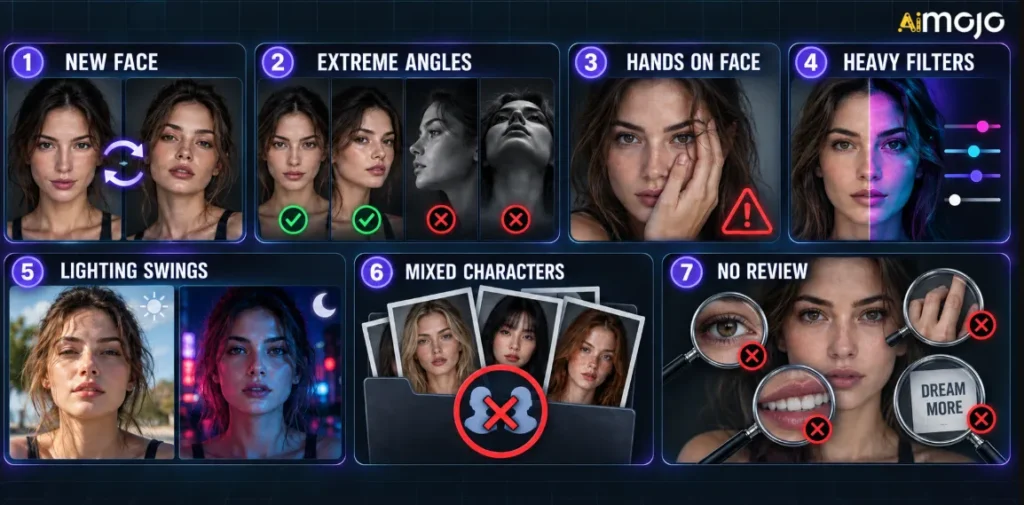
- Regenerating your character instead of reusing the model. If you find yourself re-describing the face, you’ve already lost.
- Extreme angles. Heavy profile shots, tilted-back heads, and dramatic low angles rebuild the face. Stick to 3/4 and front-on for anything important.
- Hands near the face. Occlusion is where models improvise. Keep hands away from the jaw and cheeks in hero shots.
- Filters and color grading on top. Heavy grading across some posts and not others makes skin tone look inconsistent even when the geometry is perfect.
- Wild lighting swings. Neon night street and harsh noon sun in the same week is fine. Doing both in one 8-second clip is not.
- Multiple characters in one folder. Separate references, separate naming, separate asset folders. Identities mix faster than you’d think.
- Skipping review because you’re behind schedule. Generative results vary. Check face, hands, teeth, logos, and text on every single asset before it ships.
Labeling: The Boring Part That Keeps Your Account Alive
All three platforms now want AI content flagged, and each one does it differently.
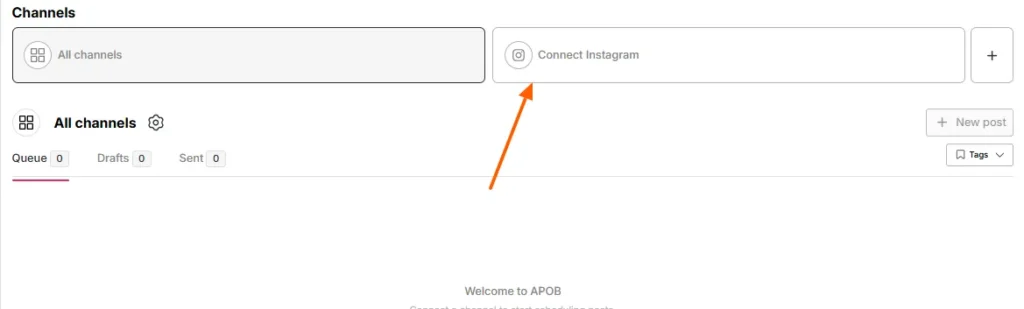
Two extra guardrails worth internalizing: use references you own or have permission for, and don’t imply a real brand or person endorsed anything they didn’t. Commercial use of your generated content depends on your rights to the inputs, the current APOB AI terms, platform rules, and local advertising law. Check those before a paid campaign, not after.
Label it, post it, move on. Audiences genuinely do not care that your creator is AI. They care that the content is good and that you weren’t sneaky about it.
So, Is APOB AI the Right Pick for This Job?
이 제품이 잘한 점: the reusable Portrait Model is the whole ballgame, and having images, video, talking avatars, 립싱크, ReVideo, face swap, subtitles, and voices under one login means the face never passes through a tool that doesn’t know who it is.
Free daily credits mean you can build a character and judge the quality yourself in an afternoon. The faceless-creator angle is a real advantage if you’d rather not put your own face on a TikTok Shop video.
What to go in expecting: the credit system takes a day to get a feel for, the free tier watermarks your output, the biggest credit pools sit behind annual billing, and generative video still needs human review before publishing. Complex poses and hands remain the weak spot across every tool in this category, not just this one.
If your plan is one recognizable character posting daily across TikTok, Reels, and Shorts, this is the workflow shape you want.
AI Face Consistency FAQs
How do I keep the same AI face across TikTok, Reels, and Shorts?
Train one Portrait Model in APOB AI, approve a single hero image, and reuse the same identity anchors in every prompt. Change one variable per batch, then adapt framing and captions per platform.
만들 수 있나요? AI influencer without showing my own face?
Yes. Build the character from a written brief using the AI Influencer Generator — no camera, selfie, or photo of yourself needed.
왜 내 AI influencer’s face change in videos but not photos?
Motion, occlusion, and lighting shifts let the model rebuild the face frame by frame. Start from an approved still and ask for one simple action per clip.
Is APOB AI 무료로 사용할 수 있습니까?
The free Nano tier gives 80 credits daily, watermarked, with one model slot. Watermark removal, extra models, Face-Lock, and yearly UltraS bonus credits sit on paid plans.
내 AI influencer talk and promote products?
Yes — Talking Avatar and Lip Sync put your character on camera delivering scripts. You’ll need the rights to any product assets and claims you use.
Do I have to label AI content on these platforms?
For realistic synthetic people, yes. TikTok requires AIGC labels, Meta applies AI info labels, and YouTube wants an altered-content flag at upload.
짧은 버전
한 AI face across TikTok, Reels, and Shorts comes down to three habits: build the character once as a saved asset, protect the identity anchors in every prompt, and change the packaging per platform instead of the person.
Everything else — the trend clips, the talking shoutouts, the lifestyle carousels — is just content riding on top of a stable identity.
APOB AI is built for exactly that loop: a Portrait Model you train once, Face-Lock to hold it steady across hundreds of posts, and image, video, and voice tools that all pull from the same character.
Grab the free membership, spend a day on the 80 daily credits designing someone your niche would actually follow, and give yourself a week of consistent posting before judging the results.
Pick the face. Lock the face. Then go be everywhere at once.
AiMojo 추천:


 보너스: $200를 받으세요AI 가입하시면 "마스터리 툴킷"을 무료로 드립니다!


![베스트 10 AI 2026년 남자친구 앱 [안드로이드 & iOS 사용자]](https://aimojo.io/wp-content/uploads/2023/11/Top-AI-Boyfriend-Apps-100x100.webp)



