


컴퓨터 어딘가에, 거기에's 당신은 그동안 완전히 무시해 온 데이터로 가득 찬 스프레드시트를 가지고 있습니다. 그 안에는 고객, 매출, 캠페인에 대한 해답이 담겨 있다는 것을 알고 있지만, 링크드인 프로필에 "데이터 과학자"라고 적힌 사람을 고용할 시간, 예산, 또는 인내심이 없습니다.
여기에's 현실: AI 데이터 분석을 위해 값비싼 전문가를 고용할 필요가 없어졌습니다. 파이썬, SQL, 통계학 학위도 필요 없죠. 필요한 건 적절한 도구, 유용한 질문, 그리고 화요일 하루를 통째로 잡아먹지 않는 반복 가능한 프로세스뿐입니다. 이 가이드에서는 도구 선택부터 실제 질문, 그리고 오늘 바로 실행할 수 있는 단계별 워크플로까지, 바로 그 모든 것을 다룹니다.
뭐 AI 데이터 분석이란 실제로 무엇을 의미하는가 (쉬운 말로 설명하자면)
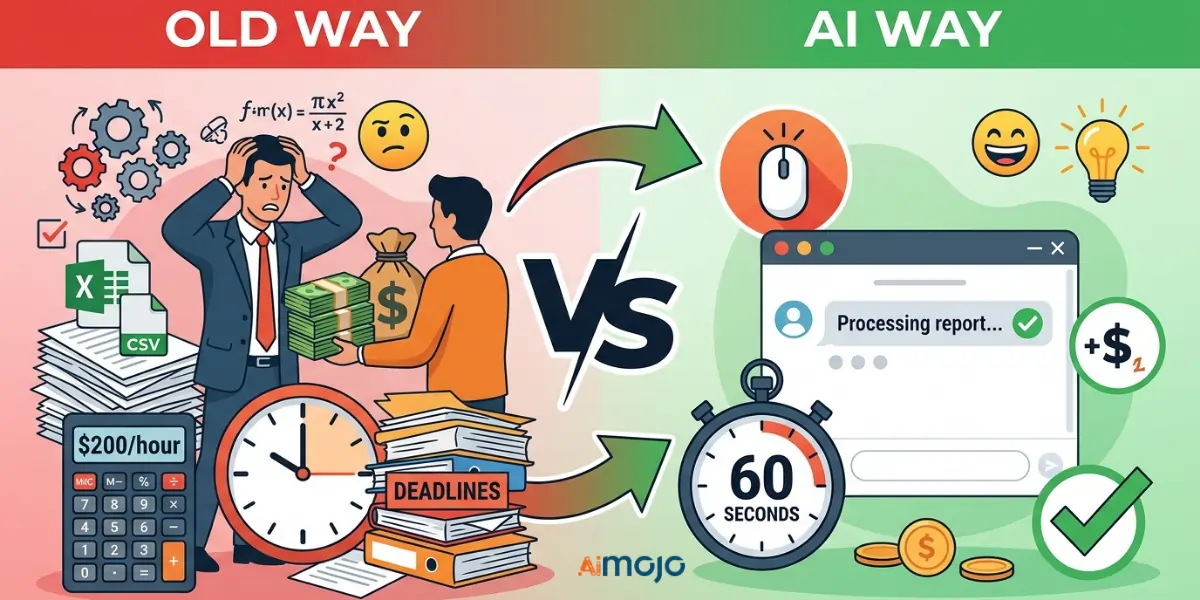
옛날 방식 대 AI 웨이 - 무엇이 바뀌었고 무엇이 바뀌지 않았는가
기존 방식: CSV 파일을 내보내고 엑셀에서 열어 4,000개가 넘는 행을 샅샅이 뒤져보다가 포기하거나, 시간당 200달러를 주고 누군가에게 맡겨 내용을 이해하기 쉽게 만드는 것. AI 방법: 당신은 그것을 똑같이 업로드합니다 CSV쉬운 영어로 질문을 입력하면 60초 이내에 구조화된 분석을 받을 수 있습니다. 데이터는 변경되지 않았습니다. 접근 권한이 변경된 것입니다.
뭐's 무대 뒤에서 무슨 일이 벌어지고 있을까 AI 데이터를 읽습니다
AI 도구 사용 자연어 처리 인간 분석가처럼 데이터를 읽어내지만, 더 빠르고 비용도 들지 않습니다. 사용자가 요청하는 모든 정보를 바탕으로 패턴을 식별하고, 이상 징후를 표시하며, 추세를 파악합니다.
"저는 숫자에 약해요"라는 말이 더 이상 통용되지 않는 이유
여기에서 소개하는 모든 도구는 일반적인 영어 쿼리를 기반으로 작동합니다. 이메일을 작성할 수 있다면 데이터 분석 도 실행할 수 있습니다.
The 7 Best AI 코딩 기술이 전혀 필요 없는 데이터 분석 도구
| 수단 | 지원 기기 | 무료 플랜 | 코딩 필요 | 스킬 레벨 |
|---|---|---|---|---|
| 카멜에이 | 대화형 데이터 쿼리 | 가능 | 아니 | 초급 |
| 줄리어스 AI | CSV/스프레드시트 분석 | 예(제한적) | 아니 | 초급 |
| Power BI Copilot | 엔터프라이즈 BI 팀 | 아니 | 아니 | 중간의 |
| 타블로 펄스 | 자동화된 인사이트 제공 | 아니 | 아니 | 중간의 |
| ChatGPT / 클로드 | 간략한 요약 및 정리 | 가능 | 아니 | 초급 |
| 구글 루커 스튜디오 | 무료 시각적 보고서 | 가능 | 아니 | 초급 |
| 조호 애널리틱스(Zia) | 중소기업 BI | 가능 | 아니 | 초급 |
사용 시작 방법 AI 데이터 분석을 위한 단계별 워크플로
1단계 — 데이터 준비
다른 작업을 시작하기 전에 먼저 파일을 정리하세요. 중복 행을 제거하고, 빈 셀에는 "해당 없음(N/A)"을 입력하고, 모든 열 머리글이 명확하고 일관성이 있는지 확인하세요. CSV 또는 XLSX 파일은 대부분의 컴퓨터에서 가장 잘 작동합니다. AI 도구를 제공합니다.
2단계 — 목표에 맞는 도구 선택
빠른 요약이 필요하세요? ChatGPT를 사용하세요. 반복적인 대시보드가 필요하세요? Power BI 또는 Looker Studio를 선택하세요. 대화형 후속 조치가 포함된 심층적인 CSV 분석이 필요하세요? Julius를 사용하세요. AI 또는 camelAI.
3단계 — 실제 답변을 얻을 수 있는 질문을 작성하세요
잘못된 프롬프트: “내 데이터를 분석해 줘.”
좋은 프롬프트: “1분기에 반품률이 가장 높았던 제품은 무엇이며, 그 이유는 무엇입니까?”'s 지난 6개월간의 월별 추세는 어떻습니까?
구체성이 모든 것입니다.
4단계 — 읽고 교차 확인 AI 출력
AI 오류가 발생할 수 있습니다. 특히 고객이나 이해관계자와 공유하기 전에 핵심 수치를 원본 데이터와 대조하여 항상 검증하십시오.
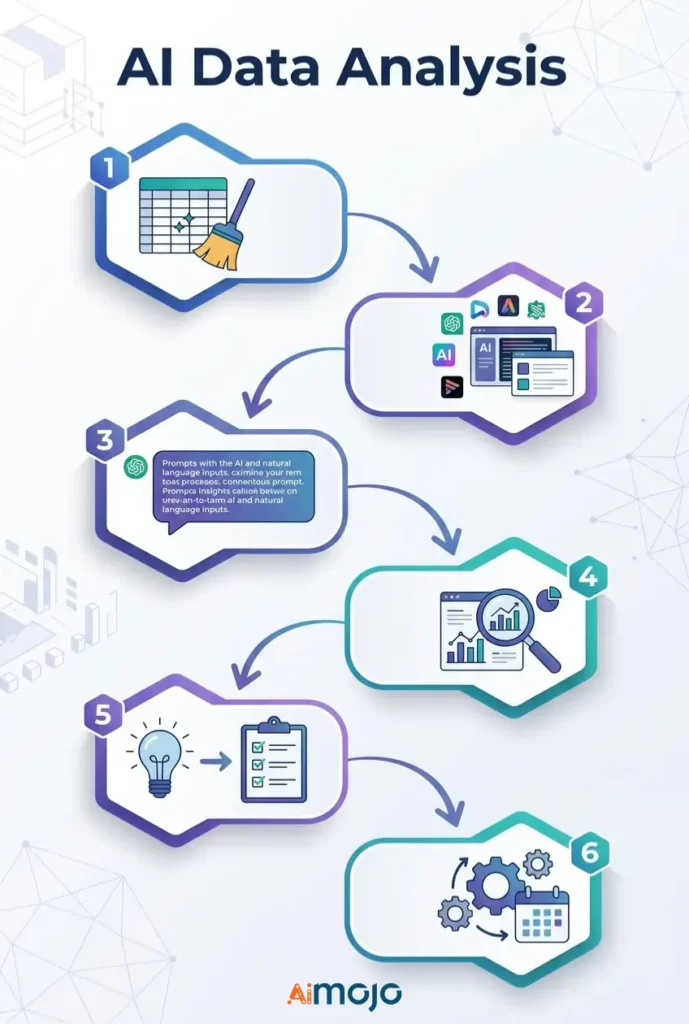
5단계 — 통찰력에서 의사 결정으로 나아가기
행동으로 이어지지 않는 통찰력은 그저 사소한 정보에 불과합니다. 모든 것에는... AI 찾고, 물어보세요: "이걸로 뭘 해야 하는 거죠?"
6단계 — 반복 보고서 자동화
Looker Studio, Power BI 또는 Zoho Analytics에서 예약된 데이터 새로 고침을 설정하여 사용자가 직접 수정하지 않아도 매주 보고서가 실행되도록 하세요.
복사-붙여넣기 AI 기술 전문가가 아닌 사용자들이 현재 실행하고 있는 프롬프트
이 파일들을 Julius AI , camelAI 또는 ChatGPT 에서 데이터셋을 첨부하여 직접 사용하세요 .
판매 데이터
*"Show total revenue by product category for the last 90 days and flag any category with a decline over 20%."*마케팅 데이터
*"Which traffic source drove the most conversions last month? Break down average cost per conversion by channel."*재무 스프레드시트
*"Identify the top 5 expense categories and highlight every month where spending exceeded budget by more than 15%."*고객 행동 데이터
*"What's the average purchase frequency per customer segment? Flag segments with the highest churn risk."*인사 및 팀 지표
*"Compare headcount changes by department over the last 6 months and flag any team with attrition above 10%."*당신의 성공을 가로막는 5가지 실수 AI 데이터 분석은 완전히 쓸모없다
- 형식이 지정되지 않은 지저분한 데이터를 입력합니다. - AI 엉망인 스프레드시트는 고칠 수 없어. 잘못된 입력은 잘못된 출력으로 이어진다. 언제나 마찬가지야.
- 포괄적인 질문을 던지다 — “제 매출에 대해 말씀해 주세요.”라는 말은 아무런 도움이 되지 않습니다. 구체적인 기간, 지표, 그리고 실제 목표를 제시하세요.
- 모든 결과를 액면 그대로 받아들인다 - AI 도구는 착각을 불러일으킬 수 있습니다. 실제 비즈니스 결정을 내리기 전에 핵심 수치를 상호 참조하십시오.
- 전문적인 작업에 범용 도구를 사용하는 것 ChatGPT는 요약 정보 제공에는 적합하지만 복잡한 재무 모델링에는 적합하지 않습니다. 작업에 맞는 도구를 선택하세요.
- “흥미로운” 수준에서 멈춤 대부분의 사람들은 멋진 차트를 얻고도 아무것도 하지 않습니다. 모든 AI 기반 비즈니스 인사이트에는 명확한 다음 단계 실행 계획이 수반되어야 합니다.
우리's 실제로 사용 중 AI 지금 바로 데이터 분석을 위해
이것은 이론이 아닙니다. 실제로 많은 사람들이 매일 코딩 없이 데이터 분석을 수행하고 있습니다.
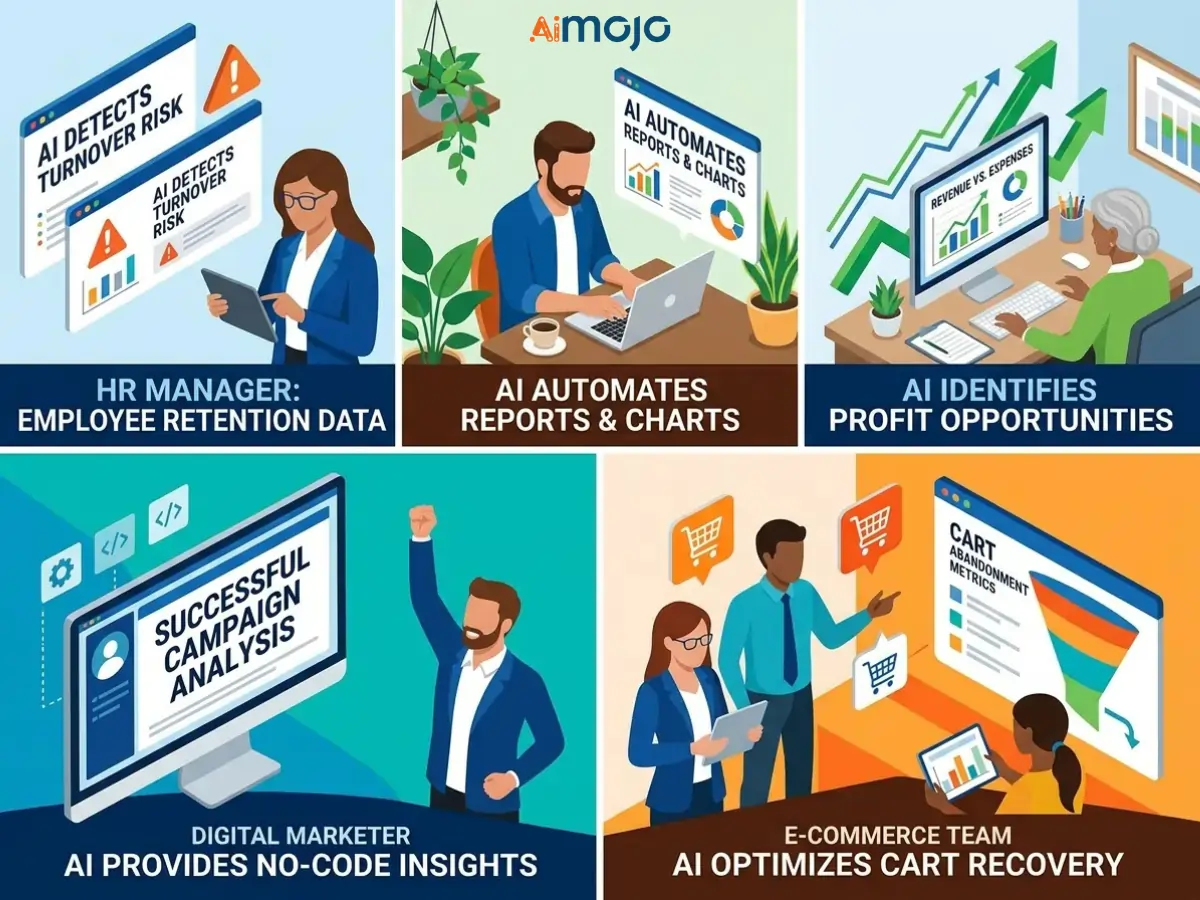
경쟁사들이 이미 이러한 기능을 활용하고 있는데 당신은 여전히 수동으로 보고서를 작성하고 있다면, 그 격차를 빠르게 줄여야 할 가치가 있습니다.
무료 대 유료 AI 데이터 분석 도구
무료 티어가 현실적으로 할 수 있는 일은 무엇일까요?
Google Looker Studio, camelAI, Zoho Analytics의 무료 플랜은 기본적인 보고서 작성, 간단한 추세 추적, 제한적인 파일 업로드 기능을 잘 지원합니다. 개인 사용자나 소규모 팀에게는 데모용이 아닌 실제로 사용할 만한 가치가 있습니다.
대규모로 사용할 때 비용을 지불할 가치가 있는 기능
유료 요금제는 자동 데이터 새로 고침 일정, 더 큰 업로드 용량, 고급 기능 등을 제공합니다. AI 모델, API 통합또한 다중 사용자 협업 기능도 제공합니다. 실행 중인 경우 AI 대규모 비즈니스 분석이든 고객 대시보드 구축이든, 업그레이드는 빠르게 투자 대비 효과를 가져다줍니다.
가입 후 슬며시 드러나는 숨겨진 비용
좌석별 가격, 좌석 수 초과 요금, 그리고 플랫폼 내에서 전체 워크플로우를 구축한 후에야 이용할 수 있는 유료 "프리미엄 AI" 기능 등을 주의 깊게 살펴보세요.
인공지능이 생성한 데이터 분석 결과를 사람들이 귀 기울이도록 효과적으로 전달하는 방법
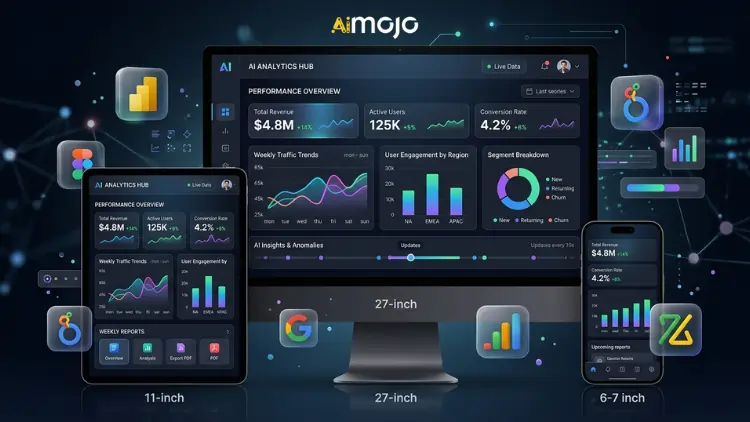
선회 AI 차트를 실제 이야기로 만들어냅니다
편집되지 않은 차트는 회의에서 누구도 설득하지 못합니다. 다음 자료를 활용하세요. AI 결과를 출발점으로 삼고, 그 다음에는 맥락을 부여하여 설명하십시오. 무슨 일이 일어났는지, 왜 중요한지, 그리고 앞으로 무엇이 올 것인지 말입니다.'s 데이터 스토리텔링 — 그리고 그것은's 사람들이 행동하게 만드는 요인은 무엇일까요?
주간 보고를 위한 자동화된 대시보드 구축
Power BI, Looker Studio, Zoho Analytics 모두 실시간 모니터링 시스템을 구축할 수 있도록 지원합니다. AI 대시보드를 한 번만 구축하고 데이터 소스에 연결하면 더 이상 수동으로 주간 보고서를 작성할 필요가 없습니다. 한 번 구축하면 링크를 영구적으로 공유할 수 있습니다.
“그래서 무엇이 중요한가?” 프레임워크 — 모든 인사이트를 이사회에서 활용할 수 있도록 준비하기
AI가 생성한 분석 결과를 제시하기 전에 다음 세 가지 질문에 빠르게 답해 주세요.
자주 묻는 질문
실제 데이터 분석을 할 수 있을까요? AI 기술적인 배경지식이 전혀 없다면 어떻게 해야 할까요?
네. camelAI, Julius AI, Zoho Analytics(Zia)와 같은 도구는 기술적인 지식이 없는 사용자를 위해 특별히 설계되었습니다. 일반적인 언어로 질문하면 구조화된 분석 결과를 제공합니다.
최고의 무료 무엇입니까? AI 2026년 데이터 분석 도구는 무엇일까요?
Google Looker Studio는 시각적 보고를 위한 가장 강력한 무료 옵션입니다. camelAI 그리고 줄리어스 AI 두 서비스 모두 CSV 및 스프레드시트 분석을 위한 훌륭한 무료 버전을 제공합니다.
AI를 사용하여 엑셀이나 구글 시트 데이터를 분석하는 방법은 무엇인가요?
Julius에 파일을 직접 업로드하세요 AI 또는 camelAI를 사용하거나 Google Sheets를 Looker Studio 또는 Zoho Analytics에 연결하여 지속적인 자동 분석을 수행할 수 있습니다.
ChatGPT는 비즈니스 데이터 분석에 실제로 신뢰할 수 있는 도구일까요?
데이터를 요약, 정리 및 설명하는 데는 적합합니다. 하지만 복잡한 계산이나 대규모 데이터 세트의 경우 Power BI Copilot 또는 Julius AI와 같은 전용 도구와 함께 사용하는 것이 좋습니다.
뭐's 진정한 차이점은 AI 데이터 분석과 기존 BI 도구?
기존 BI 도구는 쿼리를 직접 작성하고 무엇을 찾아야 하는지 정확히 알아야 합니다. 반면 AI 기반 분석 플랫폼은 설정이 필요 없이 자연어에 반응하여 인사이트를 사전에 도출해냅니다.
인공지능이 생성한 분석 결과는 얼마나 정확한가요? 완전히 신뢰해도 될까요?
아니요. 항상 교차 확인하세요. AI 비즈니스 의사 결정이나 고객 대상 프레젠테이션에 사용하기 전에 원시 데이터와 출력 결과를 대조해 보세요.
이러한 도구를 사용하려면 SQL이나 Python을 알아야 하나요?
이 목록에 있는 도구 중 어느 하나도 예외는 없습니다. 모든 도구가 프로그래밍 없이 자연어 데이터 쿼리를 지원합니다.
어떤 유형의 데이터 파일이 가장 적합할까요? AI 분석 도구는 무엇인가요?
CSV 및 XLSX 파일은 여기에 나열된 거의 모든 도구에서 작동합니다. JSON 및 연결된 Google Sheets 파일도 다양한 플랫폼에서 널리 지원됩니다.
어디에 AI 데이터 분석이 앞으로 나아갈 방향 (그리고 그것이 당신에게 의미하는 바는 무엇일까요?)
다음 물결 AI 분석 도구는 당신이 질문할 때까지 기다려주지 않습니다. 에이전트 AI 데이터 모니터링 시스템 지표를 24시간 내내 모니터링하고 이상 징후가 발견되는 즉시 알림을 보내어 문제가 심각해지기 전에 해결할 수 있도록 지원합니다.
과거에는 예측 작업을 위해 전담 분석가가 필요했습니다. 하지만 이제 Tableau Pulse나 Power BI Copilot과 같은 도구 덕분에 비즈니스 사용자들은 거의 단 한 번의 클릭만으로 예측 분석을 수행할 수 있게 되었습니다.
데이터 과학자들이 사라지는 것은 아니지만, 그들이 할 수 있는 일과 AI 도구를 활용하는 비전문가 사용자가 할 수 있는 일 사이의 격차는 매 분기마다 줄어들고 있습니다. 이러한 도구에 익숙해질수록 경쟁 우위를 확보할 수 있습니다.
AiMojo 추천:


 보너스: $200를 받으세요AI 가입하시면 "마스터리 툴킷"을 무료로 드립니다!








