

A faceless YouTube talking head channel sounds simple until you try to build one. You want videos that ship on a schedule, with a presenter on camera, and you’d rather your own face not be permanently attached to the internet. Reasonable.
The old workflow meant duct-taping five tools together: one for the avatar, one for the voice, a third for lip sync, a fourth for captions, and a fifth to stitch it together. Every handoff broke something. The face drifted between episodes. The mouth stopped matching the words.
Doing the presenter layer in one studio fixes that. APOB AI is one of the cleaner versions, and this covers the full build.
But here’s what separates this from the forty other guides on the topic: the tool is the easy part. Your niche decides whether the channel earns, and YouTube changed those rules in July 2025. Read that section before you commit to a topic.
What Goes Into a Faceless YouTube Talking Head Studio
| დასტის ფენა | სამუშაო | APOB AI მხატვრული |
|---|---|---|
| Სახე | Generates a synthetic presenter | AI ინფლუენსერების გენერატორი |
| მდგრადობა | Keeps that face identical across episodes | Advanced Face-Lock |
| ხმა | Script to speech, filterable by age, gender, language | Talking Avatar + Voice Library |
| Პირი | Aligns lip movement to audio | ტუჩის სინქრონიზაცია ხელოვნური ინტელექტით |
| ტრანსპორტირება | Emotional tone, script cleanup | ემოციების კონტროლი |
| Მოძრაობა | Handheld, zoom in, zoom out | კამერის მოძრაობები |
| დამატებითი | Stills to footage, dubbing, longer runtimes | Image to Video, Extend Video |
| The polish | Captions and fixes on presenter clips | Add Subtitles, ReVideo |
| ბრენდის ხმა | One consistent voice across uploads | Custom Voice Model |
Everything runs in one workspace. No exports, no format mismatches, no re-uploading a face into a second tool and watching it change.
Why One Studio Beats a Frankenstein Toolkit
Consistency is the whole game on a faceless channel. Your audience subscribes to a presenter, even a synthetic one. If your host’s cheekbones shift every week, viewers feel it before they can articulate it — and they don’t subscribe.
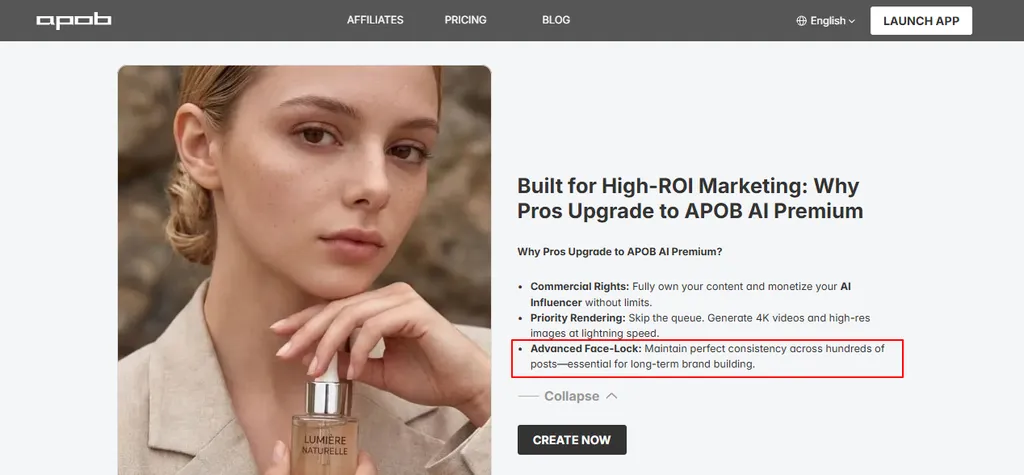
APOB’s Advanced Face-Lock exists for this. In a multi-tool setup you generate a face in Tool A, animate it in Tool B and the face drifts, add voice in Tool C and the timing slips, caption in Tool D and nothing lines up. Single-pipeline output means the character, voice, and motion come from the same system and actually agree with each other.
One honest caveat up front: this solves the presenter layer, not final assembly. More on that below.

Building Your Faceless Host

Reference route. Upload one photo. Useful if you have a look locked in — but if you upload a real person’s photo, you’ve created a deepfake problem rather than solved a privacy one. YouTube keeps expanding its likeness detection tooling, so use your own photo or a fully synthetic one.
Full build route. გამოიყენეთ AI ინფლუენსერების გენერატორი to design a presenter from nothing — gender, age, nationality, eye color, hairstyle. This is the actual faceless play, because the person never existed and no likeness rights are in question.
Presets work to start. “Build Your Own” and “Expert” modes expose prompts and negative prompts if you want control.
One step most guides skip: generate your host, then immediately generate ten more images in different framings and lighting. If the identity holds across all ten, you have a usable channel host. If it wobbles, regenerate now rather than at episode 40.
The reference-image discipline behind that is the same discipline that keeps a face stable in motion, and we tested it properly in our Face-Lock stress test on Seedance 2.5.
Lip Sync: The Part That Gives You Away
Lip sync is where a faceless talking head gives itself away. APOB’s ტუჩის სინქრონიზაცია AI maps mouth movement to your audio and works across languages, which also makes dubbing straightforward.
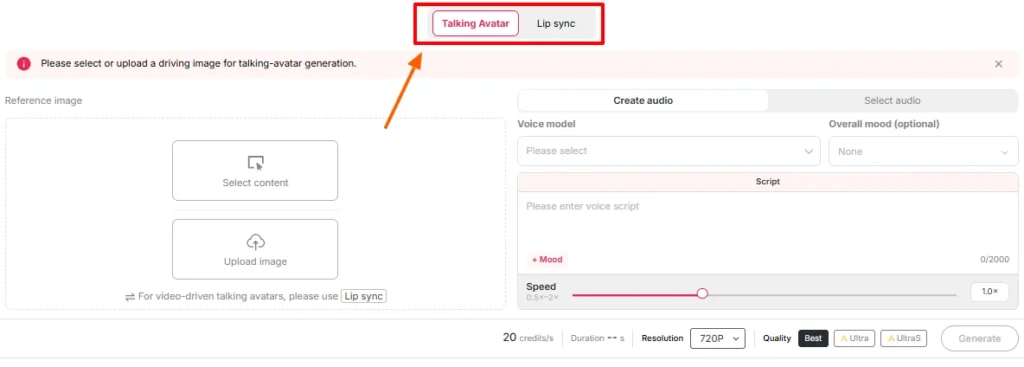
Three things matter more than the headline feature. ემოციების კონტროლი sets delivery tone — the difference between a presenter and a robot reading text.
ის custom voice model keeps your host sounding identical every upload, which may matter more than face consistency since people often listen more than they watch. And კამერის მოძრაობები apply inside the same workspace, so you’re not exporting just to stop the shot feeling frozen.
Output comes in FHD and Ultra. Plan long videos as stitched segments, not one long render.
რა ღირს
APOB charges in credits, not minutes or seats.
| გეგმა | ყოველთვიური | წლიური (თვეში) | კრედიტები |
|---|---|---|---|
| ნანო (უფასო) | $0 | $0 | დღე / დღე |
| Micro | $15 | $7.50 | 5,000/mo + 6,000 UltraS bonus* |
| მაკრო | $40 | $20 | 20,000/mo + 72,000 UltraS bonus* |
| Mega | $200 | $100 | 100,000/mo + 600,000 UltraS bonus* |
*Yearly plans only. Prices change — check before buying.
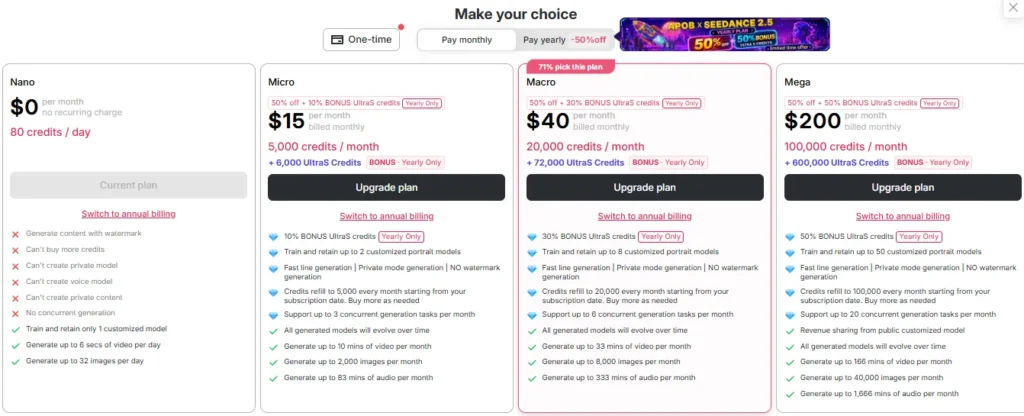
Three things decide your plan:
One warning on commercial rights: paid plans include commercial use, but that’s permission from APOB, not clearance from YouTube. You need both — which brings us to the part that decides everything.
The YouTube Rules That Decide If You Get Paid
Two YouTube rules determine whether a faceless YouTube talking head channel can earn, regardless of how good your videos are.
ის AI persona rule. YouTube’s monetization policies include a category for “AI Personas Related to Sensitive Topics,” covering “content that presents itself as a human expert providing advice to viewers on topics such as health, legal issues, finances, or politics.” Channels doing this “will not be allowed to monetize.” The listed examples include an AI doctor giving health advice and AI პოდკასტი hosts offering investment tips.
That rules out the single most-recommended faceless niche on the internet.
Safe with an AI მასპინძელი: history, science, geography, tech news, space, engineering, true crime, mythology, language learning, travel, cooking, sports, book summaries, entertainment commentary.
Needs a real human for ad revenue: investing and personal finance, medical and mental health, supplements, legal and immigration advice, political commentary.
Near the line? The policy targets AI personas presenting as human experts giving advice, ამავე AI narrator explaining the 1929 crash as history is different from an AI advisor telling viewers what to buy. Keep the avatar as narrator over B-roll, and route anything advice-shaped through a disclosed human. Check YouTube’s policy page before you build, since the language keeps evolving.
The originality rule. The same policy bars “AI-ის მიერ გენერირებული კონტენტი made with generic or unoriginal templates giving the impression of mass production without adding the creator’s original, authentic insights.” What’s explicitly allowed: “using AI to visualize a unique character and narrative you invented.”
So the tool isn’t the problem. Unresearched scripts are. Script quality is your monetization defense, არ არის სასიამოვნო ქონა.
Კიდევ ერთი რამ: disclose the AI. Set “AI use” to Yes in Studio under Attributes. YouTube states this doesn’t limit reach or earnings, and repeatedly skipping it risks removal or YPP suspension. Costs you nothing.
Who This Stack Is For
✅ Strong fit
❌ Look elsewhere
This pays off when the same host appears again and again. If your videos don’t need a recurring presenter, you’re paying for consistency you’ll never use.
Building Your First Episode
One expectation to set: APOB makes your presenter — host, voice, lip sync, captions. It does not assemble a finished long-form video, because no avatar tool does. A talking head holding frame for eight minutes tanks retention.
Every faceless channel that works cuts between the presenter and other visuals, which means a free editor like CapCut or DaVinci Resolve. Plan for it now.
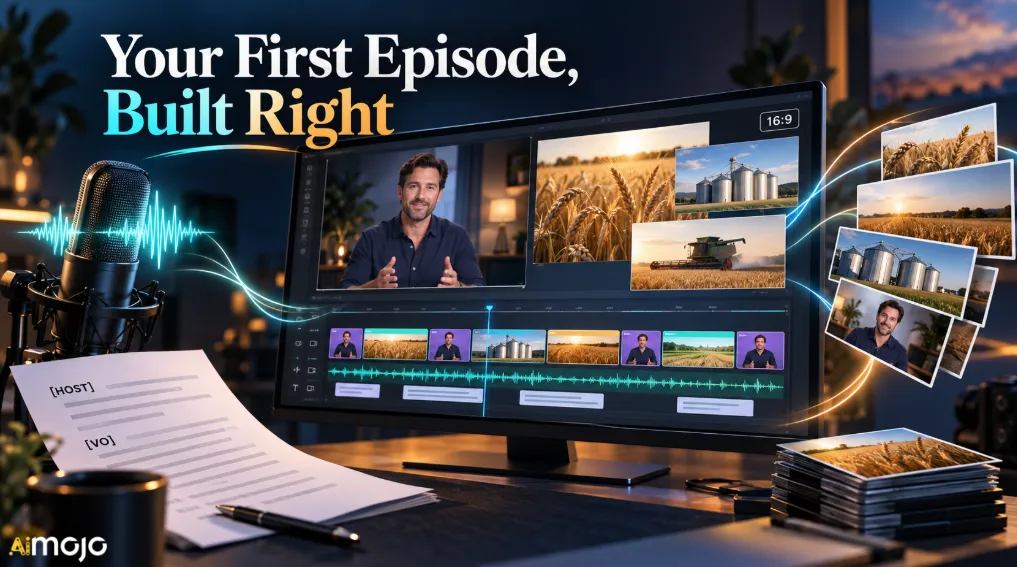
[HOST] The 1929 crash didn't start on Wall Street. It started
in a wheat field in Kansas, eighteen months earlier.
[VO] By the summer of 1927, American farms were producing
more grain than the country could eat...
[B-ROLL: archival farm footage, grain silos]
Only [HOST] lines become renders. That’s the difference between generating 1,200 words of talking head and 400 — the biggest lever on your credit spend. Keep each block to 15–25 seconds.
Then save everything reusable: host reference set, voice model, marked-up script template, editor project. Episode one takes an afternoon. Episode two takes an hour.
The Honest Trade-offs
Credits go faster than you plan. The camera moves and outfit changes that make videos look better also cost more. Expect to land a tier above your estimate.
Platform risk is ongoing. YouTube has tightened its AI stance twice in eighteen months. Build so the channel survives the avatar becoming a liability: own the research, the writing, and the audience relationship, and treat the host as a replaceable production layer rather than the asset.
One cheap hedge — cut your host segments into vertical clips for TikTok, Reels, and Shorts alongside the channel. Same host, same voice, barely any extra work, and the per-platform packaging rules beat dumping one export into all three.
Faceless YouTube Talking Head FAQs
Can I really run a faceless YouTube talking head channel without showing my face?
Yes. Build your host in the AI Influencer Generator rather than uploading a photo, and the presenter is fully synthetic.
Can I monetize an AI-presenter channel on YouTube?
In safe niches, yes. YouTube bars monetization for AI personas giving advice on health, legal issues, finance, or politics. Content also has to show original insight. Disclosing AI use doesn’t affect eligibility.
Can APOB AI make a complete eight-minute video on its own?
No, and neither can any avatar tool. It produces presenter segments, voice, lip sync, and captions. You assemble those with B-roll in a free editor.
Is the free plan enough to run a channel?
No. It’s watermarked, limited to one model, and 80 daily credits is roughly one short clip. Publishing starts at Micro, $15/month.
რომელი გეგმაა ყველაზე მომგებიანი?
Annual Macro at $20/month. On monthly billing Macro and Mega cost the same per credit, so Mega monthly only buys volume.
How does the presenter stay consistent across videos?
Advanced Face-Lock holds the face across large volumes. Pair it with a Custom Voice Model. Our motion testing shows where that holds and where it slips.
ქვედა ხაზი
A faceless YouTube talking head channel used to mean juggling half a dozen apps and hoping the seams didn’t show. Putting the presenter layer in one workspace is what makes a regular schedule realistic for one person. Assembly still happens in an editor, but that’s the easy half.
APOB AI handles that layer well — Face-Lock and custom voice models solve the consistency problem that breaks multi-tool setups, the free tier lets you test, and paid plans from $15/month remove the watermark and add commercial rights.
The tool isn’t the constraint anymore. Your niche and your scripts are. Pick a lane YouTube will actually pay for, write scripts worth watching, disclose the AI, and the studio handles the rest.
AiMojo გირჩევთ:


 BONUS: მიიღეთ ჩვენი 200 დოლარიAI „ოსტატობის ინსტრუმენტების ნაკრები“ უფასოა რეგისტრაციის შემდეგ!


![ტოპ 10 საუკეთესო AI შეყვარებულის აპლიკაციები 2026 წელს [Android-ის და iOS-ის მომხმარებლები]](https://aimojo.io/wp-content/uploads/2023/11/Top-AI-Boyfriend-Apps-100x100.webp)



