

Si alguna vez has exportado un vídeo y te has dado cuenta de que los rostros se ven borrosos, el texto difuminado o todo el clip se pixela en cuanto empieza a moverse, no estás solo. La mayoría de la gente pierde horas ajustando configuraciones al azar cuando la solución real es elegir primero el método de mejora adecuado: escalado, reducción de ruido, nitidez, estabilización o corrección de color.
Ese es el camino que seguiremos aquí, para luego seleccionar las 6 mejores herramientas de mejora de video que vale la pena probar. Esta comparativa está dirigida a creadores, especialistas en marketing y editores que necesitan material de video de mayor calidad rápidamente, sin tener que adivinar qué mejora realmente cada herramienta.
¿Por qué necesitas herramientas especializadas para mejorar el vídeo en 2026?
A medida que las expectativas del público se inclinan hacia una reproducción 4K impecable, el software de edición estándar a menudo se queda corto. Los filtros de nitidez básicos suelen resaltar la pixelación, mientras que la reducción de ruido tradicional simplemente difumina detalles visuales importantes.
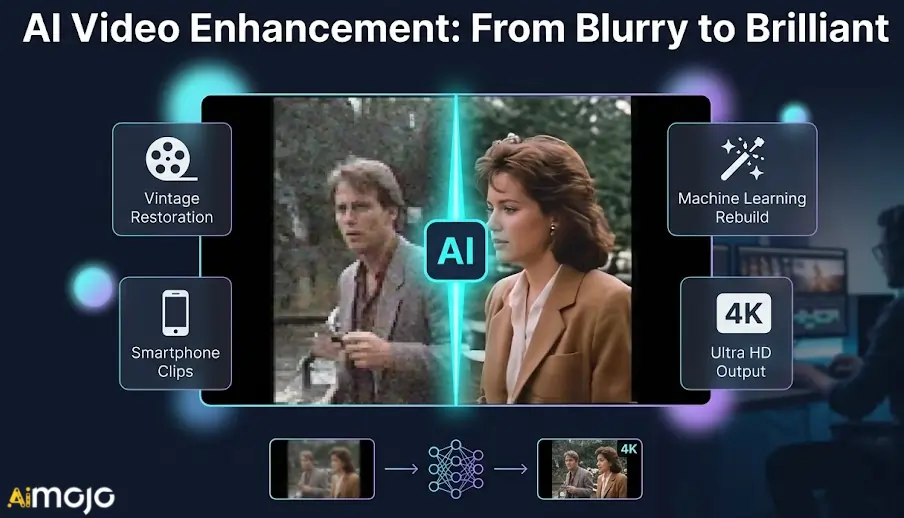
En 2026, las herramientas dedicadas a la mejora de vídeo resuelven estas limitaciones exactas mediante el aprendizaje automático. En lugar de aplicar filtros genéricos, reconstruyen activamente los datos faltantes a través de AI ampliación de la escala y generar de forma inteligente Nuevos fotogramas para un movimiento más fluido.
Ya sea que estés restaurando grabaciones antiguas o rescatando clips de smartphone con poca luz, necesitas un software diseñado específicamente para el procesamiento intensivo. Exploremos las características técnicas exactas que distinguen a los verdaderos motores de mejora de los editores básicos.
AI Optimizadores de vídeo que mejoran instantáneamente la calidad de tus vídeos.
| La mejor herramienta para mejorar vídeos | Principal AI Elemento | Objetivo principal de mejora |
|---|---|---|
| IA de Higgsfield | AI Mejora de video | Solucionar el parpadeo de los medios |
| akool | Intercambio inteligente de rostros | Localización de campañas globales |
| IA de OpenArt | Imagen a video | Animación de elementos estáticos |
| Pykaso AI | Mejora de texturas realistas | Generación de vídeo 4K |
| veed | Limpieza de audio instantánea | Edición basada en navegador |
| Topacio Video IA | Escalado neuronal a 8K | Restauración de material de archivo |
1. IA de Higgsfield
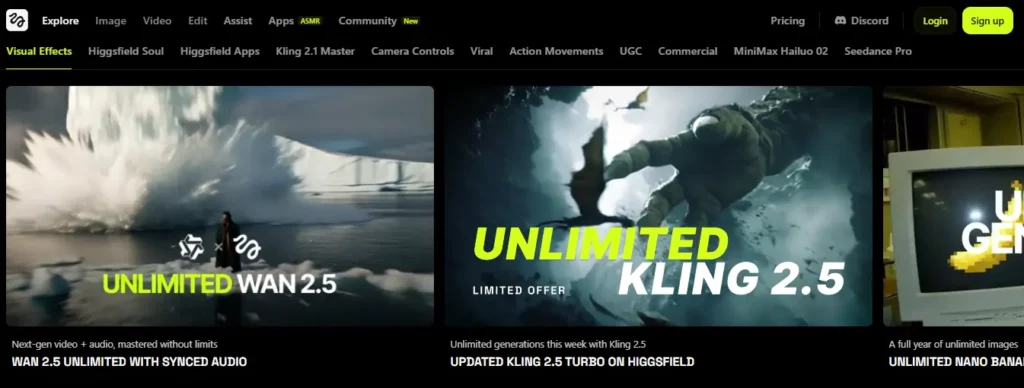
Cuando se presentan problemas con generaciones de baja resolución o parpadeo AI Para obtener imágenes, encontrar herramientas confiables de mejora de video se vuelve esencial para mantener consistencia visualHiggsfield AI ofrece un sistema dedicado de mejora y eliminación de parpadeo de vídeo Suite diseñada específicamente para estabilizar y mejorar los medios sintéticos.
Esta plataforma está dirigida a creadores de contenido y especialistas en marketing que necesitan refinar el material en bruto. AI antes de la publicación. Al suavizar los artefactos de movimiento y aumentar la densidad de píxeles, los usuarios pueden utilizar con confianza este software de mejora de vídeo para preparar clips cinematográficos, vídeos cortos para redes sociales y materiales promocionales para su visualización en alta definición.
Higgsfield AI Características Clave:
Caso de uso:
Planes de precios: Las suscripciones oscilan entre 9 y 199 dólares mensuales, ofreciendo diferentes asignaciones de crédito para las generaciones estándar y premium.
Ideal para: Ideal para AI Creadores y profesionales del marketing que necesitan una plataforma fiable para perfeccionar y optimizar el contenido de vídeo sintético.
2. akool

Akool integra el intercambio de rostros de alta calidad y la generación de avatares directamente en el proceso de edición, destacándose como una de las herramientas de mejora de video más especializadas. Los equipos de marketing a menudo se enfrentan al desafío de adaptar los recursos visuales existentes a diferentes grupos demográficos sin perder fidelidad visual.
Diseñada para agencias de publicidad y creadores de contenido comercial, esta plataforma destaca por su capacidad para personalizar medios corporativos, manteniendo la naturalidad en la expresión. Mediante algoritmos de procesamiento avanzados, los usuarios pueden traducir vídeos de marketing o cambiar presentadores sin problemas, garantizando que la exportación final conserve una apariencia pulida y de alta resolución, ideal para campañas profesionales.
Características principales de Akool:
Caso de uso:
Planes de precios: Los precios incluyen una opción gratuita y planes de pago desde 15 $ hasta 249 $ mensuales, según el uso del crédito.
Ideal para: Agencias de marketing que requieren personalización de vídeo fiable y de alta resolución, así como capacidades escalables de intercambio de rostros para campañas globales.
3. IA de OpenArt

Los artistas y desarrolladores a menudo necesitan adaptar sus conceptos visuales a formatos de movimiento sin comprometer el estilo original.'s nitidez. Si bien es conocido principalmente por la generación de imágenes, OpenArt AI Funciona en conjunto con las herramientas modernas de mejora de vídeo, ofreciendo transformaciones de imagen a vídeo de alta fidelidad.
Esta suite web está diseñada para artistas digitales y gestores de redes sociales que buscan animar elementos estáticos con precisión. Gracias a sus modelos de procesamiento de alta calidad, esta plataforma garantiza que las animaciones generadas mantengan su resolución e integridad estructural originales, lo que la hace ideal para crear contenido breve, visualmente atractivo y coherente.
arte abierto AI Características Clave:
Caso de uso:
Planes de precios: Los planes varían desde $14 hasta $240 mensuales, y ofrecen diferentes cantidades de crédito para la generación de imágenes y videos.
Ideal para: Artistas digitales que buscan un entorno fiable para entrenar modelos y generar animaciones visuales consistentes.

4. Pykaso AI

Pykaso AI entra en la conversación sobre herramientas de mejora de vídeo al ofrecer acceso de pago por uso a motores de renderizado avanzados como Kling y WAN. Para lograr resultados multimedia ultrarrealistas, a menudo se requiere un procesamiento posterior meticuloso y acceso a modelos de generación de nivel empresarial.
Dirigida a creadores independientes y agencias especializadas, esta plataforma ofrece herramientas sofisticadas para perfeccionar texturas visuales y generar metraje en alta definición. Gracias a sus escaladores de piel integrados y la posibilidad de salida en 4K, los usuarios pueden optimizar su flujo de trabajo multimedia, garantizando que cada clip generado cumpla con los estrictos estándares de calidad exigidos para la transmisión digital moderna.
Pykaso AI Características Clave:
Caso de uso:
Planes de precios: Utiliza un sistema flexible de pago por uso, con paquetes Gem que van desde $6 hasta $240 sin compromisos mensuales.
Ideal para: Creadores independientes que buscan una generación de vídeo rentable y de alta calidad, así como una mejora de texturas realista, sin depender de suscripciones.
5. Veed.io
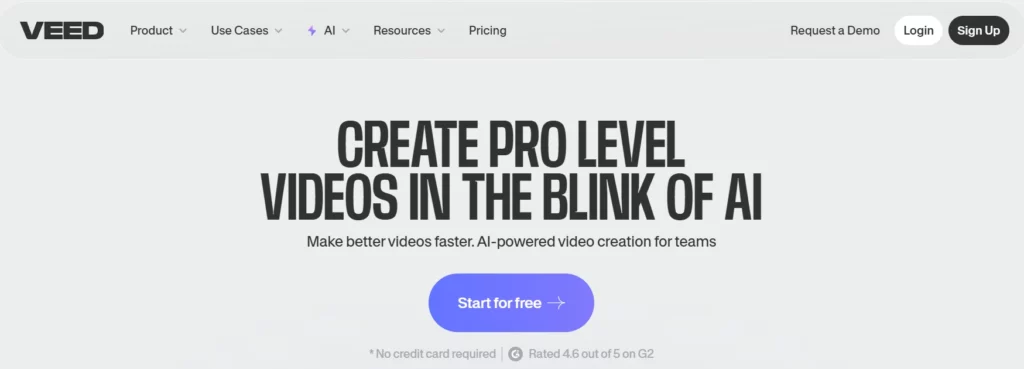
Veed.io moderniza el flujo de trabajo de edición al integrar herramientas prácticas de mejora de vídeo directamente en una línea de tiempo accesible basada en la nube. Históricamente, los editores basados en navegador presentaban problemas con la velocidad de renderizado y la nitidez de la salida, lo que provocaba la frustración de muchos usuarios con exportaciones pixeladas.
Esta plataforma es ideal para podcasters, educadores y gestores de redes sociales que necesitan resultados rápidos sin sacrificar la calidad. Gracias a la reducción de ruido con un solo clic, la limpieza de audio y la exportación en 4K, este software garantiza que las grabaciones de webcam y las capturas de pantalla estándar se mejoren sistemáticamente para que el público las disfrute con claridad y profesionalidad.
Características clave de Veed.io:
Caso de uso:
Planes de precios: Las suscripciones de pago comienzan en $12 mensuales para las funciones básicas, con la opción premium. AI herramientas disponibles en niveles superiores.
Ideal para: Creadores de contenido que buscan un editor web intuitivo y completo con mejoras de audio y vídeo integradas.
6. Laboratorios de topacios

Vídeo de topacio AI Es ampliamente reconocida entre las herramientas de mejora de vídeo de alta gama por su capacidad para reconstruir píxeles faltantes mediante redes neuronales altamente entrenadas. Recuperar material de archivo muy comprimido o escalar archivos multimedia es un desafío técnico complejo que el software básico no puede abordar.
Diseñado para videógrafos profesionales , archivistas y estudios de postproducción, este software de escritorio se centra exclusivamente en la mejora visual cuantificable. Mediante la reducción inteligente del ruido, la interpolación de la velocidad de fotogramas y el escalado de la resolución hasta 8K, los usuarios pueden restaurar de forma fiable contenido multimedia degradado para que cumpla con los estándares de transmisión modernos de alta definición.
Características principales de Topaz Labs:
Caso de uso:
Planes de precios: Vídeo de topacio AI Está disponible mediante suscripción, con un precio que suele rondar los 37 dólares mensuales o los 396 dólares anuales.
Ideal para: Profesionales de la postproducción que requieren capacidades de restauración de vídeo procesadas localmente y de escalado de alta fidelidad líderes en la industria.
Cómo maximizar la calidad de salida utilizando herramientas de mejora de vídeo
Incluso los más avanzados AI Las herramientas de mejora de vídeo requieren la configuración adecuada para obtener resultados naturales y profesionales, sin que parezcan artificiales. Confiar únicamente en los ajustes automáticos puede, en ocasiones, arruinar un buen vídeo.
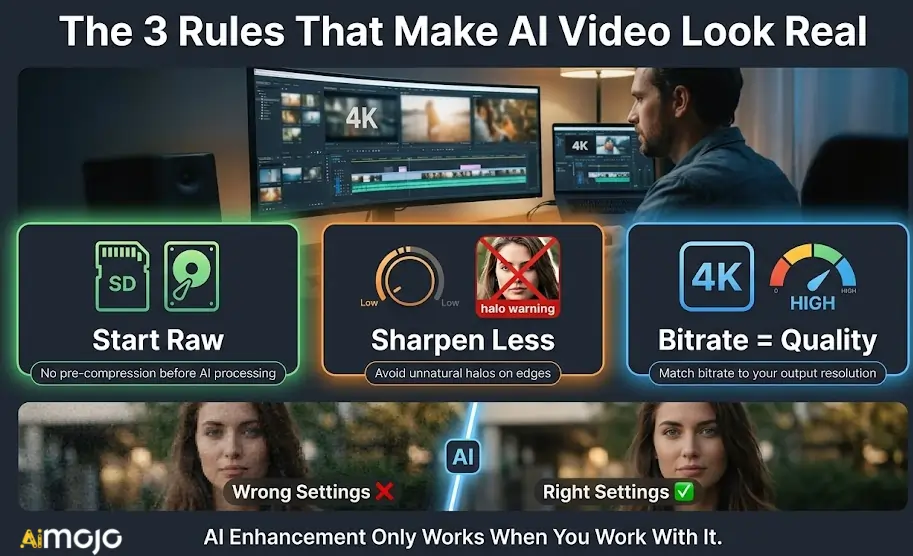
Para obtener renders más nítidos, concéntrese en estos ajustes críticos:
Al gestionar cuidadosamente estos parámetros, te aseguras de que la exportación final parezca realmente restaurada en lugar de excesivamente procesada.
Resumen de las mejores herramientas para mejorar la calidad del vídeo
No todos los vídeos requieren la misma corrección. Algunos clips necesitan que se les elimine el ruido digital, otros que se suavicen los fotogramas y otros simplemente que se les aumente la resolución para que tengan un aspecto presentable. Cada una de las seis plataformas que se analizan aquí gestiona mejor una parte específica de este proceso.
Empieza por identificar las necesidades reales de tu metraje, elige la herramienta adecuada y prueba con un clip corto antes de renderizarlo por completo. La mayoría de estas herramientas de mejora de vídeo ofrecen acceso de prueba, así que no hay ninguna presión para comprometerse a ciegas.
La mejor edición es aquella que tu público nunca nota que ha sido corregida.
AiMojo recomienda:



 BONUS: Obtenga nuestros $200 “AI “Mastery Toolkit” ¡GRATIS cuando te registras!








