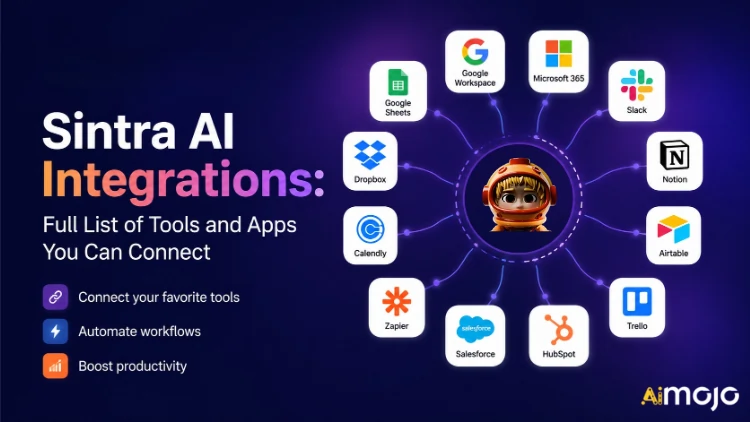
Κάθε εργαλείο που χρησιμοποιεί η επιχείρησή σας — Gmail, Notion, LinkedIn, Google Analytics, QuickBooks και πάνω από 1,000 ακόμη — μπορεί πλέον να συνδεθεί απευθείας με την Τεχνητή Νοημοσύνη της Sintra.
Εδώ's η πλήρης ανάλυση του τι συνδέεται, πώς λειτουργεί και τι σας AI βοηθοί στην πραγματικότητα κάντε το μόλις γυρίσετε τον διακόπτη.
Τι σημαίνει στην πραγματικότητα ο όρος «ενσωμάτωση» στη Σίντρα
Οι ενσωματώσεις Sintra δεν είναι πρόσθετα τρίτων που συνδέετε χειροκίνητα. Είναι ενσωματωμένες συνδέσεις με ένα κλικ που ενσωματώνονται απευθείας στην πλατφόρμα — δεν απαιτούνται webhooks, δεν απαιτούνται developer tickets, δεν απαιτείται middleware Zapier (αν και υπάρχει υποστήριξη Zapier για ακόμη μεγαλύτερη επέκταση).
Μόλις συνδεθείτε, το Sintra σας AI Οι βοηθοί έχουν άμεση πρόσβαση ανάγνωσης/εγγραφής σε αυτά τα εργαλεία. Αυτό σημαίνει ότι δεν απλώς «βλέπουν» τα δεδομένα — ενεργούν με βάση αυτά. Σχεδιάζουν και στέλνουν ένα email στο Gmail. Δημοσιεύουν στο LinkedIn. Ανακτούν μια αναφορά Google Analytics. Δημιουργούν μια σελίδα Note. Όλα ενεργοποιούνται από ένα παράθυρο συνομιλίας.
Το επίπεδο ενσωμάτωσης υποστηρίζεται από το Composio , το οποίο επιτρέπει στη Sintra να φτάσει το ορόσημο των 1,000+ ενσωματώσεων σε κάθε σημαντική επιχειρηματική κατηγορία.

Η Πλήρης Σίντρα AI Λίστα Ενοποιήσεων (Ανά Κατηγορία)
Εδώ's μια δομημένη ανασκόπηση κάθε κατηγορίας και εργαλείου που υποστηρίζεται αυτήν τη στιγμή:
| Εργαλείο | Τι μπορεί να κάνει ο βοηθός σας |
|---|---|
| Gmail | Αποστολή email, απάντηση σε θέματα συζήτησης, ανάγνωση εισερχομένων, εκτέλεση εκστρατειών προσέγγισης |
| Microsoft Outlook | Αποστολή, απάντηση, ανάγνωση — πλήρης διαχείριση εισερχομένων για χρήστες της Microsoft |
📅 Ημερολόγιο & Προγραμματισμός
| Εργαλείο | Τι μπορεί να κάνει ο βοηθός σας |
|---|---|
| Ημερολόγιο Google | Δημιουργήστε συμβάντα, διαβάστε το πρόγραμμα, ορίστε υπενθυμίσεις, σχεδιάστε το ημερολόγιο περιεχομένου |
| Ημερολόγιο MS | Ίδιες δυνατότητες ημερολογίου για χρήστες του Microsoft 365 |
🗂️ Αποθήκευση αρχείων
| Εργαλείο | Τι μπορεί να κάνει ο βοηθός σας |
|---|---|
| Google Drive | Αποθηκεύστε αναφορές, λάβε αρχεία, αποθηκεύστε αυτόματα αποτελέσματα που δημιουργούνται από τεχνητή νοημοσύνη |
| dropbox | Αποθήκευση και ανάκτηση αρχείων για ροές εργασίας που βασίζονται στο Dropbox |
📱 Κοινωνικά Δίκτυα
| Εργαλείο | Τι μπορεί να κάνει ο βοηθός σας |
|---|---|
| LinkedIn (Προσωπικό) | Προγραμματισμός αναρτήσεων, δημοσίευση περιεχομένου, διαχείριση δραστηριότητας προφίλ |
| LinkedIn (Εταιρική Σελίδα) | Διαχείριση αναρτήσεων σελίδας, ανάπτυξη παρουσίας εταιρείας |
| Δημοσίευση αναρτήσεων, προβολή πληροφοριών σελίδας, διαχείριση περιεχομένου σελίδας | |
| Δημοσίευση στη ροή (μέσω συνδέσμου Facebook Business), διαχείριση περιεχομένου | |
| TikTok | Δημοσίευση και προγραμματισμός περιεχομένου βίντεο σύντομης μορφής |
| YouTube | Διαχείριση μεταφορτώσεων βίντεο και περιεχομένου καναλιού |
💬 Ομαδική Επικοινωνία
| Εργαλείο | Τι μπορεί να κάνει ο βοηθός σας |
|---|---|
| Χαλαρότητα | Αποστολή μηνυμάτων, δημοσίευση σε κανάλια, αυτοματοποίηση ειδοποιήσεων ομάδας |
| Οι ομάδες της Microsoft | Συνεργαστείτε και επικοινωνήστε μεταξύ ομάδων που εδρεύουν στη Microsoft |
✅ Παραγωγικότητα & Διαχείριση Έργων
| Εργαλείο | Τι μπορεί να κάνει ο βοηθός σας |
|---|---|
| Εννοια | Δημιουργία σελίδων, ενημέρωση βάσεων δεδομένων, οργάνωση έργων |
| ΤΡΕΛΛΟ | Διαχείριση πινάκων, καρτών και λιστών εργασιών |
| Asana | Δημιουργήστε εργασίες, παρακολουθήστε την πρόοδο του έργου |
| Εργασίες Google | Προσθήκη και διαχείριση εργασιών εντός του Google Workspace |
| Todoist | Δημιουργία εργασιών και διαχείριση λίστας υποχρεώσεων |
| Γραμμικός | Παρακολούθηση εργασιών ομάδας μηχανικής και προϊόντων |
| Airtable | Διαχείριση βάσεων δεδομένων και παρακολούθηση έργων |
💼 CRM & Πωλήσεις
| Εργαλείο | Τι μπορεί να κάνει ο βοηθός σας |
|---|---|
| HubSpot | Διαχείριση επαφών, παρακολούθηση συμφωνιών, ενημέρωση καταχωρίσεων CRM |
| Salesforce | Ενημερώσεις CRM, παρακολούθηση υποψήφιων πελατών, διαχείριση αγωγού πωλήσεων |
| Pipedrive | Διαχείριση συμφωνιών και αυτοματοποίηση ροής εργασίας πωλήσεων |
📊 Αναλυτικά στοιχεία και δεδομένα
| Εργαλείο | Τι μπορεί να κάνει ο βοηθός σας |
|---|---|
| Google Analytics | Λήψη αναφορών κυκλοφορίας, πληροφοριών για την επιφάνεια, απόδοση πίστας |
| Google Sheets | Ανάγνωση και εγγραφή δεδομένων υπολογιστικού φύλλου για αναφορά |
💰 Λογιστική & Χρηματοοικονομικά
| Εργαλείο | Τι μπορεί να κάνει ο βοηθός σας |
|---|---|
| QuickBooks | Δημιουργία/αποστολή τιμολογίων, ανάγνωση οικονομικών στοιχείων, δημιουργία αναφορών |
| Xero | Λογιστική και αυτοματοποίηση τήρησης βιβλίων |
🛠️ Εργαλεία προγραμματιστών
| Εργαλείο | Τι μπορεί να κάνει ο βοηθός σας |
|---|---|
| GitHub | Διαχείριση αποθετηρίων, παρακολούθηση προβλημάτων, αυτοματοποίηση ροών εργασίας προγραμματιστών |
| GitLab | Διαχείριση κώδικα και αλληλεπίδραση αγωγού CI/CD |
| JIRA | Παρακολούθηση ζητημάτων και διαχείριση sprint |
| Supabase | Αλληλεπίδραση με βάσεις δεδομένων και διαχείριση backend |
🎨 Σχεδιασμός & Δημιουργικότητα
| Εργαλείο | Τι μπορεί να κάνει ο βοηθός σας |
|---|---|
| Σχ | Πρόσβαση σε αρχεία σχεδίασης, στοιχεία αναφοράς σε ροές εργασίας περιεχομένου |
📣 Μάρκετινγκ & Διαφήμιση
| Εργαλείο | Τι μπορεί να κάνει ο βοηθός σας |
|---|---|
| SEMrush | Λήψη δεδομένων λέξεων-κλειδιών, παρακολούθηση κατατάξεων, εμφάνιση ευκαιριών SEO |
| Μεταδιαφημίσεις | Διαχείριση διαφημιστικών καμπανιών και δεδομένων διαφημιστικού λογαριασμού |
🏃 Υγεία & Φυσική Κατάσταση
| Εργαλείο | Τι μπορεί να κάνει ο βοηθός σας |
|---|---|
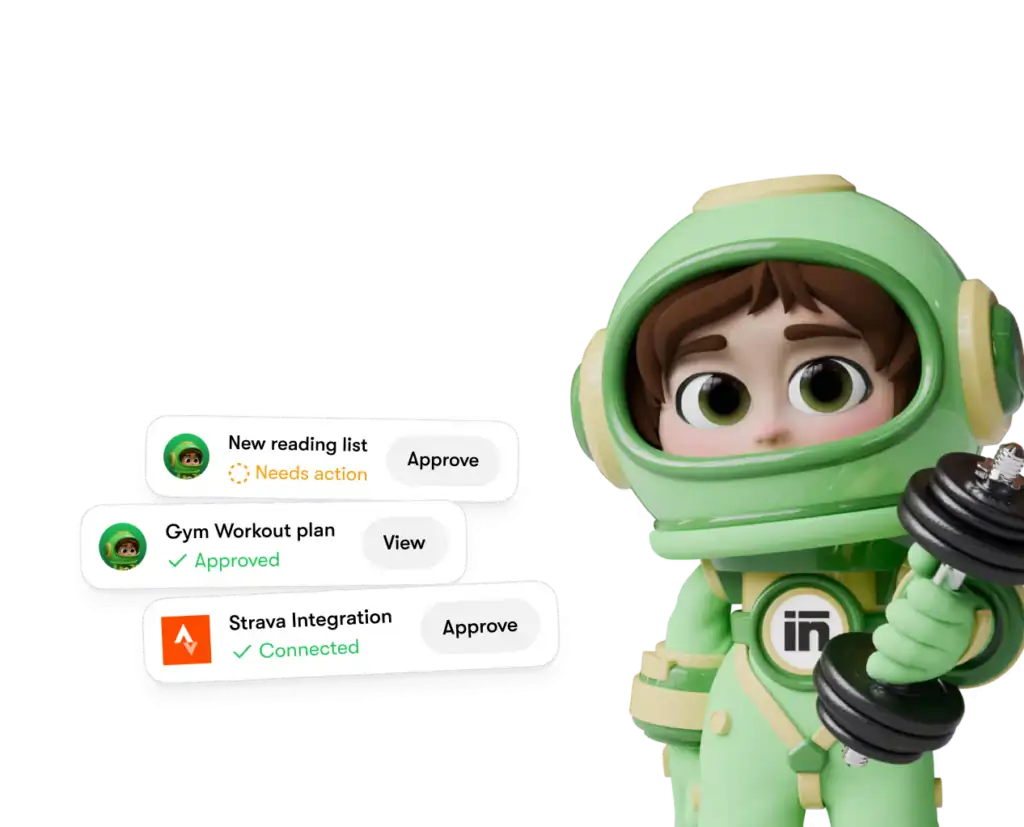
| Στραβά | Διαβάστε δεδομένα δραστηριότητας, ώστε ο προσωπικός σας προπονητής να μπορεί να παρακολουθεί τους στόχους φυσικής κατάστασης και να προσαρμόζει το πρόγραμμά σας |
🌐 CMS & Ηλεκτρονικό Εμπόριο
| Εργαλείο | Τι μπορεί να κάνει ο βοηθός σας |
|---|---|
| WordPress.com | Διαχείριση αναρτήσεων, σελίδων και δημοσίευσης περιεχομένου |
| Webflow | Ιστοσελίδα και σελίδα προορισμού διαχείριση |
| Shopify | Διαχείριση προϊόντων και παραγγελιών ηλεκτρονικού εμπορίου |
Πώς να συνδέσετε οποιαδήποτε ενσωμάτωση στη Σίντρα (3 βήματα)
Δεν υπάρχουν πονοκεφάλοι εγκατάστασης. Ολόκληρη η διαδικασία διαρκεί λιγότερο από δύο λεπτά ανά εργαλείο:
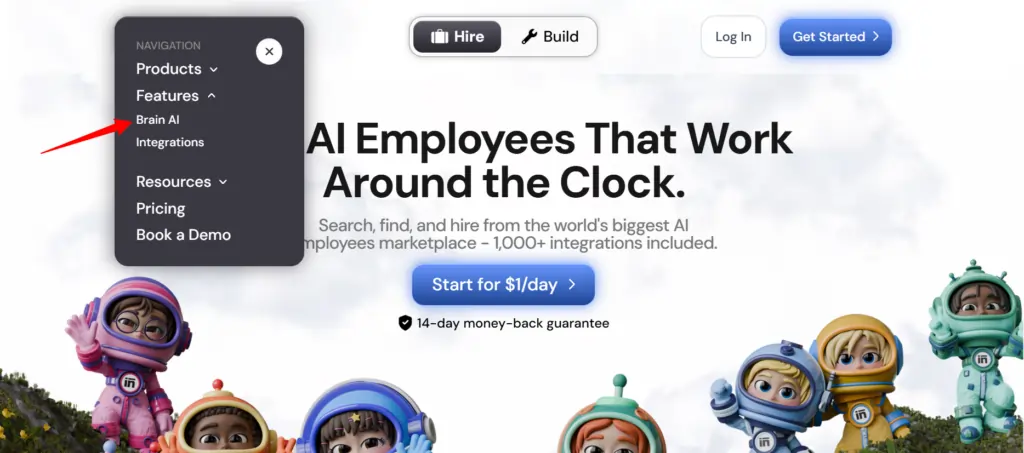
- Μεταβείτε στο Brain AI — Κάντε κλικ στον εγκέφαλο AI κουμπί στην πλαϊνή μπάρα του Sintra για να ανοίξετε τον κόμβο ενοποίησης
- Βρείτε το εργαλείο — Εντοπίστε την ενσωμάτωση που θέλετε (Gmail, Notion, LinkedIn, κ.λπ.) και κάντε κλικ "Σύνδεση"
- Εξουσιοδότηση του λογαριασμού — Ανοίγει ένα αναδυόμενο παράθυρο, συνδεθείτε και παραχωρήστε δικαιώματα — το κουμπί Σύνδεση μετατρέπεται σε πράσινο σημάδι επιλογής
Αυτό είναι όλο. Από εκείνο το σημείο και μετά, ο αρμόδιος βοηθός ( email marketer , αναλυτής δεδομένων, διαχειριστής μέσων κοινωνικής δικτύωσης κ.λπ.) εργάζεται με δεδομένα σε πραγματικό χρόνο από τον πραγματικό σας λογαριασμό — χωρίς αντιγραφή-επικόλληση, χωρίς χειροκίνητες καταχωρίσεις.
💡 Γρήγορη συμβουλή: Χρειάζεται να προσθέσετε έναν άλλο λογαριασμό για το ίδιο εργαλείο (π.χ., μια δεύτερη σελίδα στο Facebook); Πατήστε «Σύνδεση» → «Προσθήκη νέου λογαριασμού» μέσα στον εγκέφαλο AI και συνδεθείτε με τον δεύτερο λογαριασμό απευθείας από εκεί.
Τι κάνουν στην πραγματικότητα οι βοηθοί σας στο Sintra με αυτές τις ενσωματώσεις
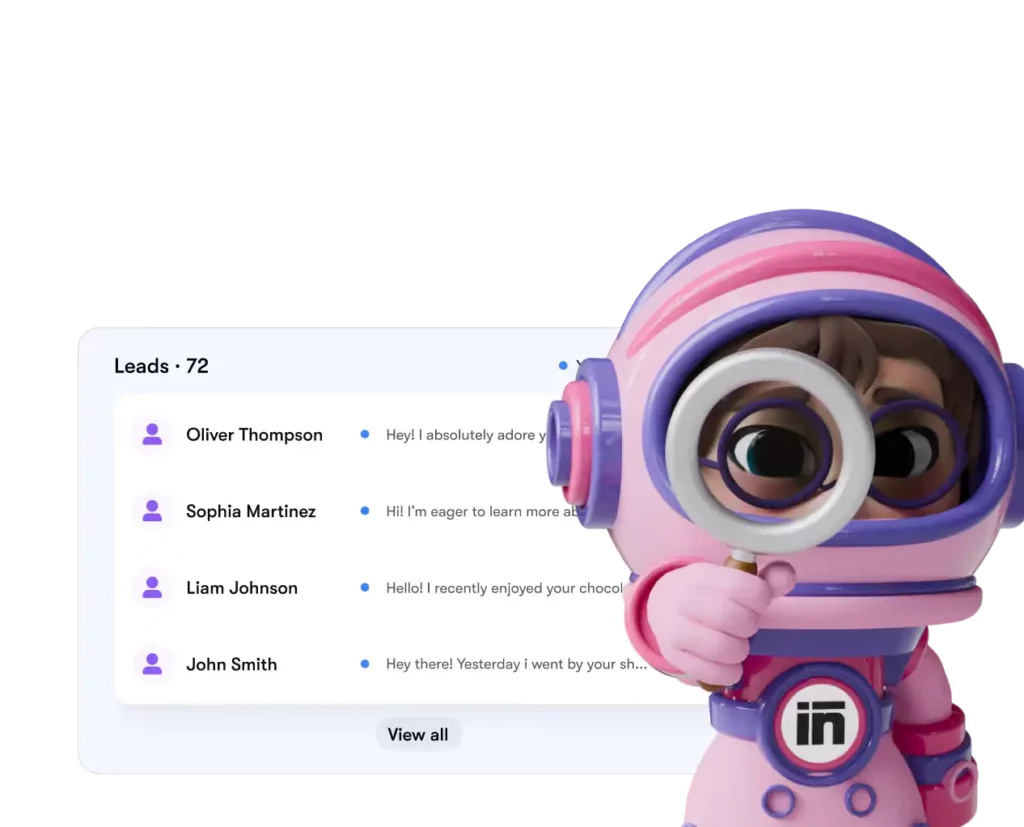
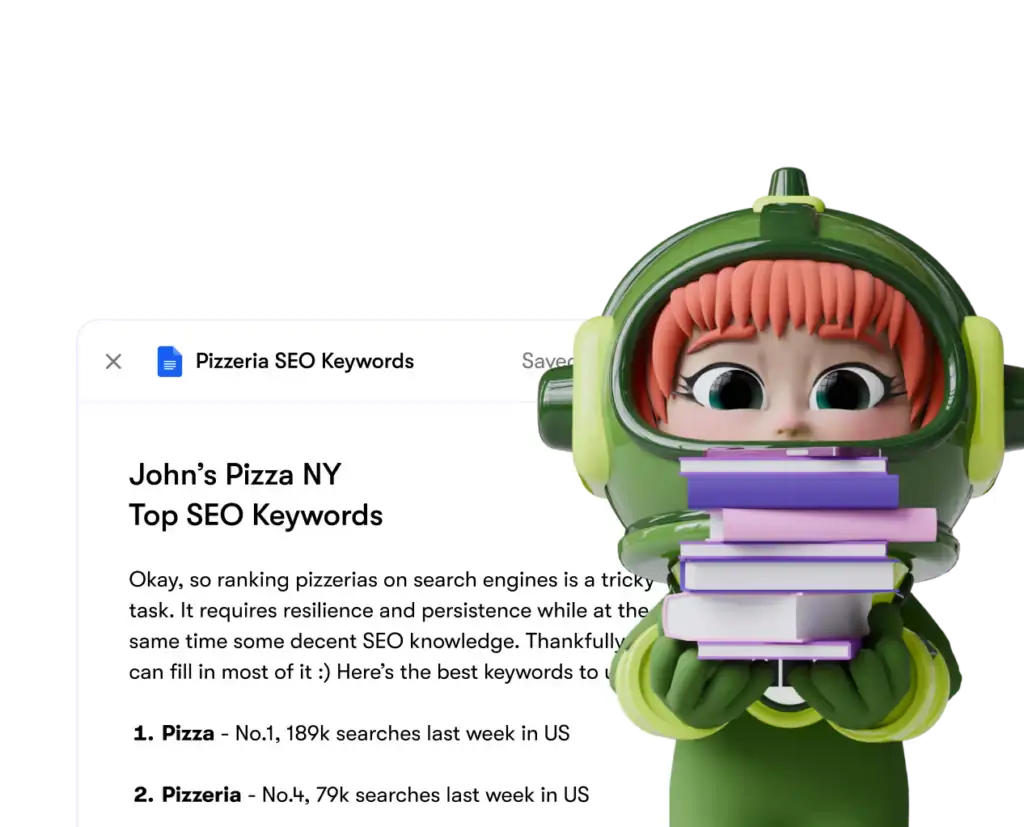
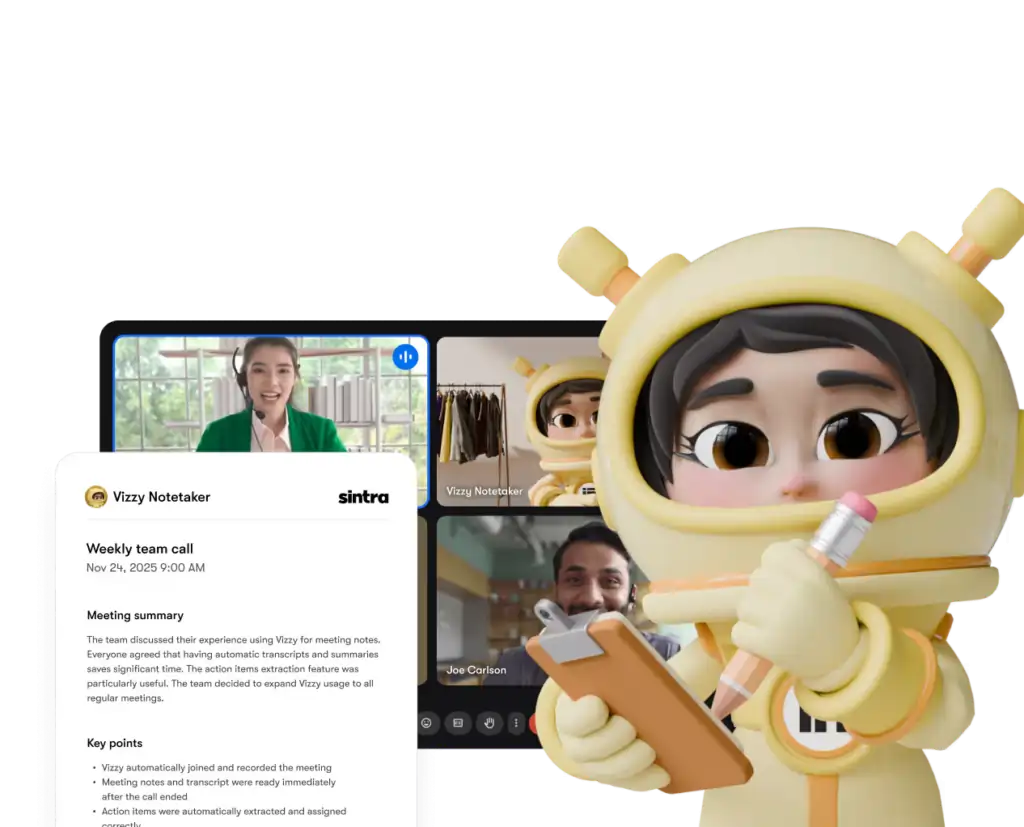
Η Σίντρα έχει 12 προκατασκευασμένα AI ειδικούς, και ο καθένας είναι συνδεδεμένος με τις ενσωματώσεις που έχουν νόημα για τον ρόλο του:
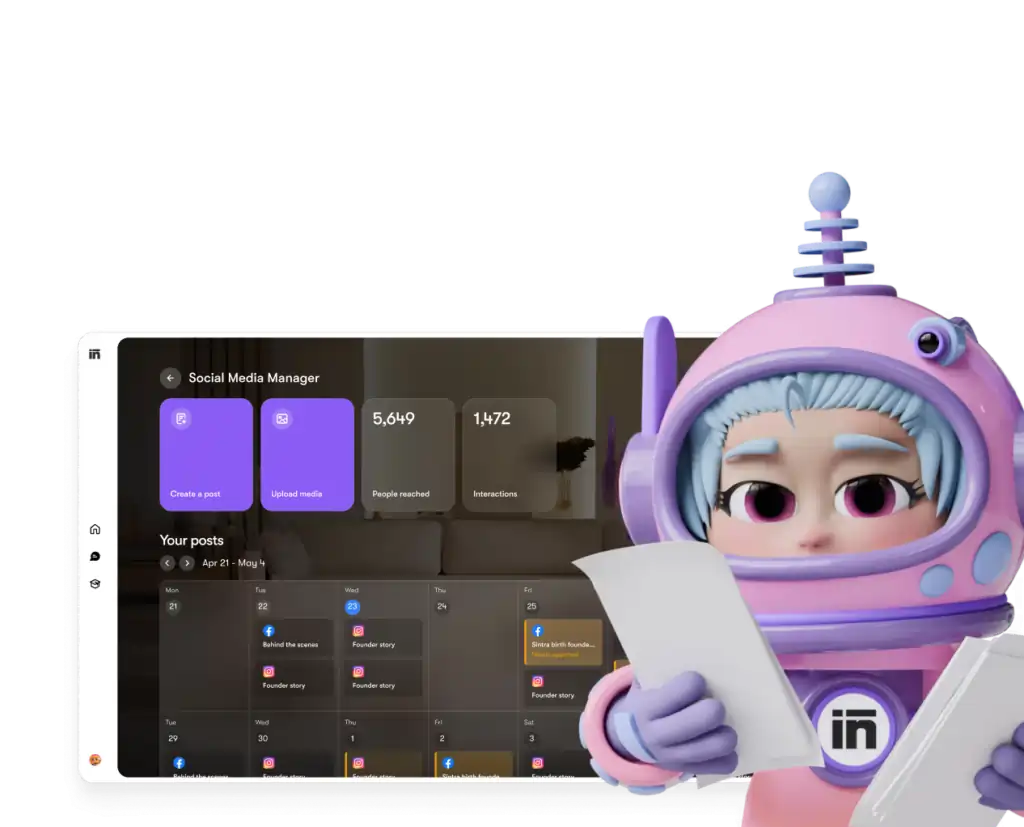
Κάθε βοηθός έχει πρόσβαση μόνο στα εργαλεία και τα δικαιώματα που παραχωρείτε ρητά — και μπορείτε να αποσυνδέσετε οποιαδήποτε ενσωμάτωση από τον πίνακα ελέγχου σας ανά πάσα στιγμή.
Σίντρα AI έναντι ανταγωνιστών: Βάθος ολοκλήρωσης
Εδώ's πώς η Σίντρα's Η ρύθμιση ενσωμάτωσης συγκρίνεται με παρόμοιες πλατφόρμες στο ίδιο επίπεδο τιμής:
| Χαρακτηριστικό | Σίντρα AI | Γένους AI Chatbots | Πλατφόρμες αυτοματισμού (π.χ., Zapier) |
|---|---|---|---|
| Εγγενείς ενσωματώσεις (χωρίς κώδικα) | 1,000 + | Κανένα έως ελάχιστο | Ναι, αλλά όχι AI στρώμα |
| AI ο βοηθός ενεργεί με βάση τα δεδομένα | ✅ Ναι | ❌ Όχι | ❌ Όχι |
| Πολυπλοκότητα εγκατάστασης | Εξουσιοδότηση με ένα κλικ | Δ/Ε | Μεσαία–Υψηλή |
| Βοηθοί ανά επαγγελματικό ρόλο | ✅ 12 ειδικοί | ❌ | ❌ |
| Αυτοματοποίηση (επαναλαμβανόμενες εργασίες) | ✅ | ❌ | ✅ |
| Συμβατό με GDPR | ✅ | Ποικίλλει | Ποικίλλει |
Ο βασικός διαφοροποιητής: πλατφόρμες όπως το Zapier σας δίνουν υποδοχές, αλλά εκεί's κανένα έξυπνο επίπεδο στην κορυφή που να ερμηνεύει και να επεξεργάζεται τα δεδομένα. Η Sintra σας προσφέρει και τα δύο — την ενσωμάτωση και ένα AI που ξέρει τι να κάνει με αυτό.
Ο ισχυρισμός για τις 1,000+ ενσωματώσεις — Τι σημαίνει στην πραγματικότητα;
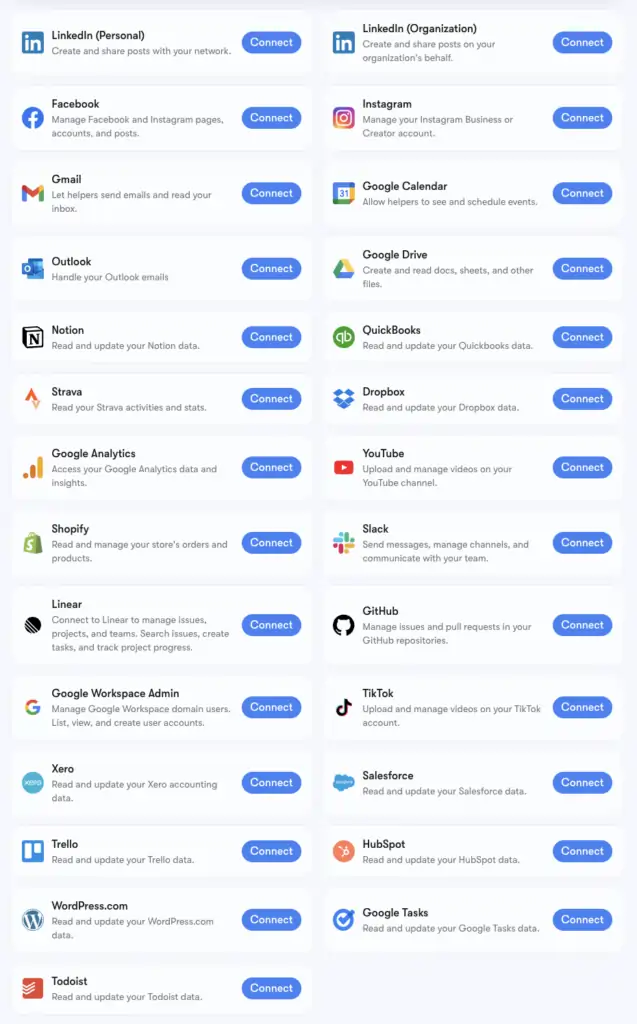
Σίντρα's Ο αριθμός των 1,000+ ενσωματώσεων υποστηρίζεται από Composio, μια υποδομή σύνδεσης που υποστηρίζει εφαρμογές σε κάθε κατηγορία: Εργαλεία ανθρώπινου δυναμικού, πλατφόρμες προγραμματισμού, ηλεκτρονικό εμπόριο, αποθήκες δεδομένων και εξειδικευμένα εργαλεία SaaS, τα περισσότερα AI Οι πλατφόρμες δεν αγγίζουν η μία την άλλη.
Μπορείτε να περιηγηθείτε στην πλήρη, εκτεταμένη λίστα στη διεύθυνση composio.dev/toolkits . Οι βασικές ενσωματώσεις με υποστήριξη σε βάθος (Gmail, LinkedIn, Notion, Google Analytics, κ.λπ.) είναι αυτές που είναι ενσωματωμένες στο Brain AI της Sintra. Οι εκτεταμένες 1,000+ είναι προσβάσιμες για χρήστες που χρειάζονται να εμβαθύνουν σε συγκεκριμένες ροές εργασίας.
Εάν ένα εργαλείο στο οποίο βασίζεστε δεν περιλαμβάνεται στη λίστα, μπορείτε να το ζητήσετε απευθείας από τον πίνακα ελέγχου του Sintra. Νέες ενσωματώσεις προστίθενται με βάση τη ζήτηση των χρηστών σε κυλιόμενη βάση.
Ρύθμιση Gmail + Ημερολογίου Google: Βήμα προς βήμα
Η στοίβα Google Workspace είναι η πιο συχνά συνδεδεμένη ομάδα, επομένως εδώ's η ακριβής διαδικασία:
- Πατήστε Τεχνητή Νοημοσύνη Εγκεφάλου στην αριστερή πλαϊνή μπάρα
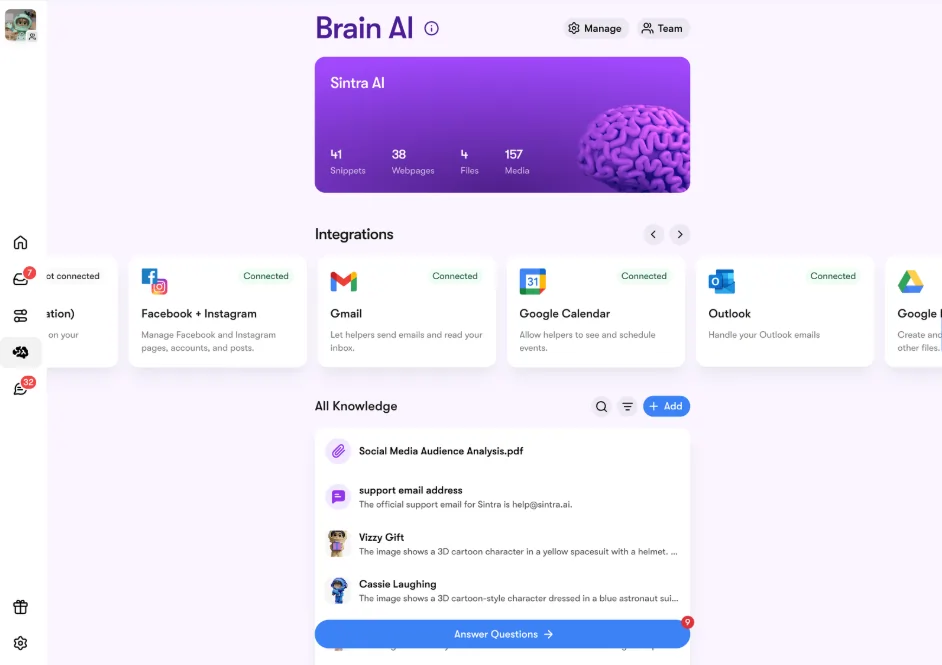
- Εντοπισμός Gmail, Ημερολόγιο Google, Google DriveΤο HIFU, ή Υψηλής Έντασης Εστιασμένος Υπέρηχος, στοχεύει επίσης στο πρόσωπο και τον λαιμό. Προσφέρει θεραπεία σε γρήγορες εκπομπές, γεγονός που κάνει τις συνεδρίες θεραπείας συντομότερες. Google Analytics στην ενότητα Ενσωματώσεις
- Πατήστε Connect → τότε Connect ξανά (ή Προσθήκη νέου λογαριασμού για πολλαπλούς λογαριασμούς)
- Εμφανίζεται ένα αναδυόμενο παράθυρο στο πρόγραμμα περιήγησης — επιλέξτε τον λογαριασμό Google που θέλετε να χρησιμοποιήσετε
- Παραχωρήστε στην εφαρμογή Sintra τα απαιτούμενα δικαιώματα στην εφαρμογή Sintra τα απαιτούμενα δικαιώματα.
- Το κουμπί γίνεται πράσινο — είστε ζωντανά
Και τα τέσσερα εργαλεία της Google μπορούν να συνδεθούν ανεξάρτητα ή μαζί. Το Sintra ζητά μόνο τα δικαιώματα που απαιτούνται για κάθε εργασία (π.χ., το Ημερολόγιο χρειάζεται μόνο ανάγνωση/εγγραφή για συμβάντα — όχι ολόκληρο τον λογαριασμό σας Google).
Ρύθμιση Facebook και Instagram
Αυτό έχει μια μικρή προϋπόθεση — το Instagram σας πρέπει πρώτα να είναι συνδεδεμένο με μια επαγγελματική σελίδα στο Facebook:
- Συνδεθείτε στο Facebook → κάντε κλικ στη φωτογραφία προφίλ σας → μεταβείτε στη σελίδα της επιχείρησής σας
- Πηγαίνετε στο Ρυθμίσεις & Απόρρητο → Ρυθμίσεις → Δικαιώματα → Συνδεδεμένοι Λογαριασμοί
- Πατήστε Instagram → Σύνδεση λογαριασμού και συμπληρώστε τον σύνδεσμο
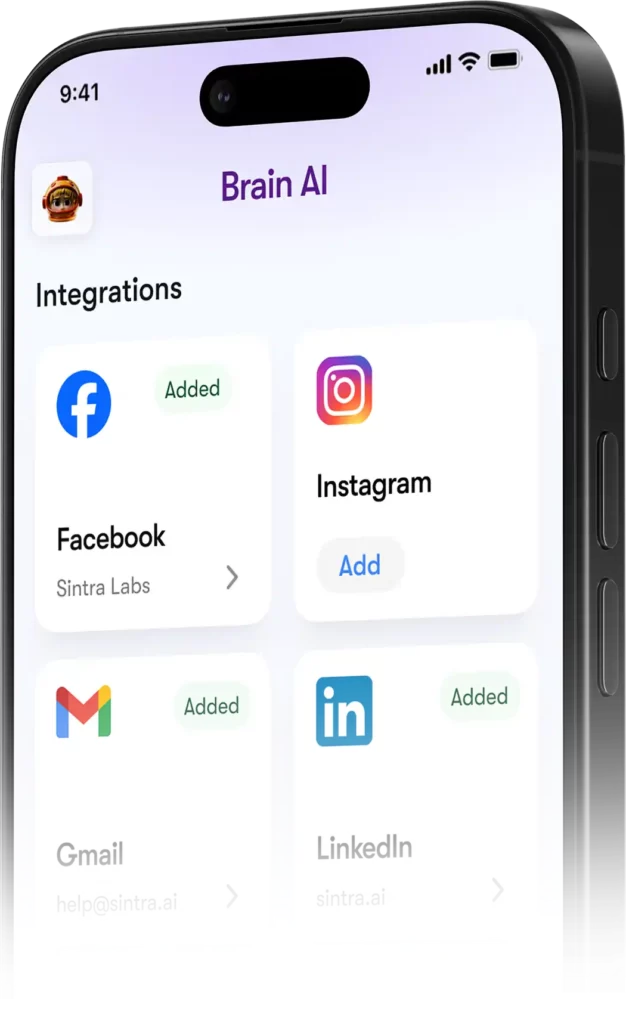
- Στη Σίντρα, πηγαίνετε στο Εγκέφαλος AI → Ενσωματώσεις → Facebook/Instagram → Σύνδεση
- Συνδεθείτε με τα διαπιστευτήριά σας στο Facebook και παραχωρήστε δικαιώματα
- Πράσινο σημάδι ελέγχου = είστε συνδεδεμένοι και στις δύο πλατφόρμες
Μόλις δημοσιευτεί, η Soshie (η ειδικός σας στα μέσα κοινωνικής δικτύωσης) μπορεί να δημοσιεύει στο Facebook και στο Instagram απευθείας από ένα μήνυμα συνομιλίας ή μέσω ενός αυτοματοποιημένου προγράμματος.
Απόρρητο: Τι μπορεί και τι δεν μπορεί να δει η Σίντρα
Μια εύλογη ερώτηση όταν συνδέετε το Gmail ή το Google Analytics με οποιοδήποτε AI πλατφόρμα. Εδώ's Σίντρα's πραγματική στάση:
Οι βοηθοί δεν ενεργούν εκ μέρους σας, εκτός εάν τους το έχετε ζητήσει ρητά μέσω συνομιλίας ή έχετε ρυθμίσει μια προγραμματισμένη αυτοματοποίηση — δεν εκτελούνται στο παρασκήνιο κάνοντας πράγματα που δεν έχετε εγκρίνει.
Συχνές ερωτήσεις
Ποια εργαλεία υπάρχουν στην επίσημη Sintra; AI λίστα ενσωματώσεων;
Οι βασικές ενσωματώσεις περιλαμβάνουν τα Gmail, Outlook, Google Calendar, Google Drive, LinkedIn, Facebook, Instagram, TikTok, Slack, Notion, HubSpot, Salesforce, QuickBooks, Google Analytics, GitHub, Strava, Shopify και άλλα. Η πλήρης, εκτεταμένη λίστα με περισσότερα από 1,000 εργαλεία είναι διαθέσιμη στη διεύθυνση composio.dev/toolkits.
Η Σίντρα AI έχετε ένα δημόσιο API;
Όχι — Η Sintra δεν προσφέρει δημόσιο API. Όλες οι ενσωματώσεις είναι έτοιμες προς χρήση συνδέσεις που ενσωματώνονται απευθείας στην πλατφόρμα μέσω του Composio.
Μπορώ να συνδέσω πολλούς λογαριασμούς για το ίδιο εργαλείο;
Ναι. Πατήστε «Σύνδεση» → «Προσθήκη νέου λογαριασμού» μέσα στο Brain AI για τη σύνδεση επιπλέον λογαριασμών για την ίδια πλατφόρμα. Κάθε λογαριασμός διαχειρίζεται ανεξάρτητα.
Λειτουργούν οι ενσωματώσεις Sintra εντός αυτοματισμών;
Ναι — τα συνδεδεμένα εργαλεία υποστηρίζουν επαναλαμβανόμενες αυτοματοποιήσεις, όπως καθημερινές συνόψεις εισερχομένων, προγραμματισμένες αναρτήσεις στα μέσα κοινωνικής δικτύωσης και εβδομαδιαίες αναφορές αναλυτικών στοιχείων. Οι βοηθοί εκτελούν αυτές τις λειτουργίες αυτόματα χωρίς να χρειάζεται να ξεκινήσετε μια συνομιλία.
Υπάρχει ενσωμάτωση για το Strava;
Ναι. Το Strava συνδέεται μέσω Brain. AI και επιτρέπει στον προσωπικό σας βοηθό προπονητή να διαβάζει τα δεδομένα δραστηριότητάς σας για να σας βοηθήσει να παρακολουθείτε τους στόχους φυσικής κατάστασης παράλληλα με το πρόγραμμα εργασίας σας.
Πόσος χρόνος χρειάζεται για να δημιουργήσω μια ενσωμάτωση Sintra;
Λιγότερο από δύο λεπτά. Όλη η διαδικασία βασίζεται στο OAuth — κάντε κλικ στην επιλογή Σύνδεση, συνδεθείτε, εγκρίνετε δικαιώματα, ολοκληρώθηκε. Δεν απαιτούνται κλειδιά API ή τεχνικές ρυθμίσεις.
Τι γίνεται αν ένα εργαλείο που χρησιμοποιώ δεν περιλαμβάνεται στη λίστα της Sintra;'s ενσωματώσεις;
Ζητήστε το απευθείας από τον πίνακα ελέγχου του Sintra — νέες ενσωματώσεις προστίθενται με βάση τη ζήτηση των χρηστών σε κυλιόμενη βάση. Μπορείτε επίσης να περιηγηθείτε στην πλήρη εκτεταμένη λίστα στη διεύθυνση composio.dev/toolkits.
Είναι η Σίντρα AI Οι ενσωματώσεις είναι ασφαλείς για χρήση με επιχειρηματικά δεδομένα;
Ναι — Η Sintra συμμορφώνεται με τον GDPR, δεν εκπαιδεύεται στα δεδομένα σας και έχει πρόσβαση μόνο σε ό,τι's που απαιτείται για τη συγκεκριμένη εργασία που ζητάτε. Κάθε ενσωμάτωση μπορεί να αποσυνδεθεί από τον πίνακα ελέγχου ανά πάσα στιγμή.
Το AiMojo προτείνει:


 BONUS: Πάρτε τα 200 δολάρια μας "AI «Εργαλειοθήκη Mastery» ΔΩΡΕΑΝ όταν εγγραφείτε!