

мудрувати AI Ключові ідеї
Що таке ШІ Wisecut?
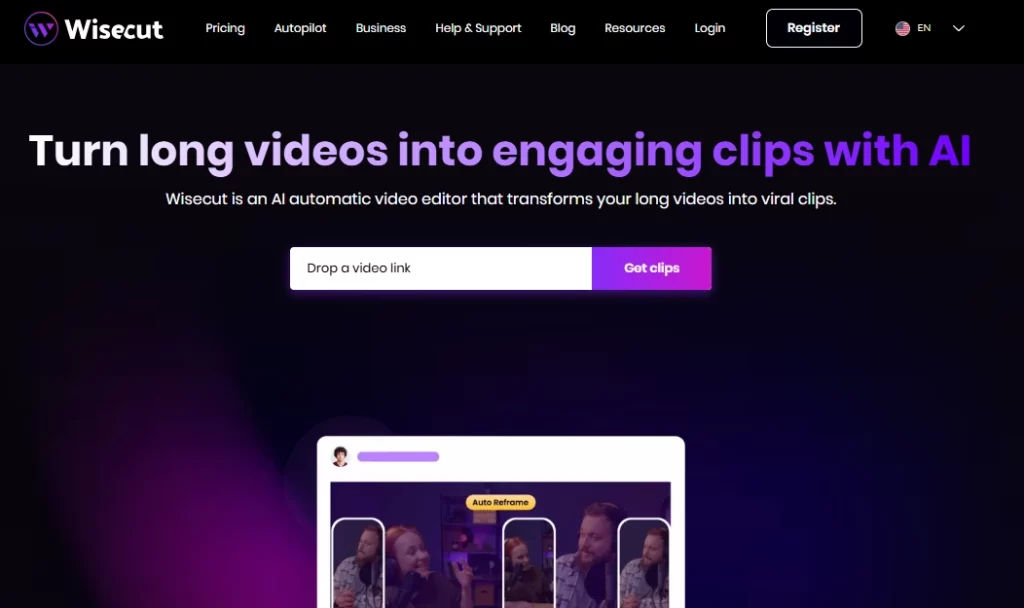
Штучний інтелект Wisecut — це хмарний автоматичний відеоредактор, який використовує штучний інтелект та розпізнавання голосу для перетворення довгих відео на короткі, захопливі кліпи, готові для соціальних мереж. Платформа створена для творців контенту, ютуберів, подкастерів та маркетингових команд, яким потрібно швидко перепрофілювати записи без традиційних навичок редагування. Завантажуючи одне відео, користувачі отримують AI згенеровані яскраві моменти, автоматичні субтитри, видалення тиші та розумна фонова музика, що застосовується за лічені хвилини.
мудрувати AI усуває ручну рутинну роботу з редагуванням часової шкали та замінює її текстовим робочим процесом розкадровки. Це означає, що будь-хто може створювати відшліфований короткий контент для TikTok, Instagram Reels, YouTube Shorts та LinkedIn, не торкаючись традиційного редактора. Йому довіряють понад мільйон творців та медіакоманд по всьому світу.
Wisecut сканує ваш повний відеоматеріал і автоматично визначає найцікавіші моменти. AI визначає сегменти з сильними схеми мовлення, емоційні піки та зміни тем для створення кліпів, готових до поширення в соціальних мережах. Це заощаджує години ручного перегляду необроблених записів.
Замість використання традиційної шкали часу з ключовими кадрами, Wisecut генерує повний транскрипт вашого відео та перетворює його на редаговану розкадровку . Ви можете переставляти або видаляти сцени, просто переміщуючи текстові блоки. Це робить процес редагування доступним для будь-кого, хто вміє читати та перетягувати елементи, без необхідності будь-яких технічних знань.
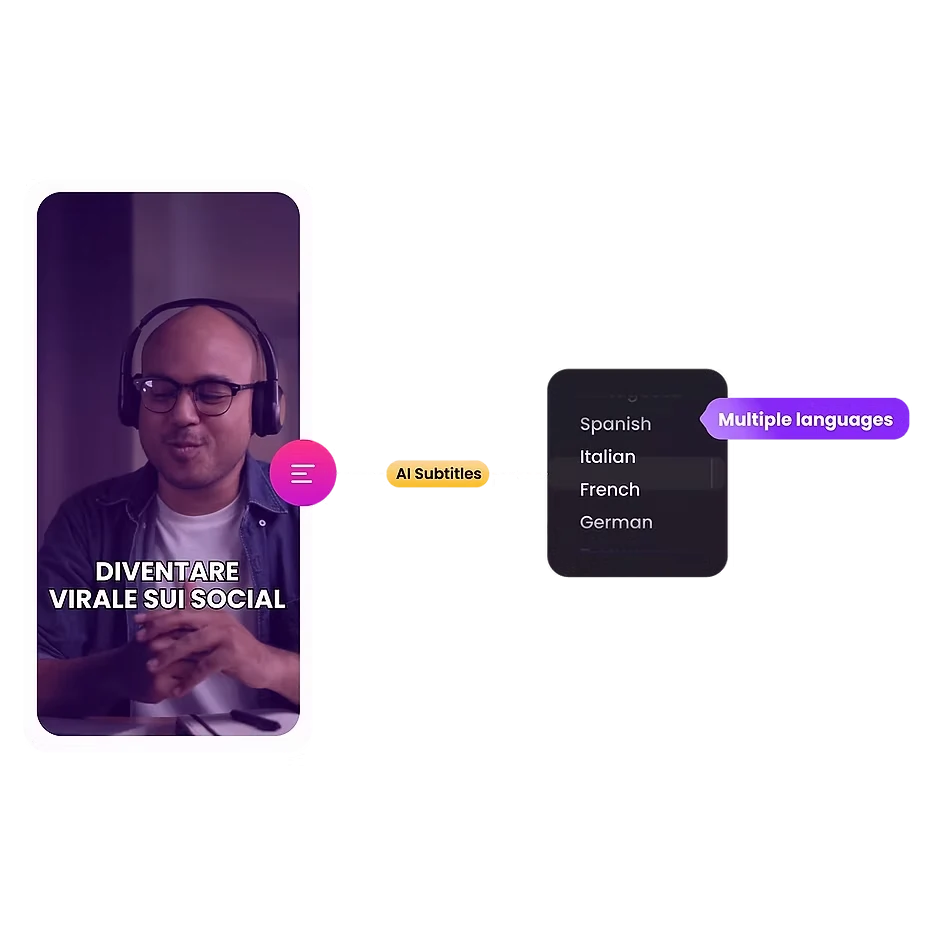
Платформа автоматично генерує точні субтитри та підтримує переклад 13 мовами. Враховуючи, що майже 70% глядачів дивляться відео без звуку на публіці, ця функція безпосередньо підвищує залученість та розширює охоплення вашої аудиторії на світових ринках.
Wisecut підбирає безкоштовну фонову музику, яка відповідає тону вашого відео. Потім він автоматично застосовує приглушення звуку, зменшуючи гучність музики, коли хтось говорить, і підвищуючи її під час пауз. Результатом є баланс звуку трансляційної якості без ручного мікшування.
Мертве повітря знищує утримання глядача. Wisecut виявляє та видаляє тихі паузи протягом усього відео за лічені секунди. Він також застосовує автоматичні переходи масштабування в ключові моменти, створюючи ефект вражаючого моменту, який утримує увагу під час довших сегментів мовлення.
мудрувати AI Плани ціноутворення
| Назва плану | Коштувати | Час обробки | Максимальна роздільна здатність | Макс розмір файлу |
|---|---|---|---|---|
| Безкоштовно | $0 | 30 хв/місяць | 720p | 4 GB |
| Starter | $ 15.75 / місяць | 480 хв/місяць | 1080p Full HD | 4 GB |
| Стартер + | $ 23.25 / місяць | 480 хв/місяць | 1080p Full HD | 4 GB |
| Professional | $ 75.67 / місяць | 1800 хв/місяць | 4K Ультра HD | 5 GB |
| Професійний+ | $ 83.25 / місяць | 1800 хв/місяць | 4K Ультра HD | 5 GB |
| Enterprise | індивідуальні умови | індивідуальні умови | індивідуальні умови | індивідуальні умови |
Початок роботи з Wisecut AI
- Крок 1: Visit wisecut.ai та зареєструйте безкоштовний обліковий запис, використовуючи свою електронну пошту або логін Google.

- Крок 2: Завантажте свій довгий відеофайл (до 4 ГБ на безкоштовному плані) безпосередньо зі свого пристрою.
- Крок 3: Виберіть потрібні параметри виводу, зокрема мову, співвідношення сторін (вертикальне, квадратне або горизонтальне) та стиль підписів.
- Крок 4: Нехай AI обробить ваше відео. Wisecut автоматично згенерує яскраві моменти, видалить паузу, додасть субтитри та застосує фонову музику.
- Крок 5: Перегляньте AI згенеровану розкадровку, внесіть будь-які необхідні текстові редагування та експортуйте або плануйте свої кліпи безпосередньо в соціальні мережі.
Кому варто використовувати Wisecut AI?
мудрувати AI ідеально підходить для ютуберів-одинаків, ведучих подкастів відео, а також менеджери соціальних мереж, які працюють з великими обсягами переробленого контенту. Якщо ваш робочий процес включає запис довгих інтерв’ю, влогів або вебінарів, а потім їх нарізання на короткі кліпи для таких платформ, як TikTok або Reels, цей інструмент заощадить вам значний час.
Маркетингові агентства, які керують кількома клієнтськими обліковими записами, також отримають користь від функцій планування публікацій у соціальних мережах та автоматичного опублікування. Проте, професійним редакторам, яким потрібні багатодоріжкові часові шкали, кольорокорекція або візуальні ефекти, варто шукати інші варіанти.
Як мудро AI Обробляє аудіо
Якість звуку часто відрізняє аматорський контент від професійного. Wisecut вирішує цю проблему за допомогою вбудованого шумозаглушення, яке видаляє фонове шипіння та гул із ваших записів. Функція покращення звуку підвищує чіткість голосу, роблячи його звучання ближчим до студійного запису подкасту чи трансляції.
У поєднанні із системою автоматичного приглушення фонової музики, платформа забезпечує відшліфований звук без потреби в окремій DAW або програмному забезпеченні для мікшування. Для творців, які записують в неідеальних умовах, саме це може виправдати підписку.
За і проти
- Конвертація відео в кліпи одним кліком.
- Редагування тексту не вимагає жодних навичок.
- Підтримка автоматичних субтитрів 13 мовами.
- Розумна фонова музика з приглушенням.
- Вбудоване планування для соціальних мереж.
- Зменшення шуму та покращення звуку.
- Немає підтримки редагування з кількох камер.
- Обмежений контроль ручного редагування.
- Проекти закінчуються через 30 днів.
мудрувати AI для масштабного перепрофілювання контенту
Справжня сила Wisecut AI показує, коли потрібна гучність. Один годинний запис може створити десятки коротких кліпів без необхідності переглядати необроблений матеріал вручну. AI Виявлення світлих ділянок у поєднанні з автоматичним перекадруванням означає, що ваші вертикальні кліпи TikTok та горизонтальні мініатюри YouTube походять з одного завантаження.
Для контент-команд, які використовують щотижневі або щоденні графіки публікацій на кількох платформах, ця перевага в швидкості з часом посилюється. Тарифні плани рівня «+» з автоматичною публікацією майже повністю звільняють весь робочий процес від запису до публікації.



