

OpenClaw'ın Temel Bilgileri
Is OpenClaw Worth Using? The Quick Answer
OpenClaw is worth considering if you want an AI assistant that can actually carry out permitted actions, remember ongoing work and accept instructions through Telegram, WhatsApp or a web dashboard. Unlike a basic chatbot, it connects language models with tools, scheduled jobs, local files and external services. It is free to install, but running a capable model may cost money.
Its strongest attraction is control. You choose the machine, model provider, connected accounts and access rules. Its main drawback is the same freedom: a badly configured agent can expose data, run unwanted commands or misunderstand an instruction. OpenClaw is not a hands-off cloud service with a vendor operating your workspace for you.
Editorial assessment: This review evaluates documented capabilities and practical deployment patterns. The example workflows below are implementation guides, not claims that we executed live customer transactions or benchmarked every supported provider.
What Is OpenClaw and How Does Its AI Agent Architecture Work?
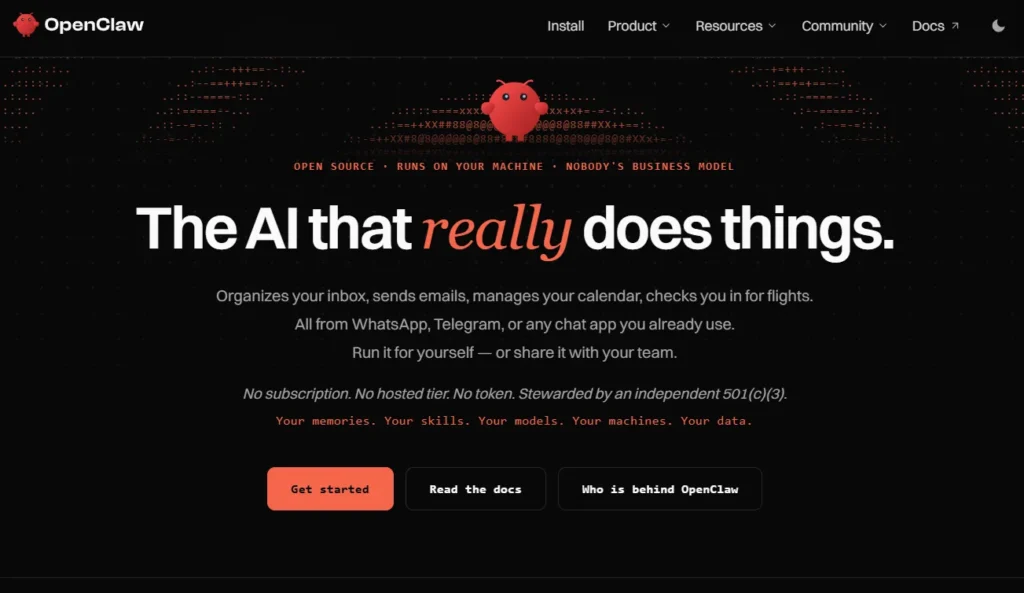
OpenClaw açık kaynaklı, kendi sunucunuzda barındırabileceğiniz bir platformdur. AI asistan built around a persistent Gateway process. The Gateway receives messages, identifies the correct conversation or agent, forwards the request to a configured AI model and coordinates permitted tool calls. Its software runs on macOS, Windows or Linux, with companion applications and mobile device nodes for supported functions.
This distinction matters. OpenClaw is not itself a foundation language model and does not include an unlimited AI model service. Think of it as an operating layer around models and applications. You can choose a cloud model for stronger reasoning, a local model for a specific privacy or cost goal, or different models for different agents.
The Gateway Separates Conversations From Task Execution
The Gateway owns channel connections, authorization, routing, session state and scheduling. Telegram can carry the instruction, but Telegram is not where the agent's main state lives. The same assistant can also be accessed from the local dashboard. This central arrangement helps users keep one assistant available across several chat surfaces.
Sessions, Memory and Workspaces Are Different Components
A session records conversation activity. A workspace holds instructions, files and agent-specific notes. Saved memory is information that can be carried into future work through the agent's memory mechanisms. These components support continuity, but they do not grant an agent perfect recall or make every response accurate.
OpenClaw also supports multiple agents with distinct workspaces and session stores. I would keep a customer-support agent separate from one that works on deployment scripts. The separation creates a clearer operational boundary, especially when each agent receives only the tools and accounts needed for its role.
Why OpenClaw Is More Than a Telegram Chatbot
A conventional Telegram bot can answer scripted questions or call a fixed API. OpenClaw connects the message to a model that can plan actions using available tools. For example, an instruction to summarize an approved folder of support tickets might involve reading files, grouping problems, preparing a report and returning it to Telegram.

OpenClaw supports model providers including OpenAI and Anthropic, along with local inference routes such as Ollama and LM Studio. Provider selection affects response quality, speed, supported inputs, tool calling and usage charges. A low-cost model can be suitable for classifying routine updates, while difficult code changes may justify a stronger model.
The ability to change models is a meaningful ownership benefit. It avoids building every workflow around a single model company's interface. That said, changing the selected model does not guarantee identical outputs. Tool behavior, context handling and safety performance can vary, so production tasks should be retested after a model switch.
OpenClaw includes persistent automation jobs for recurring checks and one-time reminders. A schedule can run a task in an isolated session and send the result to a connected chat channel. Jobs have execution histories, which help an operator review failures rather than assuming a task ran successfully.
Internal hooks react to supported lifecycle events, while authenticated inbound webhooks let an external system signal that work is ready. These mechanisms serve different needs. Use a schedule for a daily digest, an internal hook for an agent lifecycle event and a webhook when an approved external system reports a completed import.
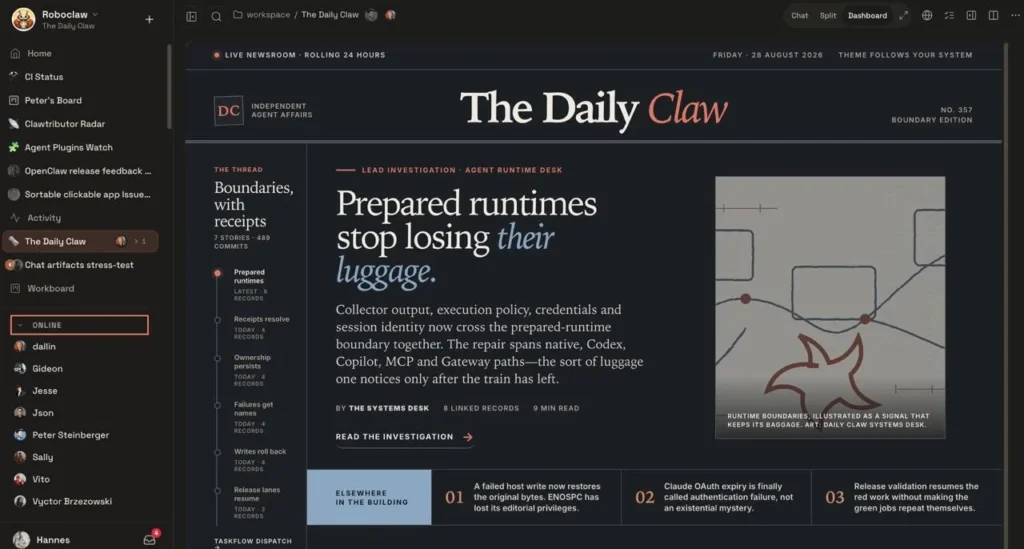
The managed browser lets an agent open pages, inspect content and interact with supported website controls. Its separate browser profile is especially valuable because ordinary personal browser tabs and cookies remain outside that profile. OpenClaw also offers ways to use selected signed-in Chrome sessions, subject to setup and permissions.
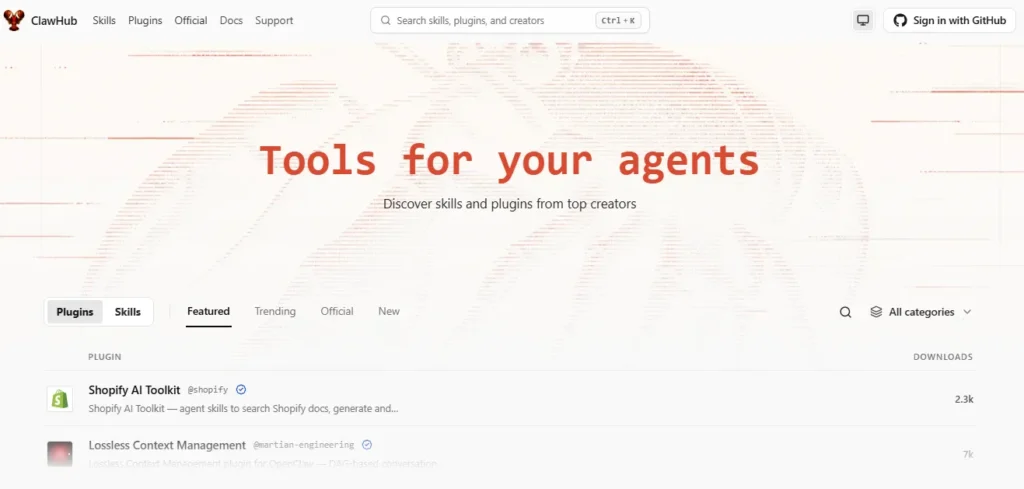
Skills contain reusable instructions that guide an agent through a defined procedure. Plugins extend supported tools, channels or provider connections. This can reduce repeated prompting when several people need the same report structure or ticket triage procedure.
Supported iOS and Android nodes can connect to the main Gateway for selected device functions. They should not be confused with a fully hosted assistant running independently on the phone. The central Gateway remains responsible for the session and task orchestration.
OpenClaw also supports images, audio and documents through relevant channels and models. Capabilities vary by the configured provider, device and plugin. This is useful for tasks such as extracting action items from an approved document, but it is not a promise that every channel accepts every media type.
How to Install OpenClaw Safely on Windows, macOS or Linux
Kurulumdan Önce Sistem Gereksinimlerini Kontrol Edin
For a fresh terminal-based setup, use a supported modern Node.js release. OpenClaw recommends Node.js 26, with supported recent Node.js 24 releases also available. Confirm the runtime with node –version. Install on an account that does not routinely hold production secrets or unrestricted administrative access.
Install, Configure a Model and Open the Dashboard
The documented npm route is straightforward:
- Install the CLI with npm i -g openclaw.

- Launch guided setup using openclaw onboard.
- Connect a supported AI provider using the onboarding flow, or configure a compatible local inference service.
- Open the Control UI with openclaw dashboard.
- Run openclaw security audit before enabling broad tool access.
The local dashboard normally uses http://127.0.0.1:18789/. The default loopback binding is intentional: a local control interface should not be exposed directly to the public internet.
For a service that should survive closing the terminal, use the documented Gateway service installation path, including openclaw gateway install where applicable. Confirm that the service is actually healthy before creating unattended schedules.
Connect Telegram With Pairing, Not Open Access
Telegram is a practical first channel because it uses a bot token and an explicit pairing process. Create a bot with the genuine @BotFather account and keep the issued token private. Then configure the channel:
- Run openclaw channels add –channel telegram –token <bot-token> with your actual token substituted locally.
- Verify it using openclaw channels status –probe.
- Send a direct message to the new Telegram bot.
- Inspect pending access with openclaw pairing list telegram.
- Approve the expected request using openclaw pairing approve telegram <CODE>.
Keep group messaging restricted to approved senders and require mentions where appropriate. Pairing a trusted user is safer than allowing any stranger who finds a bot username to issue commands.
Test a Scheduled Job With a Reversible Task
Start with a harmless instruction such as preparing a summary of a sample file at a defined time. Create the schedule in the Kontrol kullanıcı arayüzü or use the openclaw automations command family. Check job history, delivery routing and the saved time zone before using it for genuine work.
OpenClaw Industry Use Cases: Five Implementation Guides
Digital Marketing: Build a Controlled Campaign Monitoring Agent
An affiliate team can use OpenClaw to gather approved campaign exports, identify sudden performance changes and deliver a short analyst brief. The agent should start with read-only report files or a reporting API, not direct permission to change ad budgets.
A practical sequence is to export campaign data, run a scheduled comparison against the prior reporting period, flag large movements and return the affected campaign IDs with source values. Add rules for missing data and minimum traffic, since a tiny sample can look dramatic without being useful.
Recommended Controls for Marketing Teams
Keep reporting credentials read-only. Require approval for budget changes and label model-generated explanations as hypotheses until campaign evidence confirms them.
E-commerce: Triage Order Exceptions Without Editing Orders
A safer workflow is read order status, inspect shipping status, categorize the exception, create a draft and send the case to a reviewer. Refunds, address changes and cancellation requests should remain behind store-side authorization and approval. Never grant a general browser agent unfettered checkout or payment access.
Recommended Controls for Retail Operations
Limit customer fields to what the task needs, avoid putting payment details into model prompts and keep a case identifier for every suggested action. If a carrier's site is unavailable, report the missing evidence instead of making up a delivery date. Track the percentage of cases requiring correction before expanding automation.
Software Development: Separate Code Review From Deployment
One realistic flow is receive a test-failure notification, attach the relevant log, identify probable causes, prepare a patch proposal and request human review. A developer then runs tests in a controlled environment. This reduces time spent on repetitive diagnosis while preserving accountable code ownership.
Recommended Controls for Engineering Teams
Use restricted working directories, a separate branch, execution approvals and no automatic access to secret files. Protect deployment commands, package installation and repository writes. Repository content can contain hostile instructions, so treat comments and README text as data rather than authority over the agent's kuralları.
Customer Service: Route Questions Without Exposing Private Records
A support agent can categorize incoming requests, search an approved knowledge base and draft replies for an operator. Telegram or Slack can carry alerts while the actual customer records stay inside a permission-controlled system. OpenClaw is especially helpful when several channels need the same internal escalation rules.
The implementation should start with sanitized example tickets. Define categories such as billing, login, account closure and technical fault. Set clear conditions for escalating uncertain answers, disputed charges or sensitive personal information. Auto-send should be disabled until draft quality and identity checks meet internal standards.
Recommended Controls for Support Desks
Do not assume that a message sender is authorized to see account details. Separate customer identity verification from AI classification, and log why a case was assigned to a queue. Measure the correction rate and unresolved cases instead of claiming success from the number of messages handled.
Internal IT: Produce Infrastructure Alerts With Limited Access
OpenClaw can receive a signed notification from an approved monitoring system, read relevant service status and summarize the likely impact for an on-call operator. Scheduled checks can also assemble a digest of non-sensitive operational metrics.
Recommended Controls for IT Administrators
Route alerts through authenticated webhooks, restrict source networks where practical and retain the original event identifier. Log unsuccessful tasks and have a fallback alert path if the Gateway is offline. The reliable outcome is a traceable summary, not an unverified claim that an incident was resolved.
OpenClaw Feature-to-Industry Comparison Matrix
This table compares the operational design of example deployments, rather than repeating the general feature list. It highlights the source boundary, safest deliverable and evidence required before an organization trusts the workflow.
| Sanayi | OpenClaw capability used | Most useful input boundary | Agent work product | Human checkpoint | Başarı ölçüsü |
|---|---|---|---|---|---|
| Affiliate Pazarlama | Planlanmış raporlar | Read-only campaign exports | Anomaly report with campaign IDs | Budget or bid changes | Correctly verified alerts |
| E-ticaret | Bağlantılı araçlar | Limited order and carrier status | Exception queue and reply drafts | Refunds and order edits | Fewer misrouted cases |
| Yazılım Geliştirme | Separate agents | Repository copy and test logs | Patch proposal with failing-test context | Merge and deployment | Tests passing after review |
| Müşteri Hizmetleri | Reusable skills | Approved knowledge articles and sanitized tickets | Suggested answer and ticket category | Sensitive account replies | Lower correction rate |
| SaaS Operations | Authenticated webhooks | Monitoring event and status metrics | Incident brief with event identifiers | Production restarts | Traceable and timely triage |
| Eğitim | Doküman analizi | Approved course materials | Quiz outline and reading summary | Assessment publication | Instructor-verified accuracy |
OpenClaw Pricing: Is the AI Agent Really Free?
Yes. OpenClaw itself is free software with no required OpenClaw subscription. The project is MIT licensed and does not sell an official hosted cloud tier. However, free installation is not the same as free operation, because an agent still needs computing resources and a model capable of processing requests.
| Maliyet bileşeni | Ne için ödeme yaparsınız | Can it be $0? |
|---|---|---|
| OpenClaw software | Gateway, CLI and available open-source components | ✅ Evet |
| bulut AI model | Provider usage, tokens or eligible subscription-based access | Sometimes, depending on provider terms |
| Local model inference | Your own machine, electricity and hardware capacity | No extra model API fee if fully local |
| VPS hosting | An always-on server when you do not host at home | Yes, if using existing hardware instead |
| Bağlı hizmetler | Third-party APIs, storage or business applications | Depends on those services |
| Bakım | Updates, audits, backups and troubleshooting time | No software fee, but operator time remains |
How Model Selection Changes Your Actual Expenses
Frequent scheduled calls can consume far more model usage than occasional chat. A task that checks several sources, runs browser actions and writes a lengthy report may call the model repeatedly. Track cost per completed task, not just price per model request.
Local models can avoid external API charges, but they need adequate memory and compute. Running a small local model on weak hardware may reduce reliability for complicated tool use. A mixed arrangement is often sensible: simple classification on local infrastructure and sensitive, higher-impact work with a carefully selected model plus strict approvals.
OpenClaw Free Plan Versus Paid AI Otomasyon Hizmetleri
OpenClaw has no artificial free-plan task quota imposed by an OpenClaw subscription. The actual limits come from model access, hardware, ağ hizmetleri, connected provider quotas and your own configuration. This makes it attractive for developers who already maintain a machine or server.
It is less attractive if staff time for setup, monitoring and upgrades costs more than the work being automated. For a company without technical ownership, a managed workflow product can be cheaper overall despite its subscription charge.
OpenClaw Security, Privacy and Operational Risks
Self-Hosting Does Not Mean Every Message Stays Local
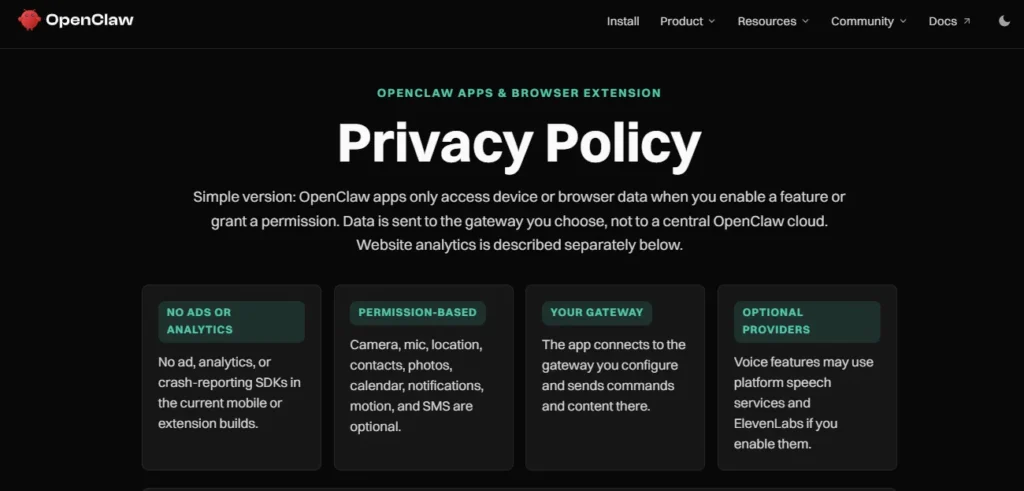
The Gateway and its stored state can run on your infrastructure, but content sent to a cloud model travels to that selected model provider. Connected messaging services also process messages through their own systems. Sensitive files may pass through third-party tools if you authorize those connections.
Prompt Injection Is a Tool Permission Problem
A web page, email or repository file may contain text that tells the agent to ignore instructions and send private information elsewhere. That content is untrusted input, even when it looks like a system message. A capable model can still be misled if its tools are overly powerful.
Keep read-only tasks separate from actions that modify accounts or execute commands. Set command approvals, limit filesystem access, isolate browser profiles and use restricted credentials. Ask the agent to quote or identify its evidence before a person authorizes a high-impact action.
Review Skills and Plugins Like Software Dependencies
Third-party skills can contain scripts, hidden instructions or unsafe dependencies. Review the source and permissions before installation, and update only from sources you trust. Do not paste API keys into skill files or chat messages. Secrets should use appropriate protected configuration or environment mechanisms.
OpenClaw provides a security audit command, but an audit is a starting check rather than a guarantee against every risk. Run openclaw security audit after material configuration changes and inspect the warnings. Treat openclaw security audit –fix as a controlled change: review its intended file permission and access-policy adjustments before applying it.
A Practical Security Baseline for First Deployment
- Keep the Gateway bound to the local interface; use a private tunnel or Tailscale for remote access.
- Require pairing or allowlisted senders for messages that reach the agent.
- Give each agent only the accounts, folders and commands needed for its job.
- Use an isolated browser for public sites and approval gates for sensitive changes.
- Review third-party skills and rotate credentials if exposure is suspected.
- Back up important configuration and check job histories after updates or outages.
The biggest mistake would be to grant an internet-facing bot full shell access, unrestricted browser sessions and business credentials at the same time. The platform is powerful precisely because those access paths exist; restricting them is part of deploying it responsibly.
OpenClaw vs ChatGPT, hayır hem de Zapier: Which Approach Fits?
OpenClaw, ChatGPT and workflow builders overlap in business automation, but they solve different problems. OpenClaw is a self-hosted agent runtime with messaging access and tools. ChatGPT is primarily a hosted assistant experience with its own supported app connections and agent features. n8n and Zapier are commonly used to connect triggers and actions across services through defined workflows.
For open-ended instructions such as “review these incidents and prepare an explanation,” an agent can be convenient. For fixed operations such as “when an approved invoice arrives, add its ID to a database,” a deterministic workflow is usually easier to audit. I would avoid treating agent reasoning as a substitute for transactional checks, permission tests or database constraints.
OpenClaw Pros and Cons for Businesses and Individuals
Advantages That Justify the Setup Effort
Limitations You Should Plan Around
Who Should Use OpenClaw and Who Should Skip It?
Use it if you are a developer, otomasyon uzmanı or small team comfortable managing an application server, reviewing logs and limiting permissions. It is also appealing for individuals who want a personal AI assistant that they can control from several chat apps.
Skip it for now if you need an assistant with zero maintenance, formal vendor accountability or automatic authority to process sensitive transactions. A business handling regulated records should complete its own privacy, legal and security review before giving an agent access to production systems. An easier hosted product may be more suitable for basic writing and question answering.
Frequently Asked Questions About OpenClaw
OpenClaw ücretsiz mi?
Yes. OpenClaw is free, MIT-licensed software without a required platform subscription. Cloud AI models, hosting and connected services may still incur charges.
Can OpenClaw run entirely on a local computer?
Yes. The Gateway can run locally, and supported local inference providers can process model requests without a cloud model API. Connected chat apps still use their respective networks.
Does OpenClaw support WhatsApp and Telegram automation?
Yes. Both are supported messaging channels. Account linking, sender permissions and the running Gateway must be configured before the assistant can process messages.
Is OpenClaw safe for company data?
It can be configured with pairing, allowlists, separate agents, sandbox options and security audits. Safety still depends on model routing, tool permissions, installed plugins and how the organization manages credentials and access.
Final Verdict: Is OpenClaw a Good AI Automation Tool?
OpenClaw is a compelling choice for people who need an AI assistant to do authorized work across messaging apps, browser tools, schedules and selected business systems. Its free license, model flexibility and self-hosted Gateway make it particularly appealing to technical users who dislike being locked into a single hosted assistant.
I would begin with one low-risk, read-only workflow and evaluate the accuracy of the result, total model cost and operational effort. Then add a second agent, a schedule or an integration only when the first task is reliable. This approach reveals the real value of OpenClaw without confusing an impressive demo with a trustworthy business process.
For AIMojo's audience, the strongest use case is not automating everything. It is replacing repetitive handoffs with small, inspectable tasks while keeping humans responsible for sensitive decisions. If you can maintain the Gateway and enforce those boundaries, OpenClaw earns serious consideration.


