

Balık Sesi Temel İçgörüleri
Balık Sesi bir AI voice generator for turning text into speech, reproducing a permitted speaker's voice, and adding spoken output to software. It serves creators who want a voiceover without recording every line, but the developer tools are equally important: speech generation, transcription, streaming audio and persistent voice identifiers are available through APIs.
My editorial view is that Fish Audio deserves attention for its expressive speech controls rather than a promise that every generated clip will sound human.
The practical test is harder: can you keep one recognizable voice across a 20-minute lesson, pronounce product names correctly, switch languages without losing identity, and predict costs when usage grows? I evaluated those questions against the current product controls, technical documentation, prices and licensing conditions. The workflow guidance below is my production assessment, not a claim of private audio benchmarks.
What Is Fish Audio and Who Actually Needs Its Voice Models?
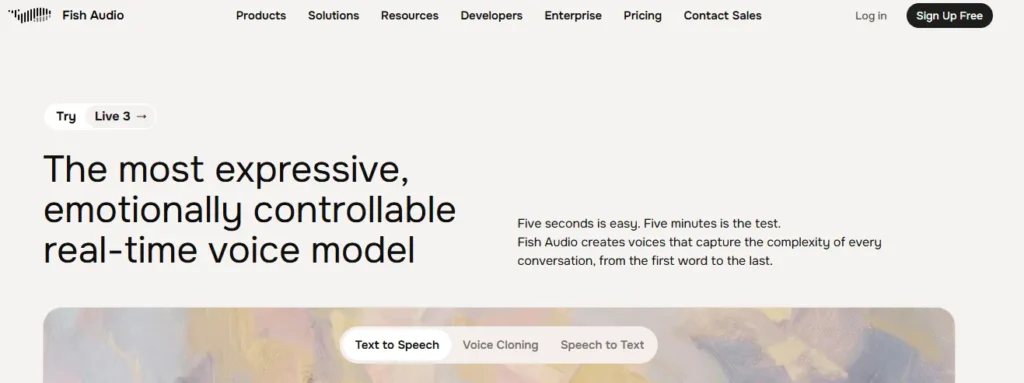
Fish Audio is a browser-based and API-accessible speech platform developed by Hanabi AI Inc. Its central capability is metinden konuşmaya sentez: provide a script, select a voice and generate an audio file. Voice cloning adds the ability to derive a speaker identity from reference recordings; Voice Design instead creates a new voice concept from a written description.
For a YouTube editor, that means reusable narration. For an e-learning publisher, it means correcting one paragraph without recalling an instructor. For a game developer, it means producing several character voices. For a contact-center engineer, it means streaming a spoken reply from an assistant after its language model decides what to say.
It is not a substitute for scriptwriting, sound mixing, editorial approval or permission to use another person's voice. I would position Fish Audio as the speech production layer inside those jobs, not as a complete replacement for a recording studio or video editor.
Fish Audio S2.1 Pro Versus Drama 3: Which Model Should You Choose?
S2.1 Pro is the general production choice; Drama 3 is the performance-direction choice. Both generate speech, but their strongest jobs differ. S2.1 Pro supports 83 languages, multi-speaker text and natural-language directions inside square brackets. The free API variant, s2.1-pro-free, uses the same underlying model for development, with fair-use restrictions and no delivery guarantees.
Drama 3 gives writers more control over how a sentence is acted. Directions can describe the listener, emotional intent or pacing. It also supports specific sound and pause placement, pronunciation notation, and limited-word delivery changes. That makes it useful for trailers, dialogue and fictional characters where a neutral read sounds lifeless.
S2 Pro remains available for existing projects. S1 is deprecated, so I would not choose it when designing a new system. In software, set the model explicitly rather than assuming an SDK default stays current.
How Bracketed Emotion Tags Affect AI Voice Delivery
A script can contain instructions such as [whispering], [excited], [sigh] or [pause]. These are performance cues, not words you want read aloud. With S2 models, bracketed descriptions are interpreted from context, so their effects can vary by voice and text.
My writing rule is to use fewer tags than you think you need. Start with clean punctuation and a well-chosen speaker. Add a direction only where the meaning changes. A product tutorial usually needs consistent pace; a dramatic monologue may need sharper emotional shifts. Generating a short audition before a long script makes incorrect direction cheaper to fix.
Drama 3 also offers paired tags for selected words and phoneme controls for pronunciation. These are especially valuable for company names, abbreviations and dialogue where the emphasis changes a sentence's anlamına gelir.
How Does Fish Audio Voice Cloning Work With Short Recordings?
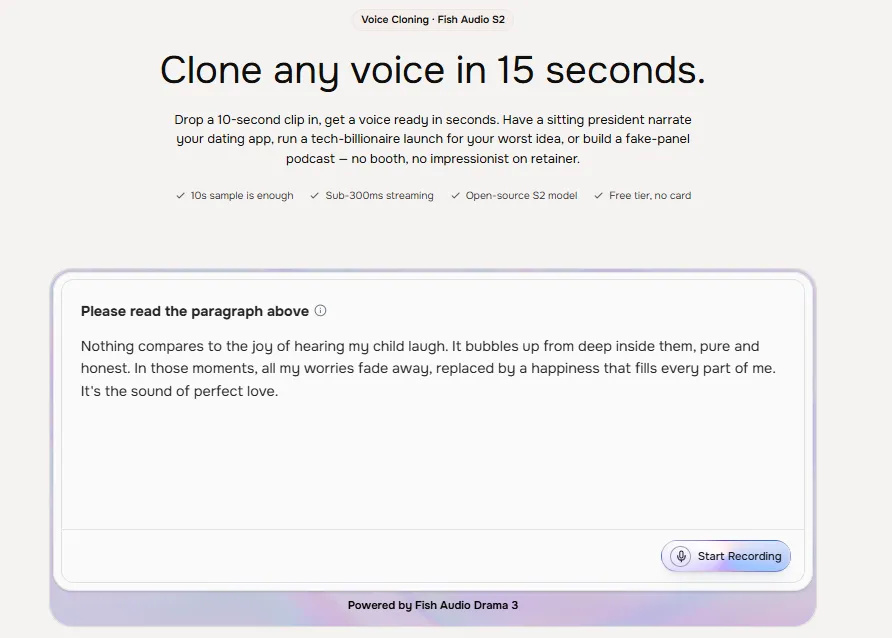
Fish Audio can create a usable voice from roughly ten seconds of reference speech, but minimum input length is not the same as ideal recording quality. The documentation recommends clean, single-speaker audio and notes that one or two minutes can improve similarity. Background music, echo and interruptions make it harder to learn a consistent voice.
There are two practical cloning methods. An instant clone passes reference audio with a generation request and does not require a saved model. A persistent clone creates a stored voice and returns a voice ID. Future requests reuse that ID through the reference_id parameter.
I prefer persistent voices for recurring brands, courses or characters because voice identity should not change between episodes. Instant references suit one-off approved recordings, demonstrations or experimental scenes. Both need permission from the speaker and a clear plan for storing the original audio.
Creating a Reusable AI Voice Without Losing Speaker Identity
Start with a recording of one speaker in a quiet room. Remove music and long silences. For a first attempt, aim for a minute of ordinary speech rather than a theatrical performance. Include the natural rhythm, vowel sounds and expressions that make the voice recognizable.
In Fish Audio's browser interface, open voice cloning, upload your authorized sample, create the voice and keep it private when it belongs to a person or business. In an API workflow, create a model using POST /model and save the returned ID alongside your project's licensing record. You can supply several samples and matching transcripts to strengthen pronunciation.
Then generate three auditions: a neutral introduction, a sentence containing difficult names, and a more expressive paragraph. Listen for accent drift, breath placement, consonant clarity and similarity. A voice that passes only the first line should not yet be trusted with a full audiobook.
Voice Design Compared With Cloning a Real Speaker
Voice Design creates a proposed voice; cloning reproduces traits from recorded speech. Ses Tasarımı accepts a description, optional preview text and language, then returns candidate audio. Its API model is voice-design-1, charged at $0.01 for a successful request. This is useful for fictional narrators when no real speaker owns the identity.
I would describe a character using accent, speaking pace, vocal weight and attitude, such as “warm documentary host, measured delivery, clear consonants.” Compare candidates using exactly the same preview sentence. Once you choose one, keep a record of the chosen sample so later episodes sound consistent.
How to Generate Fish Audio Text-to-Speech Voiceovers Step by Step
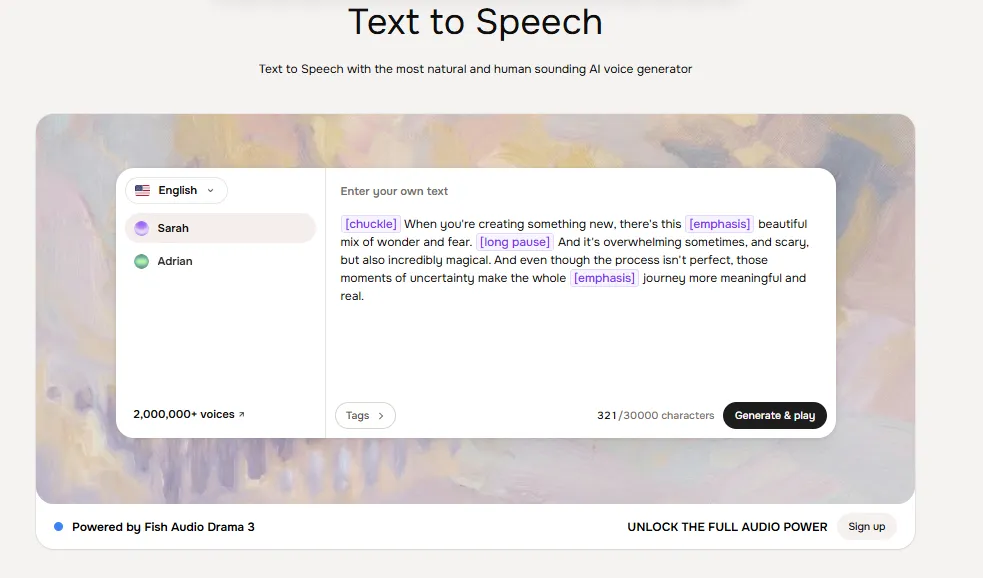
The simplest workflow does not need code. A creator can write, audition and export speech directly in the web app. The important detail is separating creative choices from technical corrections, so you do not spend credits regenerating an entire script to repair one sentence.
Step 1: Prepare a Script for Spoken Delivery
Rewrite dense written copy into short spoken sentences. Spell out unexplained abbreviations and decide how currency, measurements and product names should sound. Use punctuation to indicate natural breath points. For multilingual scripts, separate difficult language switches into their own lines when necessary.
I recommend beginning with 100 to 150 words. That is enough to hear tone consistency without committing an entire quota. Keep a reference script outside the app so corrections remain easy to track, especially when several editors approve the same campaign.
Step 2: Select a Voice, Add Direction and Generate a Preview
Search the voice library by accent, age range, role and style. Fish Audio advertises more than two million voices, so searching for a specific delivery type is more useful than browsing at random. Review voice usage permissions before publishing anything commercially.
Paste the short script, choose an available model and insert only essential performance cues. Generate and listen on headphones and a phone speaker. Pay attention to sentence endings, brand pronunciation and abrupt changes in loudness. Speed controls can help, but speeding up a poorly punctuated script usually makes it worse.
Step 3: Export Audio and Finish It in Your Editor
Download the result and import it into your editing software. The API supports MP3, WAV, PCM and Opus; MP3 is convenient for ordinary publishing, while WAV is often better for additional editing. Add music and effects after confirming the narration. Avoid masking clipped words with a soundtrack.
How to Integrate Fish Audio API Into a Website or Voice Agent
Fish Audio offers REST endpoints and Python and JavaScript SDKs. The core text-to-speech endpoint is POST https://api.fish.audio/v1/tts. Authenticate with a private API key, pass the desired model header and send the script as JSON. Developers can use s2.1-pro-free for initial tests without adding paid API credit.
A minimal request looks like this:
curl -X POST https://api.fish.audio/v1/tts \
  -H "Authorization: Bearer $FISH_API_KEY" \
  -H "Content-Type: application/json" \
  -H "model: s2.1-pro-free" \
  -d '{"text":"Welcome to our product walkthrough.","format":"mp3"}' \
  --output welcome.mp3
Store the API key on the server, not in publicly delivered JavaScript. If an end user clicks “Read aloud,” send the request through your backend, validate the text length and return a permitted audio file. Cache approved clips when the text and voice have not changed. That controls expense and avoids unnecessary requests.
Production Streaming, Concurrency and Latency Planning
Real-time voice assistants need audio chunks while text is still arriving. Fish Audio provides WebSocket streaming for that purpose. A full MP3 download is sufficient for a blog narration button; a spoken customer-support agent benefits from receiving audio earlier.
The starter API tier permits five concurrent requests shared across keys. Total credit top-ups of $100 unlock 15; $1,000 unlock 50. These are concurrency limits, not guaranteed requests per second. A request occupying a slot for 30 seconds limits throughput much more than one finishing in two seconds.
For deployment, measure time to first audio, total completion time, failure rate and p95 latency with scripts that resemble real traffic. Apply exponential backoff to HTTP 429 responses. Do not assume the free S2.1 endpoint offers the same latency or availability assurances as the paid production model.
How to Keep Long Audiobook Chapters Consistent
For a book or extended course, work in sections rather than sending an entire manuscript blindly. Use one approved voice ID, a pronunciation sheet and an audio naming rule. Generate scene-by-scene, then verify transitions, breaks and repeated character names.
Story Studio supports long-form, multi-speaker production inside the platform. It is useful when a chapter contains several narrators, but a publisher should still review each scene and master the finished file. Fish Audio markets audiobook output for common distribution standards; successful publication also depends on your final audio editing and the distributor's own checks.
Can Fish Audio Transcribe Speech and Handle Other Audio Tasks?
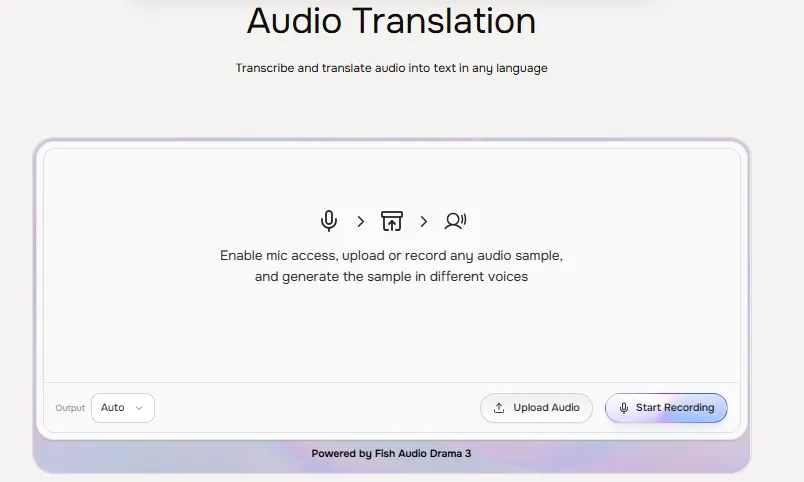
Yes. Fish Audio includes speech-to-text recognition, a voice changer, audio separation, sesli çeviri, sound tools and browser-based creative features. These are related products, but they should not be confused with the text-to-speech model itself.
The recommended file transcription model is transcribe-1-pro. It supports recordings up to 60 minutes, speaker labels, structured speaker turns, optional timestamps and audio-event cues. Its file API costs $0.36 per audio hour. The real-time recognition model, transcribe-stream-1, is in preview and costs $0.36 per session hour.
Fish Audio Pricing: Free Credits, Plus, Pro and API Costs
Fish Audio starts at $0, and the lowest regular paid creator price is $15 per month or $11 per month on annual billing. Subscriptions govern the browser product's monthly allowance; the developer API has its own prepaid, usage-based balance. Do not assume a Plus subscription covers API calls.
| Plan | Fiyat | Included usage and practical limit |
|---|---|---|
| Ücretsiz | $0 | 8,000 monthly credits; advertised up to 7 minutes; 500 characters per generation; 3 public voice slots |
| Artı | Aylık 15 dolar veya yıllık 132 dolar. | 250,000 monthly credits; up to 200 minutes; 15,000 characters per generation; 10 private voice slots; Voice Design |
| başına | Aylık 100 dolar veya yıllık 900 dolar. | 2,000,000 monthly credits; up to 1,620 minutes; 30,000 characters per generation; 3 team seats |
| maksimum | Aylık 999 dolar veya yıllık 8,988 dolar. | 25,000,000 monthly credits; up to 6,250 minutes; 10 team seats; 15 professional voice slots |
| Enterprise | Özel teklif | Organization controls and optional deployment and data-handling arrangements |
Monthly credits reset each billing cycle and unused quota does not roll over. Published estimates for minutes and the FAQ's general credit-per-minute conversion are not fully aligned, so I would budget by the displayed plan allowance and actual consumption rather than multiply a generic conversion rate.
Fish Audio API Pricing Explained in Plain Numbers
Standard s2.1-pro and s2-pro text-to-speech cost $15 per million input UTF-8 bytes. The s2.1-pro-free endpoint has a $0 usage rate under fair-use restrictions. Drama 3 lists $50 per million bytes, with a temporary introductory rate of $10. Voice Design costs $0.01 per successful generation request.
UTF-8 bytes matter. Most English letters take one byte, whereas many non-Latin characters take more. The same visual script length may therefore cost different amounts across languages. Fish Audio estimates one million bytes of English input at roughly 180,000 words or 12 hours of speech; that is a planning illustration, not a promised duration for every voice.
For API planning, maintain separate usage counters for TTS, transcription and Voice Design. Account for prompts and direction tags because input bytes, not only audible words, influence TTS charges. Reserve room for corrections, alternate takes and client revisions.
Fish Audio Industry Use Cases
The strongest business use is not “generate a voice.” It is shortening one specific production step while retaining editorial control. Here is how I would map the product to actual work.
| Industry or workflow | Feature to use | Specific production benefit | Required quality check |
|---|---|---|---|
| E-learning and training | Persistent voice ID and chapter narration | Replace a changed lesson without rerecording a full course | Terminology and learner comprehension |
| Oyun geliştirme | Voice Design and Drama 3 | Prototype different character identities and acting styles | Consistency across dialogue branches |
| YouTube and podcast production | TTS, voice cloning and Story Studio | Produce repeat narration in a known voice | Pacing, permissions and audio mastering |
| SaaS müşteri desteği | REST API and WebSocket speech | Read assistant responses aloud inside an application | Response delay and escalation to a person |
| Travel and localization | Multilingual S2.1 generation | Reproduce approved travel guidance in several languages | Native-speaker review of place names |
| Accessibility publishing | Speech synthesis and file export | Offer spoken versions of written information | Navigation, clarity and accessible playback |
| Pazarlama ajansları | Saved brand voice and short clips | Maintain one narrator across approved campaign revisions | Claims, rights and pronunciation |
| Transcription teams | transcribe-1-pro with speaker turns | Prepare speaker-separated drafts for editing | Names, timestamps and sensitive content |
E-Learning, Corporate Training and Accessibility
Instructional audio benefits from stable volume and predictable pronunciation more than dramatic acting. I would choose one clear voice, avoid theatrical tags and keep lesson units as separate assets. If a policy changes, regenerate the affected section and recheck the joins.
For accessibility, audio should supplement, not replace, readable text and navigation. A text-to-speech button is useful only when keyboard controls, speed adjustment and the written article remain available. Review mathematical notation, URLs and acronyms because these often sound awkward when synthesized automatically.
Marketing, Games and Localized Customer Communication
Marketing teams can create approved brand narration without coordinating another recording session for each small edit. Game studios can audition several fictional voices before hiring performers or locking a cast. For a travel website, multilingual speech may explain connectivity steps or bookings, but destination names and numbers need a fluent reviewer.
My recommendation is to match review effort to business risk. A promotional video can be corrected after export. Medical instructions, financial statements or safety-critical announcements require much stricter human checks, privacy review and validated content before playback.
How Natural Is Fish Audio Compared With Other AI Voice Generators?
Balık Sesi's strongest advertised distinction is the control it gives over vocal performance: short cloning samples, a large public library, several speech engines and direction tags that are more expressive than simple voice selection. Drama 3 particularly suits scripts requiring reactions, pauses or character acting.
I would compare it with ElevenLabs and PlayHT using identical text, not marketing demonstrations. Prepare the same 120-word sample with a difficult surname, a question, a number, a quiet sentence and a sudden emotional shift.
Compare intelligibility, accent consistency, audio artifacts and total cost per approved minute. That makes the result useful to your own production requirements.
| AI Voice Generator, Text-to-Speech Software, Voice Cloning Platform | Ana Özellikler | En | Başlangıç fiyatı |
|---|---|---|---|
| Balık Sesi | Expressive TTS, voice cloning, API access | Storytelling and voice applications | Özgür; 15$/ay |
| Eleven Laboratuvarları | Voice cloning, multilingual TTS, dubbing | Realistic voiceovers | Özgür; 6$/ay |
| Mürf AI | 200+ voices, voice editing, pronunciation controls | İş sunumları | Free; $19/month annually |
| LOVO yapay zeka | AI voices, video editor, voice cloning | Video içerik oluşturucuları | Free; paid plans |
| AI'ya benzer | Voice cloning, real-time TTS, emotion controls | Developers and enterprises | Kullanıma dayalı fiyatlandırma |
ortak AI Speech Problems and Practical Fixes
If pronunciation sounds wrong, spell out the name or use supported phoneme controls. If a voice shifts tone between clips, reduce conflicting tags and reuse the same saved voice. If text sounds rushed, improve punctuation before slowing the speech. If multilingual output changes accent, test shorter passages with a suitable reference speaker.
If an emotional tag produces an exaggerated delivery, remove it and regenerate the smallest affected section. If long narration sounds inconsistent, split it at natural scene boundaries and keep a record of the chosen model, voice ID and speed.
Fish Audio Privacy, Voice Consent and Commercial Rights
A paid plan does not give you permission to clone somebody else's voice. Fish Audio's terms require users to respect intellectual property and other applicable rights. Get clear consent for the reference recording, identify where the resulting voice may be used, and keep proof of authorization when creating a brand or client asset.
There is an important free-plan wording conflict: the pricing card mentions commercial use, but the pricing FAQ and the general terms restrict free accounts to personal, non-commercial projects. For publication, I would follow the stricter written rule and use an eligible paid plan with a verified voice you have rights to use.
Privacy also matters because uploaded voice samples can identify a person. Fish Audio's policy describes retention of uploaded content for operational needs. Enterprise agreements describe optional Sıfır Veri Saklama for eligible workflows, but ordinary consumer subscriptions should not be treated as having that setting automatically.
Keep API keys server-side, restrict staff access to private voices, and avoid putting confidential client material into public models. Where work involves health data, children or confidential calls, arrange proper contractual safeguards and legal review before uploading recordings.
Pros and Cons for Creators and Developers
- Expressive speech models with bracket-based direction and Drama 3 acting controls.
- Fast-start cloning plus reusable voice IDs for recurring projects.
- Broad language coverage, a large community library and original Voice Design.
- Web editor, mobile apps, SDKs, REST access and real-time streaming.
- Separate free entry points for casual creation and developer prototyping.
- Free commercial licensing is restricted despite inconsistent pricing-card wording.
- Subscription credits and API billing are separate; estimates need monitoring.
- A ten-second clone may need better samples before professional publication.
- Quality and pronunciation still vary across scripts, voices and languages.
- Free API access does not include production delivery guarantees.
- Confidential recordings need more privacy planning than routine public scripts.
For a solo creator producing a few voiceovers each week, Plus is the sensible paid starting point. Developers should first use the free S2.1 API model, then budget production usage separately before launching to customers.
Frequently Asked Questions About Fish Audio
These answers cover the purchase and setup questions I would settle before starting a paid project.
Is Fish Audio free, and how many voiceovers can I make?
Yes. The free web plan includes 8,000 credits each month, advertised as up to seven minutes of generation, with a 500-character cap per request. The exact number of clips depends on script length and generation usage. Free accounts are for personal, non-commercial use under the stated terms.
Can Fish Audio clone my voice from ten seconds of audio?
Yes. Fish Audio offers instant voice cloning using roughly ten seconds of speech. Clear, single-speaker audio is important; a minute or two may produce a more faithful reusable voice. Only clone voices you own or have permission to reproduce.
Does Fish Audio support 83 languages and commercial voiceovers?
S2.1 Pro supports 83 languages, including English, Chinese, Japanese, Korean, French, German and Spanish. Paid subscriptions can support commercial projects, subject to voice ownership, permissions and the platform's terms. Language support does not eliminate the need to check pronunciation.
Is Fish Audio API access included in a Plus subscription?
No. Fish Audio bills developer API usage separately from creator subscription credits. Its S2.1 Pro production API costs $15 per million UTF-8 input bytes, while the S2.1 Pro Free API model is available for development under fair-use conditions.
Is Fish Audio Worth Using?
Fish Audio is worth considering when expressive speech, repeatable cloned voices and direct API access belong in the same workflow. Drama 3 is the more interesting option for acted dialogue; S2.1 Pro is the clearer general production model. The browser app lowers the barrier for creators, while the SDKs, streaming and transcription services make it more than a basic narration tool.
My advice is to choose one real production script, audition a few licensed voices, verify the difficult words and measure the number of regenerations needed for an approved result. The tool can save recording time, but final quality still depends on the script, consent and editorial judgment.


