Bilgisayarınızda bir yerlerde,'s Tamamen göz ardı ettiğiniz verilerle dolu bir elektronik tablo. Müşterileriniz, geliriniz, kampanyalarınız hakkında cevaplar içerdiğini biliyorsunuz, ancak LinkedIn biyografisinde "veri bilimci" yazan birini işe almak için zamanınız, bütçeniz veya sabrınız yok.
İşte's Gerçek şu ki: AI veri analizi için Bu pahalı işe alımı isteğe bağlı hale getirdi. Python, SQL veya istatistik diplomasına ihtiyacınız yok. Sadece doğru araçlara, doğru komutlara ve tüm salı gününüzü almayan tekrarlanabilir bir sürece ihtiyacınız var. Bu kılavuz tam olarak bunu kapsıyor - araç seçimlerinden gerçek komutlara ve bugün uygulayabileceğiniz adım adım bir iş akışına kadar.
Ne AI Veri Analizi Gerçekte Ne Anlama Geliyor (Basit Bir Dille)?
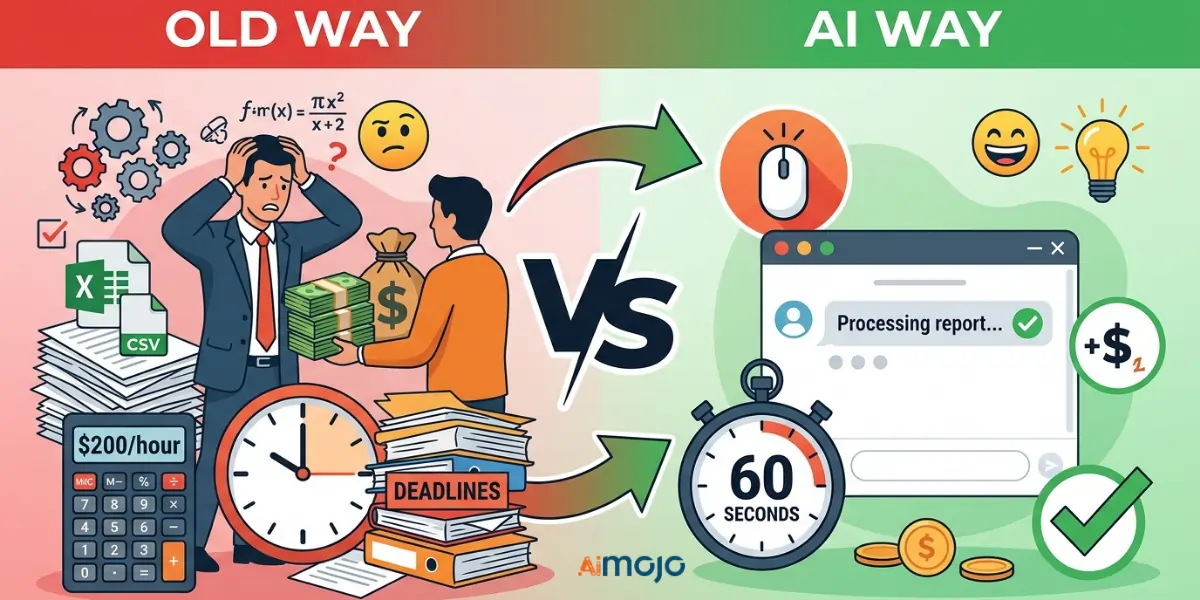
Eski Yol ve Eski Yol AI Yol — Neler Değişti ve Neler Değişmedi
Eski yöntem: Bir CSV dosyası dışa aktarırsınız, Excel'de açarsınız, 4,000 satıra gözlerinizi kısarsınız ve ya pes edersiniz ya da anlamlı hale getirmesi için birine saatte 200 dolar ödersiniz. AI Yöntem: Aynı dosyayı yüklüyorsunuz. CSVBasit bir İngilizce soru yazın ve 60 saniyeden kısa sürede yapılandırılmış bir yanıt alın. Veriler değişmedi. Erişim değişti.
Ne's Sahne Arkasında Neler Oluyor? AI Verilerinizi okur.
AI araçlar kullanımı doğal dil işleme Verilerinizi bir insan analistin okuyacağı gibi, ancak daha hızlı ve fatura olmadan okurlar. Sizden gelen her türlü isteğe bağlı olarak kalıpları belirler, anormallikleri işaretler ve eğilimleri ortaya çıkarırlar.
“Sayılarla aram iyi değil” artık geçerli bir mazeret değil.
Burada ele alınan her araç, sade İngilizce sorgularla çalışır. E-posta yazabiliyorsanız, bu araçları da çalıştırabilirsiniz. veri analizi.
7 En İyisi AI Kodlama Bilgisi Gerektirmeyen Veri Analizi Araçları
| araç | En | Serbest Plan | Kodlama Gerekli | Yetenek seviyesi |
|---|---|---|---|---|
| deve | Konuşma tabanlı veri sorguları | Evet | Yok hayır | Başlangıç seviyesi |
| Julius A.I. | CSV/elektronik tablo analizi | Evet (sınırlı) | Yok hayır | Başlangıç seviyesi |
| Power BI Yardımcı Pilotu | Kurumsal İş Zekası ekipleri | Yok hayır | Yok hayır | Orta seviye |
| Tablo Nabzı | Otomatikleştirilmiş içgörü sunumu | Yok hayır | Yok hayır | Orta seviye |
| ChatGPT / Claude | Hızlı özetler ve temizlik | Evet | Yok hayır | Başlangıç seviyesi |
| Google Looker Stüdyosu | Ücretsiz görsel raporlama | Evet | Yok hayır | Başlangıç seviyesi |
| Zoho Analytics (Zia) | Küçük işletmeler için iş zekası | Evet | Yok hayır | Başlangıç seviyesi |
Kullanmaya Nasıl Başlanır? AI Veri Analizi İçin — Adım Adım İş Akışı
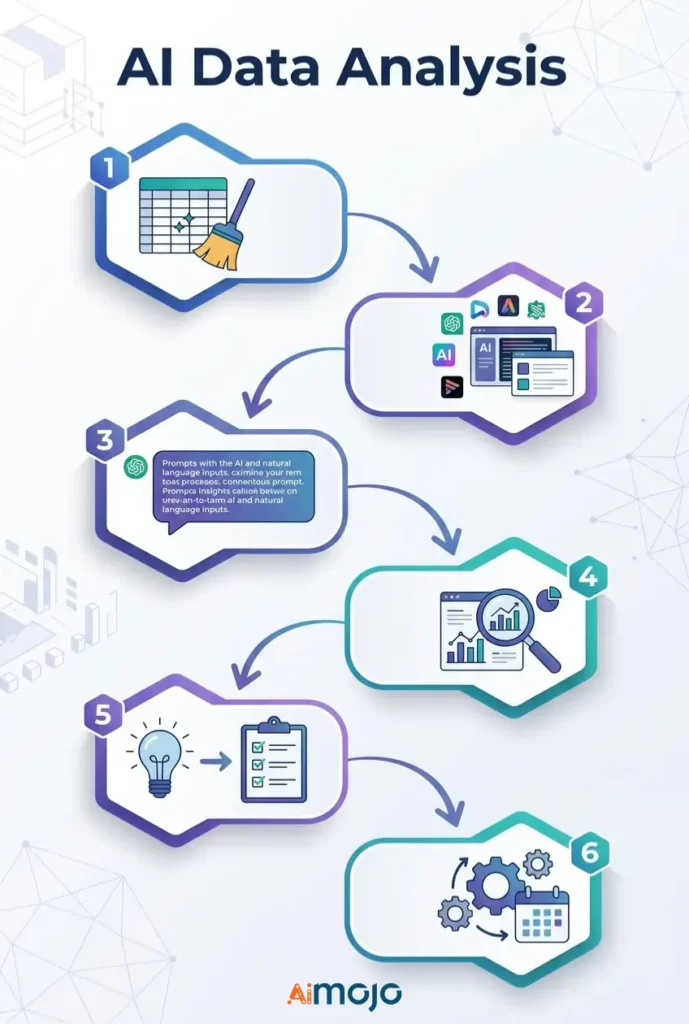
Adım 1 — Verilerinizi Hazırlayın
Her şeyden önce dosyanızı temizleyin. Yinelenen satırları kaldırın, boş hücreleri "N/A" ile doldurun ve her sütun başlığının açık ve tutarlı olduğundan emin olun. CSV veya XLSX dosyaları çoğu ortamda en iyi sonucu verir. AI araç sağlar.
Adım 2 — Amacınıza Uygun Aracı Seçin
Hızlı bir özet mi gerekiyor? ChatGPT kullanın. Tekrarlayan gösterge panolarına mı ihtiyacınız var? Power BI veya Looker Studio'yu tercih edin. Sohbet tabanlı takiplerle derinlemesine CSV analizine mi ihtiyacınız var? Julius'u kullanın. AI veya camelAI.
3. Adım — Gerçekçi Yanıtlar Alabileceğiniz Sorular Yazın
Kötü istem: “Verilerimi analiz et.”
İyi istem: “Birinci çeyrekte en yüksek iade oranına sahip ürün hangisiydi ve ne's Son 6 ayın aylık trendi nedir?
Özgüllük her şeydir.
4. Adım — Okuyun ve Çapraz Kontrol Edin AI Çıkışlar
AI Yanlış sonuçlara yol açabilir. Özellikle bir müşteri veya paydaşla paylaşmadan önce, temel rakamları ham verilerinizle her zaman karşılaştırarak doğruluğunu kontrol edin.
Adım 5 — Bulgulardan Kararlara Geçiş
Eyleme dökülmemiş bir fikir sadece önemsiz bir bilgidir. AI bulma, sor: “Bununla ne yapacağım ben?”
Adım 6 — Tekrarlayan Raporları Otomatikleştirme
Looker Studio, Power BI veya Zoho Analytics içinde planlanmış veri yenilemeleri ayarlayarak, siz müdahale etmeden haftalık raporlamanın çalışmasını sağlayabilirsiniz.
Kopyala yapıştır AI Teknik Bilgisi Olmayan Kullanıcıların Şu Anda Çalıştırdığı Komut İstemi
Bunları doğrudan kullanın Julius A.I.Veri setinizi ekleyerek camelAI veya ChatGPT'yi kullanabilirsiniz:
satış Verileri
*"Show total revenue by product category for the last 90 days and flag any category with a decline over 20%."*Pazarlama Verileri
*"Which traffic source drove the most conversions last month? Break down average cost per conversion by channel."*Finansal Elektronik Tablolar
*"Identify the top 5 expense categories and highlight every month where spending exceeded budget by more than 15%."*Müşteri Davranışı Verileri
*"What's the average purchase frequency per customer segment? Flag segments with the highest churn risk."*İK ve Takım Metrikleri
*"Compare headcount changes by department over the last 6 months and flag any team with attrition above 10%."*Başarısızlığa Yol Açan 5 Hata AI Veri Analizi Tamamen Yararsız
- Düzensiz, biçimlendirilmemiş verileri beslemek - AI Felaket bir elektronik tabloyu düzeltemezsiniz. Ne girerseniz o çıkar, her zaman aynı şey geçerlidir.
- Geniş kapsamlı sorular sormak — “Bana satışlarımdan bahsedin” demek size hiçbir fayda sağlamaz. Zaman dilimi, ölçüt ve asıl hedef konusunda spesifik olun.
- Her çıktıyı olduğu gibi kabul etmek - AI Araçlar yanıltıcı olabilir. Gerçek bir iş kararı vermeden önce önemli rakamları çapraz referanslayın.
- Genel amaçlı bir aleti özel amaçlı işlerde kullanmak — ChatGPT özetleme konusunda iyidir, ancak karmaşık finansal modelleme için uygun değildir. Aracı göreve uygun şekilde seçin.
- "İlginç" noktasında durmak — Çoğu insan güzel bir grafik görüyor ama onunla hiçbir şey yapmıyor. Yapay zekâ destekli her iş içgörüsünün net bir sonraki adıma bağlanması gerekiyor.
Kim's Aslında Kullanarak AI Şu anda Veri Analizi için
Bu bir teori değil; gerçek insanlar her gün kodsuz veri analizi yapıyorlar:
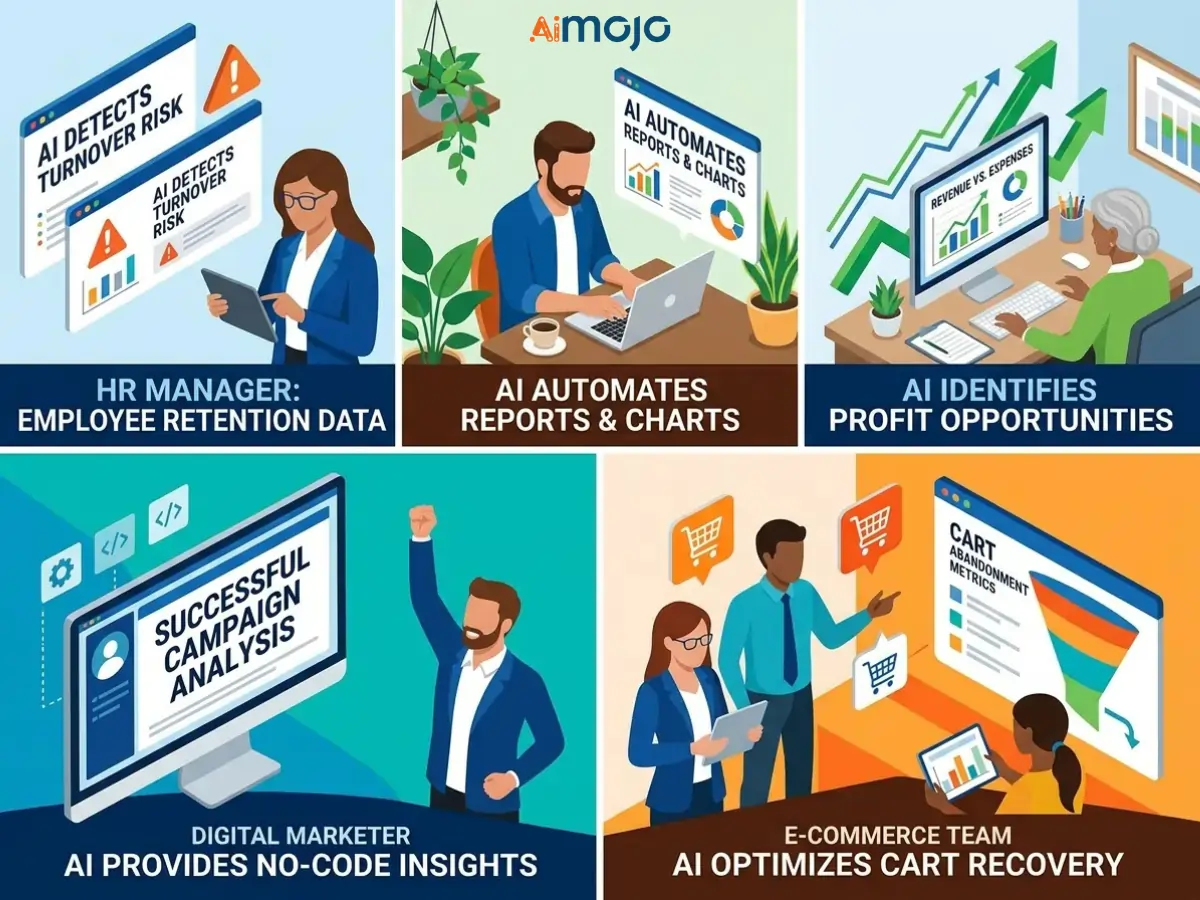
Eğer rakipleriniz bunu çoktan yaparken siz hala raporları manuel olarak derliyorsanız, bu açığı hızla kapatmaya değer.
Ücretsiz vs Ücretli AI Veri Analiz Araçları
Ücretsiz Katmanların Gerçekçi Olarak Yapabilecekleri Nelerdir?
Google Looker Studio, camelAI ve Zoho Analytics'in ücretsiz planları, temel raporlama, basit trend takibi ve sınırlı dosya yükleme işlemlerini iyi bir şekilde gerçekleştiriyor. Bireysel kullanıcılar ve küçük ekipler için gerçekten kullanılabilirler; sadece demo amaçlı değiller.
Büyük Ölçekte Ödemeye Değer Özellikler
Ücretli kademeler, otomatik veri yenileme programlarının kilidini açar, daha yüksek yükleme limitleri sunar, gelişmiş özellikler içerir. AI modelleri, API entegrasyonlarıve çok kullanıcılı iş birliği. Eğer yönetiyorsanız AI İster büyük ölçekli iş analitiği yapın, ister müşteri panoları oluşturun, bu yükseltme kısa sürede kendini amorti eder.
Kayıt olduktan sonra ortaya çıkan gizli maliyetler
Koltuk başına fiyatlandırmaya, sıra aşımı ücretlerine ve platform içinde tüm iş akışınızı oluşturduktan sonra ancak erişebileceğiniz ücretli özelliklere (premium yapay zeka) dikkat edin.
Yapay Zeka Tarafından Üretilen Veri Analizlerini İnsanların Gerçekten Dinleyeceği Şekilde Nasıl Sunabilirsiniz?
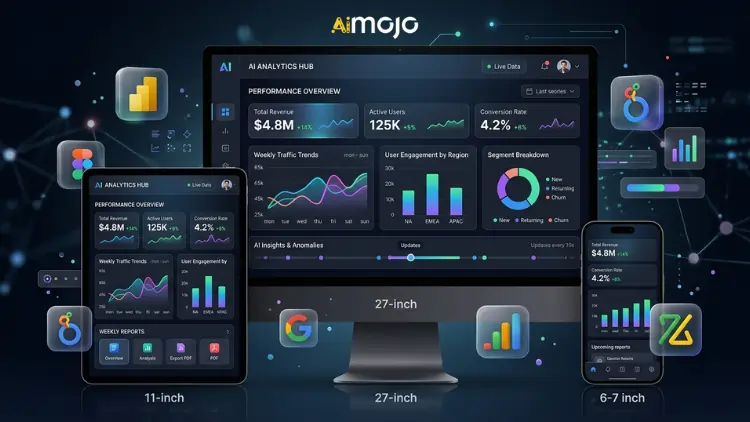
Dönüş AI Grafikleri Gerçek Hayat Hikayelerine Dönüştürmek
Toplantılarda ham grafikler kimseyi ikna etmez. Bunun yerine şunları kullanın: AI Çıktıyı başlangıç noktası olarak alın, ardından bağlamla çerçeveleyin: ne oldu, neden önemli ve bundan sonra ne olacak.'s Veri hikaye anlatımı — ve bu's İnsanları harekete geçiren şey nedir?
Haftalık Raporlama için Otomatik Bir Kontrol Paneli Oluşturma
Power BI, Looker Studio ve Zoho Analytics'in tümü canlı bir tablo oluşturmanıza olanak tanır. AI Kontrol panelini bir kez oluşturun, veri kaynağınıza bağlayın ve bir daha asla haftalık raporu manuel olarak derlemeyin. Bir kez oluşturun, bağlantıyı sonsuza kadar paylaşın.
“Peki Ne Olmuş?” Çerçevesi — Her İçgörüyü Yönetim Kurulu Toplantısına Hazır Hale Getirmek
Yapay zekâ tarafından üretilen herhangi bir bilgiyi sunmadan önce, lütfen üç kısa soruyu yanıtlayın:
Sıkça Sorulan Sorular
Gerçek veri analizini şu yöntemle yapabilir miyim? AI Hiç teknik bilgim yoksa ne olacak?
Evet. CamelAI, Julius AI ve Zoho Analytics (Zia) gibi araçlar özellikle teknik bilgisi olmayan kullanıcılar için tasarlanmıştır. Sorularınızı sade bir dille sorarsınız ve size yapılandırılmış bilgiler sunarlar.
En iyi ücretsiz nedir AI 2026'da veri analizi için kullanılacak araç ne olacak?
Google Looker Studio, görsel raporlama için en güçlü ücretsiz seçenektir. camelAI ve Julius AI Her ikisi de CSV ve elektronik tablo analizi için sağlam ücretsiz seçenekler sunuyor.
Excel veya Google Sheets verilerini yapay zeka kullanarak nasıl analiz edebilirim?
Dosyanızı doğrudan Julius'a yükleyin. AI Ya da camelAI kullanın veya Google Sheets dosyanızı Looker Studio veya Zoho Analytics'e bağlayarak sürekli otomatik analiz yapın.
ChatGPT, iş verisi analizi için gerçekten güvenilir mi?
Verileri özetlemek, temizlemek ve açıklamak için evet. Karmaşık hesaplamalar veya büyük veri kümeleri için ise Power BI Copilot veya Julius AI gibi özel bir araçla birlikte kullanın.
Ne's gerçek fark AI Veri analizi ve geleneksel BI araçları?
Geleneksel iş zekası araçları, sorgular oluşturmanızı ve tam olarak ne arayacağınızı bilmenizi gerektirir. Yapay zeka destekli analitik platformlar ise proaktif olarak içgörüler sunar ve doğal dile yanıt verir; herhangi bir kurulum gerektirmez.
Yapay zekâ tarafından üretilen tahminler ne kadar doğru? Onlara tamamen güvenmeli miyim?
Hayır. Her zaman çapraz kontrol edin. AI Verilerinizi herhangi bir iş kararı veya müşteri sunumu için kullanmadan önce, ham verilerinizle karşılaştırın.
Bu araçlardan herhangi birini kullanmak için SQL veya Python bilmem gerekiyor mu?
Bu listedeki araçların hiçbiri için geçerli değil. Hepsi, sıfır programlama gereksinimiyle doğal dil veri sorgularını destekliyor.
Hangi veri dosyası türleri en iyi sonucu verir? AI analiz araçları?
CSV ve XLSX dosyaları burada listelenen araçların neredeyse tamamıyla uyumludur. JSON ve bağlantılı Google Sheets dosyaları da platformlar genelinde yaygın olarak desteklenmektedir.
Dönüşümün AI Veri Analizi Gelecek Vadeden Bir Konu (Ve Bu Sizin İçin Ne Anlama Geliyor)
Bir sonraki dalga AI Analiz araçları, soru sormanızı beklemez. Temsilci AI veri izleme sistemleri Ölçümlerinizi günün 24 saati takip edin ve bir sorun gerçek bir probleme dönüşmeden önce, bir şeylerin ters gittiğini gördüğünüz anda sizi uyarın.
Tahminleme eskiden özel bir analist gerektiriyordu. Şimdi ise Tableau Pulse ve Power BI Copilot gibi araçlar, işletme kullanıcıları için tahmine dayalı analitiği neredeyse tek tıkla gerçekleştirilebilir hale getiriyor.
Veri bilimciler ortadan kaybolmuyor, ancak onların yapabilecekleri ile yapay zekâya sahip teknik olmayan bir kullanıcının yapabilecekleri arasındaki fark her geçen çeyrekte daha da azalıyor. Bu araçlara ne kadar erken alışırsanız, avantajınız o kadar büyük olur.
AiMojo Öneriyor:


 BONUS: 200$'lık "AI Kaydolduğunuzda “Mastery Toolkit”i ÜCRETSİZ edinin!