

Yomu AI Key Insights
What is Yomu AI?

Yomu AI is an AI powered academic writing assistant built for students, researchers, and academics who need to produce essays, research papers, and theses faster. Launched in 2023, the platform combines AI text generation, sentence autocomplete, paraphrasing, citation management, and plagiarism checking inside a single browser based editor.
It works like a stripped back Google Docs with an intelligent copilot that suggests how to continue your sentences, formats references automatically, and helps you brainstorm entire sections. Yomu AI integrates with Sourcely for citation discovery and supports over 70 languages. The tool is designed to reduce time spent on formatting and structuring so you can focus on the actual research and argumentation that matter in academic work.
Yomu AI’s autocomplete predicts and finishes your sentences as you type. It functions much like Gmail’s smart compose but is tuned for academic tone. This feature keeps your writing momentum going and helps you push through blocks without losing your train of thought.
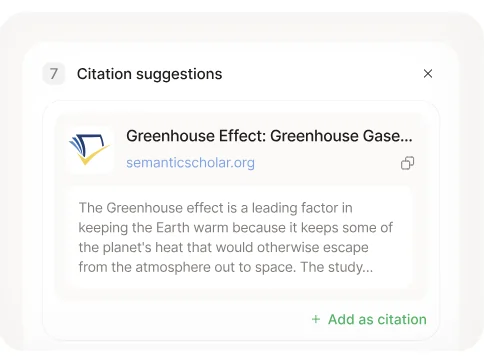
The citation tool, powered by Sourcely, lets you search for, insert, and format references in APA, MLA, Chicago, and thousands of other styles. You paste a claim, and Yomu suggests relevant sources. This alone saves hours of manual formatting per paper.
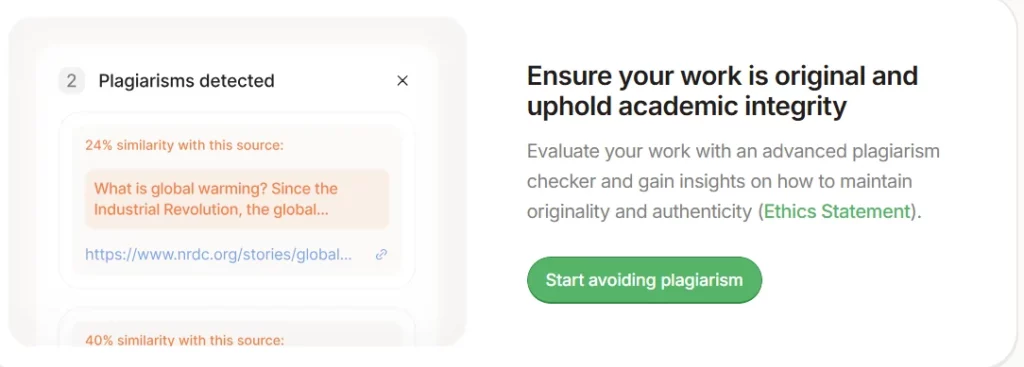
Yomu scans your text against online sources to flag potential similarity. While independent tests show its detection threshold is set quite high (meaning it may miss near matches), it still provides a useful first pass before submitting work through institutional tools like Turnitin.
The document assistant reviews your draft and provides structural feedback. It can generate section outlines, suggest paragraph ideas, and help you organise arguments. For students who know their topic but struggle with structure, this is a genuine time saver.

Yomu lets you save sources to a personal cloud library and reuse them across multiple documents. For researchers juggling several papers on related topics, this eliminates the repetitive work of re-importing and re-formatting the same references.

The chat feature allows you to upload PDFs, images, or run web searches directly inside the editor. On the Ultra plan, you also get access to reasoning models like O3 and R1, which handle more complex analytical queries about your uploaded research materials.
Yomu AI Pricing Plans
| Plan | Cost (Yearly) | Key Limits and Features |
|---|---|---|
| Pro | $11/month | Unlimited AI actions, efficient models, PDF chat, priority support |
| Ultra | $18/month | Frontier models (GPT 5, Claude Opus), reasoning models (O3, R1), custom writing style |
| Believer | $499 one time | Lifetime access to all Ultra features and premium models |
Getting Started with Yomu AI
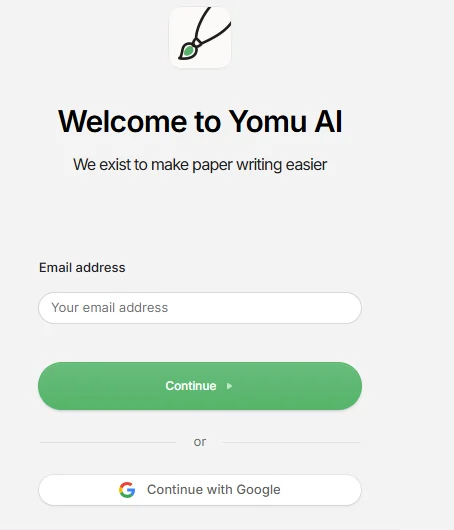
- Step 1: Visit yomu.ai and create an account using your email or Google login. No credit card is needed to explore the interface.
- Step 2: Click “New Document” to open the browser based editor. Choose a blank document or select a template for essays, research papers, or theses.
- Step 3: Start typing and allow the AI autocomplete to suggest sentence completions. Highlight any text to access paraphrasing, expanding, shortening, or summarising options from the floating toolbar.
- Step 4: Use the citation tool in the sidebar to search for sources. Click to insert and auto format references directly into your document.
- Step 5: Run the plagiarism checker before finalising your draft. Export your finished document and submit.
Is Yomu AI Good for Postgraduate Research?
Yomu AI handles the day to day tasks that slow down postgraduate researchers. Citation management, paragraph structuring, and first draft generation are all covered inside one editor. The Ultra plan gives access to frontier models like GPT 5 and Claude Opus, which produce noticeably better academic prose than the efficient models on the Pro tier.
The personal source library is a standout feature for PhD students managing dozens of references across chapters. That said, the plagiarism checker is not a substitute for Turnitin, and you will still want a dedicated grammar tool like Grammarly or Writefull for final polishing. For the price, it is a solid addition to any research workflow.
How Accurate is Yomu AI’s Plagiarism Detection?
Independent testing shows that Yomu AI’s plagiarism detection sets a high similarity threshold. In controlled tests, AI generated paragraphs containing widely used academic phrasing returned 0% plagiarism scores. This means the checker is best used as a preliminary scan rather than a definitive originality report.
It catches direct copy paste instances effectively but may overlook paraphrased or near verbatim content. Students should still run their final drafts through university approved tools such as Turnitin or iThenticate. Yomu’s plagiarism feature works best as a quick confidence check during the writing process, not as a final gatekeeper before submission.
Pros and Cons
- Clean, distraction free writing editor
- Strong citation management via Sourcely
- Access to multiple frontier LLMs
- Reusable personal source library
- Supports over 70 languages
- Plagiarism checker lacks sensitivity
- No free plan available
- No team or institutional pricing
Yomu AI vs Jenni AI for Student Writers
Both Yomu AI and Jenni AI target the same audience of students and academic writers. Jenni AI offers a free tier with 200 words per day, which gives it an edge for casual users. Yomu counters with a broader selection of LLMs on its Ultra plan, including reasoning models that Jenni does not currently offer.
Yomu’s personal source library also makes it better suited for long form projects like dissertations where you reference the same materials repeatedly. Jenni’s interface feels more guided and conversational, which newer writers may prefer. For power users managing multiple papers and needing model flexibility, Yomu AI delivers stronger value per dollar on its yearly plans.
Best Yomu AI Alternatives
| AI Academic Writing Assistant | Citation Management | Plagiarism Detection |
|---|---|---|
| Jenni AI | Auto citations in APA, MLA, Chicago | Premium plan only, limited word cap |
| Paperpal | Smart citation suggestions for journals | 10,000 words/month with Prime plan |
| Writefull | Limited citation support, grammar focused | No built in plagiarism checker |
| SciSpace | Citations from 280M+ paper database | Dedicated plagiarism checker agent |



