

Swaplse Key Insights
What is Swaplse?
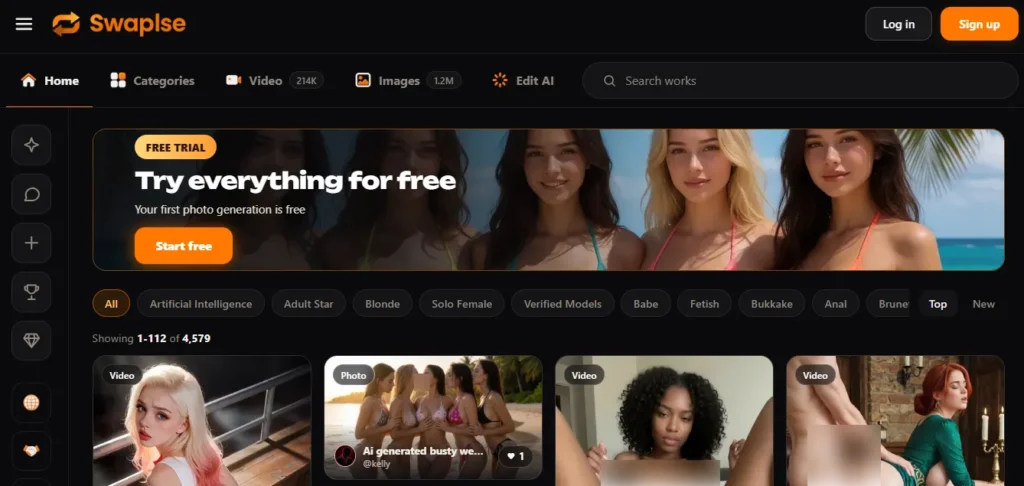
Swaplse is a browser based 18+ generator that turns a written scene into adult stills or a short clip. You describe the shot in plain language, stack up to four trained styles, and the image engine draws the frame. Video mode needs a starting picture, which can be a still you just made.
A vision check then reads that frame against the action you asked for. If a partner is missing it tries to edit one in and inspects the anatomy before motion runs. If that prep fails twice the job dies and the coins come back. Work stays private until you publish it. Real people and anyone under 18 are blocked. Use it when you want custom NSFW stills and 5 to 15 second motion without installing an app.
Who Swaplse Is Built For
This studio fits adults who want control over a single shot rather than a chatbot girlfriend. If your loop is write a scene, lock a face and body on a still, then push that still into a short act, Swaplse is in the right lane. It also fits people who hate surprise renewals.
The plan is a prepaid period. Coins stay when the period ends. Creators who browse other people’s prompts and restyle them will like the public gallery because every published piece shows the text and the style stack.
It is a poor fit if you want a talking companion, a long scene with cuts, or a celebrity face dropped onto a body. Those jobs live on other sites. Come here for stills and short motion of fictional adults. Leave the romance app and the deepfake app on their own tabs.
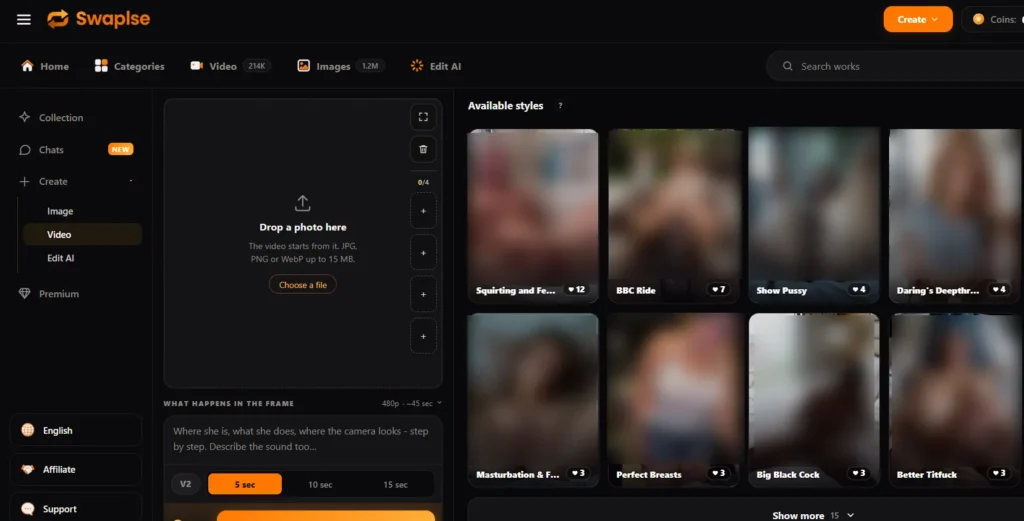
Write up to 800 characters in any language. Copy is translated before render. Improve expands a short line without dropping what you wrote. Styles cover face, body, clothing, light, pose and look. Stack four and the mixer balances them so one tag does not crush the rest. Fast stills cost 50 coins, Balanced 100, Max 200 per variant. Pull one, two or four variants in one run and keep the best. That variant trick is how you stop burning Max coins on a pose that was never going to work.
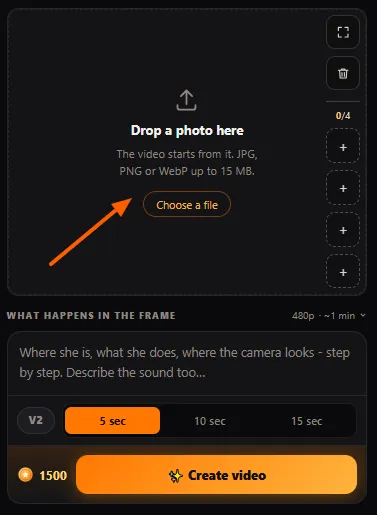
Video does not invent a whole scene from words alone. Drop in a photo or a still from your collection, write the motion in short beats, pick a length, and add trained motion styles if you want. Oral, positions, solo, fetish, dance and camera moves live in that list. Standard clips land at 720p and 32 frames a second.
Express 480p is there for cheap tests. V2 also offers a 15 second pass. Think of the still as the cast and the lighting grid. The motion model only pushes what is already on screen.
Before motion starts, a vision model checks the frame against the scene. Need a second body that is not in the photo? The image engine tries to add one, then looks for broken limbs. Fail twice and you never see a mashed clip. Coins return on their own. A finished clip you simply dislike is not refunded. That split is the honest one. Prep failure is their miss. Taste is yours.
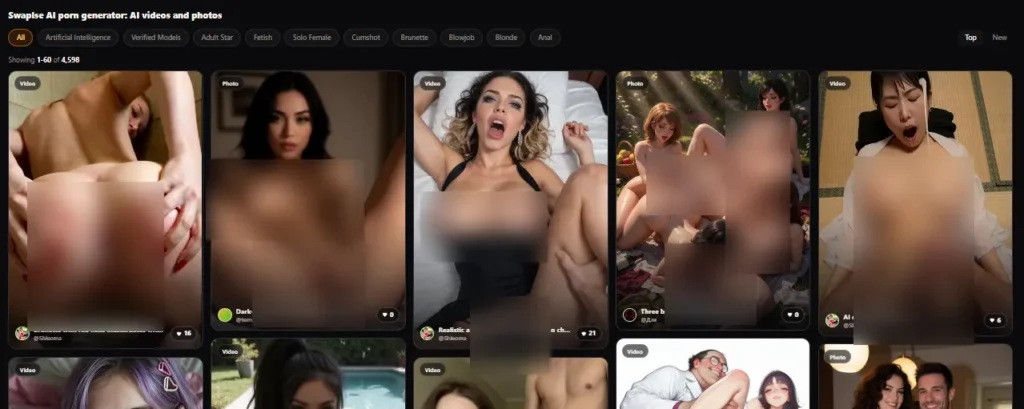
New work is private. Publish only if you want it in the shared gallery. Published pieces show the prompt and the style list, so you can copy a look and the author still gets credit. Watching published clips needs no account. Treat the gallery as a free mood board when your wallet is empty. Copy a prompt that already works, swap two styles, and you skip a night of blank page guesswork.
Coins buy stills, clips, animation and LoRA access. They do not time out. Plans drop a pile of coins and unlock faster queues. A plan is charged once for the period you pick and does not renew on its own. That is rare in this niche and it is the main reason a careful spender can live here without setting a calendar reminder to cancel.
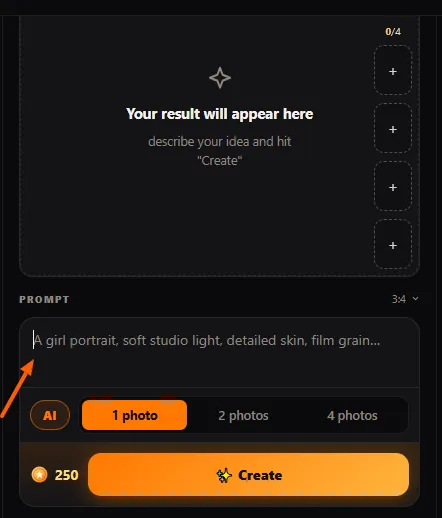
You do not need fluent English. Write the scene in the language you think in. The site translates before the model runs. If the line is thin, press Improve. It keeps your asks and fills lighting, camera and body notes around them. That is faster than learning prompt grammar from forum screenshots.
Swaplse Pricing Plans
| Plan Name | Cost | What you get |
|---|---|---|
| Coin pack | From 6.99 USD | One time coins. Bigger packs add a bonus. |
| Premium | 19.99 USD per period | 50 000 coins. Full 18+ access. High quality video. Fast queue. About 500 Fast stills or about 20 short clips. |
| Ultimate | 29.99 USD per period | 150 000 coins. Video and animate jump the queue. Priority GPU. Marketing lists 4K upscale. Product pages still cap stills at 1360 px. |
| Maximum | 49.99 USD per period | 500 000 coins. Quoted 4x speed. Top GPU line. Direct support. |
| Yearly | 20 percent off | Same plans at a lower period rate. Still charged once. |
Trust the live price next to Create. Fast still 50 coins. Balanced 100. Max 200. Four variants cost four times the tier. A 5 second V1 clip is 1 500 coins. A 10 second V1 clip is 2 500. A trained style or the Pro video tier adds about half. Homepage banners have also flashed a cheaper five second figure. The button on the create page is the contract.
Getting Started with Swaplse
- Open the partner link, make an account, and confirm email so any starter coins can land.
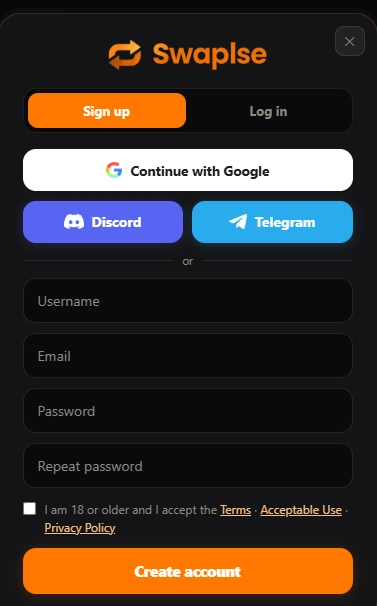
- Go to Create. Pick image for a still or video for a clip. For video drop a frame first.
- Write the scene in plain words, stack up to four styles, set size or length, then read the coin price on the button.
- Generate. Keep keepers in Collection. Use Improve or a new variant if the first pass is off.
- Publish only if you want the piece in the public gallery.
Image Quality Tiers and Canvas Size
Fast, Balanced and Max are not three different models. They are three spends on the same pipeline. Fast draws at about three quarters of the canvas and is the right tier while you hunt a pose or a face. Balanced fills the full canvas and is the default for a keeper still.
Max runs a polish pass for skin and fabric and costs four times Fast per variant. The long edge tops out at 1360 pixels. Aspect choices cover square, portrait, landscape and tall phone frames. Tall phone frame is the one you want if the still will become a clip later.
Plan pages still sell 4K upscale on Ultimate. The image product page says there is no upscaler in the live pipeline. Until Create shows a 4K toggle, price the output as a sharp 1360 still, not a print file. If you need a bigger file, upscale off site and accept the extra softness.
How Swaplse Builds Video From a Frame
Swaplse treats motion as a second job, not a magic text box. The still has to hold the face, body and light you care about. Then the motion model pushes that frame for 5, 10 or 15 seconds. Camera drift, breath, undress and act styles are trained moves, not a full director.
Two bodies are the safe ceiling. Crowds break. Text on signs still garbles. If you want a partner scene from a solo photo, let the prep pass run and accept that a hard rewrite can fail. That fail is cheaper than paying for a ruined clip. Build longer scenes by cutting several clips later.
Source quality travels into every frame. Heavy blur, crushed hands, cropped hips and busy backgrounds all survive the motion pass. A tight crop that hides the body you asked to move will stall prep. Give the model a clean mid shot with the joints visible and the clip has a chance.
V1 and V2 Motion Models
Two motion engines sit on the create page. V1 is the older one with the big style catalogue and the 5 or 10 second lengths. V2 is the newer pass. It can run 5, 10 or 15 seconds and defaults to 480p with a 720p option on short clips. Pro on either path adds a thicker prompt for detail and raises the coin price by about half. Live wait estimates show before you press Create, which is the only number that matters when the queue is busy.
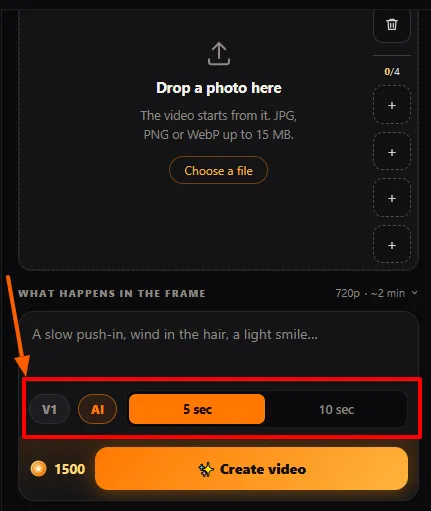
Pick V1 when you want a trained act style to do the directing. Pick V2 when you want a longer push and you already like the still. Do not stack four fighting styles on a 15 second V2 run and expect a clean story. One motion per clip. Cut in an editor if you need a second beat.
Style Catalogue and Stacking
The image catalogue splits into style, solo, poses, ethnicity, face and clothing groups. The motion catalogue groups oral, positions, solo, fetish, emotions, dance and effects.
Each motion style carries a hint about the frame it likes. Stack up to four. Strength is balanced so tags do not punch each other in the mouth. More than four is not a thing here, which is a mercy. People who dump twelve LoRAs into a local install know why.
Use the gallery as a style school. Open a published piece that already looks like your taste. Copy the prompt and the stack. Change one body note or one clothing tag. Rerun. That is faster than writing a novel in the 800 character box.
Coin Spend and Billing Reality
This is a coin studio with a prepaid plan on top. Plans do not renew by themselves. Coins stay after the period ends. A 7 day refund with no argument sits on checkout. Card, crypto, PayPal and gift cards are listed, plus an operator chat when a card is declined. Invoice codes start with SW if coins do not land. Support says a manual credit usually takes a few minutes.
Premium at 19.99 USD for 50 000 coins works if you live on Fast stills. Video eats the pile. Twenty 5 second clips at 1 500 coins each already burn the whole Premium bucket. Ultimate at 29.99 USD for 150 000 coins is the sane home once clips are daily. Maximum at 49.99 USD is for people who stop counting and want the front of the GPU line plus a direct support path. Buy a small pack first. Watch the button price for a night. Then pick a period plan.
Yearly checkout cuts 20 percent. Because the charge is once per period, you are not fighting an auto renew loop. Your current plan sits under Settings in Billing.
What a Week of Use Actually Costs
A still hunter who runs twenty Fast variants a day spends 1 000 coins a day and 7 000 a week. Premium covers that with room left for a few Balanced keepers. A clip hunter who wants two finished 5 second pieces a day is in another world. Each keeper often costs a failed prep, a test at 480p, then a 1 500 coin V1 render, and sometimes a style bump. Call it 3 000 to 5 000 coins a day if you are picky. That is a Premium week on its own, which is why clip people should start on Ultimate or accept fewer finished files.
Four Max variants in one still run cost 800 coins. That is fine when the prompt is already proven. It is waste when you still do not know the face. Hunt on Fast. Polish on Max. Animate only the still you would actually keep.
Payments, Refunds and Support
Checkout lists cards, crypto, PayPal and gift cards. If a card is declined, Pay with an operator opens a chat and they pick a route that works in your country. Paid but no coins? Send the SW invoice code. They credit by hand. The 7 day refund is written as no questions. Generation failures return coins on their own. Taste failures do not.
Personal support as a direct line is a Maximum perk. Everyone else uses the on site support tab. That is enough for billing misses. It is thin if you want prompt coaching. The gallery and the Improve button are the real tutors.
Privacy and What Swaplse Will Not Render
Default privacy is the right default. Only you see a piece until Publish. The house rule is fiction only. Uploads of real people for adult scenes are refused. Anything involving minors is blocked and the account goes. The team is clear this is not a face swap toy.
That will annoy people who came to drop a celebrity onto a body. It is also the cleanest line a new 18+ studio can hold. Published gallery items get a second check for real faces. Pay options include anonymous routes.
None of that makes you invisible on a shared laptop. Sign out. Do not publish a still that includes personal data in the prompt text. You own what you make. Publishing is optional. Copying a public prompt credits the original author on the new piece.
Prompt Habits That Waste Coins
Long prompts that fight the frame are the main leak on video. The motion model animates what is in the picture. Asking it to teleport the subject across the room is how prep fails twice. Write motion in short beats. Slow push in. Head turn. Hands on the waist. Let a trained style carry the act.
On stills the leak is Max too early and four variants of a broken idea. One Fast pass tells you if the face and pose exist. Improve the line. Change one style. Then spend. Text on signs, captions and lettered tattoos still comes out as noise. Do not build a scene that depends on readable type. Four bodies in one frame also tax anatomy. Two is the safe count.
Who Should Skip Swaplse
Skip it if you want an AI partner who remembers last night and talks back. Candy and the companion apps own that job. Skip it if your whole kink is a real face on a porn body. Swaplse will refuse the upload. Skip it if you need a three minute scene with dialogue and music.
Clips here are silent and short. Skip it if you only want a free toy with no account. You can watch the gallery for free. You cannot render for free on a reliable basis.
Stay if you want uncensored fictional stills, a frame first clip pipeline, and a wallet that does not quietly renew.
Pros and Cons
- Frame check refunds bad jobs.
- Coins never expire.
- Plans do not auto renew.
- Private until you publish.
- Any language in the prompt.
- Strong motion style list.
- Stills cap at 1360 px.
- Clips stay very short.
- Video drains coins fast.
- No companion chat.
- No real person face swap.
How Swaplse Sits Against Other Adult Studios
GeneratePorn.ai is closer to a full desk. Image, edit, animate and Wan clips with optional sound live in one loop. Coin costs per clip can look lower. Storage rules and the PRO pass are a different shape. Promptchan is the old image first haunt with member tiers and a huge prompt culture. Candy.ai sells the girlfriend, not the camera. SoulGen still leans on stills with lighter motion.
Swaplse’s edge is narrow and real. Failed prep returns coins before the GPU writes a broken file. Plans do not sneak back onto the card. The gallery shows working prompts in the open. You give up chat, audio, long clips and true 4K to get that. For a still to clip workflow that is a fair trade. For a companion workflow it is not.
FAQs
Does Swaplse output true 4K stills?
Plan pages talk about 4K upscale on Ultimate. The image product page is blunter. The long edge tops out at 1360 pixels and there is no upscaler in the live pipeline. Treat 4K as marketing until the create page shows a 4K toggle.
Can I make a clip from text alone?
You can write a still from text, then send that still into video mode. Direct video wants a starting frame. If the action needs a person who is not in that frame, prep tries to edit one in first.
Do unused coins vanish at period end?
No. Coins stay on the wallet. A plan is a single charge for the period you chose.
Is the public gallery free to watch?
Yes. Published stills and clips play without an account. Prompts and styles sit next to each piece.
What happens if a generation fails?
Prep failures return coins on their own. A finished result you simply dislike does not.
Can I write prompts in Hindi or another language?
Yes. Copy is translated to English before render. Improve keeps your original meaning while it fleshes out the shot.
Do I need a powerful PC?
No. Render runs on their GPUs in a browser tab on phone or desktop. Nothing to install.
Who owns the files I make?
You do. Work stays in the private collection until you publish. Publishing is a choice.
Best Swaplse Alternatives
| NSFW 18+ AI image and video generator | Video motion | Billing style |
|---|---|---|
| GeneratePorn.ai | Wan clips with optional sound | Coins plus a PRO pass |
| Promptchan | Image first, video add on | Credits and member tiers |
| Candy.ai | Companion first, media second | Monthly character plans |
| SoulGen | Stills with lighter motion | Credit packs |



