

Motion Key Insights
What is Motion?
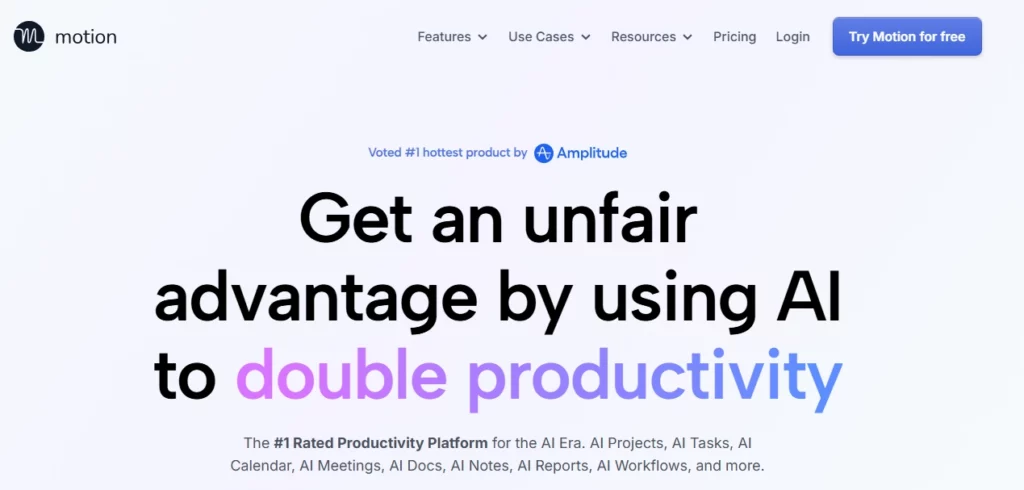
Motion is an AI-powered productivity platform that unifies task management, project planning, calendar scheduling, meeting notes and document collaboration into a single workspace. The platform's core value proposition lies in its intelligent auto-scheduling engine, which analyses deadlines, priorities, dependencies and available time blocks to create an optimised daily plan that adjusts automatically when priorities shift.
For businesses drowning in manual coordination, Motion eliminates the cognitive overhead of deciding what to work on next by algorithmically planning every team member's workday in real time.
Motion's flagship capability automatically prioritises your entire task backlog based on deadlines, estimated durations and dependencies. The system continuously reoptimises your schedule dozens of times daily, warning you proactively when tasks are at risk of missing deadlines. This removes the daily 15-minute ritual of manually reshuffling your to-do list.
Describe your project in natural language and Motion generates the entire task breakdown, assigns team members, sets dependencies and creates milestones instantly. Projects complete 32% faster by eliminating idle time between tasks. The system automatically updates statuses and flags bottlenecks without requiring managers to chase updates.
Trained on proprietary meeting data, Motion's notetaker captures notes, generates summaries and auto-creates action items assigned to the right people. Post-meeting follow-ups are sent automatically with full context, eliminating the administrative burden that typically follows every call.
Consolidates all calendar accounts into one view while intelligently protecting focus time. The system schedules meetings at optimal slots that maximise deep work blocks and prevents double-booking across work and personal calendars.
Motion Pricing Plans
| PlanPlan | Cost (Annual) | Key Features |
|---|---|---|
| Pro AI | $19/seat/mo | 7,500 AI credits, AI planning, calendar, docs, integrations |
| Business AI | $29/seat/mo | 15,000 AI credits, Gantt charts, time tracking, capacity planning, priority support |
| Enterprise | Custom | White glove onboarding, advanced security, custom integrations |
Getting Started with Motion
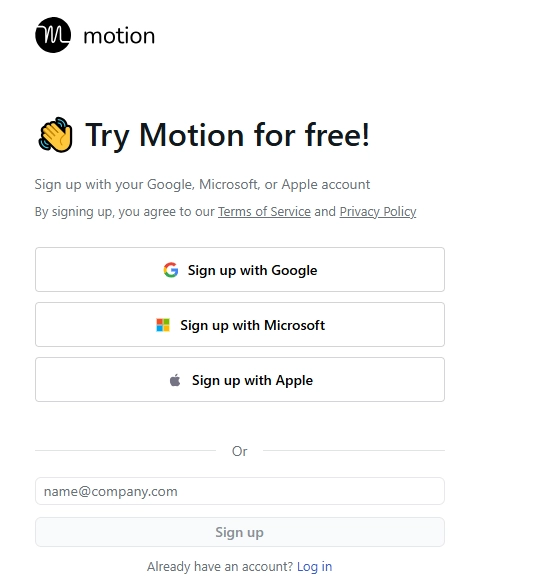
- Sign up for the free trial at usemotion.com using your Google or Microsoft account
- Connect your calendars by linking Google Calendar, Outlook or iCloud for bi-directional sync
- Import existing tasks via integrations with Todoist, Asana or by forwarding emails directly to Motion
- Set your working hours and preferences so the AI understands when you are available for focused work versus meetings
- Add your first project by describing it in plain language and letting Motion generate the task structure automatically
Who Motion Works Best For
Motion excels for time-starved professionals, consultants managing multiple clients and small teams needing automated coordination without a dedicated project manager. Users with ADHD particularly praise the app for reducing decision fatigue and execution paralysis. The platform shines when your workflow centres on deadlines and time management rather than complex visual collaboration.
Business owners in deadline-driven industries—like commercial construction—report significant gains from Motion's automatic project timeline management and at-risk task warnings delivered days or weeks in advance. The app's claim of completing projects 32% faster stems from its elimination of idle time between dependent tasks, making it particularly effective for client-facing work where delays directly impact revenue.
Integration Ecosystem
Motion connects with over 3,000 apps via Zapier alongside native integrations with Google Workspace, Microsoft 365, Zoom, Slack, HubSpot and Salesforce. The robust API enables custom workflows for enterprise environments. However, native integrations remain lighter than competitors like ClickUp or Asana, which may frustrate power users relying on tools like Notion or Jira.
A standout feature is task creation from multiple entry points—forwarding emails from Gmail, Outlook, or iCloud directly into tasks, converting Zoom/Meet/Teams meetings into action items, or using Siri voice commands on the go. Motion also unifies multiple calendar accounts (Google, Outlook, iCloud) into a single interface, preventing double-bookings across work and personal schedules—something fragmented tool stacks struggle to achieve.
Pros and Cons
- Unmatched AI auto-scheduling saves hours weekly
- Combines six tools into one platform
- Excellent mobile and desktop apps
- Minimal learning curve despite feature depth
- SOC 2 Type II security compliance
- Limited advanced reporting features
- Fewer native integrations than competitors
Enterprise Readiness
Motion offers SOC 2 Type 2 compliance, GDPR certification and full encryption for data at rest and in transit. The Enterprise tier adds custom permissions, white glove onboarding and dedicated support. Larger organisations may find reporting and analytics features lighter than traditional PMO tools, making Motion best suited for agile teams under 100 users rather than enterprise-scale programme management.
Motion's AI does provide capacity planning with employee utilisation tracking and automatic alerts when projects go off-track—features that helped companies like MP Cloud eliminate daily standups entirely. However, organisations needing portfolio-level dashboards or earned value metrics may still require supplementary PMO software.
Best Motion Alternatives
| AI Productivity SuperApp | AI Scheduling Strength | Native Integrations |
|---|---|---|
| Reclaim.ai | Strong, habit-aware scheduling | Asana, Slack, Zoom |
| Sunsama | Mindful daily planning focus | Todoist, Notion, Trello |
| Akiflow | Fast task capture from anywhere | Gmail, Slack, Notion |
| ClickUp | Basic auto-scheduling only | 1,000+ apps |



