

MagicLight AI Key Insights
What Is MagicLight AI?

MagicLight AI is an all-in-one AI video generator built specifically for long-form content creation. It lets creators turn ideas, scripts, and stories into complete, polished videos up to 50 minutes long. Unlike most AI video tools that only spit out short clips, MagicLight focuses on full-length, multi-scene videos with consistent characters and smooth transitions.
The platform supports over 10 integrated tools, including text to video, script to video, image to video, AI animation, avatar generation, voice cloning, and lip sync. It runs on powerful AI models like Gemini 3, Sora 2, VEO 3, and Kling 2.1. With 20 million+ creators worldwide and 30 million+ videos already generated, MagicLight has become a go-to platform for YouTube creators, educators, marketers, and storytellers who need professional AI video output without hiring a production team.

This is the headline feature and the biggest differentiator. Most AI video generators cap out at 60 seconds or produce disconnected, choppy clips. MagicLight generates full videos up to 50 minutes with scene-to-scene character consistency. For YouTube creators and educators building full episodes or tutorials, this alone makes it worth serious consideration.
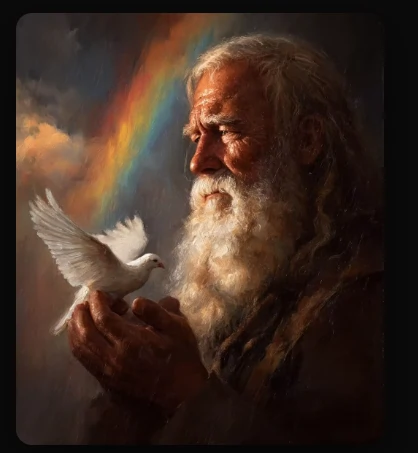
Starting from a blank page is rough. MagicLight offers a ready-made library of story templates covering kids stories, faith messages, explainers, comedy, and more. Pick a template, plug in your ideas, and the AI handles the structure. It takes the guesswork out of formatting so you can focus purely on content.
Character drift is the single biggest headache with AI video tools. MagicLight's AI engine maintains the same look, personality, and expression for characters across every scene in your video. Your protagonist in Scene 1 looks identical in Scene 20. This is critical for narrative content, branded storytelling, and kids' channels.
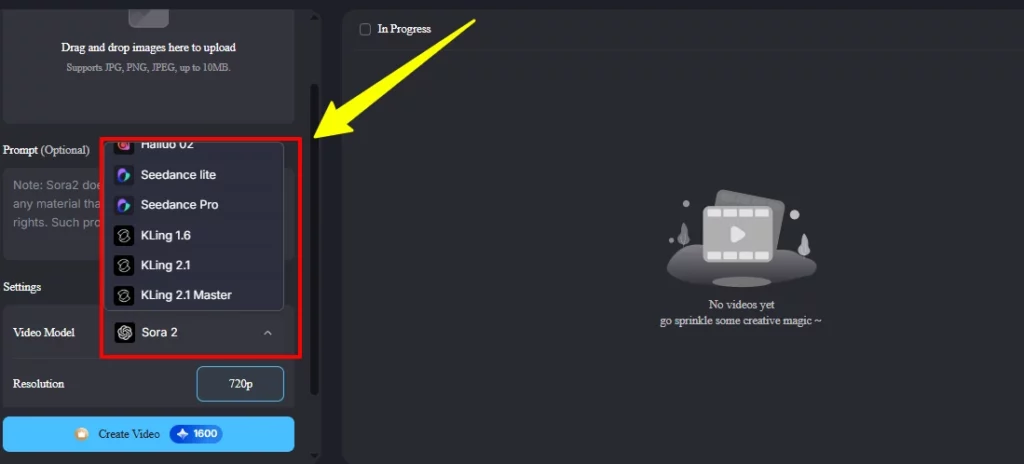
MagicLight gives you access to top-tier AI models, including Sora 2, Gemini 3, ChatGPT 5, VEO 3, Kling 2.1, Seedance 1.5 Pro, and Nano Banana 2 . Each model has different strengths. Having them all under one roof means you pick the right model for the right job without switching platforms.

Clone your own voice and have it narrate your entire video with natural delivery. The lip sync tool then matches character mouth movements to your spoken audio accurately. This means you get a professional voiceover that actually looks and sounds like it belongs in the finished product.

Got a set of illustrations or a music track? MagicLight can animate static images into moving video scenes and turn music into visual content that matches the mood and rhythm. These tools are brilliant for musicians, artists, and social media creators who want to repurpose existing assets into scroll-stopping video content.
MagicLight AI Pricing Plans
| Plan | Annual Price (Per Month) | Monthly Price | Credits/Month | Max Video Minutes | One-Click Story Videos |
|---|---|---|---|---|---|
| Free | $0.00 | $0.00 | — | — | — |
| Standard | $5.70/month ($68.40/year) | $12.00 | 7,000 | Up to 120 min | Up to 10 |
| Plus | $12.35/month ($148.20/year) | $26.00 | 25,000 | Up to 420 min | Up to 40 |
| Pro | $16.63/month ($199.50/year) | $35.00 | 45,000 | Up to 750 min | Up to 80 |
| Ultra (Most Popular) | $42.75/month ($513/year) | $90.00 | 150,000 | Up to 2,500 min | Up to 250 |
| Ultimate | $71.25/month ($855/year) | $150.00 | 280,000 | Up to 4,670 min | Up to 470 |
Getting Started with MagicLight AI
- Step 1: Sign Up for Free Head over tomagiclight.ai and click “Get Started” or “Create your first video for free”. No credit card needed. You can sign up with your email or Google account and land straight on the dashboard.

- Step 2: Pick Your Video TypeOnce inside the dashboard, you will see creation options on the left sidebar, including Story to Video, Kids Story, Music Video, Explainer Video, Character Vlog, Religious Story, and Image to Video. Pick the format that fits your content goal.

- Step 3: Enter Your Idea or Script You do not need a full script to start. Type in a simple idea, a sentence, or paste your full script. MagicLight's AI will expand it into a structured storyboard with scenes, characters, dialogue, and pacing. You can also pick from ready-made story templates for kids content, faith messages, comedy, explainers, and more.
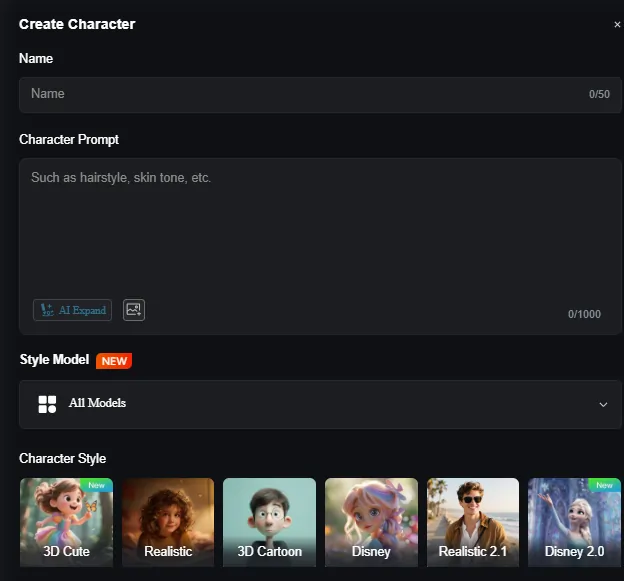
- Step 4: Customise Characters, Visuals, and Audio Review the auto-generated storyboard. Swap or edit characters, adjust visuals, rearrange scenes, and tweak pacing using the built in storyboard editor. Then add voiceover using multilingual AI voices or clone your own voice. MagicLight also suggests background music and sound effects automatically.
- Step 5: Export and Publish Hit export and MagicLight renders your finished video in 1080P HD with subtitles, voiceover, and sound baked in. No watermark on paid plans. The final file is ready to upload straight to YouTube, TikTok, or any platform you like.
Who Is MagicLight AI Built For?
MagicLight AI is designed for creators who need full-length video content without a production budget. YouTube storytellers, educators building lesson videos, marketers creating explainers, and parents making kids content will all find massive value here.
The story template library and one-click generation make it especially useful for faceless YouTube channels and faith-based content creators. If you produce video content regularly and need consistency across episodes, MagicLight fills that gap better than most competitors in the AI video space.
The platform also suits small businesses that want professional video ads and product explainers without hiring a videographer or an editing team.
Pros and Cons
- Long-form videos up to 50 minutes
- Strong character consistency across scenes
- Huge selection of AI models
- Free tier with no credit card
- One-click video generation is available
- Built-in voice cloning and lip sync
- No API access currently
- Limited live-action style output
- Advanced models cost more credits
MagicLight AI for YouTube Creators
YouTube is where MagicLight AI truly shines. The platform was practically built for faceless YouTube channels that post animated stories, kids' content, and educational videos. The one-click story video feature lets you generate a trending style video in seconds.
Pair that with the AI subtitle generator and voice cloning, and you have a full publishing pipeline inside one tool. Creators who post daily or weekly will love how fast the turnaround is. With the Ultra or Ultimate plans, you get enough credits and video minutes to run a serious channel operation without any other software.
FAQs
Can MagicLight AI generate videos longer than 30 minutes?
Yes. MagicLight supports video generation up to 50 minutes long. With higher-tier plans like Ultra or Ultimate, you get thousands of minutes of total generation capacity per month.
What AI models does MagicLight AI use?
MagicLight integrates multiple AI models, including Sora 2, Gemini 3, ChatGPT 5, VEO 3, Kling 2.1, Seedance 1.5 Pro, Hailuo 2.3, and Nano Banana 2. Different plans unlock access to different model tiers.
Does MagicLight AI add watermarks to videos?
No. All paid plans produce 1080P HD videos without watermarks and include a general commercial licence for published content.
Is MagicLight AI good for kids' content creation?
Absolutely. The platform has dedicated story templates for children's content with age-appropriate themes. Many creators use it specifically for kids' YouTube channels and bedtime story videos.
Can I use my own voice in MagicLight AI videos?
Yes. The AI voice cloning tool lets you record your voice and generate natural-sounding voiceovers. The lip sync feature then matches character animations to your audio for a polished result.
Best MagicLight AI Alternatives
| AI Video Generator | Best For | Starting Price |
|---|---|---|
| OpenArt | AI art, video, and one-click story creation | $7/month (annual) |
| Kling AI | Photorealistic short-form AI video clips | $6.99/month |
| Higgsfield | Multi-model AI video with VFX and face swap | $9/month |
| APOB AI | AI influencer videos and talking avatar content | $6/month (annual) |



