

Kiro Key Insights
What is Kiro?
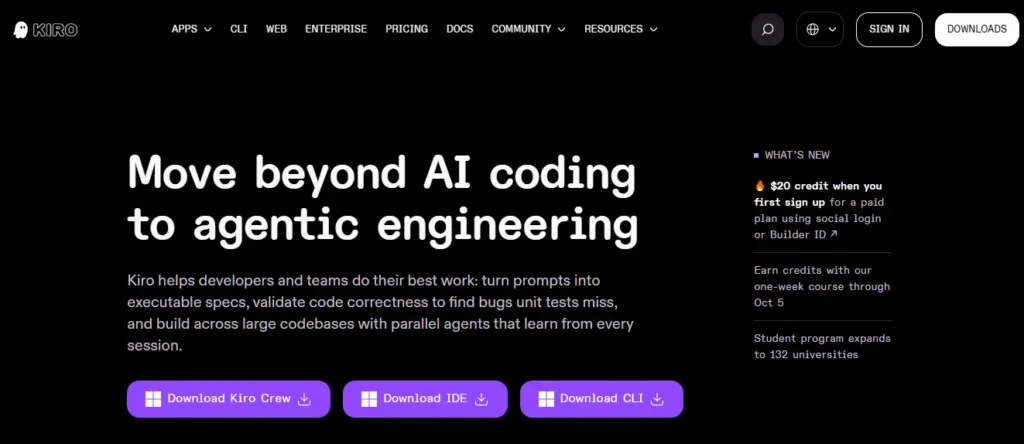
Kiro is an AI-powered integrated development environment (IDE) built by Amazon Web Services that moves beyond simple code autocomplete into full agentic software engineering. At its core, Kiro uses a spec-driven development workflow that converts natural language prompts into structured requirements, design documents, and sequenced implementation tasks before any code is generated.
This approach ensures that AI produced code aligns with your actual intent and business logic rather than just completing patterns. Built on a VS Code foundation, Kiro supports multiple frontier LLMs including Claude Opus 5 and Sonnet 5, offers event-driven automation through agent hooks, and validates correctness using property-based testing.
For development teams looking to reduce rework and maintain architectural control while using AI to accelerate delivery, Kiro provides a structured middle ground between manual coding and fully autonomous code generation.
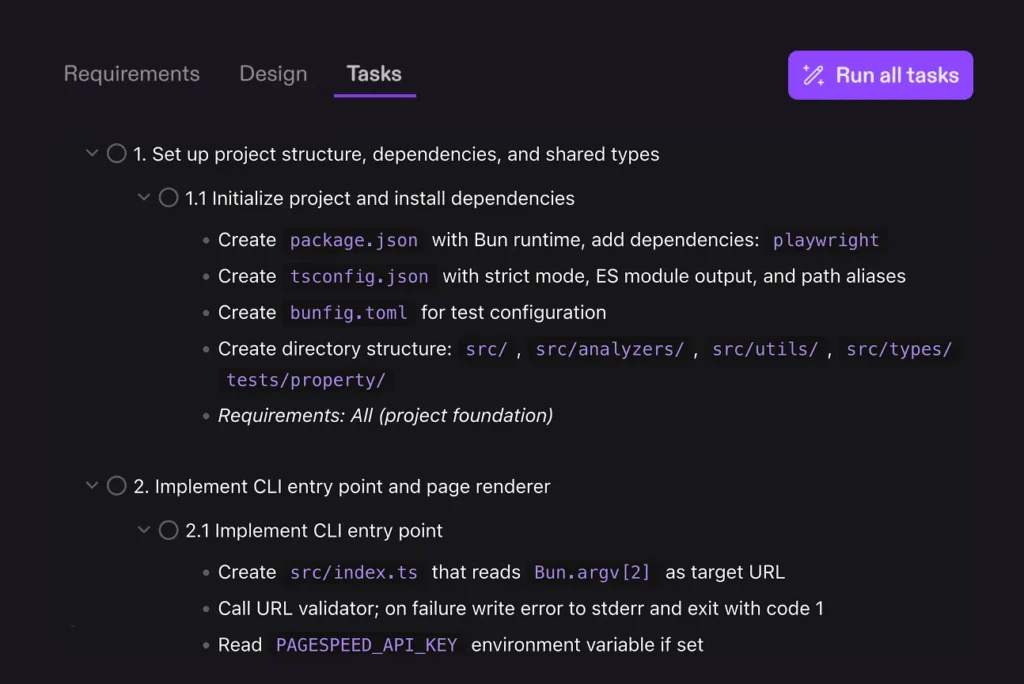
Kiro’s defining capability is its spec-driven development engine. When you describe a feature in natural language, Kiro generates formal requirements documents, identifies contradictions and logic gaps through automated reasoning, then breaks work into sequenced, executable tasks. This means AI writes code against a verified spec rather than a vague prompt. The result is significantly less rework and far fewer instances of misaligned implementation.
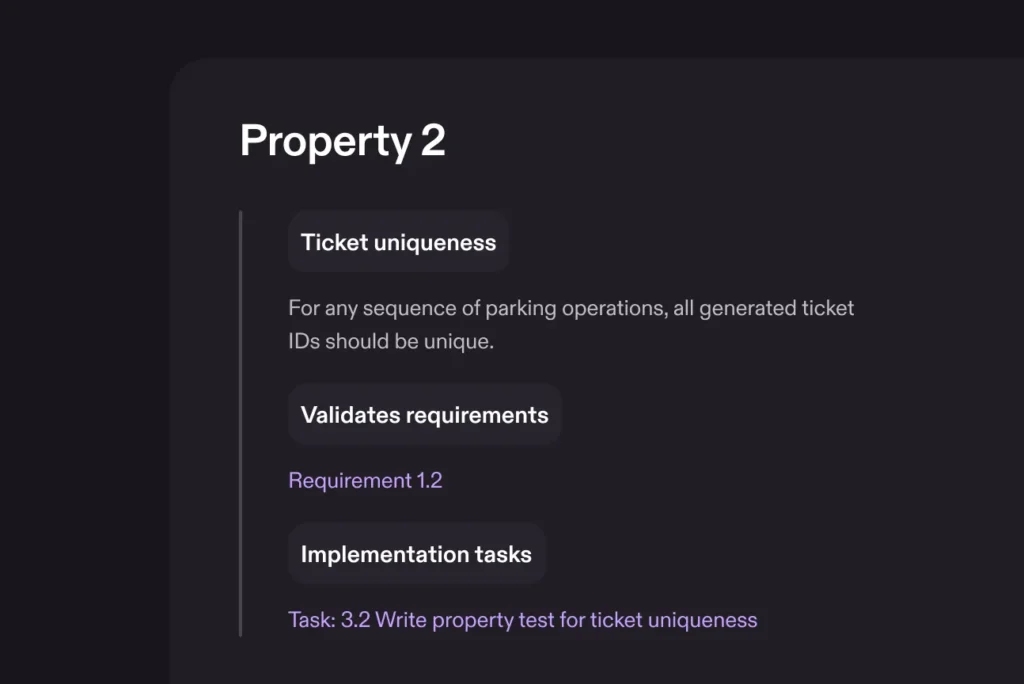
Standard unit tests check a handful of examples. Kiro goes further with property-based tests that assert rules across all possible inputs, similar to fuzz testing. Before implementation begins, Kiro checks your requirements for contradictions. After code is generated, these property tests validate that behaviour holds universally. This catches entire categories of bugs that passing unit tests would miss entirely.
Hooks are Kiro’s automation layer. They fire shell commands or AI agent prompts automatically when specific events occur, such as a file being saved, created, or modified. You can configure hooks to run linting, update documentation, generate tests, or enforce coding standards without manual intervention. This eliminates repetitive maintenance tasks and keeps your codebase consistent across every commit.
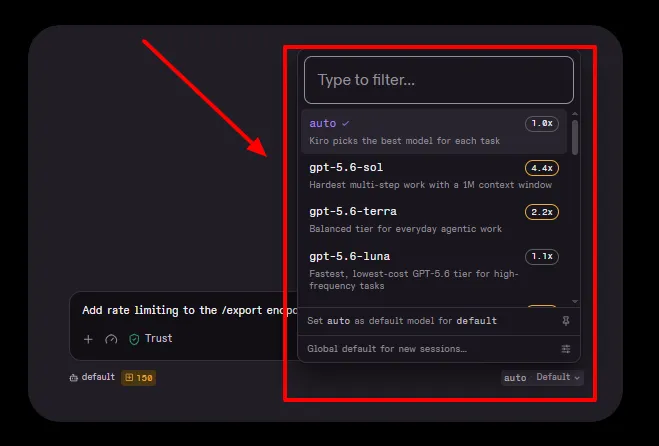
Kiro’s Auto mode intelligently selects the best AI model for each prompt based on task type, required reasoning depth, latency, and cost. It blends frontier models like Claude Sonnet with specialised models and uses intent detection and caching to optimise both quality and credit consumption. Developers using Auto consume roughly 23% fewer credits than those manually selecting a single premium model for every request.
Drop a screenshot of a UI mockup or a photo of a whiteboard architecture diagram directly into Kiro, and the agent interprets it as implementation guidance. This bridges the gap between design and development, allowing front-end engineers and full-stack developers to go from visual concept to working code without manually translating design specifications into prompts.
Kiro supports running multiple agent sessions across different repositories simultaneously, in both local and cloud sandboxes. Hand off a long running task to a cloud session, switch to another project, and check back when it finishes. This multi-session approach means you can parallelise feature development in ways that a single-threaded coding assistant simply cannot match.
Kiro Pricing Plans
| Plan | Cost | Credits | Add-On Credits | Models |
|---|---|---|---|---|
| Free | $0 | 50 | N/A | Claude Sonnet 4.5, open-weight models |
| Pro | $20/user/month | 1,000 | $0.04/credit | All premium + open-weight |
| Pro+ | $40/user/month | 2,000 | $0.04/credit | All premium + open-weight |
| Pro Max | $100/user/month | 5,000 | $0.04/credit | All premium + open-weight |
| Power | $200/user/month | 10,000 | $0.04/credit | All premium + open-weight |
Why Spec-Driven Development Matters for Teams
Most AI coding tools optimise for speed of output. Kiro optimises for correctness of output. The spec-driven approach forces the AI to plan, verify, and then build. For engineering managers and CTOs, this means fewer “works on my machine” surprises in production.
Developers report reducing time to customer value from weeks to days using this workflow. The structured spec also serves as living documentation, so onboarding new team members or auditing decisions months later becomes significantly easier. In regulated industries or enterprise environments where traceability is not optional, this is a genuine differentiator that no other AI IDE currently offers at this level of integration.
How Kiro Handles Model Flexibility and Cost Control
Kiro gives developers complete control over which LLM processes each prompt. You can select Claude Opus 5, Sonnet 5, DeepSeek 3.2, Qwen3, or let Auto handle routing. Credits are consumed fractionally at 0.01 increments, so a simple autocomplete might cost 0.05 credits while a full spec execution costs several.
The per-prompt credit display shows real-time spend directly in the IDE. This transparency is rare among AI coding tools, where many competitors use opaque “unlimited” plans that throttle usage behind the scenes. Kiro’s model lets professional developers budget precisely and avoid surprise overages. Paid users can enable pay-as-you-go overages at $0.04 per credit with full visibility, keeping you in the driver’s seat.
Pros and Cons
- Spec-driven workflow reduces rework.
- Multi-model support with Auto routing.
- Property-based testing catches hidden bugs.
- Event-driven hooks automate repetitive tasks.
- Full VS Code extension compatibility.
- GitHub and GitLab integration built in.
- No team or organisation billing yet.
- Free tier limited to 50 credits.
- No offline or local-only mode.
- Some premium models regionally restricted.
Kiro vs Traditional AI Code Assistants
Kiro does not compete purely on autocomplete speed. Its value sits in the structured engineering workflow it wraps around AI code generation. Tools like Cursor and GitHub Copilot excel at inline suggestions and rapid iteration. Kiro excels when the project demands architectural planning, formal requirement capture, and correctness validation before code reaches a pull request. For solo developers building prototypes, the difference is subtle.
For teams shipping production software with compliance or quality gates, Kiro’s spec-driven approach removes an entire class of risk that prompt-and-pray tools leave on the table. The addition of hooks and parallel cloud sessions makes it a genuinely different category of tool.
Best Kiro Alternatives
| AI IDE / Agentic Software Engineering Tool | Spec & Planning Capability | Multi-Model Routing |
|---|---|---|
| Cursor | Basic prompt-based, no formal spec engine | Limited (primarily Claude and GPT) |
| GitHub Copilot | No spec workflow, autocomplete focused | Single model per session |
| Windsurf | No spec-driven development | Single model provider |
| JetBrains AI Assistant | No built-in spec engine | JetBrains AI only |



