

Freebeat AI turns songs into AI-generated music videos, lyric animations, and dance visuals without requiring traditional video editing skills. Upload a track, describe the visual style, and the platform analyzes the music to build scenes around its rhythm.
Sounds convenient, especially if you're a musician trying to release a video without spending hundreds on production.
But here's where things get interesting.
Freebeat can automate much of the creative process, but getting a complete, consistent video isn't always as simple as generating a few impressive clips.
Its AI storyboarding, beat synchronization, and editing tools offer plenty of creative possibilities. However, credit consumption, rendering reliability, and subscription restrictions can affect the final cost.
In this Freebeat AI review, I'll break down its useful features, pricing, output quality, and limitations to help you decide if it's worth paying for.
Quick Verdict on Freebeat AI
Freebeat AI is worth trying for automated music video creation, particularly if you're an independent musician, AI music creator, or YouTuber who wants visuals without building every scene manually.
Its strongest feature is music-aware video generation. Instead of producing unrelated clips, Freebeat analyzes your song and plans visuals around its structure.
However, it's not a guaranteed one-click solution. Complex scenes, inconsistent characters, and repeated generations can increase credit consumption.
| Parameter | Freebeat AI Details |
|---|---|
| Website | freebeat.ai |
| Best for | Musicians, YouTubers, AI music creators |
| Main features | Music videos, lyric videos, dance videos, AI editing |
| Free plan | 500 non-expiring credits |
| Starting price | $4.99/week |
| Maximum resolution | 1080p on eligible plans |
| Audio support | MP3, WAV, and supported music links |
| Commercial use | Available under paid-plan terms |
| Biggest drawback | Credit consumption and rendering reliability |
My take: Freebeat is an interesting choice for creative experimentation. For professional releases, judge it by the cost of the finished video, not the quality of its preview.
What Does Freebeat AI Actually Do?
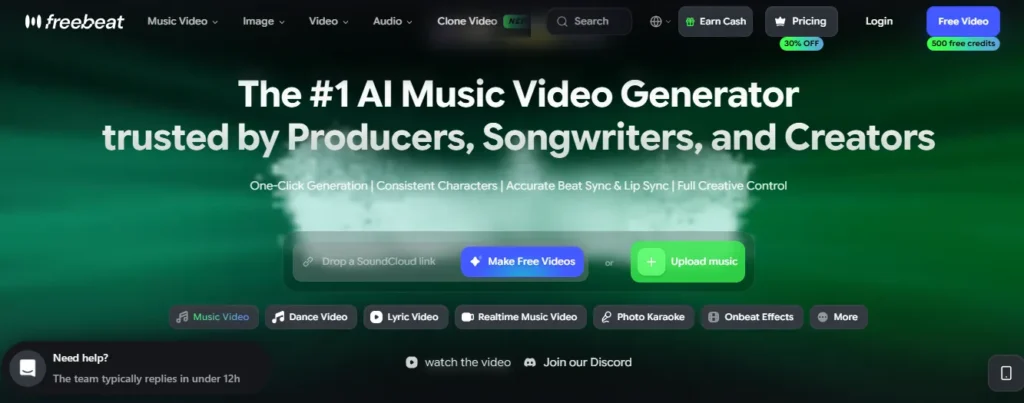
Freebeat AI is a browser-based AI music video generator that converts audio into synchronized visual content.
Unlike regular text-to-video tools, Freebeat starts by analyzing the soundtrack.
It identifies musical elements such as tempo, beats, song sections, and changes in energy. These signals help determine where scenes and transitions should appear.
For example, a slow acoustic introduction might receive gentle camera movement, while an energetic chorus could feature faster cuts and brighter visuals.
How Its Music-to-Video Technology Works
Freebeat combines several processes:
| Technology | What it does |
|---|---|
| BPM detection | Identifies the song's tempo |
| Beat synchronization | Aligns transitions with rhythmic accents |
| Song segmentation | Identifies verses, choruses, and other sections |
| AI storyboarding | Plans shots based on music and prompts |
| Video generation | Creates visuals using AI models |
| Automated editing | Arranges scenes around the soundtrack |
This music-first approach is Freebeat's main selling point.
However, accurate beat detection doesn't automatically mean great video quality. Character movement, visual consistency, and scene composition still depend on the generation model and creative instructions.

The Freebeat AI music video generator creates visual sequences from an uploaded song or supported music link. You describe the artistic direction, and Freebeat prepares a storyboard with scenes intended to follow the music.
For example, you could request a futuristic city setting, a recurring singer, and energetic visuals during the chorus. Its AI Director workflow helps organize those ideas before generation.
Why it matters: Planning scenes before rendering can reduce unnecessary attempts and make the final video more coherent.
This is especially useful for independent musicians creating animated releases or experimental music videos.
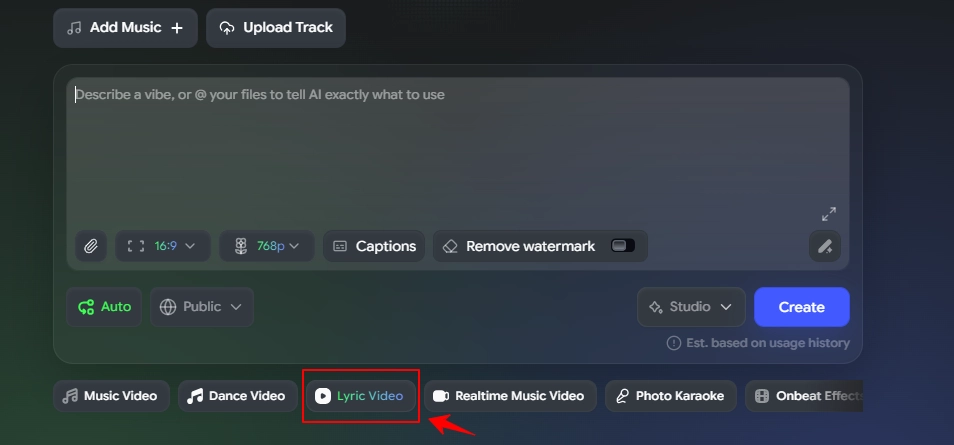
Freebeat can generate animated lyrics synchronized with music, including karaoke-style text effects. That removes much of the manual work involved in positioning and timing captions. It's useful for YouTube lyric channels, songwriters, and musicians promoting new releases.
The main limitation is transcription accuracy. Fast vocals, overlapping voices, or unusual pronunciation can result in incorrect words or timing. Always check the lyrics before publishing.
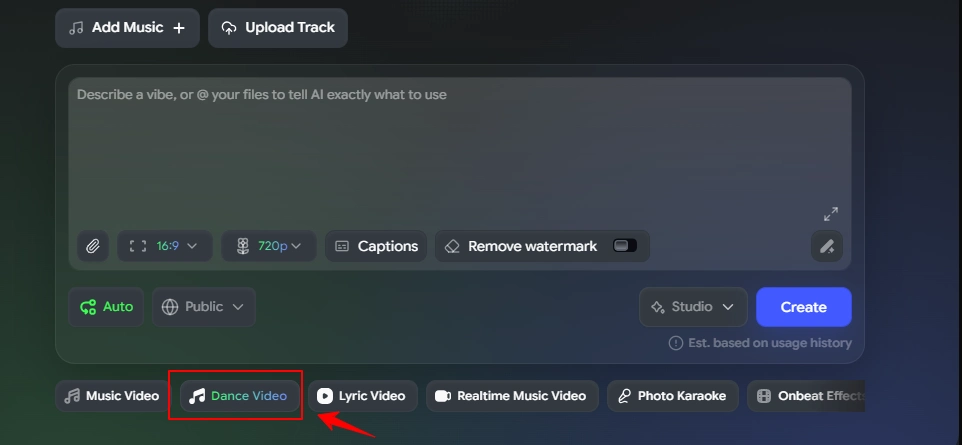
Freebeat's dance video tool generates animated performances connected to a soundtrack. It's particularly relevant for EDM tracks, dance content, and short social media videos.
However, realistic choreography remains difficult for AI. Watch for unnatural limb movement, inconsistent performers, and dance steps that don't match the rhythm.
For entertainment, minor errors may be acceptable. For choreography demonstrations, accuracy matters much more.
Freebeat includes tools for creating singing characters and maintaining their appearance across scenes. Character consistency matters when the same performer appears repeatedly.
Without strong references, AI-generated videos can change facial features, hairstyles, clothing, or body proportions between shots.
Lip-sync accuracy is another consideration, especially for close-up singing scenes. These features are useful, but they don't guarantee perfectly consistent performances.
Freebeat also supports text-based video editing instructions and music-aware effects. Users can adjust visual direction and experiment with different AI generation models.
This gives creators more options than a basic music visualizer. The trade-off is cost: different models and generation tasks may consume different amounts of credits.
For simple animated backgrounds, an expensive generation model may not be necessary.
How Good Is Freebeat AI's Video Quality?
Freebeat can produce visually appealing music content, but the quality of an entire video depends on more than individual clips.
Four factors deserve particular attention.
Here's how those factors affect different projects:
| Video type | Main quality concern |
|---|---|
| Electronic music visualizer | Beat timing and visual pacing |
| AI singer performance | Facial consistency and lip sync |
| Dance music video | Movement accuracy |
| Lyric video | Word accuracy and timing |
| Cinematic music video | Scene continuity and character identity |
The biggest consideration is credit efficiency. Regenerating several unsuccessful scenes can make a project considerably more expensive than expected.
For professional work, the useful measurement is the total credits spent on one completed, publishable video.
How to Make a Music Video With Freebeat AI
Freebeat's workflow is relatively straightforward.
- Upload your music. Visit Freebeat AI and upload an MP3 or WAV file, or paste a supported song link from platforms such as Suno, Udio, Spotify, or YouTube.
- Describe the visuals. Choose a visual style, setting, character appearance, lighting, and preferred aspect ratio.
- Review the storyboard. Check the proposed scenes and correct creative details before generating the video.
- Generate and export. Create the footage, review scene quality, make necessary changes, and export the finished MP4.
A Better Prompt for Music Video Generation
A vague prompt like “create an amazing cinematic music video” gives the AI too little direction.
Try something more specific:
Create a cinematic music video for an electronic pop track.
Visual style: Rainy nighttime city with blue neon reflections and warm amber lighting.
Character: A 28-year-old singer wearing a black leather jacket. Maintain consistent facial features and clothing.
Intro: Slow wide shots of empty streets.
Verse: Medium shots of the singer walking through rain.
Chorus: Faster transitions, moving camera angles, and brighter visuals aligned with major beats.
Final chorus: Return to the singer with more energetic camera movement.
Avoid distorted hands, inconsistent characters, unwanted text, and unrelated scenes.
The goal is to describe both the visuals and how they should change throughout the song.
That gives the AI clearer instructions and makes its storyboard easier to evaluate.
Freebeat AI Pricing: Which Plan Is Worth It?
Freebeat AI offers free credits and four paid subscription tiers, starting at $4.99 per week.
Paid subscriptions provide larger credit allowances and additional export capabilities.
Freebeat AI Pricing Plans
| Plan | Advertised price | Credits | Maximum listed resolution |
|---|---|---|---|
| Free | $0 | 500 non-expiring | Feature-dependent |
| Basic | $4.99/week | 1,990/week | 720p |
| Pro | $26.99/month | 10,000/month | 720p |
| Ultimate | $39.99/month | 19,000/month | 1080p |
| Creator | $199/month | 95,000/month | 1080p |
Prices are advertised promotional rates in USD and may differ at checkout.
Which Freebeat AI Plan Should You Choose?
For most individual creators, I would compare Basic and Ultimate first, depending on budget and resolution requirements.
The Hidden Cost of AI Video Credits
The advertised credit allowance isn't the same as a guaranteed number of finished music videos. Final consumption depends on the model, video duration, scene complexity, and number of regeneration attempts.
There's another important restriction:
If you only generate videos occasionally, paying for credits you don't use can reduce the value of a subscription.
Is Freebeat AI Really Free?
Yes, Freebeat AI provides 500 non-expiring credits through its free account. However, the free allocation is restricted to non-commercial use.
You can explore supported generation tools without immediately subscribing, but the number of outputs depends on the selected model and settings.
Free exports may also include watermarks or feature restrictions. For monetized YouTube videos, client projects, or commercial music releases, paid-plan usage terms apply.
Remember that commercial permission from Freebeat doesn't automatically grant rights to copyrighted songs, images, or other uploaded material.
Freebeat AI Pros and Cons
- Music-aware scene planning.
- Automated AI storyboards.
- Lyric and dance video tools.
- Supports Suno and Udio workflows.
- Multiple AI generation models.
- Free credits for experimentation.
- Credits can run out quickly.
- Failed renders may require additional attempts.
- Character consistency isn't guaranteed.
- 1080p requires higher-tier plans.
- Subscription credits expire.
- Restrictive refund conditions.
Is Freebeat AI Legit?
Freebeat AI is a functioning AI music video platform, but customer complaints about generation failures, billing, and support deserve attention.
Some users appreciate its automatic scene planning and visual quality. Others report unsuccessful renders, credit consumption, and difficulty resolving subscription issues.
These reports don't mean everyone will experience the same problems, but they matter when you're paying for credits.
Freebeat's refund policy is also restrictive. Dissatisfaction with generated content alone generally doesn't qualify for a refund, and purchased credit packs are non-refundable under its published terms.
For this reason, a smaller initial purchase is more sensible than committing to a large credit package.
Freebeat AI Alternatives: Which Tool Is Better?
Freebeat isn't the only option for music video creation. The strongest alternative depends on the type of content you want to produce.
| Music video creation | Best for | Main advantage |
|---|---|---|
| Freebeat AI | Automated AI music videos | Music-first storyboarding |
| Neural Frames | Audio-reactive visuals | More detailed scene editing |
| Kaiber | Stylized video clips | Creative generation and Beat Sync |
| Rotor Videos | Promotional music videos | Editing with uploaded or stock footage |
Freebeat AI vs Neural Frames
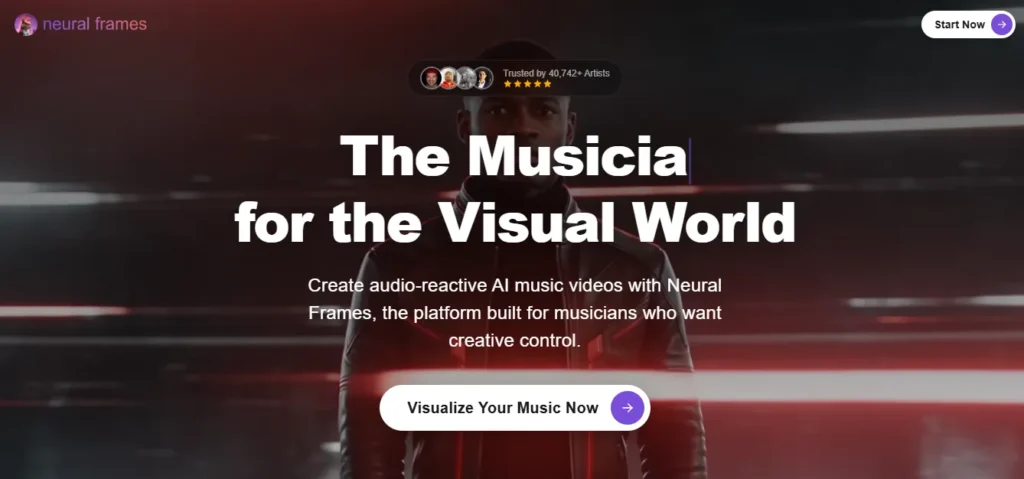
Neural Frames is particularly interesting for musicians who want more control over the finished video.
It offers audio-reactive visuals, automated creation, and editing tools for individual scenes.
Freebeat is more appealing for automatic storyboard generation, while Neural Frames deserves consideration when precise editing is a priority.
Freebeat AI vs Kaiber

Kaiber focuses on creative AI video generation and stylized visuals.
Its Beat Sync and editing capabilities make it suitable for short music clips and experimental video projects.
Choose Freebeat for a song-first production process. Consider Kaiber when you prefer creating and arranging individual AI-generated clips.
Freebeat AI vs Rotor Videos
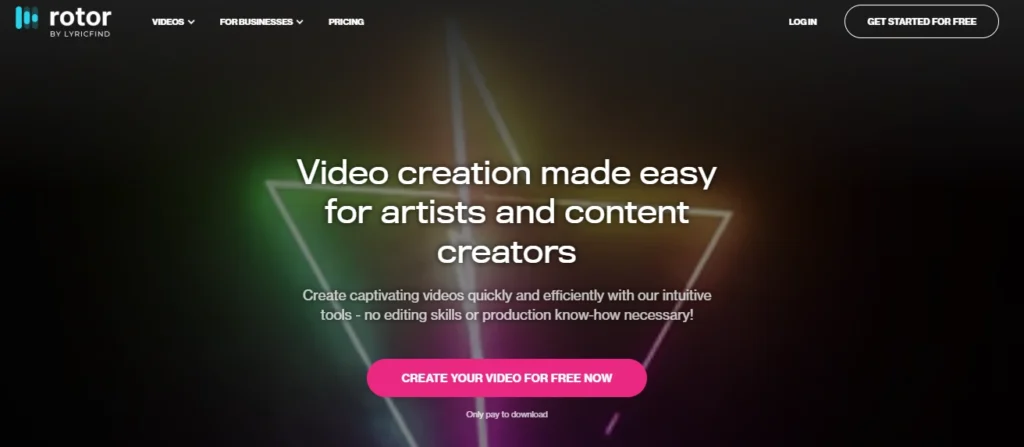
Rotor Videos combines music-aware editing with existing video footage, stock clips, and promotional content tools.
It's useful for music releases, lyric videos, and Spotify Canvas assets.
Rotor also offers pay-per-download options, which may be preferable to a recurring subscription.
If you want entirely AI-generated fictional scenes, Freebeat is more relevant. If you're working with existing footage, Rotor can be a better fit.
Who Should Use Freebeat AI?
Freebeat makes the most sense for creators who already have music and need visual content without extensive editing.
| Creator | Recommendation |
|---|---|
| Independent musicians | Good for animated music video concepts |
| Suno and Udio users | Useful for turning AI songs into videos |
| YouTube lyric channels | Worth considering for animated lyrics |
| EDM producers | Suitable for beat-driven visuals |
| Social media creators | Useful for short vertical content |
| Professional editors | Better as a supporting creative tool |
| Agencies with strict deadlines | Evaluate reliability before committing |
For experimental music videos, Freebeat offers an accessible creative starting point.
For client projects requiring exact visual details and predictable delivery, more direct editing controls may be necessary.
Freebeat AI FAQs
Is Freebeat AI completely free?
No. Freebeat provides 500 non-expiring free credits for non-commercial use. Additional generation capacity and paid features require a subscription.
How much does Freebeat AI cost?
Its advertised paid plans start at $4.99 per week. Monthly options include Pro at $26.99, Ultimate at $39.99, and Creator at $199 at promotional rates.
Can Freebeat AI generate videos from Suno songs?
Yes. Freebeat supports Suno music links and audio uploads, allowing creators to generate music videos from supported tracks.
Does Freebeat AI support 1080p exports?
Yes. Ultimate and Creator support exports up to 1080p. Basic and Pro currently list maximum video resolution of 720p.
Can Freebeat AI create full music videos?
Yes. Freebeat is designed to analyze songs, plan scenes, generate clips, and assemble longer music videos. Available duration limits depend on the selected workflow.
Can I monetize Freebeat AI videos?
Commercial use is available under applicable paid-plan terms. Free credits are restricted to non-commercial use, and you must have rights to any uploaded music or third-party content.
How do I cancel Freebeat AI?
Open your account's billing settings and select the subscription cancellation option. You can also use the Cancel auto-renew option on the Pricing page. App-store subscriptions must be canceled through the relevant store.
Final Verdict: Is Freebeat AI Worth Paying For?
Freebeat AI is worth exploring if you want to create music videos without manually building every scene.
Its audio analysis, automated storyboarding, lyric generation, and AI editing tools make it particularly useful for independent musicians and AI music creators.
What I like most about its approach is that the music guides the visuals, rather than becoming an afterthought.
But it's not without compromises.
Unpredictable credit consumption, inconsistent scenes, and rendering problems can affect both production time and budget. Its refund restrictions also make larger purchases harder to justify without prior experience.
👉 My recommendation: Start with the free credits, try a short paid project if needed, and evaluate the quality and cost of the completed export before upgrading.
For automated music-first visuals, Freebeat is an interesting option. For detailed scene control or more predictable footage-based editing, Neural Frames, Kaiber, and Rotor Videos are worth comparing.
👍 Bottom line: Freebeat AI can make music video creation easier, but its value depends on how efficiently it turns your song into a finished video.



