

Clipfly Key Insights
What is Clipfly?
Clipfly is a browser-based AI creative platform that converts text prompts and uploaded images into finished video content, entirely without specialist editing skills or dedicated production hardware. Built for content creators, marketing agencies, educators, and small businesses, it brings together text to video generation, image animation, AI voiceover, auto captioning, background removal, face swap, and music generation into one unified workspace.
Users type a prompt, choose a visual style from a library spanning cinematic, anime, Ghibli-inspired, cyberpunk, and 3D formats, and the platform's AI engine handles scene structure, camera movement, and visual composition.
Clipfly's core engine generates short video clips from plain text descriptions. The standout capability is the ability to switch between multiple underlying AI models including Veo 3, Flux, Kling, Wan 2.5, and Seedance, each producing different visual characteristics from photorealistic outputs to stylised animation. A marketing team can produce a cinematic product ad and a Ghibli-style animated explainer from the same platform on the same day.
The video enhancer uses AI to analyse existing footage and improve it frame by frame, covering noise reduction, colour correction, and sharpness improvement. The video object remover, highlighted strongly by real users, is rated among the best available for handling moving objects, something most competitor tools fail to manage accurately.
Clipfly generates subtitles automatically from video audio, saving hours of manual transcription work. The AI voiceover tool converts written scripts into natural-sounding narration across more than 29 languages, meaning a single piece of content can be localised for multiple regional markets without re-recording. For educators building e-learning modules or agencies managing multilingual campaigns, this feature alone justifies the platform's position in any content production workflow.
Beyond AI generation, Clipfly includes a full online video editor. Users can trim, merge, and split clips, add text overlays, apply filters and transitions, swap backgrounds, remove watermarks, and insert stock music or footage from the built-in media library. The face swap tool adds a further creative layer for social media content.
Clipfly extends beyond video into static image creation. Users generate AI art from text prompts or apply style filters to turn photos into cartoon, anime, or fine art formats. The photo to video animation tool produces a short motion clip from a single uploaded image, which is particularly useful for eCommerce product showcases, real estate walkthroughs, and illustrators looking to animate portfolio work for social media distribution.
Clipfly Pricing Plans
| Plan | Cost | Credits/Month | Key Features |
|---|---|---|---|
| Free | $0 | Limited | Basic AI tools, video editor, 1080p export, limited AI credits, no watermark, 1 GB cloud storage |
| Pro | $10.99/mo | 200 | Full AI model access, full stock library, 4 GB storage, priority support |
| Pro+ | $39.99/mo | 1000 | 2 Access Licenses per Account, 20 GB Cloud Storage, 100+ Video Editing Functions |
| Business | $87.99/mo | 3000 | 5 user licences, 100 GB storage, 1200+ Royalty-Free Audio, 5500+ Stock Images |
Getting Started with Clipfly
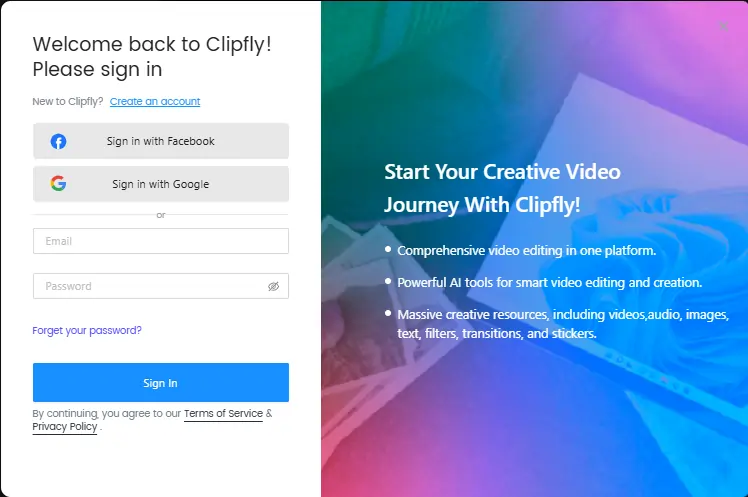
- Step 1: Go to clipfly.ai and create a free account using an email address or Google login.
- Step 2: From the main dashboard, select your creation mode. Options include AI Video Generator, Image to Video, AI Image Generator, or the standard Video Editor.
- Step 3: Enter a detailed text prompt or upload a JPEG or PNG image. Select your preferred AI model from the available options such as Veo 3, Kling, or Flux, then choose a visual style from the style library.
- Step 4: Click Generate and wait a few seconds for the cloud-based AI to produce your clip. Preview the output directly in the browser editor.
- Step 5: Use the built-in editing tools to add captions, music, or voiceover, then export your finished video as an MP4 at up to 1080p resolution.
Clipfly for Social Media Marketing Teams
Marketing teams producing content at volume will find Clipfly's template library and AI generation speed particularly relevant. The platform includes viral video templates built for TikTok, Instagram Reels, and YouTube Shorts, covering product showcases, character animations, and trending action sequences.
Teams can move from a written brief to a social-ready video in minutes. Combined with auto-captioning and multilingual voiceover, Clipfly covers the full post-production pipeline that previously demanded a dedicated video editor on the team.
Pros and Cons
- Free plan has no watermark.
- Full editing suite included.
- Auto-captions in 29+ languages.
- Commercial use allowed on all plans.
- iOS and Android apps available.
- Fast cloud-based generation speed.
- No 4K export on any plan.
- AI credits limited on free tier.
- Business plan pricing is steep.
Best Clipfly Alternatives
| AI Video and Creative Content Platform | AI Model Variety | Free Watermark-Free Export |
|---|---|---|
| Runway ML | Limited style switching | No |
| Synthesia | Avatar-focused, limited styles | No |
| Pika Labs | Moderate model options | No |
| InVideo AI | Template-based, fewer AI models | No |



