
Tired of clunky face swap apps that produce amateur, distorted results that look like they were created by broken AI? Most face-swapping tools deliver disappointing, unrealistic outcomes that waste your time and creativity.
You've probably experienced the frustration of blurry swaps, misaligned features, and obvious fake-looking edits. Traditional tools require complex software downloads, technical skills, and still produce subpar results that embarrass rather than ipress.
This comprehensive Beauty AI review reveals how this advanced web-based platform revolutionizes face swapping with advanced AI technology. Beauty AI delivers professional-quality, realistic face swaps in seconds – no downloads, no technical expertise required, just stunning results that actually look natural and shareable.
Beauty AI Key Insights
What is Beauty AI?
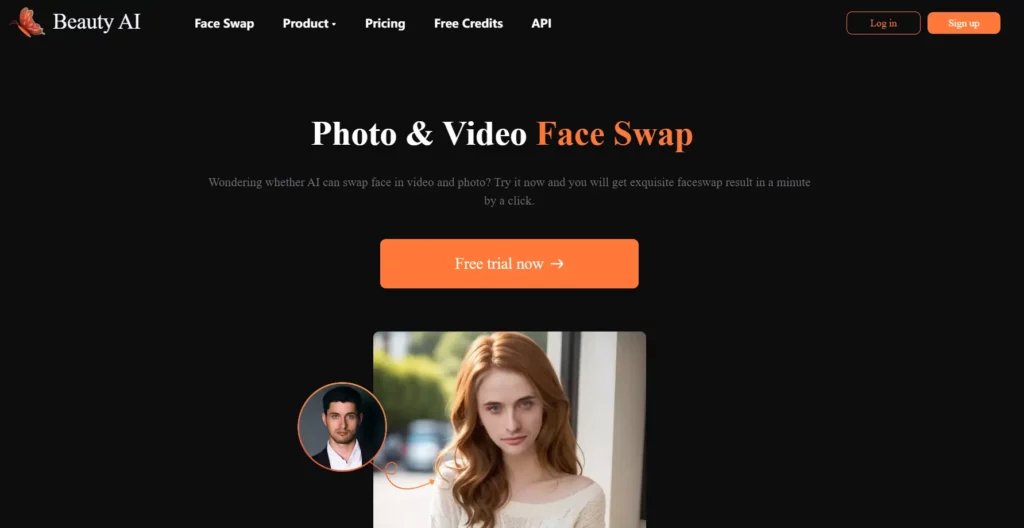
Beauty AI is an online face swap platform that allows users to seamlessly change faces in both photos and videos. Designed for ease of use, it works entirely in your web browser with no downloads required. The tool leverages advanced artificial intelligence technologies, including deep learning and neural networks, to detect, map, and blend facial features. This ensures realistic, natural-looking results by automatically adjusting for angles, lighting, and expressions. Beauty AI’s advanced algorithms make high-quality, shareable face swaps accessible to everyone, from casual users to content creators.
Beauty AI's Photo Face Swap feature uses advanced AI algorithms to intelligently detect faces in static images and seamlessly replace them with any face you choose. The tool automatically adjusts for different lighting conditions, facial angles, and expressions to create natural-looking results without eerie distortions.
Users simply upload their source photo and target face image, and the AI handles the complex mapping and blending process in seconds. The feature supports high-resolution outputs and maintains the original photo quality while ensuring the swapped face integrates perfectly with the surrounding environment. This makes it ideal for creating entertaining content, professional headshots, or artistic profile pictures with minimal effort required.
How to Use Photo Face Swap:
Key Technical Specifications:
| Feature | Details |
|---|---|
| Supported Formats | JPG, PNG, WebP |
| Processing Time | 3-10 seconds per image |
| Output Quality | Up to 4K resolution |
| Face Detection | Automatic AI-powered recognition |
| Compatibility | All devices with web browser |
The Multiple Picture Face Swap feature enables users to swap several faces within a single group photo simultaneously. This advanced functionality uses progressive AI techniques to automatically detect every clear face in uploaded group images and allows users to replace each one individually.
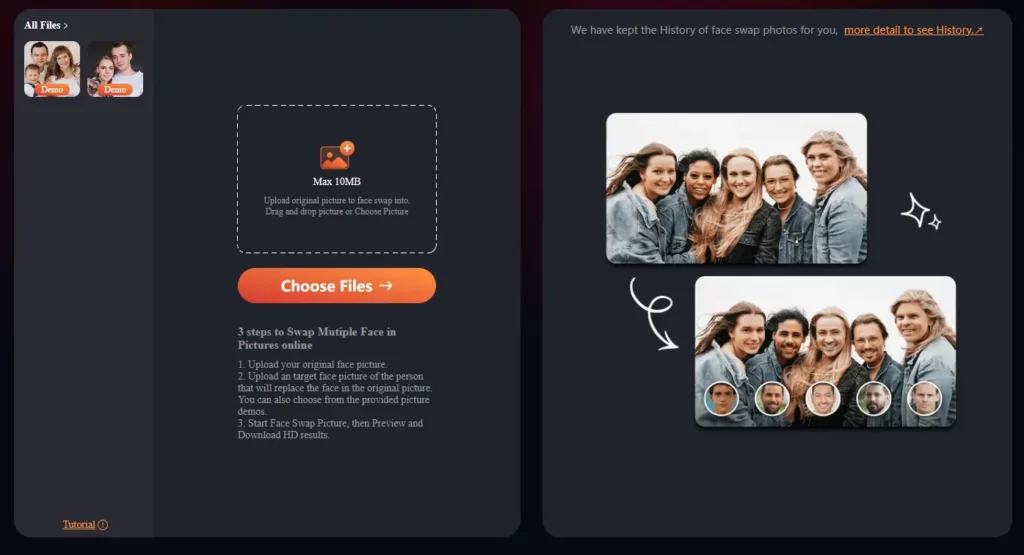
The tool maintains consistent lighting, shadows, and perspective across all swapped faces, ensuring a cohesive and realistic final result. Unlike basic face swap tools that handle only one face at a time, this feature is perfect for family gatherings, team photos, or creative group projects.
The AI intelligently preserves the original photo's composition while seamlessly integrating multiple new faces without quality degradation.
How to Use Multiple Picture Face Swap:
Advanced Features:
| Capability | Benefit |
|---|---|
| One-Click Processing | Swap multiple faces simultaneously |
| Face Matching Interface | Visual confirmation before processing |
| Batch Upload | Handle multiple replacement faces at once |
| Quality Preservation | Maintains original photo resolution |
| Undo/Redo Options | Make adjustments before final download |
Beauty AI's Video Face Swap technology extends face-swapping capabilities to dynamic video content, allowing users to replace faces in moving footage. The AI processes each frame individually while maintaining temporal consistency to prevent flickering or jarring transitions between frames.
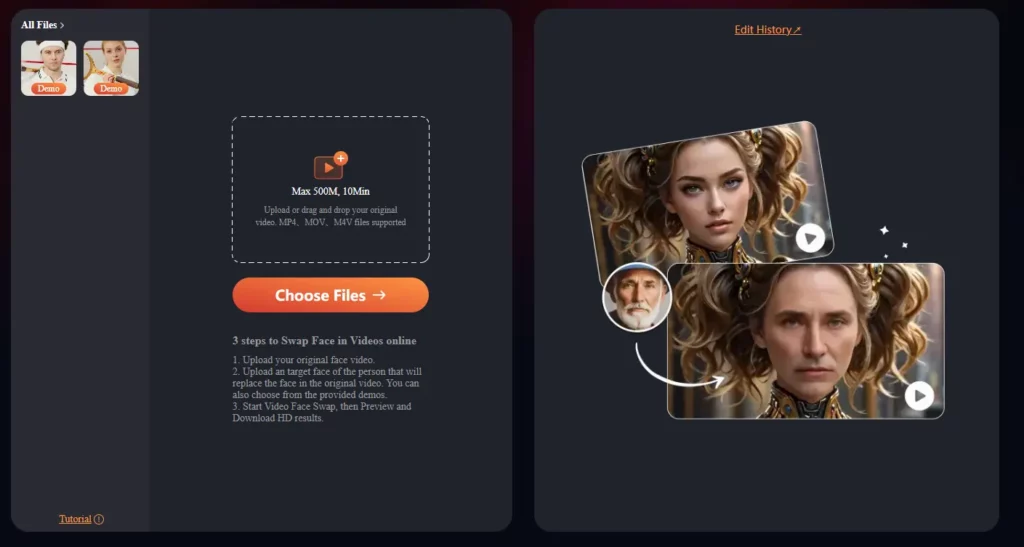
This feature supports various video formats and can handle different frame rates, automatically adjusting the swapped face to match head movements, facial expressions, and lighting changes throughout the video.
The tool is particularly valuable for content creators, marketers, and social media enthusiasts who want to create engaging video content. Processing happens entirely in the cloud, eliminating the need for powerful local hardware or specialized video editing software.
How to Use Video Face Swap:
- Upload your target video file (MP4, AVI, MOV formats supported)
- Select a clear face image for the replacement
- Choose specific time segments if you don't want to process the entire video
- Let the AI process frame-by-frame face detection and swapping
- Preview the result with real-time playback options
- Download your completed video in HD quality
Video Processing Capabilities:
| Specification | Details |
|---|---|
| Max Video Length | Up to 10 Min |
| Supported Formats | MP4, AVI, MOV, WebM |
| Output Quality | HD 1080p, 4K available |
| Frame Rate Support | 24fps to 60fps |
| Processing Method | Cloud-based rendering |
Video Face Swap Benefits:
- Batch Processing: Handle multiple video clips simultaneously
- Real-time Preview: See results during processing to make adjustments
- Temporal Consistency: Maintains smooth transitions between frames
- Expression Matching: AI adapts swapped face to original expressions
- Lighting Adaptation: Automatically adjusts for changing video lighting
The Multiple Video Face Swap feature represents the most advanced offering from Beauty AI, enabling users to swap faces for multiple people within a single video simultaneously. This advanced technology leverages enhanced AI algorithms that can track and replace several faces throughout an entire video sequence while maintaining individual identity consistency for each person.
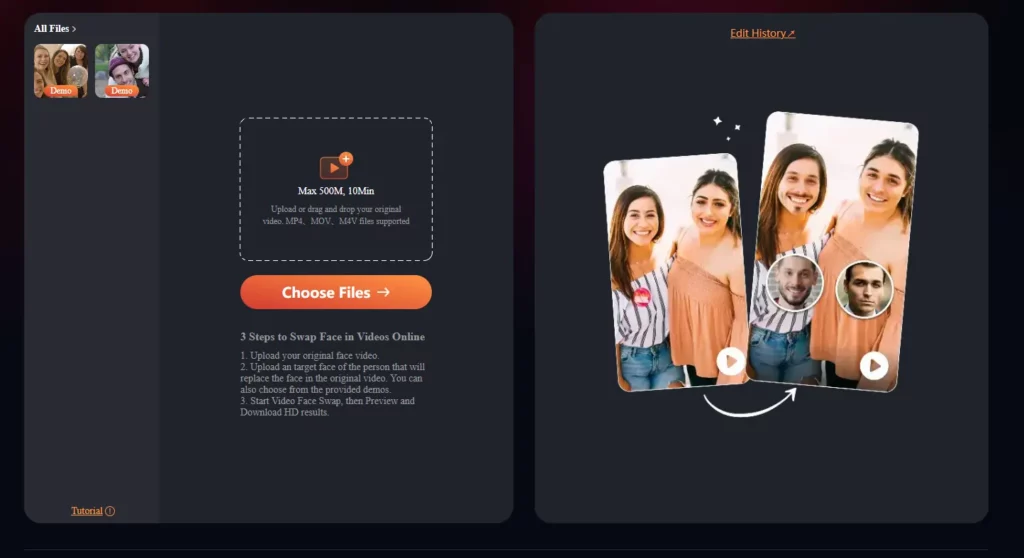
The tool is particularly useful for group videos, movie scenes, or collaborative content where multiple characters need face replacements. Users can upload specific face images for each person, and the AI will automatically apply the appropriate swap to the correct individual throughout the video duration. The feature includes advanced privacy and security measures with secure cloud processing.
How to Use Multiple Video Face Swap:
Advanced Multi-Face Processing:
| Feature | Capability |
|---|---|
| Face Tracking | Maintains identity consistency per person |
| Selective Processing | Choose specific time segments |
| Individual Control | Different replacement faces for each person |
| Batch Recognition | Simultaneous detection of all faces |
| Quality Assurance | Preview before final processing |
Beauty AI's Magic Brush feature is an intelligent AI-powered editing tool that goes beyond simple face swapping to offer comprehensive image enhancement and creative editing capabilities. This advanced tool utilizes sophisticated AI algorithms to generate, edit, and enhance images with minimal user effort, making it accessible to users of all skill levels.
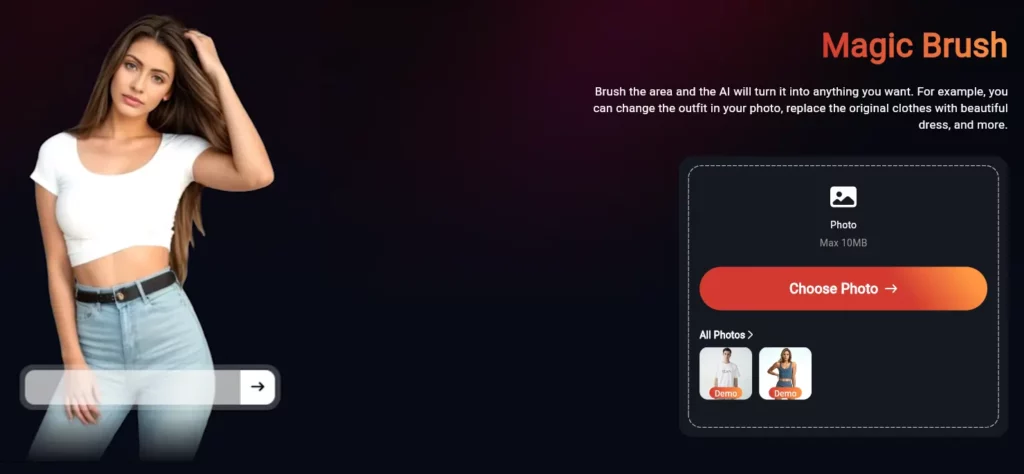
The Magic Brush works by allowing users to simply brush over any area of their photo, and the AI will intelligently transform it into anything they desire. For example, you can easily change outfits in your photos, replace original clothes with beautiful dresses, modify backgrounds, or transform any element within the image.
Unlike traditional editing tools that require manual adjustments and complex techniques, the Magic Brush provides intuitive brush-based solutions for complex editing tasks that would typically require professional design skills.
How Magic Brush Works:
Magic Brush Capabilities:
| Enhancement Type | Function |
|---|---|
| Outfit Transformation | Change clothes, replace with dresses, modify styles |
| Beauty Enhancement | Automatic skin smoothing and blemish removal |
| Lighting Correction | AI-powered exposure and contrast adjustment |
| Color Grading | Intelligent color balance and saturation |
| Background Editing | Smart background replacement and blur effects |
| Artistic Effects | Creative filters and style transformations |
Beauty AI Pricing Plans
| Credits | Price (USD) | Cost per Credit | Limit |
|---|---|---|---|
| 10 | $1.99 | $0.199/credit | 2min |
| 30 | $4.99 | $0.199/credit | 2min |
| 100 | $9.99 | $0.166/credit | – |
| 500 | $45.99 | $0.100/credit | – |
| 1,200 | $99.99 | $0.092/credit | – |
Note: Prices and features may be updated by Beauty AI over time. For the most accurate and up-to-date information, always visit the official website.
Top Alternatives to Beauty AI
Looking to explore more face-swap tools beyond Beauty AI? Here are three solid alternatives—each with its own unique strengths.
1. FaceSwapper.ai

FaceSwapper.ai is an easy-to-use online platform for swapping faces in both photos and videos. It uses AI to deliver seamless, natural-looking results with just a few clicks. User privacy is a standout feature; images are not stored and are deleted immediately after processing, making it perfect for users concerned about data security.
2. Deepswap

Deepswap is an AI-powered face-swapping tool that specializes in both still images and videos. Known for its accuracy and high similarity (over 90%) to original faces, it quickly processes even 4K videos and supports multiple faces per scene. Deepswap also includes privacy safeguards, background removal, and additional AI tools for a comprehensive editing experience.
3. BestFaceSwap

BestFaceSwap leverages 3D face reconstruction and a 106-point facial landmark system to deliver realistic, high-resolution swaps in photos and videos. It boasts a privacy-first approach, deleting uploads post-processing, and its simple three-step workflow makes it ideal for creators and marketers looking for quick, quality results. Freemium pricing allows users to try it free before upgrading.
| Feature | Beauty AI | FaceSwapper.ai | Deepswap | BestFaceSwap |
|---|---|---|---|---|
| Photo Swap | Yes | Yes | Yes | Yes |
| Video Swap | Yes | Yes | Yes | Yes |
| Multiple Faces per Image/Video | Yes | Up to 4 | Up to 6 | Yes |
| AI-Driven Accuracy | High | High | High (90%+ sim.) | High (3D+landmarks) |
| Privacy/Security | Strong | Strong, no storage | No data stored | Data deleted after use |
| Max Output Quality | HD/4K | HD | Up to 4K | 1080p, 4K coming soon |
| Speed | Fast | Fast | Ultra-fast (GPU) | Fast |
| Free Version | Limited | Yes | Limited Credits | Yes (restrictions) |
- Extremely easy, user-friendly interface
- Realistic results with advanced AI
- Supports both photo and video
- No downloads or installations needed
- Fast processing, instant sharing options
- Handles multiple faces per image
- Limited custom editing controls
- Large files may process more slowly
- No deep manual customization options
Tips to Get the Most Out of Beauty AI
- Use high-quality photos and videos: The better your source material, the more convincing your swaps will be.
- Experiment with lighting and angles: The AI performs best with well-lit, front-facing subjects.
- Try group swaps: It's fun for parties or team intros!
- Keep it ethical: Always get consent before swapping faces in photos or videos shared outside your personal circles. Fun shouldn't come at the expense of privacy.
Final Verdict: Is Beauty AI Worth It?
Look, I've tried a lot of face swap tools, and most of them are pretty terrible. Beauty AI actually delivers on its promises. The results look professional, the interface doesn't make you want to throw your computer out the window, and the pricing is fair.
Bottom line: If you need a reliable face swap tool that produces quality results without a steep learning curve, Beauty AI is worth checking out, and my detailed Beauty AI review is too. The free credits let you test it risk-free, and the pay-as-you-go model means you're not stuck with a subscription you don't use.
If you're a content creator looking to add some flair to your videos, a marketer needing engaging visuals, or just someone who wants to have fun with photos, Beauty AI delivers the goods. It's not perfect, but it's definitely one of the better options available right now.