

wisecut AI Viktiga insikter
Vad är Wisecut AI?
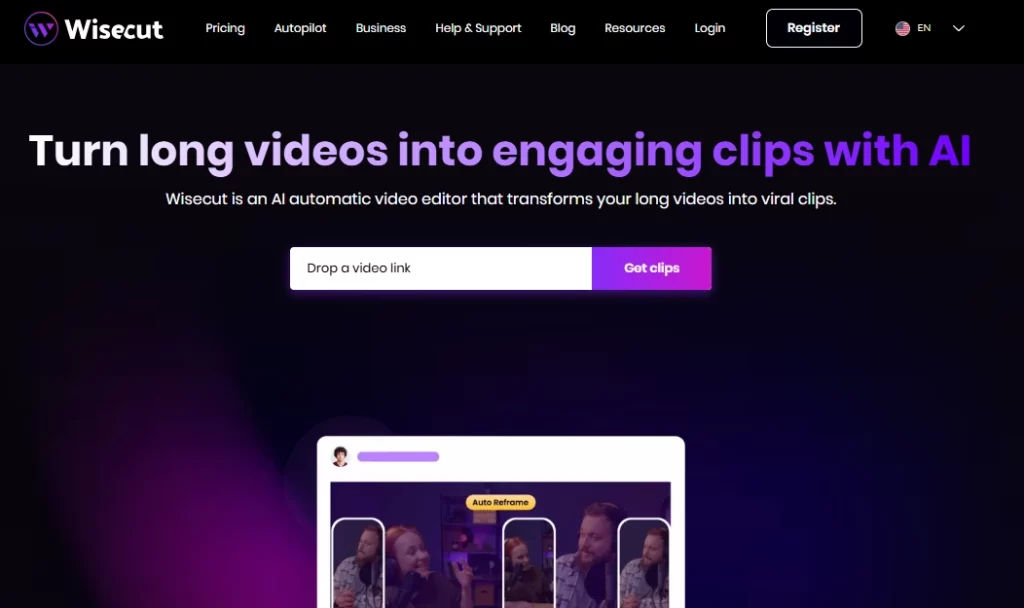
Wisecut AI är en molnbaserad automatisk videoredigerare som använder artificiell intelligens och röstigenkänning för att förvandla långa videor till korta, engagerande klipp redo för sociala medier. Plattformen är byggd för innehållsskapare, YouTubers, poddare och marknadsföringsteam som behöver återanvända inspelningar snabbt utan traditionella redigeringsfärdigheter. Genom att ladda upp en enda video får användare AI genererade höjdpunkter, automatisk bildtext, borttagning av tystnad och smart bakgrundsmusik appliceras på några minuter.
wisecut AI tar bort det manuella slitet med tidslinjeredigering och ersätter det med ett textbaserat storyboard-arbetsflöde. Det betyder att vem som helst kan producera elegant kortformatsinnehåll för TikTok, Instagram Reels, YouTube Shorts och LinkedIn utan att behöva använda en traditionell redigeringssvit. Den används av över en miljon kreatörer och medieteam världen över.
Wisecut skannar ditt filmklipp i full längd och identifierar automatiskt de mest engagerande ögonblicken. AI identifierar segment med starka talmönster, känslomässiga toppar och ämnesskift för att generera klipp som är redo för social delning. Detta sparar timmar av manuell genomsökning av råa inspelningar.
Istället för att använda en traditionell tidslinje med nyckelbilder genererar Wisecut en fullständig transkription av din video och förvandlar den till en redigerbar storyboard . Du ordnar om eller tar bort scener genom att helt enkelt flytta textblock. Detta gör redigeringsprocessen tillgänglig för alla som kan läsa och dra, utan att några tekniska kunskaper krävs.
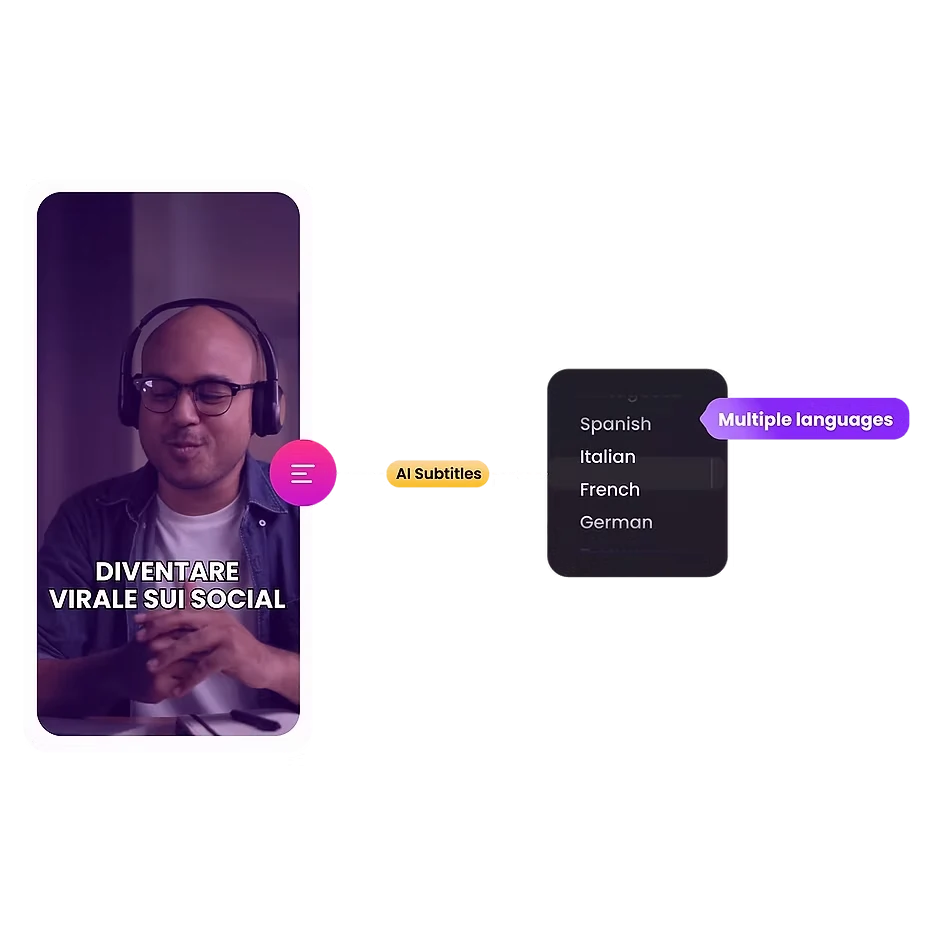
Plattformen genererar korrekta undertexter automatiskt och stöder 13 språk för översättning. Med tanke på att nästan 70 % av tittarna tittar på videor utan ljud offentligt, ökar den här funktionen direkt engagemanget och utökar din publiks räckvidd över globala marknader.
Wisecut väljer royaltyfri bakgrundsmusik som passar tonen i din video. Den tillämpar sedan automatiskt ljuddämpning, vilket sänker musikvolymen när någon talar och höjer den under pauser. Resultatet är ljudbalans med sändningskvalitet utan manuell mixning.
Död luft minskar tittarnas intresse. Wisecut upptäcker och tar bort tysta pauser i hela videon på några sekunder. Den tillämpar även automatiska zoomövergångar i viktiga ögonblick, vilket skapar punch-in-effekter som håller uppmärksamheten vid längre segment med talande huvuden.
wisecut AI Prissättning planer
| Plan Namn | Pris | Processing Time | Max upplösning | Max filstorlek |
|---|---|---|---|---|
| Gratis | $0 | 30 minuter/månad | 720p | 4 GB |
| Förrätt | $ 15.75 / mån | 480 minuter/månad | 1080p full HD | 4 GB |
| Starter+ | $ 23.25 / mån | 480 minuter/månad | 1080p full HD | 4 GB |
| Professionella | $ 75.67 / mån | 1800 minuter/månad | 4K Ultra HD | 5 GB |
| Professionell+ | $ 83.25 / mån | 1800 minuter/månad | 4K Ultra HD | 5 GB |
| Företag | Custom | Custom | Custom | Custom |
Komma igång med Wisecut AI
- Steg 1: Besök wisecut.ai och registrera ett gratis konto med din e-postadress eller Google-inloggning.
- Steg 2: Ladda upp din långa videofil (upp till 4 GB med gratisplanen) direkt från din enhet.
- Steg 3: Välj dina önskade utdatainställningar inklusive språk, bildförhållande (vertikalt, kvadratiskt eller horisontellt) och textningsstil.
- Steg 4: Låt AI bearbeta din video. Wisecut genererar höjdpunkter, tar bort tystnader, lägger till textning och använder bakgrundsmusik automatiskt.
- Steg 5: Granska AI genererad storyboard, gör eventuella textbaserade redigeringar du behöver och exportera eller schemalägg dina klipp direkt till sociala medier.
Vem bör använda Wisecut AI?
wisecut AI är perfekt för ensamma YouTubers, podcastvärdar med videoinnehålloch sociala mediehanterare som hanterar stora volymer återanvänt innehåll. Om ditt arbetsflöde innebär att spela in långa intervjuer, vloggar eller webbseminarier och sedan klippa dem till korta klipp för plattformar som TikTok eller Reels, kommer det här verktyget att spara dig avsevärt tid.
Marknadsföringsbyråer som hanterar flera kundkonton kommer också att dra nytta av funktionerna för schemaläggning av sociala medier och automatiska publiceringar. Med det sagt bör professionella redaktörer som behöver tidslinjer för flera spår, färggradering eller visuella effekter leta någon annanstans.
Hur klokt AI Hanterar ljudbehandling
Ljudkvaliteten skiljer ofta amatörinnehåll från professionellt innehåll. Wisecut åtgärdar detta med inbyggd brusreducering som tar bort bakgrundsbrus och surr från dina inspelningar. Ljudförbättringsfunktionen förfinar röstskärpan för att låta närmare en studioinspelad podcast eller sändning.
Kombinerat med det automatiska duckingsystemet för bakgrundsmusik levererar plattformen polerat ljud utan att det krävs en separat DAW eller mixningsprogramvara. För skapare som spelar in i ofullkomliga miljöer kan detta ensamt motivera prenumerationen.
För-och nackdelar
- Konvertering av video till klipp med ett klick.
- Textbaserad redigering kräver inga färdigheter.
- Stöd för automatisk textning på 13 språk.
- Smart bakgrundsmusik med duckning.
- Inbyggd schemaläggning för sociala medier.
- Brusreducering och ljudförbättring.
- Inget stöd för redigering med flera kameror.
- Begränsade manuella redigeringskontroller.
- Projekten löper ut efter 30 dagar.
wisecut AI för skalbar återanvändning av innehåll
Wisecuts verkliga styrka AI visar när du behöver volym. En enda inspelning på en timme kan producera dussintals korta klipp utan att behöva gå igenom råmaterialet manuellt. AI Markeringsdetektering i kombination med automatisk omformning innebär att dina vertikala TikTok-klipp och horisontella YouTube-miniatyrer kommer från samma uppladdning.
För innehållsteam som kör veckovisa eller dagliga publiceringsscheman över flera plattformar förstärks denna hastighetsfördel över tid. Abonnemangen på "+"-nivå med automatisk publicering gör hela arbetsflödet från inspelning till publicering nästan helt handsfritt.
Bästa Wisecut AI alternativ
| AI Videoredigerare / Verktyg för videoåteranvändning | Borttagning av automatisk tystnad | Språk som stöds |
|---|---|---|
| Opus klipp | ✅ | 8 språk |
| Beskrivning | ✅ | 23+ språk |
| SER | ✅ | 125+ språk |
| Kapwing | ✅ | 75+ språk |



