

Dacă ați exportat vreodată un videoclip și ați observat că fețele par estompate, textul este pătat sau întregul clip devine blocat în momentul în care se mișcă, nu sunteți singurii. Majoritatea oamenilor pierd ore întregi ajustând setări aleatorii, când adevărata soluție este alegerea mai întâi a abordării corecte de îmbunătățire - upscaling, reducerea zgomotului, clarificare, stabilizare sau corecție a culorilor.
Aceasta este calea pe care o vom urma aici, apoi vom restrânge lista la Top 6 instrumente de îmbunătățire video care merită încercate. Această comparație este destinată creatorilor, specialiștilor în marketing și editorilor care au nevoie de imagini mai curate rapid - fără a ghici ce îmbunătățește de fapt fiecare instrument.
De ce ai nevoie de instrumente dedicate pentru îmbunătățirea videoclipurilor în 2026
Pe măsură ce așteptările publicului se îndreaptă către o redare 4K impecabilă, software-ul de editare standard este adesea insuficient. Filtrele de clarificare de bază evidențiază de obicei pixelizarea, în timp ce reducerea tradițională a zgomotului pur și simplu estompează detaliile vizuale importante.
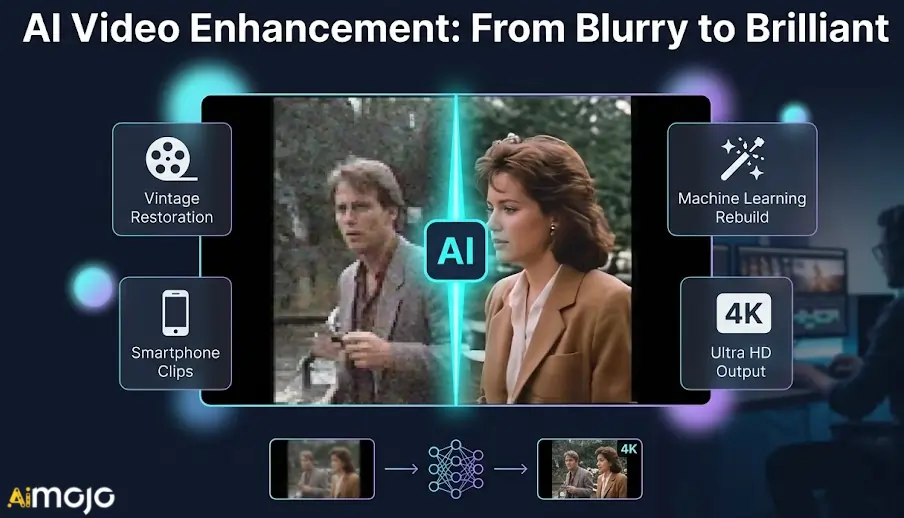
În 2026, instrumentele dedicate de îmbunătățire video vor rezolva exact aceste limitări folosind învățarea automată. În loc să aplice filtre generice, acestea vor reconstrui în mod activ datele lipsă prin AI upscaling și generează inteligent rame noi pentru o mișcare mai lină.
Indiferent dacă restaurați filmări vintage sau recuperați clipuri slab iluminate de pe smartphone, aveți nevoie de un software creat special pentru procesare intensivă. Să explorăm caracteristicile tehnice exacte care diferențiază motoarele de îmbunătățire adevărate de editoarele de bază.
AI Îmbunătățitori video care îmbunătățesc instantaneu calitatea videoclipurilor dvs.
| Instrument de top pentru îmbunătățirea videoclipurilor | Primar AI Caracteristică | Obiectiv principal de îmbunătățire |
|---|---|---|
| Higgsfield AI | AI Redare video | Repararea pâlpâirii suporturilor media |
| Akool | Schimbare inteligentă a feței | Localizarea campaniilor globale |
| OpenArt AI | Imagine în videoclip | Animarea elementelor statice |
| Pykaso AI | Upscaling realist al texturilor | Generație video 4K |
| vedea | Curățare audio instantanee | Editare bazată pe browser |
| Topaz Video AI | Upscaling neuronal 8K | Restaurarea imaginilor de arhivă |
1. Higgsfield AI
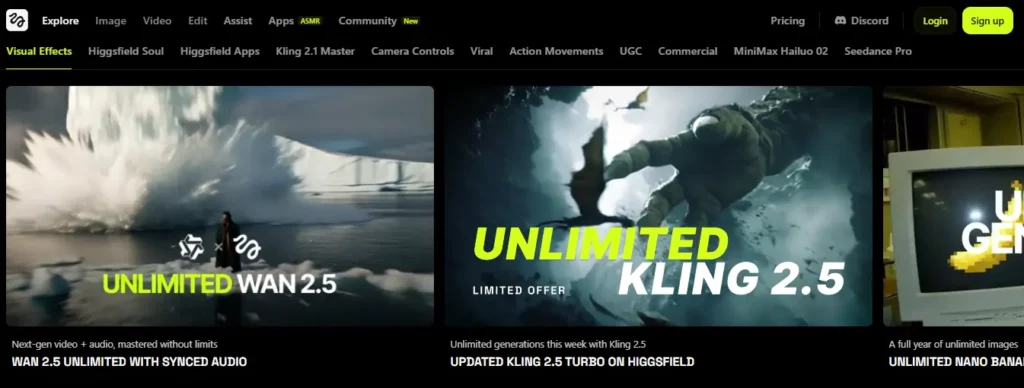
Când vă confruntați cu generații cu rezoluție scăzută sau pâlpâire AI filmări, găsirea unor instrumente fiabile de îmbunătățire video devine esențială pentru menținerea consistenta vizualaHiggsfield AI promoții o funcție dedicată de upscaling și deflickering video suită concepută special pentru stabilizarea și îmbunătățirea mediilor sintetice.
Această platformă se adresează creatorilor de conținut și specialiștilor în marketing care au nevoie să rafineze conținutul brut AI rezultate înainte de publicare. Prin netezirea artefactelor de mișcare și creșterea densității pixelilor, utilizatorii pot folosi cu încredere acest software de îmbunătățire video pentru a pregăti clipuri cinematografice, scurtmetraje pentru rețelele sociale și materiale promoționale pentru vizionare în înaltă definiție.
Higgsfield AI Caracteristici cheie:
Utilizare caz:
Planuri de prețuri: Abonamentele variază de la 9 USD la 199 USD lunar, oferind alocări de credit variabile pentru generațiile standard și premium.
Cel mai bun pentru: Cel mai bun pentru AI creatorii și specialiștii în marketing au nevoie de o platformă fiabilă pentru a rafina și îmbunătăți conținutul video sintetic.
2. Akool

Akool integrează schimbarea fețelor și generarea de avatare de înaltă calitate direct în procesul de editare, remarcându-se ca unul dintre cele mai specializate instrumente de îmbunătățire video. Echipele de marketing se confruntă adesea cu provocarea de a adapta elementele vizuale existente pentru diferite categorii demografice, fără a pierde fidelitatea vizuală.
Concepută pentru agenții de publicitate și creatori de conținut comercial, această platformă excelează în personalizarea conținutului media corporativ, menținând în același timp expresiile naturale. Prin utilizarea unor algoritmi avansați de procesare, utilizatorii pot traduce fără probleme videoclipuri de marketing sau pot schimba prezentatorii, asigurându-se în același timp că exportul final păstrează un aspect elegant, de înaltă rezoluție, potrivit pentru campanii profesionale.
Festiunile cheie Akool:
Utilizare caz:
Planuri tarifare: Prețurile includ un nivel gratuit, cu planuri plătite de la 15 USD la 249 USD lunar, în funcție de utilizarea creditului.
Ideal pentru: Ideal pentru agențiile de marketing care necesită personalizare video fiabilă, de înaltă rezoluție și capacități scalabile de schimbare a feței pentru campanii globale.
3. OpenArt AI

Artiștii și dezvoltatorii trebuie frecvent să își scaleze conceptele vizuale în formate de mișcare fără a compromite stilul original.'s claritate. Deși este cunoscut în principal pentru generarea de imagini, OpenArt AI funcționează alături de instrumentele moderne de îmbunătățire video, oferind transformări de înaltă fidelitate de la imagine la video.
Această suită web este concepută pentru artiștii digitali și managerii de social media care doresc să animeze elemente statice în mod curat. Prin utilizarea unor modele de procesare premium, această platformă asigură că animațiile generate își mențin rezoluția și integritatea structurală dorite, ceea ce o face extrem de practică pentru crearea de conținut scurt, consistent și atractiv din punct de vedere vizual.
OpenArt AI Caracteristici cheie:
Utilizare caz:
Planuri tarifare: Planurile variază de la 14 USD la 240 USD lunar, oferind sume variabile de credit pentru generarea de imagini și videoclipuri.
Ideal pentru: Ideal pentru artiștii digitali care caută un mediu fiabil pentru a antrena modele și a genera animații vizuale consecvente.

4. Pykaso AI

Pykaso AI intră în conversația despre instrumentele de îmbunătățire video oferind acces cu plată în funcție de utilizare la motoare avansate de randare, cum ar fi Kling și WAN. Obținerea unor rezultate media ultra-realiste necesită adesea o post-procesare meticuloasă și acces la modele de generare la nivel de întreprindere.
Destinată creatorilor independenți și agențiilor de tip boutique, această platformă oferă instrumente sofisticate pentru rafinarea texturilor vizuale și generarea de materiale video de înaltă definiție. Cu upscalere integrate pentru skin upscaling și capacități de ieșire 4K, utilizatorii își pot îmbunătăți fluxul de lucru media, asigurându-se că fiecare clip generat îndeplinește standardele stricte de calitate necesare pentru transmisiunea digitală modernă.
Pykaso AI Caracteristici cheie:
Utilizare caz:
Planuri de prețuri: Folosește un sistem flexibil de plată pe măsură ce utilizezi, cu pachete Gem cuprinse între 6 și 240 USD, fără angajamente lunare.
Ideal pentru: Ideal pentru creatorii independenți care doresc generare video de înaltă calitate și rentabilă și îmbunătățire realistă a texturilor, fără a fi obligați să plătească un abonament.
5. veed.io
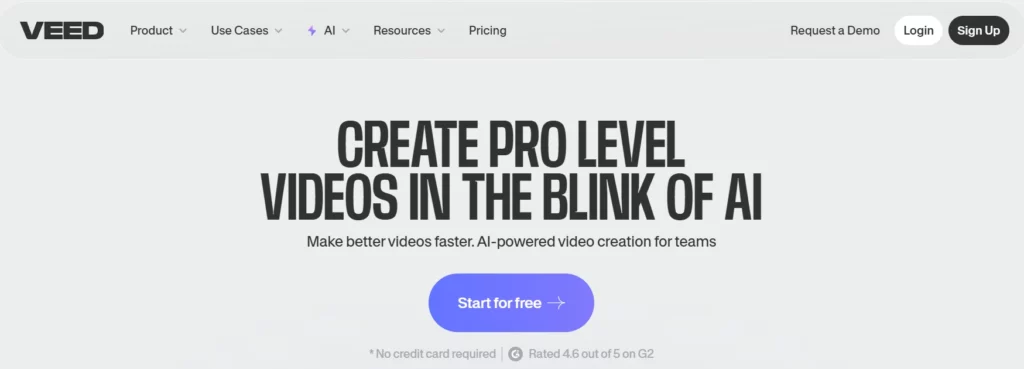
Veed.io modernizează fluxul de lucru pentru editare prin integrarea unor instrumente practice de îmbunătățire a videoclipurilor direct într-o cronologie accesibilă, bazată pe cloud. Editorii bazați pe browser s-au confruntat în mod tradițional cu probleme legate de viteza de randare și claritatea rezultatelor, ceea ce a făcut ca mulți utilizatori să fie frustrați de exporturile pixelate.
Această platformă este ideală pentru podcasteri, educatori și manageri de social media care au nevoie de răspunsuri rapide fără a sacrifica calitatea. Oferind reducerea zgomotului cu un singur clic, curățarea audio și capacități de exportare 4K, acest software asigură îmbunătățirea sistematică a înregistrărilor standard ale camerei web și a capturilor de ecran pentru o utilizare clară și profesională a publicului.
Caracteristici cheie Veed.io:
Utilizare caz:
Planuri de prețuri: Abonamentele plătite încep de la 12 USD lunar pentru funcțiile de bază, cu cele premium AI instrumente disponibile la niveluri superioare.
Ideal pentru: Creatorii de conținut care lucrează zilnic și au nevoie de un editor web intuitiv, multifuncțional, cu îmbunătățiri audio și vizuale încorporate.
6. Laboratoare Topaz

Topaz Video AI este recunoscut pe scară largă printre instrumentele premium de îmbunătățire video pentru capacitatea sa de a reconstrui pixelii lipsă folosind rețele neuronale profund antrenate. Salvarea materialelor video puternic comprimate sau upscaling-ul arhivelor media este o provocare tehnică complexă pe care software-ul de bază nu o poate gestiona.
Conceput pentru videografi profesioniști , arhiviști și studiouri de post-producție, acest software pentru desktop se concentrează exclusiv pe îmbunătățirea vizuală măsurabilă. Prin reducerea inteligentă a granulației, interpolarea ratelor de cadre și creșterea rezoluției până la 8K, utilizatorii pot restaura în mod fiabil suporturile media degradate pentru a îndeplini standardele moderne de difuzare de înaltă definiție.
Caracteristici cheie Topaz Labs:
Utilizare caz:
Planuri de prețuri: Topaz Video AI este disponibil ca abonament, la un preț de obicei de aproximativ 37 USD lunar sau 396 USD anual.
Ideal pentru: Ideal pentru profesioniștii dedicați în postproducție care necesită restaurare video procesată local, de top în industrie, și capacități de upscaling de înaltă fidelitate.
Cum să maximizezi calitatea ieșirii folosind instrumente de îmbunătățire video
Chiar și cel mai avansat AI Instrumentele de îmbunătățire video necesită setările potrivite pentru a produce rezultate naturale, profesionale, fără a părea artificiale. Bazarea exclusivă pe presetări automate poate uneori să strice un clip bun.
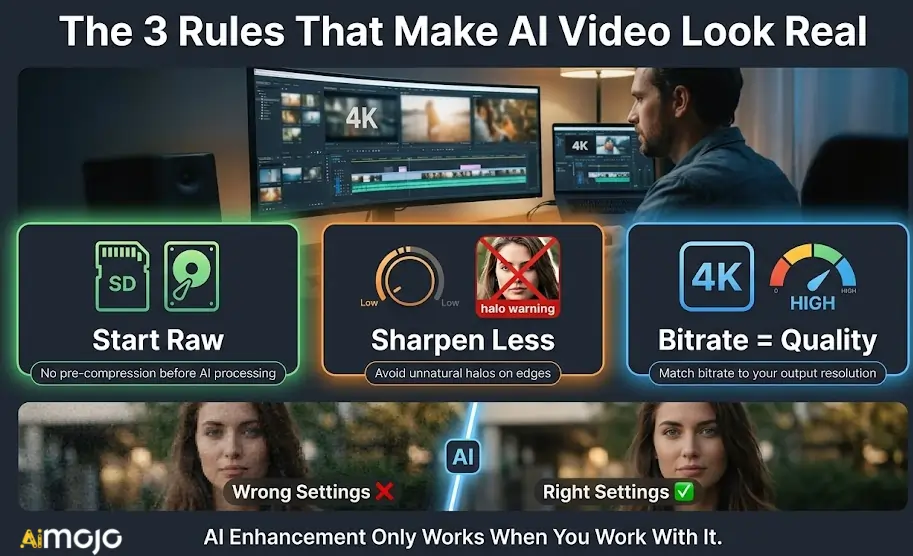
Pentru a obține cele mai curate randări, concentrați-vă pe aceste ajustări critice:
Prin gestionarea atentă a acestor parametri, vă asigurați că exportul final arată restaurat autentic, nu prea mult, ci prea mult prea mult.
Rezumarea celor mai bune instrumente pentru îmbunătățirea calității video
Nu fiecare videoclip necesită aceeași corecție. Unele clipuri necesită eliminarea granulației, altele necesită netezirea cadrelor, iar altele au nevoie pur și simplu de o creștere a rezoluției înainte de a arăta prezentabil. Cele șase platforme abordate aici gestionează fiecare o anumită parte a acestui proces mai bine decât restul.
Începeți cu ceea ce are nevoie materialul dvs. video, potriviți-l cu instrumentul potrivit și testați pe un clip scurt înainte de a vă dedica unei randări complete. Majoritatea acestor instrumente de îmbunătățire video oferă acces de probă, deci nu există nicio presiune pentru a vă angaja orbește.
Cea mai bună editare este cea pe care publicul tău nu o observă niciodată că a fost corectată.
AiMojo recomandă:



 BONUS: „Ia-ți cei 200 de dolari”AI „Mastery Toolkit” GRATUIT la înscriere!








